An iOS app for tracking job and internship applications, built with SwiftUI.
Demo GIFs
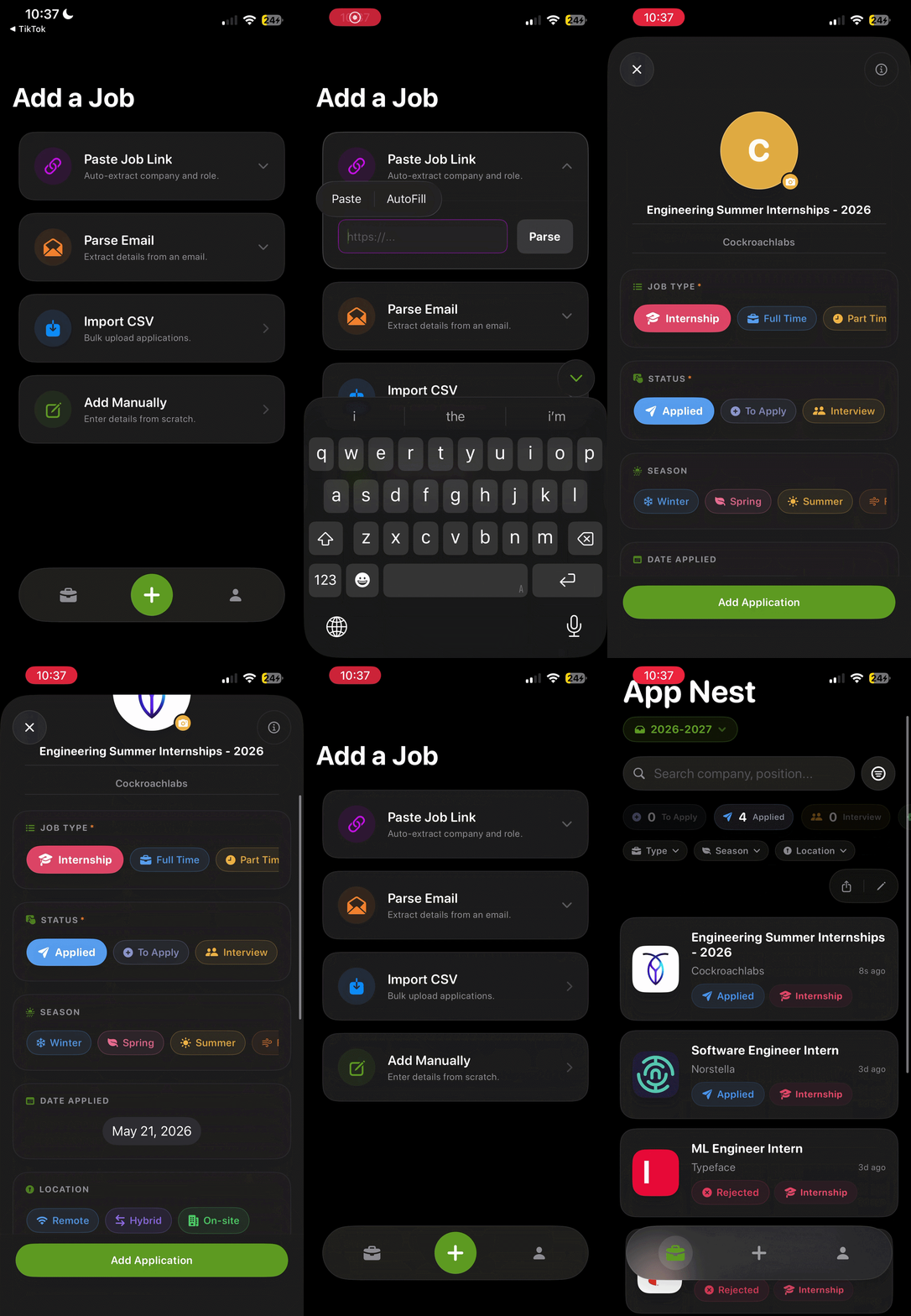
Parse Link
|
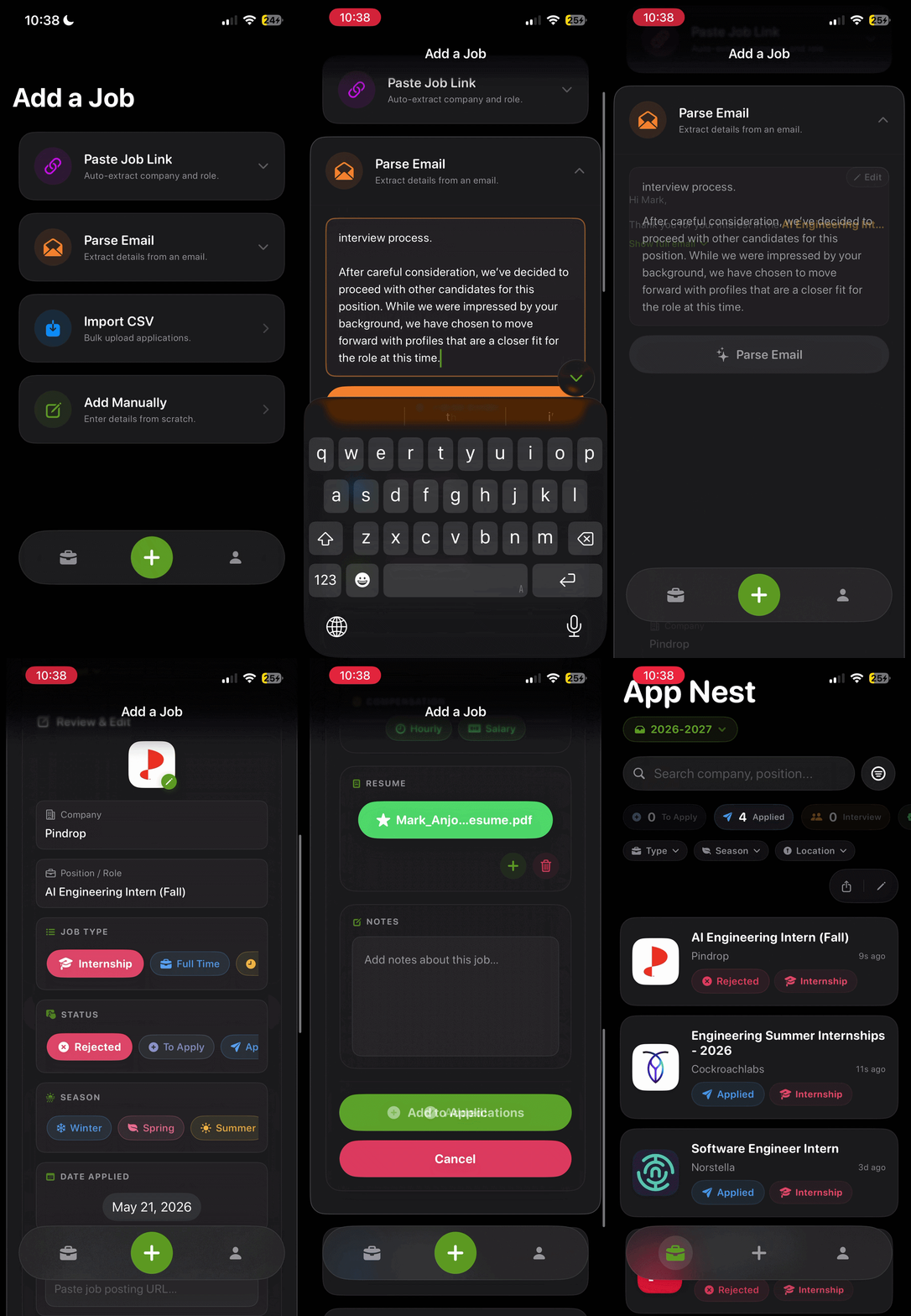
Parse Email
|
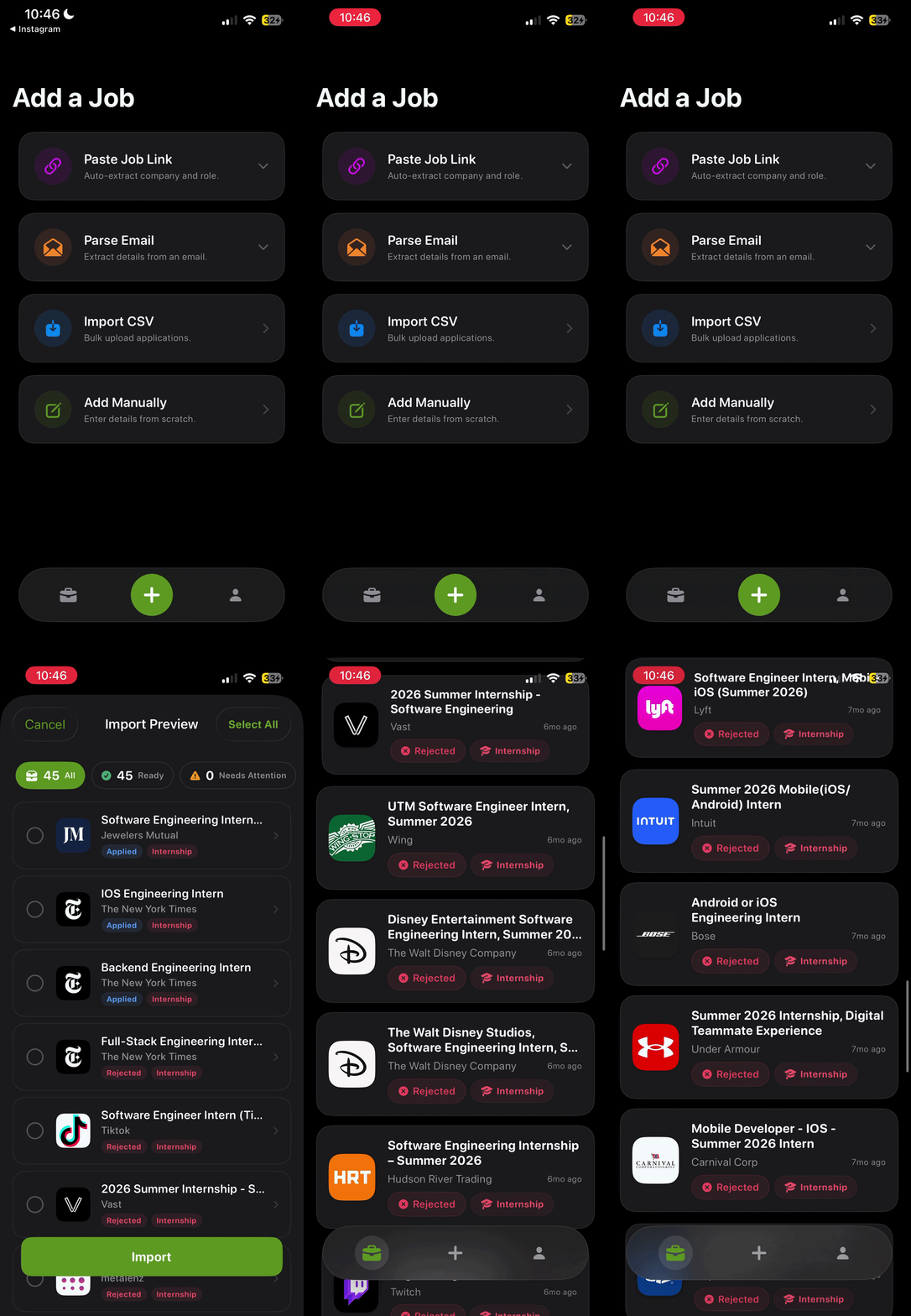
Import CSV
|
Note: Manual entry GIF coming soon.
Features
Tracking
|
|
| Applications |
Company, position, type, status, season, compensation, notes, resume attachment |
| Swipe to delete |
Swipe left on any card to delete; tap the card to open the full detail sheet |
| Cycles |
Group applications by search period (e.g. "Summer 2026", "Full-Time 2027") |
| Bulk actions |
Edit Mode for mass delete or move-to-cycle |
Import & Adding
|
|
| Central Add Hub |
Unified "Add Job" tab featuring inline ATS link parsing, email parsing, CSV import, and manual entry |
| ATS Link Parsing |
Paste Greenhouse, Lever, Ashby, or Workday links to auto-extract company and position |
| CSV Import |
Flexible mapper handles any column naming; preview and edit before committing |
| Email Parsing |
Paste a confirmation email — on-device NLP extracts company, position, status, and compensation |
Per-Application Tools
|
|
| Detail sheet |
Tap any card to open a 90% sheet with drag-to-dismiss; save bar only appears on actual changes |
| Interview Kit |
Per-application Company Research and Interview Prep note editors inside the job detail view |
| Application Reminders |
Schedule local push notifications to follow up on any application |
Discovery
|
|
| Search |
Full-text across company and position, live as you type |
| Filter & sort |
Filter by status chips; sort by date or company name |
| Company logos |
Auto-fetched from Logo.dev, cached to the database, or upload your own |
| CSV Export |
Export your list or active cycle to a standard CSV |
Tech Stack
| Layer |
Technology |
| UI |
SwiftUI |
| Persistence |
SwiftData (SQLite) |
| NLP / Parsing |
Apple NaturalLanguage (NLTagger) + Regex + NSDataDetector |
| Logo Lookup |
Logo.dev API |
| Architecture |
Hybrid: @Query for reactive data + @Observable ViewModel for complex form state |
| Design System |
Adaptive light/dark theme — flat content, Liquid Glass controls |
| Accessibility |
Dynamic Type via @ScaledMetric-backed appFont() modifier; 44pt minimum touch targets |
Architecture
AppNest uses a hybrid architecture. Views query the database directly via @Query for reactive data that updates automatically across all views. For complex multi-step form state (e.g. email parsing), an @Observable ViewModel class owns ephemeral UI state and business logic, keeping views declarative.
AppNest/
├── Core/                 # Entry point, AppState, and API Config
├── Design System/        # Adaptive theme, motion curves, and haptics
├── Models/               # SwiftData @Models + NotificationManager
├── ViewModels/           # @Observable classes for complex form state (EmailParseViewModel)
├── Views/
│   ├── Screens/          # Main application screens (Application, Profile, etc.)
│   └── Components/       # Atomic UI elements (Pills, Cards, Forms, Modular Form Sections)
└── Assets.xcassets       # Static assets, branding, and color tokens
Getting Started
Requirements
- macOS with Xcode 27+ installed (iOS 27.0+ SDK)
- A Logo.dev account for automatic company logo fetching (free tier works)
Setup
- Clone the repo
- Create
AppNest/Core/APIKeys.swift from the example file:
enum APIKeys {
    static let logoDevPublicKey  = "pk_YOUR_PUBLISHABLE_KEY_HERE"
    static let logoDevSecretKey  = "sk_YOUR_SECRET_KEY_HERE"
}
Logo.dev uses two separate keys — both are in your Logo.dev dashboard. APIKeys.swift is gitignored and should never be committed.
- Open
AppNest.xcodeproj and run on an iOS 27+ simulator
License
MIT License — Copyright (c) 2026 Mark Anjoul.
Description taken from the repository README.