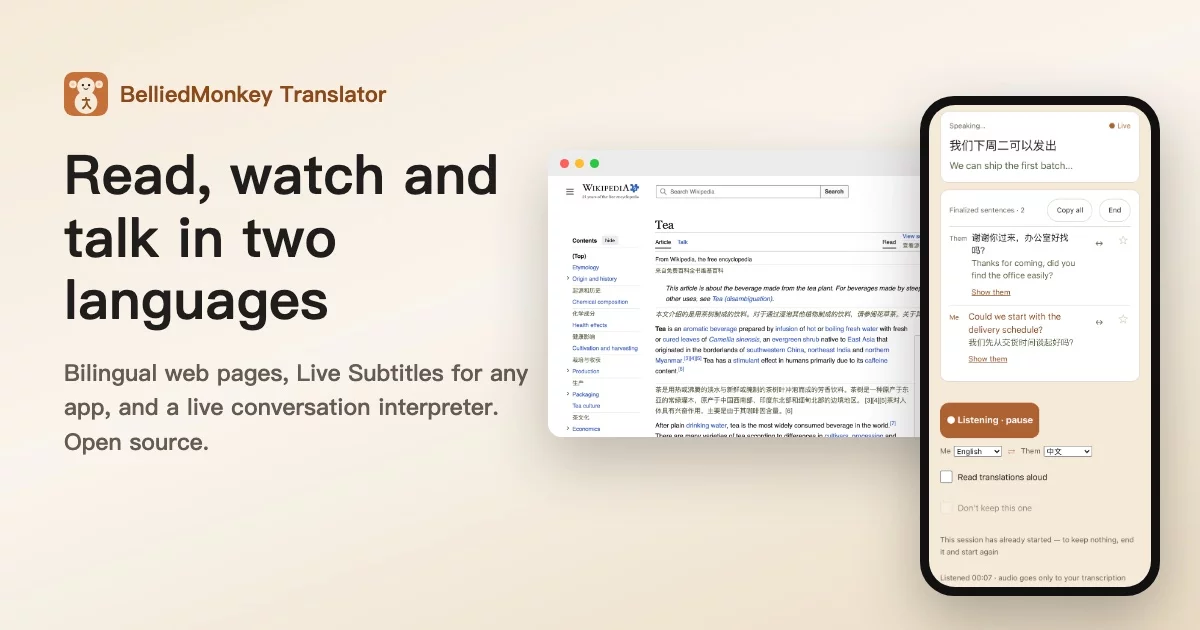

BelliedMonkey Translator
Read the world's web — both languages at once. And actually remember it.
Bilingual pages, dual subtitles for video and podcasts, and live subtitles for anything your Mac or iPhone plays.
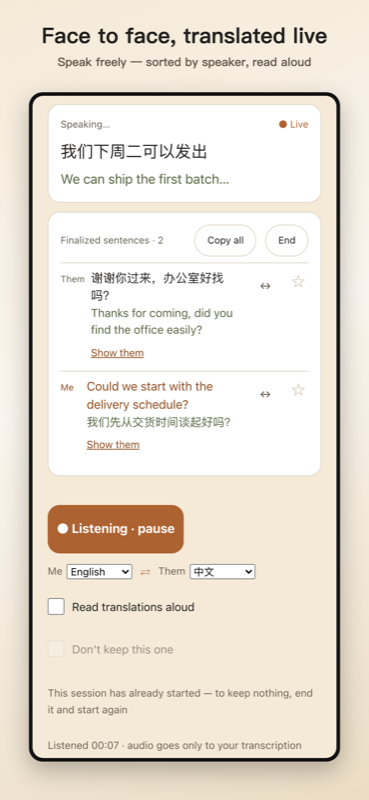
A live interpreter for face-to-face conversations, in the app.
Sentences you actually read become review cards — on your phone too, if you turn on sync.
Bring your own LLM key, and no server of ours is in the translation path.
BelliedMonkey Translator is a free, open-source (GPL-3.0) app and browser extension for Safari on iPhone, iPad and Mac, and for Chrome and Firefox. It shows web pages and video subtitles in two languages at once; the app adds Live Subtitles for whatever your Mac or iPhone is playing, and a live interpreter for conversations. It turns the sentences you actually read into spaced-repetition review cards, and works with your own AI key — or with a free channel that needs none. No subscription, no account required.




English · 简体中文
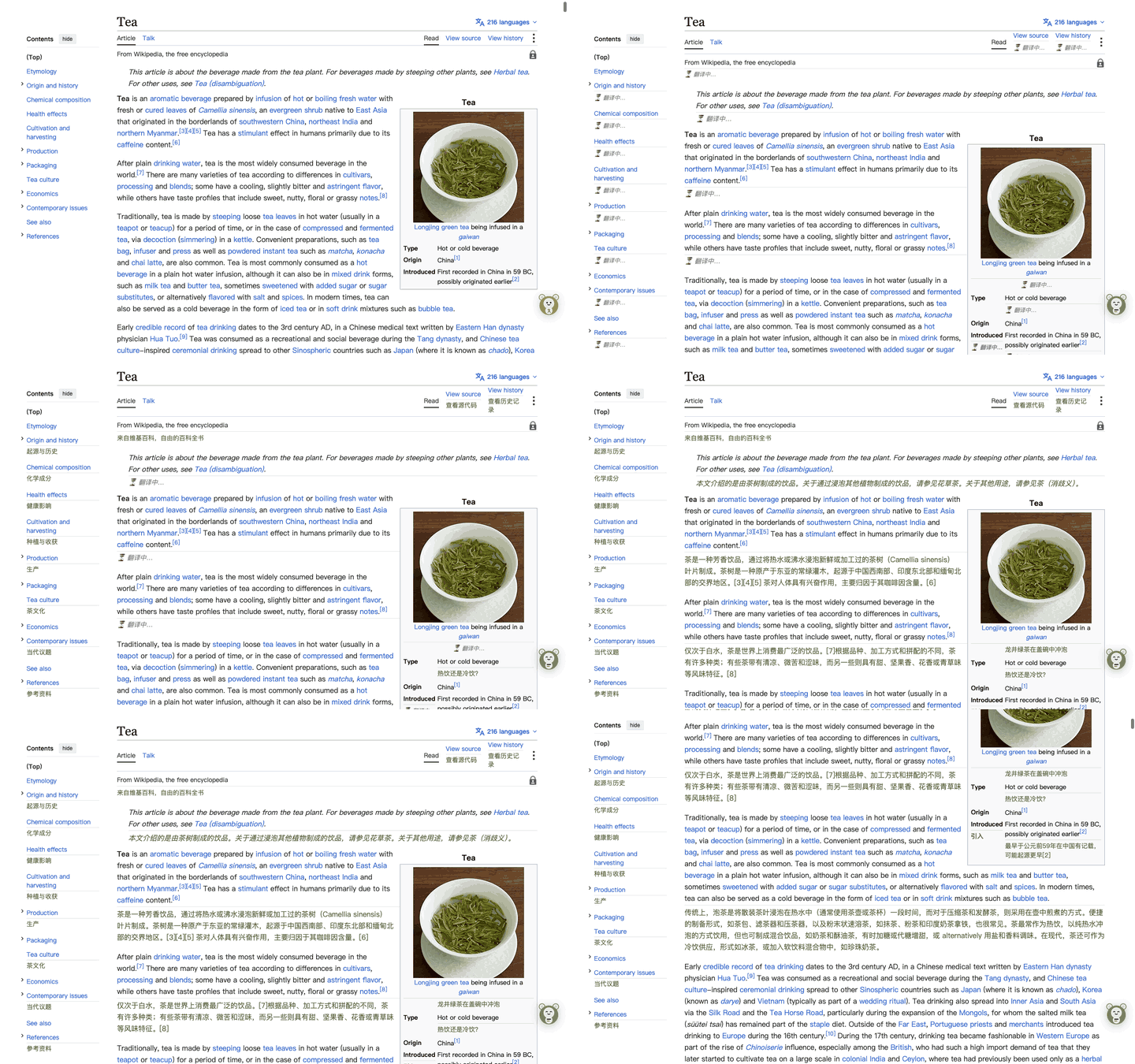
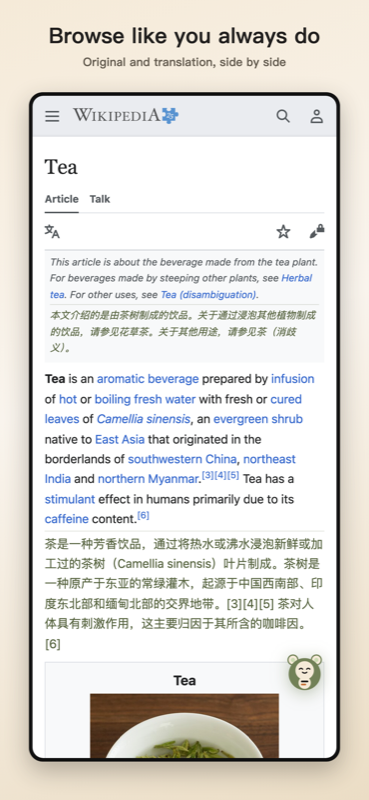
One tap on the floating button. The original stays; the translation goes underneath. Wikipedia, translated with your own key.
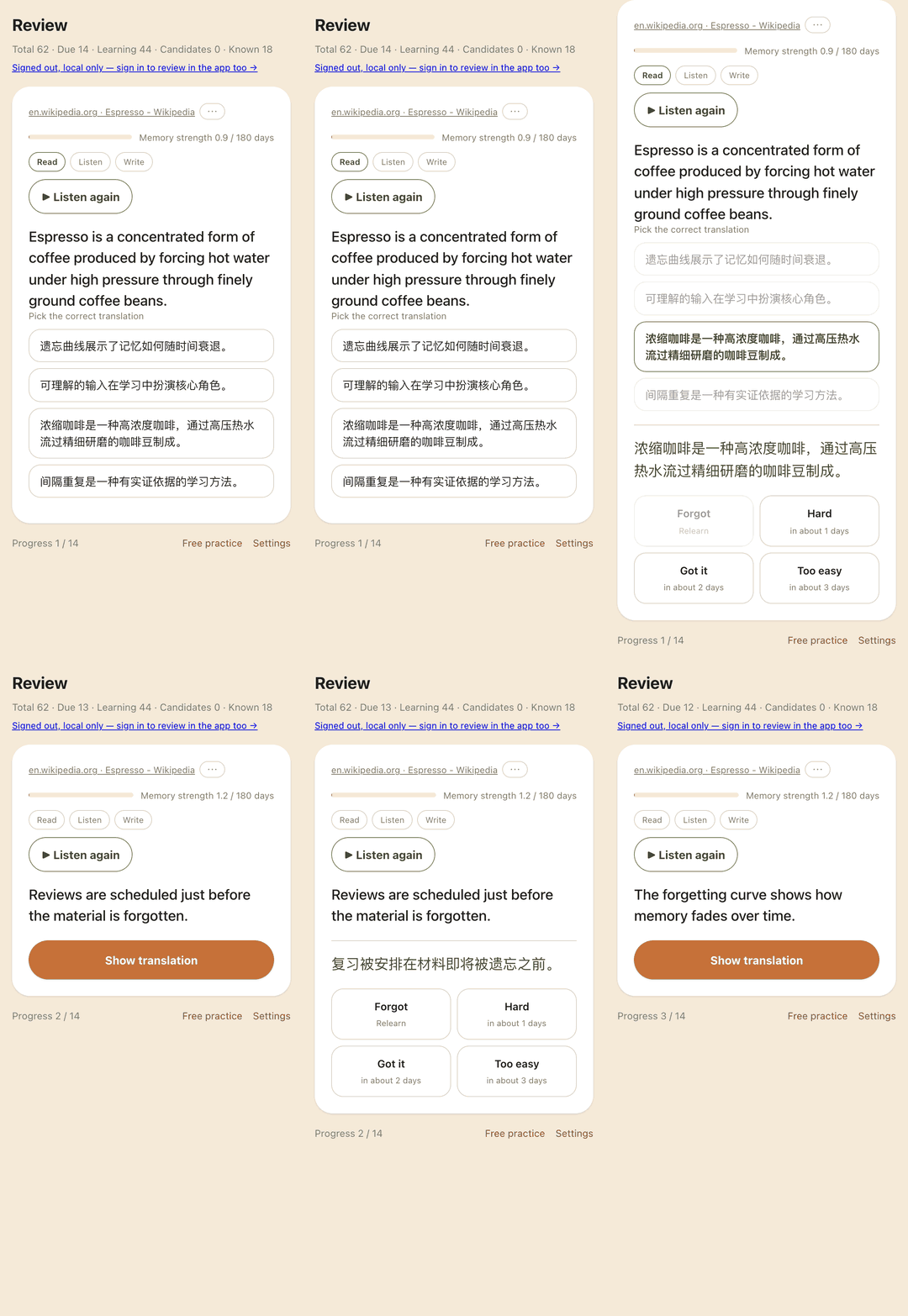
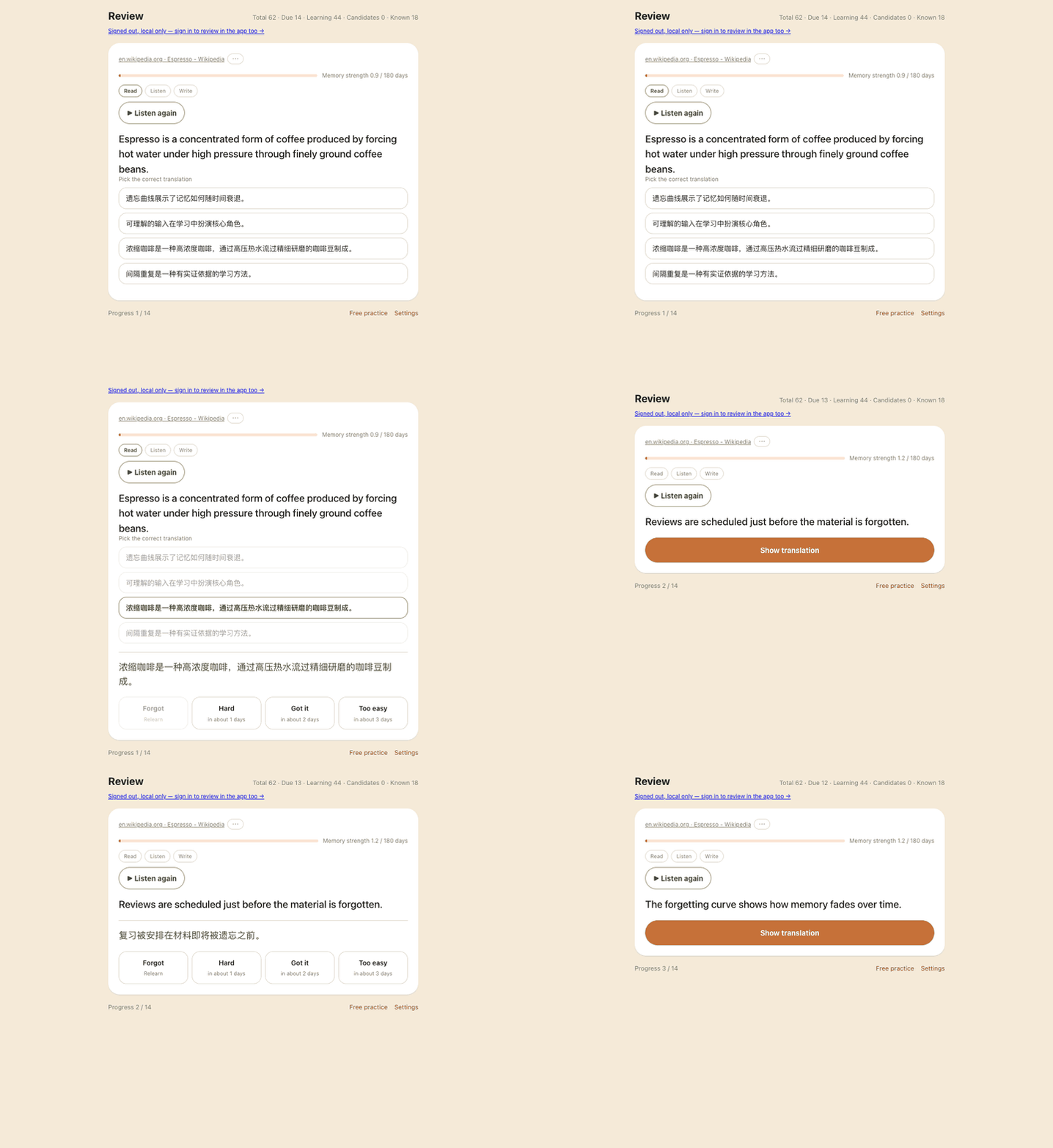
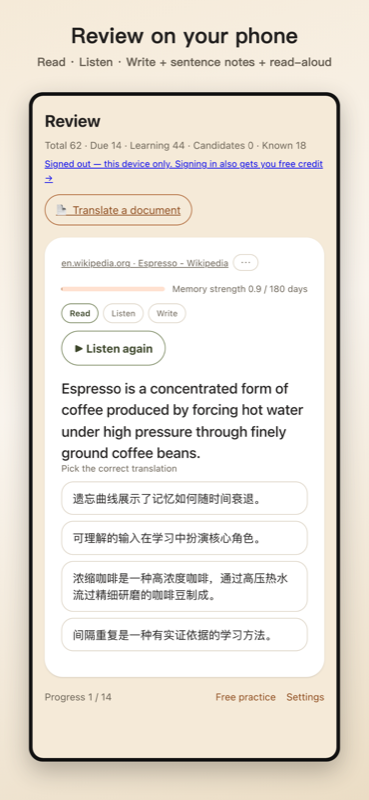
Sentences you actually read come back as review cards — on your phone or on your Mac. Pick the translation, grade yourself, and spaced repetition schedules the next visit.
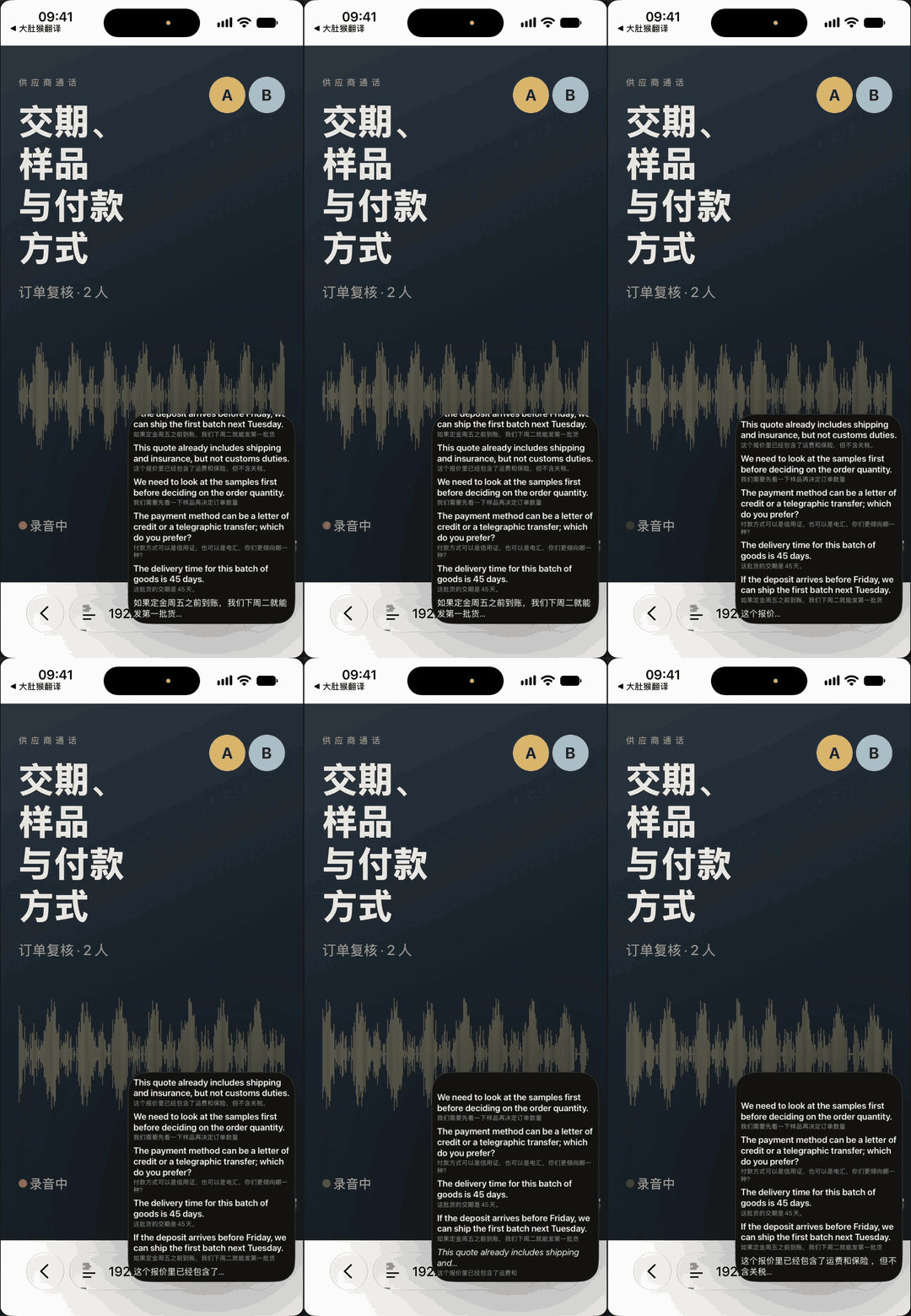
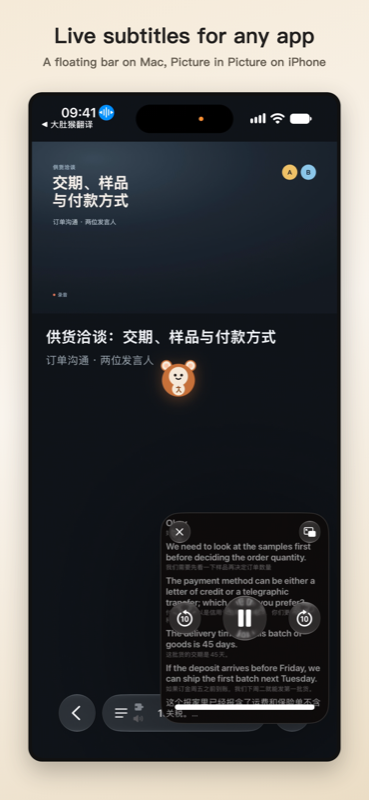
Live Subtitles: point the app at whatever is playing and the captions float in a picture-in-picture window, above whatever else you are doing. Watch the full 30-second preview →
Install
Install from a store — building from source is for contributors, not for using it.
| Platform | |
|---|---|
| iPhone · iPad · Mac (app + Safari extension) | App Store — one app record covers all three; iOS 16.4 / macOS 13.3 or later |
| Chrome · Edge (desktop) | Chrome Web Store — or skip the store-review lag and grab the latest ZIP; steps below |
| Firefox (desktop · Android) | Firefox Add-ons |
| Mainland China | A separate edition, 大肚猴翻译, with mainland engines only — site at belliedmonkey.com |
| iPhone Chrome / Firefox | Not possible — iOS forbids browser extensions outside Safari. This is a platform rule, not a gap in this project |
Then open the extension's settings and pick a translation engine. Nothing else is required.
Using it? Tell me what for, or what to change — come say so on Discord, or open a thread. Any language.
Installing the ZIP directly (Chrome / Edge)
Chrome Web Store review can lag a version behind; the latest ZIP is always the newest release, built from the same source submitted to the store. Illustrated guide: belliedmonkey.cc/#install.
- Unzip the download. You get a folder — keep it; Chrome runs the extension from that folder.
- Open
chrome://extensions(edge://extensionson Edge) and switch on Developer mode in the top corner. - Click Load unpacked and pick the unzipped folder.
- Pin the icon from the puzzle menu 🧩. Direct installs don't auto-update — grab new versions from Releases, or use the store build for automatic updates.
Building from source
Zero dependencies — no npm install. Node.js ≥ 16.
node build.js                     # Chrome / Safari  → dist/  + belliedmonkeytranslator.zip
node build.js firefox             # Firefox          → dist-firefox/ + .xpi
node build.js --flavor china      # China flavor     → dist-china/
Load dist/ via chrome://extensions → Developer mode → Load unpacked.
For Safari you additionally need macOS with a full Xcode install:
bash build-safari.sh                  # generates the iOS Xcode project
bash build-safari.sh global macos     # …or the macOS one
BUILD_NUMBER=11 bash build-safari.sh global macos   # explicit build number for uploads
In Xcode: set your Team on both targets → select your device → Run. Then on the phone, 设置 → Safari → 扩展 and allow access to all websites.
Two things that surprise people: an app installed with a free Apple ID expires after 7 days (re-run from Xcode to renew), and on macOS the Allow Unsigned Extensions switch resets every time Safari restarts. Neither applies to a store install.
build-safari.sh re-applies version, bundle id, display name and the Info.plist keys on
every run. That is deliberate: safari-project*/ is gitignored local state, so without
re-applying it drifts silently (#51).
What it does
At a glance:
- Bilingual web pages — the original stays in place, the translation appears directly beneath it
- Live Subtitles (app) — bilingual subtitles for whatever your device is playing. On Mac, a floating bar above every window, full-screen video included (macOS 14.4 or later); on iPhone, a picture-in-picture window over any app, from what plays through the speaker
- Quick Translate (Mac app) — select text in any app and press a shortcut, or use the right-click Services menu; type a sentence; or drag a box around anything on screen that cannot be selected (images, video frames, scans). The translation appears in a small panel next to the pointer without taking focus from the app you are in. On-screen text is recognised on your Mac. Shortcuts are configurable; it lives in the menu bar and can be turned off
- System translation (iPhone / iPad app) — set BelliedMonkey Translator as the Default Translation App under Settings › Apps › Translate, then select text in any app and tap Translate: the sheet that opens is ours, translating with the engine you configured. Requires iOS or iPadOS 18.4 or later
- Conversation · live interpreter (app) — both people speak freely; each sentence is transcribed, translated and can be read aloud. On iOS 26 / macOS 26 speech can be recognised on the device (no audio leaves it), with only the text sent to your translation engine, and read aloud by an offline voice model
- Thai listen & translate (1.21.2, international) — in Conversation / live interpreter, microphone audio now reaches speech recognition reliably for Thai (Grok STT). The China edition still peels Grok.
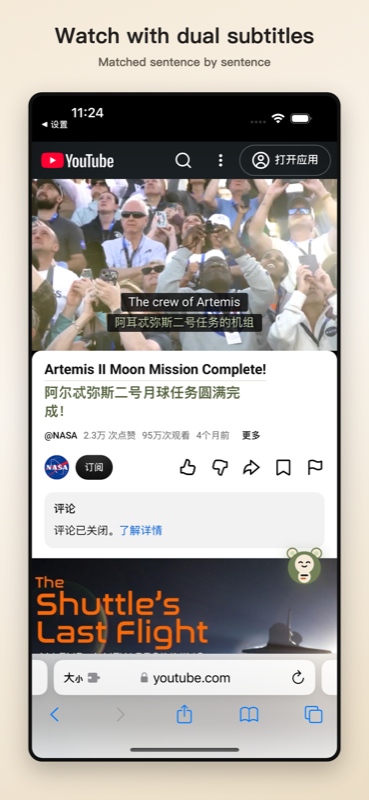
- Dual subtitles for YouTube, x.com video and podcasts, merged into whole sentences and translated ahead of the playhead
- AI transcript subtitles for media that has no captions at all, using your own transcription key (nothing is transcribed unless you tap the button)
- Review cards from the sentences you actually read — spaced repetition with read / listen / write tiers; off by default
- Bring your own key — any OpenAI- or Anthropic-compatible endpoint, or a free Google channel with no key
- No account required; multi-device sync is optional; only anonymous usage events, and one switch turns them off
- Safari on iPhone, iPad and Mac, Chrome and Firefox — one codebase, six store surfaces (Apple iOS and macOS × international and China editions, plus the Chrome Web Store and Firefox Add-ons)
- Free, GPL-3.0; after sign-in, an optional $0.20 free credit paid for by us
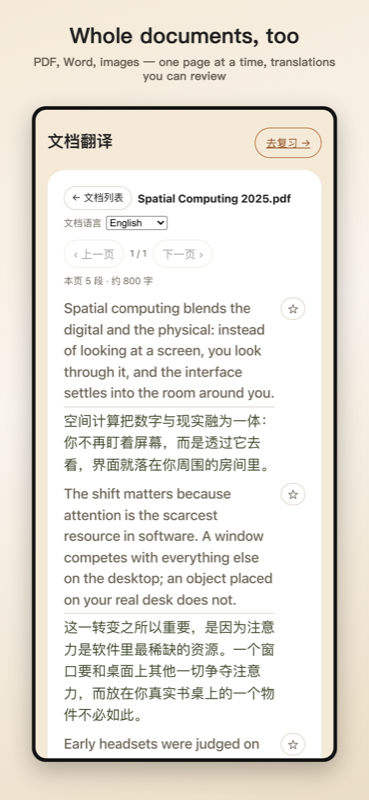
- Document translation — upload a PDF, Word file or image (scanned pages via your own multimodal engine) and read it bilingually, one page at a time; sentences you read can join your review deck (capped per page and per document)
- Agent plugins (1.22.0) — Claude Code and Codex can drive the translator through a local MCP server (stdio). The seven actions match the app: readiness check, setup, live subtitles, page translation, video captions, study capture, and explain or drill. Sensitive actions ask you to confirm on this device first. A remote or cloud MCP is not published.
- What’s new (1.22.3) — On the Safari extension, translation of the rest of a page, or the remaining subtitle lines, stops as soon as a failure is final: the free credit is used up (
credit_exhausted), the credit pool is unavailable (grant_unavailable), the model is not on the free list (model_not_allowed), or the API key is rejected (auth). Chrome and Firefox use that same stop. A timeout pauses only after five failures in a row. An ordinary HTTP error, a network error, or a rate limit (429) stays a retry on that line and is not treated as an invalid key. Agent actions that need confirmation still ask you on this device. When a coding host drives the translator through MCP, you can pay with the host's subscription, or with that host's own key, for page translation, video subtitle translation, and explain or drill, on the China and international editions. The app records first-listen steps — permission, start, failure, and whether translation began — to improve listening. Those steps include no audio and no words. While language packs download, one progress bar shows the overall percent and an approximate size. When that download finishes successfully, the pack screen closes on its own: first run returns home, and a download started from Settings returns to Settings. Settings includes a Language packs & speech block for pack and speech status. On the pack screen, Choose languages says to select the languages you want to listen and translate, and Downloading says you can switch away and come back when it finishes. Switching between one-tap and per-engine setup asks you to confirm first, so the setup you are not using is not overwritten without asking. In listen and translate, the sentence list shows the newest sentence on top.
Bilingual pages. Every paragraph keeps its original text, with the translation directly beneath it in a distinct colour. No tab switching, no losing your place. The translation inherits the original's font, size, weight and alignment — only the colour differs — and re-measures when the window resizes, so it never breaks out of the column it belongs to.
Dual subtitles for video. The full transcript is fetched once, up front, merged into whole sentences, and translated ahead of the playhead in a 60-second sliding window. Because the work runs ahead of playback, translation latency is invisible — you get matched whole-sentence pairs, never word-by-word fragments, and no stutter even with a slow model.
Dual subtitles for podcasts and audio. The same engine, with no video frame at all: a viewport-anchored overlay tracks the audio clock.
Any LLM you want, or none. Transport is keyed by request format rather than by vendor —
Google, OpenAI-compatible chat completions, and Anthropic-compatible messages — so any
endpoint speaking one of those shapes works, including your own. (A fourth shape,
OpenAI-compatible responses, is implemented but no built-in engine uses it; it is
reachable only by typing an address whose path ends in /responses.) You give it the complete endpoint URL and that exact address is
what gets requested; nothing is appended. The path you write is also what picks the
request shape, so one host serving two of them is a matter of typing a different address. The list of built-in engines
lives in the extension's settings page; the single source of truth in this repo is
build/providers.config.js, and it is deliberately not
duplicated here — every copy of it is one more thing that goes stale.
Agent plugins (Claude Code · Codex · MCP)
From 1.22.0, a coding agent on your machine can call BelliedMonkey Translator through MCP.
- Hosts. Claude Code (its plugin, or
claude mcp add) and Codex (codex mcp add, or a project config). Both start the same local stdio server, namedbelliedmonkey. - Actions. Seven, and the names match the app contract:
ready.check,open_setup,start_live_subtitles,translate_page,translate_video_captions,capture_to_study,explain_or_drill. - Confirm on this device. An action that touches the page, captions, live audio, or study material shows a confirm card first. Cancel returns
cancelled. - Your own key on the host (1.22.3). That confirm card stays on this device. The host can run the tools with your own API key, or with the subscription or key already set in that host, on both the China edition and the international edition. The free credit is an optional fallback, not a requirement.
- Local only. Stdio on this Mac or PC is the day-to-day path. A remote or store-listed cloud MCP is not published, so there is no cloud address to configure.
- Setup. Developer steps are in
agent/hosts/README.md. To use it, install Claude Code or Codex, point it at this repo's launcher, then ask the agent to translate a page or start live subtitles.
Supported sites
Most of the web needs no per-site code: the segmenter uses only standard HTML semantics and has zero site selectors. What follows is the awkward 20% — sites whose markup defeats the general rules, or whose media needs a transcript path of its own.
| Site | Page text | Video subtitles | Audio subtitles |
|---|---|---|---|
YouTube — incl. m.youtube.com, youtube-nocookie.com embeds |
generic | ✅ | — |
| x.com / twitter.com | ✅ de-cluttered | ⚠️ needs a real caption track | — |
| Substack — incl. custom domains | ✅ | ✅ video posts | ✅ |
| Spotify — episode pages | generic | — | ⚠️ fragile |
| Wikipedia — and any page with a data table | ✅ incl. infobox cells | — | — |
| Apple Podcasts (web) · 小宇宙 | generic | — | ❌ impossible |
| Anything else | ✅ | — | ✅ if the page has a transcript |
generic — works through the general rules, with no site-specific code. ⚠️ — see Known limitations. ❌ impossible — those two sites expose no timed transcript anywhere on the web, so there is nothing to translate. They fall back to page text.
"Anything else" is not a hedge. Any page carrying a WebVTT/SRT file or a <track>, and any
podcast publishing a Podcasting 2.0 <podcast:transcript>, gets subtitles with no adapter at
all. Web components are handled too — open shadow roots are traversed, which is why sites
that keep their content in custom elements work without special-casing.
Adapted sites don't regress
Two mechanisms, each covering half of that promise:
-
Page text and layout — every site-specific layout fix ships with a new regression fixture distilled from that site's minimal markup pattern, and that fixture must fail before the fix, with the red run recorded in the issue. Pre-existing fixtures are never edited to accommodate a new one. 44 fixtures today, run against a real headless Chrome.
Worked example, issue #59: on Wikipedia the translations inside a floated infobox became an extra table column, doubling the table's width and collapsing the prose beside it to ~115px. The fix is generic — no hostname or selector entered the segmenter — but Wikipedia now has a fixture of its own, so that page cannot silently break again.
-
Video and audio subtitles — once a device or browser is adapted it is permanently added to the verification matrix and exercised on every future change, during actual playback. Subtitles are deliberately not covered by the layout fixtures; that gate is scoped to renderer logic in Chromium and says so.
The rules are written down in [docs/verification-spec.md](https://github.com/