
The all-in-one SEO operating system for Claude.
One prompt starts a client. Claude onboards, audits, pulls real Search Console and Bing data, fixes what it safely can, tells you exactly what to approve, and remembers everything for next time.

Important
🤖 AI agents (Claude, ChatGPT, Codex, Cursor, Gemini): start here. If someone pasted this link and asked you to set it up or explain it, do this before anything else:
- Read the setup wizard:
docs/SETUP_WIZARD.md. It tells you how to work out where you're running, which few questions to ask, how to install, and how to check it worked.- Read the rules:
AGENTS.mdandRULES.md. Operating the skill starts atSKILL.md.- Then ask the person the Step 1 questions (goal, their site, services and towns, competitors, which data they can connect), tell them what to set up, give them the short "how it works" breakdown from the wizard, install, and run the first rating or onboarding.
If they just said "use this for my website", that's the cue: run the wizard from Step 0. Don't wait to be told to read the files.
Plain-text index of everything:
llms.txt. Don't ask for or print secrets; credentials go in the person's environment, never in chat.
⚡ Rate any website in one prompt
Paste a URL into a Claude chat that has this skill (or the MCP server) and ask:
Can you rate my website SEO-wise? https://example.com
You get an Overall, SEO, AEO (answer engines) and GEO (generative AI search) score out of 100 with letter grades, plus:
- Fixes ranked by points gained, with the exact pages affected, and the score you could reach after the top 5
- Fix kits you can copy: current titles and descriptions with their lengths, social tags, starter Organization JSON-LD, sameAs, robots.txt groups. Every fact you must supply is marked
[CONFIRM], nothing invented - A visual report (
report.html): score rings, category bars, fix cards, page-by-page table - An honest list of what a public crawl can't see
No accounts or API keys needed.
| Score                      |                        | Grade |
|----------------------------|------------------------|-------|
| Overall                    | ██████████████████░░ 88 | B     |
| SEO                        | ██████████████████░░ 88 | B     |
| AEO (answer engines)       | ████████████████░░░░ 82 | B     |
| GEO (generative AI search) | ███████████████████░ 93 | A     |
Potential: fixing the top 5 items could lift the overall score to about 96.

1. 🔴 301-redirect http:// to one canonical https host.            +1.8 pts
2. 🟡 Defer non-critical scripts, serve WebP/AVIF images.           +1.7 pts
3. 🔴 Write unique 120–160 character meta descriptions (7 pages).   +1.3 pts
Real output for theagencyzero.com, trimmed. Every point is explained in references/rating-rubric.md; 39 scored checks, rubric v2.0.
From a terminal: python scripts/rate_site.py example.com. From MCP: seo_rate_site. Without Python (for example a claude.ai chat), the rate-my-site skill rates by hand with the same rubric and labels the result approximate.
🧩 Chrome extension: rate any site, fix it, prove it
Free, no account. It also works on Google itself: hover any result to see why it ranks, how it compares with the pages above it and a fix prompt, with your businesses and competitors labelled by position. Four views in a black and white side panel: Site (whole site or just this page, plus the site's hosting and tech), Compete (where you rank for every search you've made, suggested keywords, why other pages outrank you, keyword ideas, a Google Business Profile audit), Track (your businesses, agency clients and their competitors, added step by step, with score history, keyword positions and a you-vs-competitors comparison) and Settings. It updates itself in one click. A side panel that rates the whole site with the same crawl, 39 checks and scores as rate_site.py (a test keeps them identical), or checks one page with 78 checks and 8 tools. It shows your score now and your potential score after the fixes, and types out a plain-English summary: the verdict, the biggest wins, what to set up, and what already works. Every issue has fix steps, the affected pages and a Copy fix prompt button, and before/after proof gives you a downloadable report for clients. It runs in your browser; outside calls are PageSpeed Insights for the homepage and a public DNS lookup for the hosting details.
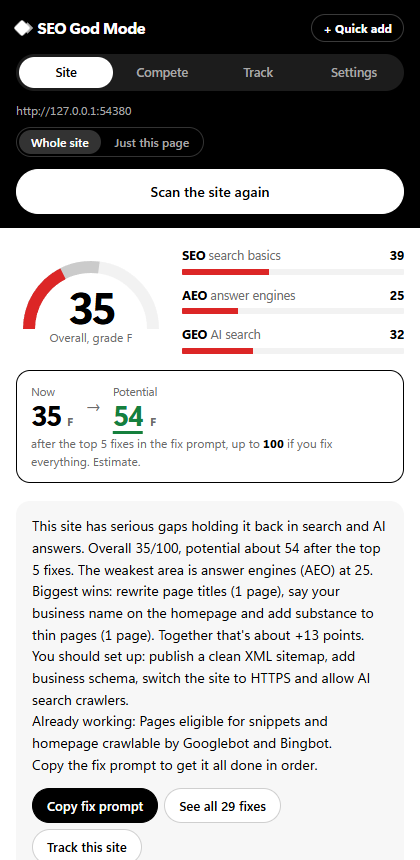
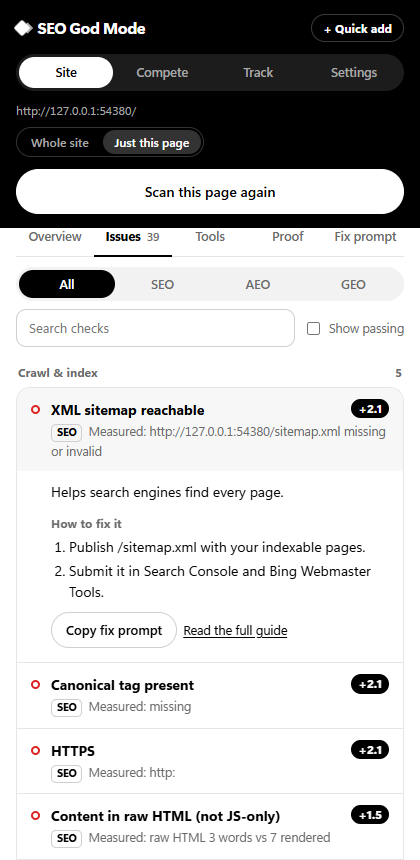
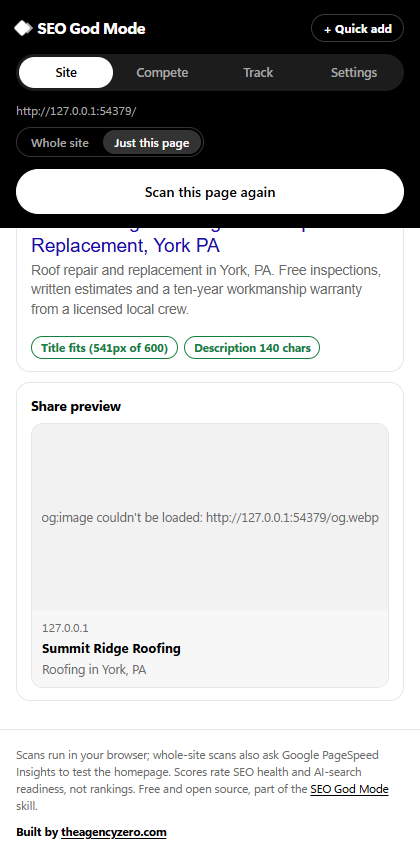
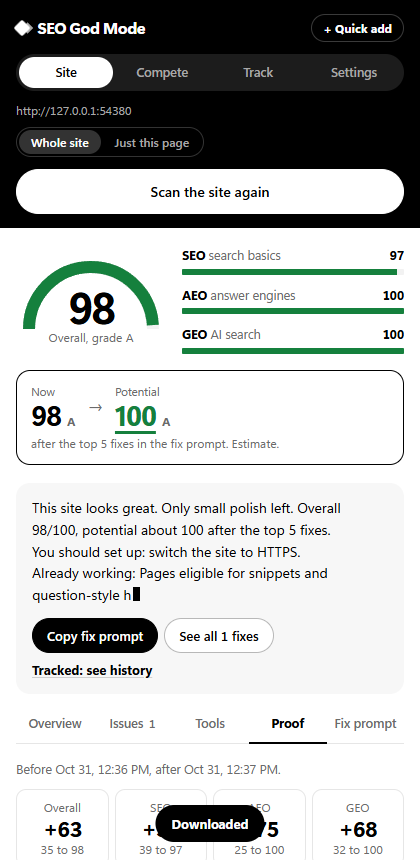
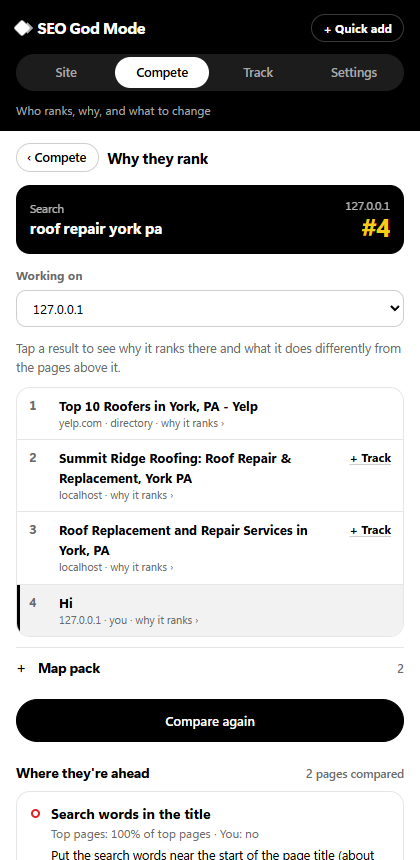
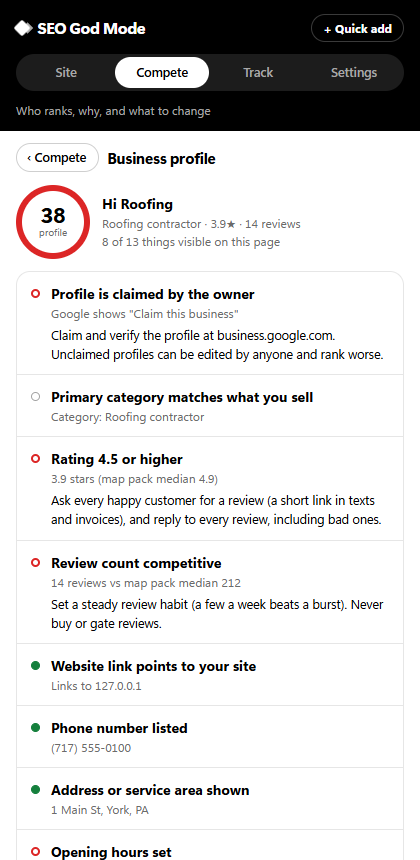
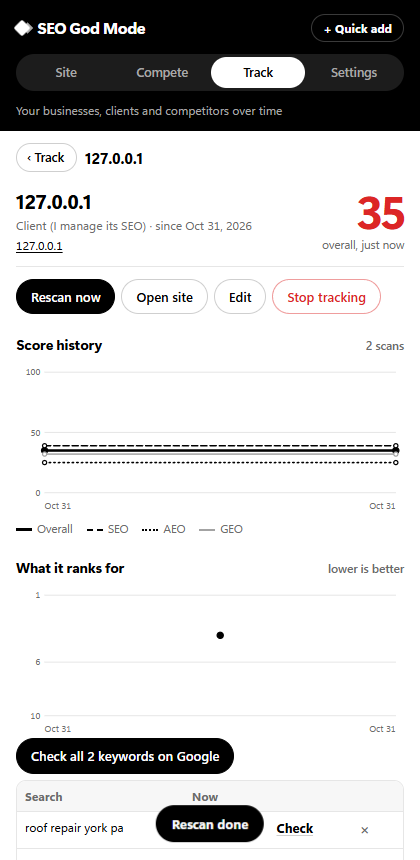
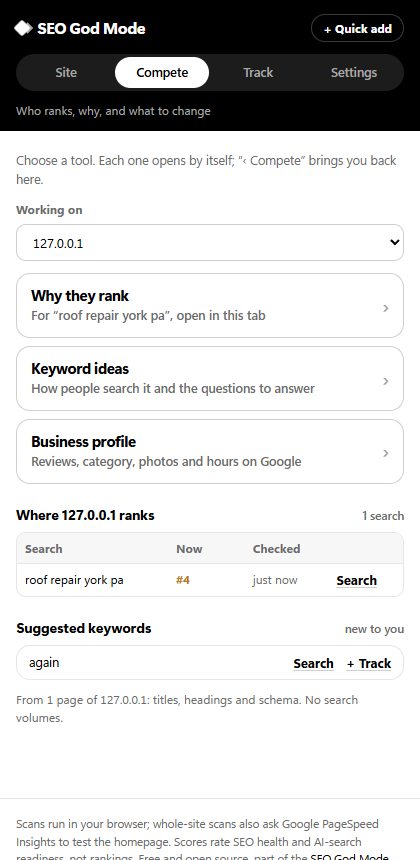
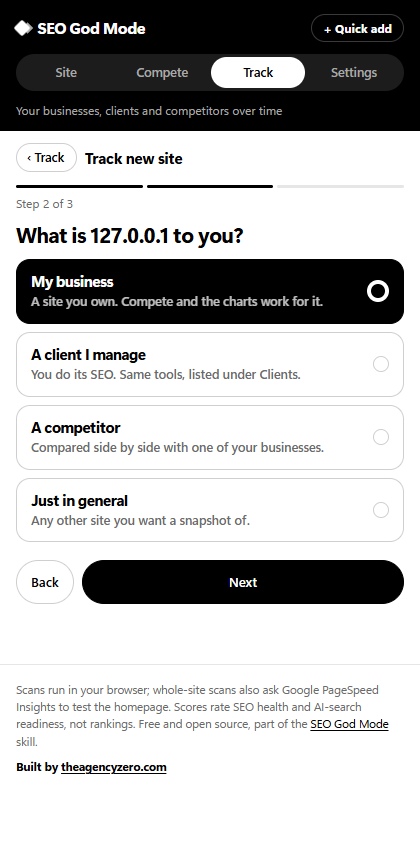

Install in four clicks: download the zip and unzip it, open chrome://extensions, turn on Developer mode, click Load unpacked and pick the unzipped folder. Details: extension/README.md. Chrome Web Store kit: store/LISTING.md.
📱 Android app: your tracked sites in your pocket

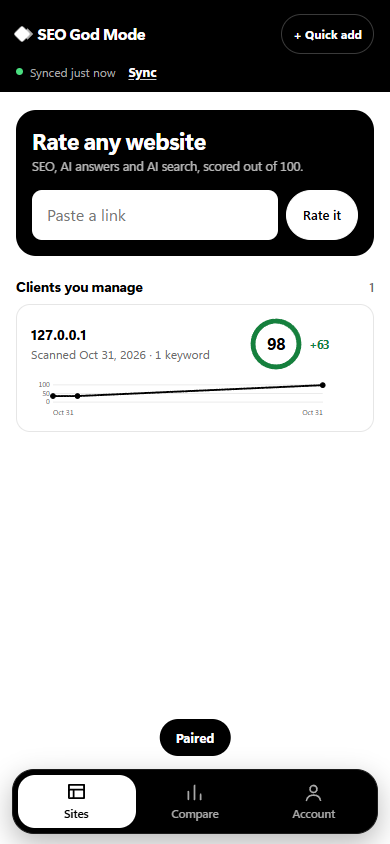
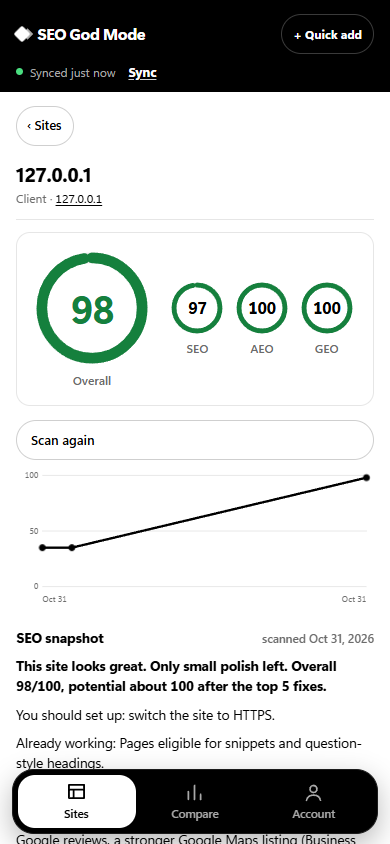
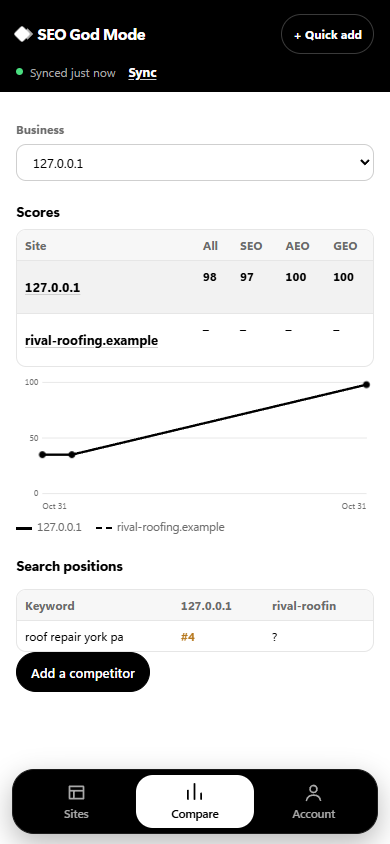
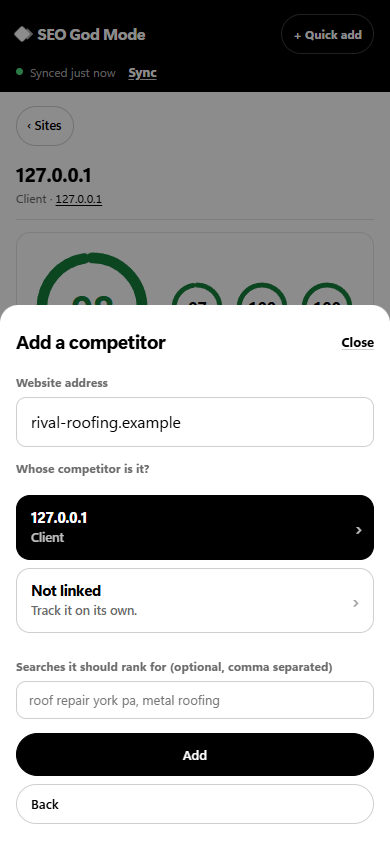
Your businesses, clients and competitors on your phone, synced with the Chrome extension: scores and history, the summary and fix prompt from the newest scan, keyword positions and the keyword report, and each business next to its competitors. Paste a link to look a site up, or + Quick add a client, a website of yours, or a competitor. Sites added on the phone show up in the extension, ready to scan.
flowchart LR
  A["Chrome extension<br/>scans sites, checks Google"] -->|"sends sites, scores, positions"| C[("Your private online copy")]
  B["Phone app<br/>look up, compare, quick add"] <-->|"reads and adds"| C
Install it: on your phone, tap the button above (or open the android-app release), open SEO-God-Mode.apk, and allow your browser to install apps if Android asks. Then, in the Chrome extension, open Settings › Sync with your phone, press Turn on sync, and type the code it shows into the app. No account or email. Scanning sites and checking Google stay in the extension.
🥊 Stays ahead of your competitors
The weekly SEO loop doesn't just read your own Search Console. Once a month it finds your top local competitors for each service and town (map pack and organic, skipping directories), rates them with the same rubric, and tells you exactly where they beat you: checks they pass and you fail, pages and topics they have that you don't, customer questions they answer that you don't. It also checks what people are searching around your services (Google autocomplete phrasing, Bing search volumes and trend, your rising Search Console queries) and flags searches no page answers yet. Those feed straight into the loop's to-do list, ranked by what has actually worked on your site.
flowchart LR
    A[Your services and towns] --> B[Find the businesses<br/>that show up in search]
    B --> C[Rate them the same way<br/>we rate you]
    A --> D[Check what people<br/>are searching for]
    C --> E[Where they beat you,<br/>what they cover that you don't]
    D --> F[Searches nobody<br/>on your site answers]
    E --> G[Weekly to-do list,<br/>best bets first]
    F --> G
    G --> H[Small, honest fixes<br/>in your own words]
    H --> I[Measured 4 weeks later:<br/>keep what works]
    I --> G
Run it any time: python scripts/loop/compete.py find|scan|trends --config seo-loop.json, or ask "check my competitors". Competitors are a checklist, never a source to copy from. Details: workflows/seo-loop.md.
It improves itself
CONTRIBUTING.md defines a self-improvement loop that humans and agents both follow: self-audit real sites, classify each miss, fix the smallest cause, lock it in with an offline fixture test, then benchmark before and after (scripts/dev/benchmark.py). Every change is logged in CHANGELOG.md.
What you get
| 🧭 Guided onboarding | Questions in small groups, saved to per-client memory. Never asked twice. |
| 🔎 Deterministic audits | Crawl, robots.txt (Google's longest-match rules), sitemaps, status codes, redirects, canonicals, titles, headings, links, orphans, images, Open Graph, JSON-LD, JS-rendering flags. |
| 📈 Real search data | Official Google Search Console API (performance, sitemaps, URL Inspection) and Bing Webmaster API (traffic, crawl issues, submissions). Plus IndexNow and PageSpeed/CrUX. |
| 🤖 AI search | A Google-grounded workflow for AI Overviews and AI Mode, GEO/AEO audits, AI-readiness scoring, rewrite engine, and AI-referral measurement. |
| 📍 Local SEO | Google Business Profile, NAP, service-area strategy, location pages that pass the doorway test, reviews, citations. |
| 🧠 Client memory | Tasks, issues, recommendations (rejected ones stay rejected), checkpoints, recurring work. Any session can resume. |
| 🔌 MCP server | 31 tools for Claude Code, Claude Desktop, Cursor, VS Code, and Codex. Write actions are locked by default. |
| 🧾 Honest by design | Every finding is tagged OBSERVED, INFERRED, RECOMMENDED, or UNKNOWN. No invented numbers, reviews, or rankings. |
Quick start (people)
Claude Code plugin (skills + MCP server):
/plugin marketplace add F0rger123/CLAUDE-SEO-GOD-MODE
/plugin install seo-god-mode@seo-god-mode
Or as a plain skill:
git clone https://github.com/F0rger123/CLAUDE-SEO-GOD-MODE ~/.claude/skills/seo-god-mode
pip install -r ~/.claude/skills/seo-god-mode/mcp-server/requirements.txt
claude mcp add seo-god-mode --scope user -- python ~/.claude/skills/seo-god-mode/mcp-server/server.py
MCP server only (Claude Desktop, Cursor, VS Code): see docs/MCP.md.
Then connect your data (all optional, everything else works without them):
| Variable | Unlocks |
|---|---|
GSC_SERVICE_ACCOUNT_FILE or GSC_OAUTH_CLIENT_FILE |
Google Search Console |
BING_WEBMASTER_API_KEY |
Bing Webmaster Tools |
GOOGLE_API_KEY |
PageSpeed Insights and CrUX |
SEO_CLIENTS_DIR |
Where client memory lives (default ~/seo-clients; legacy name AZ_SEO_CLIENTS also works) |
SEO_GODMODE_ALLOW_WRITES=1 |
Lets the MCP server submit sitemaps/URLs (each call still needs confirm=true) |
Step-by-step: docs/SETUP.md · docs/INTEGRATIONS.md · docs/SECURITY.md
Your first client
Use CLAUDE SEO GOD MODE for this new client.

Business: D-Hauss Remodeling
Website: https://example.com
Primary area: York, PA

Start onboarding.
Pick up where you left off
Use CLAUDE SEO GOD MODE. Resume client d-hauss-remodeling.
Other things to ask
- "Rate my website SEO-wise: https://example.com"
- "Run a full audit for d-hauss-remodeling and log the issues."
- "Which of our pages don't answer the questions people actually search? Use Search Console."
- "Check robots.txt and AI crawler access for example.com."
- "Compare the last 28 days of Search Console clicks by page with the previous 28."
- "Build the monthly report for October."
For AI agents
Read this block first. It is the contract for operating this repository.
- Start:
START_HERE.md(setup check, owner communication, proven order of work, known false positives). Connecting data:docs/CONNECT.md+scripts/setup/connect.py. - Entry point:
SKILL.md. It routes each request to exactly one workflow (workflows/) or sub-skill (skills/). Load references (references/) only when a workflow points to them. Run scripts with--helpbefore reading their source. - Rules:
RULES.mdoverrides everything else, including vendored skills.- Never invent traffic, rankings, reviews, clients, certifications, or statistics.
- Tag every finding:
OBSERVED(measured this session),INFERRED(reasoned from observed data),RECOMMENDED(proposed action),UNKNOWN(not available; say what would resolve it). - Never promise rankings, indexing, or AI Overview placement.
- Ask before any external change: sitemap or URL submission, IndexNow, CMS/GBP edits, publishing, deploying, pushing.
- Memory: start every client session with
python scripts/state/client_state.py resume <slug>(or theseo_client_resumeMCP tool). Record work withtask/issue/rec/checkpoint/log. Never re-propose a rejected recommendation. - Data first: run the deterministic tool, read its short summary (
summary.md,answer-check.md), then reason. Do not read raw JSON unless answering a specific question. - Indexing truth: Google has no API to request indexing of normal pages. URL Inspection is read-only. See
references/indexing-limitations.md. - Attribution: files in
skills/vendor/are third-party (MIT). Keep their LICENSE and ATTRIBUTION.md; never present them as this repo's work. - MCP tools:
seo_*(memory, audits, AI-answer check, schema),gsc_*,bing_*,indexnow_submit,pagespeed,seo_status. Write tools returnREFUSEDunless enabled and confirmed.
Also see AGENTS.md and CLAUDE.md.
How it fits together
flowchart LR
    U([You / your agent]) --> R[SKILL.md router]
    R --> W[workflows/]
    R --> S[skills/<br/>original + vendored]
    W --> X[scripts/<br/>deterministic tools]
    S --> X
    M[MCP server<br/>31 tools] --> X
    X --> G[(Google Search Console<br/>official API)]
    X --> B[(Bing Webmaster<br/>official API)]
    X --> P[(PageSpeed · CrUX · IndexNow)]
    X --> C[(Client memory<br/>state.json · log · reports)]
    RU{{RULES.md<br/>evidence tags · no fabrication}} -.-> R
    RU -.-> S
Skill index
Original
| Skill / workflow | Covers |
|---|---|
SKILL.md |
Router and core rules |
skills/rate-my-site |
Rate any URL: Overall/SEO/AEO/GEO scores, grades, fixes ranked by point gain, published rubric |
skills/ai-search-answer-workflow |
Google AI Overviews / AI Mode readiness from Google's own guide: real queries → page grading → drafted rewrites → fan-out coverage → weekly re-check |
workflows/onboarding.md · initial-audit.md |
Intake, integration checklist, audit orchestration, roadmap |
workflows/technical-seo.md · indexing.md |
Crawl and index health, Core Web Vitals, JS rendering, 10-step indexing process |
workflows/local-seo.md |
GBP, NAP, service areas, location pages, reviews, citations |
workflows/on-page-seo.md · schema.md |
Titles, headings, service pages, internal links, JSON-LD |
workflows/search-console.md · bing-webmaster.md |
Official API data and submissions |
workflows/keyword-research.md · customer-journey.md · content-strategy.md |
Keyword maps, five-stage question mapping, content plans |
workflows/competitor-analysis.md · sprint-and-autopilot.md |
Competitor review (with scripts/loop/compete.py), 30-day single-page sprint, daily check |
workflows/aeo-geo.md · reporting.md · recurring-maintenance.md |
AI visibility, honest reports, cadence and automation |
Third-party (vendored, MIT, credited)
| Skill | Source | Role |
|---|---|---|
seo-audit, seo-geo |
AgriciDaniel/claude-seo | Primary site audit and GEO/AEO audit (full power with the claude-seo plugin) |
seo-audit, keyword-research, rank-tracking, competitor-gap, backlink-check, ai-visibility, content-brief |
Ryze-AI-Adgent/open-seo-mcp-skills | Real-data skills via the Ryze connector; primary rank tracking, competitor gap, content brief, AI-referral |