
Open-source home AI inference platform
Stop running models from a chat tab.
hal0 turns a Linux box — ideally a Ryzen AI Max+ 395 with 128 GB of unified
memory — into a private, OpenAI-compatible inference appliance. Chat,
completions, embeddings, reranking, transcription, speech and image
generation all answer on one :8080/v1 surface, on hardware you own, with
no per-token bill.
Every inference workload runs as its own podman container under a
hal0-slot@<name>.service unit. hal0-api on :8080 is the sole control
plane — it owns slot state machines, dispatches /v1/* requests to the right
slot port, and serves the dashboard. No shared inference daemon; no extra
process to babysit.
curl -fsSL https://hal0.dev/install.sh | sudo bash
v1.7.1 is the current stable release (2026-10-26). It rebuilds image generation around a catalog of image models, with no config-schema migration and an ordinary
hal0 updatefrom any 1.4.x or later box; a 1.3.x box hops through 1.5.0 first. Runhal0 slot restart imgonce after the update so ComfyUI loads its new GPU gate. 1.7.0 removeshal0 comfyui orchestrate-models,POST /api/comfyui/models/fetch,[image].idle_restore_minutesand thegen.capabilitiesanswer-file key, and takes image models out ofhal0 model pull; read the 1.7.0 Breaking and Migrations notes in CHANGELOG.md for the replacements. Coming from before 1.6.0, read the 1.6.0 notes too; a box that has not re-run the installer since 1.4.0 should do so once to pick up the Hindsight limits, the Open WebUI client key and the Hermes wrappers. The project has followed semver since v1.0.0; a minor release's Breaking notes flag behaviour changes an operator or a script may notice. Upgrades start at 1.4.0; on anything older, read Upgrading from an older release first.
What 1.7.1 brings: the dock, one status strip on every page for the GPU's state and controls, slot and service health, downloads and a live journal + activity feed; a slot rail beside the Inference pane; ComfyUI's editor on the LAN again, and ComfyUI running as the
hal0account inside its container instead of root; an upgrade floor of 1.5.0; and twenty fixes from the 1.7 fix wave. See What's new and Upgrading to 1.7.1.
⚡ The installer is the whole setup. There is no separate first-run wizard afterwards.
install.shasks where models should live, optionally takes a HuggingFace token, seeds every capability slot, downloads the hal0 brain steward model, and starts the API. When it finishes, open the dashboard and assign models to slots.
At a glance
| What it is | One control plane, hal0-api on :8080, turning a Linux box into an OpenAI-compatible inference appliance — chat, embeddings, rerank, transcription, speech and image generation, each capability in its own podman container. |
| Install | One curl | sudo bash line. The installer probes hardware, seeds every capability slot, and starts the API — there is no separate setup wizard to run afterward. |
| Hardware | First-class on AMD Strix Halo (ROCm iGPU + XDNA NPU); Vulkan and CPU fallbacks everywhere else, plus experimental CUDA. See Hardware matrix. |
| Platform | Linux + systemd + podman, including Proxmox LXC. macOS and Windows are not supported today — see Support matrix. |
| Auth | Enforcement is off by default (trusted-LAN posture) — opt in with hal0 auth require on. Once an admin key is configured, a LAN-bound box also gates mutating routes for off-box callers, even with enforcement off (v1.3.0). No TLS termination; front it with a reverse proxy if it's reachable beyond your LAN. |
| Chat UI | OpenWebUI, prewired, on :3001 — zero config. Hermes agent profiles appear in its model picker next to your slots. |
| Updates | Cosign-signed tarball releases via hal0 update, with one-flag rollback. |
If you know Ollama / llama.cpp / Open WebUI / LocalAI, hal0 adds…
| You already know | hal0 adds |
|---|---|
| Ollama — pull a model, run it, hit one local API. | A dedicated slot per capability (chat, embed, rerank, STT, TTS, image) — each its own podman container with its own hardware backend, typed lifecycle, and per-slot logs, instead of one shared runtime doing everything. |
llama.cpp / llama-server — the inference engine itself. |
hal0 runs llama.cpp inside systemd-supervised slots, with a state machine (starting → warming → ready → …), a model registry, automatic hardware-backend selection (ROCm/Vulkan/CUDA/CPU/NPU), and a benchmarking pipeline (hal0 bench) on top of it. |
| Open WebUI — the chat frontend. | hal0 prewires OpenWebUI as the chat surface and is the backend it talks to — hardware probing, slot/model management, and a separate operator dashboard sit underneath, not just the chat window. |
| LocalAI — an OpenAI-compatible gateway over multiple backends. | hal0 adds a live operator dashboard, a hardware probe that drives backend selection automatically, systemd-managed container lifecycle per slot, and a signed self-update path with rollback. |
Screenshots
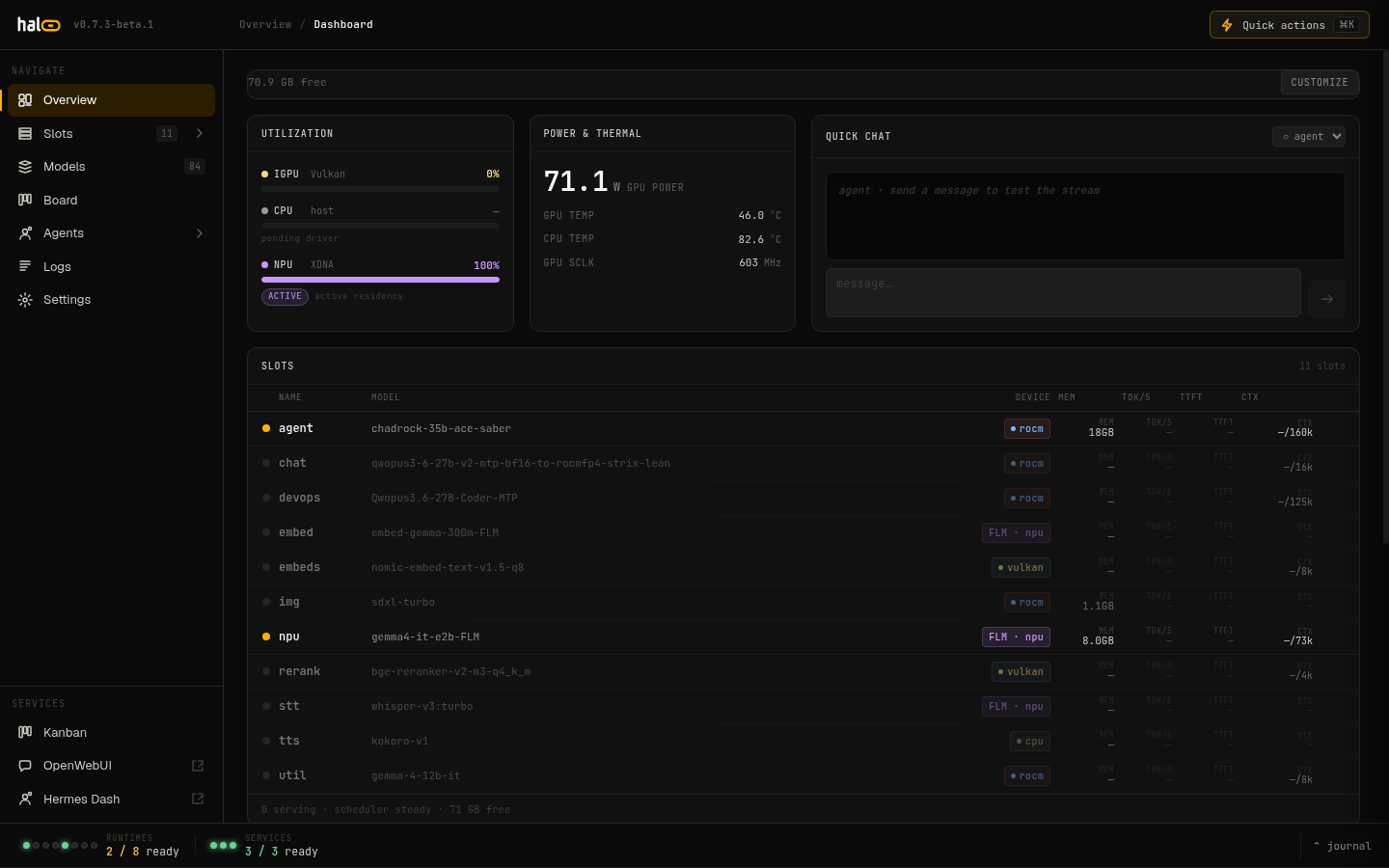 Dashboard — unified-memory hero, at-a-glance health, and live slot rows. |
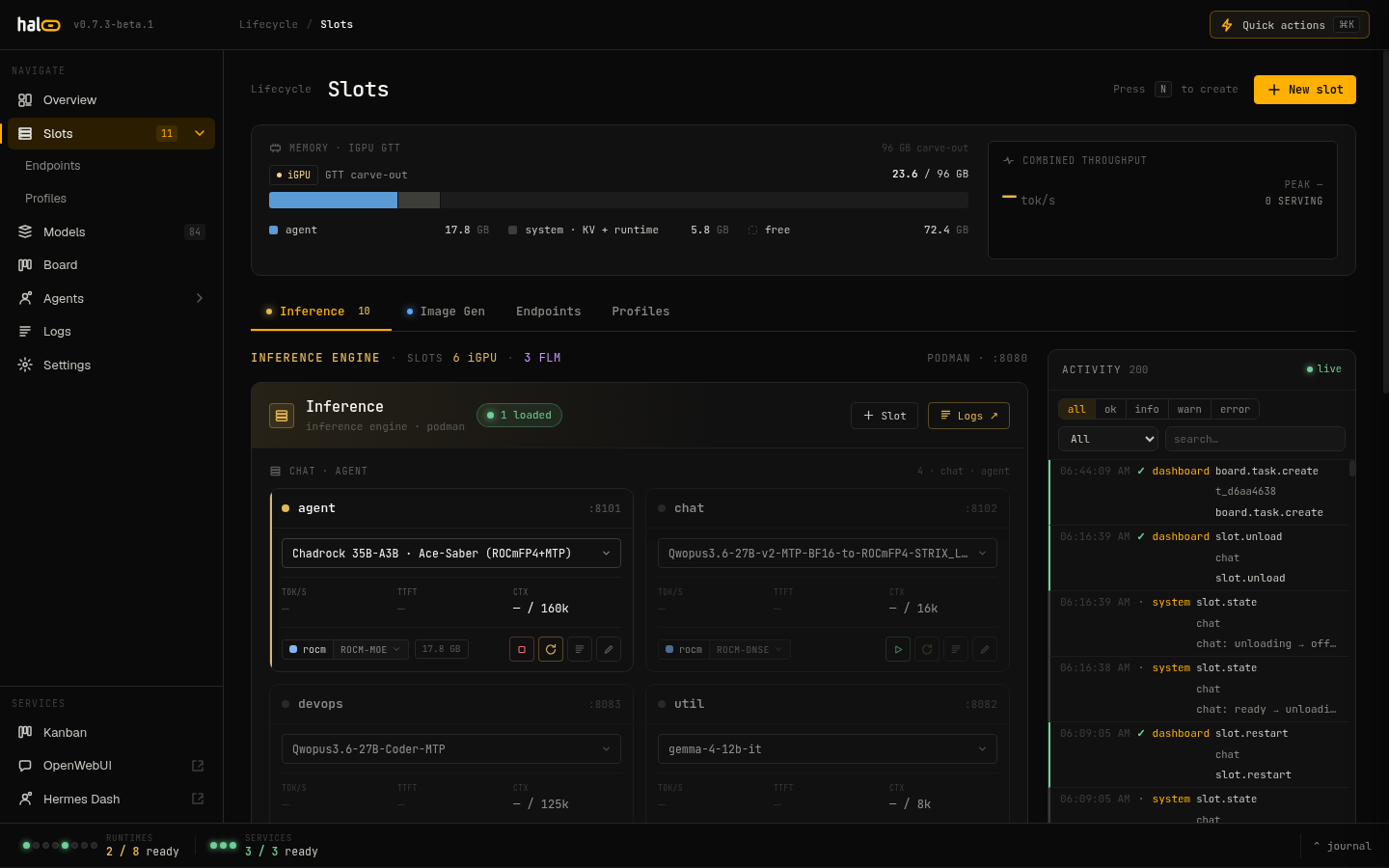 Slots — the inference engine: per-slot models, devices, and live telemetry. |
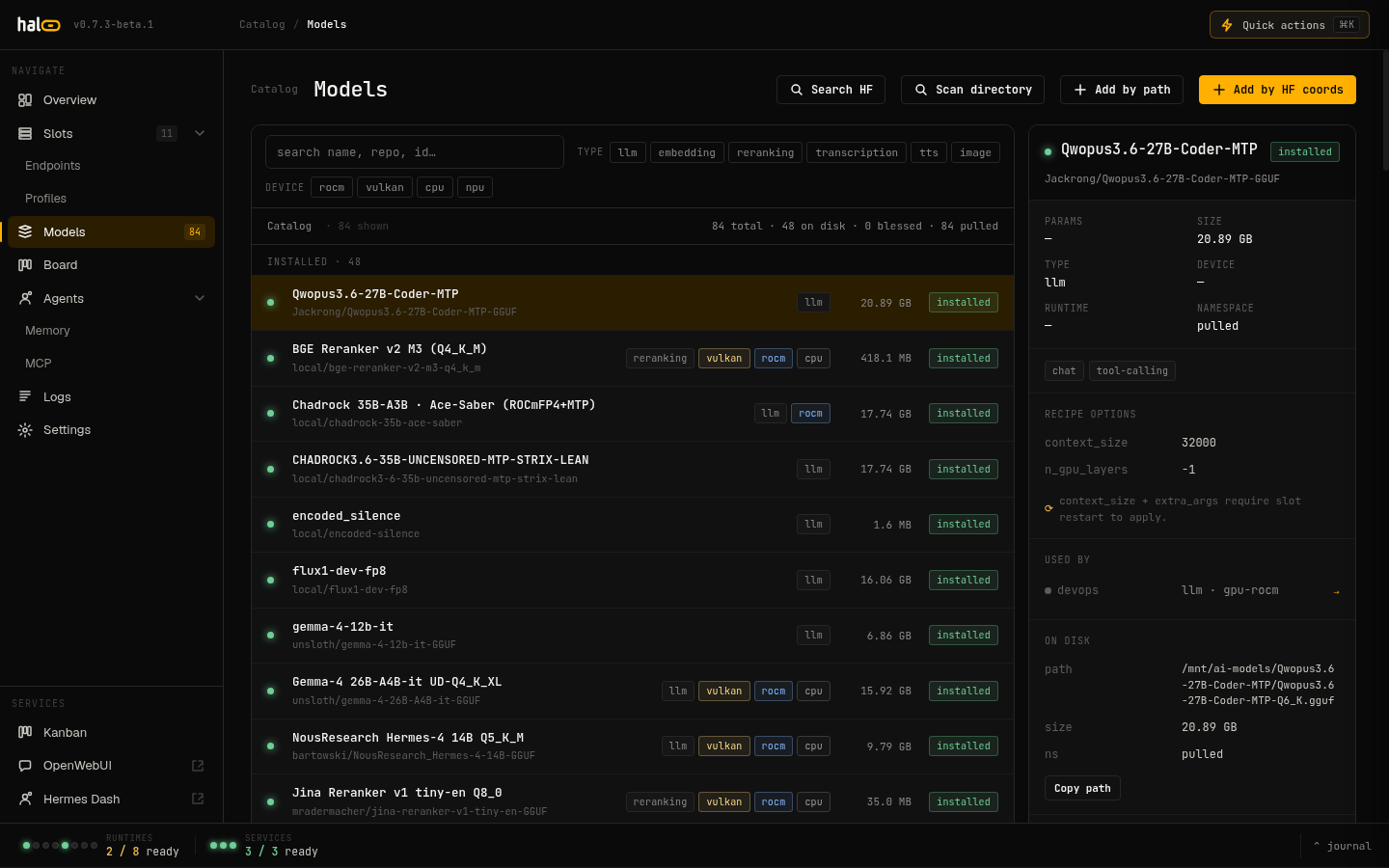 Model registry — catalogue with quant chips and pull status. |
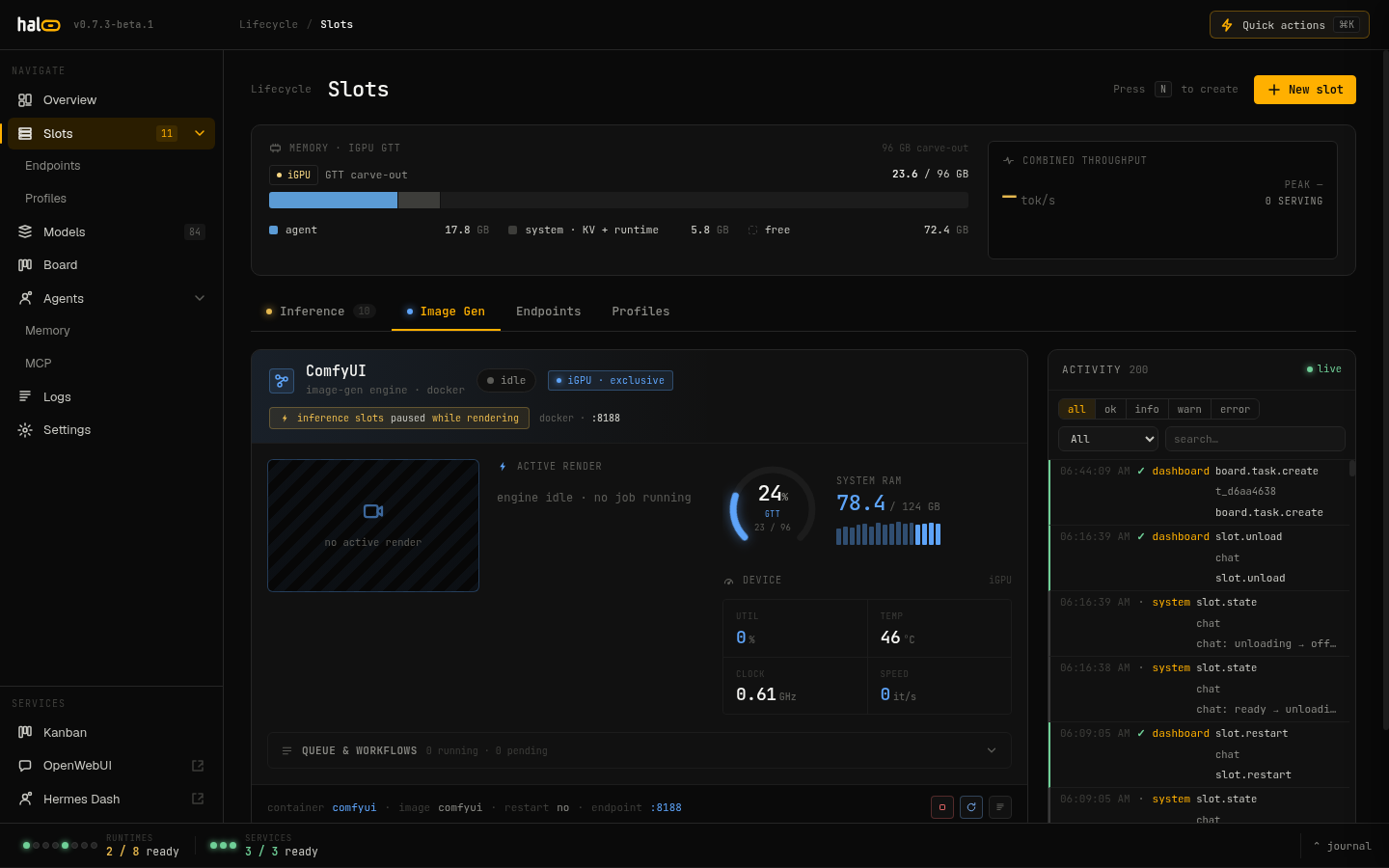 Image generation — install image models, see what fits the box, and generate. |
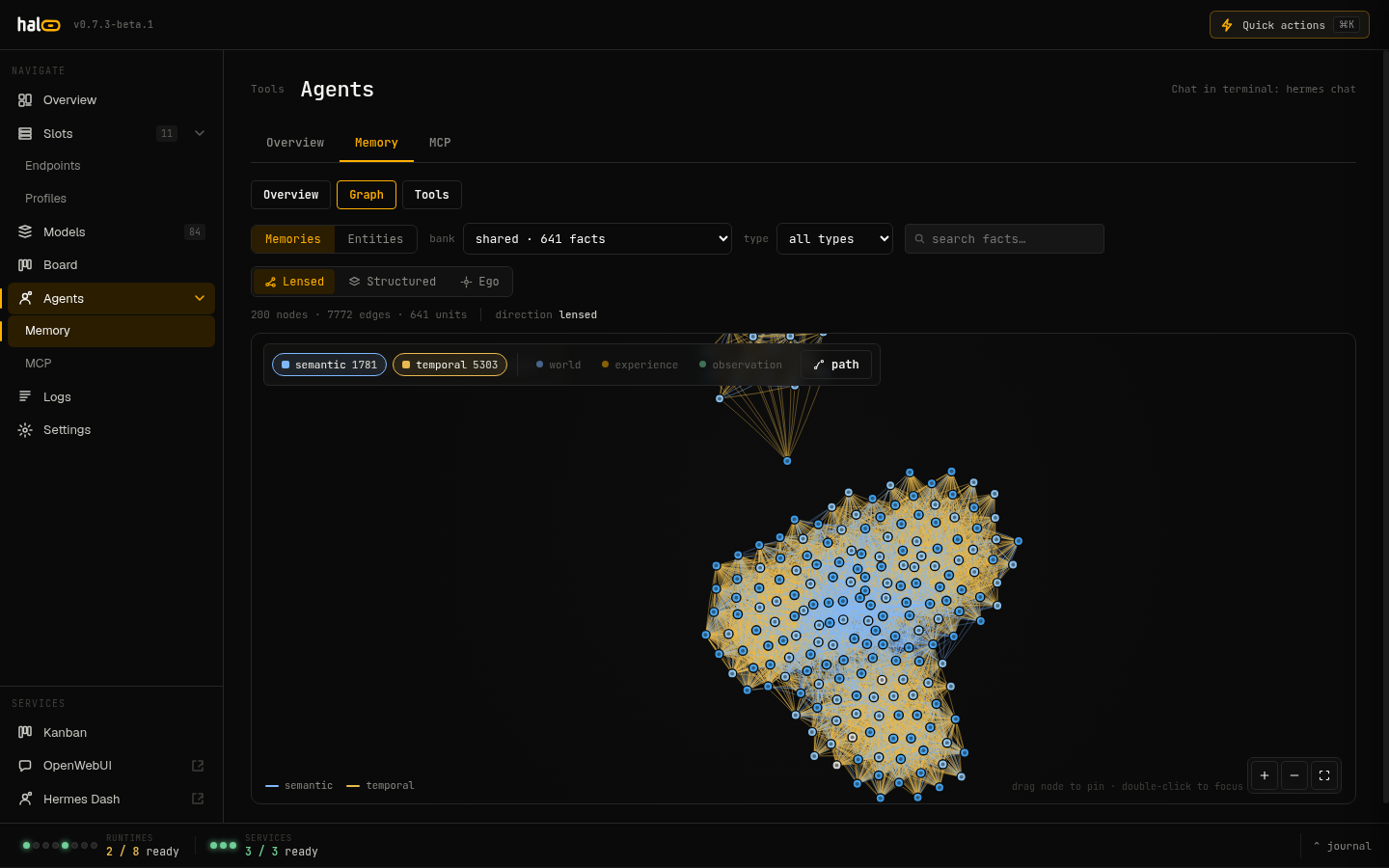 Memory — Hindsight facts and graph extraction. |
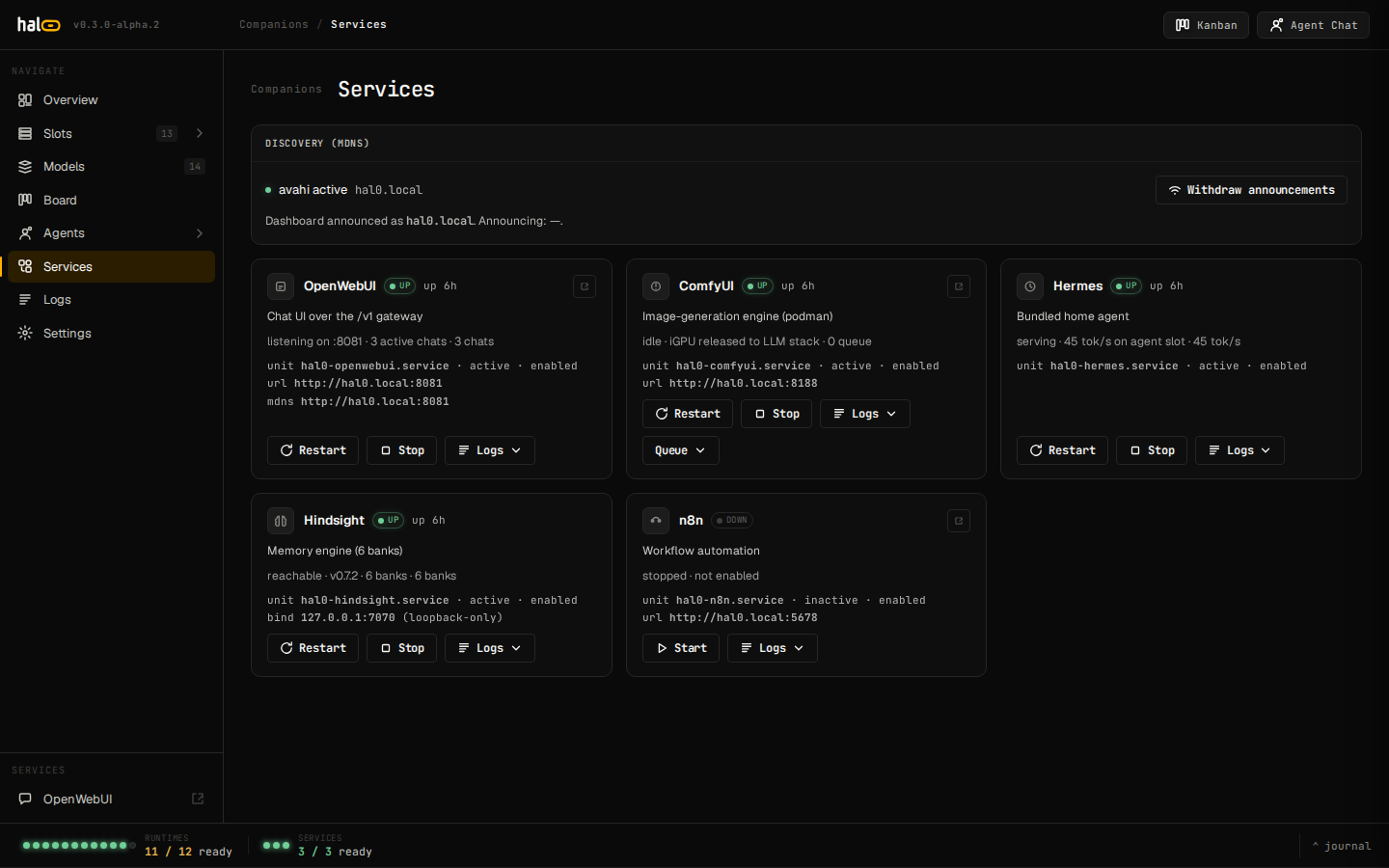 Services — Open WebUI, ComfyUI, Hermes, Hindsight, n8n with mDNS. |
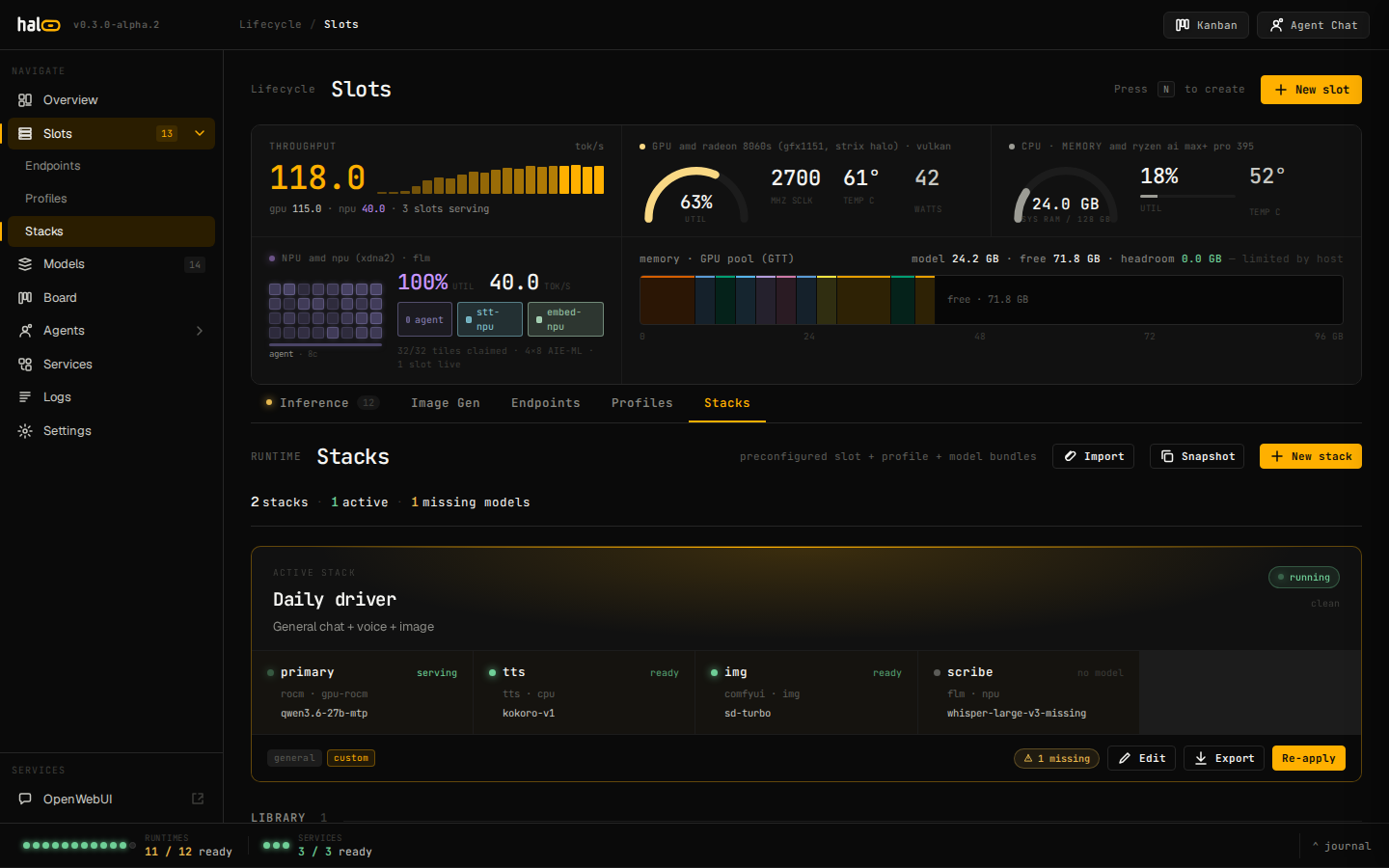 Stacks — declarative slot + profile + model bundles, applied atomically. |
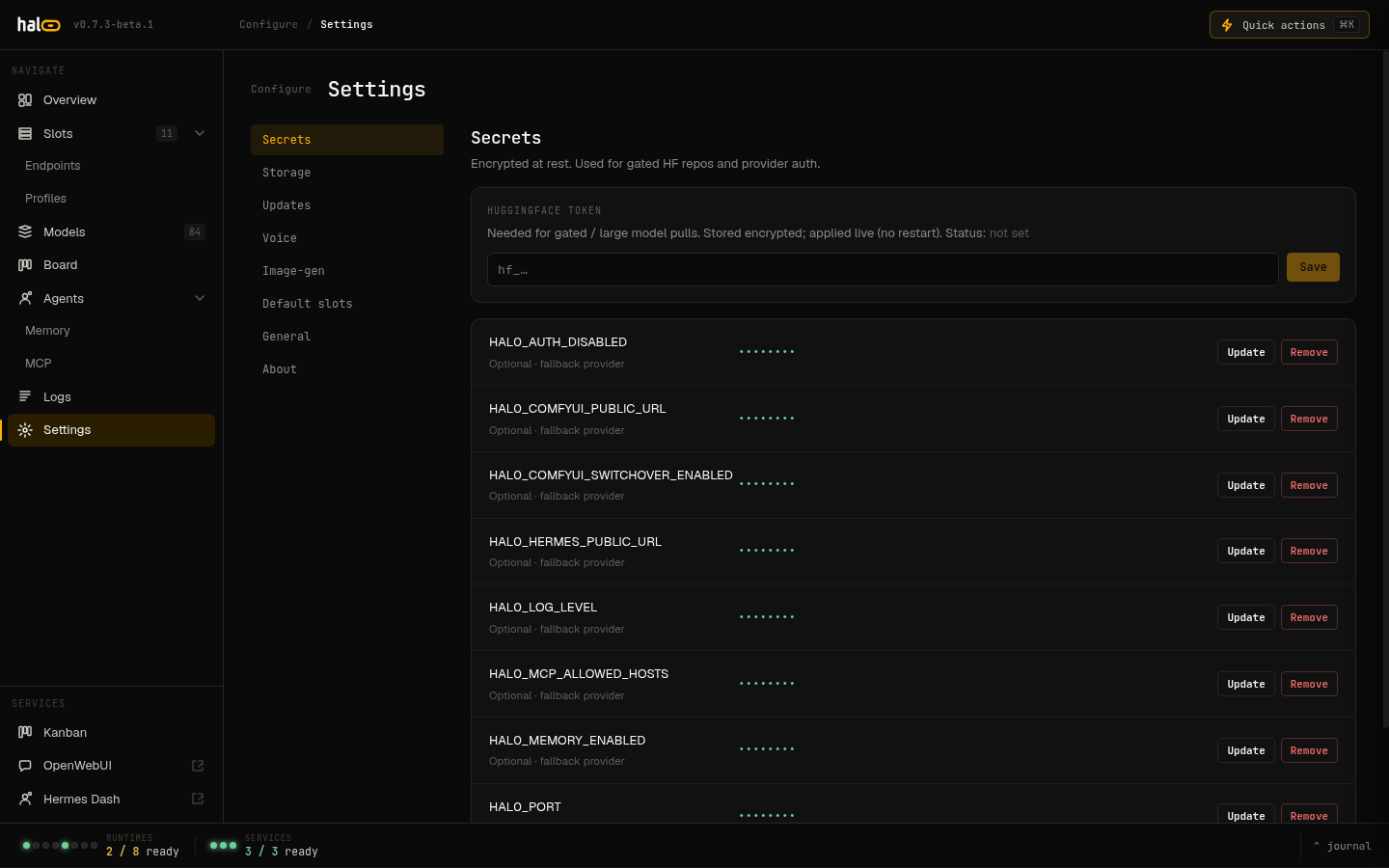 Settings — full hal0.toml parity with an Advanced section. |
More in the docs.
Install
The one-liner
curl -fsSL https://hal0.dev/install.sh | sudo bash
That fetches installer/bootstrap.sh, which needs jq and cosign on the
box. It authenticates the channel manifest before parsing it, sha256- and
Sigstore-bundle-verifies the release tarball, then hands off to
installer/install.sh. Piped through bash it
never prompts. Re-running it is safe: every provisioning step is idempotent
and existing slot configs are never overwritten.
Pick a channel with HAL0_CHANNEL (stable is the default; preview and
nightly are the other two):
curl -fsSL https://hal0.dev/install.sh | sudo HAL0_CHANNEL=preview bash
What the installer actually does
- Pre-flight — systemd, Python 3.12–3.14, x86_64, a container runtime (podman preferred, auto-installed), GPU/NPU device visibility, disk space, free ports.
- Code + venv — a versioned tree under
/usr/lib/hal0/with acurrentsymlink and a shared venv. - Config —
/etc/hal0/withhal0.toml,profiles.toml, the ten curated slot seeds, andapi.env. - Hardware probe — writes
/etc/hal0/hardware.jsonand prints the detected backends. - Brain steward model — pulls the curated
lfm2.5-2.6b(LiquidAI LFM2.5-2.6B-Q8_0, ~2.87 GB, 131k context) and binds it to thebrainslot, so the dashboard's steward chat and its tool calls work out of the box. On an interactive terminal only, it then offers a larger agent model (15–31 GB, size printed first, default No). - Starter image model — on a box with a ROCm lane for ComfyUI, and on
an interactive terminal only, it offers the image models the API can
render, each with the GB it still has to download and the pick recommended
for this box's RAM (default: skip). The first model that lands becomes the
imgmodel and starts the slot; ComfyUI creates its model tree under the model store. - Service start — enables and starts
hal0-api+hal0.target, the Hindsight memory engine, OpenWebUI on:3001, and the bundled Hermes agent. From 1.6.0, Hermes builds its own immutable release under/var/lib/hal0/hermes/releases/on a uv-managed CPython 3.14, so that step needs network access on a first install. hal0 itself needs Python 3.12-3.14; the Hindsight engine venv accepts 3.11-3.14.
Full step list and the complete env-var table:
installer/README.md.
Common install knobs
| Variable / flag | Effect |
|---|---|
--models-dir=PATH / HAL0_MODELS_DIR=PATH |
Put model pulls somewhere other than /var/lib/hal0/models |
HAL0_PORT=9090 |
Bind the API somewhere other than :8080 |
HAL0_CHANNEL=preview |
Install from a channel other than stable |
HAL0_NONINTERACTIVE=1 |
Force flag/env defaults; never prompt, even on a TTY |
HAL0_SKIP_SETUP=1 |
Skip first-run seeding and the brain, agent and image model steps |
HAL0_SKIP_BRAIN_MODEL=1 |
Keep the seeding, skip the brain pull (brain stays model-less) |
HAL0_BRAIN_MODEL=<id> |
Force a specific curated brain quant |
HAL0_PULL_AGENT_MODEL=1 / =0 |
Opt in to the big agent pull unattended / force-skip it on a TTY |
HAL0_IMAGE_MODELS=recommended / =<id>,<id> / =none |
Download starter image models unattended / skip the image step on a TTY |
HAL0_PY_AUTOINSTALL=1 |
Let the installer install python3.12 when the box has no Python in 3.12-3.14 |
HAL0_SKIP_HINDSIGHT=1, HAL0_SKIP_OPENWEBUI=1, HAL0_SKIP_HERMES=1 |
Skip individual companion services |
--no-start |
Provision everything, leave services stopped |
--summary-json=PATH |
Write a versioned, machine-readable install summary (see installer/README.md) |
Proxmox VE, one line
On a Proxmox host:
bash -c "$(curl -fsSL https://raw.githubusercontent.com/Hal0ai/hal0/main/scripts/proxmox-ve/hal0.sh)"
Creates an unprivileged Debian 13 LXC and runs the standard bootstrap inside
it. --advanced opens whiptail prompts; every parameter has an env-var
override (CTID, RAM_MB, STORAGE, …). Hardware-agnostic — Strix Halo
passthrough still needs the privileged-LXC recipe. See
scripts/proxmox-ve/README.md.
Uninstall
hal0 uninstall                 # prompts before deleting config + model data
hal0 uninstall --purge         # also wipe /etc/hal0, /var/lib/hal0, the hal0 user and images
First ten minutes
The dashboard is at http://<box>:8080, the API at http://<box>:8080/v1.
Assign models from the dashboard, or from the shell:
hal0 model pull <hf-repo>/<file.gguf>   # resumable, disk-preflighted
hal0 slot load agent --model <id>       # bind a model and start the container
hal0 status                             # system + slot summary
hal0 chat --brain                       # terminal REPL against the steward
Then point any OpenAI-compatible client at the box:
curl http://<box>:8080/v1/chat/completions \
  -H 'Content-Type: application/json' \
  -d '{"model":"<id>","messages":[{"role":"user","content":"hello"}]}'
hal0 model pull streams from Hugging Face into the model registry under the
user.* namespace — a disk-space preflight fails fast before a multi-GB
pull, and an interrupted pull resumes via HTTP Range instead of restarting
from zero.
What's new
Shipped in 1.7.1
- The dock. The console footer is now the dock: a GPU segment with the
arbiter's headline, detail and the buttons that fit (click it for the
gpu tab with every action and a facts grid), the slots and services
pips, the update chip, a two-row ticker and a
+Nbadge for events that arrived while it was closed. Expanded, the events tab merges journal lines with activity actions behind stream, severity, source, slot and search filters, with an export of the activity trail. The Image Gen pane's GPU status line, the top image-mode banner, the Engine tab's GPU device card and the Slots page's Activity sidebar are gone; the dock works on phones. ADR-0042. - The slot rail. On the Inference tab, every slot grouped by device with
its state dot, device chip, tok/s or state, model and loaded memory; an
N / M readycount that matches the dock's; a row flashes when an event for that slot lands. - ComfyUI's editor on the LAN,
http://<host>:8188, announced over mDNS;[network].comfyui_listen = "loopback"fences it again. ADR-0041. - ComfyUI runs as the
hal0account inside theimgcontainer, not as root: the slot's unit carriesUser=<hal0 uid>:<gid>and the sudo wrapper accepts exactly that identity, so a custom node or workflow writes the data root ashal0and an escape lands onhal0, not uid 0. The models mount moved to/opt/hal0-models; a data root hal0 created needs nothing, one laid down under another account needs a one-timechgrp/chmod(#3066). - Upgrades start at 1.5.0. A 1.3.x or 1.4.x box runs the 1.5.0
installer in place first;
hal0 updateprints the command and stops. - Fixes from the 1.7 fix wave: image downloads from the current Hugging
Face repos; a random image seed a browser holds exactly; render progress
behind an HTTP proxy; a clean 502 when ComfyUI sends back text that cannot
be serialised;
hal0 updateno longer claims no slots need a restart; a stopped Open WebUI stays stopped when its image upgrades; the Services page and resumed downloads no longer stall the API; approval cards show which resource a gated call acts on;hal0 doctornames a gateway remedy that works when the unit is masked.
Shipped in 1.7.0
- An image-model catalog.
hal0 comfyui models list|install|remove, the Image Gen tab's Models view and/api/comfyui/modelsinstall catalog models with resumable, sha256-checked downloads and remove them again. Image models leave the LLM registry (hal0 model pullno longer takes them), and/v1/images/generationsrenders every installed catalog model the API can render plus your own SDXL and SD 1.5 checkpoints, at the model's own size and step count unless the request or the slot's[image]table names others. - A fit check before you install or render. Every catalog model carries a
memory fit for this box, the GPU pool and RAM judged at the size you pick.
A render that cannot fit answers 422
image.wont_fitbefore any slot unloads. Memory figures come from one owner (ADR-0039), which reads a capped LXC guest's RAM limit and shows other guests on a shared GPU. - Image mode only while an image renders. Every GPU LLM slot unloads for a render and reloads about 10 seconds after the last one. A chat that arrives mid-render waits up to 120 seconds instead of failing, and a slot still loading, or one whose unload fails, never stays on the GPU beside ComfyUI.
- Open WebUI images through
/v1. Open WebUI's image engine points at hal0's/v1/images/generationswith the box's client key, so its images get the same model, defaults and GPU switch as any other client. - The Image Gen tab: Generate, Models and Engine. A GPU status line says what the GPU is doing and what a render costs chat; Generate follows the switch phase by phase and the render step by step; Models shows install state and fit meters; Engine operates the ComfyUI container and shows its GPU gate.
- ComfyUI's GPU gate has its own token, never the admin key, so images
keep working with
hal0 auth require on. Runhal0 slot restart imgonce after updating.
Shipped in 1.6.0
-
Hermes v0.22.4 on Python 3.14. The bundled agent moves from 0.19.0 to v0.22.4 (
4d043038). Every build (install,reprovision --repair, update) produces an immutable release under/var/lib/hal0/hermes/releases/, health-checked before thecurrentsymlink flips, with a flip-back topreviousif the re-check fails. See Hermes, the bundled agent. -
Hermes profiles in Open WebUI. hal0 registers one pinned upstream per Hermes profile, so
hermes-agentand one model per profile appear in the Open WebUI picker and in/v1/modelsfor any OpenAI-compatible client. -
Every profile gets hal0's tools and memory.
hal0-adminandhal0-memoryare written into each named profile, with a private memory bank per profile. -
Auth revocation. Rotating a key closes open WebSockets with code 4401 and ends SSE streams; an expired session ends its streams too.
-
Python 3.14 in CI. Pull requests run 3.12 and 3.14; the Hindsight engine installs on 3.14 without
--ignore-requires-python. -
Agent chat proxy removed.
/api/agents/{id}/events,/submitand/session/*return 404; chat with Hermes happens in Hermes's own dashboard or through/v1. -
Memory engine on a local slot or an upstream model. Pick it under Engine model on Settings -> Data -> Memory (also on the agents Memory tab) or run
hal0 memory graph enable --model <id>;--localreturns to the local extraction slot. hindsight-api always calls the virtual idhal0/memory, which hal0 resolves per call, so switching needs no engine restart. An Engine running row names the provider and model the engine really loads and flags an override from/etc/hal0/hindsight-llm.env. The bank description under the picker in the Memory workspace is editable in place, and bank ids may contain dots (coding-agent::ultrareview-1.4