

Website · Playground · npm · MIT · Security
HeyTerm
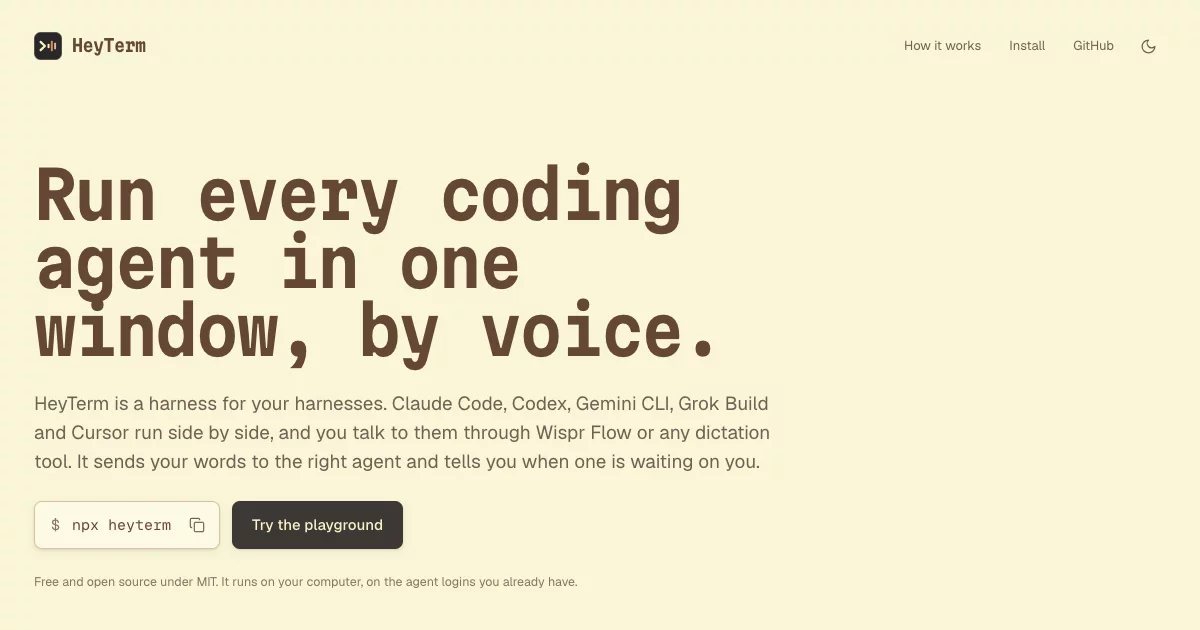
Run your coding agents by voice. HeyTerm is one window for all your Claude Code, Codex, Gemini CLI, Grok Build and Cursor sessions, with an assistant in the middle: you talk through Wispr Flow (or any dictation tool), it works out which session you mean and does it, and it tells you when a session needs you. Five agents at once, no keyboard, no trackpad.
Why
When you run several agents in parallel, they spend a lot of time waiting for you. On one developer's Mac over two weeks, sessions finished or stopped to ask something 179 times while the developer was busy in another session. Those waits added up to 55 session-hours, with a median of 5.5 minutes and the longest at 3 hours 25 minutes. Measure your own with:
python3 scripts/measure-waits.py
What you can say
| You say | HeyTerm does |
|---|---|
| "start a session in portfolio and fix the phone menu" | starts Claude Code in that project and gives it the task |
| "open a terminal in synqed" | opens a plain terminal there: your login shell, no agent, called synqed-terminal; + in the sidebar has a Terminal choice too |
| "peeker, run the tests again" | sends your words straight to that session, after a 1.5 second preview you can cancel |
| "tell whisker to go on" / "ask bookboy why the tests fail" | the assistant reads that session, fixes what dictation misheard, and sends it one clear instruction (asking you first when it cannot tell) |
| "approve" / "no, use pnpm instead" | answers the permission at the top of the queue; a "no" passes your reason to Claude |
| "Neon" / "the second one" | answers a multiple-choice question, with no arrow keys |
| "catch me up" / "what's synqed doing?" | says what changed since you last looked |
| "trust it" | trusts a new folder for the session asking |
| "go to whisker" / "stop synqed" / "close peeker" / "bring back peeker" | focus, interrupt, close and resume |
| "open synqed here" | moves a Claude session from your own terminal into HeyTerm: it closes there and the same conversation goes on here (asks first if it is working); the pane's Open here does the same |
| "rename synqed to synqed auth" | renames a session, open or closed, so two in one folder are easy to tell apart |
| "what did api change?" | names the files api changed in its last task, with line counts |
| "be quiet" / "mute" / "talk to me" | announcements for questions and permissions only, sounds only, or everything |
Those happen at once on your computer. Everything else goes to the assistant in the middle: Claude (Opus 5.5 at low effort) on the Agent SDK, through your own Claude Code login, so there is no API key to set up. Ask it anything ("what is everyone doing?", "what changed in heyterm today?", "start a session in portfolio and fix the header", "what time is it in Germany?") and it answers out loud, reads sessions, sends them work, and does anything Claude Code can on your Mac: runs commands, installs tools, writes files, searches the web and looks at your screen when you ask. Coding in a project still goes to that project's session, so you can follow it. It opens sessions and terminals anywhere: a project, any folder by path or by name ("open a terminal in downloads"), the same folder as another session when you say so, or another computer such as your VPS. It does whatever your Claude Code permission mode allows and asks you out loud whenever Claude Code would ask; Setup's Full access lets it act without asking. Either way it never touches a PrivateKeys folder. It remembers your conversation across restarts. When a session needs you, the assistant tells you what it wants and what to say, in plain words, without reading the command out.
HeyTerm speaks with your Mac's own voice (whatever is set in System Settings, Accessibility, Spoken Content; Siri voices work there), or the browser's voice if you pick it in Setup.
What you see
- Sessions on the left, each with its own face and its state, waits counted while it needs you. Hover a row for its agent, folder, branch, times and session id; rename any session from its row, and take closed ones off the list. The sidebar folds to a rail of faces that are named when you hover.
- Terminals in the middle, in a grid or one at a time. Besides agent sessions, a plain terminal runs your login shell in a folder of your choice: type into it like any terminal, and the assistant can run commands there and read their output ("open a terminal", "in synqed-terminal, run the tests and tell me what failed"). It opens in the folder itself, never a worktree, and closing one asks first only while a command runs.
- The conversation on the right. When a session needs you, its request arrives as a message there, with buttons and the words to say. Answer by voice or click; your answer shows up as your own message under it. Fold the column away and the most urgent request sits in one slim row above the bar you talk into.
- What each task changed. A finished session says how many files it changed; "what did api change?" names them. A session that goes quiet for five minutes (or runs one command for ten) is named too.
- See what the assistant ran. Each command it runs is a line in the conversation; click it for the full command and its output, and click again to close it.
- Drop or paste an image onto a session. Drag a screenshot or any PNG, JPEG, GIF or WebP onto a session's terminal, or paste one there, and the session gets it attached, as if you had pasted it into Claude Code yourself. It is kept in
~/.heyterm/attachments. - Any text can be copied. Select it and press Cmd+C (Ctrl+C on Windows and Linux), in a terminal too.
- Gruvbox, light or dark. HeyTerm starts in Gruvbox Material light; Setup, Appearance switches to dark or follows your system. Terminals stay dark in both, because coding agents colour their text for a dark terminal.
Getting started
To see it without installing anything, open the playground: the same interface on three simulated agents.
You need Node.js 20 or newer on macOS, Linux or Windows, and at least one coding agent signed in once: Claude Code, Codex (npm install -g @openai/codex), Gemini CLI (npm install -g @google/gemini-cli), Grok Build (curl -fsSL https://x.ai/cli/install.sh | bash, then grok login) or Cursor (curl https://cursor.com/install -fsS | bash, then cursor-agent login). The assistant in the middle runs on Claude Code.
npx heyterm doctor    # checks Node and which agents are installed
npx heyterm           # starts HeyTerm and opens it in your browser
To run it from source instead:
git clone https://github.com/adilhusain01/heyterm && cd heyterm
npm install && npm run build
node bin/heyterm.js
Then:
- Click anywhere on the page once, so the browser lets HeyTerm speak.
- Open Setup and check your project folders. HeyTerm looks in
~/Documents/Projects,~/Projects,~/code,~/dev,~/srcand~/Developerby default, and the assistant can start a session in any folder you name. - Hold your dictation key (Fn for Wispr Flow) and say "start a session in" followed by a project name. Say "start a codex session in…", "open gemini in…", "start a grok session in…" or "open cursor in…" for the other agents. Or press +: pick a project, type any folder's path (
~/shows the folders to go into, as in VS Code's Open Folder), or use Choose a folder… for your system's folder dialog (on Windows the newer one when PowerShell 7 is installed; on Linux zenity or KDE's kdialog). - Use headphones, so HeyTerm's spoken alerts never end up in your own dictation.
To see the Claude sessions you start in your own terminals as well, open Setup and press Show them under Your own Claude sessions. Sessions already running then show up within a few seconds, read from Claude Code's own records, even before they report anything. A Claude you start by hand in one of HeyTerm's terminals shows as that terminal, tagged claude, not as a second session. While HeyTerm runs, its hooks sit in ~/.claude/settings.json (backed up first in ~/.heyterm/backups); they come out when HeyTerm stops. It can answer those sessions' permissions and questions and tell you when they finish, but it can only type into sessions it started.
Starting, stopping and removing it
heyterm |
starts it and opens the page, or opens the one already running |
heyterm restart |
restarts it in about a second; every session keeps running |
heyterm stop, Ctrl+C, Quit in Setup, or closing the last HeyTerm page |
stops it and every session in it; they wait under Recently closed, and Bring back resumes the conversation |
heyterm uninstall |
stops it, takes its hooks out of your Claude settings and moves ~/.heyterm to the Trash; then npm uninstall -g heyterm removes the command |
The sessions' terminals belong to a small keeper process that the heyterm command runs, not to HeyTerm's server, so the server can restart without them noticing. A new version on disk (an update, or npm run build in a clone) restarts the server by itself, and so does a crash; a page-only change just reloads the page. Only stopping HeyTerm ends the sessions.
Closing the page stops HeyTerm after 15 seconds, so a reload never does. A page that only lost its connection (the Mac slept, the browser dropped it, the tab sat in the background) never stops it: the page reconnects by itself and redraws every terminal from HeyTerm's copy of the screen, and after 5 seconds without a connection it says so. Setup has Keep running without the page if you want it to stay up.
Sessions on another computer
A Claude session on a server, such as one kept alive with claude-keep on a VPS, can sit in your Mac's HeyTerm next to the local ones: you see its screen, hear when it finishes or asks for a permission, and answer it or send it work by voice. HeyTerm runs on both computers. The server's copy owns its sessions and their hooks, and the Mac's copy shows them as vps/<name> and sends what you do back there.
On the server, start HeyTerm in remote-host mode and give it an HTTPS address on your tailnet:
npx heyterm --remote-host --allow-host vps.your-tailnet.ts.net
tailscale serve --bg --https=8443 http://127.0.0.1:4747
--remote-host keeps it running with no page open, keeps it quiet, and shows the server's own Claude sessions, including the ones claude-keep holds open, as soon as they are running. It still listens on 127.0.0.1 only. tailscale serve is what reaches it, and --allow-host lets through requests that name that address.
On the Mac, add the server once and restart HeyTerm:
ssh vps cat ~/.heyterm/token | heyterm remote add vps https://vps.your-tailnet.ts.net:8443
heyterm remote list
heyterm remote remove vps
The token comes in on standard input, so it stays out of your shell history, and it is kept in ~/.heyterm/remotes.json, readable by you alone. The address has to be HTTPS; plain HTTP is accepted only for this computer.
The server's sessions keep running while the Mac sleeps. When the Mac cannot reach the server, they show "vps not reachable" and nothing is sent there; HeyTerm keeps trying, and redraws them when the server answers again. A session from the server's own terminal can be answered but not typed into, the same as on the Mac, until "open X here" moves it into the server's HeyTerm.
To start a session there, ask the assistant ("open a terminal on vps in ~/Projects/notes"). Not there yet: line counts in "what did X change" for a server's session, and reading a command's output in a server's terminal any sooner than a fixed 4 seconds.
How it works
- Sessions run in HeyTerm's own terminals (pseudo-terminals it owns, the same on macOS, Linux and Windows), with a copy of each screen so the assistant can read it and a page opened later sees it. A keeper process holds them and runs the server as its child, over Node's own channel between the two, so the server restarts into new code while the sessions run on.
- Agent hooks report every state, so nothing is guessed from the screen. Claude Code gets them through a settings file for its session; Codex through config overrides for that run (Codex asks once to trust them; say "trust it"). Your own
~/.codexand Claude settings are not changed. - Grok Build and Cursor read hooks only from global files, so while HeyTerm runs it writes
~/.grok/hooks/heyterm.jsonand adds its entries to~/.cursor/hooks.json(backed up first), and takes them out again when it stops or is uninstalled. They only report what happens; nothing in them can approve or block a tool, so each agent's own permission rules stay in charge, and sessions HeyTerm did not start are ignored. Grok's permission card shows as waiting in its terminal: say "go to" the session and answer there. - A second session in a folder another one uses gets its own git worktree, on a branch named
heyterm/<session>, from the last commit, in~/.heyterm/worktrees, so two agents never edit the same files. Its work stays on that branch for you to merge. Outside git the folder is shared, and HeyTerm says so. - Claude Code's own session records (
~/.claude/sessions) tell HeyTerm what no hook does: a turn you stopped with Esc, and a terminal that was closed. - What a task changed comes from the session's own edit hooks and from git, compared when the task starts and when it ends, so edits made through shell commands count.
- A permission or a multiple-choice question is held open until you answer by voice; answering in the terminal by hand still works, and wins.
- No extra gates: HeyTerm adds no permission layer of its own. What an agent's permission mode allows, it runs; when the agent asks, you hear what it wants and its risk, and "approve" answers.
- Text is sent as a real prompt, pasted into the session and confirmed by its prompt hook.
- Announcements wait for you. Nothing is spoken while text is arriving in the command bar, lines are said one after another, and what you say goes ahead of news waiting for the assistant.
Privacy and safety
- The server listens on
127.0.0.1only. It refuses requests from other sites, and every hook and every page connection needs a private token from~/.heyterm/token(readable by you alone), so neither a web page nor another user on the same computer can type into your terminals. - Every decision, by voice or click, goes into
~/.heyterm/audit.jsonlwith the time, the session, the command and the words that decided it. - HeyTerm never deletes your folders. A worktree it made goes only when you take its closed session off the list and it holds no uncommitted changes and no commits of its own. Closing a session that is working or has uncommitted changes asks first.
- The assistant's conversation stays on your computer: its id and the last 80 lines in
~/.heyterm/assistant.json, the conversation itself where Claude Code keeps conversations.
Settings
All optional; see .env.example.
| Variable | What it changes |
|---|---|
HEYTERM_PORT |
the port (default 4747) |
HEYTERM_PROJECT_ROOTS |
project folders, separated by : (; on Windows); Setup saves the same thing |
HEYTERM_ROUTER_MODEL |
the assistant's model (default claude-opus-5-5) |
ANTHROPIC_API_KEY |
run the assistant on the Claude API instead of your Claude Code login |
Development
npm install
npm run dev        # server with reload on :4747, UI with reload on :5173
npm test           # the unit tests, with your Claude, Grok and Cursor files out of reach; CI also runs them on macOS, Linux and Windows
npm run typecheck
npm run build      # dist/web and dist/server/cli.js
npm run build:playground   # dist/playground: the same UI on three simulated agents, a static site anyone can open
npm run dev:site           # the landing page (site/) with reload on :5174
npm run build:site         # dist/site: the landing page, with the playground under /playground/
npm run deploy:site        # builds both and deploys them to Vercel as one site
The landing page lives in site/. It shares the app's tokens (src/web/tokens.css) and motion (src/web/motion.css), so the two never drift apart, and its hero is a small HeyTerm running a scene. The faces it shows are drawn at build time by scripts/site-faces.mjs, so the page ships pictures instead of the face generator.
docs/SPEC.md is the behaviour HeyTerm promises, and the tests are written from it. scripts/smoke.mjs checks an installed package end to end (start, the token wall, stop, uninstall). Pure decisions (routing, risk, session states, the attention queue, quiet sessions, worktree and change rules) live in their own files with tests beside them.
To try a change while your own HeyTerm runs, build it in a separate checkout (git worktree add --detach ../heyterm-try HEAD, with node_modules linked in) and start it with its own HEYTERM_DATA_DIRECTORY, HEYTERM_PORT, HEYTERM_CLAUDE_SETTINGS_PATH, HEYTERM_GROK_HOOKS_PATH and HEYTERM_CURSOR_HOOKS_PATH. A build in the folder a running HeyTerm serves changes the page under it, and a second copy on the real hook files edits the hooks the first one relies on.
Built for No Hands: The Wispr Challenge by WeMakeDevs and Wispr Flow.
The look is specified in docs/DESIGN.md.
Licence
MIT, see LICENSE. The packages HeyTerm ships keep their own licences, listed in THIRD_PARTY_NOTICES.md.