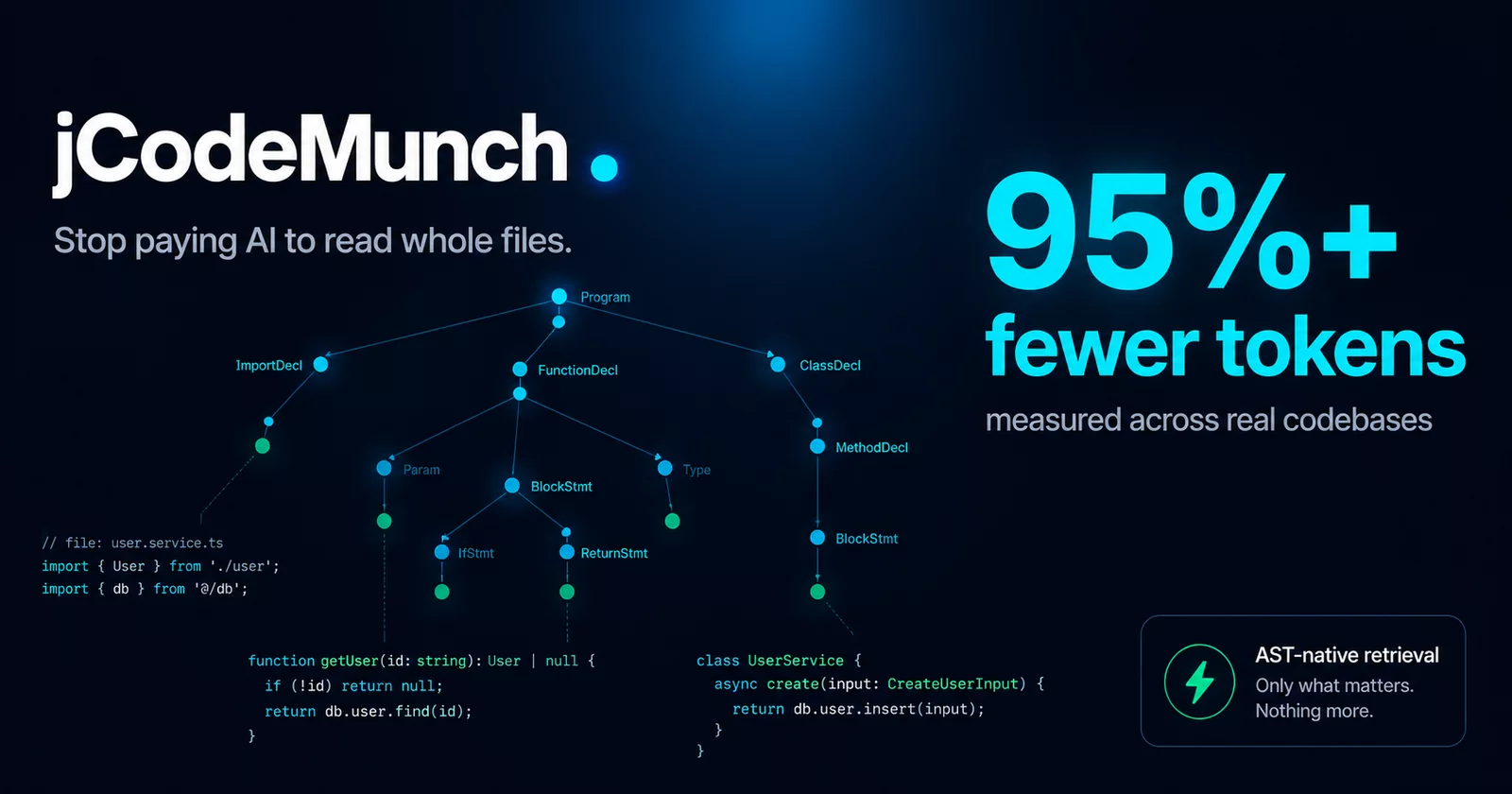
An MCP server that retrieves source code by symbol, not by file, using tree-sitter AST parsing. On our pinned benchmark, one lookup costs 96.2% fewer tokens than a grep-and-read agent (26.5x fewer; 86.9% to 98.7% across the 15 lookups), so your agent stops spending its context window on whole files.
Benchmark: 5 queries on each of express, fastapi and gin at pinned commits, tokens counted with tiktoken cl100k_base, jcodemunch-mcp at commit 15afcf75, whose version string is 1.108.391 but which also carries the settings-file ranking change released in 1.108.392 and the field/constant change released after it. A lookup is one search_symbols plus get_symbol_source on its top 3 hits, against grep-and-read (rank files by match count, read the top 3 whole). Per lookup, not per session. Reproduce with benchmarks/REPRODUCING.md.
Real results, live from production 838B+ tokens saved · 136,000+ reporting installs · $4.2M+ in AI spend avoided · 100,000+ kg CO₂ prevented Counter figures as of 2026-08-17, valued at the $5/MTok Claude Opus input rate. All four only grow, so read them as floors. Live at jcodemunch.com.
Works with Claude Code, Cursor, VS Code, Codex CLI, Windsurf, Continue, and any MCP-compatible client.
Install now · Quickstart · See the evidence · Pricing






Free for personal use. Use it to make money, and Uncle J. gets a taste. Fair enough? Commercial licenses below. Our guarantee: if jCodeMunch doesn't pay for itself, you don't pay for jCodeMunch.
Small by default. A new install starts on a six-tool front door: menu, order and route do the work, and jcodemunch_guide, announce_model and set_tool_tier help. The full tool set sits behind it, and jcodemunch-mcp surface shows exactly what your install advertises.
Why jCodeMunch?
Most AI agents explore repositories the expensive way: open entire files, skim thousands of irrelevant lines, repeat. That is not "a little inefficient." That is a token incinerator.
jCodeMunch indexes a codebase once and lets agents retrieve only the exact code they need: functions, classes, methods, constants, outlines, and tightly scoped context bundles, with byte-level precision. It parses source with tree-sitter, stores structured symbol metadata (signature, kind, qualified name, summary, byte offsets) alongside raw file content in a local index, and fetches exact implementations on demand instead of re-reading files over and over.
| Task | Traditional approach | With jCodeMunch |
|---|---|---|
| Find a function | Open and scan large files | Search symbol, fetch exact implementation |
| Understand a module | Read broad file regions | Pull only relevant symbols and imports |
| Explore repo structure | Traverse file after file | Query outlines, trees, and targeted bundles |
| "What breaks if I change X?" | Search for the name, then read each hit | get_blast_radius: affected files and symbols, across indexed repos, with no IDE running |
Index once. Query cheaply. Keep moving. Precision context beats brute-force context.
Evidence
Reproducible token efficiency benchmark
Measured with tiktoken cl100k_base across three public repos pinned to upstream commits, run 2026-10-22 on v1.108.391 (at commit 15afcf75, whose version string is 1.108.391 but which also carries the settings-file ranking change released in 1.108.392 and the field/constant change released after it). Workflow: search_symbols (top 5) + get_symbol_source × 3 per query. Two baselines, same run, same corpus, same file reader:
- Grep-top-3:
rg -lthe query terms, rank files by match count, open the top 3 whole. This is what a competent agent without the tool actually does, and it is the number to quote. - Read-all: every indexed source file concatenated. A ceiling nobody pays; retained for continuity with previously published figures.
| Repository | Files | Symbols | Grep-top-3 baseline | jCodeMunch | vs grep | vs read-all |
|---|---|---|---|---|---|---|
| expressjs/express | 186 | 989 | 15,724 avg | 990 avg | 15.9x | 156.1x |
| fastapi/fastapi | 1,186 | 13,699 | 85,296 avg | 2,556 avg | 33.4x | 322.9x |
| gin-gonic/gin | 98 | 1,822 | 31,975 avg | 1,481 avg | 21.6x | 102.5x |
| Grand total (15 task-runs) | 664,975 | 25,132 | 26.5x | 225.2x |
Against a grep-and-read agent: 96.2% reduction, 26.5x fewer tokens. No single multiple describes every query; the per-repo rows above are the spread. Against read-all the figure is 99.6%, but nobody pays that ceiling. Compact MUNCH wire encoding then trims a median 45.5% more bytes off responses.
Full methodology, pinned commits, harness, and known caveats: benchmarks/METHODOLOGY.md · Reproduce it yourself · TOKEN_SAVINGS.md
Independent A/B test on a production codebase
50-iteration A/B test on a real Vue 3 + Firebase production codebase, jCodeMunch vs native tools (Grep/Glob/Read), Claude Sonnet 4.6, fresh session per iteration: success rate 80% vs 72%, timeout rate 32% vs 40%, mean cache creation down 10.5%. Tool-layer savings isolated from fixed overhead: 15-25%. One finding category appeared exclusively in the jCodeMunch variant: orphaned file detection via find_importers, a structural query native tools cannot answer without scripting. Full report: benchmarks/ab-test-naming-audit-2026-03-18.md
Mentioned by
- Artur Skowroński (VirtusLab): "roughly 80% fewer tokens, or 5× more efficient — index once, query cheaply forever" · GitHub All-Stars #15
- Traci Lim (AWS · ASEAN AI Lead): "structural queries that native tools can't answer: find_importers, get_blast_radius, get_class_hierarchy, find_dead_code" · 5 Repos That Save Token Usage in Claude Code
- Julian Horsey (Geeky Gadgets): "3,850 tokens reduced to just 700 — a 5.5× improvement" · JCodeMunch AI Token Saver
- Eric Grill: "context is the scarce resource. Cut it by 90% and the whole stack gets cheaper and more reliable" · jCodemunch: Context Engine for AI Agents
Install
One-click installs



Recommended: one command
uv tool install jcodemunch-mcp
jcodemunch-mcp init
No virtualenv to manage, nothing written into system Python, and it works as-is on PEP 668 distros (Ubuntu 24.04+, Debian 12+) where bare pip install is refused. Don't have uv yet?
init auto-detects your MCP clients (Claude Code, Claude Desktop, Cursor, Windsurf, Continue, Codex, opencode, Gemini CLI, Cline, VS Code with Copilot), writes their config entries, installs the hooks that keep the index fresh without adding anything to the model's context (re-index after an edit, a pre-compaction checkpoint, a task-complete note to you), optionally indexes your project, and audits your agent config files for token waste. Two extras are opt-in because the model reads them on every turn they apply: --policy writes the Code Exploration Policy into CLAUDE.md, AGENTS.md and the Cursor and Windsurf rules files, and --guidance adds the hooks that advise the model on Read/Grep/Glob/Bash, brief subagents and restore context after compaction. With the PreToolUse hook installed (--guidance or --strict) and JCODEMUNCH_HOOK_GREP_ANSWER=1, a Grep inside an indexed repo is answered from the index once: the hook refuses it with the search_text result as the reason, and the same Grep sent again runs normally. It is off by default. An install that already has them keeps them; jcodemunch-mcp init --remove-guidance removes them, with backups.
Ask for it by name. Tell your agent to use jcodemunch ("use jcodemunch to find where X is handled"). In the sessions we measured, agents used it when the user asked for it by name.
Other install paths
| Command | Use it when |
|---|---|
uvx jcodemunch-mcp |
Zero install. Runs from an ephemeral environment — nothing lands on disk permanently. The client entries init writes already invoke the server this way, so for most setups this is all that ever runs. ⚠ Enforcement hooks are the exception: they're spawned by a minimal-PATH subshell and resolve the executable by name, so they need uv tool install (or pipx/pip) to work. |
pipx install jcodemunch-mcp |
You already standardise on pipx |
pip install jcodemunch-mcp |
Inside a virtualenv you manage yourself |
Verify:
jcodemunch-mcp --version
Manual Claude Code setup
claude mcp add -s user jcodemunch -- uvx jcodemunch-mcp
No install step — uvx fetches and runs the server on demand. Prefer it on your PATH (and required for enforcement hooks)? uv tool install jcodemunch-mcp, then claude mcp add -s user jcodemunch jcodemunch-mcp.
Then tell the agent to prefer the tools. This matters more than people think; installation makes the tools available but does not break the agent's brute-reading habit. One line in your CLAUDE.md does it:
Call the jcodemunch_guide tool and strictly follow its instructions.
Using Cursor, Windsurf, Codex CLI, Antigravity, Gemini CLI, Qwen Code, Kiro, Cline, Zed, Goose, Hermes, Odysseus, or Paperclip? Every tested client configuration lives in CLIENTS.md. Optional extras (local semantic search, AI summaries per provider) are in QUICKSTART.md; the system surfaces each extra pulls in are documented in SECURITY.md.
Quickstart
Full walkthrough: QUICKSTART.md. The two-minute version, inside your agent after init:
- Ask: "Index this repo with jcodemunch."
- Ask: "Using jcodemunch, find the function that handles authentication and show me its source."
The agent should answer via search_symbols and get_symbol_source, returning tens of lines instead of whole files. Confirm with get_session_stats: it reports tokens served and savings for the session. That is where the numbers on the meter come from.
Want to skip initial indexing for popular frameworks? Pre-built starter packs: jcodemunch-mcp install-pack --list (free packs need no license).
What you can do
- Retrieve one symbol instead of loading a file.
get_symbol_sourcereturns the exact function body, byte-precise, for the majority of edits that touch one function in a 700-line file (~95% savings on that read). - Assemble a whole task's context in one call.
assemble_task_contextclassifies the task intent, extracts anchor symbols, and runs the right tool sequence under one token budget.plan_turnroutes the turn before the first read. - Ask structural questions grep can't answer.
find_importers,get_blast_radius,get_call_hierarchy,find_dead_code,get_changed_symbols,get_hotspots,search_astanti-pattern sweeps, and more. Two of them sound alike and are not:check_referencesanswers where a name is used (import sites plus every file whose content mentions it),find_referencesanswers who imports it, over the import graph alone, so a call site is invisible to it.get_call_hierarchysays which callers are direct: a deeper row names the caller it is reached from. - Preflight risky changes, and know when to stop.
check_edit_safe,check_delete_safe,get_pr_risk_profile, andplan_refactoringwith edit-ready{old_text, new_text}blocks. The two safety checks returnstop_rule.terminal: true means no further jcodemunch call moves the verdict, so re-runningfind_importersorcheck_referencesto be sure is wasted work. It means final, not safe.corpus_inadequate(the index could not back an absence claim) anddynamic_import_boundary(a dynamic import, or for a .NET control or build item a path the index does not carry, can load the file) are never terminal, and each tool's description lists every verdict it returns.check_rename_safeanswerssafe: nullrather thantruewhen the import graph could not reach the symbol's file, so the files that use it were never checked, andget_pr_risk_profileanswersrisk_score: nullwithunmeasurable_axeswhen it could not measure the blast axis; a CI gate should fail on null. Hand the server your type checker's own output (jcodemunch-mcp import-trace --diagnostics <file>:mypy --output json,pyright --outputjson,tsc --pretty false,ruff --output-format json) andcheck_edit_safe,get_changed_symbols,get_pr_risk_profileandget_symbol_provenancesay which symbols the checker already flags, as of which commit. Nothing runs a checker for you. False names the specific thing that would change the answer. - Trust the answers. Calibrated confidence scores, freshness flags, coverage contracts on absence claims, compiler-verified references via SCIP import, and automatic secret redaction before anything reaches the LLM.
- Keep the index fresh automatically. Watch modes, agent hooks, and a VS Code extension close the staleness gap.
That's the highlight reel. The complete tour of the full tool set (90+ tools behind the six-tool front door), the MUNCH compact wire format, evidence receipts, offloadable-work annotation, and the session-economics instrumentation is in CAPABILITIES.md, with internals in UNDER_THE_HOOD.md.
What's new
- v1.108.400 (2026-10-27) — a text search returns the code it found, and a retired tool name says what replaced it
- v1.108.399 (2026-10-26) — four core tool descriptions open with the question each tool answers
- v1.108.398 (2026-10-25) — the semantic and all extras install a fixed filelock on every Python
- v1.108.397 (2026-10-24) — a cut search names the files it left off, and file_pattern takes braces
When does it help (and when doesn't it)?
| Scenario | Native tool | jCodeMunch | Savings |
|---|---|---|---|
| Edit one function (700-line file) | Read → 700 lines |
get_symbol_source → 30 lines |
~95% |
| Understand a file's structure | Read → full content |
get_file_outline → names + signatures |
~80% |
| Find which file to edit | Grep many files |
search_symbols → exact match |
comparable |
| Edit requires whole-file context | Read → full content |
get_file_content → full content |
~0% |
| "What breaks if I change X?" | Grep the name, Read each hit |
get_blast_radius → affected files and symbols |
not measured |
It helps most on targeted edits (one function, one method, one class), which is the majority of real editing work. Edits that genuinely require the entire file (restructuring file-level state, reordering logic spanning hundreds of lines) see no advantage. Best fits: large repositories, unfamiliar codebases, agent-driven exploration, refactoring and impact analysis, and teams cutting AI token costs without making agents dumber.
Languages: 70+ via tree-sitter, including Python, JavaScript/TypeScript, Go, Rust, Java, C/C++, C#, PHP, Ruby, Swift, and Kotlin. Full matrix: LANGUAGE_SUPPORT.md. Monorepos: yes; incremental indexing, workspace-member detection, subpath scoping.
Deferring the tool schemas (Anthropic tool search)
If you reach jCodeMunch through the MCP connector on a model that supports tool search, you can keep our schemas out of your context prefix entirely and let Claude load only the two or three tools a request needs. You do not set defer_loading per tool — set it once for the whole server:
{
  "mcp_servers": [
    { "type": "url", "url": "https://your-host/mcp", "name": "jcodemunch" }
  ],
  "tools": [
    { "type": "tool_search_tool_bm25_20251119", "name": "tool_search_tool_bm25" },
    {
      "type": "mcp_toolset",
      "mcp_server_name": "jcodemunch",
      "default_config": { "defer_loading": true },
      "configs": {
        "resolve_repo":       { "defer_loading": false },
        "search_symbols":     { "defer_loading": false },
        "get_ranked_context": { "defer_loading": false }
      }
    }
  ]
}
Send it with the beta