

KinTerm
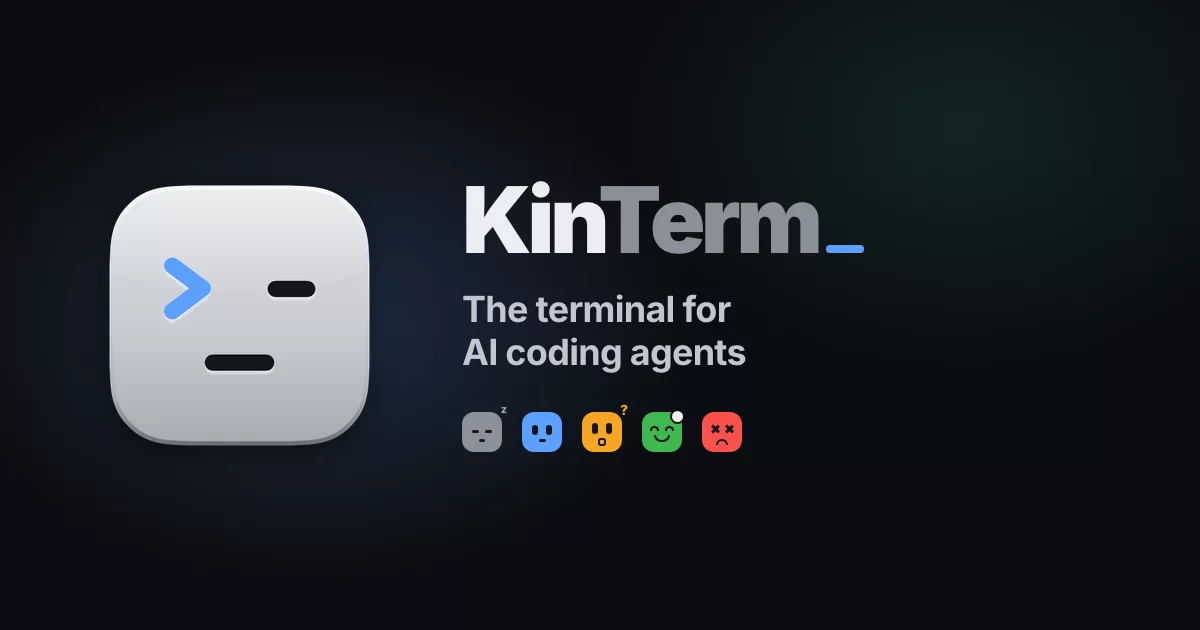
The terminal for AI coding agents
Every tab is a face that shows what its agent is doing, so you know who's working,
who's done and who needs you, without opening a single tab.

Website · Download · Features · Claude Code · Any agent · Build · Credits
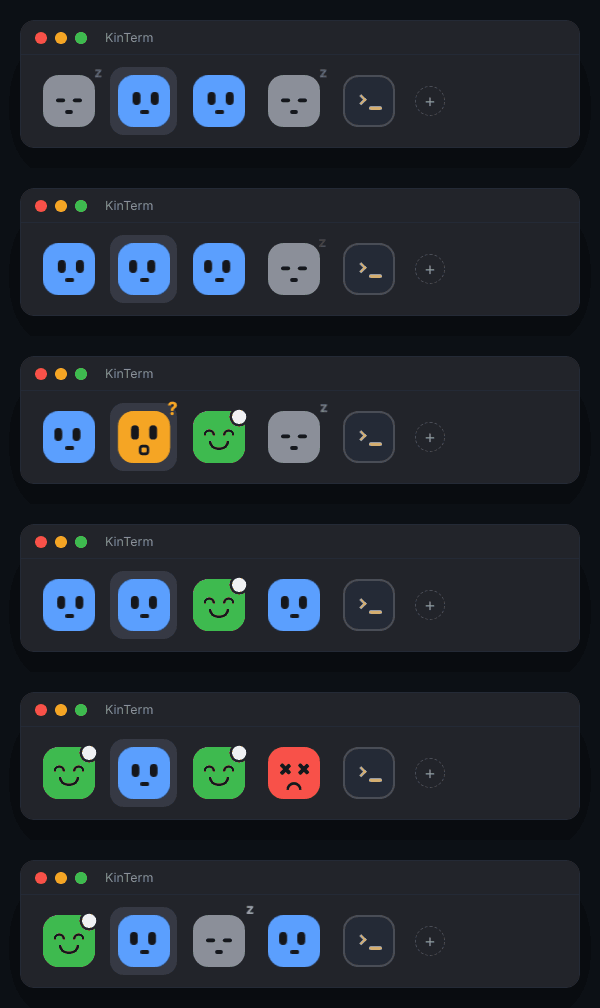
You run Claude Code in one tab, then another, then five. One is waiting for a yes, one finished ten minutes ago, one hit a rate limit, and the only way to find out is to click through every tab.
KinTerm turns each tab into a face. Gray and asleep when idle, blue with darting eyes while it works, amber and surprised when it needs you, green and happy when it's done, red with X eyes when something breaks. One glance at the tab bar tells you where to go next. When you're in another app, a notification, the dock icon and the menu bar tell you instead.
It's a full, fast, native macOS terminal underneath: KinTerm is built on Ghostty, so you keep GPU rendering, native tabs and splits, and your Ghostty config and themes.
The faces
| Face | State | When | What you see |
|---|---|---|---|
 |
Idle | The session has started and is ready for a prompt | Gray, eyes shut, a drifting "z" |
 |
Working | You sent a prompt; it's reading, editing, running tools | Blue, eyes looking left and right |
 |
Waiting on you | It asks for permission or a question | Amber, surprised, bouncing, "?" |
 |
Done | It finished its turn | Green, happy, a white dot until you look |
 |
Error | The turn ended on an API error: rate limited, overloaded | Red, X eyes, a little shake |
A tab with splits shows its most urgent agent: waiting, then error, done, working, idle.
Features
| 🙂 | A face on every tab. The tab bar goes at the top, in the title bar, at the bottom, left or right, in S, M or L |
| 🎭 | Six face sets. Faces (the default), Square faces, Orbs, Shapes, Bots and Spark, all with the same five states |
| 🔎 | Hover card. Hover a face for the agent's last message, how much of its context is used, the git branch and the account |
| 🔔 | Notifications when an agent finishes, needs you or fails while you're somewhere else |
| 🚦 | The app icon is a status light. The dock icon takes the colour and expression of the agent that needs you most, with a badge for how many are waiting |
| 📊 | Menu bar summary. A live count of your agents from anywhere, in Compact, Full or Icon only style |
| 🧭 | Agents panel. ⌘⇧A lists every agent in every window, most urgent first. ⌘J jumps straight to the next one waiting on you |
| 👥 | Several Claude accounts. Each account gets a colour, as a tint or a ring on its tabs. The + menu and ⌥⌘1–9 open a Claude Code tab with a given account, optionally in a new git worktree |
| 🧩 | Subagents. A small badge counts the subagents a session is running |
| 🪄 | Setup Assistant. On first launch, pick your faces, size and tab bar by looking at them, and it installs the Claude Code hook for you |
| 📡 | An open protocol. Any agent or script can report its state with OSC 7501 |
| 🔄 | Updates itself. New versions arrive in the app, no reinstalling |
Install
- Download KinTerm.dmg from the latest release.
- Open it and drag KinTerm to Applications.
- Open KinTerm. The Setup Assistant walks you through the faces, the tab bar and the Claude Code hook. You can open it again any time from KinTerm › Setup Assistant…
Requirements: macOS 13 Ventura or later, on Apple silicon or Intel. KinTerm checks for updates on its own, or use KinTerm › Check for Updates…
Claude Code
The faces come from a small Claude Code hook that tells KinTerm what each session is doing. The Setup Assistant installs it. To install it yourself from a clone of this repo:
agents/claude-code/install.sh          # ~/.claude, or $CLAUDE_CONFIG_DIR
agents/claude-code/install.sh --all    # every ~/.claude* folder, one per account
It backs up each settings.json first, then adds the hook. Restart running Claude Code
sessions to pick it up. Remove it with install.sh --uninstall.
| Claude Code event | Face |
|---|---|
SessionStart |
Idle |
UserPromptSubmit, PreToolUse, PostToolUse |
Working |
Notification |
Waiting on you |
Stop |
Done |
StopFailure |
Error |
Any agent: OSC 7501
KinTerm listens for OSC 7501, the Program Status Protocol. Anything that runs in a tab can set its face by printing one escape sequence:
printf '\e]7501;state=working:app=my-agent\e\\'   # blue, working
printf '\e]7501;state=blocked:app=my-agent\e\\'   # amber, waiting on you
printf '\e]7501;state=done:app=my-agent\e\\'      # green, done
state is one of idle, working, blocked, done, error or clear. Add
msg=<base64 text> to show a message in the hover card and the notification. See
agents/claude-code for every field the Claude Code hook
sends.
Configuration
KinTerm reads ~/.config/kinterm/config.kinterm, or on macOS
~/Library/Application Support/com.kinterm.app/config.kinterm. Until you create one, it
uses your Ghostty config if you have one. Themes go in ~/.config/kinterm/themes, and
every Ghostty option works.
The faces, the tab bar, notifications and the menu bar summary are in the View menu
and the Setup Assistant. The kinterm command line tool is in
KinTerm.app/Contents/MacOS; run kinterm +help for its actions.
Build from source
You need Zig and Xcode.
git clone https://github.com/lakpriya1s/kinterm.git && cd kinterm
zig build -Demit-macos-app=false                      # the core library
cd macos && xcodebuild -target Ghostty -configuration Debug
open build/Debug/KinTerm.app
Or scripts/dev-run.sh to build and restart in one step.
scope/HANDOFF.md explains how the agent tabs fit into the codebase,
and HACKING.md covers the Ghostty core.
FAQ
Is this Ghostty? KinTerm is a fork of Ghostty with agent faces on top. The terminal itself (emulation, rendering, fonts, config) is Ghostty's, and KinTerm keeps up with Ghostty's changes.
Will my Ghostty config work? Yes. KinTerm uses it until you create a KinTerm config.
Does it only work with Claude Code? Claude Code works out of the box. Any other agent or script can show a face with OSC 7501.
Linux? Not yet. KinTerm is macOS only for now.
Is it free? Yes, free and open source under the MIT license.
Contributing
Issues and pull requests are welcome. Please read CONTRIBUTING.md first. For security issues, see SECURITY.md.
If KinTerm saves you some tab-hunting, a ⭐ helps other people find it.
Credits
KinTerm is built on Ghostty by Mitchell Hashimoto and the Ghostty contributors. Almost everything that makes it a great terminal comes from their work: thank you. KinTerm is an independent project and isn't affiliated with or endorsed by Ghostty.
Updates are delivered with Sparkle. The status protocol is OSC 7501.
License
MIT, the same as Ghostty.