
English | 中文
💡 Credits: this project is heavily modified and extended from the original 4t145/lark-acp — adding native support for the Kiro and Amazon Q agents, Feishu/Lark region (domain) switching, Windows build support, and other fixes. Many thanks to @4t145 for the excellent foundation.
Turn your Feishu / Lark bot into an AI coding agent. lark-acp bridges a Feishu/Lark bot to any AI agent that speaks the Agent Client Protocol (ACP) — Claude Code, Kiro CLI, OpenAI Codex, Google Gemini CLI, GitHub Copilot CLI, OpenCode, Amazon Q Developer CLI, Microsoft Copilot Studio agents, Microsoft 365 Copilot, or your own ACP server.
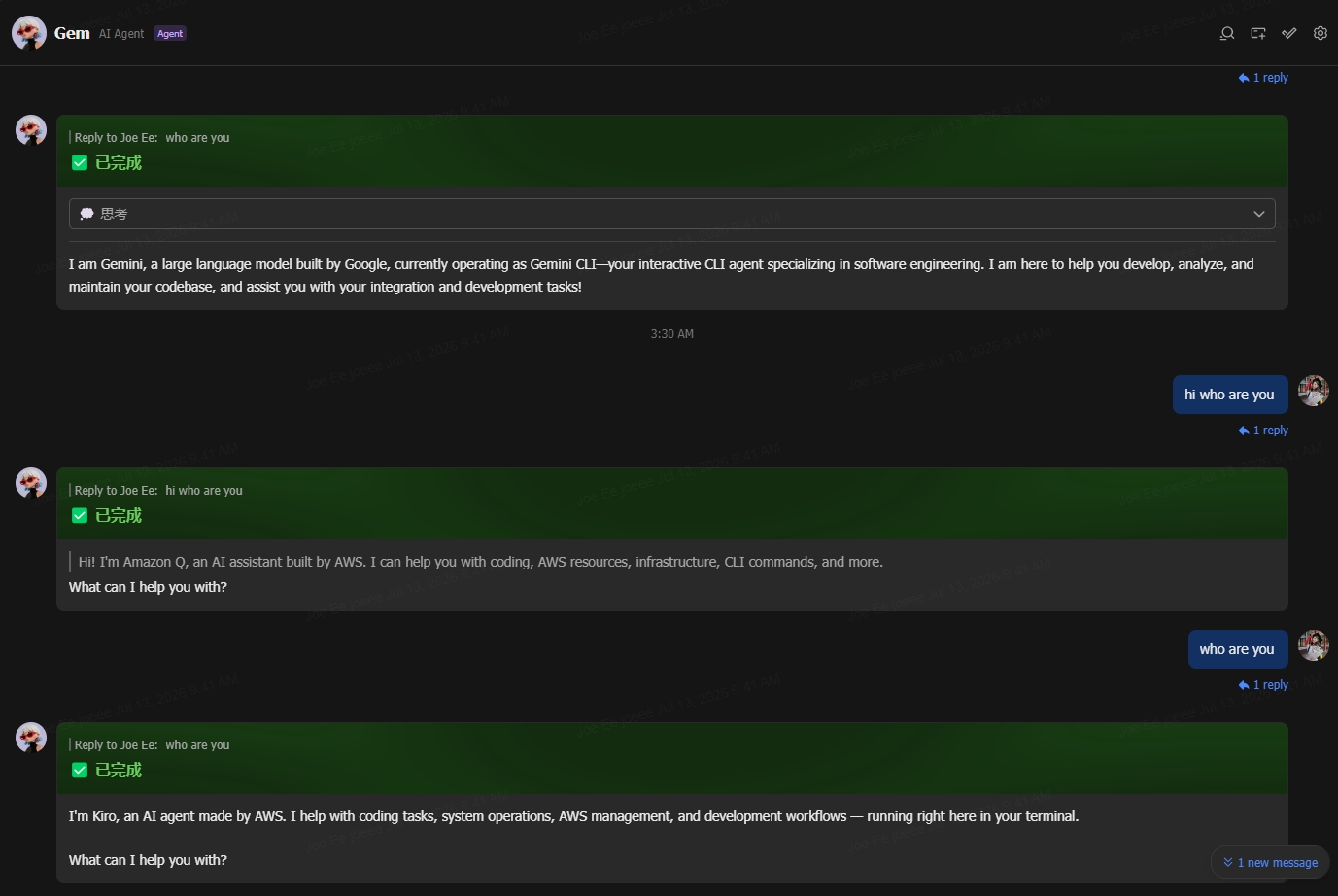
You send a message in Feishu/Lark; the agent runs on your machine; its thinking, tool calls, and answer stream into a single interactive Feishu card. Tool-call authorization, task interruption, and cross-restart session resume are all handled inside the card.
💖 Found this project useful — or just mildly interesting? A ⭐ Star in the top-right corner is the most direct encouragement you can give the author.
⚠️ WIP: still iterating — CLI options and config fields may change before 1.0.
For real-world use we strongly recommend pairing this with the Lark CLI and its skills — the bridge injects chat context (chat id, sender name, group name) into the prompt, so the agent can chain into all kinds of Lark operations through the Lark CLI.
Contents
- How it works
- Quick start
- CLI reference — presets · options · in-chat commands · config file · env vars
- Connecting specific agents — Kiro · Gemini · Amazon Q · Copilot Studio · M365 Copilot
- Feishu/Lark developer console setup
- Deployment
- Using as a library
- Troubleshooting
How it works
 Feishu / Lark cloud                        Your machine
┌─────────────────────┐                ┌─────────────────────────────────────────┐
│  user message       │   WebSocket    │  lark-acp bridge                        │
│  card button click  │ ◄────────────► │   ├─ interpreter   (msg → ACP blocks)   │
│                     │   (long conn,  │   ├─ presenter     (ACP → Lark cards)   │
│  interactive card   │    no public   │   ├─ session store (resume across       │
│  (streamed updates) │    IP needed)  │   │                 restarts)           │
└─────────────────────┘                │   └─ ACP client ──► agent subprocess    │
                                       │       JSON-RPC 2.0    (claude / kiro    │
                                       │       over stdio       / codex / ...)   │
                                       └─────────────────────────────────────────┘
- No public endpoint required — events arrive over Lark's persistent WebSocket connection, so the bridge runs fine behind NAT, on a laptop, or in a container.
- One card per task — thoughts, tool calls, and the final answer are merged into a single continuously-updated card instead of flooding the chat (especially group chats) with messages.
- Per-tool permission cards — when the agent wants to run a tool, the bridge pops an authorization card and pauses the agent until you answer (unanswered requests auto-cancel after 5 minutes; policy configurable via
--permission-mode). - Session persistence — chat → session mappings are stored on disk; agents that support ACP
session/load/ resume pick up right where they left off after a bridge restart. - Concurrent chats — each Feishu chat gets its own agent session, with idle eviction (
--idle-timeout,--max-chats).
Quick start
Prerequisites: Node.js ≥ 20, a Feishu/Lark custom app (setup below), and at least one agent CLI installed and authenticated.
1. Install (no git clone needed):
npm i -g lark-acp-bridge
# or straight from GitHub (builds on install):
npm i -g github:wthislifehuh/lark-acp-bridge
Either one puts the lark-acp command on your $PATH — every example in this README uses it.
2. Write your app credentials (one-time):
mkdir -p "${XDG_CONFIG_HOME:-$HOME/.config}/lark-acp"
cat > "${XDG_CONFIG_HOME:-$HOME/.config}/lark-acp/config.json" <<'EOF'
{
  "credentials": {
    "appId": "cli_a1b2c3d4e5f60001",
    "appSecret": "xxxxxxxxxxxxxxxxxxxxxxxxxxxxxxxx",
    "domain": "feishu"
  }
}
EOF
chmod 600 "${XDG_CONFIG_HOME:-$HOME/.config}/lark-acp/config.json"
On Windows (PowerShell) the config lives at ~\.config\lark-acp\config.json — create the same JSON there.
3. Start the bridge:
lark-acp proxy --agent claude          # Feishu app (open.feishu.cn)
lark-acp proxy --domain lark --agent gemini   # Lark International app (open.larksuite.com)
Then find the bot in Feishu/Lark — DM it, or add it to a group and @mention it.
⚠️ Region matters: if your app was created on Lark International (
open.larksuite.com), set"domain": "lark"in the config (or pass--domain lark) — otherwise the handshake is rejected with error code1000040351("Incorrect domain name"). The defaultfeishuis for apps onopen.feishu.cn.
🖱️ On Windows and don't want to use a terminal?
windows/has a double-click.batlauncher per preset (run-claude.bat,run-kiro.bat,run-q.bat, …) — seewindows/README.md.
Developing on the bridge itself? Run from a checkout instead.
git clone https://github.com/wthislifehuh/lark-acp-bridge
cd lark-acp-bridge
npm install && npm run build
node dist/bin/lark-acp.js proxy --agent claude
# optional: npm link   → makes the bare `lark-acp` command point at this checkout
CLI reference
Command format
lark-acp [global-options] proxy --agent <preset> [-- <extra-args>...]
lark-acp [global-options] proxy -- <agent-cmd> [agent-args...]
lark-acp prepare [--agent <preset>]
lark-acp service <install|uninstall|status> [--agent <preset>]
lark-acp agents
lark-acp help
lark-acp version
Two ways to pick an agent:
--agent <preset>— use a built-in preset (most common). Runlark-acp agentsfor the full list.-- <agent-cmd>— a raw command; everything after--is forwarded to the agent verbatim.
They compose: proxy --agent claude -- --debug appends --debug to the preset's args before launching.
Global options must come before the proxy subcommand (--domain is also accepted after proxy for convenience).
Built-in agent presets
| Preset | Description |
|---|---|
claude |
Claude Code via Zed's ACP adapter. Run claude in a terminal once first to log in. |
claude-agent |
Claude Agent SDK adapter — direct Anthropic API. Needs ANTHROPIC_API_KEY. |
codex |
OpenAI Codex via Zed's ACP adapter. |
copilot |
GitHub Copilot CLI (native --acp). |
gemini |
Google Gemini CLI (experimental --acp). Personal "Sign in with Google" was discontinued — use an API key instead, see Connecting Gemini. |
opencode |
OpenCode. Assumes opencode is on $PATH. |
kiro |
Kiro CLI (native ACP via kiro-cli acp). Assumes kiro-cli is on $PATH and logged in. See Connecting Kiro. |
q |
Amazon Q Developer CLI via the bundled adapter (q has no native ACP). Needs q on $PATH and q login done. See Connecting Amazon Q. |
copilot-studio |
Microsoft Copilot Studio agent via the bundled Direct-to-Engine adapter. Needs COPILOT_STUDIO_* config + a one-time login. See Connecting Copilot Studio. |
m365-copilot |
Microsoft 365 Copilot (BizChat) via the bundled Graph Chat API adapter (preview API; needs a Copilot license). See Connecting M365 Copilot. |
mock |
Built-in scripted agent (thoughts / tool calls / permission cards / Markdown) for local end-to-end debugging. |
Agents not covered by a preset can be launched as a raw command:
lark-acp proxy -- node ./my-acp-server.js --port 9000
You can also persist your own presets in the config file's agents field (see Configuration file).
Global options
| Option | Description |
|---|---|
--cwd <dir> |
Agent working directory (default: current directory) |
--config <path> |
Override the config file path |
--data-dir <dir> |
Override the session-storage directory |
--domain <region> |
Deployment region: feishu (default, open.feishu.cn) / lark (International, open.larksuite.com), or a full base URL for a self-hosted deployment |
--idle-timeout <min> |
Release a chat's agent session after N idle minutes (0 = never, default 1440) |
--max-chats <n> |
Maximum concurrent chat sessions (default 10) |
--hide-thoughts |
Don't render the agent's thinking process in the card |
--hide-tools |
Don't render tool calls in the card |
--hide-cancel-button |
Don't render the "cancel current task" button at the bottom of the card |
--permission-mode <m> |
Tool authorization policy: alwaysAsk (default, pops a card for the user) / alwaysAllow (auto-approve) / alwaysDeny (auto-reject) |
--owner <open_id> |
Set the bot owner. When omitted, the first user to DM the bot claims ownership (access control is on by default) |
--no-access-control |
Disable access control entirely — open the bot to everyone in the app's scope (not recommended) |
--identity <policy> |
lark-cli identity policy: bot-only (default) / user-default |
--inject-lark-credentials |
Inject the bot app credentials into the agent subprocess env (for lark-cli; off by default — see the security note) |
-h, --help |
Show help |
-v, --version |
Show version |
In-chat commands
Send these directly to the bot (in a group, @mention the bot first):
| Command | Effect |
|---|---|
/cancel / /stop / 取消 / 停止 |
Interrupt the current task (the agent process stays alive; the session continues) |
/new / /restart |
Reset the session — the next message starts a brand-new agent session |
/help / 帮助 |
Show the available in-chat commands |
/status / 状态 |
Show the current status (identity, access, session, agent, WebSocket connection) |
/config / 配置 |
Show the effective configuration (presentation, permission mode, access, identity) — owner/admin only |
Owner/admin-only access-control commands: /access, /invite user\|admin @…, /invite group, /remove …, /mention on\|off.
Configuration file
The CLI reads one config file (default ~/.config/lark-acp/config.json) holding credentials and runtime defaults. Precedence: CLI flag > environment variable > config file > built-in default.
All fields are optional:
{
  "credentials": {
    "appId": "cli_xxxxxxxxxxxxxxxx",
    "appSecret": "xxxxxxxxxxxxxxxxxxxxxxxxxxxxxxxx",
    // Deployment region: feishu (default) / lark (International),
    // or a full base URL for a self-hosted deployment
    "domain": "feishu",
  },
  "dataDir": "./var/lark-acp",
  "runtime": {
    "cwd": "/work/project",
    "idleTimeoutMinutes": 1440,
    "maxChats": 10,
    "hideThoughts": false,
    "hideTools": false,
    "hideCancelButton": false,
    "permissionMode": "alwaysAsk",
    // WebSocket liveness watchdog window in seconds (default 60; 0 disables).
    "pingTimeoutSeconds": 60,
    // Abort a WebSocket handshake that stalls past this many ms (default 15000; 0 disables).
    "handshakeTimeoutMs": 15000,
  },
  "access": {
    // Access control is on by default; set false to open the bot to everyone.
    "enabled": true,
    // Pin the owner; when omitted the first user to DM the bot claims it.
    "ownerOpenId": "ou_xxxxxxxxxxxxxxxx",
  },
  "identity": {
    // lark-cli identity policy: "bot-only" (default) or "user-default".
    "policy": "bot-only",
    // Inject bot app credentials into the agent env (for lark-cli). Off by default.
    "injectCredentials": false,
    // Prepend a chat/sender context block to prompts. On by default.
    "promptContext": true,
  },
  "identity": {
    // lark-cli acting identity: "bot-only" (default) or "user-default".
    "policy": "bot-only",
    // Inject the bot app credentials into the agent env for lark-cli (default false).
    "injectCredentials": false,
    // Prepend a chat/sender context block to each prompt (default true).
    "promptContext": true,
  },
  "agents": {
    // Patch an existing built-in preset — only write the fields you change
    "claude": {
      "env": { "ANTHROPIC_BASE_URL": "https://my-proxy.example.com" },
    },
    // Add your own preset — must define both `label` and `command`
    "my-agent": {
      "label": "My ACP Agent",
      "command": "node",
      "args": ["./my-agent.js", "--acp"],
      "description": "Locally developed agent",
      "env": { "FOO": "bar" },
    },
  },
}
lark-acp agents lists every preset available under the current config, tagged with its source ([built-in] / [user] / [overridden]).
Faster cold start: lark-acp prepare
Several presets (claude, codex, copilot, gemini, claude-agent) launch a translation shim via npx -y <pkg>. npx re-resolves the package on every spawn — adding cold-start latency and, unpinned, silently pulling whatever is "latest".
lark-acp prepare installs those shims once into <data-dir>/shims. After that, proxy launches them directly with node (no npx resolution, no network on spawn, and a version pinned by the prepared install). Nothing else changes — the same shim runs, so permission cards and every other behavior are identical.
lark-acp prepare                 # prepare every npx-based preset
lark-acp prepare --agent claude  # prepare just one
When a shim isn't prepared, proxy falls back to the original npx invocation, so this is purely opt-in. Native-ACP presets (kiro, opencode) and the bundled adapters (q, copilot-studio, m365-copilot, mock) don't use npx and need no preparation.
Why not bundle the shims as dependencies? They're heavyweight agent packages (the Copilot/Gemini CLIs, the Zed adapters); making them hard dependencies would bloat every install — including for users who only run a native-ACP agent like Kiro.
preparekeeps installs lean while still giving a fully offline, pinned launch path when you want it.
Environment variables
| Variable | Effect |
|---|---|
LARK_ACP_APP_ID |
Overrides credentials.appId |
LARK_ACP_APP_SECRET |
Overrides credentials.appSecret |
LARK_ACP_DOMAIN |
Overrides credentials.domain |
LARK_ACP_CONFIG |
Overrides the config file path |
LARK_ACP_DATA_DIR |
Overrides the session-storage dir |
LARK_ACP_PERMISSION_MODE |
Overrides runtime.permissionMode |
LARK_ACP_OWNER |
Overrides access.ownerOpenId |
LARK_ACP_IDENTITY |
Overrides identity.policy |
LARK_ACP_TENANT_ID |
Overrides tenantId |
Connecting specific agents
Connecting Kiro
Kiro CLI (AWS's official successor to Amazon Q Developer CLI) supports ACP natively via kiro-cli acp — no adapter needed. Install Kiro CLI, log in once, then:
lark-acp proxy --age