Fast, lightweight password manager extension for Vaultwarden
Add to Chrome from the Chrome Web Store
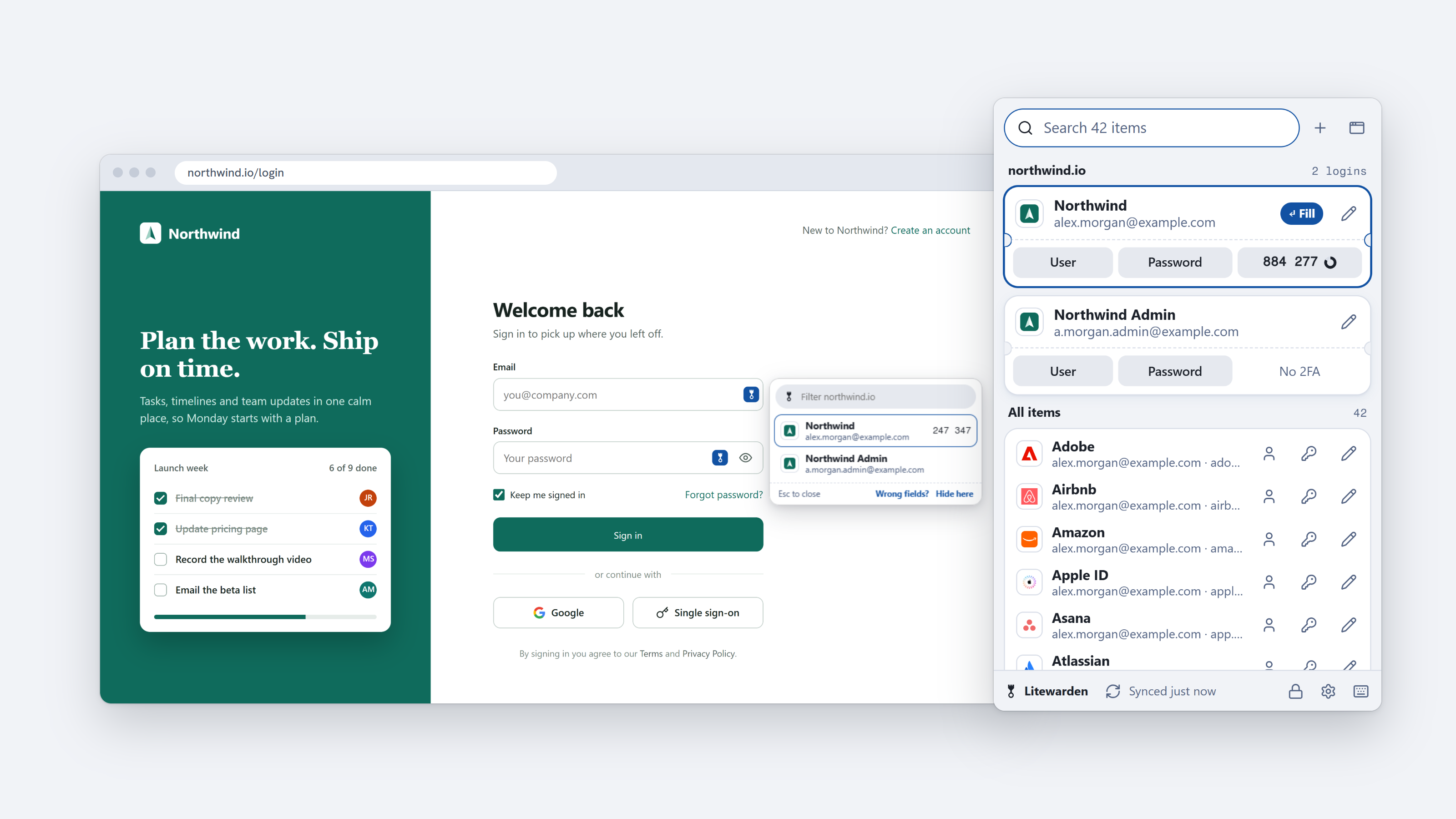
Litewarden is a free, open-source browser extension for people who run their own Vaultwarden password server. It works in Chrome, Brave, Edge and other Chromium browsers. It also works with Bitwarden servers.
It opens on the logins for the site you're on, fills with one key, and keeps its in-page menu away from the page's own fields and buttons. Your vault stays end-to-end encrypted on your own server.
Note
Litewarden is in beta. Expect some bugs. If something breaks, please report it on GitHub with your browser, your Vaultwarden version and the site it happened on. Found a security problem? Please report it privately instead.
Not affiliated with Bitwarden, Inc. or the Vaultwarden project.
Why another Vaultwarden extension?
The official browser extension got slower and harder to use after its 2024 redesign, and some updates broke logins on self-hosted servers. Litewarden is a smaller client that does the everyday things quickly:
- Fast to open. The popup is ready in about 100 ms with a 2,500-item vault.
- One key to fill. The logins for the current site are on top, and Enter fills the first one.
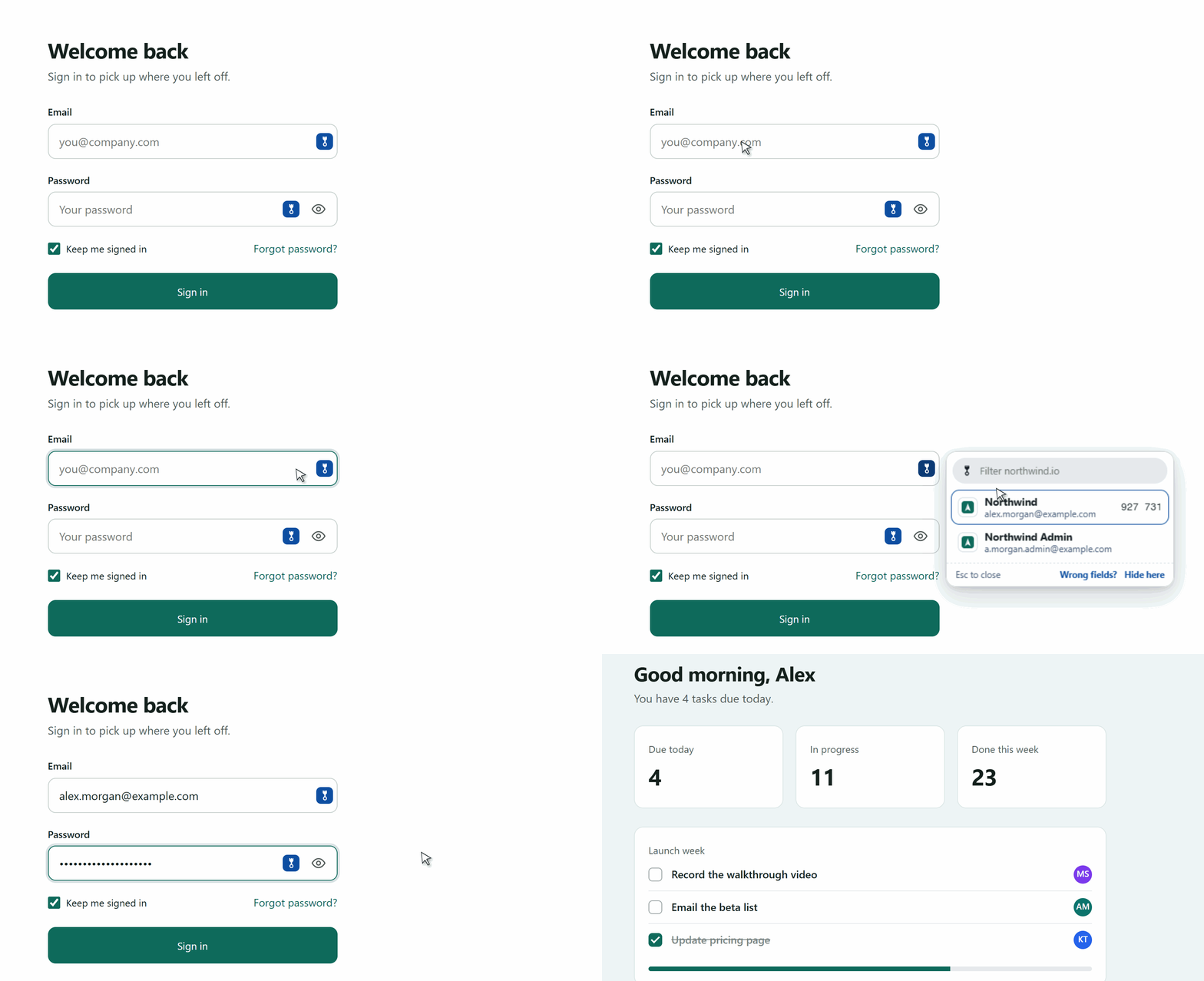
- Out of the way. The in-page menu opens only when you ask for it, and it never covers a form field, a show-password button or a submit button.
Features
- Popup
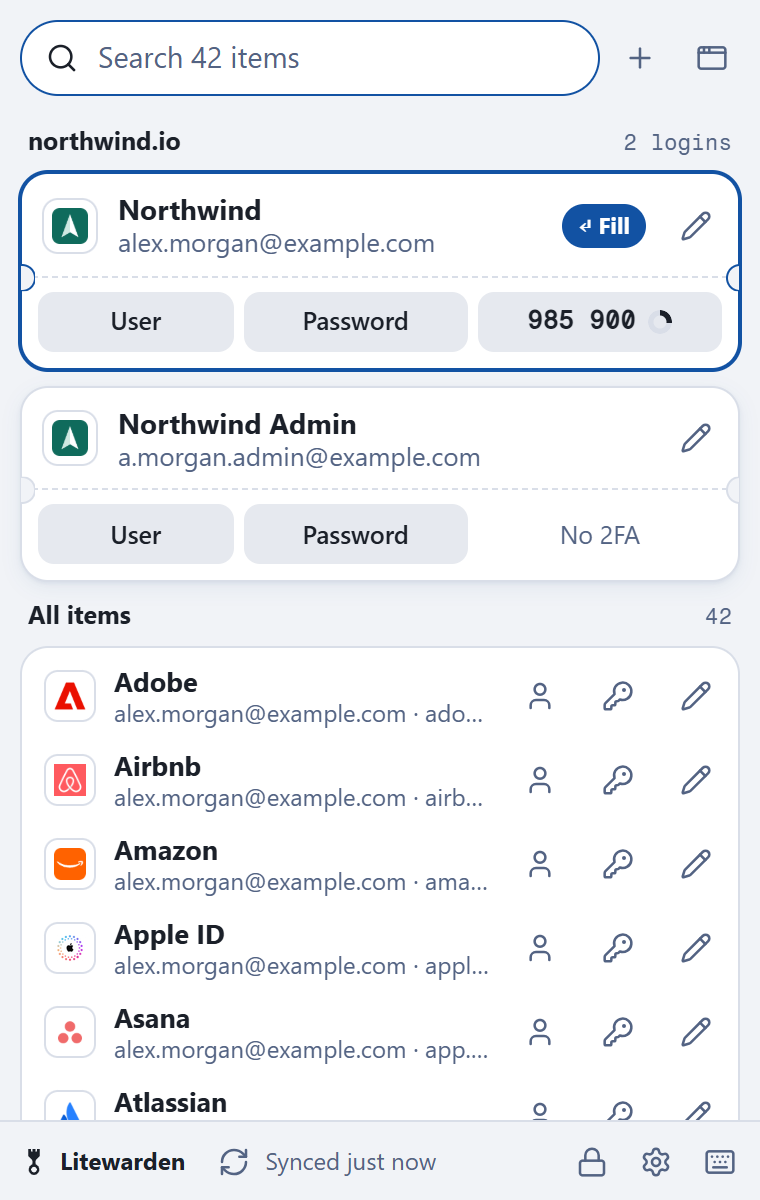
- Logins for the current site on top, one card each. Click or press Enter to fill.
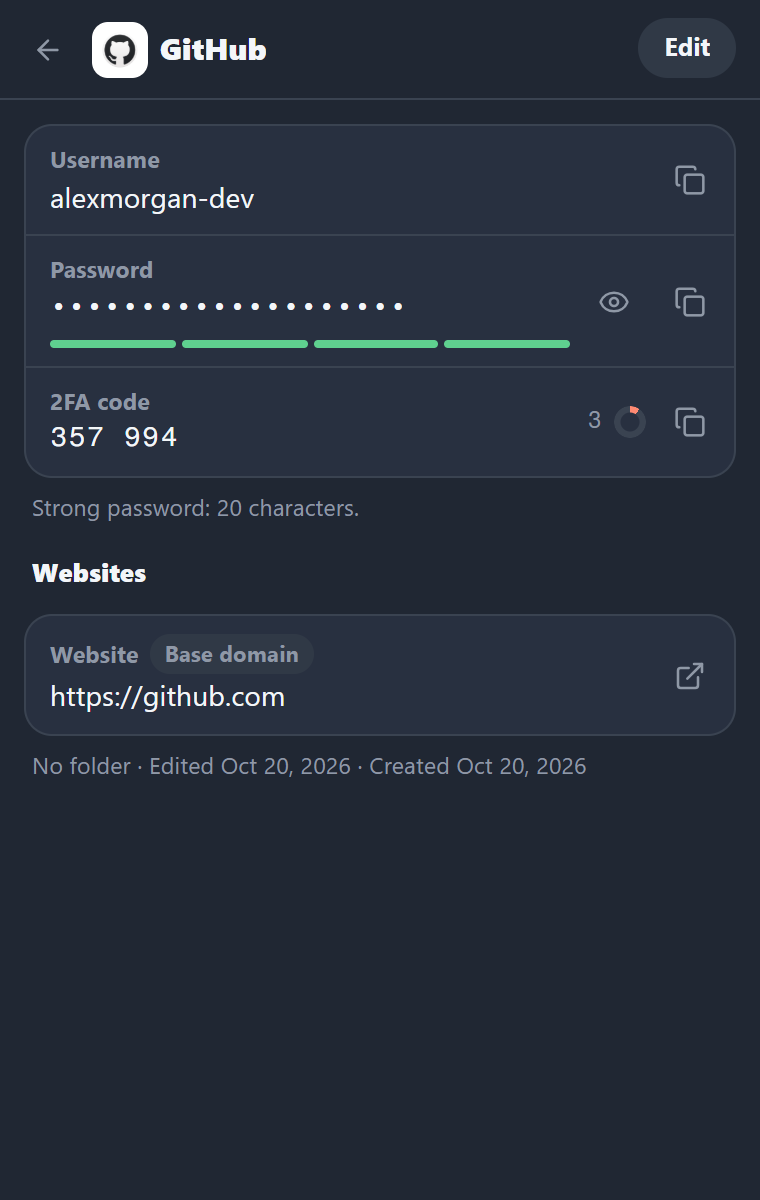
- Copy buttons for username, password and the live 2FA code on every card.
- Search across names, usernames, websites, notes and folders, with the matches highlighted.
- Your folders as a row of chips under the search box. One click shows just that folder, and the choice sticks.
- Type buttons on the list's header (logins, cards, identities, notes) that combine with the folder: "Cards in Work" is two clicks.
- A list of recently used items, or everything A to Z on a fresh install.
- Autofill
- Reads
autocompleteattributes first, then looks at labels and layout. Handles two-step logins (username page, then password page), forms in same-site iframes, shadow DOM and pages that rebuild their forms. - Fills only on sites a login is saved for, and asks before filling into a form embedded from another site.
- Copies the login's 2FA code after filling, ready for the next page (you can turn this off).
- Reads
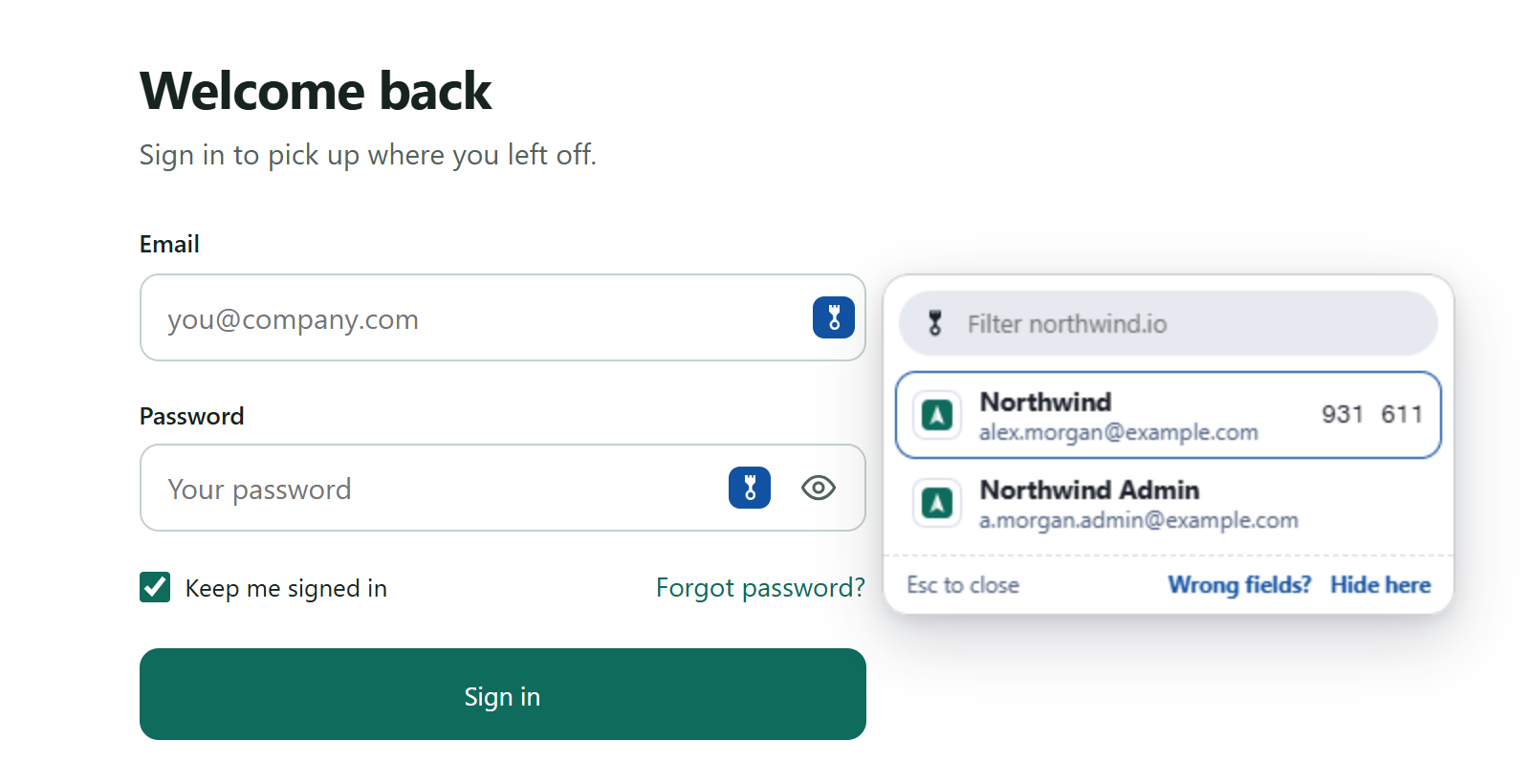
- In-page menu. A small icon inside login fields opens a menu of matching logins. It picks a spot below, beside
or above the field where it covers nothing. Esc or a click outside closes it.
- Locked? Type your PIN right in the menu. If the site has one login, it fills the moment the PIN is right. The master password always goes in the toolbar popup.
- Cards and addresses on forms. Card and address fields on checkout and shipping pages get the icon too. Its menu
lists your cards (brand, last four digits, expiry, expired ones last) or your identities, and one Enter fills the
whole card or address: number, name, expiry in the shape the form wants, security code, street, city, state and
country menus, ZIP, email and phone.
- Card boxes inside a payment company's frames (Stripe, Braintree, Adyen) work too. Litewarden asks once per shop before filling them and remembers the answer.
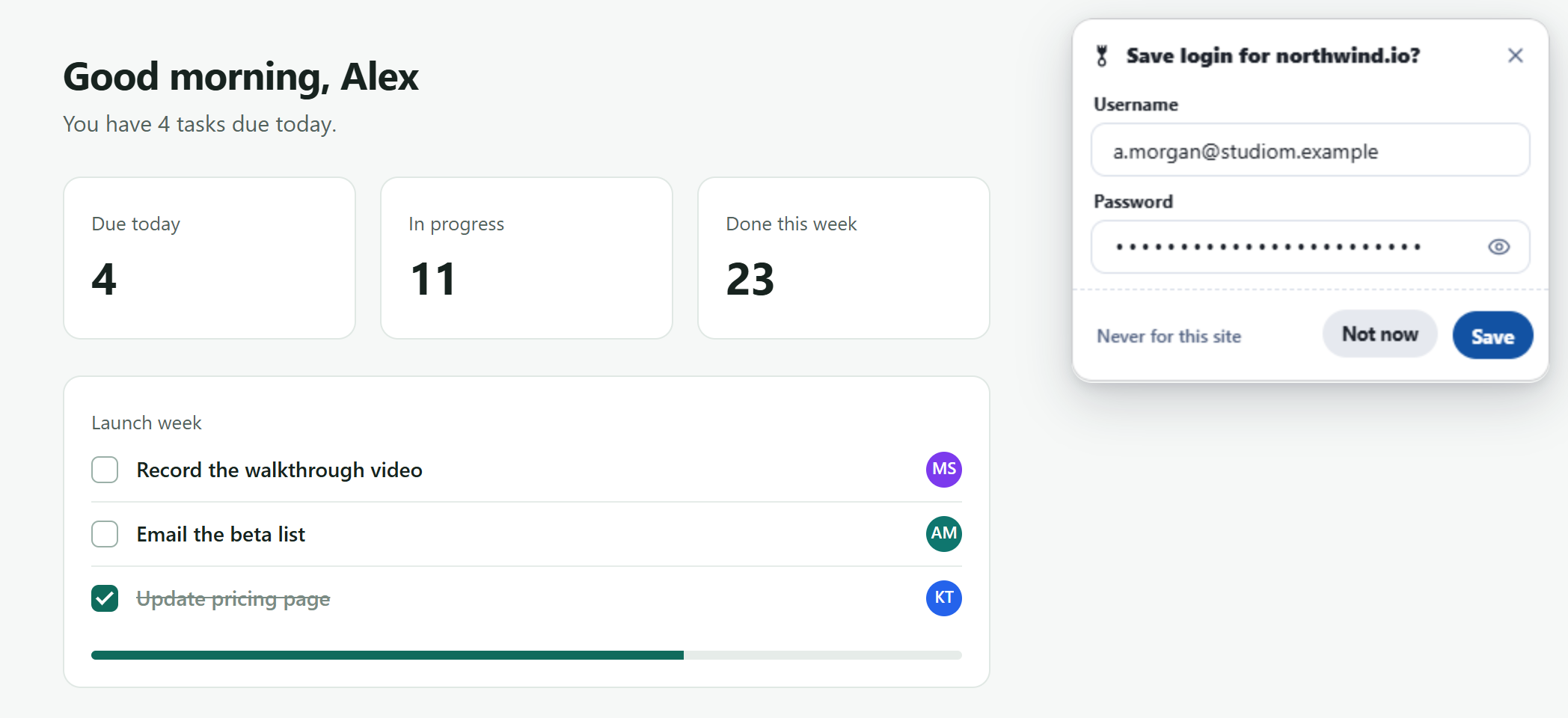
- Save and update prompts. After you sign in with a new login or a changed password, a card next to the form offers to save it. "Never for this site" is one click.
- Teach this site. If a site's fields aren't found, point at them once and Litewarden remembers.
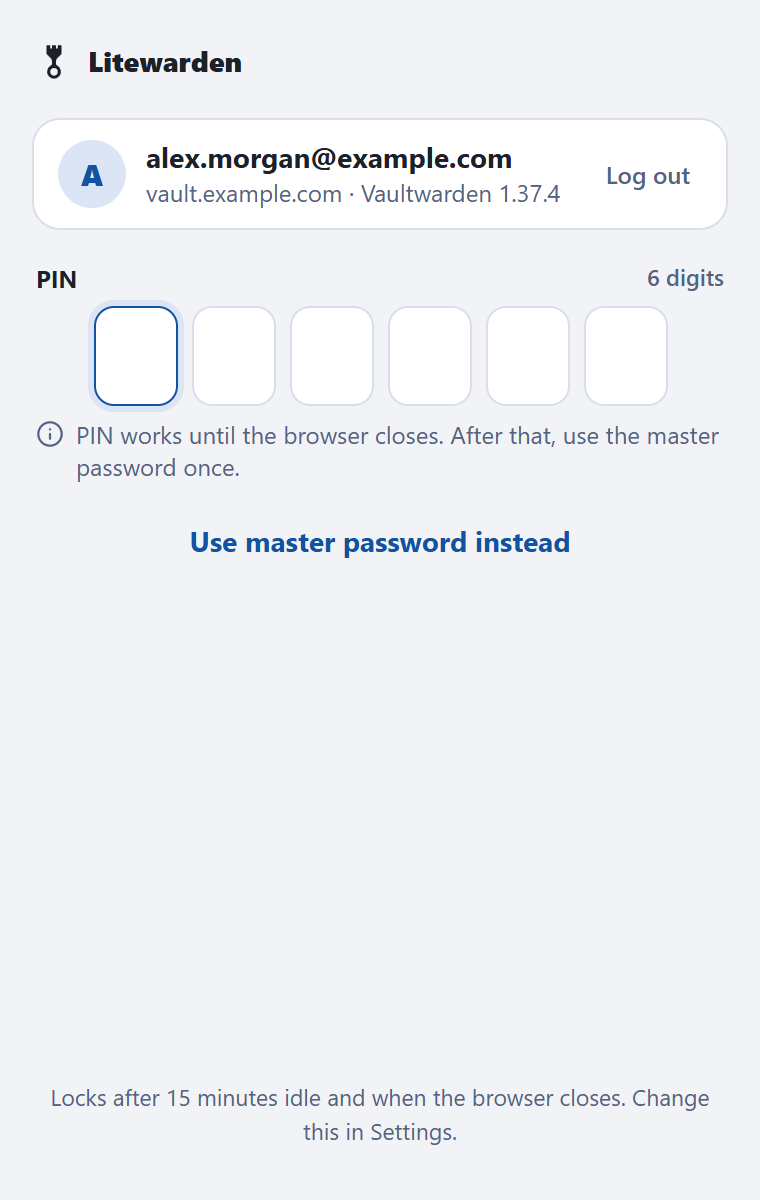
- Unlock with a 6-digit PIN or your master password. Auto-lock after 15 minutes idle and when the browser closes, each with its own setting.
- 2FA codes (TOTP) built in, including Steam codes.
- 2FA setup in one click. When a site shows its 2FA setup (a QR code or a key to type), a card offers to add the key to the site's login and types the current code into the page for you. The popup offers it too.
- Every item type. "+" makes a login, card, identity or secure note. Cards get a live card picture, the brand read from the number, and a warning for a mistyped number or an expired card. Identities show the usual fields, with the rest one click away. Custom fields (text, hidden, checkbox) can be edited on every item.
- Item view and editor with a password generator, password history, website match types and the 2FA secret.
- Live sync through your server's notifications hub, plus a sync timer and a sync button.
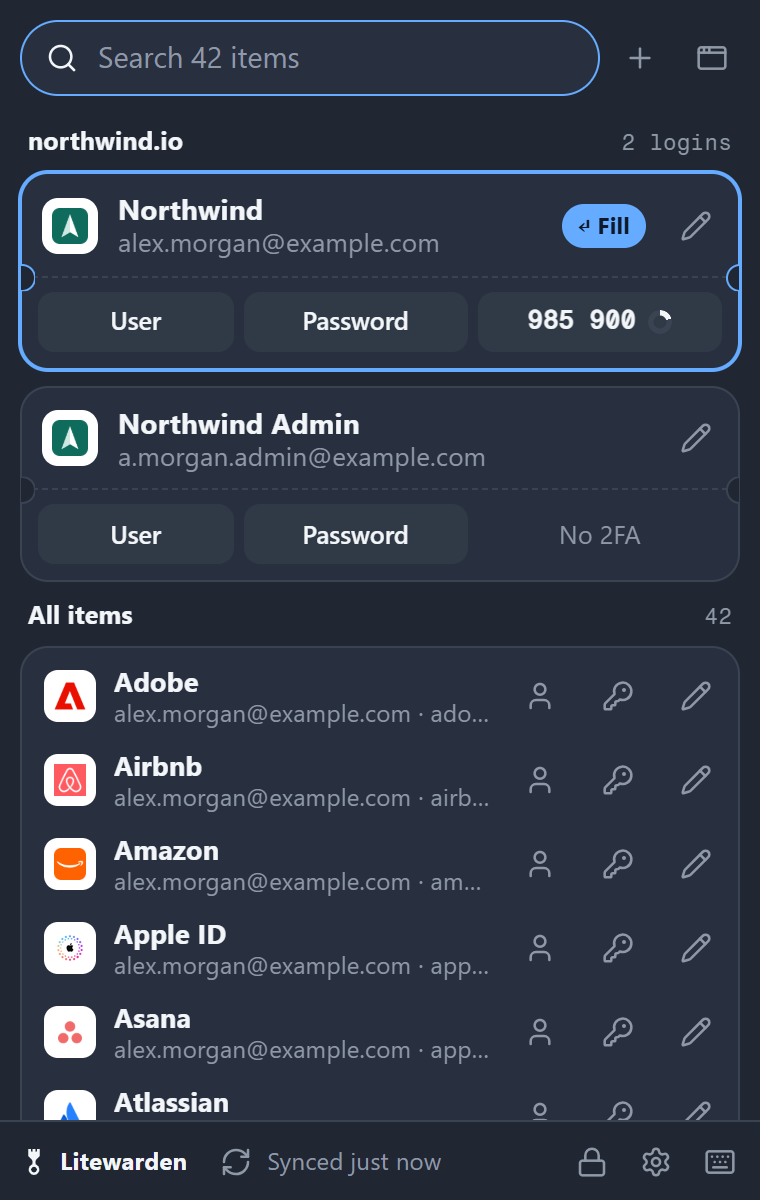
- Pop-out window that stays open, three popup sizes, and light and dark themes.
- Keyboard first (see below).
Screenshots
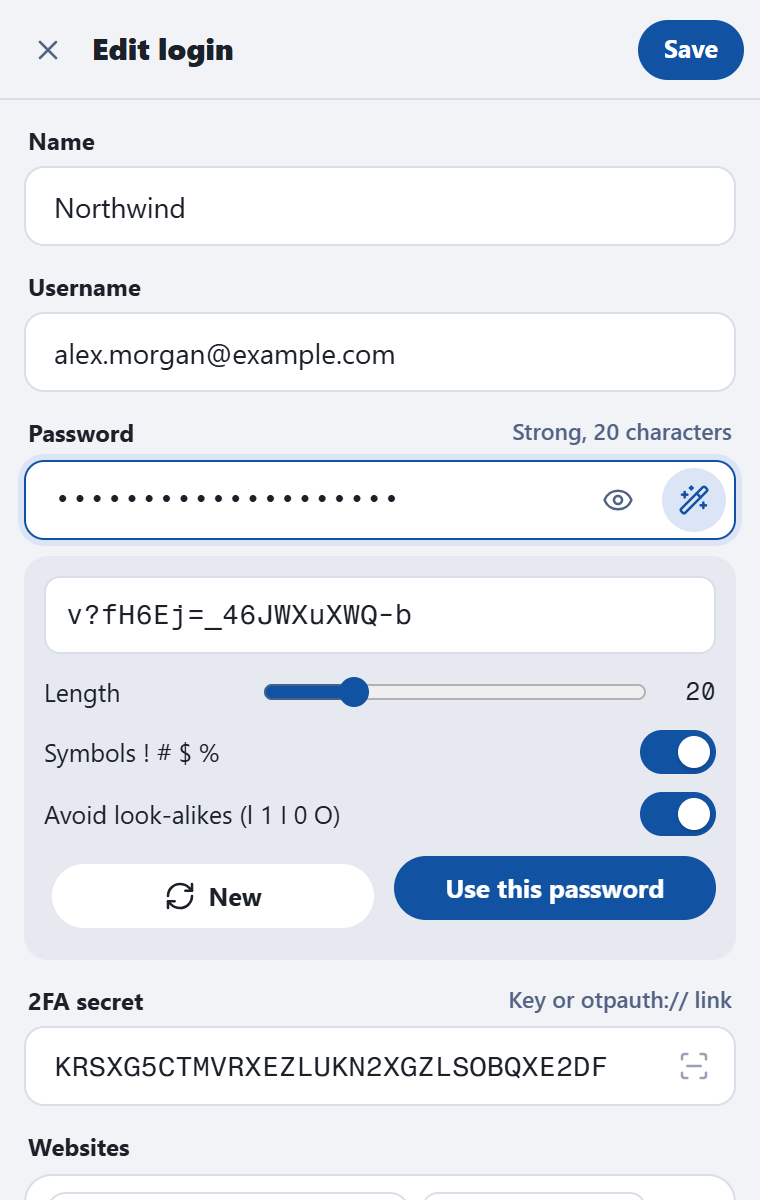
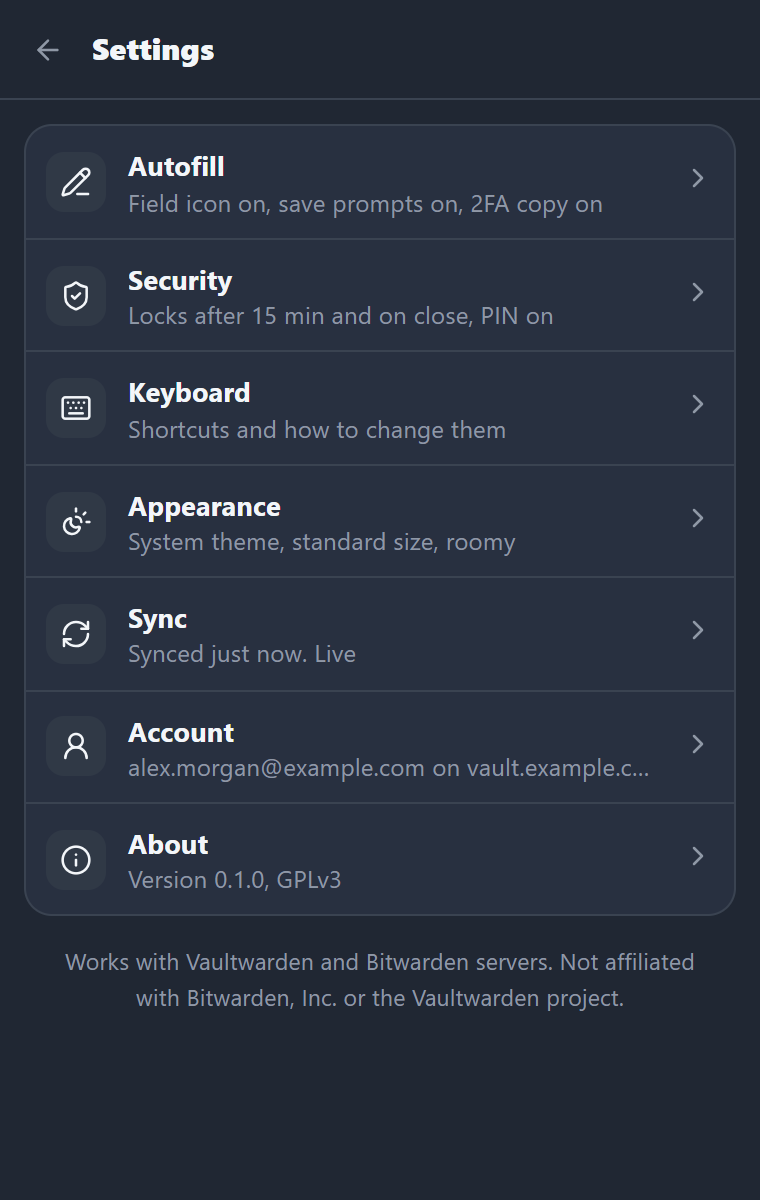
Supported servers
| Server | Status |
|---|---|
| Vaultwarden 1.37.4, 1.37.2, 1.36.0, 1.35.8 | Tested on every change: login (PBKDF2 and Argon2id), two-step login, sync, decrypt, fill, edit, live sync |
| Other Vaultwarden 1.35 and later | Expected to work |
| Vaultwarden older than 1.35 | Litewarden tells you the server is too old |
| Bitwarden cloud (US and EU) | Supported in the code, not tested against a real account yet |
Install
Install Litewarden from the Chrome Web Store. It works in Chrome, Brave, Edge and other Chromium browsers, and it updates itself when a new version comes out.
Then click the Litewarden icon in the toolbar, enter the address you use for your web vault, and sign in.
Build from source
To run your own build instead, you need Node.js 22 or later.
git clone https://github.com/Concept211/Litewarden.git
cd Litewarden
npm ci
npm run build
Then in Chrome (or Brave, or Edge):
- Open
chrome://extensionsand turn on Developer mode. - Click Load unpacked and pick the
.output/chrome-mv3folder. - Click the Litewarden icon, enter the address you use for your web vault, and sign in.
A build loaded this way doesn't update itself. Pull and rebuild to get new versions.
Keyboard shortcuts
| Where | Keys | What it does |
|---|---|---|
| Anywhere in Chrome | Ctrl+Shift+L | Open Litewarden with search ready |
| In a login, card or address field | Alt+Shift+L | Open the in-page menu |
| In a login, card or address field | Right-click, Fill with Litewarden | Open the in-page menu |
| Any page, or the toolbar button | Right-click, Show Litewarden icons in fields | Hide or show the field icons (handy for screenshots) |
| In-page menu, locked | the 6 PIN digits | Unlock (and fill, when the site has one login) |
| In-page menu, locked without a PIN | Enter | Open the popup to unlock |
| Popup | type | Search |
| Popup | ↑ ↓, Enter | Move, fill the selected login |
| Popup | Alt+← Alt+→ | Previous or next folder |
| Popup | Alt+1 to Alt+4 | Show only logins, cards, identities or notes (again for every type) |
| Popup | Alt+N | New item: then L, C, I or N |
| Popup | Alt+U, Alt+P, Alt+T | Copy username, password, 2FA code |
| Popup | Alt+E | Open the item |
| Popup | Esc | Clear the search, then close |
| Popup | ? | Show all shortcuts |
| Item | Alt+R, Ctrl+S, Esc | Show or hide the password, save, back |
Change the two Chrome-wide shortcuts at chrome://extensions/shortcuts.
Security and privacy
- End-to-end encrypted, the same way as the official clients. Your server only sees ciphertext.
- Nothing decrypted touches the disk by default. The unlocked key and the search index stay in the browser's session memory and are dropped when the browser closes.
- Your server only. No telemetry, no analytics, no outside services. Even site icons come from your own server.
- No remote code. Everything ships in the package, under a strict content security policy.
- Clipboard copies are cleared after 30 seconds (you can change this), unless you've copied something newer.
- Weak server settings get a warning. Litewarden refuses to sign in when the key derivation settings are far too low to be safe.
There has been no paid security audit. THREAT_MODEL.md explains what Litewarden protects, against whom, and where the limits are. Reviews are very welcome; please send security problems through private reporting. The privacy policy is one page.
FAQ
Does it work with Bitwarden? Yes. It talks to Bitwarden-compatible servers: self-hosted Vaultwarden, and Bitwarden's own US and EU cloud. Vaultwarden is what it's tested against every day.
Is it free? Yes. GPL-3.0, no ads, no account with us, no paid tier.
Where are my passwords stored? On your server, encrypted. The extension keeps an encrypted copy for speed and decrypts single items only when you open or fill them.
Which browsers? Chrome, Brave, Edge and other Chromium browsers. Firefox isn't supported yet.
Passkeys, cards and identities? Cards, identities, secure notes and custom fields can be created and edited in the popup, and the menu in a card or address field fills them into checkout and shipping forms. Passkeys and SSH keys aren't supported yet.
Is typing my PIN on a web page safe? The menu is Litewarden's own page in a frame: the site can't read what you type there or type into it. The remaining risk is a site drawing a fake "locked" menu to collect your PIN, which is useless without the encrypted key stored in your browser. After 5 wrong PINs the PIN turns off. If you'd rather keep the PIN in the toolbar popup, turn off "Type the PIN in the page's menu" in Settings, Security.
Can I use it next to the official extension? Yes, but turn off autofill in one of them so you don't get two menus in every login field.
Development
npm ci
npm run typecheck        # TypeScript, strict
npm test                 # unit tests (crypto vectors, TOTP, URL matching, search, placement)
npm run build            # the extension, in .output/chrome-mv3
The live, end-to-end and soak tests run against throwaway Vaultwarden servers, never a real vault.
- Windows:
npm run testserver:startstarts the four versions from_testserver/<version>/on ports 8301 to 8304 (Windows builds fromnextyancc/Vaultwarden-Windows-Binary; seescripts/testserver/). - Anywhere with Docker: run the official
vaultwarden/serverimages and point the tests at them withLW_SERVER_<version>variables, for exampleLW_SERVER_1_37_4=http://127.0.0.1:8301. The CI workflow in.github/workflows/ci.ymldoes this.
npm run testserver:seed                         # 2,000-item test accounts
npm run test:live                               # protocol suite on every running server
E2E_VERSIONS=1.37.4 npm run e2e                 # Playwright, the built extension in Chromium
npm run soak -- --minutes 30                    # memory soak
The soak test writes _testserver/soak/<run>/samples.csv and summary.json: service worker, popup and page heap
after garbage collection, plus total browser memory, over time.
Made by Concept211
Litewarden is built and maintained by Concept211, a small software and design studio. Other things we make:
- Gnuke: get the junk out of your Gmail. One click unsubscribes from a sender and trashes everything they ever sent you, with Undo for 30 days.
- ClaudeView: a free native Windows app for Claude Code, with chat, files and git in one window.
- CarSnipe: instant Telegram alerts for new car listings on Facebook Marketplace.
- ConceptSEO: weekly SEO audits and AI-search readiness reports.
If Litewarden saves you time, a star on GitHub helps other Vaultwarden users find it.
License
GPL-3.0. Litewarden is an independent project. It is not affiliated with, endorsed by or sponsored by Bitwarden, Inc. or the Vaultwarden project. "Bitwarden" is a trademark of Bitwarden, Inc.; it's used here only to say which servers Litewarden works with.