
Mneme: AI Operational Workspace (prototype)
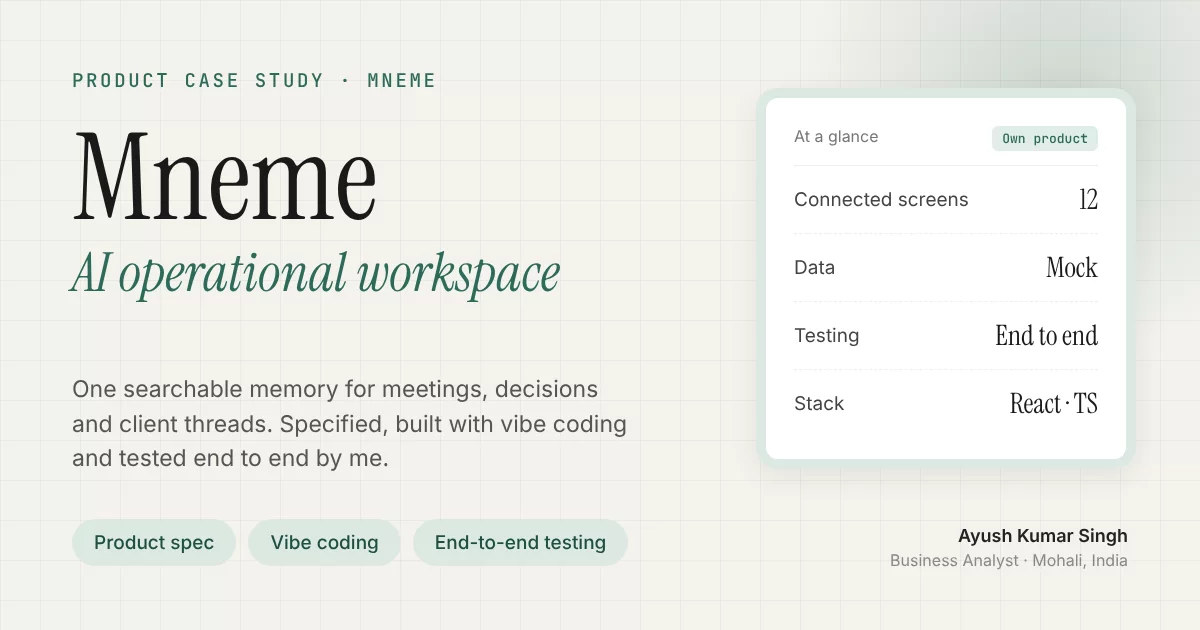
Mneme gives delivery teams one memory for everything that happens on a project. That covers meetings, daily logs, decisions, blockers and client threads, so nothing important lives only in someone's chat history.
This repository is a working UI prototype that I designed and developed myself. I wrote the product concept, the requirements and the screen flows, then built the app with vibe coding: I directed AI coding tools from my written specs, reviewed every change, iterated screen by screen and tested it end to end. It runs on mock data and has no backend yet.
Case study: ayushsingh0456.github.io/case-studies/mneme.html
The problem
On a typical services project, context is scattered across:
- meeting recordings;
- Slack, Teams and WhatsApp threads;
- emails;
- spreadsheets;
- people's heads.
When a client asks "why did we decide this?" or a new team member joins, someone has to reconstruct the story by hand. Business analysts and project managers feel this most, because they own requirements, decisions and change control.
Who it is for
| User | Need |
|---|---|
| Business Analyst / Project Manager | Track decisions, blockers and change requests across projects, and answer "what happened and why" quickly |
| Delivery lead | See project health and what needs attention today |
| Team member | Log progress and blockers in under 30 seconds |
What the prototype shows
| Area | What it does |
|---|---|
| Today dashboard | Shows what needs attention: live and upcoming meetings, pending daily logs, the user's tasks, AI insights and the latest signals |
| Projects | Covers project health, team, open blockers and pending logs. Each project has tabs for meetings, daily logs, communications, files, timeline and AI insights |
| Meetings | Holds the meeting link, attendees, recording and transcript upload, minutes of meeting (MOM), decisions, action items and an AI summary |
| Daily logs | Captures what was done, blockers and tomorrow's plan in a quick form, with draft auto-save and a communication summary |
| Communications | Captures important Slack, Teams, WhatsApp and email threads and links each one to a project |
| AI assistant | Answers questions about the workspace, citing related meetings, logs and communications as sources |
| Timeline | Puts every meeting, log, decision, blocker, upload and task in one searchable history |
| Analytics | Shows activity over the last 4 weeks and project health |
| Settings | Holds profile, notifications, integrations, security and appearance (light and dark theme) |
Product thinking behind it
- Capture must be cheap. If a daily log takes more than 30 seconds, people stop writing them, so the log form is three short fields with keyboard shortcuts.
- Decisions are first-class records, not lines buried in meeting notes, so they can be searched and traced later.
- Every answer cites its sources. The assistant shows the meetings, logs and threads it used, so users can verify rather than trust blindly.
- One timeline per project makes it possible to reconstruct history for audits, client escalations and handovers.
Tech stack
- Built by me with vibe coding (AI-assisted development from written specs)
- React and TypeScript with TanStack Start and TanStack Router (file-based routes)
- Tailwind CSS with shadcn/ui (Radix UI primitives) and lucide icons
- Vite, with Cloudflare Workers as the deployment target (wrangler)
- Mock data in
src/lib/mock.ts, so every page reads from one consistent dataset
Testing
I tested the prototype end to end myself before sharing it, the way I would test a client release:
- Functional: every screen and user flow, from the Today dashboard through projects, meetings, daily logs, communications, the assistant, timeline, analytics and settings.
- Navigation: every link, tab and route, including deep links and moving between linked records.
- Forms and edge cases: empty, long and invalid input, draft auto-save, empty states and keyboard shortcuts.
- Data consistency: the same record shows the same details on every screen that uses it.
- UI and devices: responsive layouts on desktop, tablet and mobile, light and dark theme, and checks across major browsers.
- Regression: affected screens re-tested after every change.
Run locally
npm install      # or: bun install
npm run dev      # starts the Vite dev server
Status and next steps
The prototype covers the UI only. The next steps to make it a working product would be:
- Authentication and workspaces.
- A data model for projects, meetings, logs, decisions and messages.
- Integrations for Slack, Microsoft Teams and email.
- Transcript ingestion with retrieval-augmented search for the assistant.
- Role-based access and audit logging.
Author
Ayush Kumar Singh, Business Analyst. Portfolio · LinkedIn
All project names, clients and people in the mock data are fictional.