

Monknot
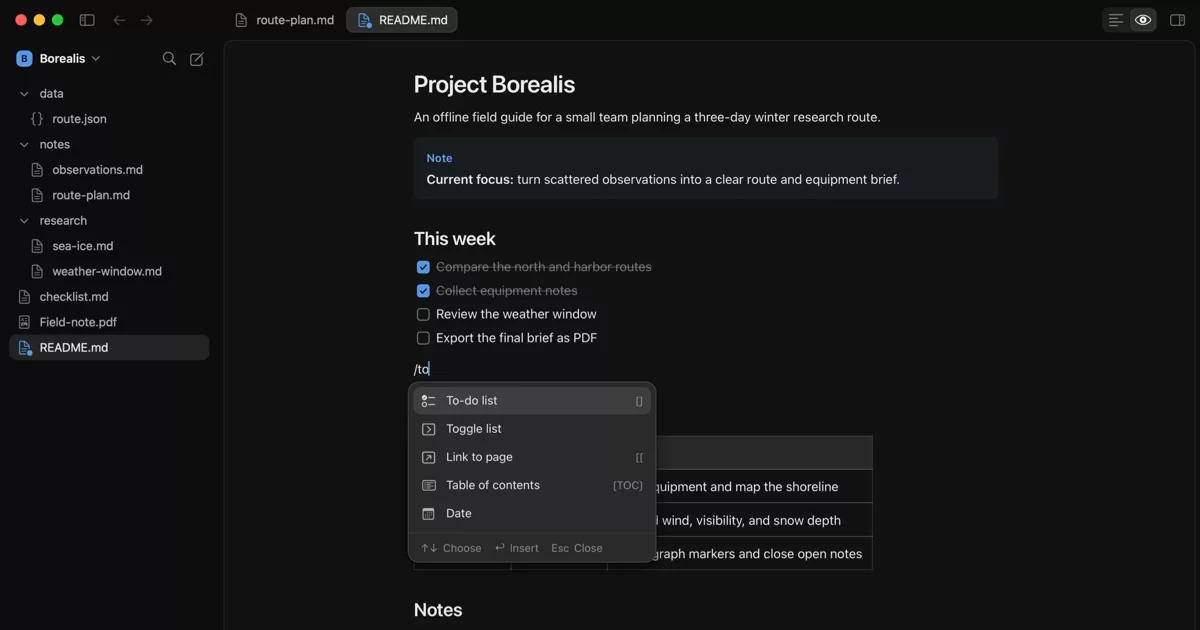
Monknot is a native macOS app for editing Markdown, HTML, source code, and plain text directly in local folders. It also previews and exports Markdown, searches and annotates PDFs, and runs multiple terminal sessions.
Optional writing assistance corrects spelling and grammar inline. On supported Macs with macOS 26, Apple’s on-device model adds reviewed sentence repairs and short completions.

macOS 14 or later · Apple silicon
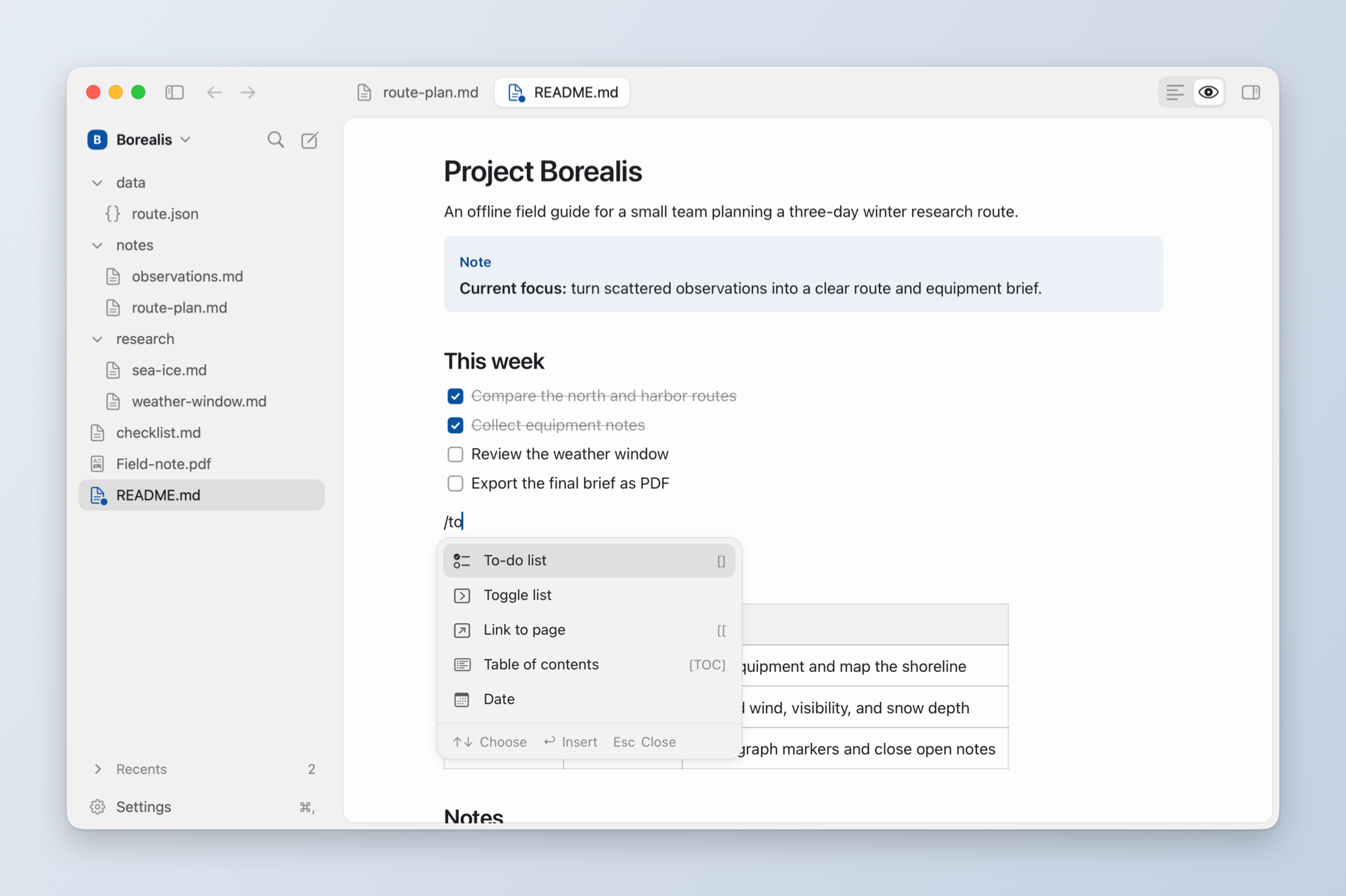
Preview · / opens the block menu, and every edit is written to the file as Markdown
Capabilities
- Local files: Monknot reads and writes supported files in place. It does
not import them into a separate library. The sidebar lists every file in the
folder except hidden ones, build folders such as
node_modules, and packages; archives, Office documents and other binary files open in their default app. - Notebooks: Jupyter notebooks (
.ipynb) show their cells and outputs in Preview and their JSON in Source. - Markdown: Edit with syntax highlighting, formatting shortcuts (⌘B, ⌘I, ⌘E, ⌘K), tabs, Quick Open, heading navigation, daily notes, and wikilinks.
- Editing in Preview: Edit Markdown as rendered text in the full-width
preview, with a block menu:
/at the start of a line inserts text, headings, lists, to-dos, toggles, callouts, quotes, tables, dividers, code, images, video, audio, files, a new page or a table of contents. Drag a block's handle to reorder it, or click it to turn the block into another kind, duplicate or delete it. Selected text gets a floating format bar, and[[lists workspace notes to link. Each edit is written to the file as Markdown text, so syntax Monknot does not render is kept as written. - Alignment and image size: Center or right-align paragraphs, headings,
images and video (⇧⌘E, ⇧⌘R, ⇧⌘L for left, or from the format bar, the block
menu or the bar over an image). The file gets
<div align="center">around those blocks, which GitHub renders the same way. Drag the handles on an image's or video's sides to resize it. The width is saved in the alt text as Obsidian writes it,. GitHub ignores the width and shows the image at its own size. Double-click a handle to return to that size. - Preview and export: Render Markdown beside the source with synchronized scrolling. Export Markdown to PDF with page and layout controls.
- Search and replace: Search text files and selectable PDF text across a folder. Preview and scope multi-file replacements, then undo the last batch.
- PDF: Add highlights, underlines, strikeouts, drawings, and text boxes. Export annotations to Markdown or save an annotated PDF copy. Read pages dimmed, or dark with light text in your theme's colours, from the PDF bar; the file is not changed.
- Terminal: Run multiple
zshsessions in the active document or workspace folder. Search the bounded scrollback for each session.
Writing assistance
Monknot uses macOS spelling and grammar services for inline typo fixes and
reviewed corrections in Markdown, .txt, and .text files. System inline
predictions can also suggest text as you type.
On macOS 26, you can enable On-device writing assistance (Beta). It uses Apple Intelligence for reviewed sentence repairs and short completions. The option is off by default and requires a supported Mac, language, and enabled model. Press Tab to accept the next word, or hold Tab to accept the full completion.
Apple Writing Tools are available on macOS 15.2 or later when macOS reports that they are ready.
Typo fixes, reviewed repairs and on-device completions work the same way when you edit Markdown in Preview as in the source, except inside table cells, where Preview does not check or complete text. System inline predictions appear only in the source, and Show Writing Tools in Preview switches to the source and opens Writing Tools there.
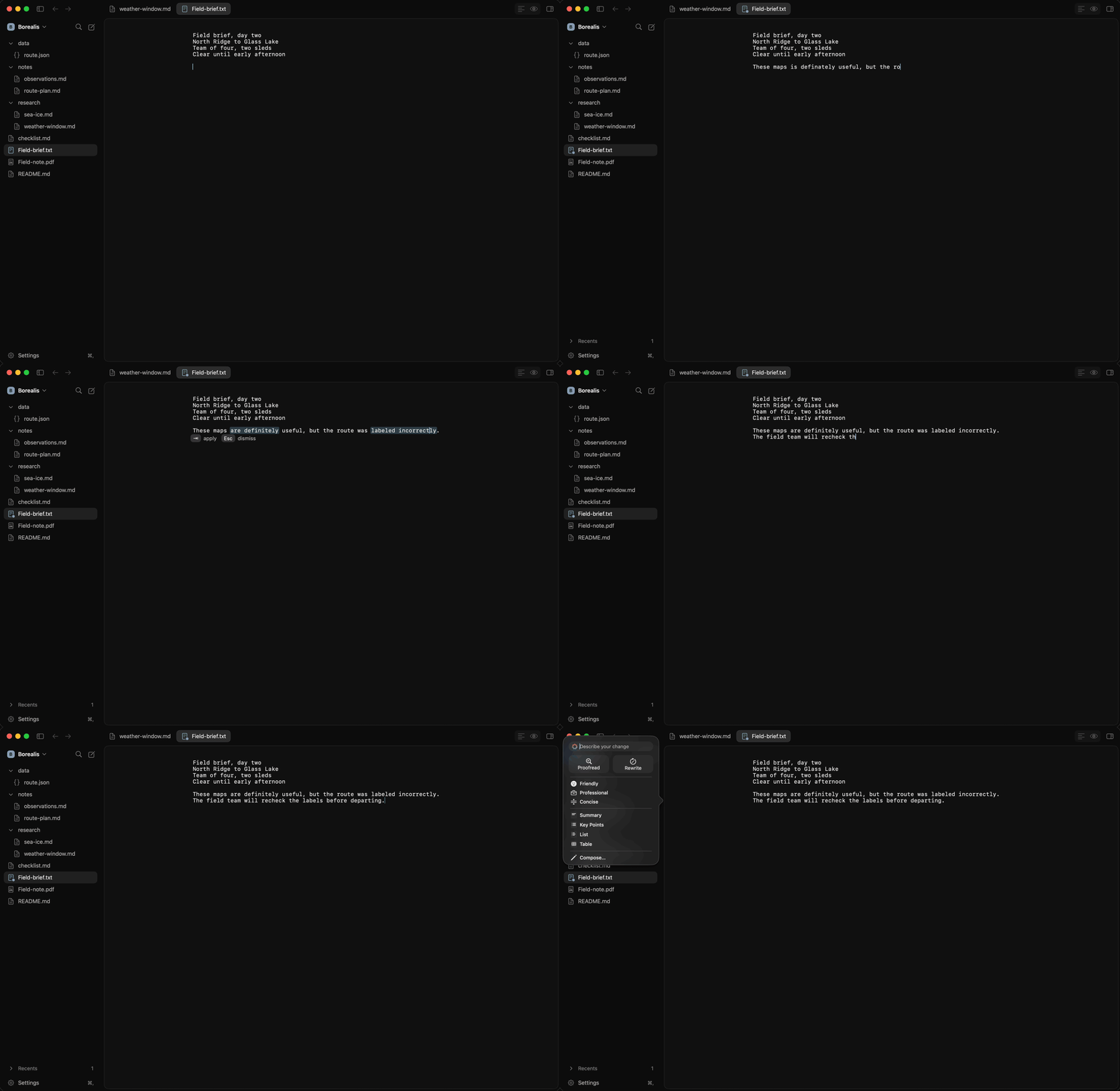
Reviewed sentence repairs · On-device completions · Apple Writing Tools
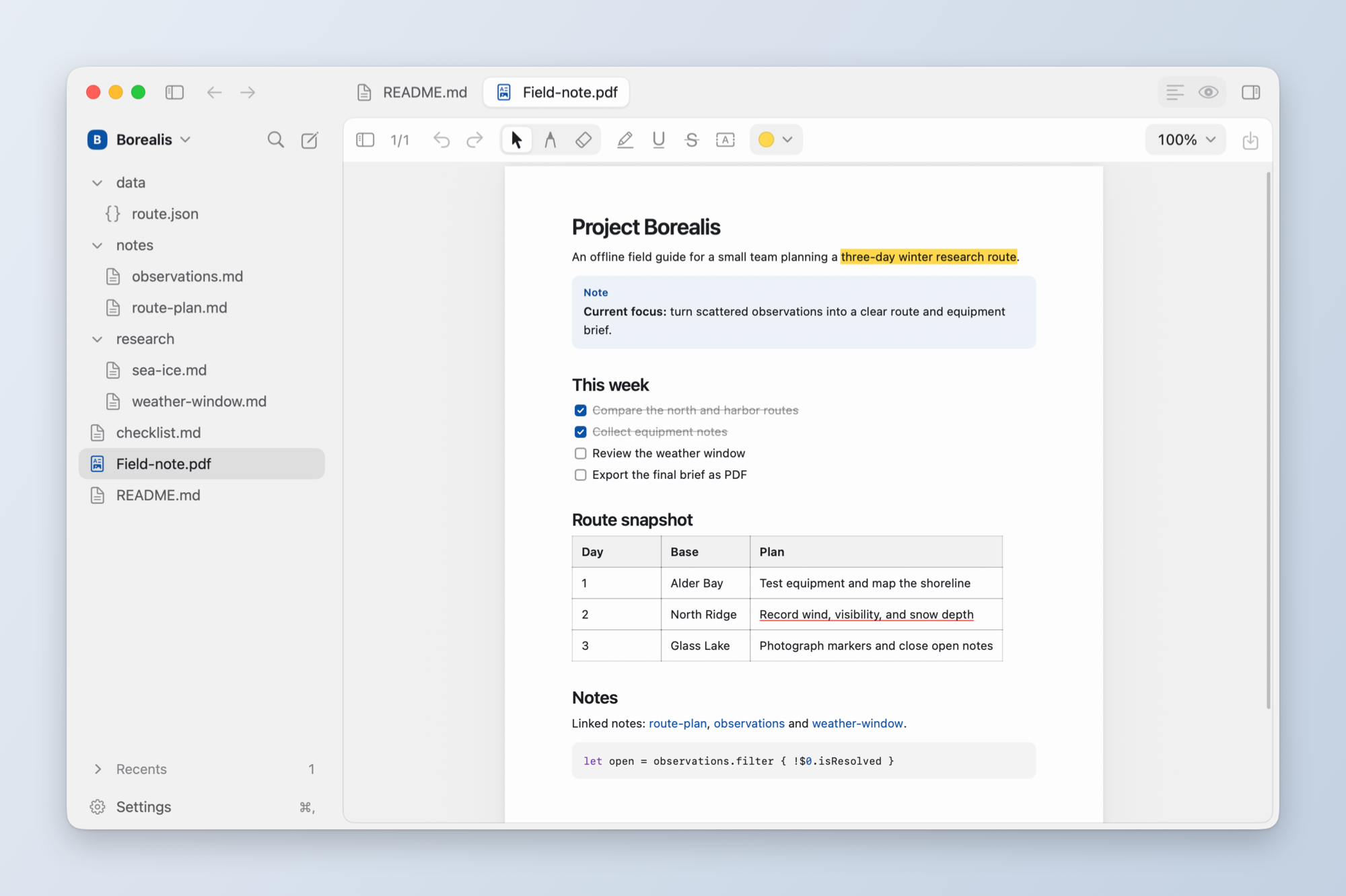
PDF · Highlight, underline, strike out, draw and add text boxes
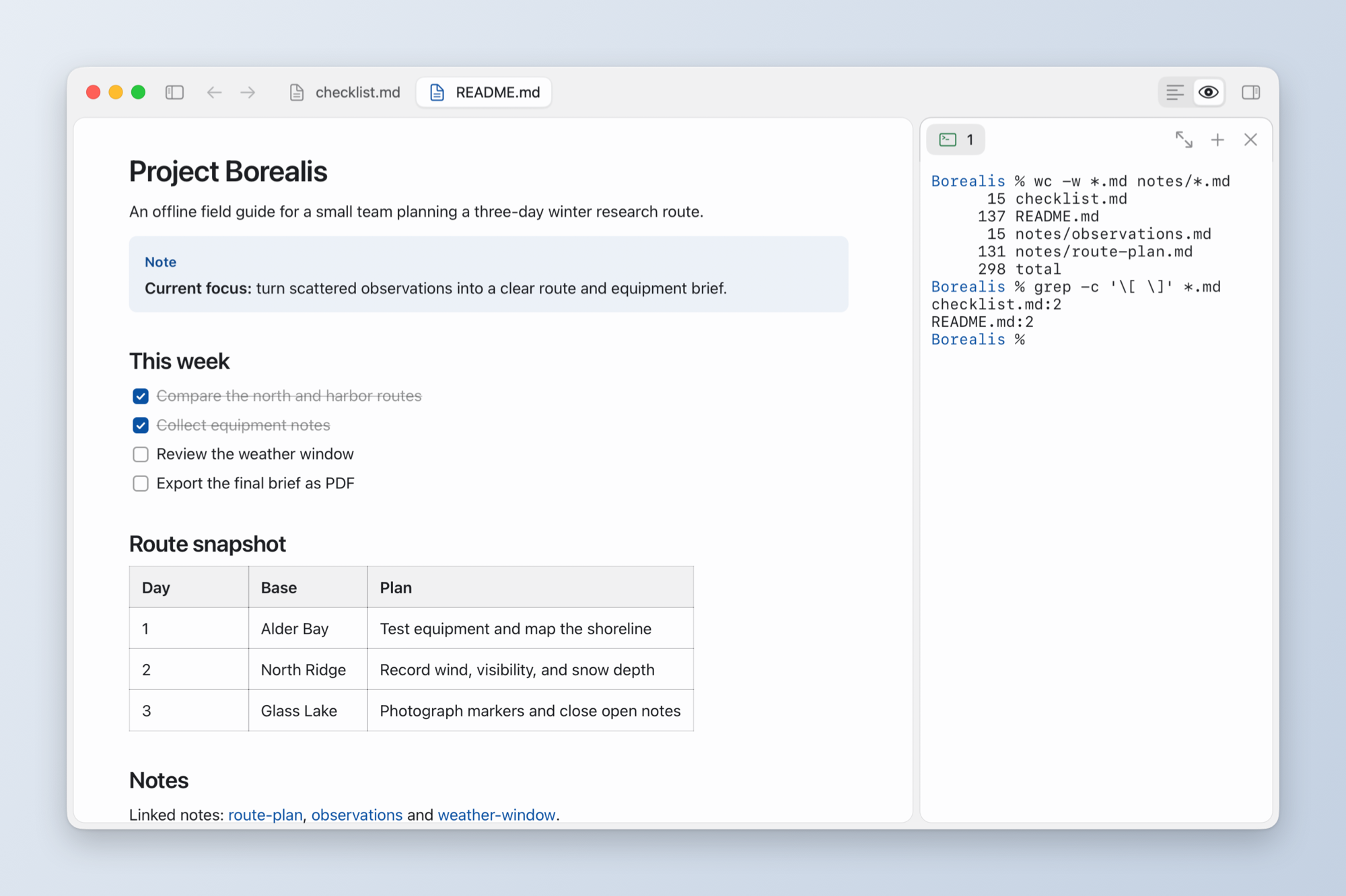
Terminal · New zsh sessions start in the open document's folder, beside the editor
Install
- Download the latest Apple-silicon DMG from GitHub Releases.
- Open the DMG and drag Monknot into Applications.
- Open Monknot.
Release downloads are signed with a Developer ID certificate and notarized by Apple.
Useful shortcuts
| Action | Shortcut |
|---|---|
| Quick Open | ⌘ P |
| Go to Heading | ⇧ ⌘ O |
| Show Writing Tools | ⌃ ⌘ R |
| Toggle split editor | ⌘ </kbd> |
| Toggle terminal | ⌥ ⌘ J |
License
Monknot is available under the MIT License. Third-party components remain subject to their respective license terms in THIRD_PARTY_NOTICES.md.