
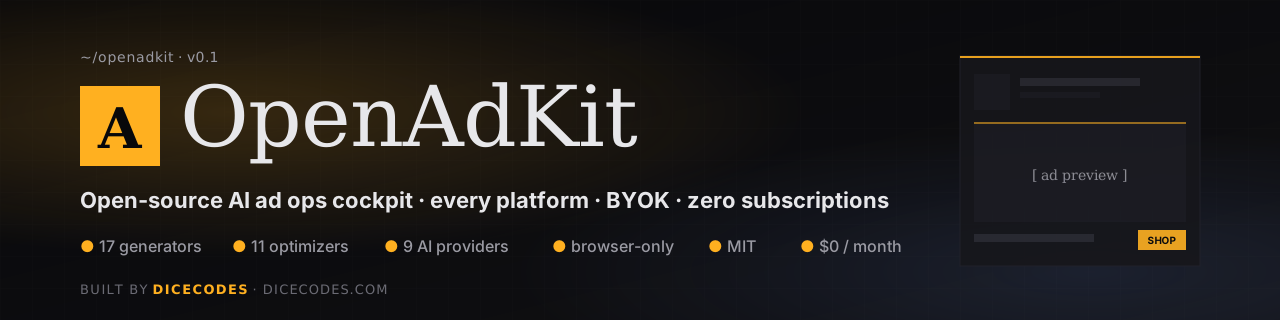
OpenAdKit — Open Source AI Marketing Tool
The open source AI marketing tool · every ad platform · bring your own AI key · zero subscriptions
The open-source alternative to Jasper, AdCreative, Anyword, Pencil & Copy.ai · runs in your browser · MIT-licensed · built by Dicecodes





One tool. Every ad platform. Zero subscriptions. Your key · your data · your folder.
Use it now — two paths · Screenshots · How to use it — step-by-step · Who's it for · What's inside · vs Jasper / AdCreative / Anyword / Copy.ai · FAQ · Architecture · Star this repo ⭐
What is OpenAdKit?
OpenAdKit is the open source AI marketing tool that replaces a $49–$499/month stack of paid AI marketing tools (Jasper · AdCreative · Anyword · Pencil · Copy.ai · Marpipe) with one app that runs entirely in your browser.
You bring your own AI key — free-tier (Groq · Gemini · Cerebras · OpenRouter) or paid (Claude · GPT · Mistral · DeepSeek) — and get every paid-tool feature for $0/month, forever.
18 AI generators · 11 data-driven optimizers · 9 AI providers · multi-client brand brains · vision (image) input on Claude/GPT/Gemini · platform-grouped sidebar · 10-minute launch wizard · multi-client batch mode · auto-update from GitHub.
Use it for: writing Google Ads RSA copy, generating Meta / Facebook / Instagram / TikTok / LinkedIn / YouTube / X ads, building Reel hooks, scoring creatives before launch, fixing low-CTR ads, planning campaigns end-to-end, running an agency across many clients, or teaching yourself paid media via the built-in framework trainer (PAS · AIDA · BAB · 4 U's · Schwartz awareness ladder).
┌──────────────────────────────────────────────────────────────────────────┐
│                                                                          │
│   Paste a client URL    ─►   OpenAdKit auto-extracts a Brand Brain         │
│                                                                          │
│   ▼                                                                      │
│                                                                          │
│   AI suggests campaigns    ─►   Pick a generator (18 of them)            │
│                                                                          │
│   ▼                                                                      │
│                                                                          │
│   Generate · score · preview · launch                                    │
│                                                                          │
└──────────────────────────────────────────────────────────────────────────┘
Screenshots
Real screenshots of the production app — no mockups. All UI runs in your browser; the only thing we can't show is your own AI provider's output (BYOK — bring your own API key).
The cockpit — every tool one click away
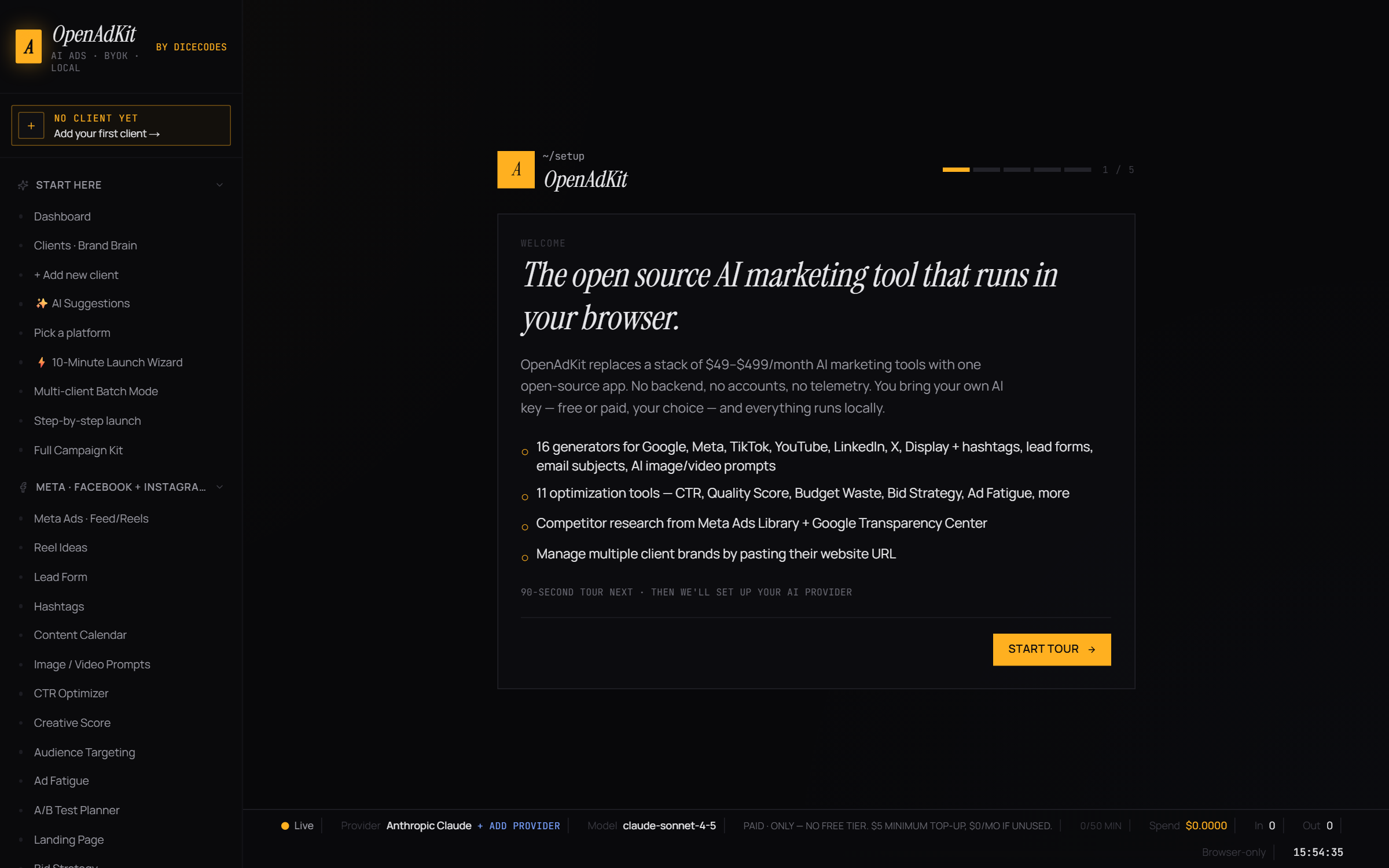
5-step onboarding wizard — pick a provider, paste a key, done
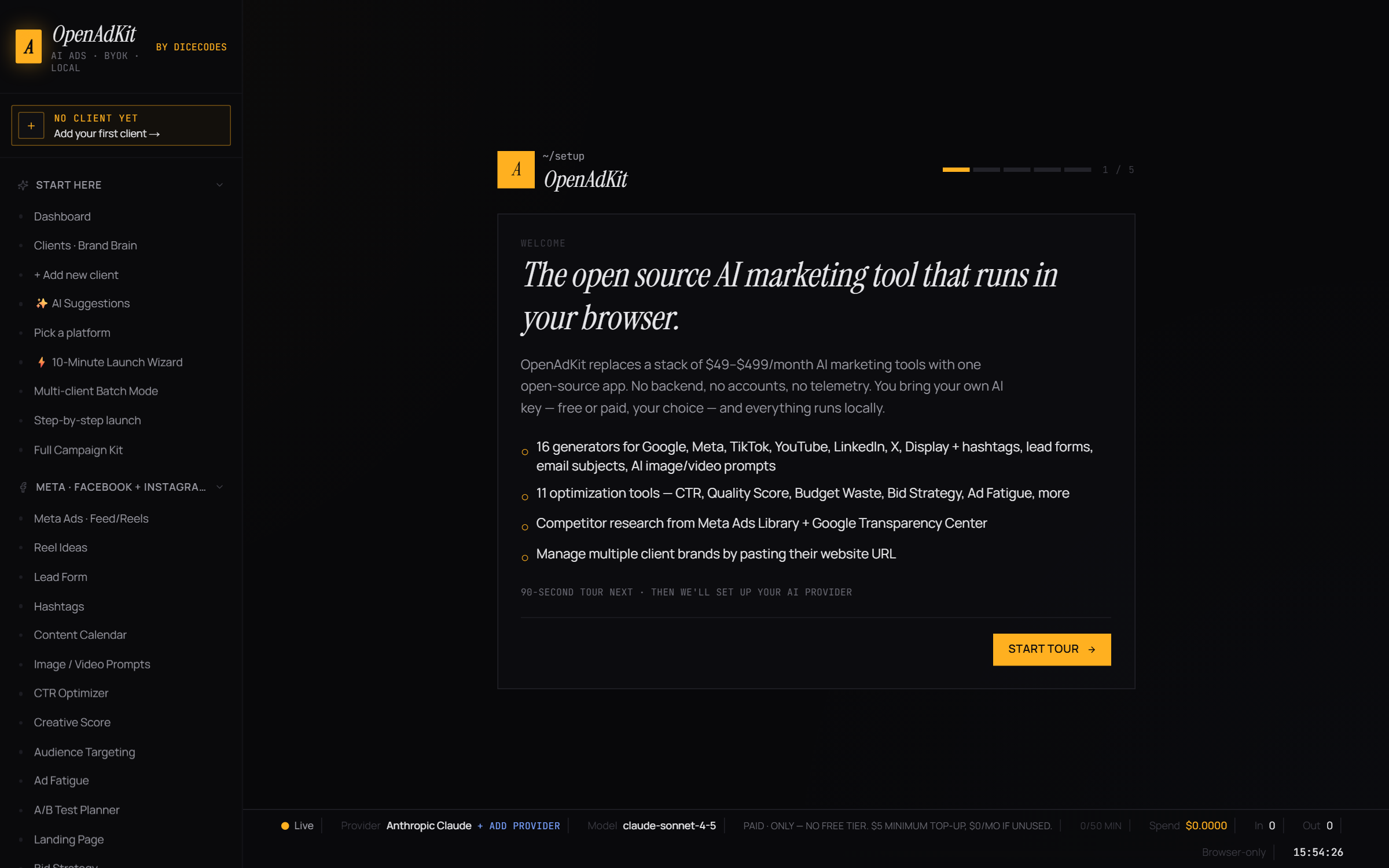
Settings — switch between 9 AI providers (free + paid) in one click
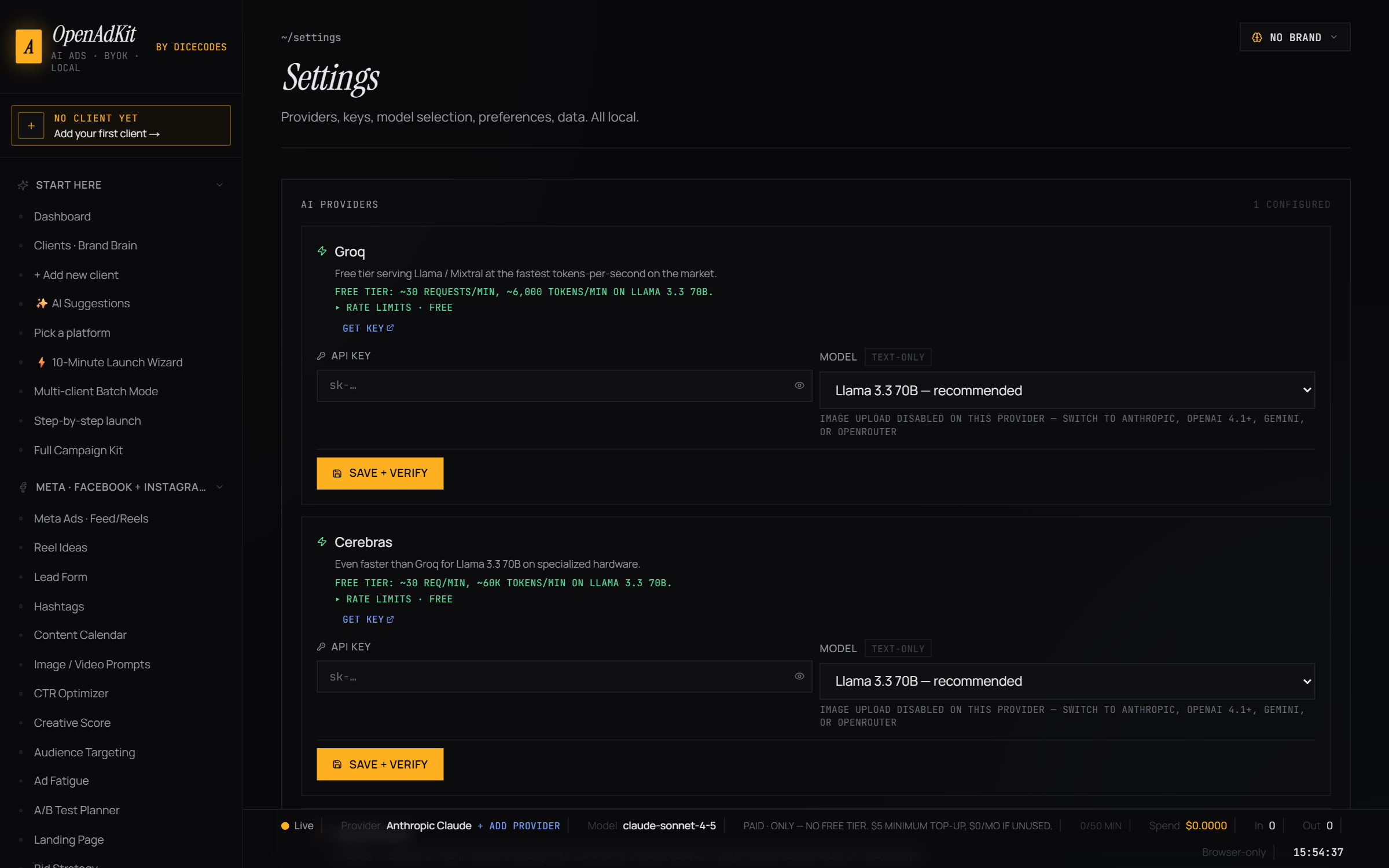
Meta + Facebook + Instagram ad generator
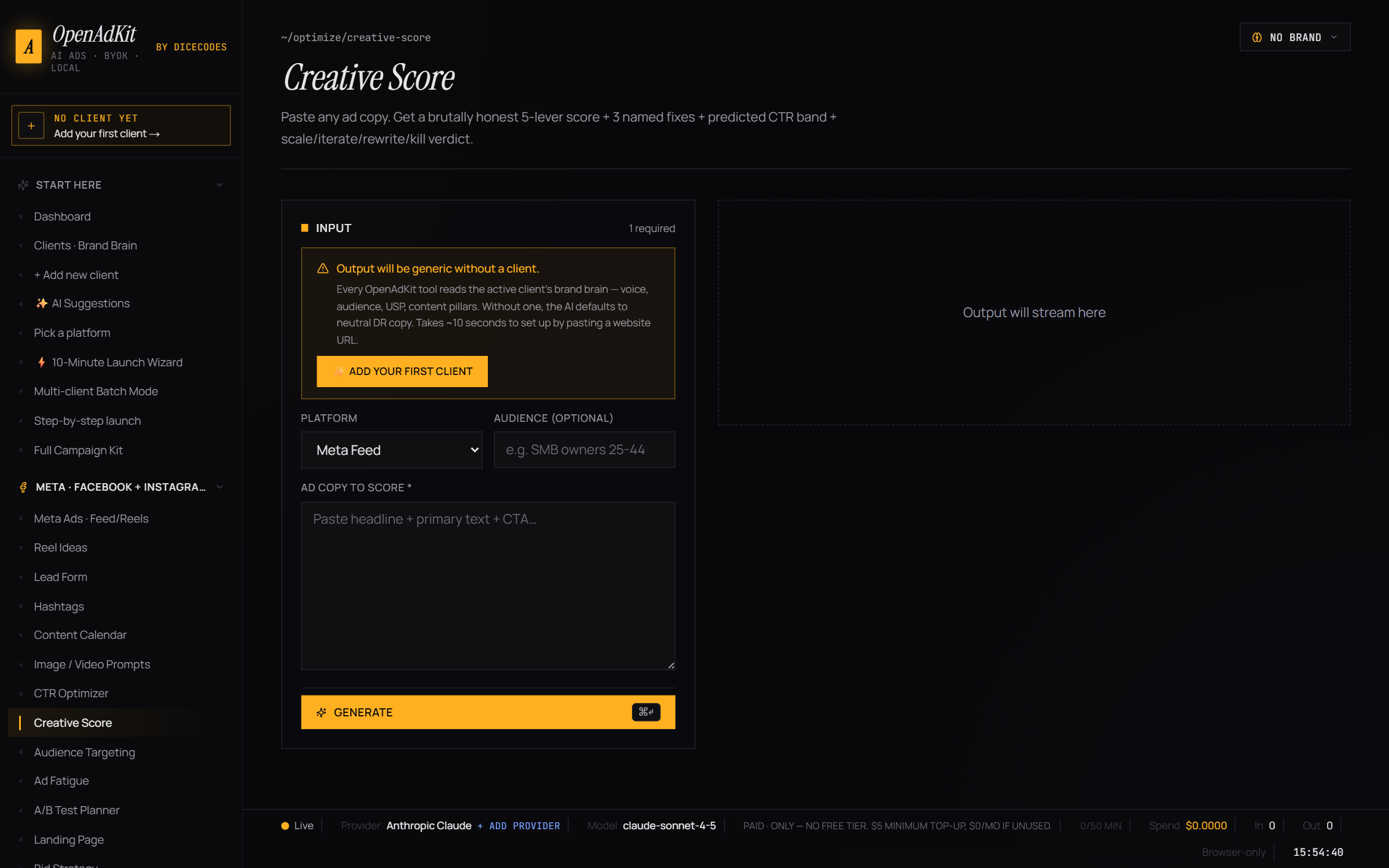
Creative Score — brutal 5-lever scoring + 3 named fixes
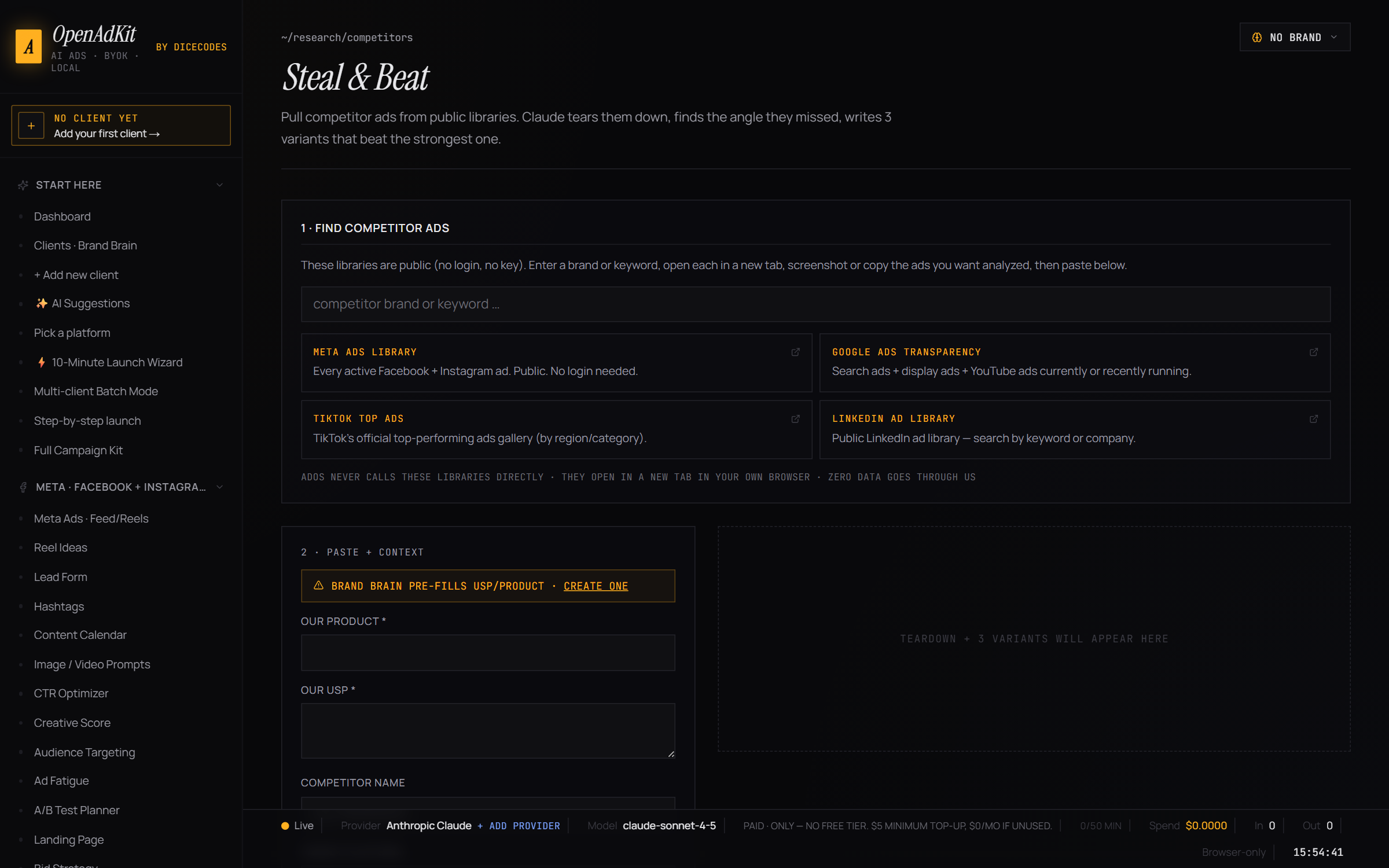
Competitor research — link straight to Meta, Google, TikTok, LinkedIn ad libraries
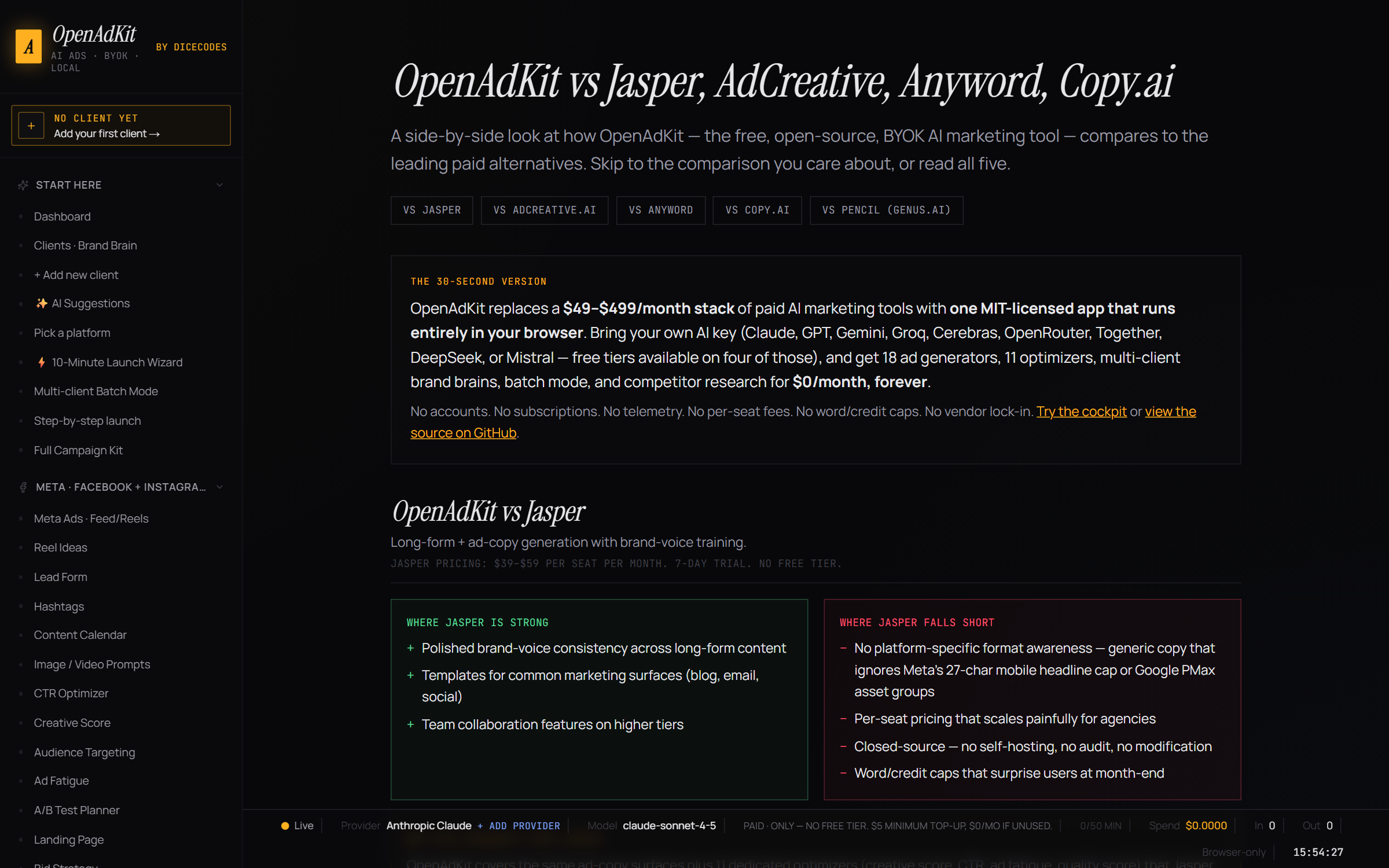
Compare — side-by-side OpenAdKit vs Jasper / AdCreative / Anyword / Copy.ai
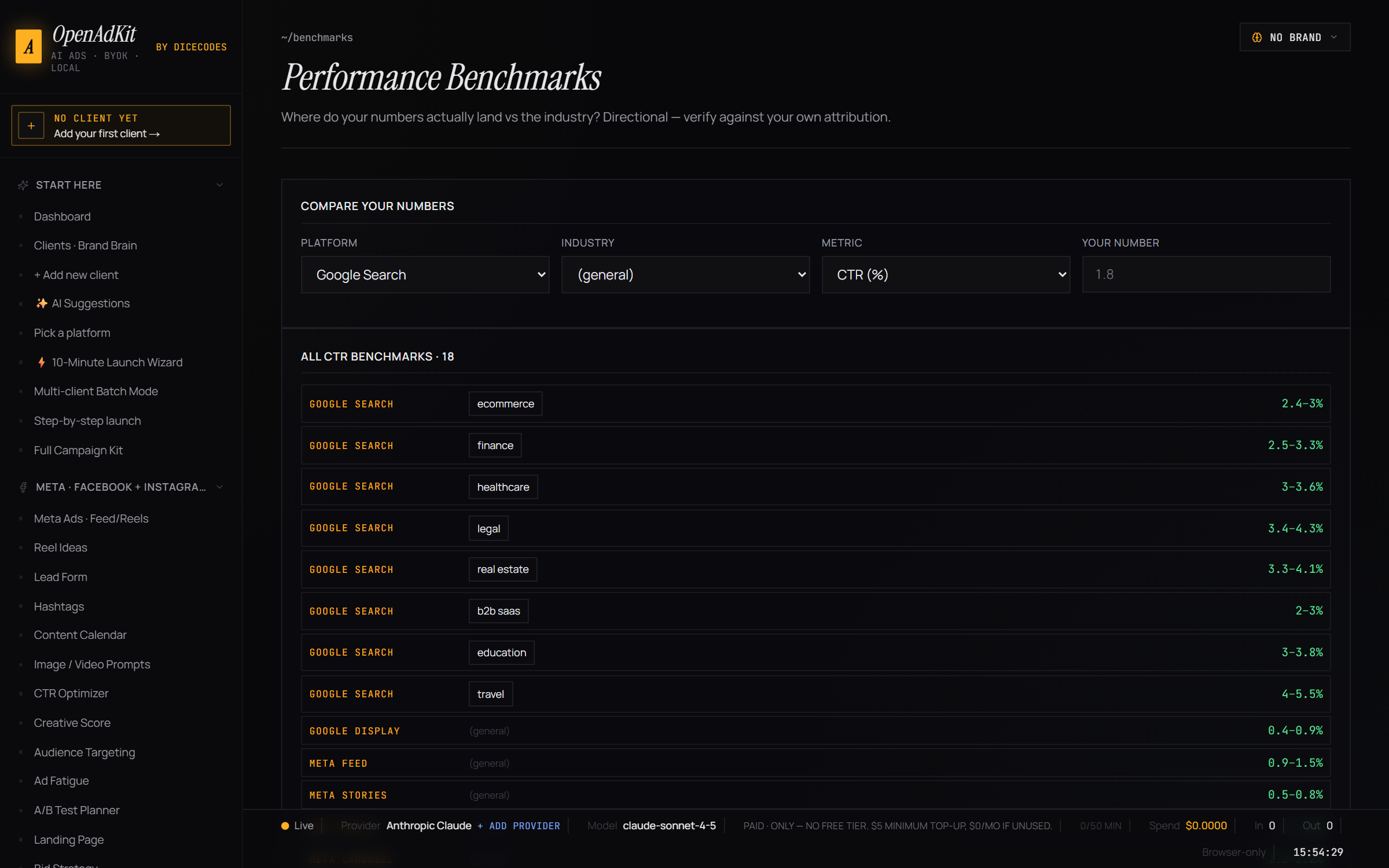
Built-in benchmarks — real CTR / CPC / CVR / ROAS bands by industry
Platform hub — every ad format, character limit, best practice in one place
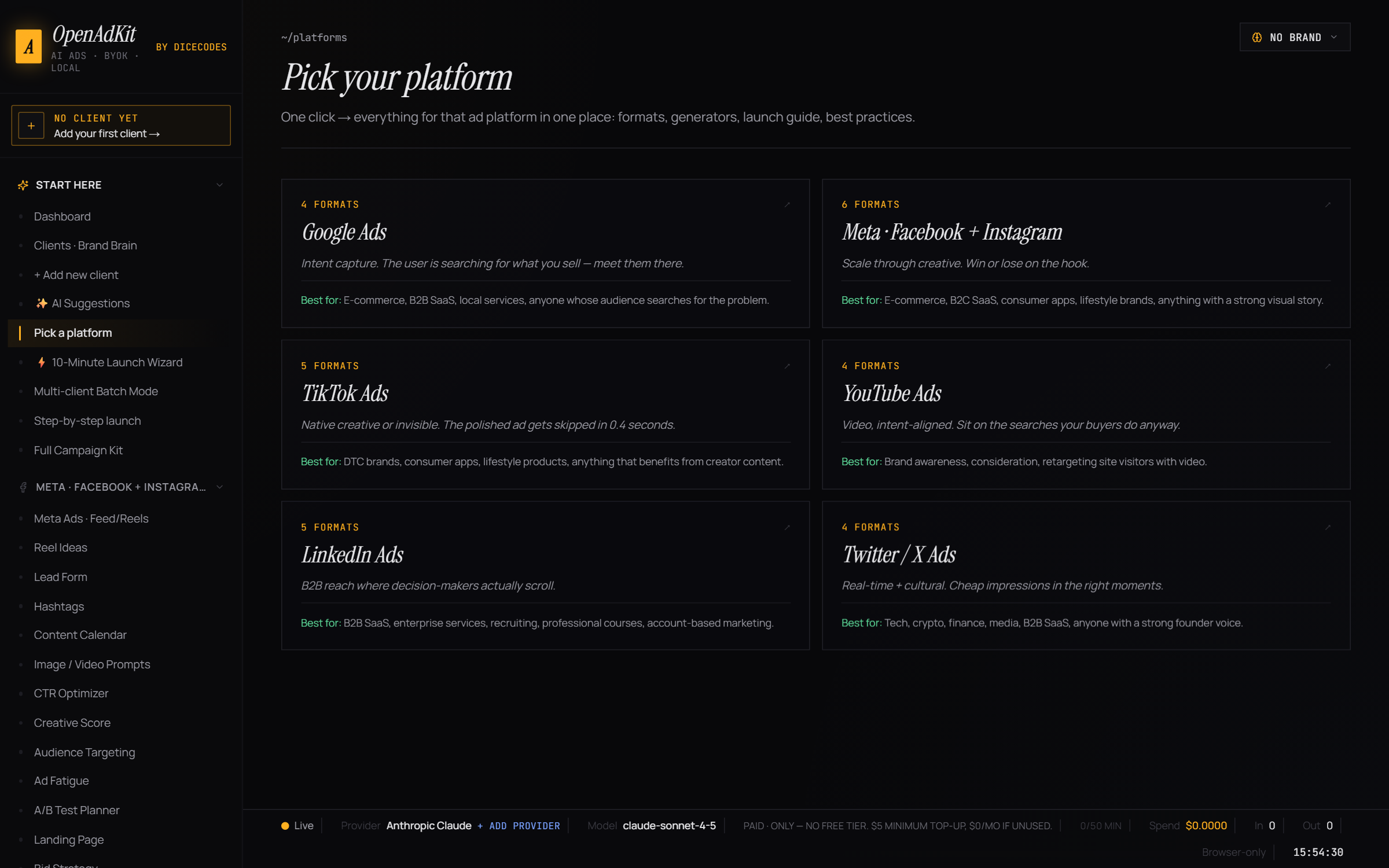
Platform deep-dive — Meta ad formats explained
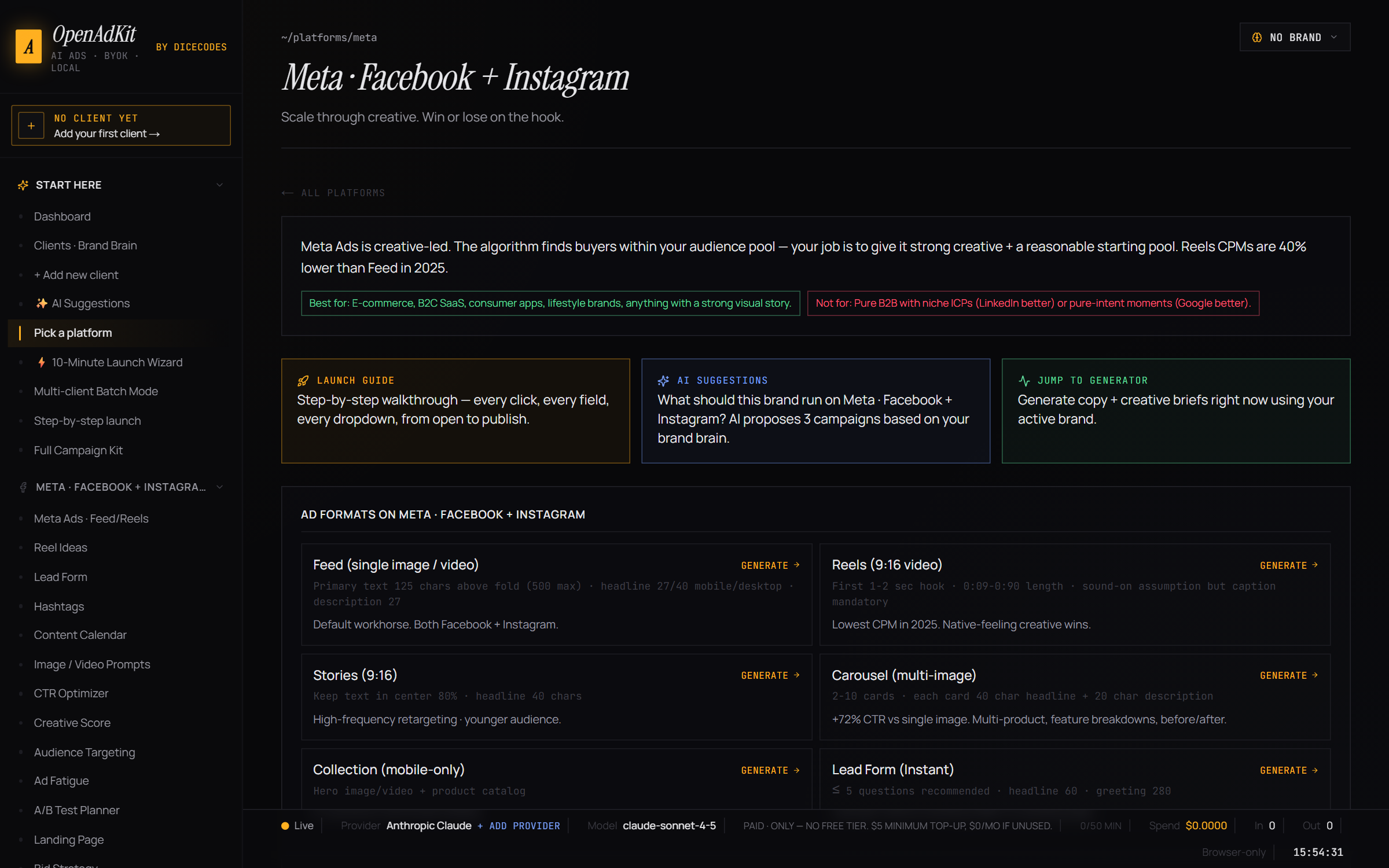
Learn — ad copywriting framework trainer (PAS, AIDA, BAB, 4 U's, Schwartz awareness ladder)
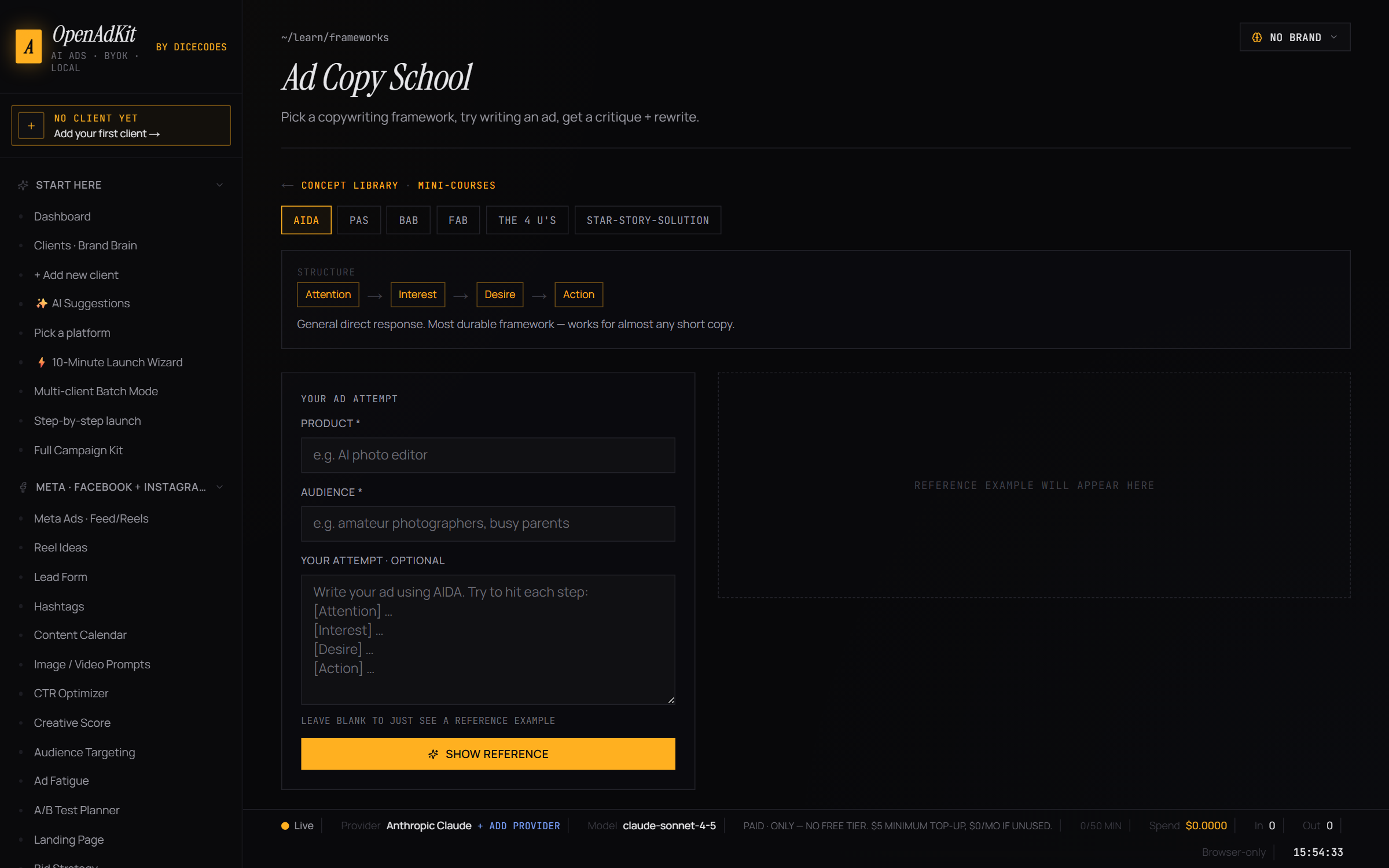
Launch guide — step-by-step Facebook / Google UI walkthroughs
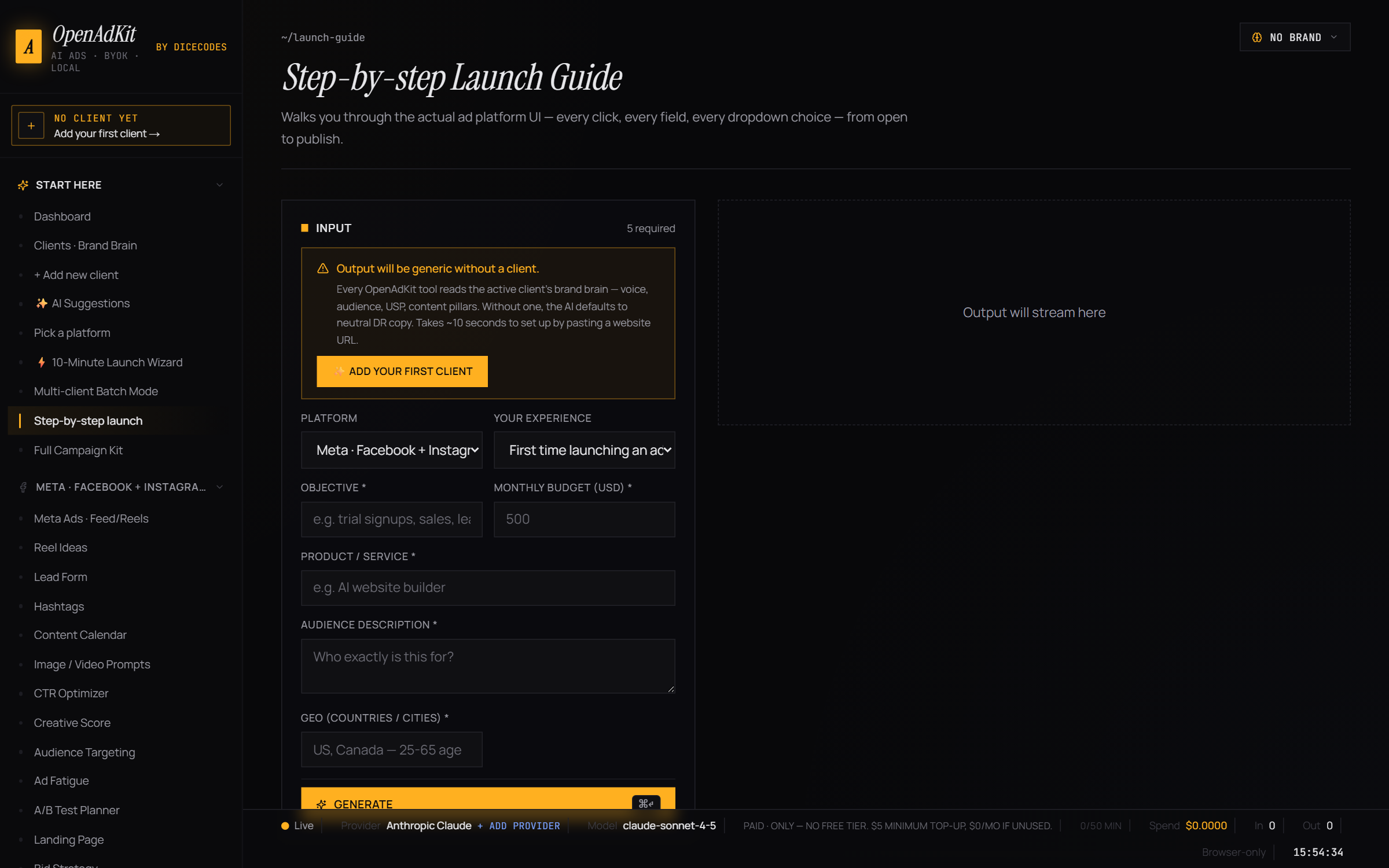
How to use OpenAdKit — step-by-step
Your first 10 minutes from install to your first AI-generated ad. Follow these five sections in order; total time is about 10 minutes.
Step 1 · Get OpenAdKit running (30 seconds — 5 minutes)
Pick one of the two install paths:
- Path A — Hosted (recommended for non-developers). Click the Deploy with Vercel or Deploy to Cloudflare button in the Install in 60 seconds section above. Sign in to Vercel/Cloudflare with GitHub, confirm, get your own URL in 30 seconds. Open the URL in your browser. Done.
- Path B — Local install. Download the repo as a ZIP (green "Code" button → "Download ZIP") and extract it. On Windows double-click
OpenAdKit.bat; on Mac/Linux double-clickOpenAdKit.command. First run installs dependencies (one-time, ~2 minutes), drops a desktop shortcut, and opens the app in your default browser. From the second launch onwards it's a single double-click → browser opens to the app.
You'll know it worked when the OpenAdKit setup wizard loads in your browser (see screenshot #1 above).
Step 2 · Pick an AI provider + paste a key (2 minutes)
This is the only paid thing in OpenAdKit, and it can be $0 if you pick a free tier.
- The setup wizard shows all 9 supported AI providers grouped by Free (Groq, Gemini, Cerebras, OpenRouter) and Paid (Anthropic Claude, OpenAI GPT, DeepSeek, Mistral, Together AI).
- Recommended for first-timers:
- Groq (free, fastest) — sign up at console.groq.com, copy your API key (starts with
gsk_…), paste in OpenAdKit. - Gemini (free, great quality) — get a key at aistudio.google.com, paste it.
- Claude (best quality, paid) — get a key at console.anthropic.com, starts with
sk-ant-….
- Groq (free, fastest) — sign up at console.groq.com, copy your API key (starts with
- Click Verify — OpenAdKit makes one tiny test call to confirm the key works.
- Pick a model from the dropdown (defaults are sensible). Click Continue.
💡 You can add multiple provider keys and switch between them anytime in Settings — useful when you hit a free-tier rate limit, just one-click swap to another provider.
Which AI gives the most free credits? (built into the app at /providers)
Not sure which provider to pick? OpenAdKit ships a "Which AI should I use?" page that compares every provider's free tier, real cost per generation, and image support side by side — and adds a measured column from your own usage.
| Provider | Free tier | Free requests/day | Card needed | Image input |
|---|---|---|---|---|
| Groq | Yes | 14,400 | No | No |
OpenRouter (:free models) |
Yes | 50 | No | Yes |
| Cerebras | Yes | 30/min, no daily cap published | No | No |
| Google Gemini | Yes | ~20 per model | No | Yes |
| Anthropic Claude · OpenAI GPT · DeepSeek · Mistral · Together AI | Paid | — | Yes | Claude/GPT only |
Best free option for volume: Groq — 14,400 requests/day with no credit card. Watch out for
Gemini: its free limits are counted per model, and gemini-3.6-flash allows only about 20
requests/day — the Flash-Lite models are far more generous. These are measured and published
figures, not estimates.
On "which AI writes better ads": we don't claim to know, and neither should anyone else. There is no ground truth for ad copy, so a quality ranking would be invented. What the app does instead is measure retry rate — how often a provider's first reply failed schema validation and had to be re-asked. That is observable, it doubles your token cost when it happens, and it is computed from your own generation history.
Step 3 · Add your first brand (3 minutes)
This is OpenAdKit's killer feature. You paste one URL, the AI extracts a complete brand profile in 30 seconds.
- The setup wizard's last step asks for a website URL. Paste the URL of any brand you want to generate ads for — could be your own brand, a client's, or a competitor's you're studying.
- Click Extract. OpenAdKit:
- Reads the homepage (and 2–3 key subpages like /about, /pricing)
- Pulls Open Graph data, JSON-LD schema, and social links automatically
- Asks the AI to fill 30+ brand fields: business name, industry, niche, USP, tone, audience pain points, audience desires, key benefits, brand voice, words to use, words to avoid, competitors, and more
- Review the populated Brand Brain. Edit anything that looks off. Hit Save.
💡 Agencies: repeat Step 3 for each client. Switch the "active client" from the top-bar dropdown anytime; every generator and optimizer automatically uses the active client's Brand Brain to keep the voice consistent.
Step 4 · Generate your first ad (1 minute)
- From the dashboard (cockpit), pick a generator. For your first time, try Meta · Facebook + Instagram Ads — it's fast, visual, and gives three angle-distinct variants per click.
- Fill the form:
- Objective — what's the campaign goal (sales, leads, awareness)?
- Format — Feed / Reels / Stories / Carousel
- Product / offer — what are you advertising? (Pre-filled from your Brand Brain.)
- Promotion — any offer like "20% off" or "free trial"
- Click Generate. Watch the AI stream the output in real time.
- You get 3 variants anchored to different psychological angles (pain, desire, social proof), each with:
- Primary text (front-loaded for Meta's 125-char mobile preview)
- Headline (≤27 chars mobile / ≤40 desktop)
- Description
- CTA button suggestion
- Character count validation per field (the schema retry layer catches AI mistakes)
- For video formats: hook 0–3s, value 3–15s, CTA 5s with b-roll suggestions and on-screen text
💡 Hit ⌘+↵ (Mac) or Ctrl+↵ (Windows) anywhere in the generator to regenerate without touching the mouse.
Step 5 · Score, optimize, and ship (3–5 minutes)
You've generated copy. Now use the optimizers to make sure it's actually good.
- Copy one of your variants. Open Optimize → Creative Score from the sidebar.
- Paste the ad copy. Pick the platform you wrote it for. Click Score.
- You get a brutal 5-lever score (hook strength, specificity, urgency, brand fit, conversion potential), a tier verdict (scale / iterate / rewrite / kill), a predicted CTR band, and 3 named fixes — each fix names the exact phrase to change and the replacement.
- Apply the fixes. Re-score. Repeat until your tier reads "scale" or "iterate".
- Optionally run other optimizers before launch:
- CTR Optimizer — lever-by-lever rewrites to lift click-through
- Budget Waste — audit where ad spend is leaking before it does
- Audience Targeting — turn brand brain + budget into a cold/warm/hot tier plan
- Quality Score (Google) — surface relevance issues before they tank your QS
- Export the campaign as Markdown or JSON for client handoff via the History page.
💡 Use Launch Guide in the sidebar for step-by-step screenshots walking you through Facebook Ads Manager or Google Ads from campaign creation to publish — useful if you're new to paid media.
What to try next
- Research → Steal & Beat — paste competitor ads from the Meta Ads Library / Google Transparency Center, get a teardown plus 3 beat-their-ad variants.
- Generate → Content Calendar — one click for a per-day social calendar with captions, hashtags, and visual briefs across multiple platforms.
- Generate → Campaign Kit — one brief becomes message-matched copy across Google + Meta + TikTok + LinkedIn + YouTube + X + email in a single generation.
- Learn → Frameworks Trainer — interactive lessons in PAS, AIDA, BAB, the 4 U's, and the Schwartz awareness ladder. Free, ad-free, no signup.
A full step-by-step usage guide also lives at /how-to-use on the hosted app — same content, hyperlinked navigation, easier to skim on mobile.
Who's it for?
| You are… | OpenAdKit gives you… |
|---|---|
| 🧑💻 A solo founder or indie maker | Free AI ad copy across Google / Meta / TikTok / LinkedIn / YouTube / X without paying $49–125/mo for Jasper. |
| 🏢 A marketing agency | Multi-client brand brains, batch mode (generate the same asset for 5 clients in one parallel run), per-client cost rollup, and Markdown/PDF campaign export for client handoff. |
| 🛒 An e-commerce store owner | Performance Max + Shopping ad generators, Reel idea generator with 10 hook formulas, hashtag stacks per platform, content calendar with image/video prompts. |
| 🎓 A marketing student | Free practice ground with framework trainer (PAS / AIDA / BAB / FAB / 4 U's), 28 mini-course lessons, 25-concept library, industry benchmarks for CTR/CPC/CVR/ROAS. |
| 💸 A budget-conscious freelancer | Bring your own free AI key (Groq, Gemini Flash, Cerebras, OpenRouter free tier) — generate unlimited copy at literally $0 cost. |
| 🔒 A privacy-conscious team | Zero backend. No telemetry. No accounts. Your API key + every generation lives in your browser only. Data file portable to another machine in one zip. |
| 🤖 A power user | Cmd+K command palette, multi-AI-provider abstraction, vision (screenshot upload) on Claude/OpenAI/Gemini, auto-update from GitHub with safety rules, full keyboard navigation. |
Use it now — two paths
Pick the one that fits you. Both are 100% free, BYOK, and store your work in your browser only — no accounts, no servers we operate, no telemetry.
Path A · Hosted (zero install, 30 seconds)
Deploy your own private instance to Vercel or Cloudflare in one click. Free tier covers it easily.
[