photographics
A layer-based photo editor for Android tablets.
Layers, masks and retouching with the pen. Opens and saves PSD, TIFF and GIMP files with all their layers.
Website · Deutsch · Download · Contributing
This is an early preview (version 0.2). Most of it works, some things are missing or still change. Please keep a backup of important files. Feedback, bug reports and people who want to help build it are very welcome: open an issue or write to info@andreasbartelmess.de.
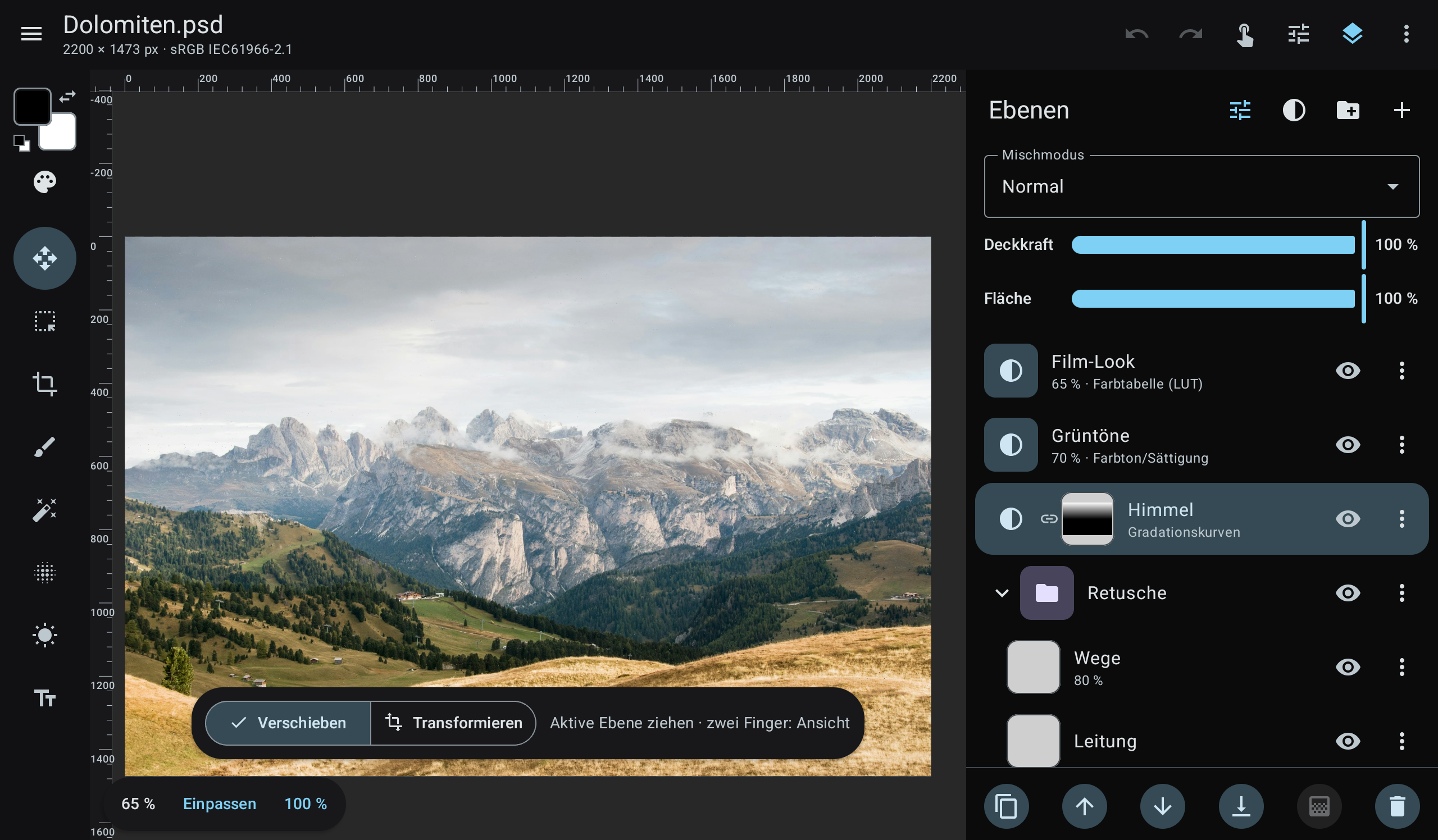
Retouch on a tablet with a pen, then continue on the desktop with the same file. The user interface is currently German only; translations are one of the easiest ways to help.
Features
- PSD/PSB read and write: layers, groups, all 27 blend modes (incl. pass through), pixel masks, clipping masks, adjustment layers (editable, in Photoshop's own format), text layers, smart objects, 8/16/32-bit and RGB/Grayscale/CMYK/Lab/Duotone/Indexed/Bitmap files. Unknown data such as layer effects is written back unchanged.
- TIFF read and write, including Photoshop layers (in both Macintosh and IBM PC byte order): LZW/ZIP/PackBits, strips and tiles, 1–32 bit, RGB/grey/palette/CMYK/Lab, transparency, ICC profiles. Saved TIFFs open in Photoshop with all layers.
- GIMP (XCF) read and write: layers with offsets, groups, masks, blend modes, guides, resolution and ICC profile; 8/16/32-bit integer and half/float/double, linear or perceptual (verified layer by layer against GIMP 3). Saved XCFs use perceptual blending, so GIMP shows them exactly like photographics.
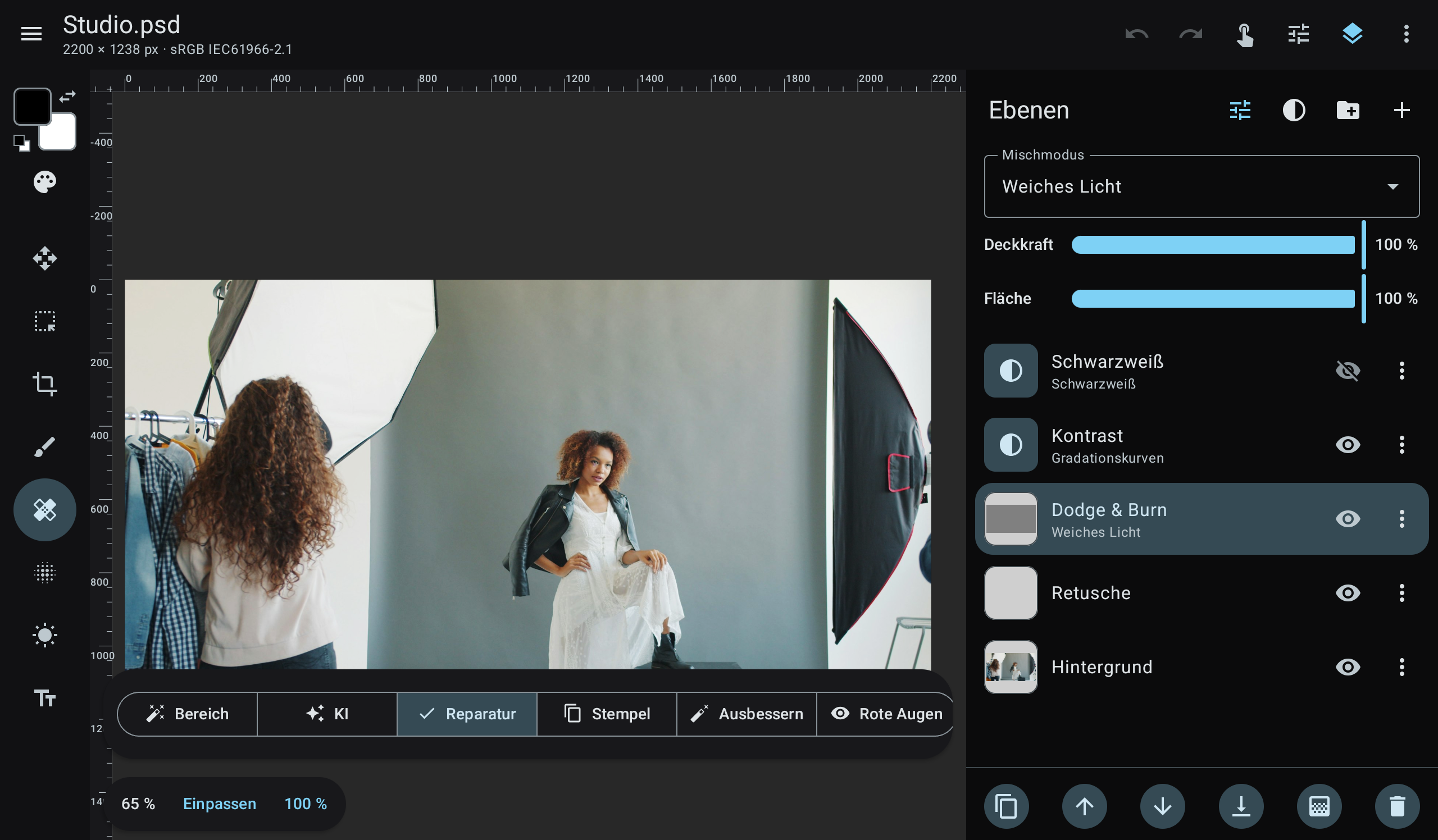
- Retouching: spot healing (PatchMatch), healing brush and patch (Poisson blending), clone stamp, red eye, dodge/burn/sponge, smudge, content-aware fill and optional on-device AI object removal (MI-GAN, LaMa) and upscaling (Real-ESRGAN). Nothing leaves the device.
- Pen first: pressure, eraser end, side button = eyedropper, palm rejection, hover preview, two-finger undo; keyboard and mouse with Photoshop-style shortcuts.
- Brush engine (F5): tip angle/roundness, shape dynamics, scattering, transfer (opacity/flow by
pressure, fade, jitter), colour dynamics, all blend modes plus Behind/Clear, airbrush; 12 built-in
presets and your own. Foreground/background colour (X, D) and swatch libraries with import/export
of Photoshop
.aco/.act, Adobe Swatch Exchange.aseand GIMP.gpl. - Layers like in Photoshop: masks linked or unlinked from their layer (chain icon), clipping masks (Ctrl+Alt+G, adjustment layers "affect only the layer below").
- Non-destructive editing: 13 adjustment layer types (curves, levels, hue/saturation, colour lookup, …), free transform via smart objects, 24 filters with live preview.
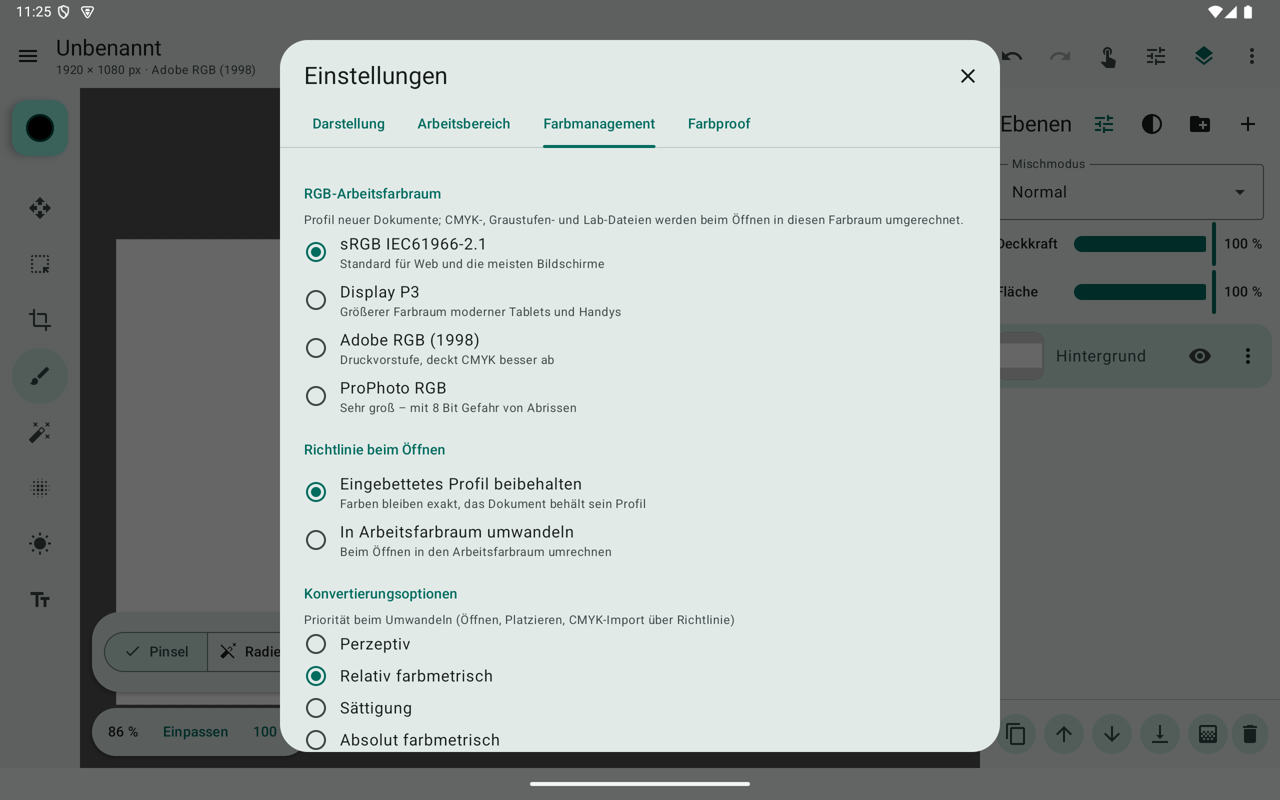
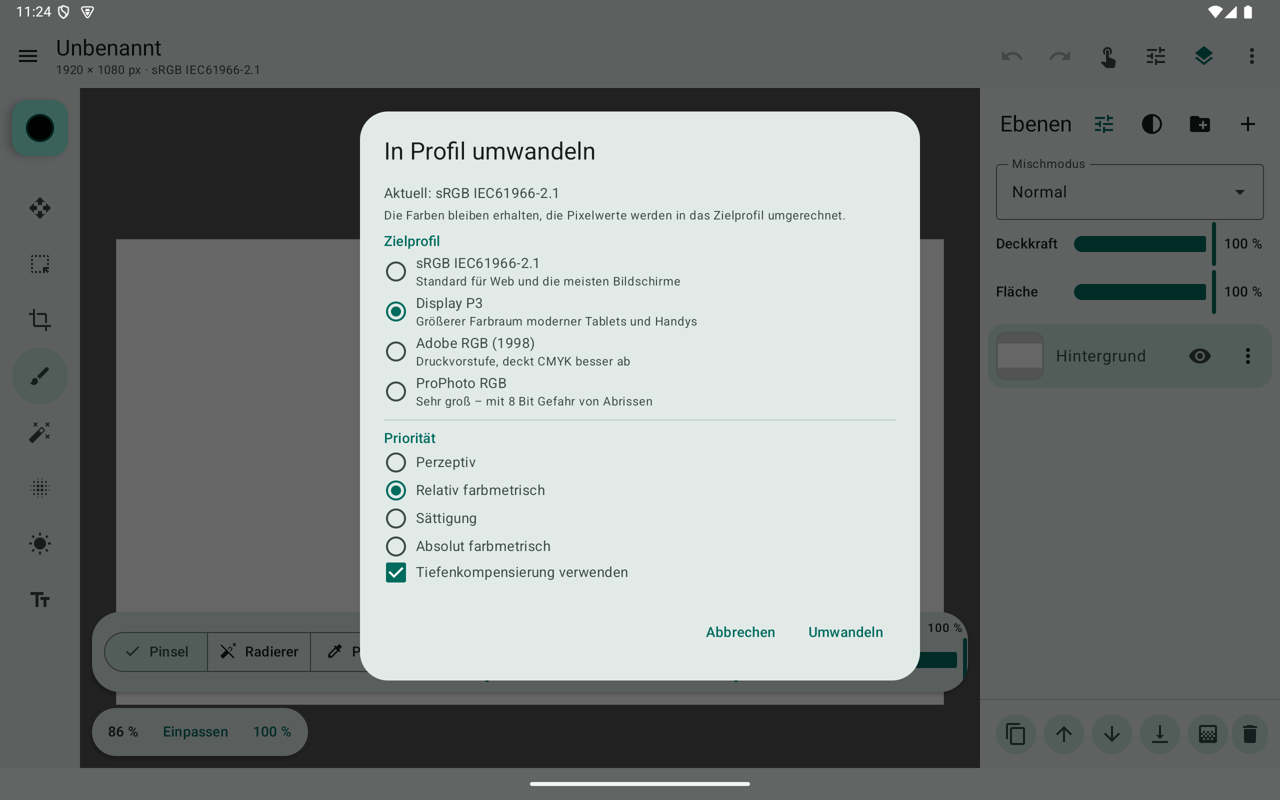
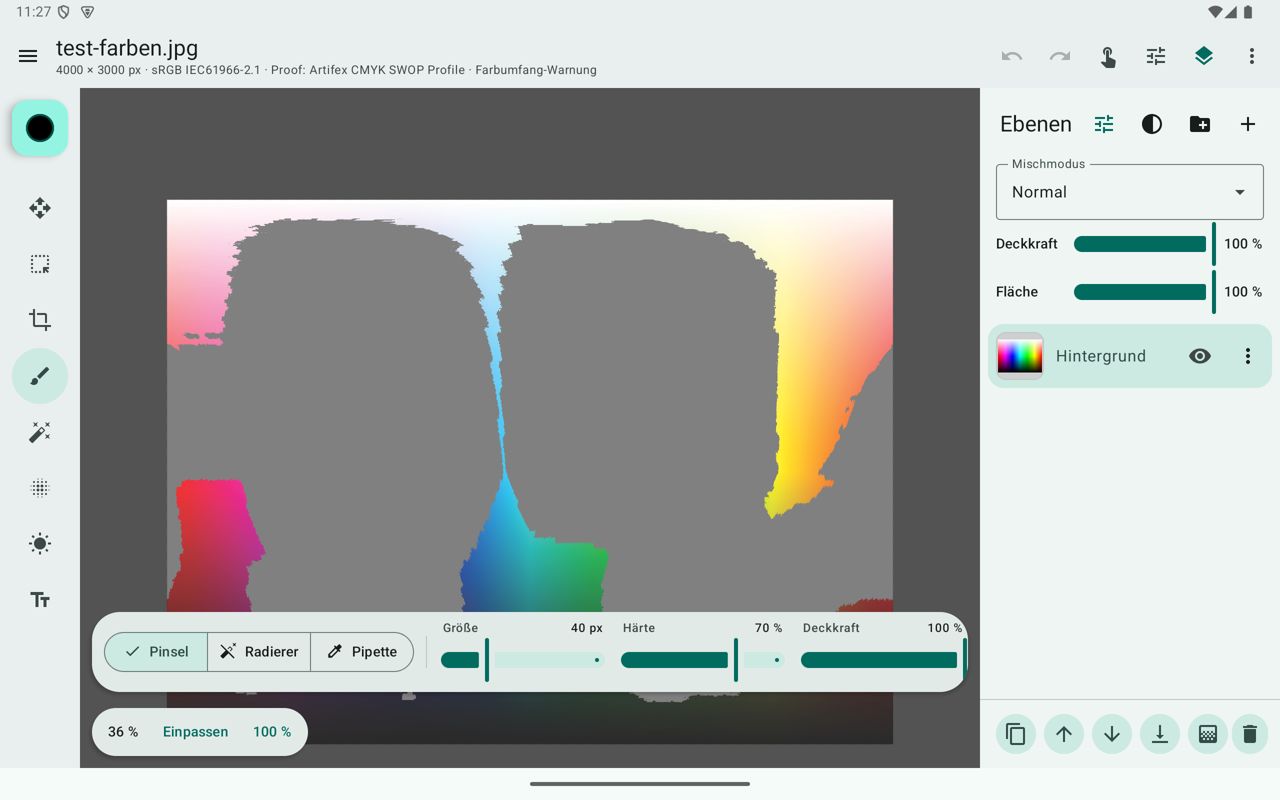
- Colour management: ICC engine (v2/v4, matrix/TRC and LUT profiles, all rendering intents, black point compensation – verified against Little CMS), document profiles, assign/convert to profile, CMYK/Lab PSDs converted through their embedded profile, soft proof with your print shop's ICC profile and gamut warning, export with embedded profile or converted to sRGB.
- LUTs:
.cube/.3dlcolour lookup layers (saved as Photoshop Color Lookup layers), 10 built-in looks, export of your adjustments as a.cubeLUT. - Large files: pixel data lives in native shared memory outside the Java heap, the undo history is swapped to a scratch disk like in Photoshop, and all heavy operations work in bands on all CPU cores. Zoomed-out display composites from per-layer mipmaps (48 MP: 0.3 s instead of 3 s), and transforming previews the smart object directly from its source. During live edits the layers below the edited one are cached, so each frame only composites the edited layer and those above it.
- Crop and transform: aspect ratio presets, target size with resolution, thirds/golden ratio/grid overlays, straighten line, rotated and perspective crop; skew, distort and perspective in free transform (non-destructive on smart objects); rotate by any angle.
- Guides and rulers: guides from the rulers, guide layouts, snapping and smart guides while moving; guides are kept in PSD (compatible with Photoshop and GIMP) and XCF.
- Film looks: 15 film emulations (colour negative, slide, black-and-white incl. infrared, print film, instant film) as colour lookup layers.
| Colour management | Convert to profile | ICC soft proof |
|---|---|---|
 |
 |
 |
Install
Download the APK from the releases page: app-arm64-v8a-release.apk fits almost
all current tablets and phones, app-universal-release.apk runs everywhere. Requires Android 8.1 or newer.
Build
Requirements: JDK 17+ (21 recommended) and the Android SDK (API 36). Android Studio works too (Open → this folder → Run).
./gradlew :core:test :core:memoryTest   # unit tests + memory stress test (192 MB heap)
./gradlew :app:assembleDebug            # debug APK
./build.sh                              # tests, then release APKs into dist/ (installs on a connected device)
./build.sh smoke                        # memory self-test on the connected device
build.sh expects the JDK in ~/Android/jdk and the SDK in ~/Android/Sdk unless
JAVA_HOME_PHOTOGRAPHICS / ANDROID_HOME are set. Release builds are signed with the key from
keystore.properties (create one with tools/create_release_key.sh; it is git-ignored), otherwise
with the debug key.
Use release builds for testing performance – debug builds are several times slower on Android.
Project layout
core/   pure Kotlin/JVM, no Android dependencies – fully testable on the desktop
  image/      tiled pixel storage (native shared memory), parallel band processing, resampling
  doc/        document model: pixel, text, smart object, adjustment and group layers, masks
  render/     compositor with all Photoshop blend modes, groups, masks, clipping
  psd/        PSD/PSB reader and writer, action descriptors, adjustment/text/smart object blocks
  color/      ICC engine, colour transforms, built-in profiles, LUTs, soft proof
  adjust/ filters/ retouch/ tools/ selection/ history/ editor/
app/    Android UI (Jetpack Compose, Material 3), AI via ONNX Runtime
tools/  test data generators, reference scripts, device smoke test
The detailed German README describes every feature, the memory architecture and the PSD support matrix: README.de.md.
Testing with your own PSD, TIFF and XCF files
./gradlew :core:psdCheck -PpsdDir=/path/to/psds # optional: -PpsdOut=report-folder -PpsdRoundtrip=false
Checks every PSD/PSB/TIFF/XCF in the folder (recursively): the image rendered by photographics is compared
with the composite that Photoshop stores in the file (Maximize compatibility), and each file is
written back as a PSD, read again and compared (round trip). The source files are only read; the
report (report.html, report.csv) with side-by-side previews of every file that differs goes to
core/build/psd-check. Please only attach PSDs to issues if you are allowed to share them.
Roadmap
No fixed dates, and the order may change. Suggestions are welcome.
- Next: GPU compositing for smoother moving and transforming of large files; rendering layer effects (drop shadow, stroke, glow); English user interface
- After that: liquify; gradient tool, magic wand and object selection; per-channel curves with histogram; custom fonts (TTF/OTF); autosave and crash recovery
- Later: 16-bit editing; CMYK documents and export; display colour management; Linux (GNOME) and iPad
Help wanted
photographics is a one-person project so far. If any of this sounds like you, I'd be glad to hear from you:
- Testing with real Photoshop files. PSD support has been verified with GIMP and ImageMagick, not yet with files from current Photoshop versions. The PSD check above produces a report you can share without sharing the files.
- Translations. The UI strings are still in German and will move to Android resources.
- GPU compositing. Moving and transforming layers still composites on the CPU.
- Layer effects. Drop shadow, stroke and glow are kept in PSDs but not rendered yet.
- Ports. Linux (GNOME) and iOS are planned; the core is plain Kotlin/JVM without Android dependencies.
Bug reports, PSD compatibility reports and pull requests are welcome, see CONTRIBUTING.md.
About
I'm Andreas Bartelmess. I work as a photographer, mostly for companies and restaurants, and a large part of that work happens afterwards in retouching. I started out in graphic design at the Glasfachschule Rheinbach and now study photography at FH Dortmund. photographics is something I build alongside client work. My photography: andreasbartelmess.de.
| Retouching | Colour lookup |
|---|---|
 |
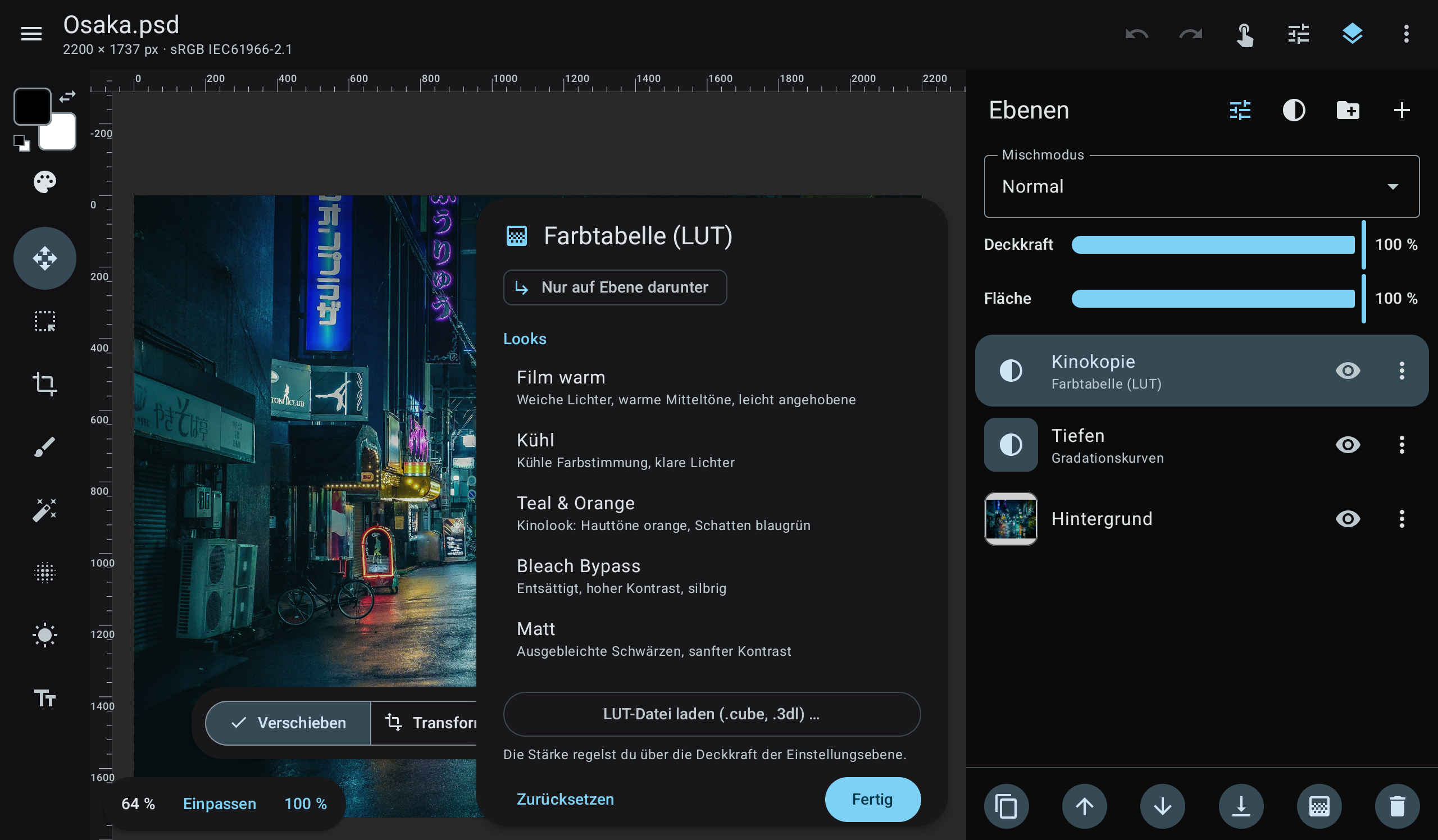 |
Photos in the screenshots: Janine Joles, Vitaly Gariev and Masahiro Miyagi on Unsplash.
License
photographics is free software, licensed under the GNU General Public License v3.0 or later. Third-party libraries, AI models and test data are listed in THIRD_PARTY_NOTICES.md.
Adobe and Photoshop are registered trademarks of Adobe Inc. photographics is an independent project and is not affiliated with, endorsed by or sponsored by Adobe.