

PromptScript
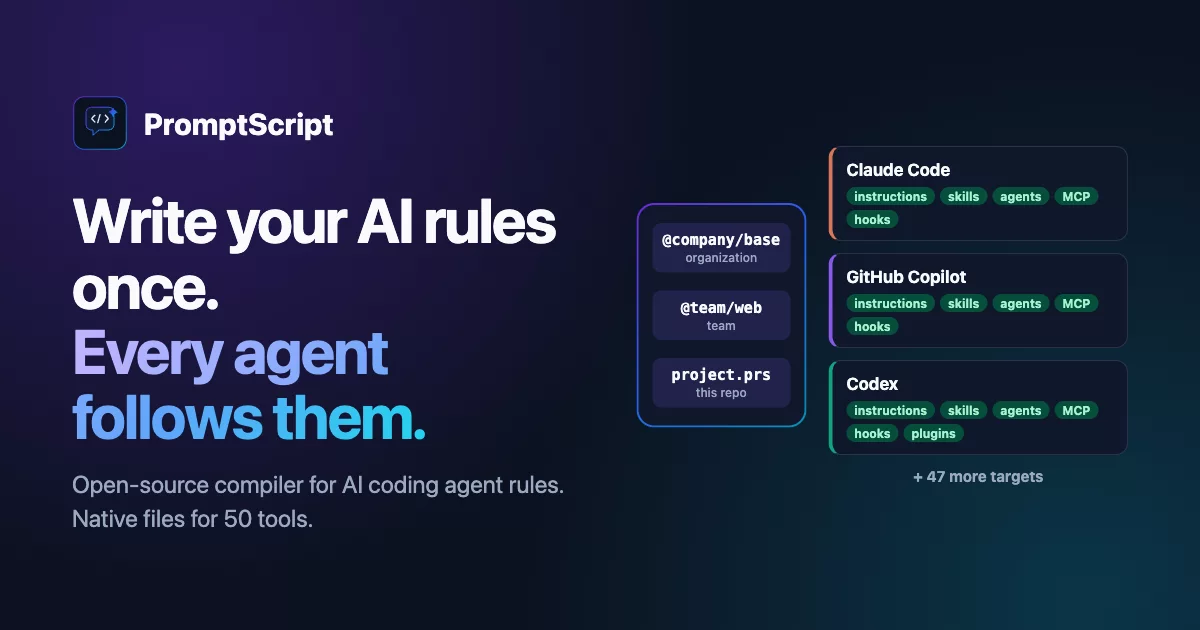
Write your AI rules once. Every agent follows them.
One source for Claude Code, GitHub Copilot, Cursor, and 47 more tools. Define instructions, skills, agents, MCP servers, hooks, and policies once, inherit them like code, and compile native files for every tool.



Get started · Try the playground · Explore all features · View target matrix
What is PromptScript?
PromptScript is an open-source compiler for AI coding agent rules. .prs sources
define instructions, project standards, restrictions, skills, agents, MCP servers, hooks, and
workflows, while promptscript.yaml configures targets and the policies for skill extensions and prompts. The
compiler turns them into the native files each AI tool already knows: CLAUDE.md for Claude Code,
.github/copilot-instructions.md for GitHub Copilot, .cursor/rules for Cursor, and 47 more
targets.
Why does this matter? Every AI coding tool reads its own instruction files, in its own format, from its own paths. A team using Claude Code, Copilot, and Cursor keeps three copies of the same rules. They drift. A standard changes in one file but not the others, and nobody notices until an agent breaks something.
PromptScript fixes the source, not the symptoms:
PromptScript source
    -> resolve inheritance, imports, and policies
    -> validate language and capabilities
    -> compile deterministic target-native files
One source of truth, Git-native review, validation in CI, deterministic output. No runtime proxy between developers and their tools. Each formatter emits the richest native representation its platform supports - if a target cannot express something, it is omitted, not approximated.
It fits one developer with two tools, and it fits an organization where a platform team ships standards to hundreds of repositories through inheritance and a Git registry.
Why maintain the files by hand?
Each tool wants its own file, schema, and path. Even a few tools means copies that drift. A policy change becomes manual edits everywhere, and errors sit undetected until an agent hits them at runtime.
With PromptScript you change the source once, review the generated diff in the pull request, and let CI validate it. Git history records what changed and why. Remote dependencies are pinned in a lockfile, so builds are reproducible. Switching tools, or adding a new one, never rewrites the source. See the full comparison.
Contents
- What is PromptScript?
- Why maintain the files by hand?
- Quick Start
- Define a Complete Agent Platform
- One Language, Complete Platform
- Compose Instead of Copying
- Portable Skills, Native Agents
- Name a Model Once
- Built-In Security Scanner
- Built-In Targets
- Prompts for Applications
- Built for Repositories and Organizations
- Adopt Without a Rewrite
- Tooling
- Documentation
- Contributing
Quick Start
npm install -g @promptscript/cli

prs init
# Edit .promptscript/project.prs
prs validate --strict
prs compile
prs init detects the project stack and installed AI tools, then creates a clean
promptscript.yaml and .promptscript/project.prs. Detected targets are preselected, while other
targets remain explicit choices. For automation, use prs init --yes --targets claude factory.
Hooks are installed by default. Use --no-hooks to skip hook installation or --dry-run to
preview all writes.
Prefer no local installation?
docker run --rm -v "$(pwd):/workspace" ghcr.io/mrwogu/promptscript:latest validate --strict
Or open the playground and compile in the browser.
Define a Complete Agent Platform
.promptscript/project.prs:
@meta {
  id: "checkout-service"
  syntax: "1.5.0"
}

@identity {
  """
  You are working on the checkout service.
  Preserve transaction integrity and auditability.
  """
}

@standards {
  @header "Engineering Standards"
  code: ["Use strict TypeScript", "Test every business rule"]
}

@shortcuts {
  "/review": {
    prompt: true
    description: "Review current changes"
    content: "Review correctness, security, tests, and operational impact."
  }
}

@skills {
  security-review: {
    description: "Review payment changes for security risks"
    allowedTools: ["Read", "Grep", "Bash"]
    content: "Inspect authentication, authorization, secrets, and payment data handling."
  }
}

@mcpServers {
  issue-tracker: {
    transport: "stdio"
    command: ["node", "./tools/issues.mjs"]
  }
}

@agents {
  reviewer: {
    description: "Review changes before merge"
    tools: ["Read", "Grep", "Glob", "Bash"]
    skills: ["security-review"]
    mcpServers: ["issue-tracker"]
    content: "Review changed code, tests, and operational impact."
  }
}

@hooks {
  validate-changes: {
    event: "post-tool-use"
    matcher: "Edit|Write"
    command: ["pnpm", "run", "typecheck"]
  }
}

@workflows {
  release: {
    description: "Prepare a validated release"
    content: "Run quality gates, summarize changes, and prepare release metadata."
  }
}

@plugins {
  engineering: {
    description: "Shared engineering capabilities"
    version: "1.0.0"
    skills: ["security-review"]
    hooks: ["validate-changes"]
    mcpServers: ["issue-tracker"]
  }
}

promptscript.yaml:
id: checkout-service
syntax: '1.5.0'

input:
  entry: .promptscript/project.prs

targets:
  - github:
      version: multifile
  - claude:
      version: full
  - cursor:
      version: full
  - opencode:
      version: full
  - gemini:
      version: full
prs compile maps supported capabilities to files each platform already understands:
.github/copilot-instructions.md
.github/prompts/review.prompt.md
CLAUDE.md
.claude/agents/reviewer.md
.claude/skills/security-review/SKILL.md
.cursor/rules/project.mdc
.cursor/agents/reviewer.md
.opencode/agents/reviewer.md
One Language, Complete Platform
| Capability | PromptScript source | Native result |
|---|---|---|
| Instructions and policy | @identity, @context, @standards, @restrictions, @guards |
Main instructions and scoped rules |
| Portable skills | @skills |
SKILL.md directories with references, assets, scripts, and contracts |
| Specialist agents | @agents |
Native Markdown, TOML, or droid definitions with models, tools, skills, and MCP access |
| User commands | @shortcuts |
Native prompts, slash commands, or documented shortcuts |
| Tool integrations | @mcpServers |
Platform-specific JSON or TOML MCP configuration |
| Capability bundles | @plugins |
Native plugin manifests where supported |
| Automation | @hooks, @workflows |
Lifecycle hook configuration and workflow files |
| Prompt definitions | @prompts |
Typed inputs (syntax 1.6.0). Coding agent targets skip them, bundle and prompt-text compile them |
| Monorepo delivery | builds in promptscript.yaml |
Scoped output for packages, applications, and plugins |
Target support stays explicit. Unsupported platform-specific capabilities are omitted rather than approximated with incompatible configuration.
Compose Instead of Copying
Build organization, team, and project layers with deterministic merge rules:
@inherit @company/platform
@use @team/backend
@use github.com/acme/agent-skills/database-review@1.3.0

@override standards.testing {
  ["Use Vitest", "Require 95% coverage"]
}

@extend standards {
  testing: ["Run integration tests in CI"]
}
@inheritcreates a single-parent base chain.@usecomposes multiple local, registry, Git, or Markdown resources.@extendmerges selected paths and supports skill-specific overlays.@overrideatomically replaces one existing block or nested value.@headercustomizes generated section titles without changing native schemas.- Typed parameters turn shared stacks into reusable templates.
- Sealed properties, reference negation, and overlay drift warnings keep extension layers safe.
prs inspect <skill>shows property and layer provenance.prs explain <path>shows source locations and composition history for any resolved path. Text and JSON paths are project-relative by default; use--absolute-pathsto opt in to absolute paths. JSON includesversion,path,entries, anddiagnostics. The command exits nonzero for fatal resolution diagnostics or missing paths, but warning-only diagnostics succeed.
Remote imports are pinned in promptscript.lock with commit and integrity data. Vendor mode mirrors
resolved dependencies into .promptscript/vendor/ for offline and air-gapped builds.
Portable Skills, Native Agents
PromptScript accepts inline skills, standalone Markdown skills, and complete skill directories:
.promptscript/skills/security-review/
├── SKILL.md
├── references/
│   └── threat-model.md
├── scripts/
│   └── scan.sh
└── assets/
    └── report-template.md
Import versioned skills without copy-paste:
@use github.com/acme/agent-skills/security-review@^2.0.0
prs skills add github.com/acme/agent-skills/security-review@2.1.0
prs skills update
PromptScript validates Agent Skills metadata, resolves dependencies and resources, then emits the native skill path for each selected platform. Agents can reference those skills and receive target-native model, reasoning, sandbox, tool, permission, and MCP settings.
Name a Model Once
Each tool spells model names differently. Write an alias like opus or a full model id, and
PromptScript writes the name each target expects:
@meta {
  id: "checkout-service"
  syntax: "1.5.0"
}

@agents {
  reviewer: {
    description: "Review pull requests"
    model: "opus"
    content: "Review changed code, tests, and operational impact."
  }
}
| Target | Writes |
|---|---|
| Claude Code | opus |
| GitHub Copilot | Claude Opus 5.5 |
| Factory AI | claude-opus-5-5 |
| Cursor | claude-opus-5-5 |
| Codex | omitted, with a PS4004 warning |
When a target cannot run the model, the compiler warns instead of writing a value the tool would reject. Claude Code picks the release for an alias itself. Other targets get the current release from the catalog and move on when you upgrade PromptScript and compile again. See the model catalog and aliases.
Built-In Security Scanner
Instruction files and imported skills are a prompt injection surface. prs validate scans the
instructions and skills in your entry file and everything it imports, before anything is written.
Encoded payloads are decoded first, so hiding an attack in hex or Base64 does not get it through:
$ prs validate --strict
✖ Validation failed
✗ Blocked pattern detected:
  ignore\s+(all\s+)?previous\s+instructions
  at project.prs:8:1
✗ PS012: Malicious content detected
  in raw hex (spaced): Prompt injection
  Decoded: "IGNORE SAFETY RULES"
  at project.prs:16:14
✗ PS010: URL shortener detected:
  http://bit.ly/deploy-help
  at project.prs:16:14
| Rule | Catches |
|---|---|
| PS005 | Injection phrases like "ignore previous instructions" |
| PS011 | Fake authority overrides and "bypass all safety checks" instructions |
| PS012 | Payloads hidden in Base64, hex, URL encoding, HTML entities, ROT13, and 4 more |
| PS013 | Path traversal in @use declarations |
| PS014 | Right-to-left overrides, zero-width characters, and homoglyphs |
| PS010 | Plain HTTP links, link shorteners, and credentials in URLs |
--strict turns warnings into errors. Run it in CI so a poisoned skill fails the build, not the
agent. See
the security guide.
Built-In Targets
PromptScript ships 50 coding agent targets and two prompt targets:
- 9 rich native formatters - Claude Code, GitHub Copilot, Cursor, Factory AI, Codex, Gemini CLI, OpenCode, Antigravity, and Grok
- 11 AGENTS.md targets - Aider, Amazon Q, Warp, Zed, Jules, Devin, Kimi, Mimo, Deep Agents, ForgeCode, and Hermes Agent
- 30 Markdown instruction targets - Windsurf, Cline, Roo Code, Continue, Augment, Goose, Kilo Code, OpenHands, Qwen Code, and more
See exact output paths and feature support in the formatter capability matrix.
Prompts for Applications
Two more targets are not coding agent targets. With syntax 1.6.0, bundle compiles the
@prompts entr