
A browser extension that translates text from any region of a webpage. Draw a selection box over the text, images, or UI elements on screen. The extension captures that region as a screenshot, sends it to a vision LLM for translation, and renders the translated text in an overlay on the page.
Named after the Rosetta Stone. Successor of select-and-translate, rebuilt from scratch.
Demo
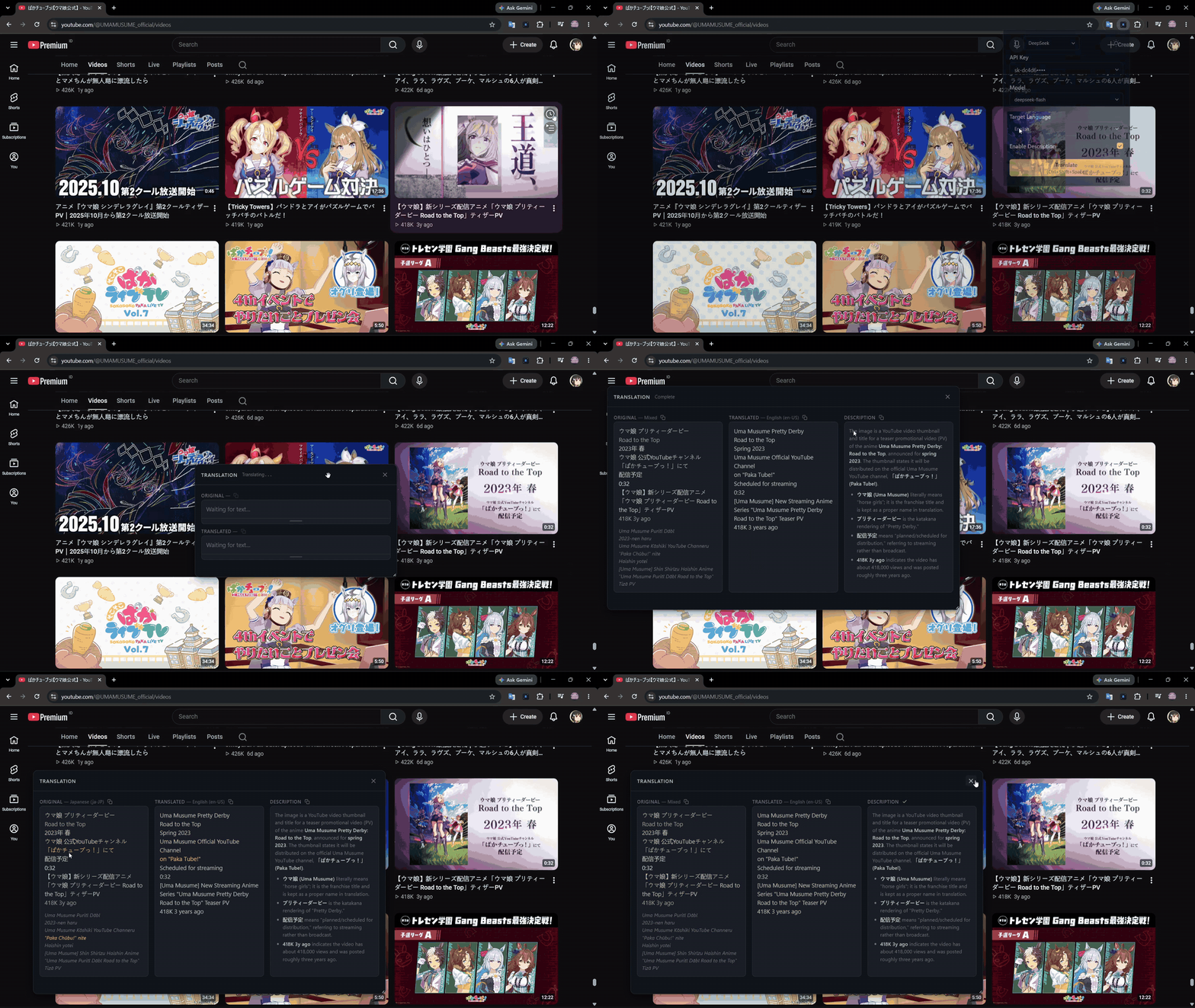
Screenshots
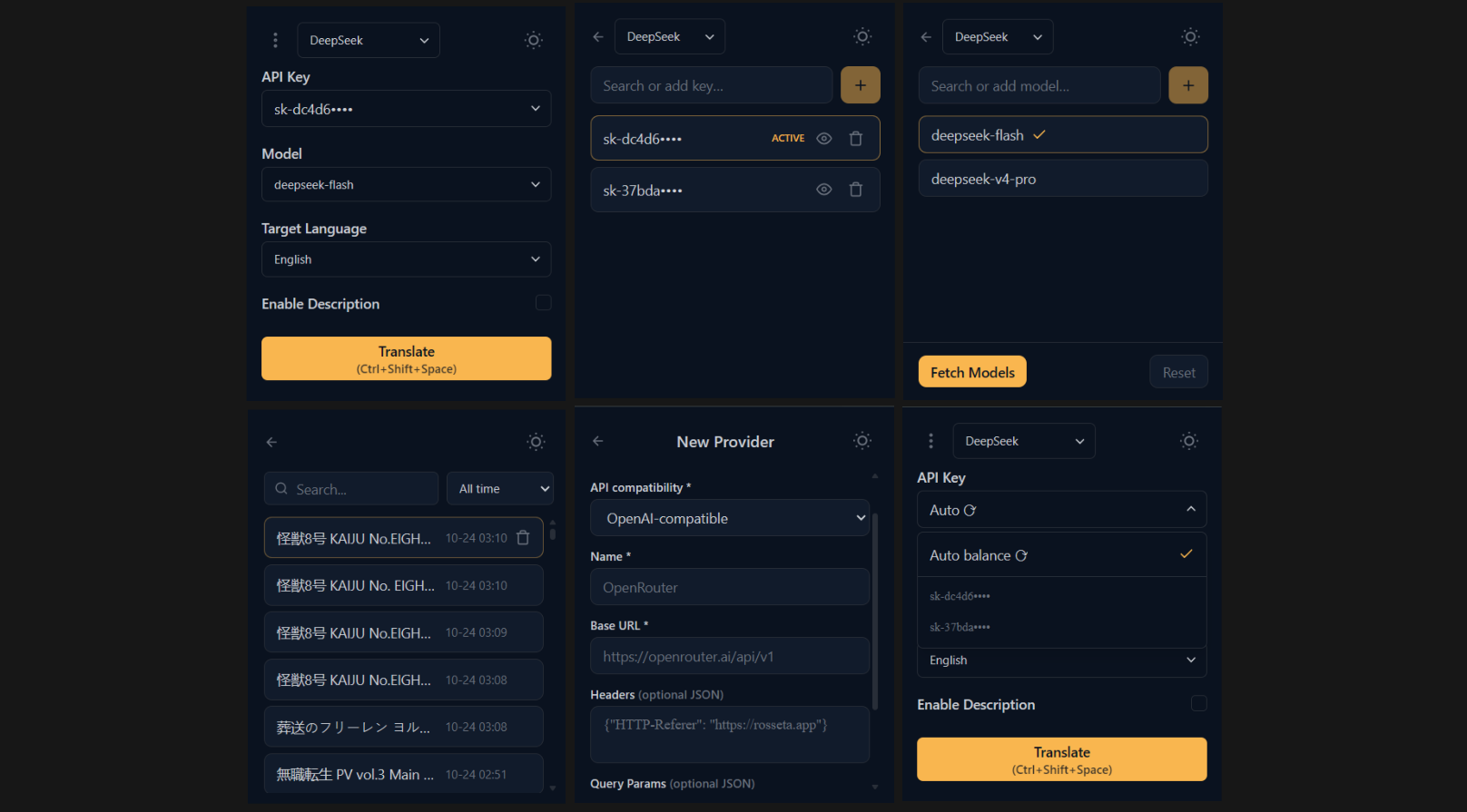
Features
Region-based translation
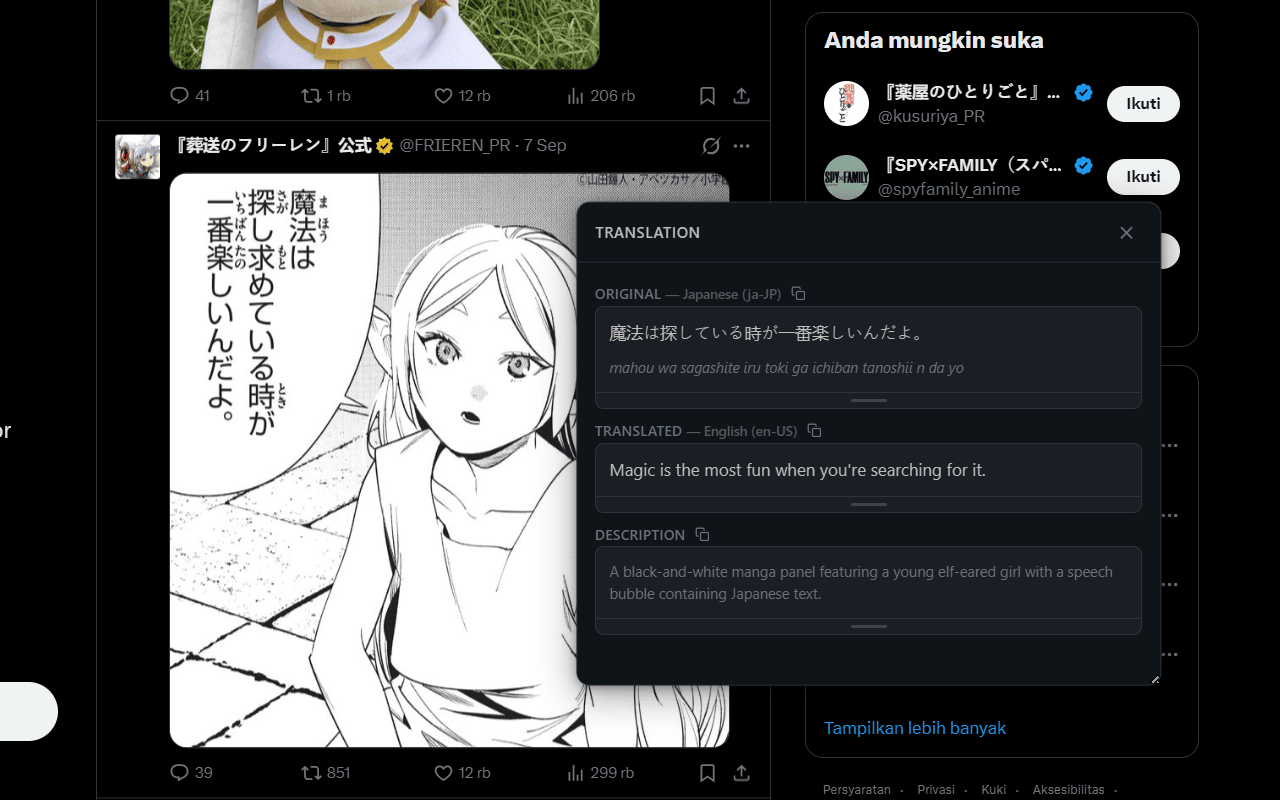
Select any area of a page by drawing a rectangle over it. This works on regular text, embedded images, video subtitles, UI labels, buttons, or anything else visible on screen. The extension screenshots the selected region, runs OCR through a vision model, segments the text by language, and displays both the original and translated text in an in-page modal.
Romanization
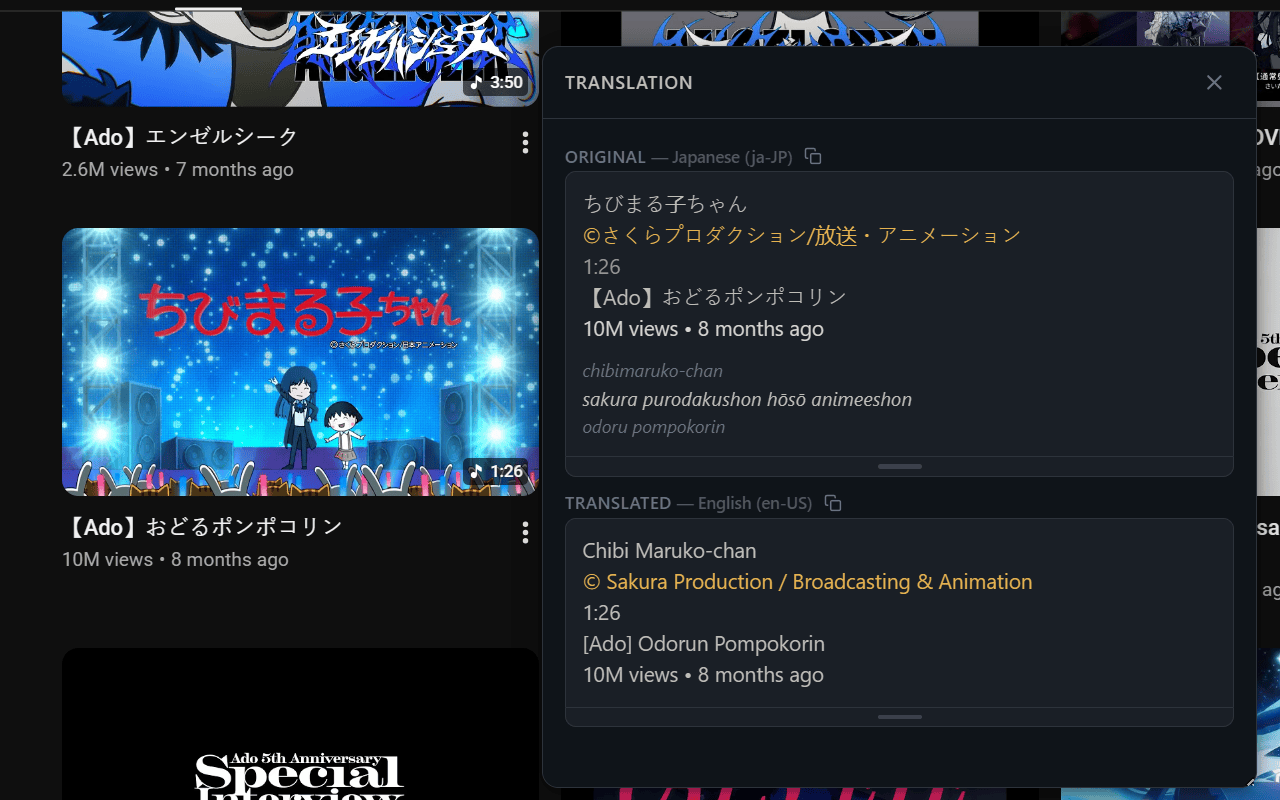
For non-Latin scripts (Japanese, Chinese, Korean, Arabic, Thai, etc.), the translation result includes romanization alongside the original text. For example, Japanese text shows its reading in romaji.
Context description
Each translation result can include a brief contextual summary describing what was captured. This is written in the target language. It can be turned off in settings to reduce token usage.
Multi-segment output
The OCR output is segmented by visually distinct blocks, not merged into a single blob. Each heading, label, timestamp, button, and caption is its own segment with its own language tag and translation. Mixed-language text within a single block is split by language.
14 built-in AI providers
Rosseta supports the following providers out of the box: Google, Groq, xAI, OpenAI, Anthropic, Mistral, DeepInfra, DeepSeek, NVIDIA, Z.ai, OpenRouter, OpenCode, Hugging Face, and PuterJS.
Model lists are fetched directly from the provider's API at runtime. You can also add models manually.
Custom provider endpoints
Point Rosseta at any OpenAI-compatible or Anthropic-compatible API by selecting the protocol and providing a base URL, optional custom headers, and optional query parameters. These values are validated when saved and used for both translation and model discovery. Useful for self-hosted models, corporate proxies, or providers not yet built in.
Deleting a custom provider also removes its API keys, models, saved model selection, and key-rotation state. If that provider was selected, the translation provider selector returns to DeepSeek.
Multiple API keys per provider
You can store multiple API keys for each provider. The extension supports round-robin key rotation across keys for the same provider, cycling to the next key after each request.
Translation history
Every completed, validated translation is automatically saved locally. Partial and failed previews are not saved. History is searchable and can be cleared individually or all at once. If saving fails, the completed result remains available in the modal with a notice.
History older than 90 days is automatically removed when the extension starts and whenever history is read or changed. Restoring a backup also applies this retention limit.
Settings backup
Export your complete setup to a JSON file and restore it later from the Settings page. Backups include provider credentials (including API keys and Puter tokens), custom providers, model lists and selections, language and theme preferences, key rotation settings, and translation history.
Learned model compatibility is operational state local to the current browser profile and is excluded from backups. Another browser or a fresh installation starts with unknown capabilities.
Keyboard shortcut
Default shortcut: Ctrl+Shift+Y (Windows/Linux) or Cmd+Shift+Y (macOS). This triggers the selection overlay directly without opening the popup. The shortcut is customizable through your browser's extension shortcut settings.
Cross-browser
Runs on both Chrome and Firefox as a Manifest V3 extension.
Install
- Chrome: Install from Chrome Web Store
- Firefox: Install from Firefox Add-ons
Tips for free users
- Explore awesome-free-llm-apis for providers offering free API access or trial quotas. Limits and availability can change, so check each provider's current terms before adding a key.
- Choose a model that supports image or vision input. Rosseta sends a screenshot of the selected region, so text-only models cannot perform the translation.
Tech stack
Built with Svelte 5 (runes), TypeScript (strict, no any), Tailwind CSS v4, and a DDD + Hexagonal (Ports & Adapters) architecture. Most translation calls go through the Vercel AI SDK (@ai-sdk/*).
Contributing
See CONTRIBUTING.md for setup instructions, architecture details, coding standards, and the pull request process.
Start with the ownership map and reading path, UI source for pages/controllers/components, and FLOW.md for the full translation walkthrough. Use lint, type checks, the three test environments and production builds for both browsers to verify changes.
Roadmap
- Release to Chrome Web Store and Firefox Add-ons
- More AI providers
Privacy
Rosseta does not collect, store, or transmit any personal data to our servers.
- Provider credentials (including API keys and Puter auth tokens), preferences, and translation history are stored locally in your browser using
browser.storage.localand never leave your device. - Translation requests (screenshots of selected areas) are sent directly from your browser to the AI provider you configured, using your own provider credential. We have no access to this data.
- No analytics, tracking, or telemetry of any kind.
License
This project is licensed under the MIT License.