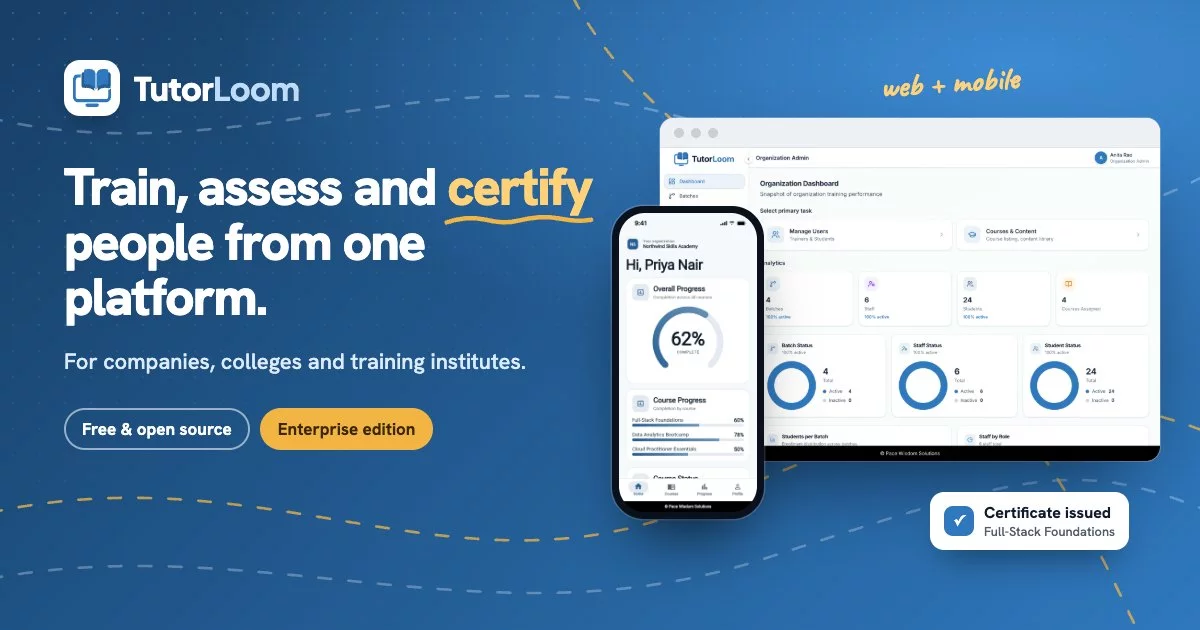





TutorLoom is a free, self-hosted learning platform for institutes and training teams. Build structured courses, enrol learners in batches, grade their work and follow their progress, on the web and on Android and iOS.
✨ Highlights
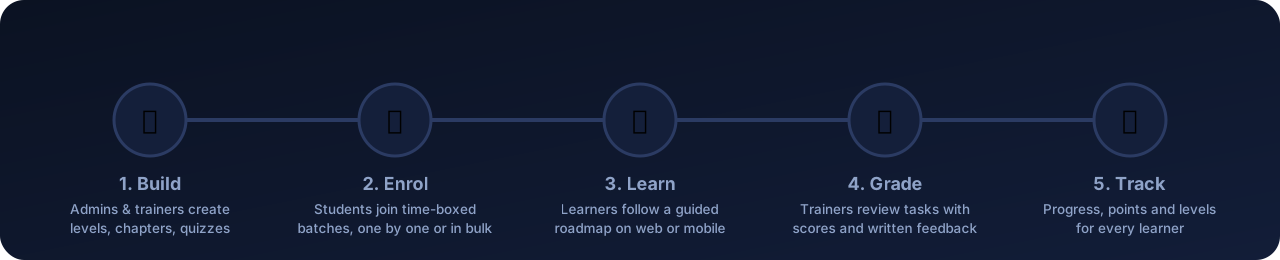
🏢 Multi-tenant by designOne installation serves many organisations. Every query is scoped to the organisation, so trainers and learners only ever see their own data. |
🧱 Structured course builderCourses are organised into levels, chapters and steps: videos, documents, tasks and quizzes, with prerequisites and sequential unlocking. |
👥 Batches & bulk onboardingGroup learners into time-boxed batches. Invite trainers and students one by one or in bulk from CSV / Excel. |
✅ Grading & feedbackTrainers review submissions in one queue, approve or reject with a score and written feedback, and export progress to Excel. |
🗺️ Guided learner roadmapStudents follow a step-by-step roadmap on the web or the mobile app, track completion and earn points and levels. |
🔌 API-firstA documented REST API (OpenAPI 3, Swagger UI and ReDoc) with JWT auth powers the web app, the mobile app and your own integrations. |
📸 Screenshots
🖥️ Web app
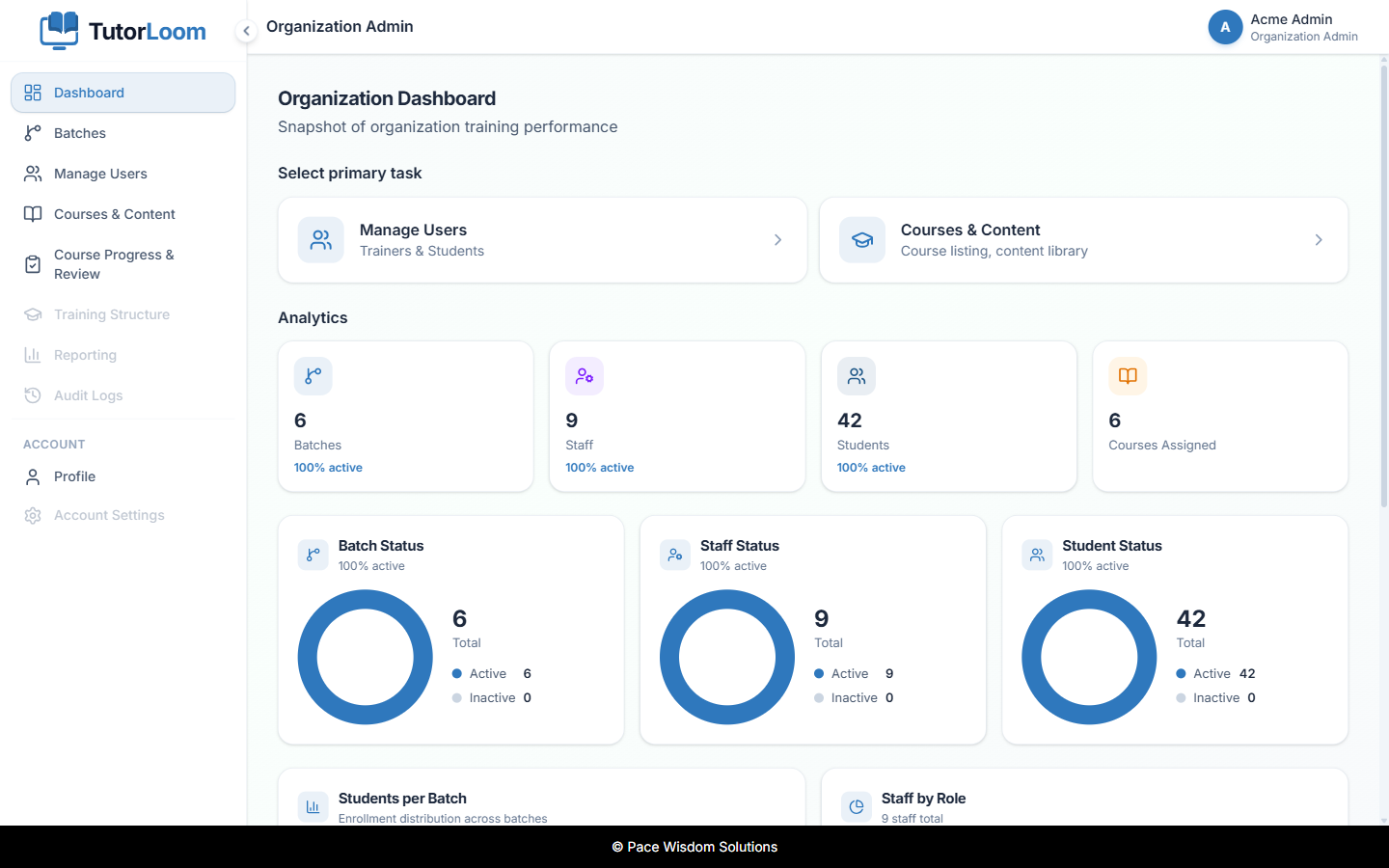
Institute Admin dashboard |
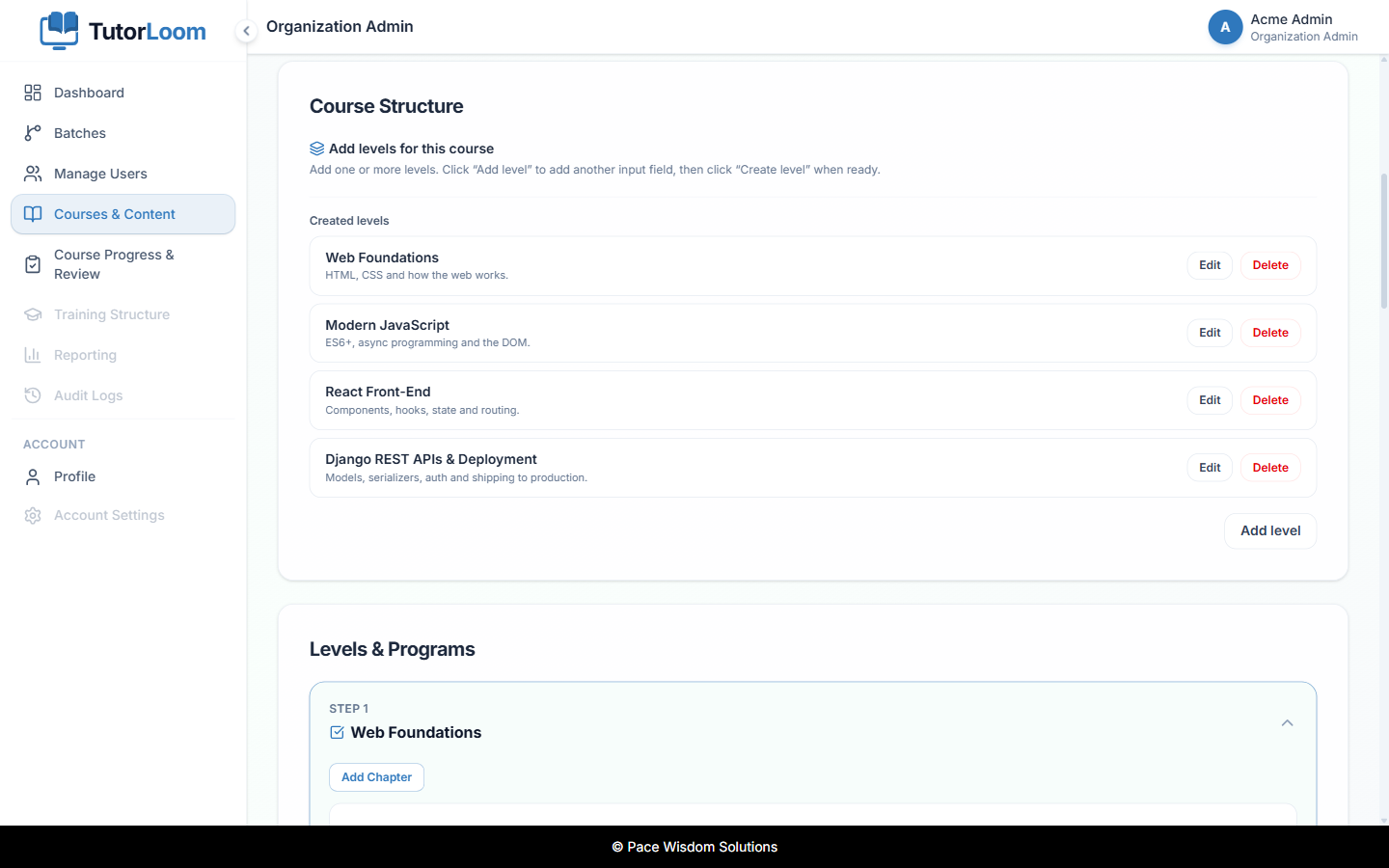
Course builder |
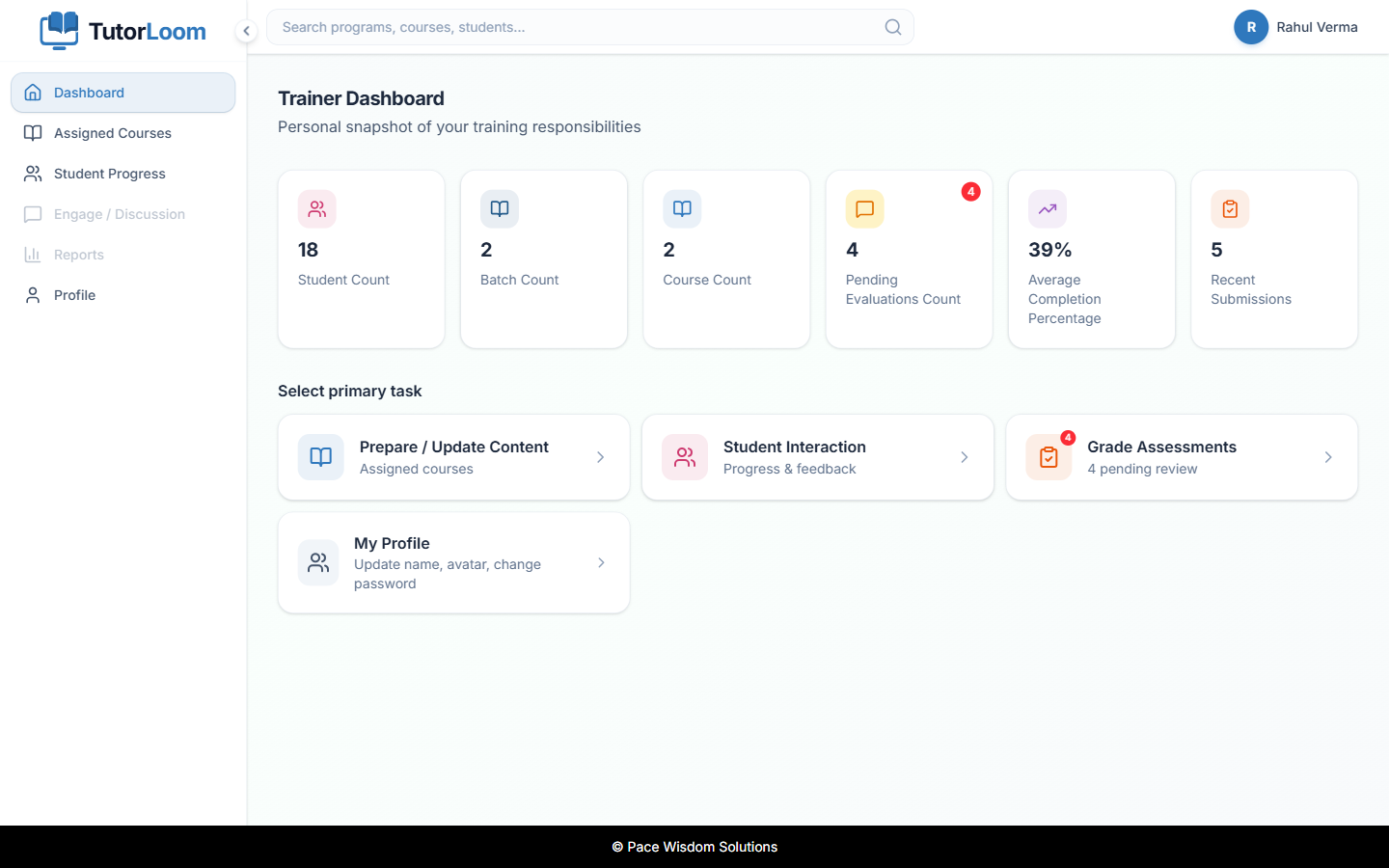
Trainer dashboard |
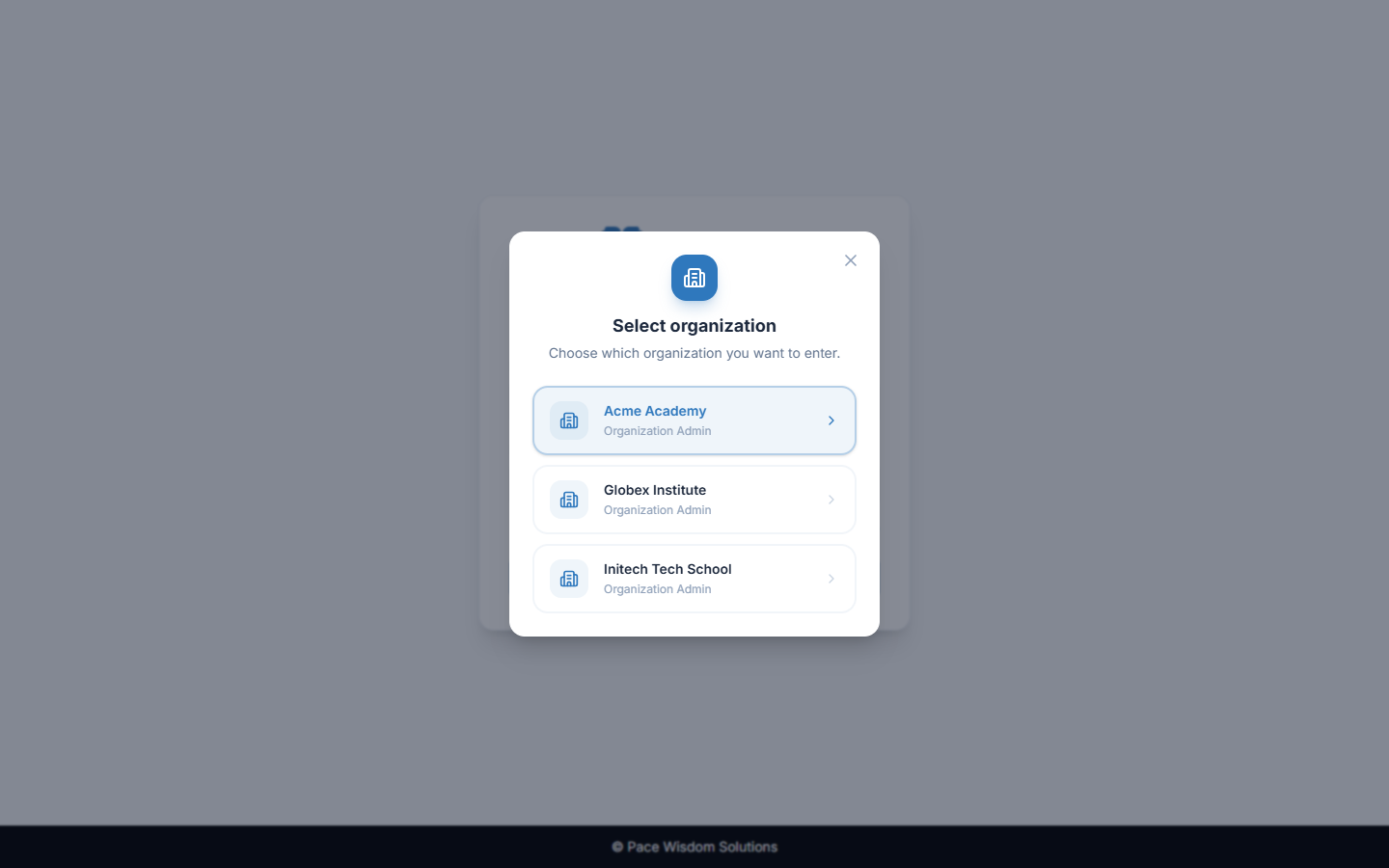
One account, many organisations |
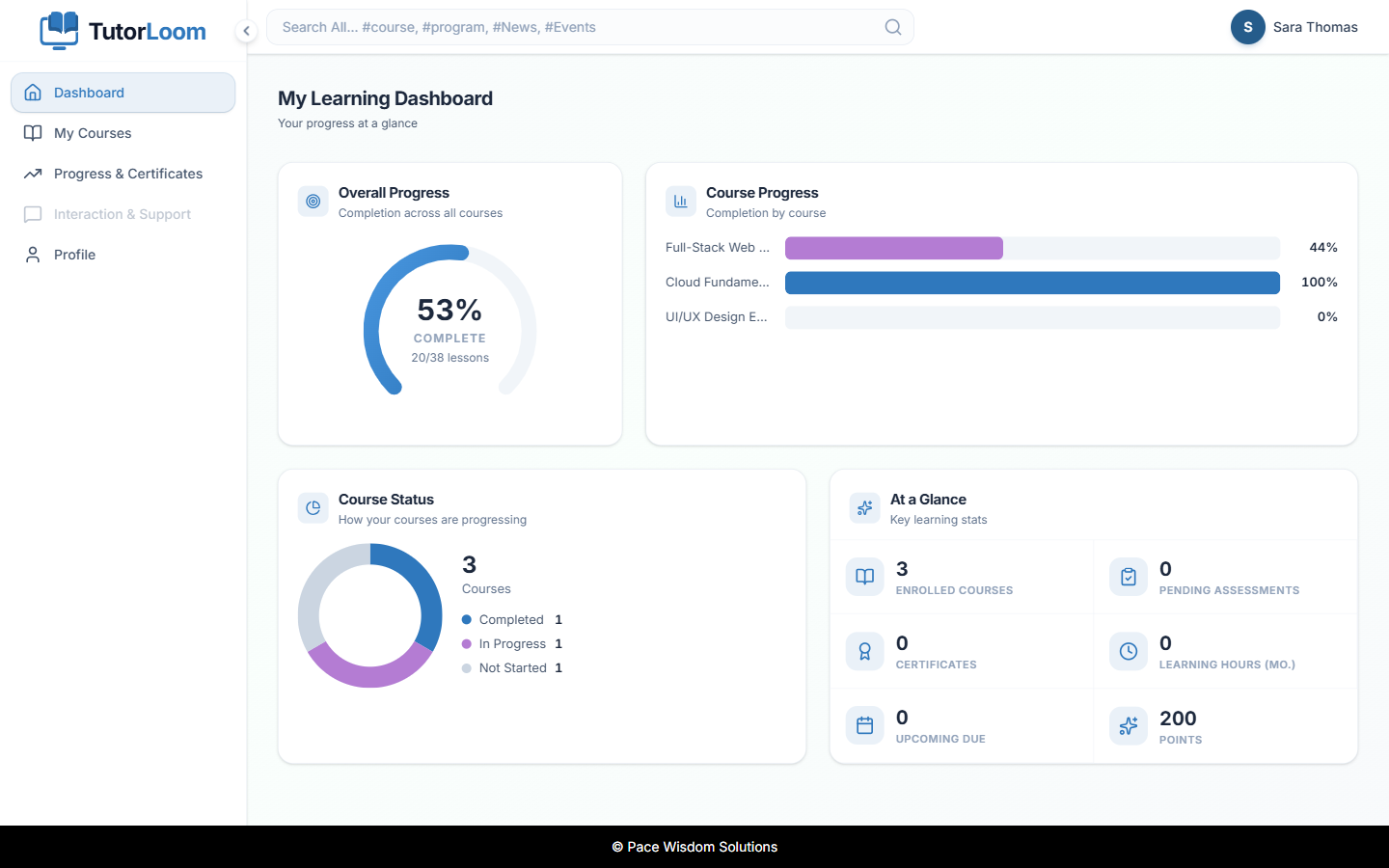
Student dashboard |
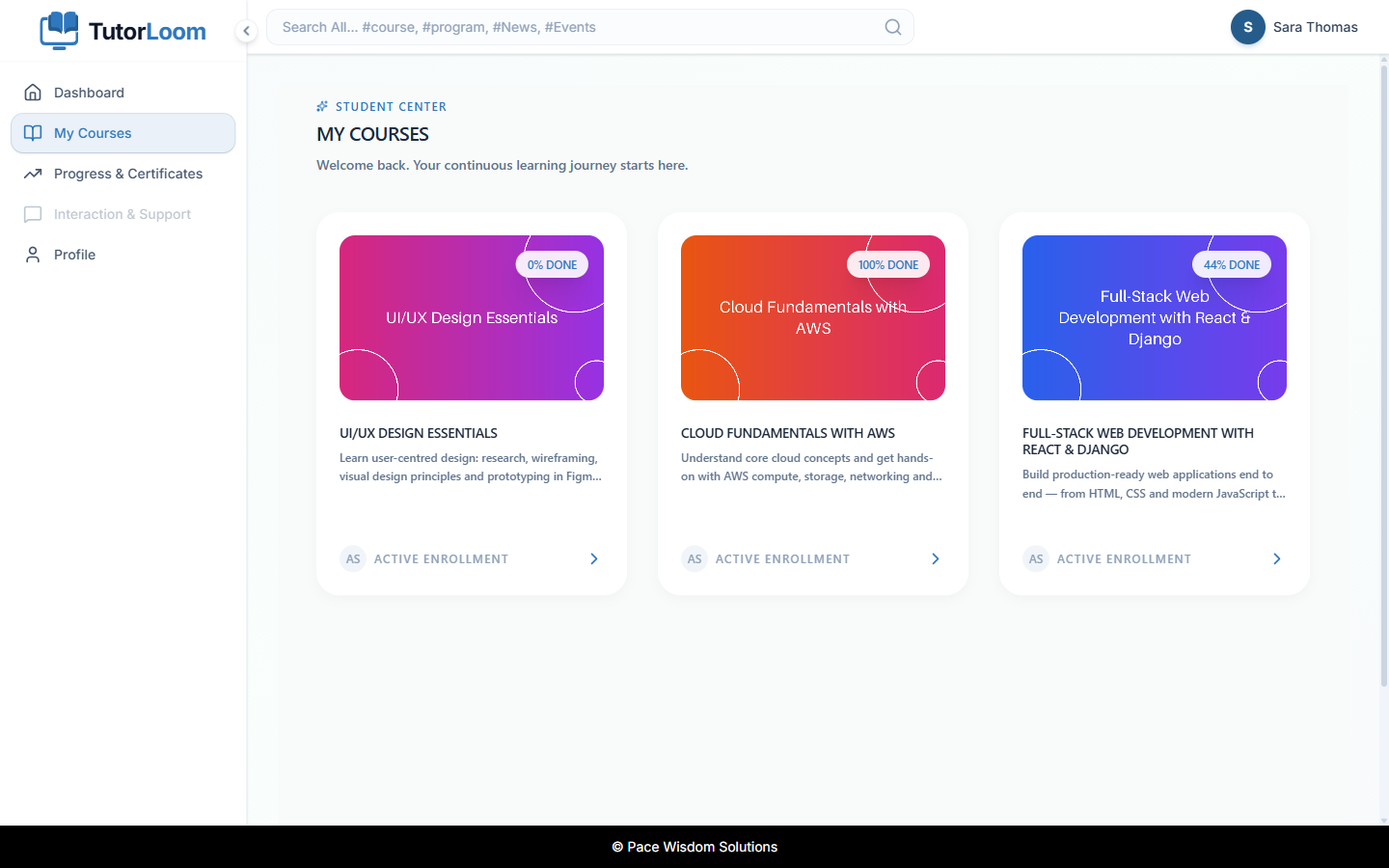
My courses |
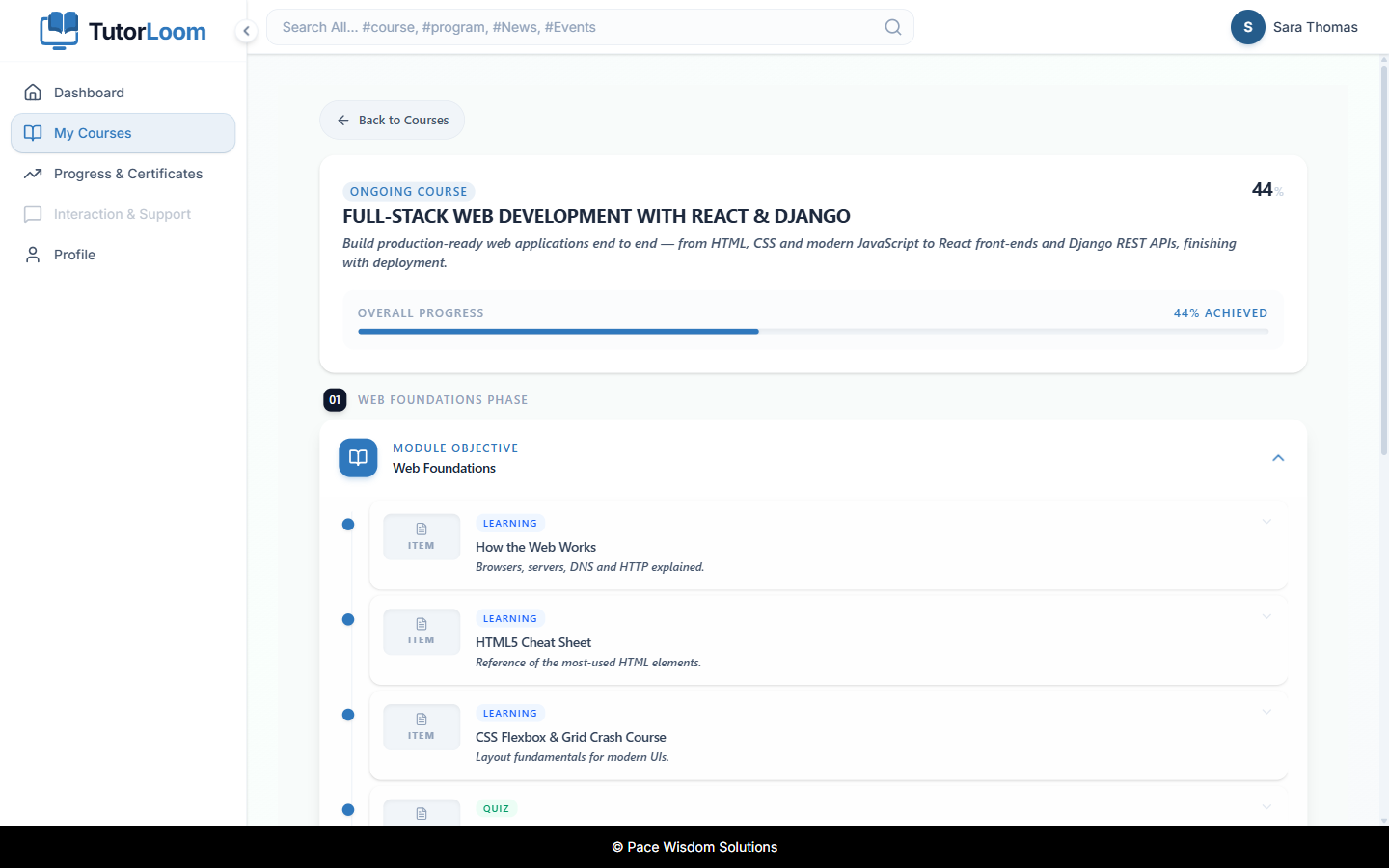
Course roadmap |
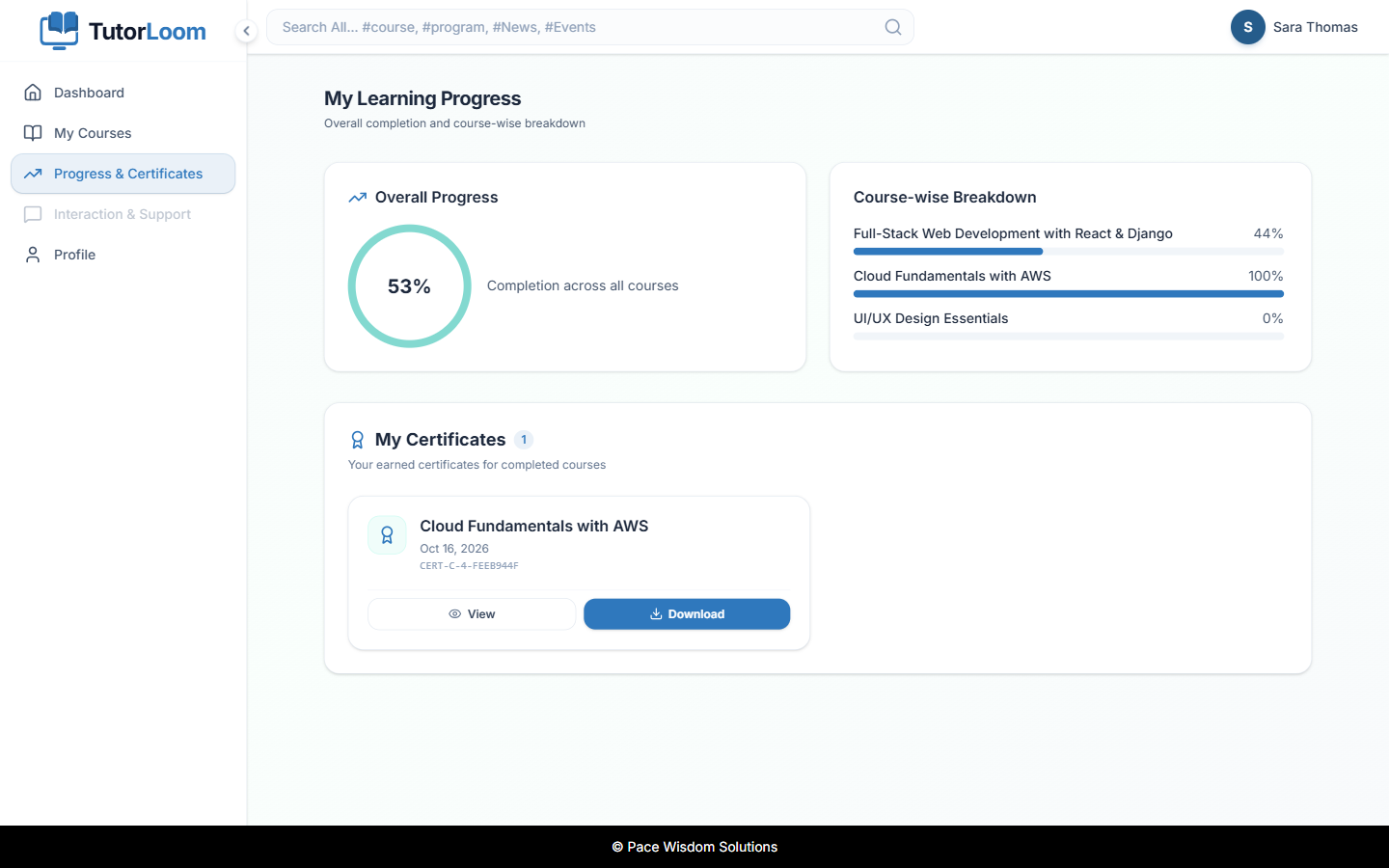
Progress & certificates |
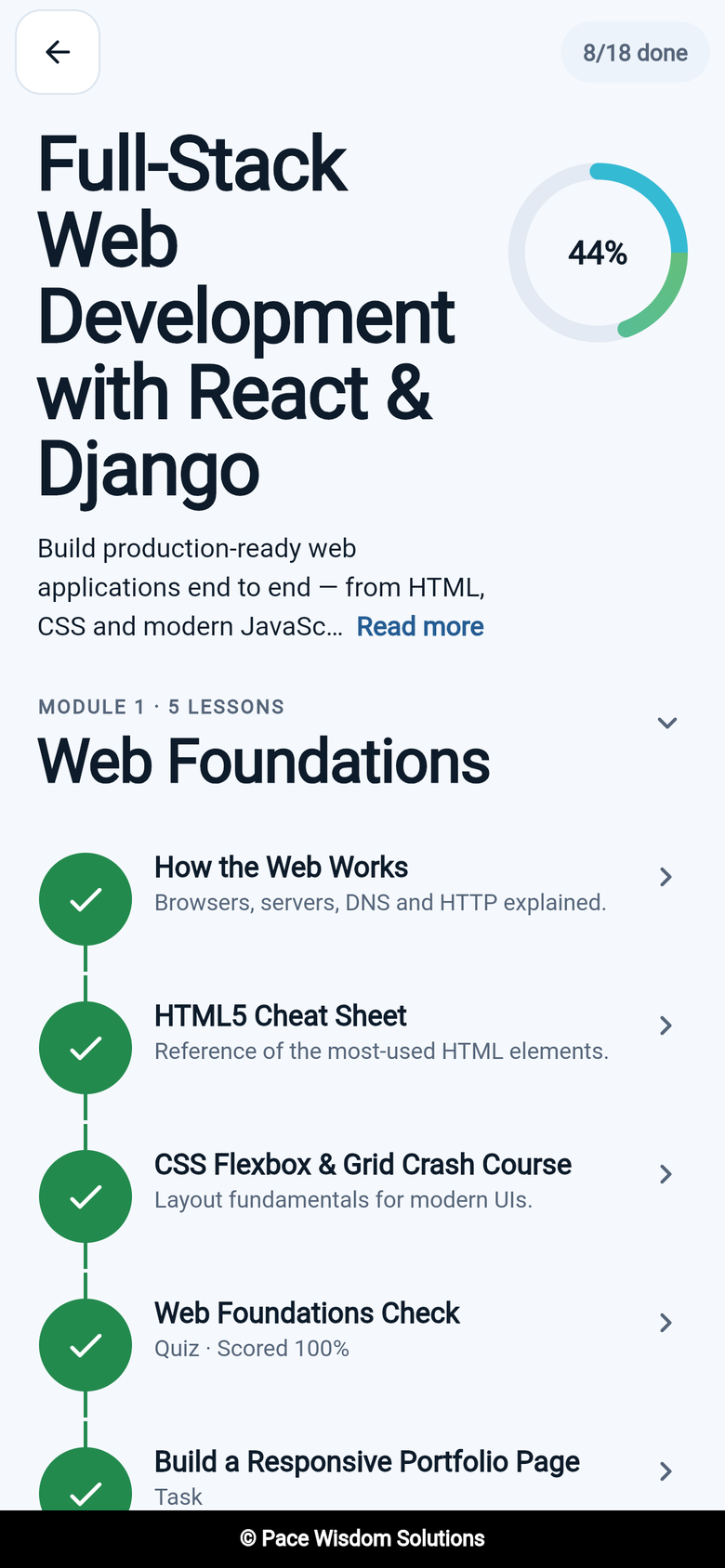
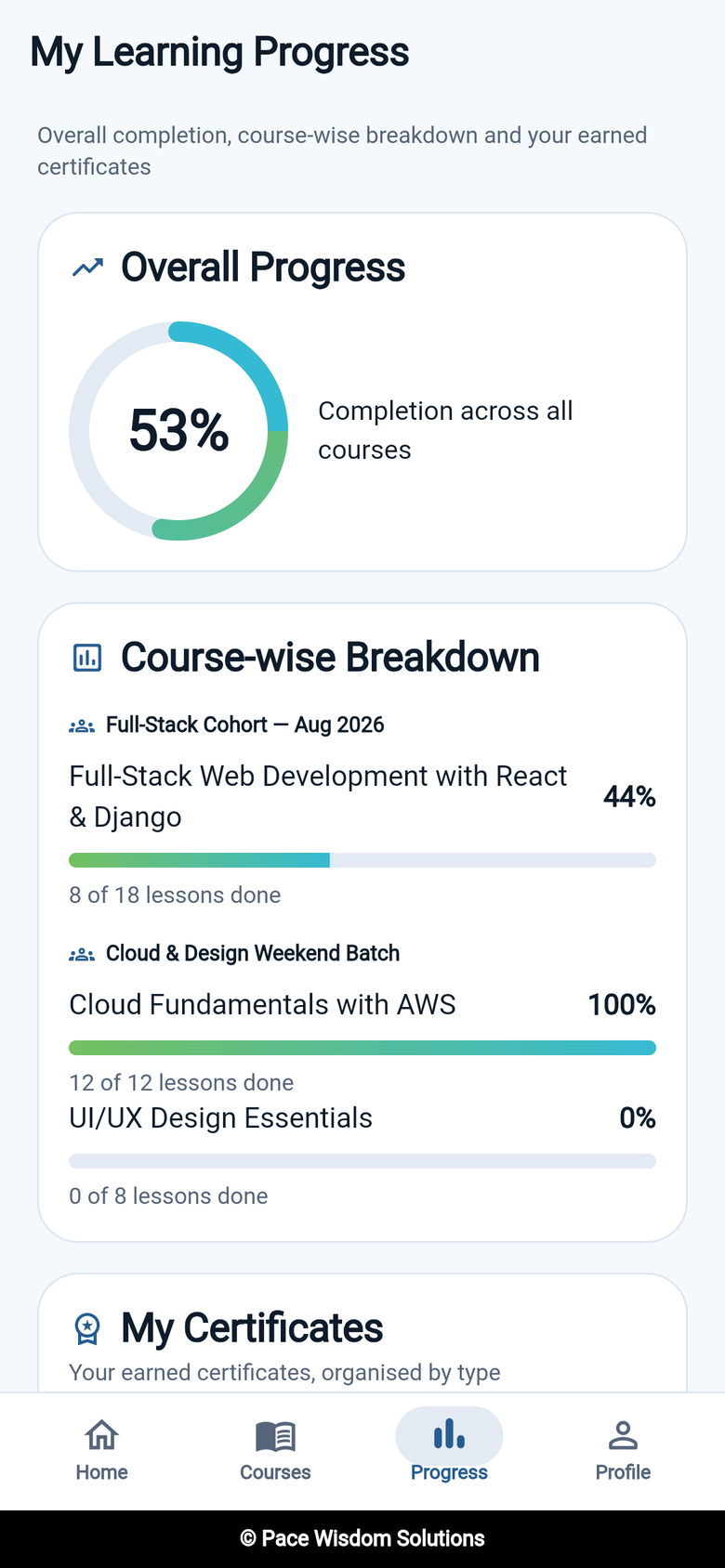
📱 Mobile app (Android & iOS)
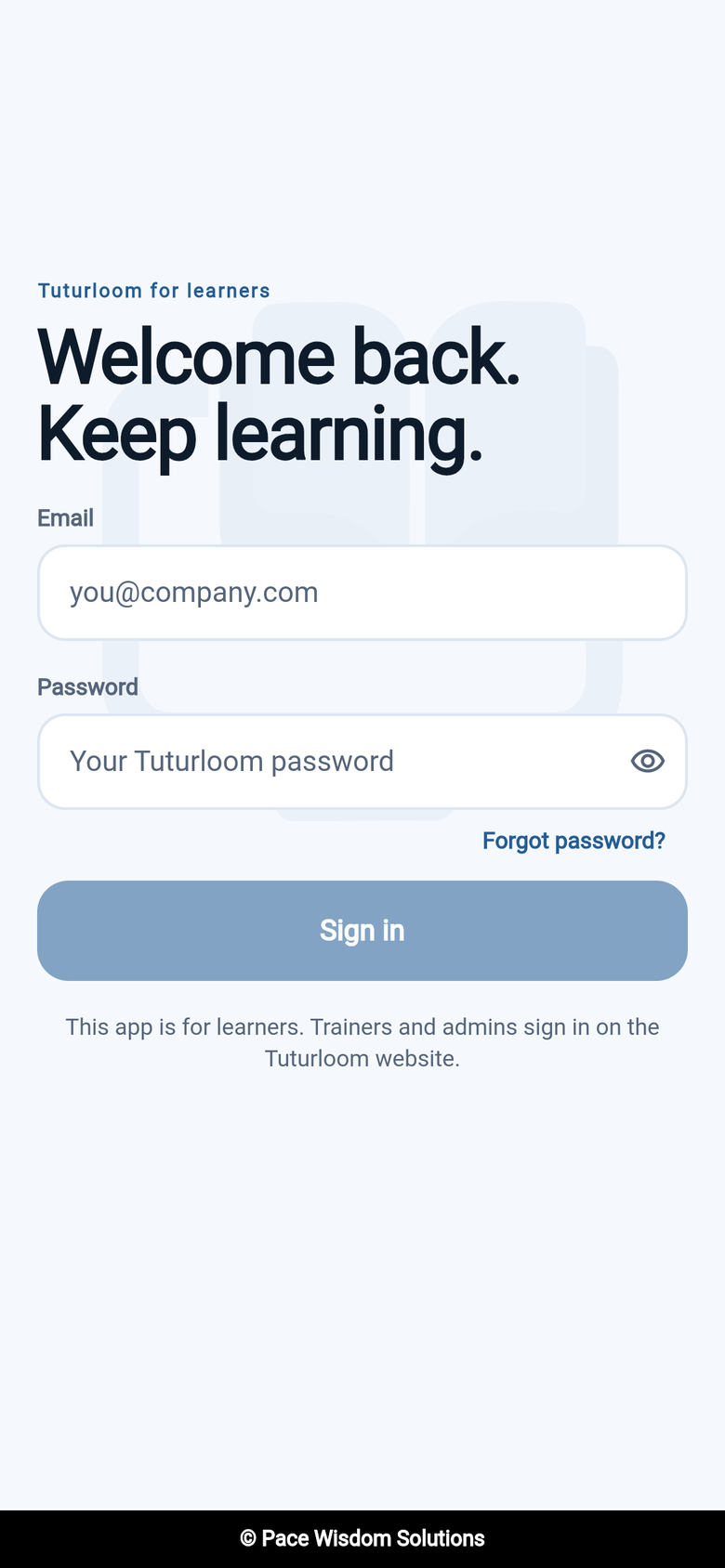
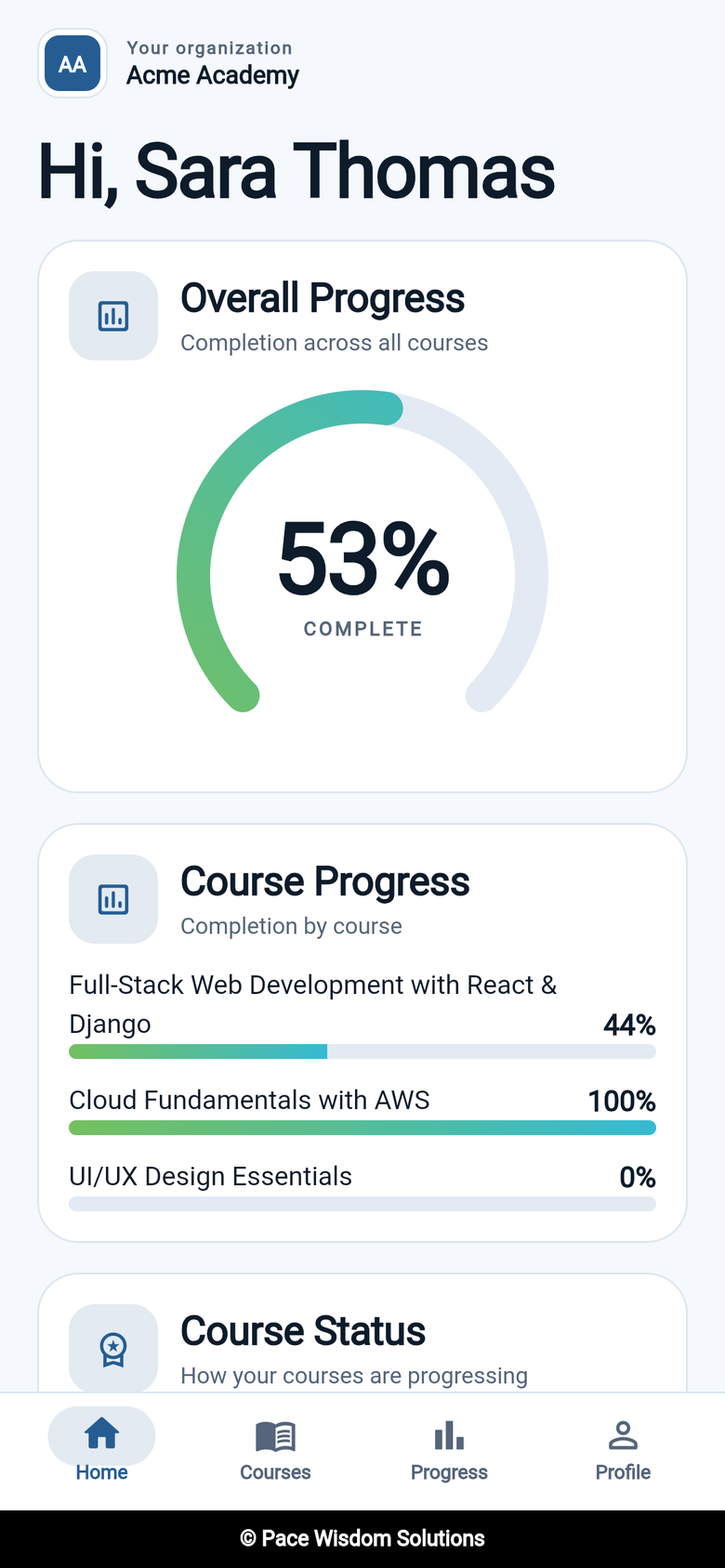
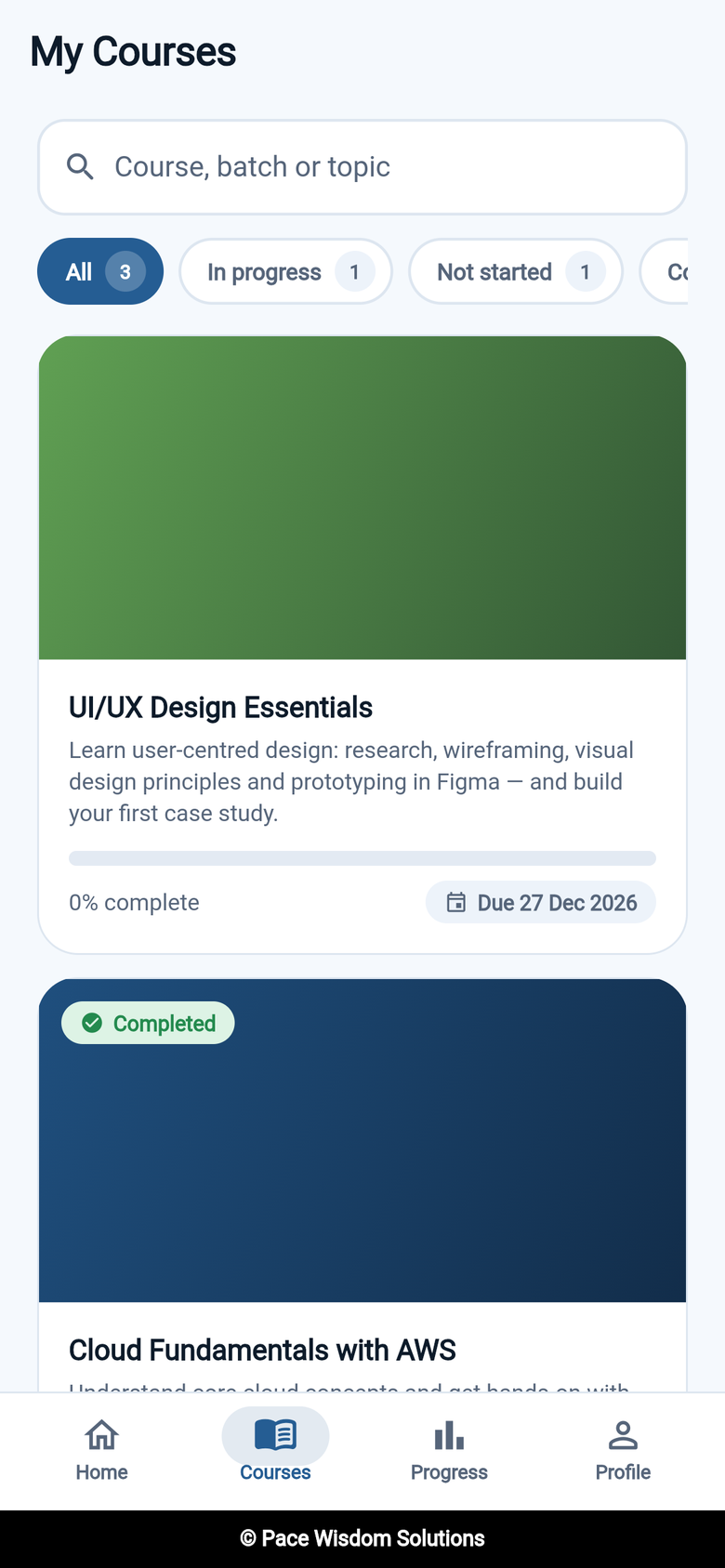
🔄 How it works
📦 Editions
This repository is the Community edition: free, open source and self-hosted. An Enterprise edition adds advanced modules on top.
| Capability | 🆓 Community | 💎 Enterprise |
|---|---|---|
| Email & password login, invites, password reset | ✅ | ✅ |
| Multi-role accounts with role switching | ✅ | ✅ |
| Institute Admin portal: trainers, students, batches | ✅ | ✅ |
| Bulk upload of trainers & students (CSV / Excel) | ✅ | ✅ |
| Course builder: levels, chapters, resources, tasks, quizzes | ✅ | ✅ |
| Prerequisites & sequential unlocking | ✅ | ✅ |
| Trainer portal: dashboard, grading, learner progress | ✅ | ✅ |
| Student portal & mobile app: dashboard, roadmap, progress | ✅ | ✅ |
| Points & levels | ✅ | ✅ |
| Course completion certificates (PDF) | ✅ | ✅ |
| Branded email notifications | ✅ | ✅ |
| Google & Microsoft sign-in | — | ✅ |
| Coding questions with AI test cases & starter code | — | ✅ |
| Course import/export, quiz bulk upload, drip release | — | ✅ |
| Assessments (MCQ, task, coding) | — | ✅ |
| No-login coding interviews for candidates | — | ✅ |
| Super Admin console, audit logs, organisation branding | — | ✅ |
| Leaderboard, badges, in-app notifications, calendars | — | ✅ |
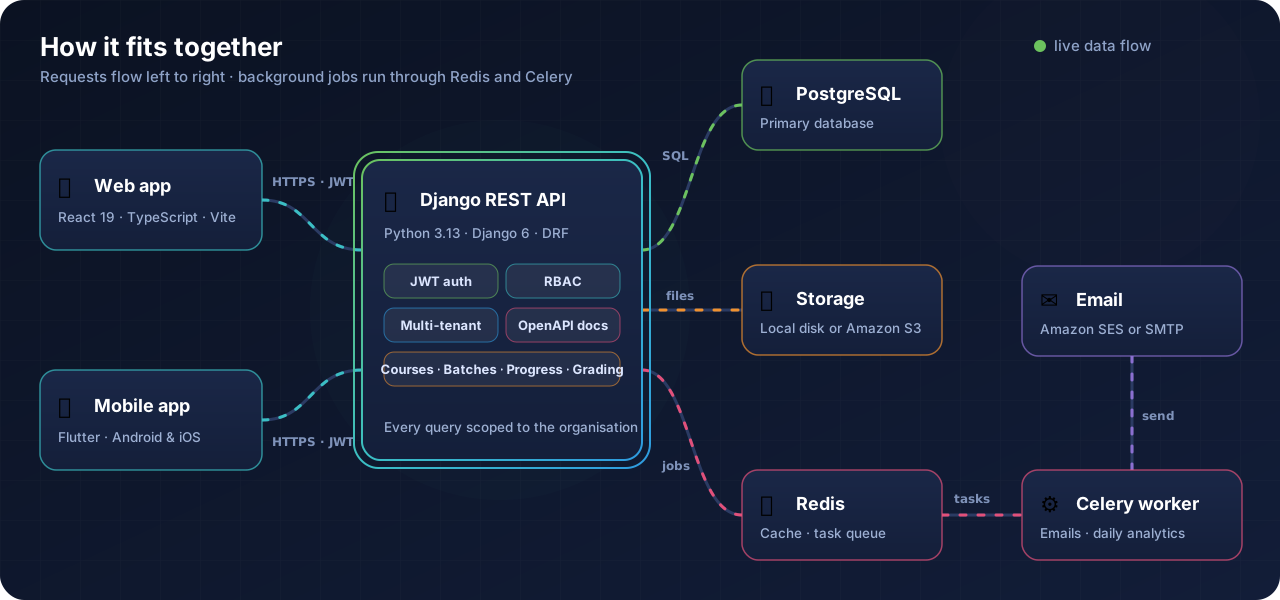
📐 Architecture
| Component | Location | Stack |
|---|---|---|
| Backend REST API | repository root | Python 3.13, Django 6, Django REST Framework, Celery |
| Web frontend | frontend/ |
React 19, TypeScript, Vite, Tailwind CSS 4 |
| Student mobile app | student_mobile_app/ |
Flutter (Android & iOS), learner-only: courses, lessons, tasks, quizzes and progress against the same API |
👤 Roles & portals
| Role | What they do | Role in code | Edition |
|---|---|---|---|
| Institute Admin | Runs one organisation: people, batches, courses, progress | org_admin |
🆓 |
| Trainer | Delivers assigned courses, grades work, tracks learners | teacher |
🆓 |
| Student | Follows course roadmaps, submits work, tracks progress | student |
🆓 |
| Super Admin | Platform-wide console for every organisation and user | Django superuser | 💎 |
| External Candidate | Takes a coding interview through a private link, no account needed | — | 💎 |
One account can hold several roles (for example a Trainer who is also an Institute Admin) and switch between portals without signing out.
🚀 Quickstart
The fastest way to run everything (Postgres, Redis, the Django API, a Celery worker and the web app) is Docker. Nothing else to install.
git clone https://github.com/pacewisdomhq/TutorLoom.git
cd TutorLoom
docker compose up --build
| Service | URL |
|---|---|
| Frontend | http://localhost:5173 |
| API docs (Swagger) | http://localhost:8010/api/docs/ |
| ReDoc | http://localhost:8010/api/redoc/ |
| Django admin | http://localhost:8010/admin/ |
Source is bind-mounted, so edits on your machine reload in the containers — no rebuild unless dependencies change. Database migrations run automatically on every backend start.
Create the initial organization, default batch, and Org Admin (with superuser/admin panel access) in a single command:
docker compose exec backend python manage.py create_initial_organization \
  --name "Acme Academy" --slug "acme-academy" \
  --admin-email "admin@acme.edu" --password "SecurePassword123" \
  --batch-name "Batch 1"
(This automatically creates the user as an Org Admin and grants superuser/staff privileges so they can access both the LMS and /admin/).
Ports and common Docker commands
The backend is published on 8010 because 8000 is often taken by another local service. Postgres and Redis are deliberately not published, so they never clash with ones you already run. Override host ports in a .env file next to docker-compose.yml, or inline:
BACKEND_PORT=9000 FRONTEND_PORT=3000 docker compose up
VITE_API_BASE_URL follows BACKEND_PORT automatically.
docker compose logs -f backend     # tail a service's logs
docker compose exec backend bash   # shell into the API container
docker compose exec backend python manage.py migrate
docker compose down                # stop; add -v to also wipe the database
💻 Manual setup
Run the backend and frontend without Docker
Prerequisites: Python 3.13, Poetry 2.x, PostgreSQL, Redis, Node.js and npm.
1. Install
git clone https://github.com/pacewisdomhq/TutorLoom.git
cd TutorLoom
poetry env use python3.13
poetry install
Prefer pip? python3.13 -m venv .venv && source .venv/bin/activate && pip install -r requirements.txt
2. Configure
cp .env.example .env
At minimum set SECRET_KEY, the DB_* variables (or DATABASE_URL), REDIS_URL and CELERY_BROKER_URL. See environment variables for the full list.
3. Create the database and first organisation
poetry run python manage.py migrate
poetry run python manage.py create_initial_organization \
  --name "Acme Academy" --slug "acme-academy" \
  --admin-email "admin@acme.edu" --password "AdminPassword123" \
  --batch-name "Batch 1"
This creates the organisation, its first batch and the Institute Admin, who also gets Django admin (/admin/) access. Pass --no-superuser to skip that.
4. Run the backend
redis-server                                          # or: docker run -d -p 6379:6379 redis
poetry run python manage.py runserver
poetry run celery -A lms_core worker -l info          # background tasks
5. Run the web app
cd frontend
npm install
cp .env.example .env   # set VITE_API_BASE_URL, e.g. http://localhost:8000/api
npm run dev            # http://localhost:5173
The full frontend guide lives in frontend/README.md. The mobile app guide, covering Flutter setup, its one environment variable, architecture, and building and releasing, lives in student_mobile_app/README.md.
🔧 Configuration
All settings are read from environment variables (or a .env file). Copy .env.example to get started.
All environment variables
| Variable | Description | Example |
|---|---|---|
SECRET_KEY |
Django secret key | change-this-to-a-secure-secret-key |
DEBUG |
Debug mode (default False) |
True |
ALLOWED_HOSTS |
Comma-separated allowed hosts (default *) |
localhost,127.0.0.1 |
DATABASE_URL |
Full DB URL; overrides the DB_* vars |
postgres://postgres:postgres@localhost:5432/lms_db |
DB_NAME |
Postgres database name | lms_db |
DB_USER |
Postgres user | postgres |
DB_PASSWORD |
Postgres password | postgres |
DB_HOST |
Postgres host (required unless DATABASE_URL is set) |
localhost |
DB_PORT |
Postgres port | 5432 |
REDIS_URL |
Redis URL for the cache (required) | redis://127.0.0.1:6379/1 |
CELERY_BROKER_URL |
Celery broker (required) | redis://127.0.0.1:6379/0 |
CELERY_RESULT_BACKEND |
Celery result backend | django-db |
CELERY_TASK_ALWAYS_EAGER |
Run tasks inline, with no worker | False |
FRONTEND_URL |
Web app URL, used in emails, CORS and CSRF | http://localhost:5173 |
BACKEND_PUBLIC_URL |
Public URL of this API | http://localhost:8000 |
CSRF_TRUSTED_ORIGINS |
Comma-separated trusted origins | https://app.example.com |
CORS_ALLOWED_ORIGINS |
Extra comma-separated CORS origins | https://app.example.com |
CORS_ALLOW_ALL_ORIGINS |
Allow any origin | False |
DEFAULT_FROM_EMAIL |
Sender address | no-reply@example.com |
AWS_SES_ACCESS_KEY_ID |
SES key. If empty, email goes through EMAIL_BACKEND |
(empty) |
AWS_SES_SECRET_ACCESS_KEY |
SES secret | (empty) |
AWS_SES_REGION |
SES region | ap-south-1 |
EMAIL_BACKEND |
Fallback mail backend (default: console) | django.core.mail.backends.console.EmailBackend |
EMAIL_HOST / EMAIL_PORT / EMAIL_USE_TLS |
SMTP server settings | smtp.gmail.com / 587 / True |
EMAIL_HOST_USER / EMAIL_HOST_PASSWORD |
SMTP credentials | user@example.com / app-password |
USE_S3 |
Store uploads on S3 instead of ./media/ |
False |
AWS_S3_ACCESS_KEY_ID / AWS_S3_SECRET_ACCESS_KEY |
S3 credentials | AKIA... / ... |
AWS_STORAGE_BUCKET_NAME |
S3 bucket | lms-media |
AWS_S3_REGION_NAME |
S3 region | ap-south-1 |
USE_AWS_SECRETS |
Load settings from AWS Secrets Manager | False |
AWS_SECRETS_NAME |
Secret name | lms/prod |
AWS_REGION_NAME |
Secrets Manager region | ap-south-1 |
TEST_IP |
(tests only) IP used by the test suite | 127.0.0.1 |
🔌 API
| URL | What |
|---|---|
/api/docs/ |
Swagger UI: interactive API reference |
/api/redoc/ |
ReDoc |
/api/schema/ |
OpenAPI 3 schema |
/admin/ |
Django admin |
To try authenticated endpoints in Swagger, call POST /api/auth/login/, click Authorize and paste the access token.
Endpoint overview
All endpoints require Authorization: Bearer <token> except login, invite and password reset. Lists are paginated at 20 items per page.
| Area | Endpoints |
|---|---|
| Auth | POST /api/auth/login/ · refresh/ · logout/ · forgot-password/ · reset-password/ · accept-invite/ · GET verify-invite/ |
| Profile | GET/PATCH /api/users/me/ · POST /api/users/<id>/reinvite/ |
| Roles | /api/roles/ · /api/user-roles/ · update-role/ · delete-role/ |
| Organisation | /api/organizations/<org>/ · members/ · staff/ · batches/ · batches/<b>/students/ · students/ · …/bulk-upload-file/ · …/download-template/ |
| Dashboards | …/<org>/analytics/overview/ · …/batches/<b>/analytics/ · …/students/me/dashboard/ · …/teacher-dashboard/<teacher>/ · …/batches-overview/ |
| Course builder | /api/organizations/<org>/courses/ → modules/ → nodes/ · nodes/<n>/content/ |
| Learning | …/courses/<c>/roadmap/ · …/my-courses/ · …/my-progress/ · POST /api/nodes/<n>/complete/ |
| Submissions | /api/nodes/<n>/submit/ · task/submit/ · task/result/ · task/all-submissions/ · /api/quizzes/<q>/submit/ |
| Grading & progress | …/pending-evaluations/ · …/submissions/tasks/<s>/review/ · …/learner-progress/ · …/learner-progress/export/ · …/node-submission-details/ |
For architecture details, multi-tenancy flowcharts and the full endpoint reference, see PROJECT_OVERVIEW.md.
🧰 Tech stack
| Area | Technology |
|---|---|
| Backend | Python 3.13, Django 6, Django REST Framework 3.16 |
| Auth | JWT via djangorestframework-simplejwt (rotating refresh tokens with blacklist) |
| Database | PostgreSQL |
| Cache & jobs | Redis, Celery, django-celery-results |
| Storage | Local filesystem or Amazon S3 (django-storages) |
| Amazon SES, with a fallback to any Django mail backend | |
| Spreadsheets | pandas, openpyxl, xlrd (bulk uploads and Excel exports) |
| API docs | OpenAPI 3 via drf-spectacular (Swagger UI and ReDoc) |
| Web frontend | React 19, TypeScript, Vite, React Router, Tailwind CSS 4 |
| Mobile | Flutter (Dart 3.13), MVVM + Provider, go_router, Dio, Hive |
| Tests | pytest, pytest-django, pytest-cov (backend) · Vitest (frontend) · flutter test (mobile) |
Project structure
.
├── lms_core/            # Settings, root URLs, Celery app, email & storage utilities, soft-delete base model
├── accounts/            # Users (email login), JWT auth, invites, password reset, profile
├── rbac/                # Roles, role assignments, permission classes
├── organizations/       # Organisations, staff, batches, students, bulk upload, bootstrap command
├── curriculum/          # Courses, levels, chapters, steps, resources, tasks, quizzes, submissions, progress
├── analytics/           # Admin / trainer / student dashboards and daily metrics
├── gamification/        # Points & levels
├── settings/            # Shared Amazon SES client
├── frontend/            # React 19 + TypeScript + Vite web app (docs: frontend/README.md)
├── student_mobile_app/  # Flutter learner app for Android and iOS (docs: student_mobile_app/README.md)
├── Dockerfile           # Backend API image
├── docker-compose.yml   # Full local stack: Postgres, Redis, API, Celery worker, frontend
├── pyproject.toml       # Poetry dependencies + pytest / coverage config
└── requirements.txt     # pip dependencies (used by the Dockerfile)
Each backend app has its own README.md with deeper notes. The frontend is documented in frontend/README.md and the mobile app in student_mobile_app/README.md.
🧪 Testing
Backend tests need a running PostgreSQL; Redis, S3 and Celery are stubbed automatically.
poetry run pytest -p no:cacheprovider --no-cov -q    # fast run
poetry run pytest                                    # with coverage (terminal + coverage.xm