A fast 2D arcade space shooter I built in Python with Pygame. It runs on the desktop and in the browser.
How this project started
I wrote this game back in my 2nd year of engineering, when I was just learning Python. I followed along with the Alien Invasion project from Python Crash Course by Eric Matthes. It was one of the first "real" programs I made: a window, a ship, aliens, and a lot of trial and error.
If you want to see where I started, the original code (yes, with a file called game_funtions.py) is still in the git history. Look at the first commits on main.
What I'm doing with it now
These days this is my weekend hobby project. I'm using AI coding agents to help me improve the game step by step. I want to see how far an old beginner project can go, and learn how to work well with AI tools along the way.
Every change goes in as its own commit, so the git history shows how the game grows over time.
The story
Year 2387. The Aurora Gate is humanity's last hyperspace gate, and every colony ship comes home through it. The Vex Armada wants it dark: its swarms and three motherships are already crossing the Outer Rim. You fly the Starling, the only fighter left at the gate. Hold the line through ten sectors and take down their motherships.
The first time you play, BB-8, your co-pilot droid, rolls in at the start of level 1. It's styled to match the co-pilot assistant on my portfolio: a white rolling ball with orange ring panels and a domed head. BB-8 tells you the story and walks you through the controls. The game waits until BB-8 is done, so it can use the whole screen. Press Space or Enter to go on, Left to go back, or Esc to skip.
During play, BB-8 never covers the action. Its one-time tips (first capsule, first stored weapon, first hit, first boss, and so on) show up one after another as a co-pilot comms line in the top bar, with a small BB-8 head next to the text. You can replay the briefing any time with Tutorial on the main menu.
How to play
Enemy squadrons swoop in from the corners, slide in from the sides, stream across the screen and dive at you. Every run is different: the waves are random, but the same seed always gives the same run.
- Your ship has a health bar (the heart icon in the bottom-left). Bullets, beams, rams and mines chip away at it. You have 3 ships.
- After a hit you flash for a moment and can't be hit again right away, so one burst can't wipe you out.
- Each level has its own sector, enemy mix and hazards (asteroid fields, minefields). Clear every wave to warp to the next sector.
- Levels 3, 6 and 10 are boss fights. After level 10 it keeps going in endless mode, with a boss every 5 levels.
- Kill enemies quickly one after another to build a combo multiplier (up to x5). Taking damage resets it.
Enemies
| Ship | HP | What it does |
|---|---|---|
| 🟢 Drone | 1 | Small and quick. Single shots. From level 2 they sometimes dive at you. |
| 🟡 Wasp | 2 | Drops in, shakes for a moment, then dives straight at you. |
| 🔵 Striker | 4 | Strafes side to side and fires twin shots at you. |
| 🟠 Lancer | 8 | Moves above you, draws a thin red warning line, then fires a beam down it. Get out of the line! |
| 🟣 Guardian | 16 | Heavy armor. Fires a spread of energy orbs. |
| 🔴 Dreadnought | 38 | A battleship. Fires homing missiles (you can shoot them down) plus side guns. |
| 📦 Supply Pod | 6 | Doesn't shoot. Crosses the screen once per level. Shoot it for two capsules. |
| 🪨 Asteroid / 💣 Mine | – | Hazards. Mines blink before they blow up, and shooting one sets it off safely. |
Enemy health goes up a little every level.
Bosses
Each boss is a huge mothership parked at the top of the screen, covered in weapons. The hull is armored, so your shots bounce off it. You have to hit the glowing weapons themselves. Every boss fights in 3 stages:
- The outer weapons are online. Destroy all of them.
- The armor opens and the inner weapons come online.
- The core is exposed and fights back hard. Destroy it to win.
| Level | Boss | Weapons |
|---|---|---|
| 3 | Harbinger | cannons → spread turrets → core |
| 6 | Leviathan | cannons and missile pods → lasers and a drone hangar → core |
| 10 | Overmind | cannons, spread turrets and a hangar → lasers and missile pods → core |
Every boss attack is telegraphed: turrets glow red before firing, and lasers draw a warning line first.
Power-ups
Wrecks sometimes drop capsules that fall toward the bottom of the screen. Fly into them to collect them. If you miss one, it's gone. If you go about 8 seconds without a drop, your next kill always drops one.
Hexagon capsules are weapons. They go into your inventory (see below). When a weapon's ammo or time runs out it leaves the inventory and your next weapon is equipped. With no weapons left you're back to the basic blaster, which never runs out.
| Weapon | Limit | What it does |
|---|---|---|
| Spread Shot | 12 s | 5 bullets in a fan |
| Rapid Fire | 240 shots | Very fast stream of bullets |
| Railgun | 26 shots | Heavy shot that pierces everything in a line |
| Laser Beam | 7 s of firing | Continuous beam that melts the first thing it touches (only drains while you fire) |
| Homing Missiles | 40 volleys | Pairs of missiles that chase targets |
| Plasma Cannon | 16 shots | Big orb that explodes and damages everything nearby |
| Chain Lightning | 30 shots | Instantly zaps the nearest enemy and jumps to 4 more |
| Flak Burst | 32 shots | Shell that bursts into shrapnel |
Circle capsules are upgrades.
| Upgrade | What it does |
|---|---|
| Repair | +35 health (drops more often when your health is low) |
| Shield | Blocks the next 6 hits completely (stacks up to 10) |
| Armor | +50 armor that soaks damage before your health (up to 100) |
| Shock Charge | Instantly recharges your shockwave |
| Wingmen | Two little drones fly with you and shoot for 15 s |
| Overdrive | Double damage and faster fire for 8 s |
| Magnet | Pulls nearby capsules to you for 14 s |
| Extra Ship | One more ship (rare, up to 5) |
Every upgrade kicks in the moment you grab it. Grabbing a timed one (Wingmen, Overdrive, Magnet) that's already running resets its timer to full.
Inventory
Every weapon you collect goes into your inventory, which has up to 10 numbered slots in the middle of the bottom bar.
- Switching: change weapons whenever you like with Q / E (or the mouse wheel), or jump straight to a slot with 1–0. Every weapon keeps its own ammo or time, and a timed weapon like Spread Shot only uses up its time while it's equipped.
- New weapons: a new weapon is equipped automatically only if you're on the blaster. Otherwise it waits in its slot. Picking up a weapon you already carry refills that slot.
- Full inventory: a new weapon replaces your emptiest slot. Your equipped weapon is never replaced.
- Losing a ship: you lose the equipped weapon and any running upgrades. Everything else stays in your inventory.
Controls
| Key | What it does |
|---|---|
| Arrows or WASD | Fly (left/right across the screen, up/down in the lower half) |
| Space (hold) | Shoot |
| Shift | Shockwave: a ring that clears all enemy bullets and hits hard enough to kill a Guardian. Takes 16 s to recharge. |
| Q / E or mouse wheel | Previous / next weapon |
| 1 … 0 | Equip the weapon in that inventory slot |
| P or Esc | Pause menu (Resume, Help, Restart run, Main menu, Quit) |
| R | Play again after game over (Esc goes to the main menu) |
Menus and help
The game opens on a main menu: Play, Leaderboard, Tutorial, Help and Quit (Quit is desktop only). Help has seven pages: Story, Basics, Controls, Enemies, Bosses, Weapons and Upgrades. They cover every enemy, boss and power-up in the game. HP, ammo, durations and boss weapons are read straight from the config, so the help always matches the game. Use the arrow keys or click the tabs; Esc goes back. Help is also in the pause menu.
Leaderboard
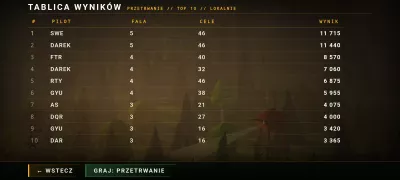
When a run ends, the game asks for a gaming name (up to 20 characters) and a country. Type to search the country list, then press Enter; Tab moves between the name, the country and the buttons.
- Save locally puts the run on this device's leaderboard, shown as flag, name, then score (plus the level reached). Your new entry is highlighted.
- Save & publish only appears when the game runs on my portfolio, which hosts a public leaderboard. Before you choose it, the game explains what happens: your gaming name is checked by OpenAI, and the reviewed (or fully masked) name, flag and score are public for up to 180 days. The game shows "Saved publicly" only once the site confirms it. If something goes wrong you can retry or edit, and your name and country are kept.
- Skip (Esc) saves nothing.
The game remembers your last name and country for next time. You can also open the local leaderboard from the main menu.
Scores are kept in a small local database:
- Desktop: a SQLite file at
save/alien_invasion.db(ignored by git) - Browser: the page's
localStorage, so it stays on that device and browser
The public leaderboard lives entirely on the portfolio's server (name review and storage). The game only sends your chosen name, country and run id to the page that embeds it.
The 252 country flags are bundled with the game (assets/flags/, fetched once with tools/fetch_flags.py from flagcdn.com; national flags are public domain). Nothing is downloaded while you play.
How to run it
You need Python 3.9 or newer.
pip install -r requirements.txt
python main.py               # or: python alien_invasion.py
python main.py --seed 1234   # play the exact same run again
The game uses pygame-ce, the community edition that also powers the browser build. Classic pygame 2.x works on the desktop too.
Browser version
The browser build is the same Python code, packaged with Pygbag (pygame-ce compiled to WebAssembly).
pip install -r requirements-dev.txt
python build_web.py --serve   # open http://localhost:8000
python build_web.py           # just build into build/web/
My portfolio page embeds this build. The game reports things like run started, score, health, level and game over to the page, and asks it to publish a score when you choose Save & publish. The page can pause the game or send touch controls. The details are in docs/HOST_INTEGRATION.md.
Portfolio deployment
My portfolio builds this game straight from this repo's main branch. When a change to the game (main.py, invasion/, assets/ or requirements.txt) lands on main, the Redeploy portfolio arcade GitHub Action runs the tests and, if they pass, triggers the portfolio's Amplify build through a private webhook (the AMPLIFY_WEBHOOK_URL secret). You can also start it by hand from the Actions tab.
Artwork
All the ships, bosses, turrets and icons are drawn by code in tools/make_art.py and saved as PNGs in assets/images/. To regenerate them, for example after changing a boss's weapon positions, run:
python tools/make_art.py
Tests
pip install -r requirements-dev.txt
python -m pytest
main is protected: changes go in through pull requests, and the test check (the same suite, run by GitHub Actions) has to pass before merging.
The tests check the important rules:
- armor soaks damage before health, and shields block an exact number of hits
- one burst can't chain damage, and 3 ships means 3 health bars
- every weapon actually damages things, and ammo, refills and time limits work
- weapons can be switched with their ammo kept, upgrades work instantly, and a full inventory replaces the emptiest slot
- the menus, help pages, pause menu, restart and main menu all work by keyboard and mouse
- BB-8's briefing freezes the game and shows only on your first run (or from Tutorial); its tips appear once each, queue up instead of overlapping, and stay inside the top bar
- the leaderboard database (SQLite and in-memory) sorts and ranks scores and keeps settings; the name and flag entry saves correctly, and every country has a bundled flag
- public publishing needs the explicit Save & publish choice, sends one request per click, and shows saved only after the site confirms. Errors offer retry or edit, masked names keep their stars, answers for other runs are ignored, and zero scores work
- upgrades refresh and expire, missed capsules disappear, and the magnet and the drop guarantee work
- the shockwave kills a Guardian and then recharges
- bosses only take damage on their active weapons and always go through 3 stages
- levels progress, and game over is reported once per run
- a restart cleans everything up
- the same seed replays the same run, and the frame rate doesn't change game speed
Tweaking the balance
Every number lives in invasion/config.py, with units in the comments. Enemy stats, weapons, upgrades and bosses are all plain tables there. Level layouts (which enemies, how many waves, hazards) are in invasion/levels.py. The settings I tune most:
| Setting | Default | What it does |
|---|---|---|
player.speed |
560 | How fast your ship flies |
player.max_health / start_lives |
100 / 3 | Health per ship / ships per run |
player.hurt_iframes |
0.35 s | Grace time after taking a hit |
player.blaster_cooldown |
0.12 s | Basic fire rate |
player.shock_recharge / shock_damage |
16 s / 20 | Shockwave recharge time and damage |
enemies[...] |
see table | HP, points, speed, fire rate, damage and drop chance for every enemy |
enemy.hp_per_level / fire_rate_per_level |
7 % / 5 % | How much tougher each level gets |
drops.pity_time |
8 s | Longest stretch without a drop |
weapons[...] / pickups[...] |
see tables | Ammo, duration, damage and drop weight of every power-up |
bosses / boss.levels |
3 bosses / 3, 6, 10 | Boss weapons (position, HP, stage, fire rate) and where they appear |
What's in the folder
| Path | What it does |
|---|---|
main.py |
Starts the game (desktop and browser) |
alien_invasion.py |
The old desktop launcher, kept so the original command still works |
invasion/config.py |
All the numbers: player, enemies, weapons, upgrades, bosses |
invasion/levels.py |
Sectors, enemy mixes, squadron patterns, boss levels |
invasion/game.py |
The game rules: damage, pickups, levels, bosses, collisions. No drawing. |
invasion/ai.py |
How each enemy and boss weapon moves and attacks |
invasion/weapons.py |
The blaster and the 8 collectible weapons |
invasion/entities.py |
Ship, enemies, boss, shots, capsules |
invasion/render.py |
Drawing, effects, HUD and menus |
invasion/controls.py |
Keyboard plus virtual (touch) input |
invasion/menu.py |
Main menu, pause menu, help, pilot entry and leaderboard screens |
invasion/guide.py |
BB-8's story briefing and first-run tips |
invasion/storage.py |
Local leaderboard database (SQLite on desktop, localStorage in the browser) |
invasion/publish.py |
Public score publishing through the portfolio page (Save & publish) |
invasion/countries.py |
Country list for the flag picker |
invasion/codex.py |
Help text for every enemy, boss and power-up |
invasion/app.py |
The window and the main loop |
invasion/bridge.py |
Talks to the web page in the browser build (does nothing on desktop) |
invasion/autopilot.py |
A simple bot used by smoke tests (--autoplay) |
assets/images/ |
Sprites (generated by tools/make_art.py) |
assets/flags/ |
Country flags + countries.json (fetched by tools/fetch_flags.py) |
tools/make_art.py |
Draws all the sprites |
tools/fetch_flags.py |
Downloads the bundled country flags (run once) |
build_web.py |
Builds the browser version |
tests/ |
Automated tests |
docs/ |
Browser host integration guide and an example host page |
.github/workflows/ |
Runs the tests on pull requests and redeploys the portfolio after changes land on main |
Changes so far
- The original game from my college days
- Aliens shoot back (front row only, with a limit on bullets so it stays fair)
- Arcade upgrade: enemy types, formations, power-ups, pause/restart, frame-rate independent timing, tests, browser build
- Big rework: random squadrons instead of the marching fleet, a hull bar with armor and shields, 6 enemy ships plus hazards and supply pods, 3 multi-stage bosses with targetable weapons, 8 weapons and 8 upgrades that can be missed, a shockwave, combos, 10 themed levels plus endless mode, and all-new artwork
- 10-slot weapon inventory, a main menu, pause menu and in-game help
- Story mode: BB-8 the co-pilot droid, a local leaderboard with pilot names and country flags, instant upgrades, and a heart-icon health bar
- Public scores: an in-game Save & publish option on my portfolio, with the name review and storage handled by the portfolio's server, plus automatic portfolio redeploys when the game changes
Ideas for what's next
- Sound effects and music
- On-screen touch controls inside the game itself
- A "2.5D" look: perspective starfield, banking ships, parallax layers
- Recording inputs so a run's score can be replayed and verified
License
This is a personal learning project. Feel free to look around and learn from it.