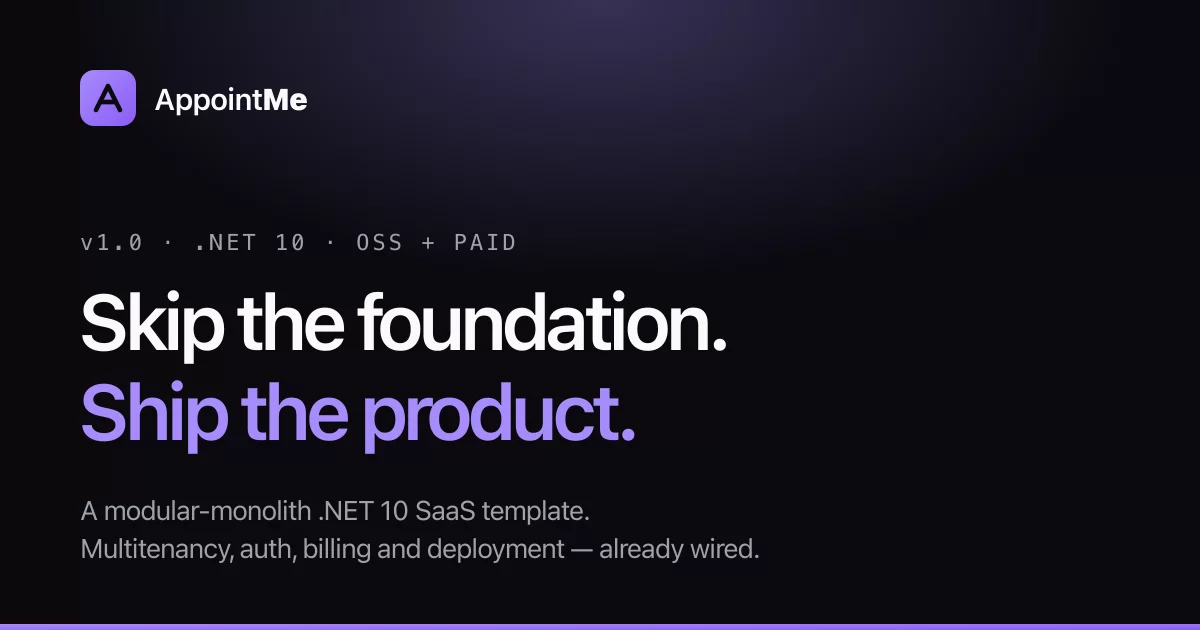
A production-grade modular-monolith .NET 10 SaaS foundation for advanced .NET teams, solo founders, and agencies who want a real base.
AppointMe is a modular monolith (.NET 10 + React 19) with the hard parts already solved: multi-tenancy, authentication, authorization, CQRS, domain events, durable messaging, and a typed frontend wired to the backend contract. Clone it, press F5, and you have a running multi-tenant app — then build your product on top.
Live demo
Try the live demo — seeded multi-tenant instance, no signup required.
It's a shared public demo seeded with sample data — other visitors' activity may be visible, and the environment may be reset periodically.
Start from the template
Two ways in. Either clone this repo (see Quick start), or install the template package and generate a renamed copy:
dotnet new install BravoDev.AppointMe.Templates::1.2.1
dotnet new appointme -n Contoso.Booking

# One-time, per machine: trust the local HTTPS dev cert (the AppHost won't start without it)
dotnet dev-certs https --trust

cd Contoso.Booking/src/Contoso.Booking.Aspire && dotnet run
dotnet new appointme renames namespaces, projects, the solution file, the database,
the Keycloak realm and the container names to your project name, and leaves the domain
vocabulary alone. It ships the Bicep infrastructure and CI workflows; it does not ship
this project's changelog, release media, or deployment config.
Pin the version — ::1.2.1 — so a generation is reproducible. The template version
tracks the app release it contains.
-n must be a valid dotted .NET identifier — e.g. Contoso.Booking — since it becomes
C# namespaces, project names, and folder paths. A non-dotted name such as
my-booking-app (a common choice for kebab-case project slugs) generates a solution
that does not compile; dotnet new reports success either way, so there is no
in-the-moment warning if you pick one.
What's inside
- Modular monolith — Identity, Organizations, CRM, and Booking, each a bounded context with its own
DbContextand schema, organized by vertical slice. - Auth done properly — OIDC with a hybrid scheme: JWT Bearer for the API, cookies for browser flows. Keycloak for local development, Entra External ID for the Azure deployment — swappable behind the app's own provisioning flow. Sign-up, email verification, and password reset included. For how the app separates identity from principal and resolves both across every entry point, see the two-part deep dive How does your domain know your user?.
- Multi-tenancy — company resolution via header/claim with EF Core query filters on a command path, raw Dapper reads carry the tenant predicate by convention.
- CQRS + DDD — writes through EF Core aggregates and domain events; reads through Dapper. Async messaging via Wolverine with a durable SQL transport.
- Permission system — auto-discovered, role-based permissions with default grant policies and conflic resolutions strategies.
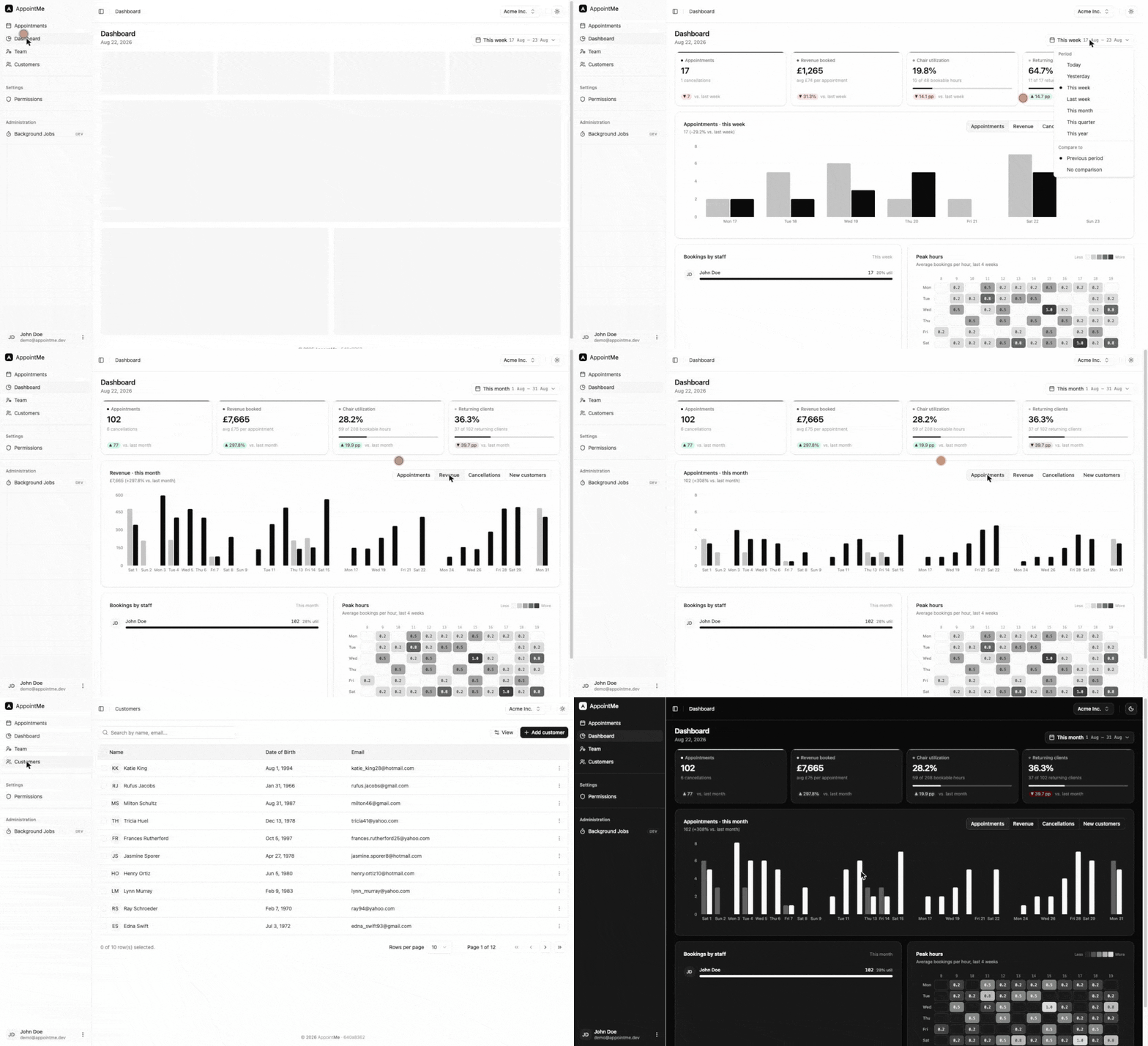
- Business dashboard — KPIs, trends, staff load, and a peak-hours heatmap over any period, permission-gated and built as a read-only vertical slice.
- Typed frontend — React 19 + Vite+ (Vite 8) + Tailwind 4, TanStack Query hooks and TypeScript types generated by orval from the OpenAPI document the API build writes (no running backend needed).
- One-command local stack — .NET Aspire orchestrates SQL Server, Keycloak, Mailpit, the API, and the frontend, with database migrations applied and demo data seeded automatically. Prefer to skip Aspire? A matching
compose.yamlruns the same backing services so you can launch the API and frontend yourself.
Quick start
Goal: clone the repo and have AppointMe running locally — backend, frontend, database, auth, and mail.
You choose how the backing services (SQL Server, Keycloak, Mailpit) run:
- Option A — .NET Aspire (recommended): one command starts everything, including the API and frontend. Zero manual wiring.
- Option B — Docker Compose: brings up only the backing services on the same ports; you run the API and frontend yourself. Pick this if you'd rather not depend on the Aspire host, or want the dependencies running independently of your debugger.
Both produce an identical running app — same images, ports, credentials, and seeded data. Do the prerequisites once, then follow either option.
Prerequisites
| Requirement | Why | Notes |
|---|---|---|
| .NET 10 SDK | Builds and runs the API and the Aspire host | dotnet --version should report 10.x |
| Docker (running) | Hosts SQL Server, Keycloak, and Mailpit containers | Docker Desktop or any OCI-compatible runtime |
| Node.js 22.18+ or 24.11+ | Builds and serves the React frontend | npm ships with Node — nothing else to install. With Aspire (Option A) the frontend's npm install runs automatically on first start |
| HTTPS dev certificate | Frontend and services run over HTTPS | dotnet dev-certs https --trust |
First run pulls container images and restores NuGet/npm packages, so it takes a few minutes. Subsequent runs are fast — the SQL Server, Keycloak, and Mailpit containers are persistent and reused across restarts.
Editor setup
The frontend is linted and formatted by Vite+ (Oxlint + Oxfmt), and CI fails on unformatted code (npm run check). The rules live in the lint and fmt blocks of src/AppointMe.Frontend/vite.config.ts — there is no .prettierrc or eslint.config.js, so an editor still set up for Prettier or ESLint falls back to its own style. Whatever your editor, npm run format in src/AppointMe.Frontend fixes formatting before you commit.
Rider / WebStorm / IntelliJ IDEA
- Settings → Plugins → Marketplace: install Oxc (0.0.43 or newer) and restart the IDE. Older versions launch plain
oxfmt, which ignoresvite.config.tsand formats with Oxfmt's defaults. - Settings → Tools → Oxfmt: leave it on Automatic — it finds
vite-plusin the frontend'snode_modules(runnpm installthere first) and runsvp fmt --lsp, which reads thefmtblock. Tick Run 'Fix All' on Save for format-on-save, and Prefer Oxfmt configuration to IDE code style so the IDE's own edits (auto-imports, typing) follow the same style. - Settings → Tools → Oxlint: leave it on Automatic (
vp lint --lsp) for inline lint and type errors. - Turn off the old integrations: Languages & Frameworks → JavaScript → Prettier → Disabled (and untick Run on save), and Languages & Frameworks → JavaScript → Code Quality Tools → ESLint → Disable ESLint configuration.
- Languages & Frameworks → Node.js: the interpreter must be Node 22.18+ or 24.11+ — the plugin runs
vpwith it.
VS Code: install the VoidZero.vite-plus-extension-pack extension pack, set oxc.oxc-vscode as the default formatter for JavaScript/TypeScript, and disable the Prettier and ESLint extensions for this workspace.
Clone and trust the dev cert
Both options start here:
git clone <your-fork-or-clone-url> appointme
cd appointme

# One-time: trust the local HTTPS dev cert (used by the API, frontend, and Keycloak).
# The Aspire AppHost refuses to start until it is trusted.
dotnet dev-certs https --trust
Option A — .NET Aspire
# Start the whole stack — backing services, API, and frontend
cd src/AppointMe.Aspire
dotnet run
Prefer your IDE? Open AppointMe.sln in Visual Studio or Rider, set AppointMe.Aspire as the startup project, and press F5. That's the entire setup.
Either way, the .NET Aspire dashboard opens automatically. Wait for every resource to turn Running (green) — the API waits for SQL Server and Keycloak to be healthy before it starts.
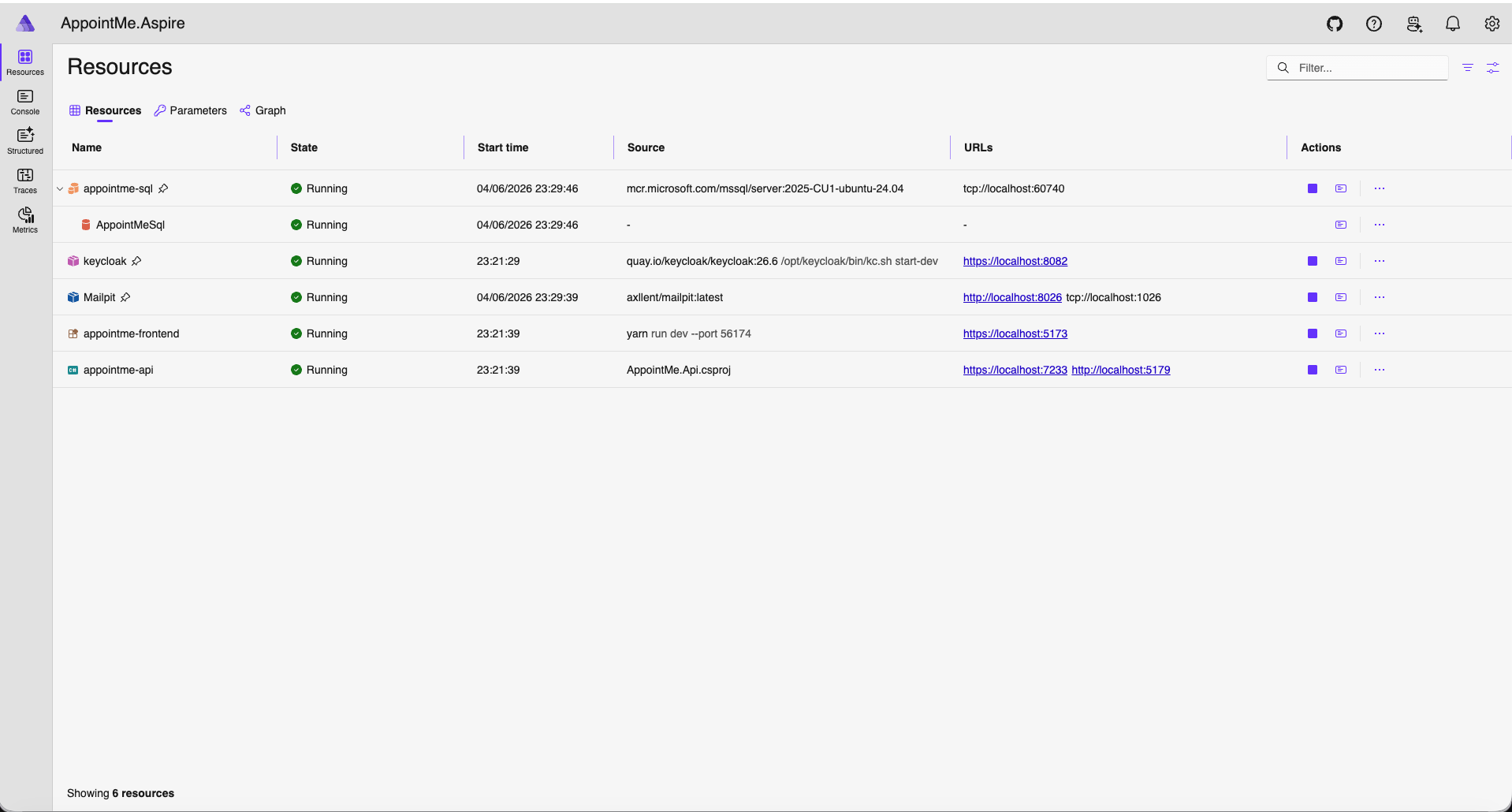
What happens on startup, with no action from you:
- SQL Server, Keycloak, and Mailpit containers come up.
- The
appointmeKeycloak realm (clients, roles, mappers) is imported. - EF Core migrations are applied to every module's schema.
- Demo customers and appointments are seeded (Development only).
- The frontend's npm dependencies are installed automatically, then the API starts, followed by the Vite frontend.
Option B — Docker Compose
Compose runs only the backing services (SQL Server, Keycloak, Mailpit) — on the same ports, images, and credentials as Aspire. You run the API and frontend yourself.
# 1. One-time: export the trusted dev cert that Keycloak serves on https://localhost:8082
./docker/keycloak/export-dev-cert.sh
#    (Windows / no bash — run the command the script wraps:)
#    dotnet dev-certs https --format PEM --no-password -ep docker/keycloak/certs/keycloak.crt

# 2. Start the backing services and wait for them to report healthy
docker compose up -d
docker compose ps          # SQL Server and Keycloak should show "healthy"

# 3. Run the API (applies migrations + seeds demo data on first start)
dotnet run --project src/AppointMe.Api

# 4. In a second terminal, run the frontend
cd src/AppointMe.Frontend
npm install
npm run dev
Then open https://localhost:5173. To stop the services, docker compose stop (keeps data) or docker compose down (removes the containers; SQL Server and Keycloak data survive in named volumes — add -v to wipe them too).
What Compose does for you:
- SQL Server, Keycloak, and Mailpit containers come up with health checks.
- Keycloak serves HTTPS on
8082using your trusted dev cert and imports theappointmerealm. - SQL Server and Keycloak data persist in named volumes across restarts.
EF Core migrations and demo-data seeding happen when you start the API in step 3 (same as Aspire — the API does this on startup, not Compose).
Where everything lives
| Service | URL | Credentials |
|---|---|---|
| Frontend (the app) | https://localhost:5173 | sign up — see below |
| Aspire dashboard | shown in the console at startup | — |
| Keycloak admin console | https://localhost:8082 | admin / admin |
| Mailpit (catches all outgoing email) | http://localhost:8026 | — |
| API OpenAPI document | https://localhost:7233/openapi/v1.json | — |
| SQL Server | localhost:60740 |
sa / Password1 |
About these credentials. Every secret used in local development — the SQL
sapassword, the Keycloakadminaccount, and the Keycloak client secrets inappsettings.Development.jsonandappointme-realm.json— is a throwaway default. It only protects containers running on your machine, and it's committed on purpose so the stack runs with zero setup. These are safe to keep in a public repo, but never reuse them in a real deployment. Production secrets live in Azure Key Vault and are injected at deploy time — seeinfra/. Agitleaksworkflow scans every push/PR to catch any real secret that slips in.
Create your first account
The app manages its own sign-up — you don't register through Keycloak directly.
- Open https://localhost:5173 and go to Sign up (
/auth/signup). - Submit the form. AppointMe provisions your user in Keycloak and sends a verification email.
- Open Mailpit at http://localhost:8026, find the verification email, and click the link. (No real mail is sent — Mailpit catches everything locally.)
- Log in with your new credentials.
- Complete onboarding to create your company. You now have a fully working, multi-tenant AppointMe instance with demo data to explore.
That's it — you're up and running.
Or skip sign-up: instant demo login
Just want to look around? Open https://localhost:5173/api/v1/login/demo to log straight in as a pre-provisioned demo user (demo@appointme.dev) — no sign-up form, password, or email verification. It's a real OIDC login (the same one-click flow behind the public live demo), running against your local stack, that redirects you into the app; from there, complete onboarding to create your company.
Enabled out of the box in local development (Demo:Enabled in appsettings.Development.json) and inert in production — the endpoint returns 404 when disabled.
Project layout
src/
├── AppointMe.Aspire/        # .NET Aspire orchestrator — the F5 entry point for local dev
├── AppointMe.Api/           # ASP.NET Core API host (endpoints auto-discovered)
├── AppointMe.Shared/        # Shared domain abstractions, value objects, infrastructure
├── Identity/                # Authentication & user provisioning (Keycloak, Entra)
├── Organizations/           # Companies, employees, invitations, onboarding
├── CRM/                     # Customer management
├── Booking/                 # Appointments & scheduling
└── AppointMe.Frontend/      # React + Vite + TypeScript SPA
The codebase follows Domain-Driven Design with vertical slice architecture — each use case owns its command, handler, endpoint, and request/response in a single folder. For the full architecture guide, conventions, and patterns, see CLAUDE.md.
Architecture notes
Deeper write-ups on how specific parts of AppointMe are designed:
- How does your domain know your user? — a two-part deep dive on separating identity from principal and resolving both across HTTP, Wolverine, background jobs, and domain event handlers.
Tech stack
- Backend: .NET 10, C# 14, EF Core 10, Wolverine 6, Dapper
- Frontend: React 19, TypeScript 6, Vite+ (Vite 8, Oxlint, Oxfmt), Tailwind CSS 4, TanStack Query
- Infrastructure: SQL Server 2022/2025, Keycloak, orchestrated with .NET Aspire
Releases
Version history and release notes live in CHANGELOG.md and on the
releases page. The current release is
v1.2.1, a packaging follow-up to v1.2.0 (the template release): install it with dotnet new install BravoDev.AppointMe.Templates::1.2.1.
License
AppointMe is released under the MIT License — free to use, modify, and distribute, including commercially.
It builds on open-source libraries that remain under their own licenses. See
THIRD-PARTY-NOTICES.md for attribution and a note on
Hangfire (LGPL-3.0).