
A self-hosted MCP server and gallery for HTML made by AI agents.

Website | Documentation | Latest release | AgentShelf.ai
Agents already generate dashboards, reports, one-pagers, and small websites. Artifact MCP gives those pages stable URLs on infrastructure you control. It keeps them searchable, versioned, and ready for human review after the chat that created them has ended.
The production server is one Rust and Axum container backed by SQLite and ordinary files. Agents publish through MCP. People browse an organization-scoped gallery behind Cloudflare Access, leave feedback on exact points or regions, inspect older revisions, and create revocable public links.
What it handles
- Publish a self-contained HTML page or a multi-file bundle through MCP.
- Update an artifact without changing its URL, with retained revision history and restore.
- Persist org-shared notes and other JSON through the viewer state bridge.
- Connect artifacts to several APIs through named live-data sources, with JSON queries, polling, event streams, and producer updates through MCP. Manage saved sources and artifact bindings in the admin Connections workspace.
- Schedule reminders from an artifact or through MCP that reach opted-in viewers as Web Push notifications, also on a locked phone.
- Read HTML aloud from the viewer with optional local narration, including a mini player, saved positions, and automatic chapter continuation for supported ereaders.
- Search and organize artifacts by organization, category, owner, review state, and visibility.
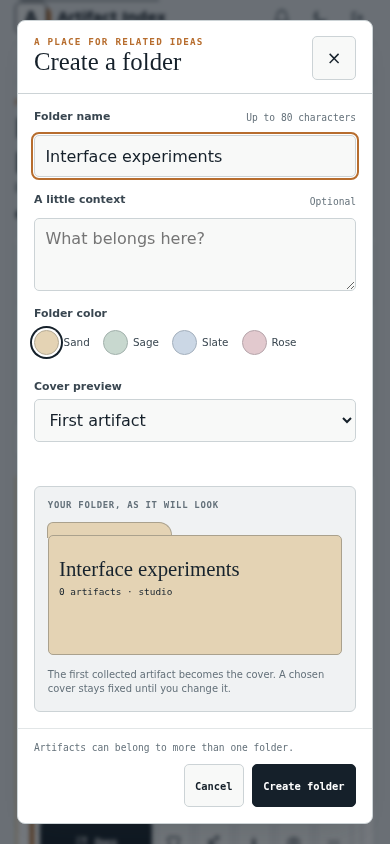
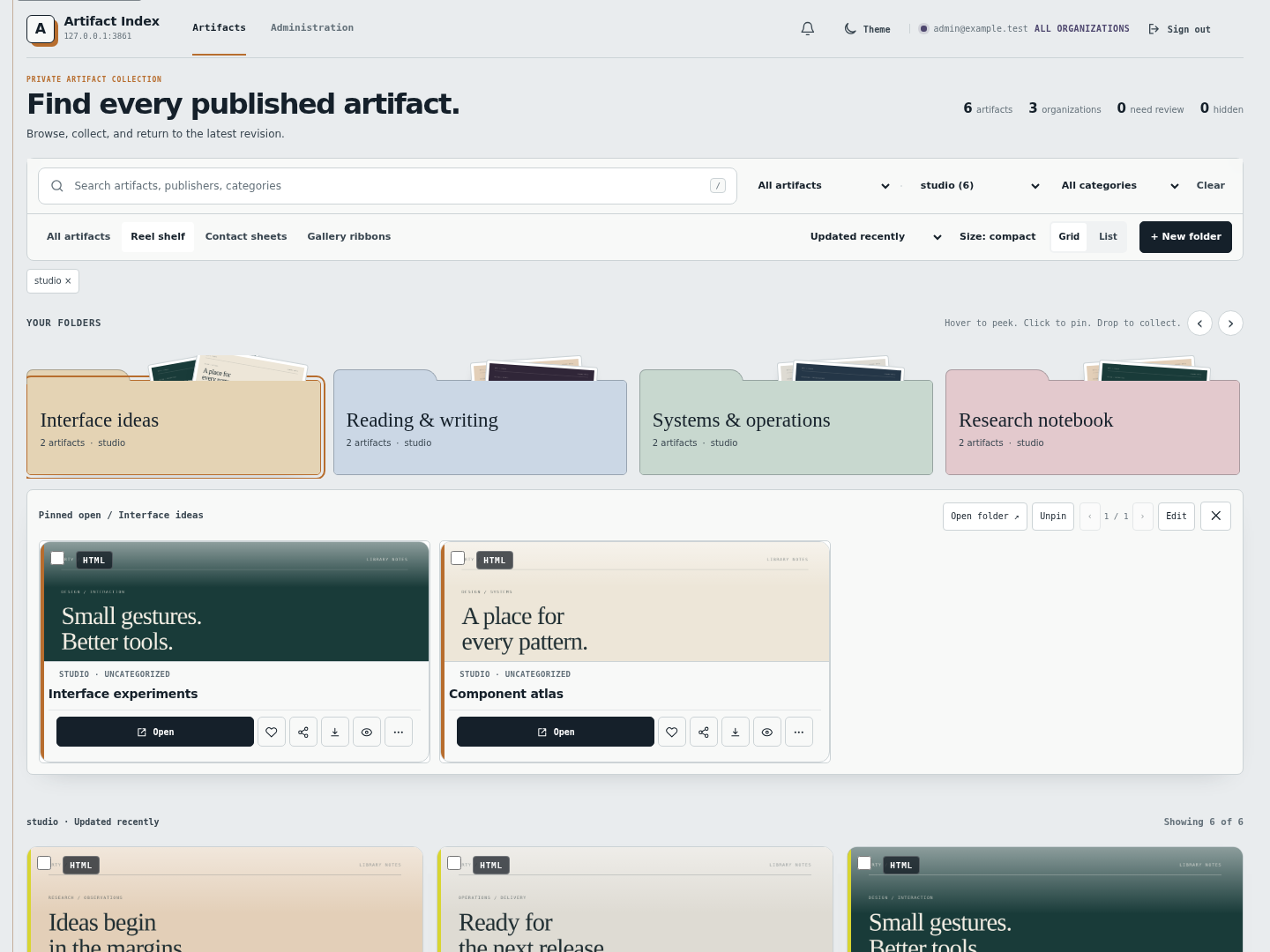
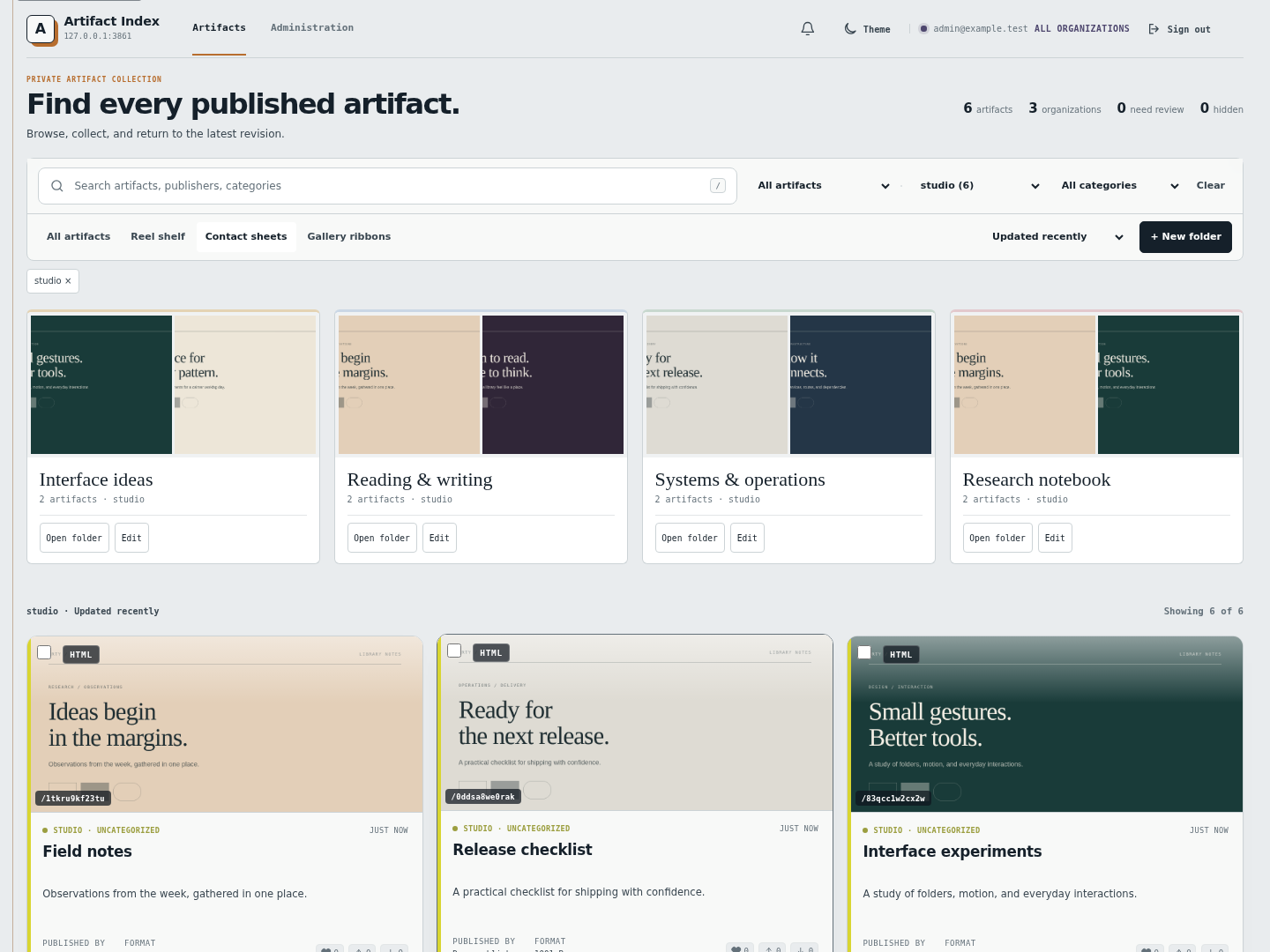
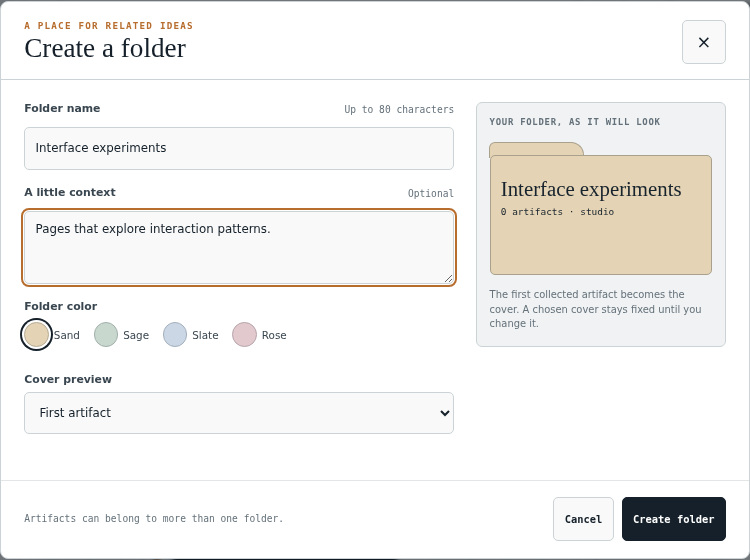
- Organize readable artifacts into reusable organization folders through MCP. Reel Shelf, Contact Sheets, and Gallery Ribbons share the same folder memberships, so one folder can be explored in each library presentation without copying artifact content. Create and edit use a live folder preview with named color swatches. In-app confirmations explain destructive actions before you continue.
- Attach threaded feedback to a point or region and copy the exact revision context back to an agent.
- Keep organizations isolated with scoped publisher keys and verified viewer identity.
- Run optional Discord notifications, persistent thumbnails, OAuth credentials, and Prometheus metrics without making them requirements for the core server.
Listen to artifacts
The authenticated viewer can read visible text from HTML artifacts without requiring each artifact to embed a player. Listen opens a compact player; Expand exposes the selected voice, playback speed, and reading scope. The compact player shows the current scope, voice, and speed. Natural pauses separate paragraphs, headings, dialogue segments, scene breaks and chapters; Expand also offers Short and Off. Per-voice loudness matching keeps cast changes even, and lock-screen and headset controls work where the browser supports the Media Session API. See Pacing. The expanded player groups playback, reading position, and voice settings, with playback controls kept visible while scrolling. Speed changes preserve the voice’s pitch. Non-default speeds use a 120 ms audio buffer to reduce paragraph handoff delays while keeping word timing aligned. The reader supports the current page, selected text, a clicked reading position, and the current semantic section. A clicked paragraph or heading is highlighted and gets an inline play action, so reading can begin exactly where attention is focused. The selected passage stays highlighted while audio prepares, then follows the spoken word during Pocket playback. Pausing keeps the current word marked; stopping clears it. Passage highlighting remains the fallback when word timings or browser support are unavailable.
Authors can supply short data-artifact-pronounce hints for names and abbreviations. Listen speaks
the replacement while highlighting the original displayed term. See the
pronunciation examples.
Artifacts can also declare named character voice roles and tag dialogue or whole passages. Listen lets each viewer choose voices for those roles; see Voice roles.
The expanded player also offers Replay sentence when Pocket word timings are available. It reuses the current paragraph audio without another synthesis request or an additional persistent cache. The existing streamed-audio limit bounds decoded samples to 8 MiB per chunk; stopping, leaving the page, or moving to the next chunk releases those samples.
Playback includes pause/resume, 15-second rewind, block navigation, sleep timers, saved-place resume, and chapter continuation where the artifact exposes a supported ereader structure. Interrupted streams retry twice from the last played position; Pause and Stop cancel automatic recovery, and Play can resume after a longer outage. The default server installation does not require a speech worker. Deployments that want local CPU narration can use the Pocket TTS worker, which provides 21 preset English voices, operator-configured extra voices, and streamed audio; the TTS operations guide documents worker configuration, authorization, limits, and rollback. An optional RAVEN trial adds two CPU voices to the same player with passage highlighting. Pocket remains the default when both are configured.
The reader preserves document order around embedded prototypes, groups list items and labelled cards, and reads figure descriptions once. Simple tables use column headers when narrating rows; large or ambiguous tables use a short description instead. Charts and generated row descriptions highlight the complete block. Controls, hidden panels, timers, and live logs are excluded. See authoring readable artifacts for optional reading regions, block grouping, and visual summaries. The expanded player offers Current view and contextual Read details, with scoped saved positions and change detection. Further semantic improvements are tracked in PBI #41.
Quick start
Docker and Docker Compose are required. Start with the full getting started guide if this is your first installation.
git clone https://github.com/AgentShelf-OSS/artifact-mcp.git
cd artifact-mcp
cp .env.example .env
Set a long bootstrap key in .env:
ARTIFACT_API_KEYS=agent1:local:REPLACE_WITH_A_LONG_RANDOM_SECRET
For a loopback-only local gallery, set TRUST_ACCESS_HEADERS=1. Never use that setting on a
reachable origin. Then start the native server:
docker compose up -d --build
Publish a first artifact:
export KEY=REPLACE_WITH_A_LONG_RANDOM_SECRET
curl -H "Authorization: Bearer $KEY" -H 'content-type: application/json' \
  -d '{"jsonrpc":"2.0","id":1,"method":"tools/call","params":{"name":"publish_artifact",
       "arguments":{"html":"<h1>hi</h1>","title":"Demo","description":"first artifact"}}}' \
  http://localhost:3480/mcp
The response includes the artifact ID and URL. The getting started guide continues through local gallery access, organization setup, and a production Cloudflare deployment.
Screenshots
| Artifact library | Anchored review |
|---|---|
 |
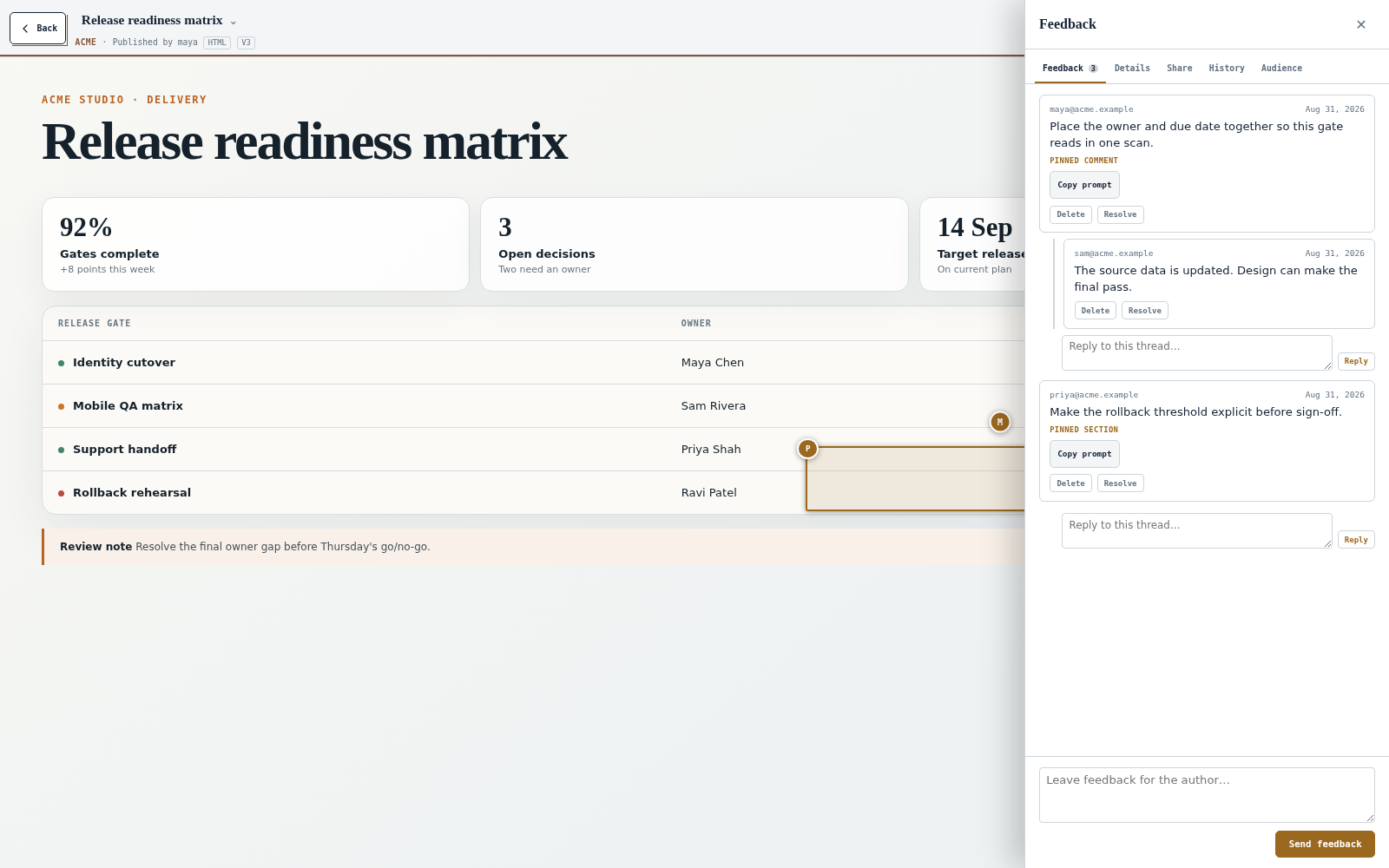 |
| Search, filter, sort, and switch layouts without losing the collection context. | Leave threaded feedback on a point or region and copy its revision context for an agent. |
The three folder views share the same memberships. Switch views without copying artifacts.
| Contact Sheets | Gallery Ribbons |
|---|---|
 |
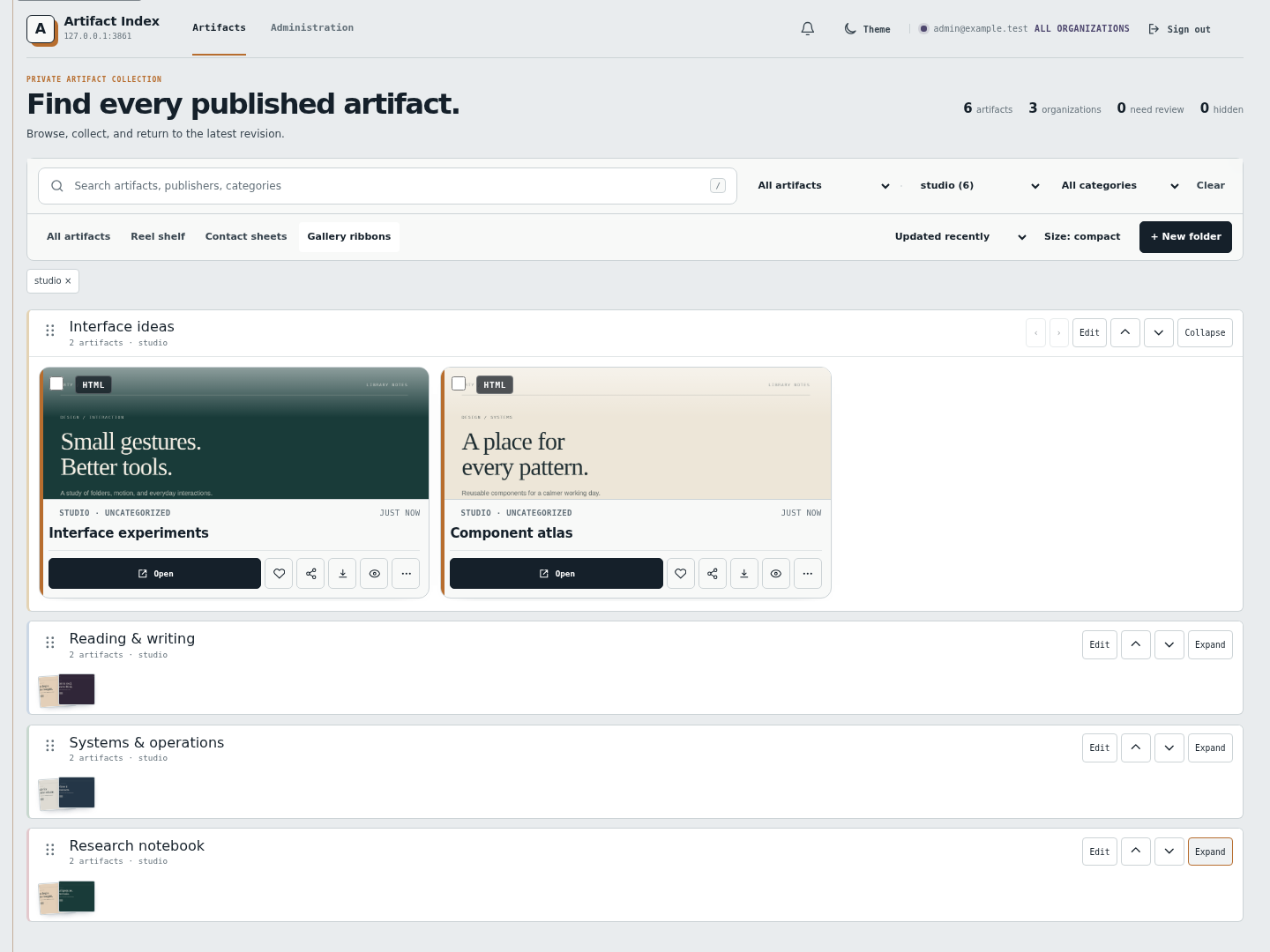 |
| Scan several previews on each folder cover, then open a collection. | Collapse a ribbon into a preview fan. Drag ribbons to change their order, or use the arrow controls. |
| Create a folder | Delete a folder |
|---|---|
 |
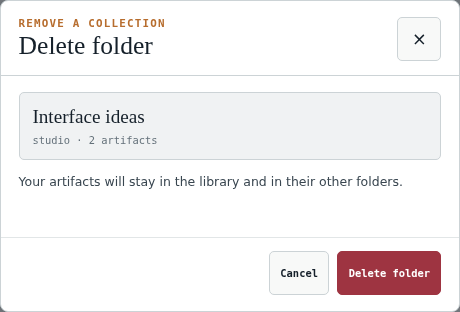 |
| See the name, organization, and color before creating a folder. Mobile example. | Confirm the specific folder. Its artifacts stay in the library and in their other folders. |
| Version history | Organization settings |
|---|---|
 |
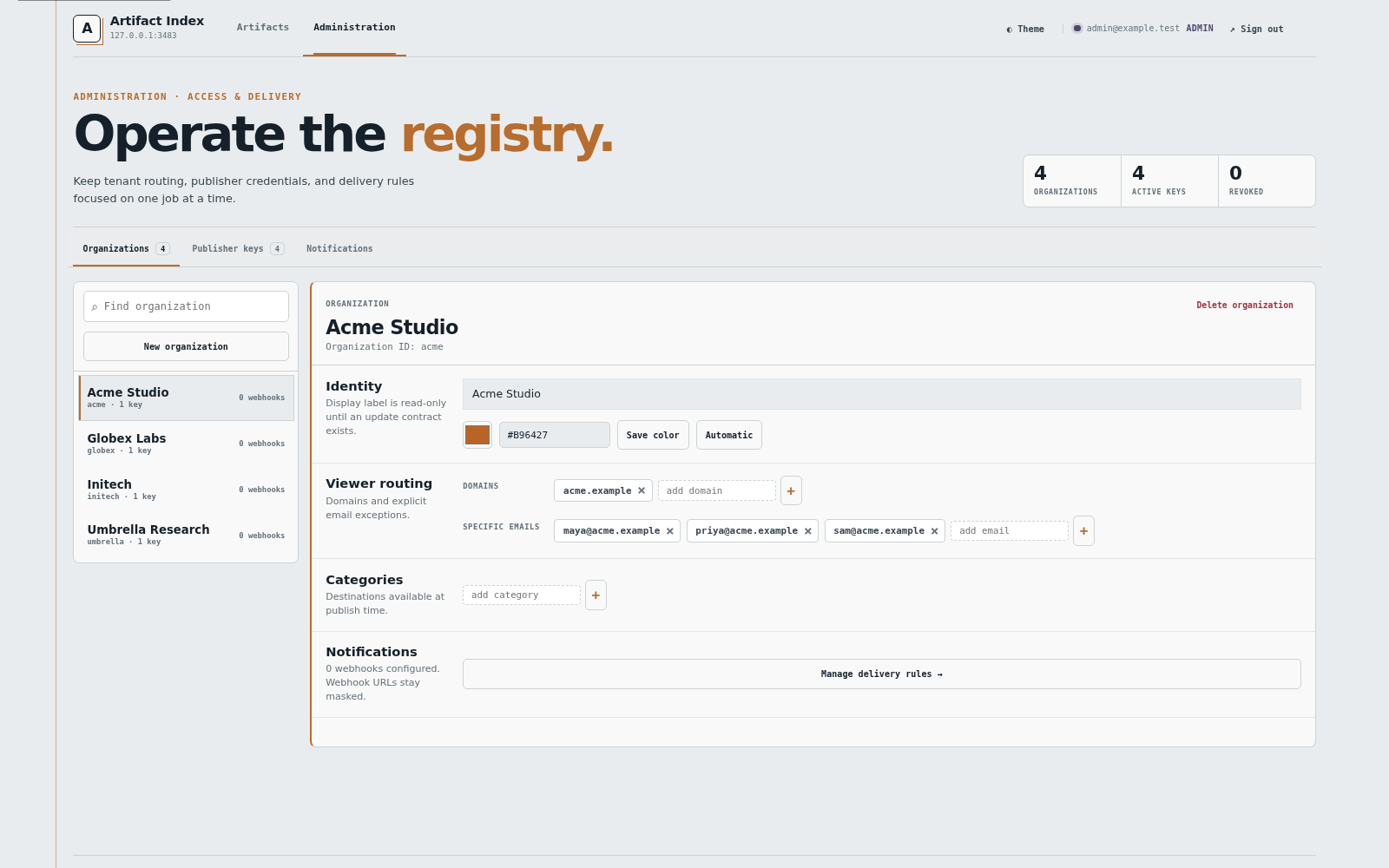 |
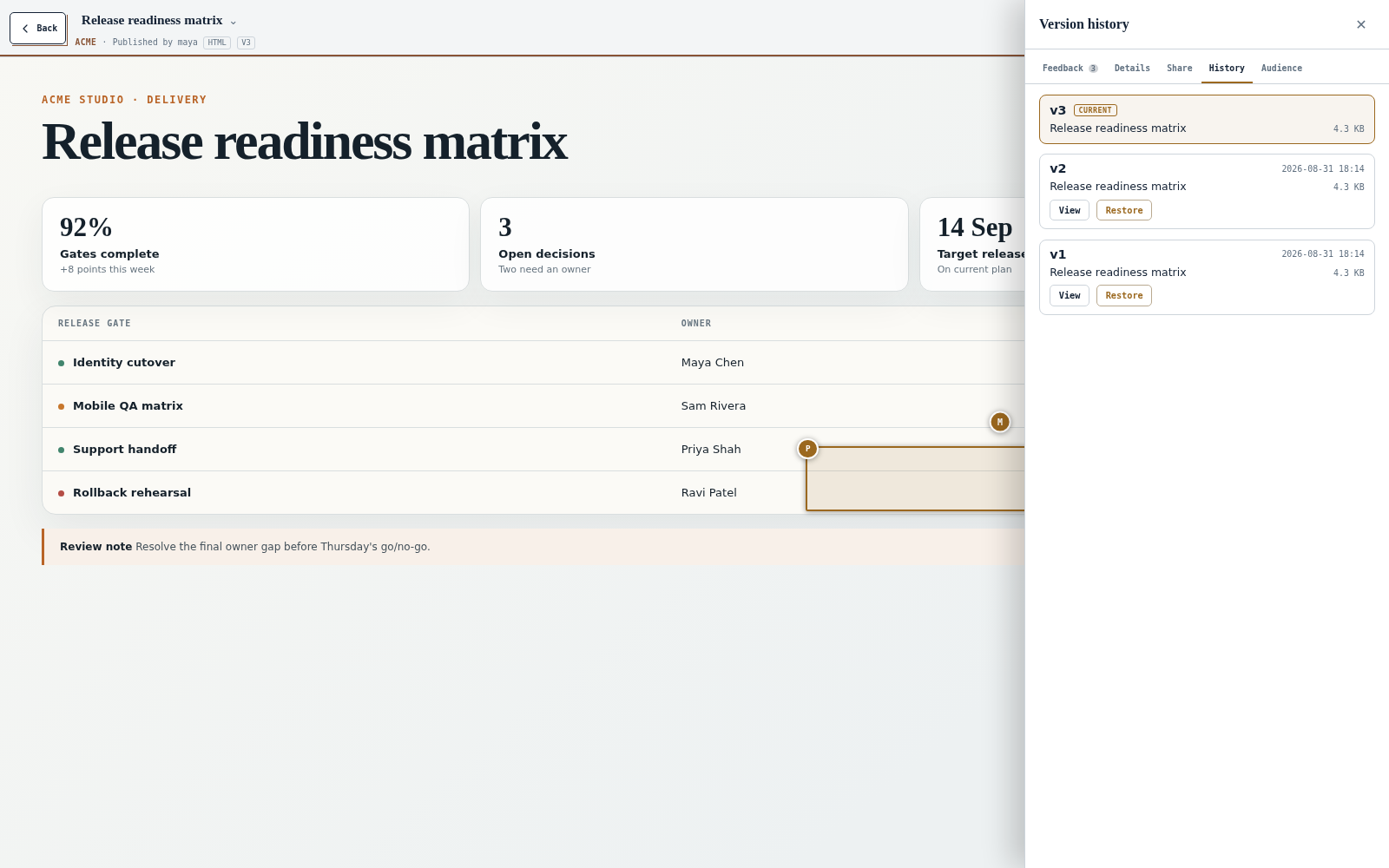
| Open retained revisions or restore one as a new revision at the same stable URL. | Manage tenant membership, routing, categories, colors, and delivery settings. |
View the full screenshot gallery.
How it works
Agent  -> POST /mcp ------------------------+
                                                |
Human  -> gallery, viewer, settings --------+--> Artifact MCP --> SQLite + files
                                                |
Public -> /s/:token read-only share --------+
Agents authenticate with a scoped API key or OAuth bearer token. Human routes use a verified
Cloudflare Access identity. Only an active /s/:token share is public. Uploaded HTML runs in a
sandboxed iframe, separate from the trusted gallery and review controls.
Artifact MCP supports the stateful MCP 2025-06-18 contract and the stateless 2026-07-28
contract. Modern clients can negotiate typed outputs, resources, MCP Apps, and durable preview
tasks. Organization-scoped MCP tools can list, inspect, create, update, and delete folders, and
add or remove artifact references. Deleting a folder preserves the artifacts and their other
memberships. See the MCP API reference for the complete tool catalog, limits,
and authorization rules.
Is it a fit?
Artifact MCP makes sense when a team wants a durable artifact library, organization boundaries, review history, and control of the deployment. A hosted one-page publisher is simpler when all you need is one temporary URL. The comparison guide spells out that distinction.
Documentation
- Documentation index
- Getting started
- MCP API and tools
- Configuration reference
- Architecture and routes
- Security model
- Cloudflare deployment
- Operations runbooks
- Release notes
Contributing
Issues, ideas, and focused pull requests are welcome. Read CONTRIBUTING.md before starting a substantial change. Report vulnerabilities through the private process in SECURITY.md, not a public issue.
Roadmap
- Full-text search across artifact bodies
- More precise cooperative anchors and text-range highlights
- Per-key quotas and artifact expiry
- Optional content scanning and a separate artifact-delivery origin