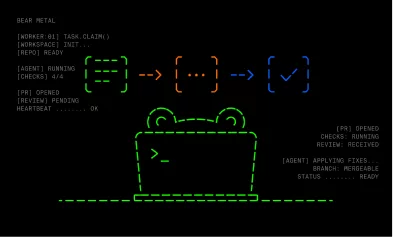



Autonomous coding agent. Picks up tasks from Linear, implements them, and opens pull requests ready to merge. Runs continuously in the background.
Table of contents
- How to deploy
- Configuration module
- Task customization
- Environment variables
- Custom runtime image
- Quick guides
- Contributing & local dev
How to deploy
- Create GitHub Apps.
- Create Linear OAuth apps.
- Optionally create Slack apps.
- Write a trusted configuration module that supplies the required deterministic integrations, any optional agent integrations, enabled LLM providers, and task customization.
- Make that module available to the process and set
BEAR_METAL_CONFIG_FILEto its path. - Optionally configure persistent PostgreSQL in the module.
- Deploy the public image (
ghcr.io/bluebear-io/bear-metal:latest) or run from source withnpm start. Use a derived image or package-based configuration when the module needs third-party dependencies.
Configuration module
BEAR_METAL_CONFIG_FILE must point to an absolute or working-directory-relative .js, .mjs, .ts, or .mts ESM module. There is no default or discovery path. Bear Metal imports the module once at startup and validates its default export. Import and structural errors stop startup; task-hook, selected-provider, secret, and workspace errors fail the current attempt through the normal reclaim lifecycle.
The module is trusted deployment code. Bear Metal does not transpile it, install its dependencies, or sandbox it. Native TypeScript must use erasable syntax supported by Node.js 24.12+. A standalone file can use Node built-ins and global fetch; configurations that need packages should be deployed as an ordinary package or in a derived image so their imports resolve normally.
Canonical configuration, task, and customization types →
The default export supplies required Linear and GitHub settings, the key-based LLM provider registry, and customizeTask. Slack, database, maxIterations, ciDeferralMaxMs, traceRetentionDays, and shouldRetryCi are optional.
traceRetentionDays is a positive integer and defaults to 14. Detailed prompts, assistant output, provider-visible thinking, and tool calls expire after that period; task and run metadata remain. The manager applies retention on startup and hourly. The Tasks dashboard includes coding tickets, research tasks, and coordinator executions.
Secret getters are lazy and may read environment variables, files, workload APIs, or secret managers. Bear Metal owns the vendor clients and consumes each value only where the corresponding integration is used. agentIntegrations and each vendor inside it are optional and independent of the top-level deterministic integrations. Omitting an agent vendor means its tools are not shown to the coding agent. Omitting top-level slack disables notifications, while omitting database uses sqlite:./data/bear-metal.sqlite. maxIterations defaults to 50. ciDeferralMaxMs controls how long the manager waits for PR validation before sending a delayed-validation notification and defaults to 60 minutes.
shouldRetryCi(status) receives each pull request's CI status and may return a boolean or a Promise of one: true dispatches another iteration for CI, false does not. If omitted, Bear Metal retries when any check run or commit status failed. Other dispatch reasons, such as review comments and merge conflicts, are unaffected. The status includes context.failedCheckRuns and context.failedStatuses for deployment-specific filtering.
Example standalone JavaScript configuration:
import { execFile } from "node:child_process";
import { promisify } from "node:util";

const exec = promisify(execFile);
const requiredEnv = (name) => {
  const value = process.env[name];
  if (!value) throw new Error(`Missing ${name}`);
  return value;
};

export default {
  ciDeferralMaxMs: 60 * 60 * 1000,
  linear: {
    clientId: requiredEnv("LINEAR_CLIENT_ID"),
    oauthScopes: "read,write,app:assignable,app:mentionable",
    getClientSecret: () => requiredEnv("LINEAR_CLIENT_SECRET"),
  },
  github: {
    appId: 12345,
    installationId: 67890,
    getPrivateKey: () => requiredEnv("GITHUB_APP_PRIVATE_KEY"),
  },
  agentIntegrations: {
    github: {
      appId: Number(requiredEnv("AGENT_GITHUB_APP_ID")),
      installationId: Number(requiredEnv("AGENT_GITHUB_INSTALLATION_ID")),
      getPrivateKey: () => requiredEnv("AGENT_GITHUB_APP_PRIVATE_KEY"),
    },
    linear: {
      clientId: requiredEnv("AGENT_LINEAR_CLIENT_ID"),
      oauthScopes: "read",
      getClientSecret: () => requiredEnv("AGENT_LINEAR_CLIENT_SECRET"),
    },
    slack: {
      getBotToken: () => requiredEnv("AGENT_SLACK_BOT_TOKEN"),
    },
    // HTTPS is the safe default. Opt in only when anonymous public HTTP is required.
    web: { allowHttp: false },
  },
  llmProviders: {
    anthropic: { getApiKey: () => requiredEnv("ANTHROPIC_API_KEY") },
  },
  async customizeTask(task) {
    return {
      llm: { provider: "anthropic", model: "claude-opus-4-6" },
      async buildWorkspace({ workspacePath, signal }) {
        await exec("git", ["clone", "https://github.com/example/repository", workspacePath], { signal });
      },
      additionalSystemPrompt: !("type" in task) && task.priority === "urgent"
        ? "Prioritize the smallest safe change."
        : undefined,
      limits: { maxDurationMs: 7_200_000, maxTokens: 20_000_000 },
    };
  },
};
The same module may be .mts; use the canonical source above as the typing reference and, in a user-managed package, apply satisfies BearMetalConfig. A package-based configuration may also import a secret-manager SDK. Bear Metal never logs or persists configuration objects, hook results, or resolved secrets.
Task customization
customizeTask receives the tracker-neutral Task contract for Linear coding runs, or a Slack task with type: "coordinator" | "research", request, and Slack source references. Branch on "type" in task before accessing Linear ticket fields. It contains no Linear/Octokit objects, raw provider payloads, credentials, or service clients.
The hook must return an LLM provider/model and an async buildWorkspace({ workspacePath, signal }). It may also return additionalSystemPrompt, independent duration/token limits, and optional ticketLabels / pullRequestLabels (label names the harness adds to the linked Linear ticket and to PRs it creates or updates; failures are logged only). Coding tasks may include trigger: "slack" | "linear" when known. See the canonical source for the exact nested DTO and return shapes.
llmProviders is required and may be empty. It contains only key-based providers: Anthropic, OpenAI, and Google entries require lazy getApiKey functions. Only the key-based provider selected by customizeTask is resolved; selecting one without an entry fails that task with the exact configuration entry to add. Bedrock is not registered here because it uses the ambient AWS SDK credential chain.
For coding and research runs, Bear Metal creates workspacePath, calls buildWorkspace with a ten-minute abort signal, requires a non-empty result, and removes its owned task workspace after success or failure. Coding workspaces use BEAR_METAL_WORKSPACE_DIR/<ticket ID>/<attempt UUID>/agent; research workspaces use BEAR_METAL_WORKSPACE_DIR/research/<task ID>/agent. A coding worker that loses its task lease aborts its workspace builder and Pi session, discards its result, and cannot complete a task owned by its replacement. Each coding attempt owns a separate checkout, so late cleanup cannot delete another attempt's files. Builder code must honor the abort signal and stop its subprocesses. Coordinator runs share a checkout under BEAR_METAL_WORKSPACE_DIR/coordinator, built through their configured buildWorkspace hook and refreshed every 24 hours. An active run keeps its generation until it ends. Coordinator Pi receives the checkout's root AGENTS.md and read-only file tools; the checkout must contain a non-empty AGENTS.md. Builder code is responsible for cloning and authentication. The core Bear Metal system prompt is immutable; a truthy additionalSystemPrompt is appended. Limit fields independently default to 7,200,000 ms and 20,000,000 tokens.
Slack research agents receive bash alongside read, grep, find, and ls, using the same workspace command guard as coding agents. Coordinators retain read-only file tools. Research shell commands inherit the worker environment, including deployment-provided AWS credentials; actual AWS access depends on the task role and network permissions.
Agent shell commands use a dedicated cache-only HOME under ~/.bear-metal/cache-home; it survives task workspace cleanup and is separate from the service user's normal home and temporary Git credentials. The workspace command guard is not an operating-system sandbox, so deployments must still isolate the worker process from host secrets.
Environment variables
Bear Metal itself reads only these deployment and process settings:
| Variable | Required | Default | Purpose |
|---|---|---|---|
BEAR_METAL_CONFIG_FILE |
yes | — | Trusted configuration module path |
WORKER_CONCURRENCY |
no | 5 |
Maximum parallel tasks |
POLL_INTERVAL_MS |
no | 60000 |
Linear polling cadence |
TASK_HEARTBEAT_INTERVAL_MS |
no | 30000 |
Worker heartbeat cadence |
TASK_STALE_AFTER_MS |
no | 300000 |
Reclaim threshold for a task without a heartbeat |
TASK_MAX_RECLAIMS |
no | 3 |
Maximum recoveries before abandoning a task row |
BEAR_METAL_WORKSPACE_DIR |
no | ~/.bear-metal/workspace |
Parent directory for task workspaces |
BACKEND_PORT |
no | 3100 |
API and dashboard server port |
API_ONLY |
no | false |
Serve the dashboard API/UI without schedulers, workers, or Slack Events API |
BEAR_METAL_RUN_MODE |
no | normal |
slack_only keeps Slack coordination and research active without starting the Linear scheduler or coding worker; coordinator tools can still change Linear tickets |
LOG_LEVEL |
no | info |
Pino log level |
LOG_PRETTY |
no | false |
Human-readable local logs |
TEST_TICKET_ID |
no | — | Restrict local polling to one ticket |
AWS_REGION, AWS_BEARER_TOKEN_BEDROCK, and standard AWS credential-chain variables are inputs to the AWS SDK/embedded agent. AWS_BEDROCK_FORCE_CACHE controls embedded Bedrock prompt caching. Bear Metal does not reinterpret them. APP_VERSION is a UI build input; BACKEND_URL is the Vite development proxy target.
Integration credentials, database URL, max iterations, provider/model selection, prompt additions, limits, and workspace behavior have no Bear Metal environment-variable fallback. Your configuration module may independently choose to read environment variables.
See .env.example for the process-level variables.
Custom runtime image
Bear Metal ships a minimal base image (ghcr.io/bluebear-io/bear-metal:latest) that contains only the manager, the UI bundle, git, and CA certificates. If your customizeTask.buildWorkspace needs project toolchains — Go, Python, Rust, uv, pnpm, cloud CLIs, private registry certificates, etc. — bake them into a derived image at build time.
Runtime package installation inside the running container is not supported:
- The removed worker environment builder is not coming back.
customizeTask.buildWorkspaceruns per task under a ten-minute abort signal, is scoped toworkspacePath, and is meant to prepare the workspace, not to install system packages on the host. - Bear Metal deployments are expected to run with a read-only container filesystem (
docker run --read-only, KubernetesreadOnlyRootFilesystem: true).apt-get install,pip install --user,npm install -g, and similar commands write to/var,/etc,/usr, or$HOMEand will fail. Only Bear Metal's own writable paths (BEAR_METAL_WORKSPACE_DIR, the SQLite/Postgres data directory, and~/.bear-metal/cache-home) need to be writable, and they should be mounted astmpfsor dedicated volumes. - Installing at task time also multiplies latency, network egress, and supply-chain risk by every worker run.
Build once, run many times.
Example Dockerfile
# Pin to a released tag in production; :latest is used here for readability.
FROM ghcr.io/bluebear-io/bear-metal:latest

# Extra toolchains needed by your customizeTask.buildWorkspace and by the
# coding agent while it works inside the task workspace.
RUN apt-get update \
    && apt-get install -y --no-install-recommends \
        golang-go \
        python3 \
        python3-venv \
        python3-pip \
        pipx \
        ripgrep \
    && rm -rf /var/lib/apt/lists/*

# Install uv into a system-wide location so it works under a read-only
# rootfs at runtime. Use PIPX_HOME / PIPX_BIN_DIR rather than
# `pipx install --global`, which the pipx shipped by Debian bookworm
# (the base image OS) does not yet support.
RUN PIPX_HOME=/opt/pipx PIPX_BIN_DIR=/usr/local/bin pipx install uv

# Copy your trusted configuration module into the image so its path is stable
# and it ships with the same immutable artifact as the toolchains it depends on.
COPY bear-metal.config.mts /config/bear-metal.config.mts
ENV BEAR_METAL_CONFIG_FILE=/config/bear-metal.config.mts

# WORKDIR, ENTRYPOINT, and CMD are inherited from the base image; do not
# override them unless you know you need to.
Build and run
docker build -t my-org/bear-metal:1.0.0 .

docker run --rm \
  --read-only \
  --tmpfs /tmp \
  --tmpfs /root/.bear-metal/cache-home \
  -v bear-metal-data:/app/data \
  -v bear-metal-workspace:/workspace \
  -e BEAR_METAL_WORKSPACE_DIR=/workspace \
  -e LINEAR_CLIENT_ID=... \
  -e LINEAR_CLIENT_SECRET=... \
  -e GITHUB_APP_PRIVATE_KEY="$(cat github-app.pem)" \
  -e ANTHROPIC_API_KEY=... \
  -p 3100:3100 \
  my-org/bear-metal:1.0.0
The process reads BEAR_METAL_CONFIG_FILE on startup and imports the module once; the toolchains you added are visible to customizeTask.buildWorkspace and to every shell the coding agent runs inside the workspace. See Configuration module for how to wire the toolchain into buildWorkspace and secrets into lazy getters.
If your configuration module itself needs third-party npm packages, either publish it as an ordinary package your derived image installs with npm ci, or COPY a package.json + node_modules alongside the module. Bear Metal does not install its dependencies.
Quick guides
GitHub App
Create GitHub Apps from GitHub → Settings → Developer settings → GitHub Apps → New GitHub App. See Registering a GitHub App.
The first app is required. The Bear Metal harness uses it for trusted repository operations needed to submit code changes, including pushing branches, opening pull requests, and responding to reviews. Its credentials are never exposed to the coding agent. Configure it with the top-level github fields and grant access only to repositories Bear Metal should modify.
-
Create the app, select Only on this account, and leave webhooks disabled because Bear Metal polls.
-
Under Repository permissions, grant Metadata: Read, Contents: Read and write, Pull requests: Read and write, and Checks: Read.
-
On the app settings page, copy App ID into
github.appId. -
Under Private keys, select Generate a private key and make
github.getPrivateKeyreturn the downloaded PEM through your secret source. If storing it as one line, preserve newlines:awk '{printf "%s\\n", $0}' your-key.pem -
Open Install App, install it on the organization, and choose all or selected repositories.
-
Copy the numeric installation ID from the installation URL, such as
github.com/settings/installations/123456789, intogithub.installationId.
The second app is optional. When configured as agentIntegrations.github, it gives the coding agent runtime GitHub tools while letting you fine-tune exactly which repositories and GitHub surfaces it can access. Omit it and the agent receives neither github_read nor github_dispatch; it can still work with the source already cloned into its workspace.
- Create and install a separate GitHub App using the same ID, key, and installation steps above.
- Grant Metadata: Read plus read permissions for every surface the agent should inspect, such as Contents, Pull requests, Issues, Checks, Commit statuses, and Actions.
- Grant Actions: Read and write only if the agent may dispatch workflows. GitHub groups dispatch with broader Actions-write permission; Bear Metal exposes only configured workflow dispatches.
- Configure its App ID, installation ID, and private-key getter under
agentIntegrations.github. - To expose
github_dispatch, also configure itsrepositories,workflows, andrefspolicy. Without that policy, onlygithub_readis exposed.
Repository selection and app permissions jointly bound both agent GitHub tools. Bear Metal mints and refreshes the Agent GitHub App's installation token because GitHub installation tokens expire after one hour. github_read can only issue GET requests, while github_dispatch can only invoke configured workflow-dispatch targets.
Linear
Create Linear apps under Linear → Settings → API → OAuth applications. See Linear OAuth 2.0 authentication.
The first app is required. The Bear Metal harness uses it to find delegated work, read ticket context, update ticket state, post comments, and hand completed work back. Its credentials are never exposed to the coding agent. Configure it with the top-level linear fields.
- Create a private OAuth application for the Bear Metal workspace.
- Enable Client credentials tokens, Assignable, and preferably Mentionable.
- Copy its client ID into
linear.clientIdand return its client secret fromlinear.getClientSecret. - Configure
linear.oauthScopesasread,write,app:assignable,app:mentionable. - Generate the first client-credentials token by starting Bear Metal, then use the app details page to grant its app actor access to the teams it should manage.
The second app is optional. When configured as agentIntegrations.linear, it exposes linear_read and lets you independently control which Linear data the coding agent can inspect. Omit it and the agent receives no Linear runtime tool; deterministic ticket orchestration continues normally.
- Create a separate private OAuth application and enable Client credentials tokens.
- Copy its client ID and secret into
agentIntegrations.linear. - Configure the stable scope
read. - Start Bea