
Business-Wrap: bilingual requirements document generator (Arabic + English)
📄 Evidence in. One Arabic and English requirements document out.

⚡ In 10 seconds
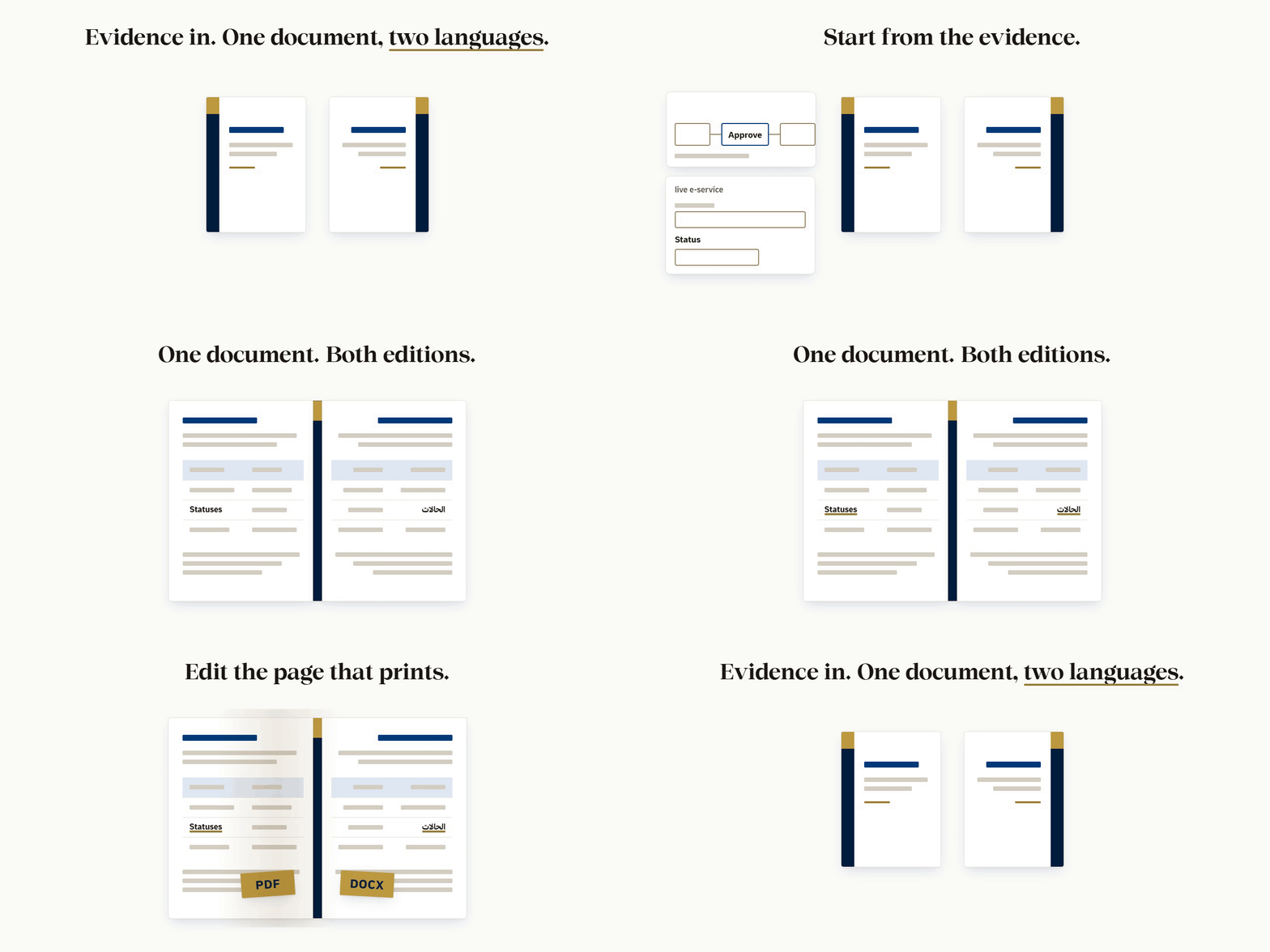
📥 Evidence in: a process model (BPMN, draw.io, YAML) or a walk through the live service.
✍️ Edit on the page that prints: Arabic right to left, English left to right.
📄 Out: PDF and DOCX, fonts embedded as real, selectable text.
🆓 Free and open source (MIT). Runs on your computer. Nothing is uploaded.
Jump to: ▶️ Quick start · ✅ Before you start · 🧩 Install · 🚀 Commands · 🔁 Updates · 🧰 What it does · 🔤 Fonts · 🤖 For AI agents · 🔒 Is it safe? · ❓ Questions · 🆘 Problems?
▶️ Quick start
📂 Open a terminal in the Business-Wrap folder: cd Business-Wrap
📦 Install once: npm ci
▶️ Start the local server: npm run serve (the first time it builds the sample editor)
🌐 Open the address it prints, http://127.0.0.1:4317/, in Chrome or Edge.
⚠️ Always open the editor through the local server, not by double-clicking the HTML file. Export, print, the printers list and updates need the server.
✅ Before you start
| You need | Check it | Why |
|---|---|---|
| 🟢 Node 20 or newer | node --version |
runs everything |
| 🐍 uv | uv --version |
runs the Python steps (PDF finishing, DOCX) with their packages; no pip installs |
| 🌐 Chrome or Edge | open it once | prints the PDF |
| 🌱 git | git --version |
cloning the repo and the plugin marketplace |
📌 No uv? Install it: https://docs.astral.sh/uv/getting-started/installation/ (without it Business-Wrap falls back to plain python and tells you which packages it needs).
🧪 Optional, tests only: poppler (pdffonts -v).
🧩 Install
🧩 Claude Code plugin (the skill, the MCP server and the /business-wrap: commands together; they run from the plugin's own files with Node, no npm install and no registry):
/plugin marketplace add NJ-Burrito/Business-Wrap
/plugin install business-wrap@business-wrap
💬 Then say "build the requirements document for …" or "open it in the editor".
🔌 MCP server only (any MCP client, stdio, local; 0.13.0 from the GitHub tag; npm still serves 0.12.0):
claude mcp add business-wrap -- npx -y -p github:NJ-Burrito/Business-Wrap#v0.13.0 business-wrap-mcp
💻 From source: git clone https://github.com/NJ-Burrito/Business-Wrap, then the Quick start.
📦 Other ways: release zip, MCP from a clone, tool list
- Release zip:
business-wrap-<version>.zip+.sha256from https://github.com/NJ-Burrito/Business-Wrap/releases/latest. In that folder:npm ci. - MCP from a clone:
claude mcp add business-wrap -- node <path-to>/Business-Wrap/mcp/cli.mjs(nonpm cineeded) - Tools (15):
build_editor,validate_edits,apply_edits,export_document,export_design_pack,check_fonts,harvest_model,harvest_crawl,harvest_merge,harvest_sources,open_in_editor,close_editor,diagram_mermaid,check_update,apply_update, plus thelearning_*tools. A harvest tool givenopen: trueopens its result in the editor. See mcp/README.md.
🚀 Commands
npm ci                 # install
npm run serve          # http://127.0.0.1:4317/ : builds the sample the first time; one-click PDF + DOCX
npm run sample         # rebuild out/sample/event-permit.editor.html
npm test               # every suite, one after another
📝 Your own documents
node engine/build-editor.mjs <doc.json | folder>... --out out/my.editor.html [--theme design/ours/theme.json] [--embed-fonts] [--ui ar|en]
node engine/export.mjs --doc <document.json> [--edits edits.json] [--locale ar|en] [--out dir]
Opened from disk (file://), «PDF + DOCX» downloads the edited document JSON and shows the export.mjs command; through npm run serve it exports in one click. The ready-made editor is assets/editor/business-wrap.html.
⌨️ "/" commands in Claude Code (0.13.0)
Installed as a plugin, Business-Wrap adds these commands; type / in Claude Code to see them. Each runs engine/cli.mjs (the same business-wrap <verb> you can run yourself, with no AI and no network) and says in one line what it did.
| Command | What it does |
|---|---|
/business-wrap:open [doc.json|folder|editor.html] |
Start the local host and open the editor in Edge (a blank document when no file is given) |
/business-wrap:close |
Stop every host and close every Edge window this install started |
/business-wrap:status |
Version, running hosts, how many steps were healed |
/business-wrap:new ["Title"] |
A new blank document pair (Arabic + English), opened in the editor |
/business-wrap:harvest <url|crawl.json|model|PDF/DOCX/HTML|folder> |
Harvest a live site (never submits), a process model or a document, then open it |
/business-wrap:import <file|folder ...> |
Your own sources (BPMN, draw.io, YAML, PDF, DOCX, HTML) into documents |
/business-wrap:build <doc.json|folder> --out <editor.html> |
Build the editor file |
/business-wrap:export <doc.json> [ar|en] |
PDF + DOCX, then the render and export gates |
/business-wrap:verify-history <file> |
Check the tamper-evident history |
/business-wrap:report <from> <to> |
Work report for a date range |
/business-wrap:update [--check|--notes|--apply --yes] |
Check, read what is new, or install (only after you agree) |
Without Claude Code the same verbs run as npm run cli -- <verb> (for example npm run cli -- open samples/event-permit, npm run host:close). Every verb works offline, with no AI.
🔁 Updates
✨ In the editor: open it through npm run serve. A newer release shows a popup with Update now, Later and Skip this version.
🛡️ Update now backs up first, replaces program files only, and puts the old version back on any failure.
🧩 Claude Code plugin: /plugin marketplace update business-wrap, then /plugin update business-wrap.
⌨️ Terminal or agent: node update/cli.mjs --check (at most one request a day), --apply --yes to install, --notes for what changed.
🔓 The repo is public: no token, no sign-in. Nothing updates without your consent.
📖 How the in-editor update works
At launch the editor (served by npm run serve -- <editor.html> or node engine/serve.mjs <editor.html>) checks for a newer release, at most once a day and without blocking anything. Update now downloads the release, checks its fingerprint, backs up, replaces the program files only, verifies the new version, restarts the server and reopens your document where you were. Your documents, edits and their history, design packs, fonts, logos, out/ and .local/ are never touched. Settings (toolbar View section, or Ctrl+K) shows About, the update state with Check now and the auto-check switch, and your preferences. Opened from disk (file://), the page cannot check: Settings says how to update. Every release: https://github.com/NJ-Burrito/Business-Wrap/releases. Details: bible/07-updates.md.
🧰 What it does
🌾 Harvest: a process model gives roles, workflow, rules and statuses; a crawl of the live service gives the card, form, attachments and messages. The merge keeps both.
📝 Editor: one HTML file. The page you edit is the page that prints. Every change is undoable and recorded.
🔀 Two languages, one layout: «ع» / «E» switches language; RTL / LTR switches word direction. The toolbar and the page stay where they are.
🧭 Diagrams: the workflow figure is editable on the page. Mermaid in and out.
🎨 Design: colours, sizes, template parts, any font. Labels say what they do, in Arabic and English.
📤 Exports: PDF, DOCX, edits JSON, design pack, Save HTML, webhooks.
🔐 Safety: a security gate keeps client content, credentials and local paths out of the repo.
🔍 Full feature table
| Area | What you get |
|---|---|
| Harvest | Two ways in, and a merge: a process model (BPMN, draw.io, YAML) gives roles, workflow, rules and statuses; a crawl of the live service gives the card, the form, attachments and messages. The merge keeps both, never picks. |
| Editor | One HTML file, opened from disk. The page you edit is the page that prints. Every printed word, table, label and design property is editable, undoable and recorded. |
| Toolbar | Labelled sections (File · Insert · Edit · Document · Design · Export · View). Select something and its own tools come first and stay while you work in panels, menus and pickers; a click on empty space or Esc brings the general tools back. |
| Explainers | Rest on any tool for a moment (or reach it with the keyboard): a card names it, shows its shortcut, says what it does in one sentence and plays a small animation of it. Arabic and English. |
| Layout | The layout never flips. «ع» / «E» changes the language and the edition; RTL / LTR changes the direction of the words. Toolbar, panels, page and watermark stay where they are. |
| Page views | Continuous, Single page, or Book (the cover alone, then two pages side by side in the document's reading direction). Remembered; print and export are untouched. |
| Diagrams | Shapes, arrows with bends, labels in place, alignment, auto layout, zoom, legend. Mermaid in and out. |
| Design | Colours (swatch + hex), sizes (slider + number + unit), template parts, labels, per-block style, advanced CSS. Any font: the project's, this computer's or an uploaded file. |
| Exports | PDF and DOCX (fonts always embedded as real, selectable text), the edits JSON, a design pack, Save HTML (the editor with your edits). |
| Automation | Webhooks on save and export; an MCP server; a Claude Code plugin; node update/cli.mjs to stay current. |
| Safety | A security gate keeps client content, credentials and local paths out of the repository; the crawler never files a real request unless you ask twice. |
🔤 Every chosen font is embedded as real text in PDF and DOCX; the font's licence is your responsibility.
🌾 Start a document (harvest)
The crawler never files a request unless you ask. A crawl is a dry run: it reads every step and stops before the final action (Send, Submit, Confirm, Pay; «إرسال»، «تقديم»، «تأكيد»، «دفع»). Filing a real request needs
submit: truein the config and--yes-file-real-request.
npm run harvest:model -- <process.bpmn | .drawio | .yaml>   # roles, workflow, rules, statuses
npm run harvest:crawl -- <crawl.json>                        # card, form, attachments, messages
npm run harvest:merge -- <harvest.json> <process.json>       # the union of both
Each gives the Arabic and English document JSON and an editor. In the editor: New document. See bible/08-harvest.md.
📝 The editor, diagrams, design and exports
- Sticky selection tools. A block, a table cell, a logo, an image, a diagram shape or an arrow puts its own section first in the toolbar. It stays while you use menus, the Design panel, colour pickers or inline editors. A click on empty space, or Esc, returns the general tools.
- Sections that fold the same way in both languages. Every word keeps the width of the longer of its Arabic and English forms, so «ع» and «E» show the same tools in the same places.
- «ع» / «E» switch the interface language and the edition you edit; RTL / LTR switch the direction of the words.
- Commands (
Ctrl+K): every action, searchable. Focus mode (F) hides the tools; Calm mode turns motion off (also on when the system asks for reduced motion).
Page views (View → Pages): Continuous is the long sheet; Single shows one page at a time; Book opens on the cover alone, then pairs pages in the document's reading direction (Arabic: first page of a pair on the right).
Diagrams: click a shape for shape tools, an arrow for arrow tools, the empty drawing for diagram tools. Drag to move, drag a corner to resize, drag an arrow's segment to bend it, double-click to edit a label, Ctrl + wheel to zoom. Import / Export Mermaid (npm run diagram:mermaid, MCP diagram_mermaid).
Design: colours by role, sizes and spacing, template parts (show, hide, order), printed labels, one block's own style (Style this) and sanitised advanced CSS.
| Output | How |
|---|---|
| PDF + DOCX | «PDF + DOCX» through npm run serve, or node engine/export.mjs |
| Edits JSON | «Save»: every change, with its old value, reviewable in History |
| Design pack | Design panel → Export design (import it into another document) |
| Save HTML | the editor with your edits, one file, opens anywhere |
| Webhooks | Document → Webhooks: your URL is told on save and export (sent through npm run serve) |
Export & Print: one Export menu and one Print entry; PDF and DOCX per language or both, HTML, print HTML, edits, design pack, Mermaid / SVG / PNG of diagrams; page range and cover option.
Template packs: e-service, e-commerce, call-centre, approval, SaaS, generic IEEE 29148, plus your own (templates/_example-custom). Every requirement cites its evidence. See bible/09-template-packs.md.
Local learning: a journal of your edits in .local/learning/ on this machine only; npm run learn turns repeated corrections into rules for your AI agent. Settings → "Local learning" to switch it off or forget everything. See bible/10-learning.md.
🆕 New in 0.13.0
- Documents («المستندات», Ctrl+O): every Save is a document of its own (a template is never overwritten); open here or in a new tab, duplicate, delete and restore, import PDF, DOCX or HTML.
- Changes («تغييرات», Ctrl+Shift+H): a timeline of every edit with back, forward and checkpoints; the counter starts again at each Save HTML.
- Save folder:
<folder>\Business-Wrap\{PDF,DOCX,HTML,HISTORY}, files named<title>-<date>-<AR|ENG>, asked once on the first Save or export. - Background host: closing the last tab saves every tab and stops the server; the next launch offers to resume everything or start new work.
- Header and Footer toolbar sections: text, fields, logos, page numbers; each item for every page, this page only, or from this page on; edited on each page in the page views.
- Page setup: A3, A4, A5, Letter, Legal; portrait or landscape for the whole document or one section; page breaks at a chosen section.
- Objects: tables, sections and chapters anywhere; copy and paste a whole block; free text boxes; images with Word's seven wrap modes.
- Format bar: colour, size, font, alignment, lists to six levels, quote, link, code; Ctrl+B / I / U.
- Everything editable: TOC entries, the document-control table, revisions; they get the table tools.
- Trust: profile, provenance per change, sign, share, lock and unlock, a tamper-evident history, a work report as PDF.
- Tooling: the
business-wrapCLI (offline, no AI), "/" commands, MCP harvest → editor, healers and per-stage gates. - Design: import a colour palette (with the contrast gate), logo motion, calmer side panels (groups collapsed), short click-to-dismiss toasts.
🔤 Fonts
🎯 Documents use the Thmanyah families. Cairo is banned, also as a fallback.
🏠 Your own copy wins: BW_FONT_DIR, .local/config.json, then the system font folder.
🎁 No copy on this machine? A bundled fallback in fonts/nj-fonts/ is used, so the PDF prints right out of the box.
⚖️ fonts/nj-fonts/ is under the Thmanyah licence, not MIT. Details: fonts/README.md.
🤖 For AI agents
📘 Read AGENTS.md and SKILL.md (Claude Code, Claude Desktop, Codex, Cursor, Gemini CLI or any MCP client).
🔔 At the start of a task run node update/cli.mjs --check (or MCP check_update); tell the user about a newer release in one line; never update without consent.
⚙️ Machine settings, security gate, folders
Machine settings (never committed): .local/config.json (gitignored) or environment variables; env wins.
| key | env | what |
|---|---|---|
fontDir |
BW_FONT_DIR |
font root (searched recursively); TrueType preferred |
watermarkDir |
BW_WATERMARK_DIR |
the tool's watermark images, editor UI only |
chrome |
BW_CHROME |
Chrome or Edge executable |
poppler |
BW_POPPLER |
poppler bin folder (pdftotext / pdffonts in the tests) |
brandDir |
BW_BRAND_DIR |
the tool's logo folder (default brand/v3/logo/), UI only |
Browser support: Chrome and Edge, latest stable (Chromium 120+).
Security gate:
$env:PYTHONUTF8 = "1"
python security/check.py --all   # tree + history + commit messages: no client content, secrets or local paths
python design/build.py           # palette contrast gate + theme
git config core.hooksPath .githooks
| Folder | Holds |
|---|---|
bible/ |
the method, AR + EN, and the machine contracts |
engine/ |
renderer, edits contract, editor build, PDF/DOCX export, harvest, MCP-facing CLIs |
editor/ |
the editor app: shell, toolbar, explainers, page views, diagrams, Design panel, fonts |
samples/event-permit/ |
the anonymised sample service, AR + EN |
tests/ |
one suite per area, all run by npm test |
design/, palette/, typography/ |
design packs and DTCG tokens with their gates |
fonts/ |
the font manifest and the bundled Thmanyah fallback (fonts/nj-fonts/, its own licence) |
security/ |
the gate that keeps client content and secrets out |
docs/ |
guide, architecture, decisions, roadmap, privacy, glossary |
🔒 Is it safe?
🏠 Local only: the editor, the PDF printer and the DOCX builder run on your computer. Nothing is uploaded (docs/privacy.md).
🔁 One automatic request: the update check, at most once a day, to the public GitHub release list. Webhooks send only to an address you set.
🌾 The crawler is a dry run: it stops before Send, Submit, Confirm or Pay unless you ask twice.
🔏 Tamper-evident history (0.13.0), and its honest limit: every edit, save, export, sign, lock and unlock is an entry in a hash-chained, signed log (bwlog v1, a frozen format) that travels inside the shared HTML, with a mirror in your save folder's HISTORY. A removed or edited entry, or an edit that was never logged, is detected and shown. The log is encrypted only against casual reading: Business-Wrap is MIT and open source, so the key is in the code. Someone with the source