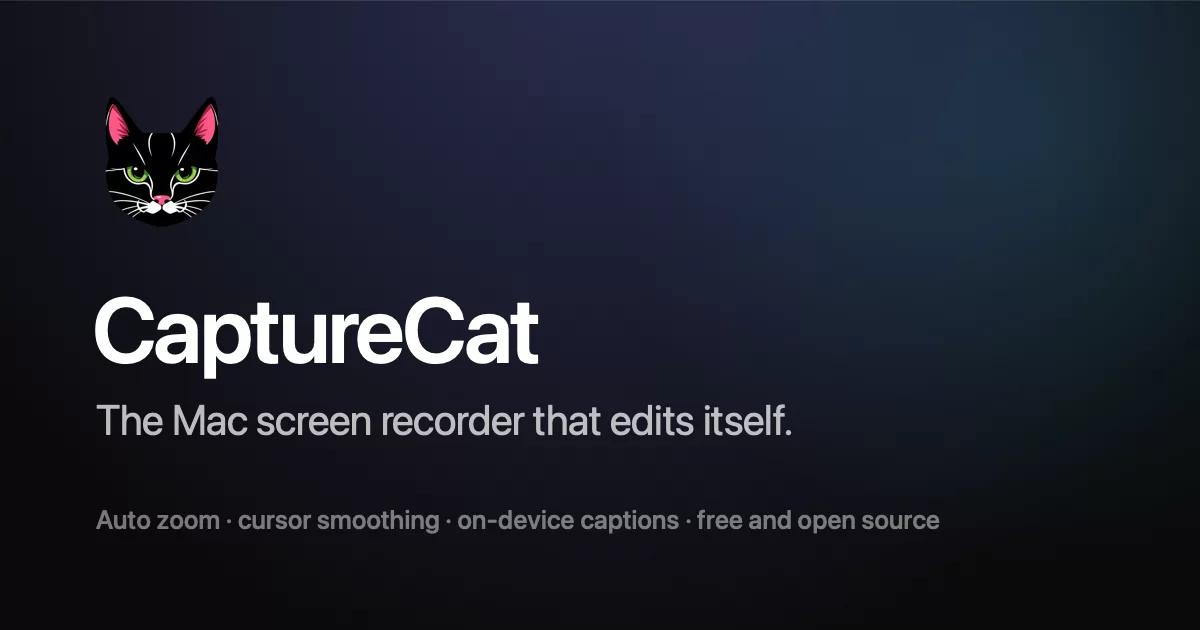

Screen recording, editing, and sharing — built natively for macOS.
License
CaptureCat is open source under the GNU AGPL-3.0. You are free to use, study, modify, and self-host it. If you distribute it or offer it as a network service, the AGPL requires you to publish your modifications under the same license. "CaptureCat" and its logo identify this project — please don't use them for forks or derived services in a way that suggests they are official.
Project Structure
apps/
  macos/     → Native AppKit macOS app (Xcode)
  api/       → Cloudflare Workers API (Hono + R2 + D1 + Durable Objects)
  web/       → Marketing site + share pages + dashboard (TanStack Start)
  admin/     → Admin console (TanStack Start)
assets/      → Brand artwork (logos, icon sources)
docs/        → Roadmap and migration notes
tools/       → MCP bundle build scripts
Development
npm install          # install dependencies
npm run dev          # start web + api in dev mode
macOS app: open apps/macos/CaptureCat.xcodeproj in Xcode and run.
Releasing a New Version
Quick version
# 1. Bump version + build number in Xcode (Target → General)
# 2. One command:
cd apps/macos
./scripts/release.sh          # stable — everyone gets it
./scripts/release.sh --beta   # beta — only opted-in testers get it
That's it. Gates, both architectures, signing, notarization, upload, appcasts, version history, and the git tag are all automatic.
Channels: how beta works
Releases go out on one of two channels using Sparkle 2's official channel mechanism:
- stable (default) — offered to every user.
- beta (
--beta) — appcast items are tagged<sparkle:channel>beta</sparkle:channel>, which makes them invisible to everyone except users who turned on Settings → General → Beta updates in the app. Same app, same feed — testers just see new versions earlier, delivered by the normal in-app update dialog.
Typical flow: ./release.sh --beta → testers run it for a few days →
publish the same (or fixed) code as ./release.sh to promote it to everyone.
Turning the toggle off simply makes the next stable release the next update.
Beta releases tag git as v1.2.0-beta.<build>; stables as v1.2.0, so the
same version can go beta first and stable later without a tag collision.
What release.sh runs, in order
- Verification gates (
run-gates.sh) — every headless harness fromCLAUDE.md§3 (preview parity, raster goldens, overlay/motion tests). A red gate aborts the release.SKIP_GATES=1 ./release.shfor emergencies only. create_release_dmg.sh— archives the app twice (ARCHS=arm64, thenARCHS=x86_64— single-arch DMGs are half the download of a universal binary), verifies each slice withlipo, codesigns with Developer ID, notarizes and staples vianotarytool, and packagesbuild/release/CaptureCat-arm64.dmg+CaptureCat-x86_64.dmg. Single arch:ARCH=arm64 ./scripts/create_release_dmg.sh.publish_release.sh [--beta]— the R2 side:- Reads the version from Xcode (
MARKETING_VERSION, normalized to x.y.z) - Generates release notes from git commits since the last tag
(override:
NOTES="..." ./scripts/publish_release.sh) - Signs both DMGs with Sparkle EdDSA (key in Keychain)
- Uploads DMGs to
releases/<version>/— versioned paths, old releases are never overwritten or deleted - Appends the release to
releases/index.json— the permanent release history, both channels, with per-arch Sparkle signatures - Regenerates the per-arch appcasts from the index (
appcast-arm64.xml,appcast-x86_64.xml): the latest stable item plus any newer beta items, so both channels are always served from one feed - Updates
latest.json(stable) orlatest-beta.json(beta) - Tags the git commit — push it afterwards:
git push origin <tag>
- Reads the version from Xcode (
If API code changed, deploy it separately (cd apps/api && npx wrangler deploy)
and then verify the secret list and sign-in still work — secrets have vanished
on deploy before.
Version history & old downloads
Every release ever published stays available:
| What | URL |
|---|---|
| Full public history (both channels) | api.capturecat.so/api/releases/versions |
| Any old DMG | api.capturecat.so/api/releases/<version>/CaptureCat-<arch>.dmg |
| Latest stable metadata | api.capturecat.so/api/releases/latest |
| Latest beta metadata | api.capturecat.so/api/releases/latest-beta |
How versioning works
The version is set once in Xcode and flows everywhere automatically:
Xcode (MARKETING_VERSION = 1.1, CURRENT_PROJECT_VERSION = 12)
  ↓ read by publish script
  ↓ normalized to 1.1.0
  ├─→ releases/index.json     → permanent history + /api/releases/versions
  ├─→ appcast-<arch>.xml      → Sparkle checks these for updates
  ├─→ latest[-beta].json      → download page / beta page read these
  ├─→ git tag v1.1.0          → marks which commit was released
  └─→ DMG path on R2          → releases/1.1.0/CaptureCat-arm64.dmg
Sparkle compares build numbers (CURRENT_PROJECT_VERSION), not the
marketing version — always increment the build number, even for a beta respin
of the same marketing version.
Where things are hosted
| Asset | Location |
|---|---|
| DMGs | Cloudflare R2 bucket capturecat → releases/<version>/ |
| Release history | R2 → releases/index.json |
| Release metadata | R2 → releases/latest.json, releases/latest-beta.json |
| Sparkle feeds | R2 → releases/appcast-arm64.xml, releases/appcast-x86_64.xml |
| API | Cloudflare Workers → api.capturecat.so |
| Website | capturecat.so (Next.js) |
| Videos + metadata | R2 → videos/ + D1 (via the API) |
Sparkle auto-updates
The macOS app includes Sparkle for automatic
updates. On launch it checks the appcast for its own architecture
(/api/releases/appcast/<arch>, selected by UpdateFeed.swift — one appcast
can only carry one DMG, and serving arm64 to Intel Macs once shipped a build
that couldn't launch). If a newer eligible version exists — respecting the
beta channel opt-in — it shows the native update dialog with release notes.
Users can also check manually via the menu bar dropdown → Check for Updates... or CaptureCat app menu → Check for Updates...
The EdDSA signing key is stored in the local Keychain. The public key is in
Info.plist (SUPublicEDKey). Do not lose the Keychain entry — without it
you cannot sign future updates.
Prerequisites (already set up on this Mac)
- Developer ID Application certificate in Keychain
- Notarization credentials:
xcrun notarytool store-credentials "CaptureCat" - Sparkle EdDSA key in Keychain (
generate_keys, run once) npx wrangler login(R2 uploads)