
CiteLadder
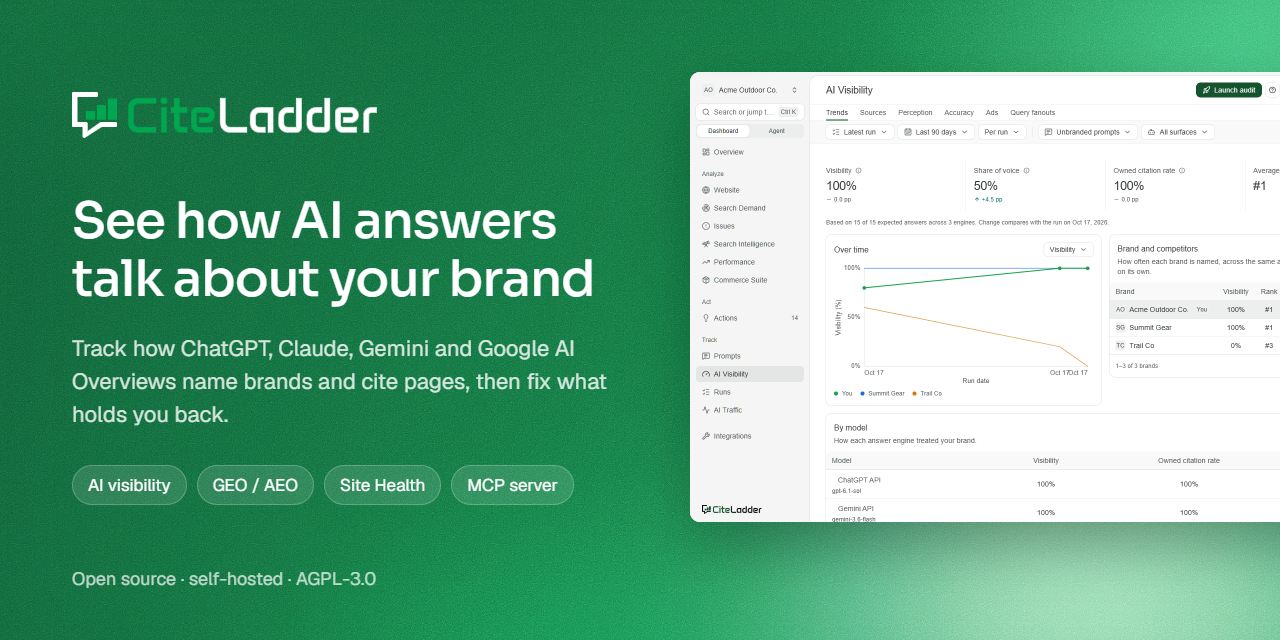
Open-source AI search visibility (GEO / AEO) you can self-host.
See how ChatGPT, Gemini, Claude and Google AI Overviews answer your buyers' questions, which brands they name, and which pages they cite. Then find out why, fix it, and measure whether it worked.



Why CiteLadder · Quick start · Features · Screenshots · MCP · Hosted version · Docs · Contributing
Don't want to run it yourself? CiteLadder Cloud is the hosted version with a 7-day free trial, team workspaces and managed engine access. Product guides live at docs.citeladder.com.
Self-host or Cloud? Self-host (this repo, AGPL-3.0) to keep everything on your machine with your own keys. Use CiteLadder Cloud if you would rather not run anything.
Screenshots
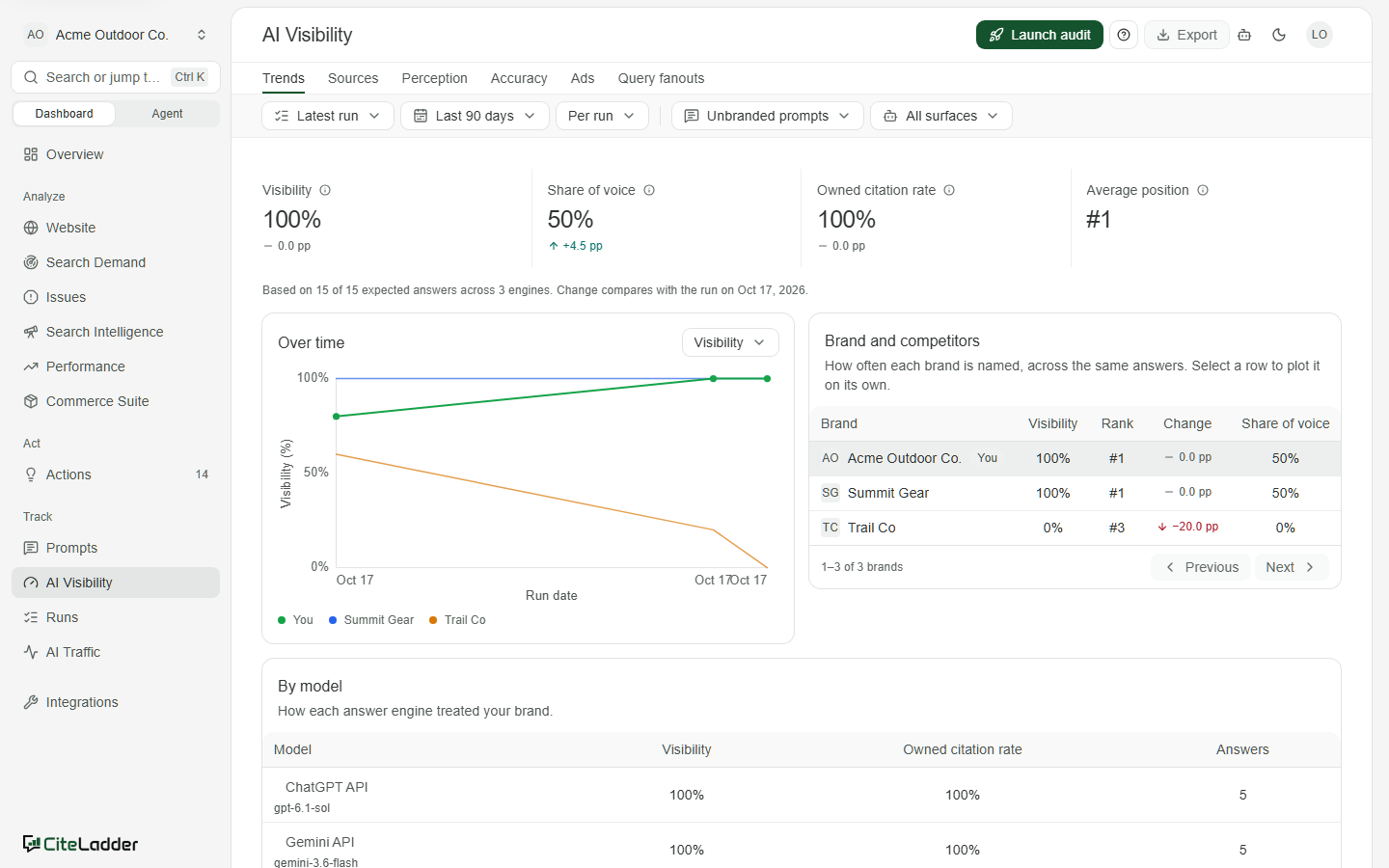
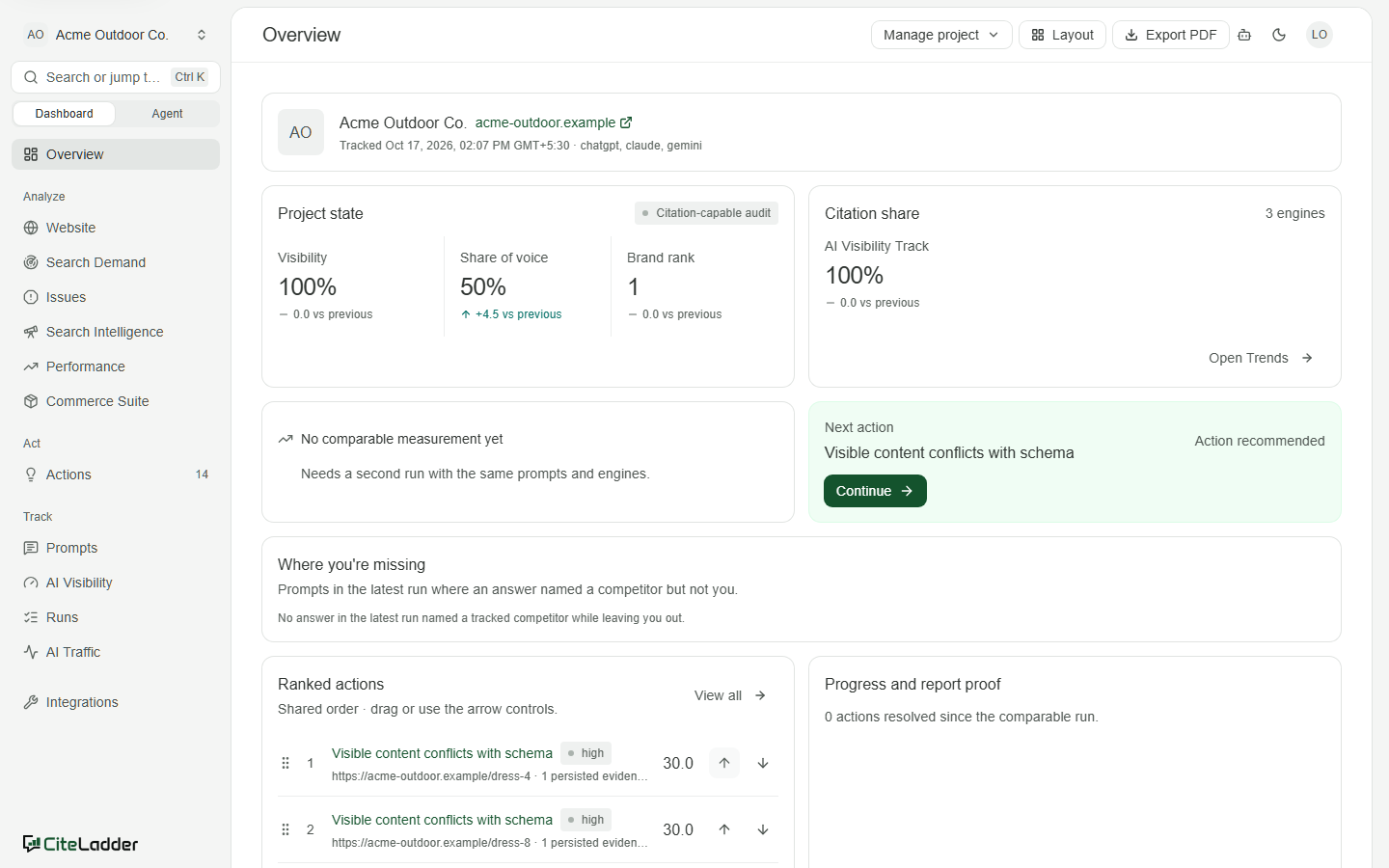
| AI Visibility | Overview |
|---|---|
 |
 |
| Site Health | Issues |
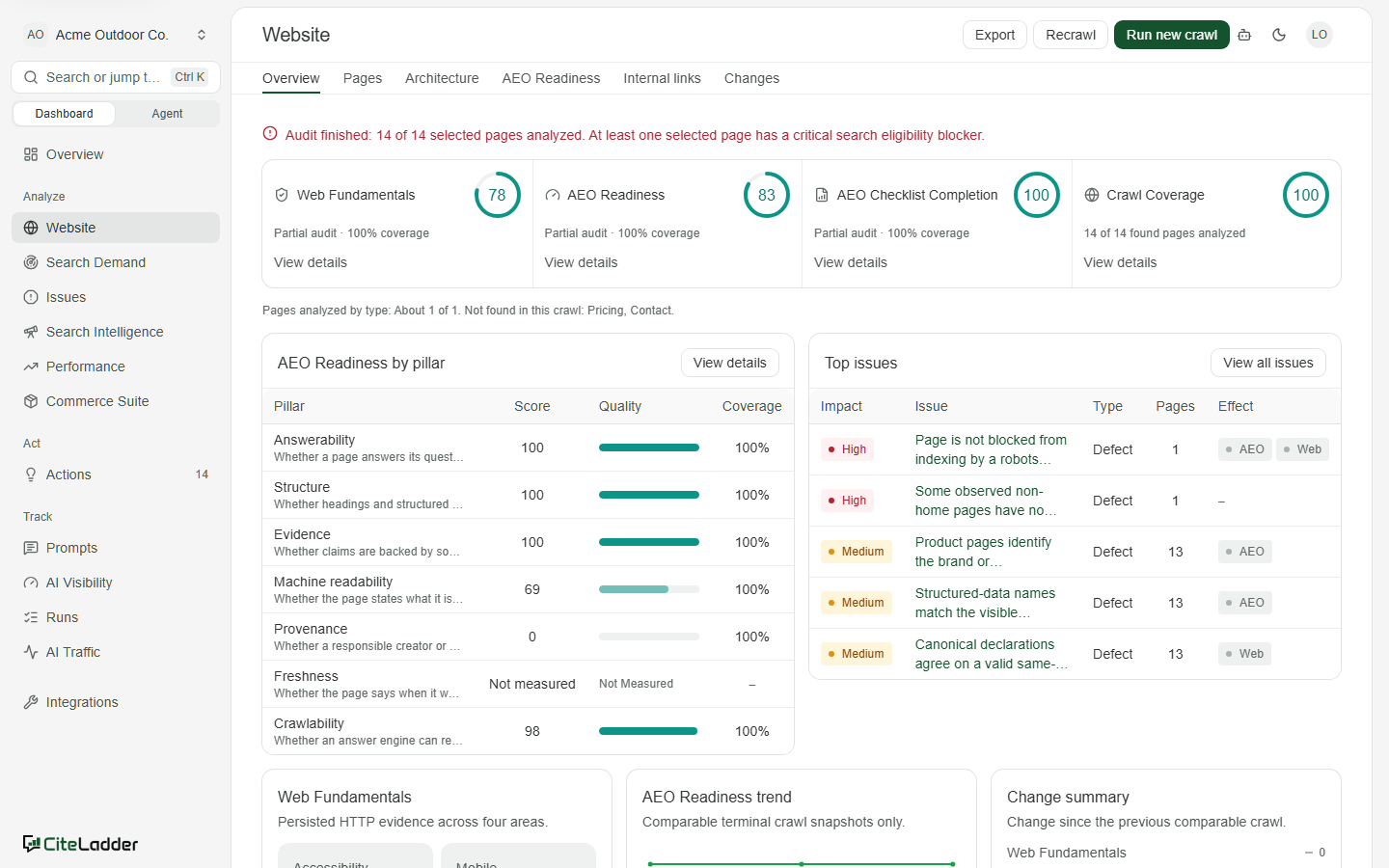 |
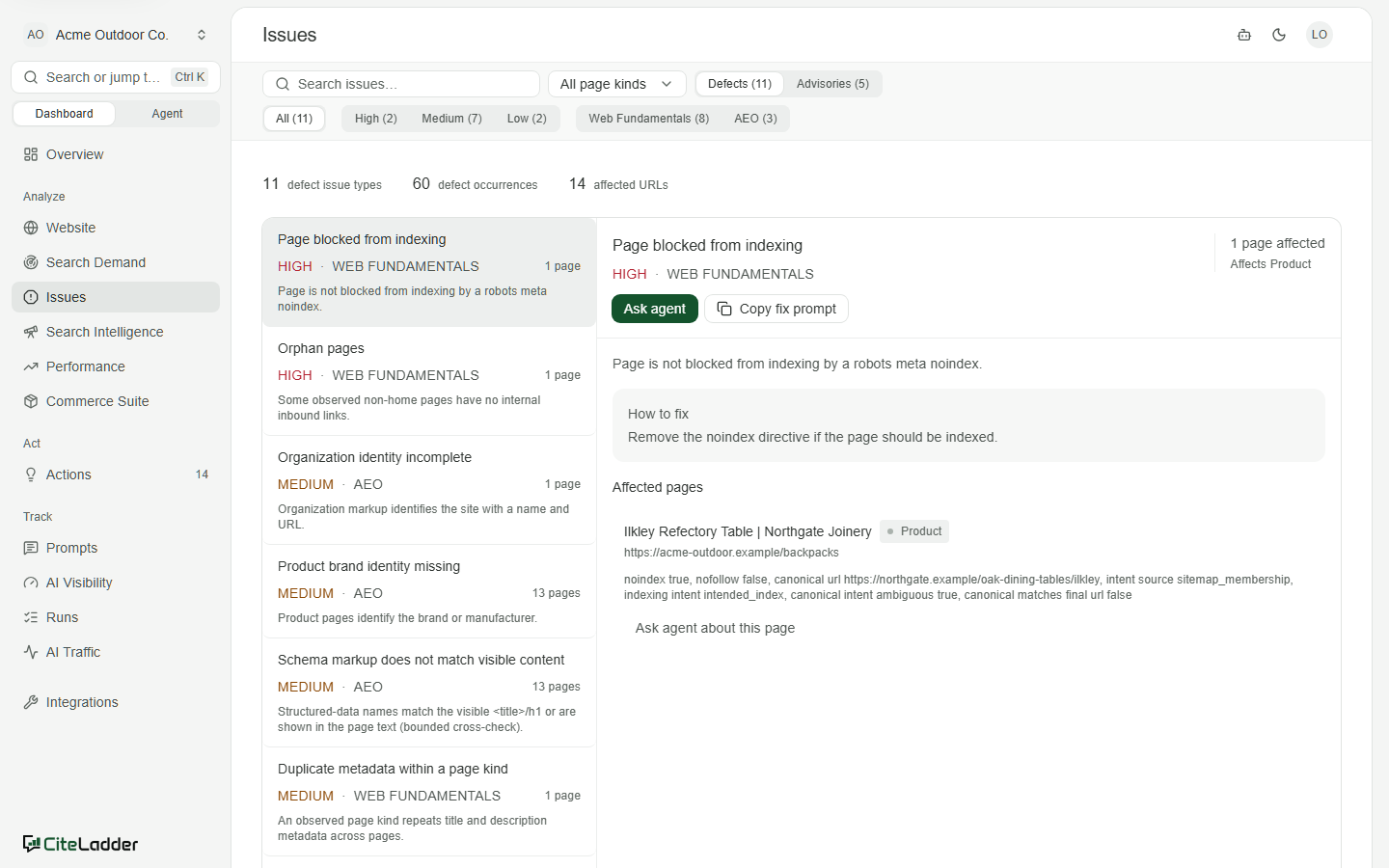 |
Why CiteLadder
- See it: which brands ChatGPT, Gemini, Claude and Google AI Overviews name for your buyers' questions, and which pages they cite.
- Fix it: every finding comes with evidence and a ranked Action you can work through.
- Prove it: every prompt is asked several times and compared like for like, so you see real change, not noise.
How it differs from Peec AI and Profound: CiteLadder is open source and self-hostable, so your data and keys stay with you. It also ships an MCP server that can read and change your project (changes need your confirmation), so your own assistant can work in it directly.
Every prompt is asked more than once
AI answers change from one ask to the next, so one sample can show your brand as present or absent by chance. An audit can ask every prompt up to 10 times per engine (API and MCP launches default to 3), keeps every answer, and reports per-prompt counts: 2/3 answers named your brand, never a rounded yes or no. A prompt only counts as declining when the drop is material on at least two engines, repeats across recent runs and its repetitions agree; confirmed declines become ranked Actions. Runs are compared like for like, over only the prompt, model and repetition cells both runs answered.
A full MCP server, reads and changes
CiteLadder ships an MCP server with 48 tools (self-hosted; the hosted version may list fewer), so Claude Code or any MCP client can work with your project directly:
- 31 read tools across AI visibility, perception, fact checks, ads in AI answers, cited sources and URLs, prompts, Actions, Site Health (pages, links, AI crawlability), AI crawler logs and AI traffic, search performance and demand, and keyword research.
- 3 interactive app views (MCP Apps) for visibility, Site Health and analytics, rendered inside clients that support them.
- 14 change tools behind the connection's Allow changes grant. Tokens without that grant
see only the read tools; change tools are not listed. Small changes (topics, prompt text, adding or removing a competitor, Action
status, cancelling an audit) run at once. Larger ones (adding or archiving prompts, launching or
scheduling audits, declaring an Action implemented) are previewed by a
prepare_*tool and applied only after you agree and the assistant callsconfirm_change.
Every call is scoped to your workspace and budgeted per connection. The self-hosted server
authenticates with the MCP_TOKEN bearer, whose grant allows changes (see
Connect an AI assistant).
What it tracks
For a portfolio of real buyer questions (prompts), CiteLadder asks the answer engines on a schedule and records every answer:
- Which answer engines: ChatGPT, Claude and Gemini through their APIs, plus ChatGPT Search, the Gemini app and Google AI Overviews through DataForSEO.
- Which brands they name: your brand and your competitors, with visibility, share of voice, rank and how each one changes between comparable runs.
- Which pages they cite: cited and retrieved domains and URLs, your owned citation rate, source types, and which publishers show up next to your competitors.
- How mentions and citations are extracted: brand and competitor names are matched in the answer text on word boundaries (separator-free spellings like "acehardware" count, and a common one-word name only counts with your category terms nearby). Citations come from each engine's own citation metadata - the API answers' URL citations and the AI Overviews reference lists - never from paid placements. A citation counts as owned when its domain is one of yours.
- What they get wrong: perception and fact checks against your own site's claims.
- Why: your site's crawlability and structure for AI (Site Health), the demand behind each question (Search Console, GA4, Bing), and which AI crawlers and referrals actually reach you.
The measured outcome is observed mention and citation share, compared under the same prompts and
engines over time. Site and demand metrics are leading indicators, never presented as proof of cause.
unavailable, not configured and observed zero stay three different things.
Features
| Area | What you get |
|---|---|
| AI Visibility | Scheduled audits of your prompt portfolio across engines and markets. Visibility, share of voice, owned citation rate, average position, competitor ranking, trends between comparable runs, cited sources and URLs, perception, accuracy (fact checks), AI ads and query fan-outs. CSV export. |
| Prompts | Generate buyer prompts from your site, market and competitors; organise them by topic, intent and buyer stage; review candidates before they are tracked. |
| Site Health | A polite, bounded crawler with page-type-aware checks: Web Fundamentals, AEO Readiness by pillar (answerability, structure, evidence, machine readability, provenance, freshness, crawlability), AI crawler access (robots.txt, llms.txt), architecture, internal links and crawl-to-crawl changes. |
| Issues and Actions | Every finding with its evidence, affected pages and how to fix it, rolled into a ranked list of Actions you can work through and mark implemented. |
| Agent | Ask questions about your project, or start from workflows (articles, landing, comparison and FAQ pages, page refreshes, social posts). Answers are grounded in your evidence with sources, and outputs are reviewable drafts. |
| Search Demand and Performance | Google Search Console, GA4 and Bing Webmaster sync, query evidence and landing-page performance. |
| Search Intelligence | Keyword suggestions, search volume and backlink research via DataForSEO, with a cost review before any paid call runs. |
| AI Traffic | AI crawler logs from Cloudflare (Worker or Logpush), AWS Firehose, Google Cloud Pub/Sub or file uploads, and referral traffic from answer engines: which bots read which pages, and which answers send visitors. |
| Commerce Suite | Product catalog, buyer prompts and an AI "shelf" view of how your products appear next to competitors. |
| MCP server | 48 tools (self-hosted) for Claude, ChatGPT and any MCP client: read visibility, sources, Site Health, actions, demand and traffic, and make changes: add or archive prompts, add or remove competitors, manage topics, launch and schedule audits, update actions. Larger changes are shown as a preview and applied only after you confirm. Includes interactive MCP Apps views. |
| Public API | Scoped API keys for /v1 endpoints, with an OpenAPI document at /v1/openapi.json. |
| Overview reports | An editable project overview with layout control and PDF export. |
CiteLadder never publishes anything to your site for you and never trains on your data. You bring your own model and data-provider keys, and every crawl and audit runs on your machine.
Quick start
You need Docker with Compose v2. No Docker, or no Node 26? Docker is the easier path; see Without Docker otherwise.
git clone https://github.com/abhij1306/CiteLadder.git
cd CiteLadder
docker compose up -d --build
Open http://localhost:8100. The first start builds the image, which takes a few minutes, then applies the database schema and creates your workspace. There is no sign-up and no login.
Then:
- Create a project. Enter your website; CiteLadder researches the brand and proposes competitors and an ideal customer profile for you to confirm.
- Add model keys in Settings → Providers (OpenAI, Anthropic, Google, DataForSEO). AI Visibility audits need them.
- Run Site Health to crawl and analyse your site; it needs no keys.
- Optionally connect Search Console, GA4 or Bing in Settings → Integrations (see Google and Microsoft sign-in).
To use the Agent, brand research and prompt generation, set an LLM in .env (see below) and run
docker compose up -d again.
docker compose logs -f app      # follow the logs
docker compose down             # stop (data is kept in Docker volumes)
docker compose down -v          # stop and delete all data
Without Docker
You need Node.js 26+ (very new: if your package manager does not offer it yet, use Docker above), pnpm 12 (corepack enable) and a PostgreSQL 16 database.
git clone https://github.com/abhij1306/CiteLadder.git
cd CiteLadder
pnpm bootstrap && pnpm build
DATABASE_URL=postgresql://user:password@localhost:5432/citeladder pnpm start
pnpm start applies migrations, creates the workspace, serves the app on http://localhost:8100
and runs background jobs. Settings come from the environment or a .env file in the repository
root. Generated instance secrets are stored in .data/.
Configuration
Nothing is required to start the app. Add keys to unlock audits and the Agent. Copy the template and fill in what you need:
cp .env.example .env
| Setting | Purpose |
|---|---|
DEFAULT_AGENT_API_KEY, DEFAULT_AGENT_BASE_URL, DEFAULT_AGENT_MODEL |
The LLM behind the Agent, brand research and prompt generation. Anthropic and OpenAI are fully supported; any OpenAI-compatible endpoint (Gemini, Mistral, or a local server such as Ollama at http://host.docker.internal:11434/v1) works for research and generation. |
MCP_TOKEN |
Enables the MCP endpoint at /mcp; clients send it as a bearer token. Treat it like a password: it can change your project. |
INTEGRATION_GOOGLE_CLIENT_ID / _SECRET |
Search Console and GA4 sync (your own Google OAuth client). |
INTEGRATION_MICROSOFT_CLIENT_ID / _SECRET |
Bing Webmaster sync. |
TAVILY_API_KEY, KEENABLE_API_KEY |
Optional web research for competitor and brand discovery. |
JEV_API_KEY |
Optional quality judge for generated prompt candidates. |
CITELADDER_PORT |
Host port for Docker (default 8100). |
PUBLIC_APP_ORIGIN |
The URL you open CiteLadder at, if it is not http://localhost:8100. Used in OAuth redirects and MCP setup text. |
ALLOWED_HOSTS |
Extra host names the API should answer to (comma-separated), for example behind a reverse proxy. localhost and the host in PUBLIC_APP_ORIGIN are always allowed. |
SITE_HEALTH_* |
Crawler politeness and size limits. |
Answer-engine and DataForSEO keys are entered in the app (Settings → Providers) and stored
encrypted in the database. The encryption key and other instance secrets are generated on first
start and kept in the citeladder_data volume (or .data/ without Docker): back them up
together with the database.
Google and Microsoft integrations
Create an OAuth client in your own Google Cloud (or Azure) project, add the redirect URI shown in
Settings → Integrations, and put the client ID and secret in .env. Without them the
integrations show as not configured, and everything else keeps working.
Connect an AI assistant (MCP)
Set MCP_TOKEN in .env to a long random string and apply it with docker compose up -d (a plain
restart keeps the old environment; without Docker, restart pnpm start). Treat it like a password: it can change your project. Then, for example in Claude Code:
claude mcp add --transport http citeladder http://localhost:8100/mcp \
  --header "Authorization: Bearer <MCP_TOKEN>"
Settings → MCP in the app shows the URL and a JSON snippet for other clients. The bundled agent plugin adds review skills (AI visibility review, change review, technical SEO triage).
Security
CiteLadder is a single-workspace, self-hosted tool with no login. The Compose file binds the
app to 127.0.0.1 only. Before you expose it to a network, put an authenticating reverse proxy in
front of it. The API also answers only to localhost and the host in PUBLIC_APP_ORIGIN; list
any other host name you use in ALLOWED_HOSTS. See SECURITY.md for more, and for
how to report vulnerabilities.
Architecture
browser app (React + Vite SPA) ─┐
MCP clients ────────────────────┼─▶ API (Node 26, Hono) ─▶ PostgreSQL 16 (data + job queue)
public API (/v1) ───────────────┘          ▲
                                           │
                              runner (crawls, audits, syncs, schedules)
| Path | What lives there |
|---|---|
frontend/apps/app/ |
Browser app entry, routes and Vite config |
frontend/components/, frontend/lib/ |
App UI and client logic |
frontend/services/api/ |
API, MCP server, background workers, CLIs |
frontend/services/api/src/config/ |
Tunable product policy |
frontend/services/api/migrations/ |
SQL schema |
frontend/packages/contracts/ |
API contracts shared by app and API |
frontend/packages/mcp-app/ |
MCP Apps view |
plugins/citeladder/ |
Agent plugin with review skills |
Contributing
Contributions are welcome. See CONTRIBUTING.md for local development, checks and the PR process, and the Code of Conduct.
License
GNU Affero General Public License v3.0. If you run a modified version as a network service, you must offer its source to your users.