Split expenses with friends, roommates and travel companions: no daily limits, no ads, no paywall, no data lock-in.
An iOS, Android and web app (Flutter) with a small sync server (Spring Boot, Kotlin, PostgreSQL). Status: pre-release, not in the stores yet.
 |
 |
 |
 |
Why
Splitwise's free tier limits how many expenses you can add per day, and you hit that limit on the first day of a trip. Most alternatives are web-only. Evensies is a native app where you can add expenses offline, the same app runs in the browser, and every feature is free.
Promises
These are written down so they can't quietly change later:
- No limits on how many expenses you add, ever. Not per day, not per group. The only caps are against abuse and far above real use (for example 50 members per group); see docs/API.md.
- No ads and no tracking.
- Export is always available (JSON and CSV). Your data leaves whenever you do.
- No paywall. Every feature is free.
- Open source: Apache-2.0.
Features
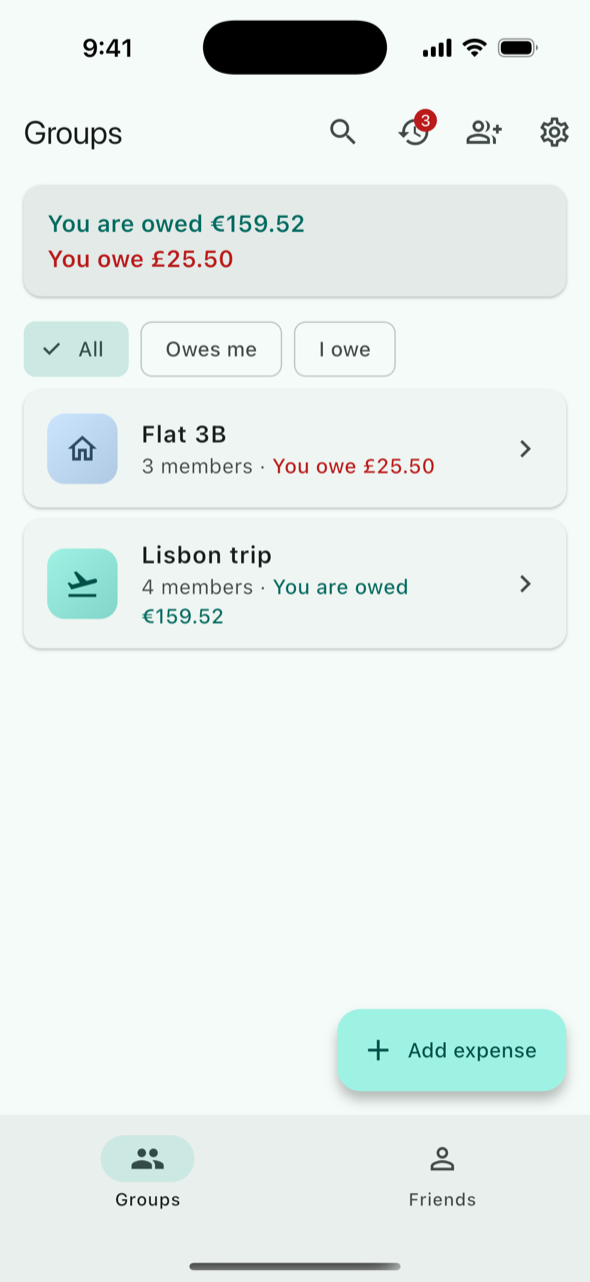
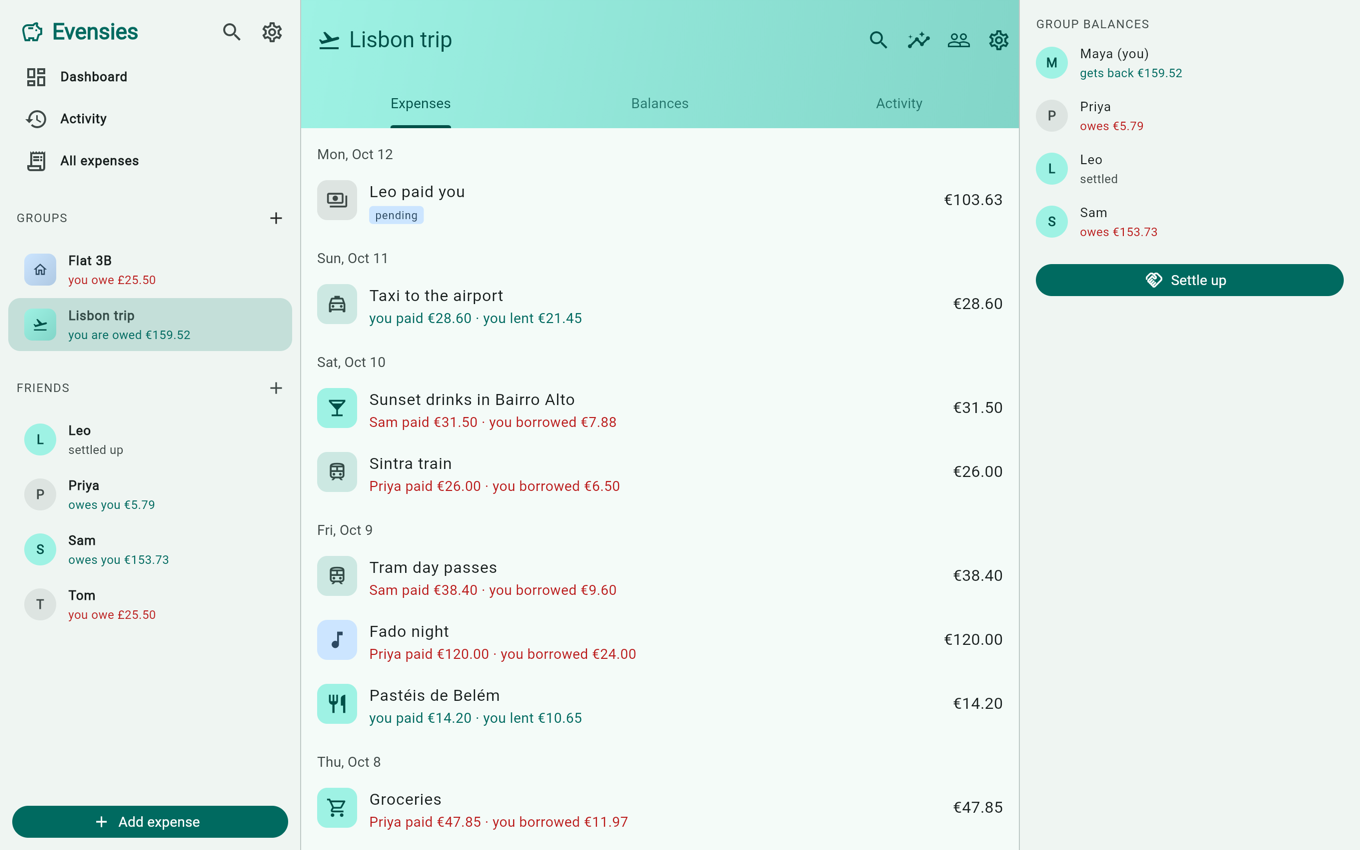
- Groups for a trip, a home, a couple or anything else: invite by link, code, QR or email; add placeholder members who claim their name later; cover photos; delete and restore a group.
- Friends: expenses between two people outside any group, one balance per person across everything, reminders, block and report.
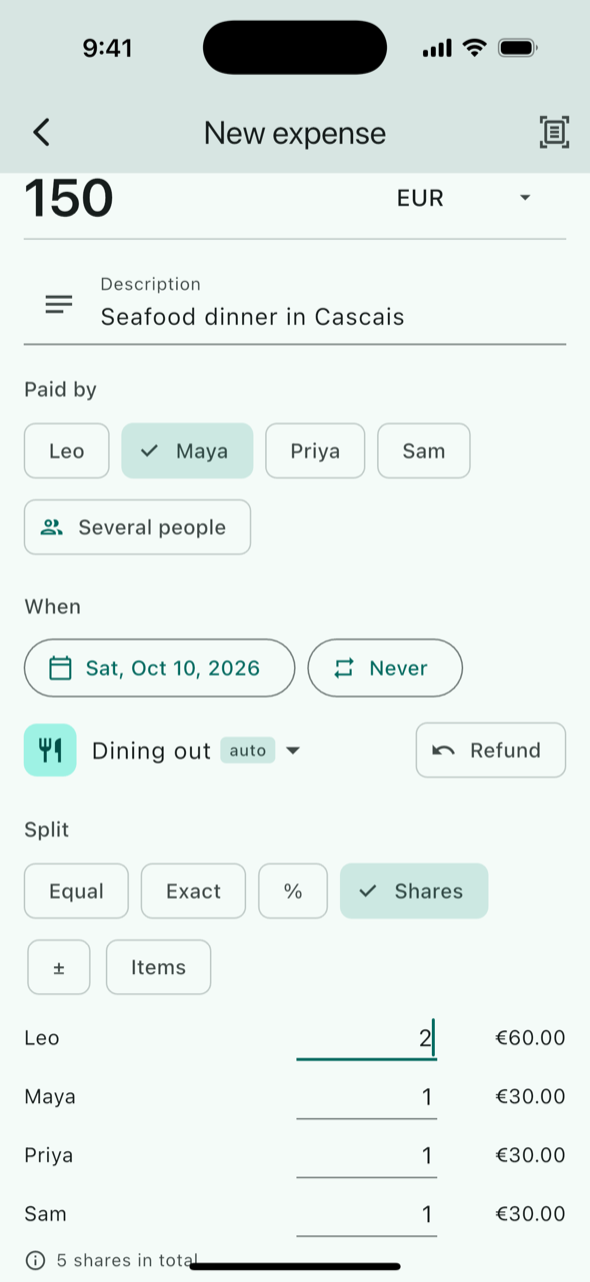
- Six ways to split: equally (untick who wasn't there), exact amounts, percentages, shares, adjustments, or by item from a receipt. Several payers, refunds and a default split per group.
- 155 currencies, a different one per expense if you like, with automatic daily exchange rates and a home currency.
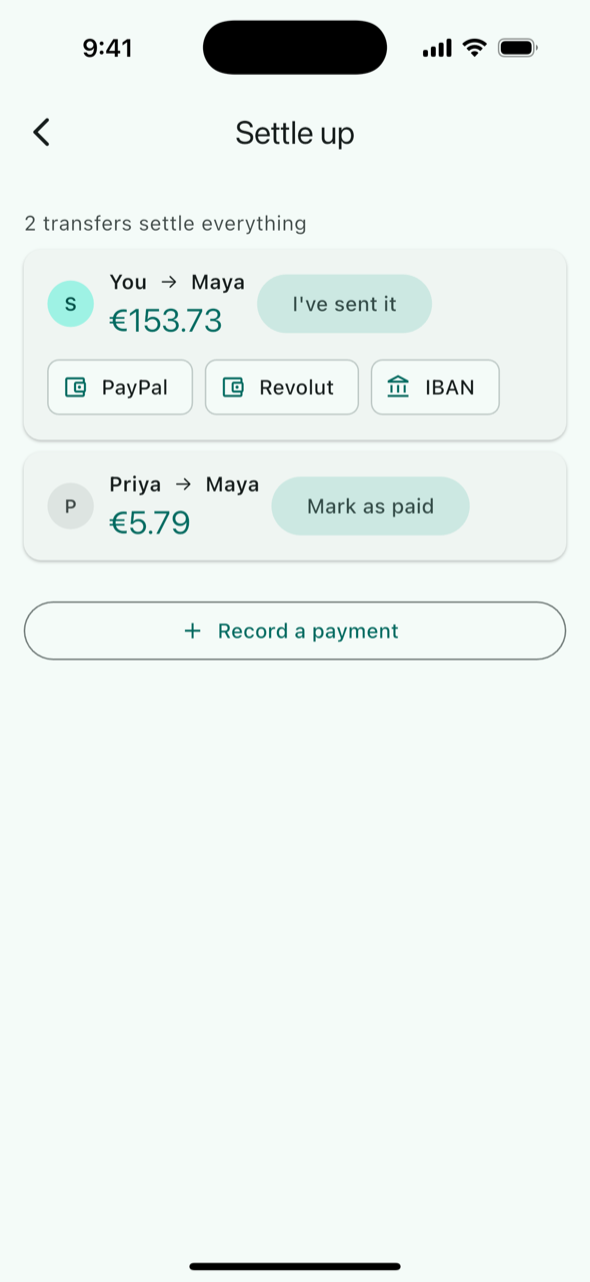
- Settle up with simplified debts (or as they arose, per group), pay links for PayPal, Wise, Venmo, Revolut, KakaoPay and UPI, an EU payment QR code or a copied IBAN or Korean bank account, and "sent" / "received" payments. Evensies never holds or moves money.
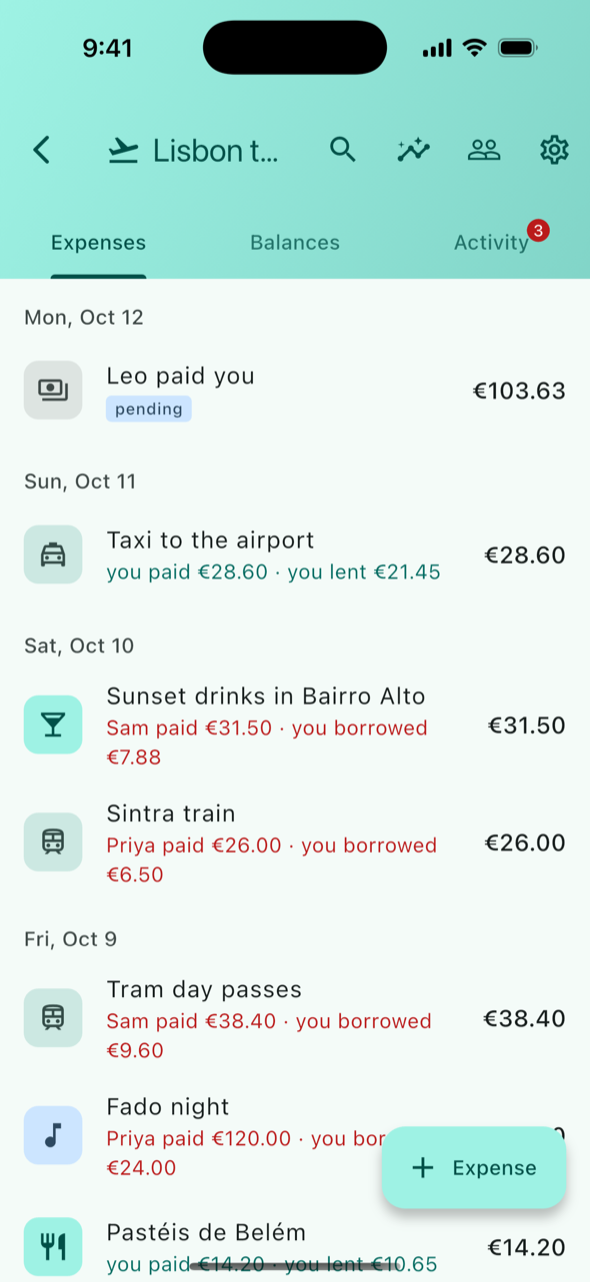
- Stay in the loop: activity feed, push notifications, comments, notes, edit history, restoring deleted expenses and payments, and an optional summary email.
- Organise: categories, search across all expenses, charts by month, category and person.
- Receipts and repeats: receipt photos, on-device text scanning (phones only), and repeating expenses for rent and subscriptions.
- Your way: add and edit expenses offline, 13 languages with local money and date formats, a web app, a home-screen widget, app lock, light and dark mode.
- Accounts: sign in with Apple, Google or a code sent by email; sign out everywhere; delete your account in Settings.
- Export and import: a group as JSON, CSV or a ZIP with its receipts, or everything as one JSON file; import a Splitwise CSV.
How it works
- Every change is an event in an append-only log per group. The app pushes its queued events and pulls what's new; the server gives each event its place (
seq) under a lock on the group. - The app keeps a full local copy (SQLite through drift, IndexedDB on the web) and computes balances itself, so expenses and payments can be added and edited without a connection.
- Money is an integer in the currency's minor unit, and each expense stores the final amount per member.
- The Dart app and the Kotlin server implement the same rules, and the parts both sides have pass the same JSON test cases in
shared/. - The server also serves the web app at
/app/, sends push notifications (Firebase Cloud Messaging) and, if configured, email.
More in ARCHITECTURE.md; the API and sync contract is docs/API.md.
Quick start
You need Flutter 3.41, JDK 21, Docker, and Xcode + CocoaPods (iOS), Android Studio (Android) or Chrome (web). Full steps, tests and the Android and web variants are in CONTRIBUTING.md.
git clone https://github.com/devyourown/evensies.git && cd evensies
docker compose -f deploy/docker-compose.dev.yml up -d     # Postgres and Mailpit

# terminal 1: the server with the dev profile
export JAVA_HOME=/opt/homebrew/opt/openjdk@21/libexec/openjdk.jdk/Contents/Home   # or your JDK 21
cd server && ./gradlew --no-daemon bootRun --args='--spring.profiles.active=dev'

# terminal 2, from where you cloned: the app on the iOS simulator
cd evensies/app && flutter pub get
open -a Simulator
flutter devices                                            # find the simulator's device id
flutter run -d <device-id> --dart-define=DEV_LOGIN=true --dart-define=EVENSIES_SERVER_URL=http://localhost:8080
For the browser, use flutter run -d chrome --web-port 7357 with the same --dart-defines: 7357 is the only origin the dev server allows. The Android emulator needs http://10.0.2.2:8080 instead of localhost (see CONTRIBUTING.md).
On the login screen, type a name under "Dev name" and tap "Dev login". No Firebase files are needed; push is simply off without them.
Repository layout
app/       Flutter app (iOS, Android, web)
server/    Spring Boot (Kotlin) API and sync server, also serves the web app
shared/    JSON test cases both implementations must pass, and the shared tables (currencies, categories, strings)
deploy/    Docker Compose for development and production, Caddy, .env.example
docs/      API and sync contract (API.md), privacy policy, store listing, release steps, design history
Contributing
Bug reports, translation reviews and code are all welcome. Start with CONTRIBUTING.md; issues labelled good first issue, when there are some, are small and self-contained. Please follow the Code of Conduct, and report security problems privately as described in SECURITY.md.
All 12 languages other than English are machine-translated and need native speakers to review them. That is the easiest way to help: see Translations.
Running the server yourself
Apache-2.0 lets anyone run, change and redistribute the code, for any purpose. Only the name and the icon are restricted: see TRADEMARKS.md.
Store builds (once released) talk only to the official server. Your server serves the web app at https://<your domain>/app/, so that works right away. For phone apps that use your server, build them under your own name, icon and bundle id with --dart-define=EVENSIES_SERVER_URL=https://<your domain> (build variables).
git clone https://github.com/devyourown/evensies.git && cd evensies/deploy
cp .env.example .env      # set EVENSIES_DOMAIN, EVENSIES_PUBLIC_URL, EVENSIES_JWT_SECRET, POSTGRES_PASSWORD and the sign-in client ids
docker compose up -d --build
Caddy gets a TLS certificate for EVENSIES_DOMAIN automatically, and a backup container writes a daily database dump to deploy/backups/. Set EVENSIES_GOOGLE_WEB_CLIENT_ID and EVENSIES_APPLE_SERVICES_ID to show Google and Apple sign-in in the web app, and EVENSIES_SMTP_HOST to turn on email. All variables: docs/API.md and server/README.md. deploy/bootstrap.sh prepares a fresh Ubuntu host.
License and trademarks
Evensies is licensed under the Apache License 2.0. Copyright 2026 Hyojun (@devyourown) and contributors.
The name "Evensies", the logo and the app icon are not covered by the license; see the trademark policy.
Commits up to 3a71a8d (2026-10-13) carry the license file they were published with: AGPL-3.0 up to d3ac783, then FSL-1.1-ALv2.