Fernsy
Your IPTV subscription as a real Mac app.
Live TV with a program guide, movies and series – fast, native and ad-free.
For Xtream Codes accounts.
Download for Mac · Website · Deutsch
For Macs with Apple silicon · macOS 27 or later · Coming soon to the Mac App Store
Made for the Mac
Fernsy is not a web player in a window. It is a native macOS app that feels at home on your Mac: hardware decoding, keyboard control and the system's dark and light appearance. Sign in with your provider's Xtream Codes account and your channels, movies and series are there.
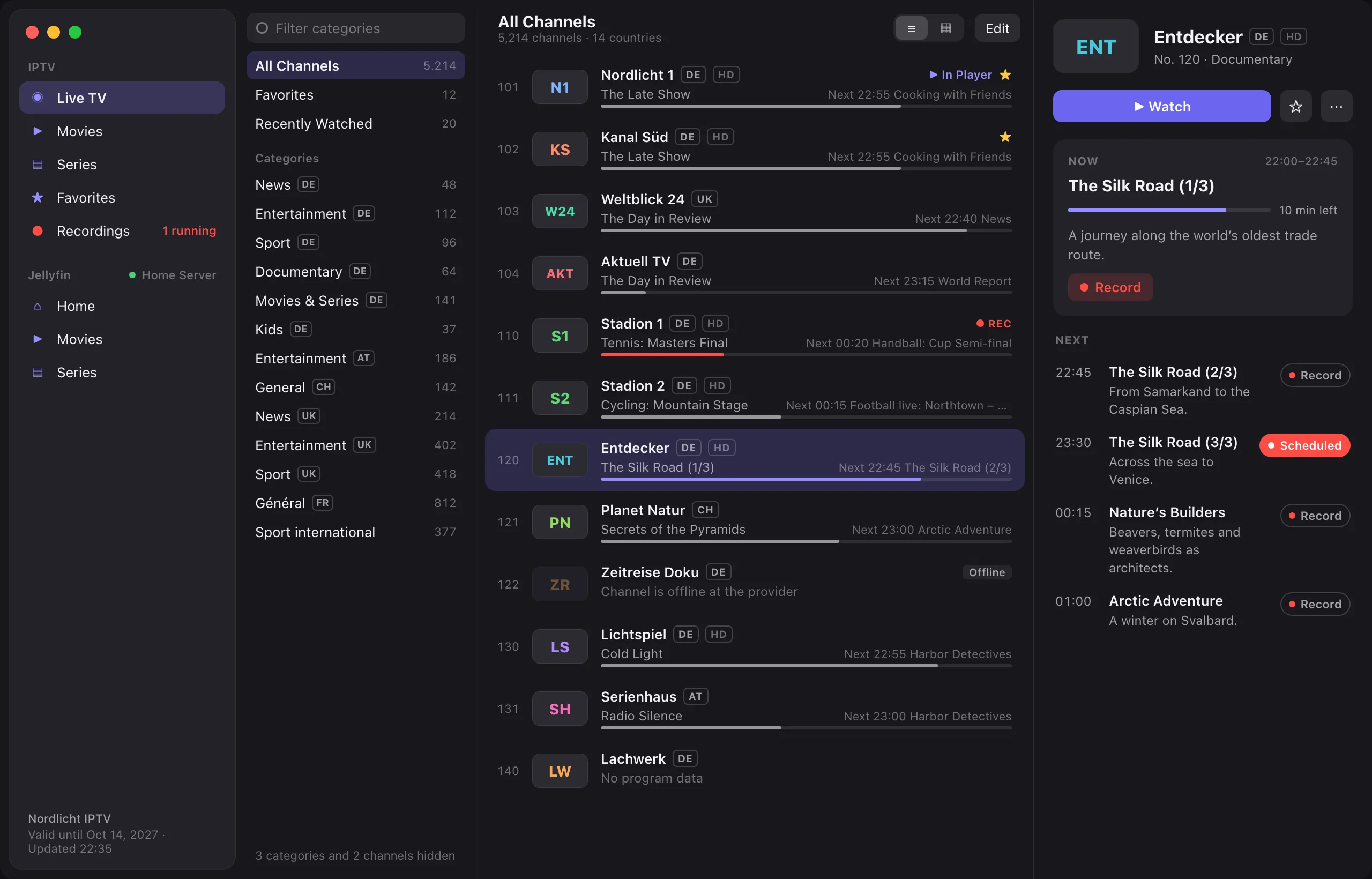
Live TV
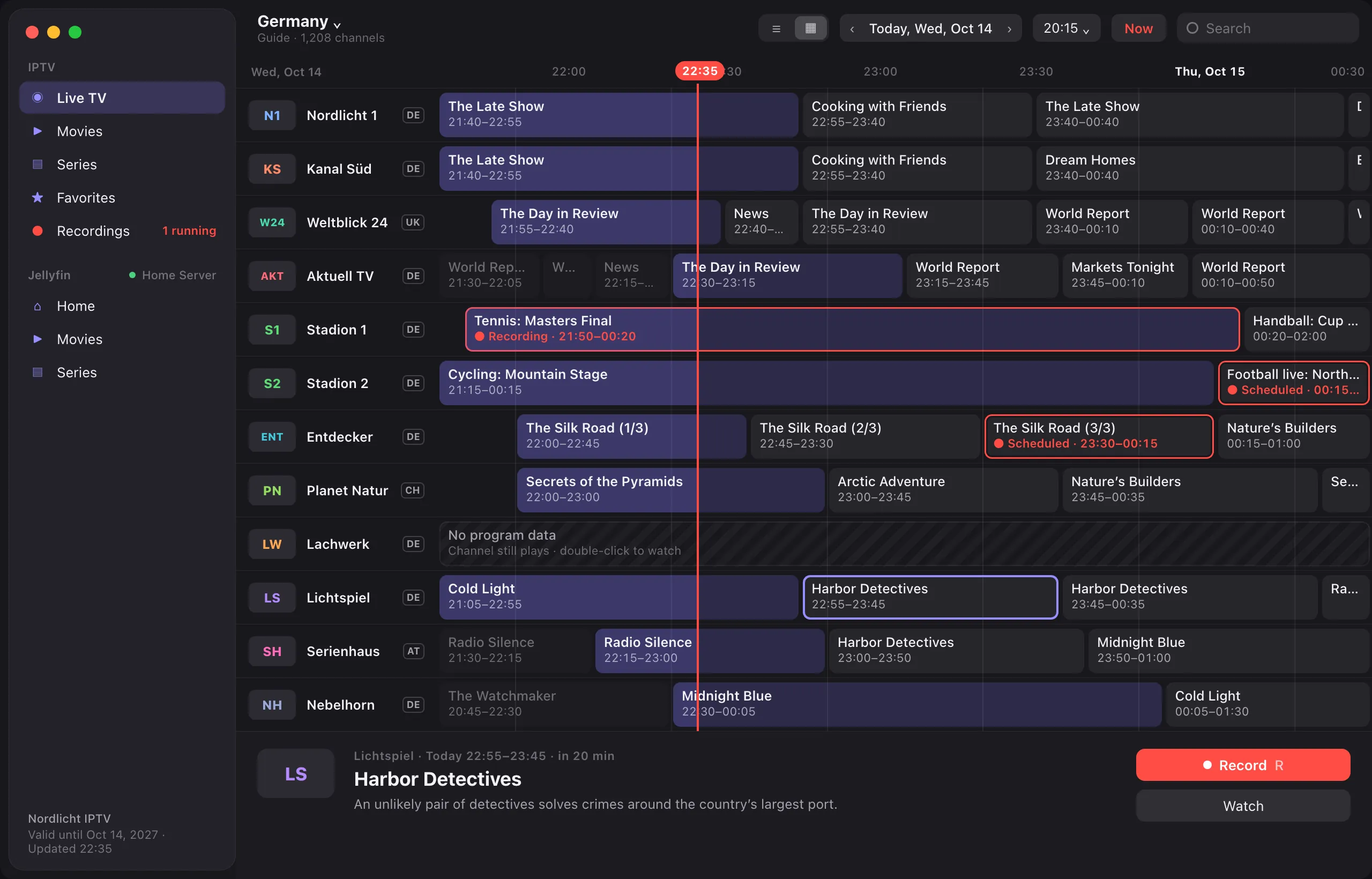
- Channel list with categories, search and favorites
- Program guide for all channels
- Switch channels with the arrow keys
- What is on now and next, right in the list
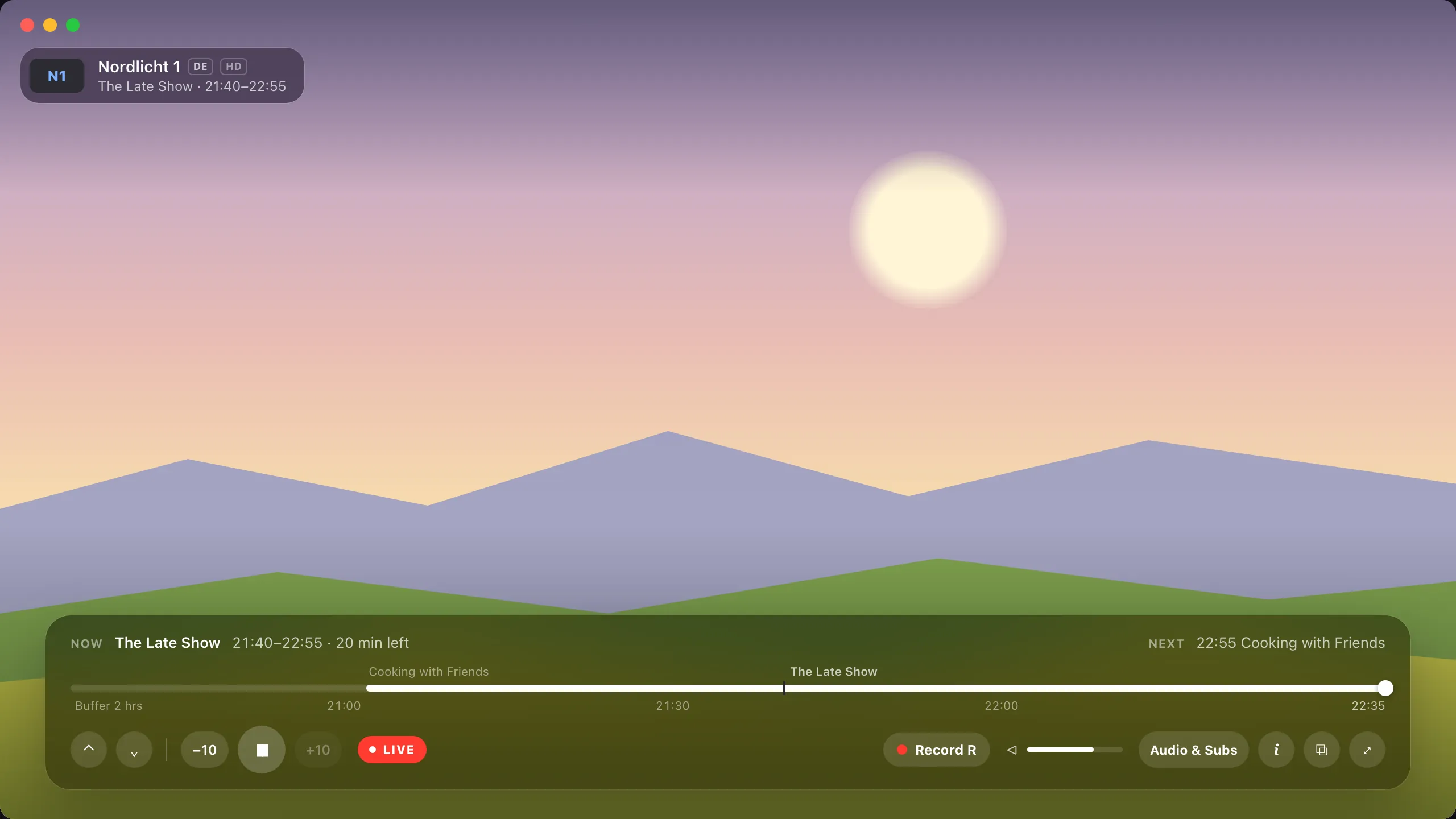
- A channel list in the player (L): switch channels without leaving the picture
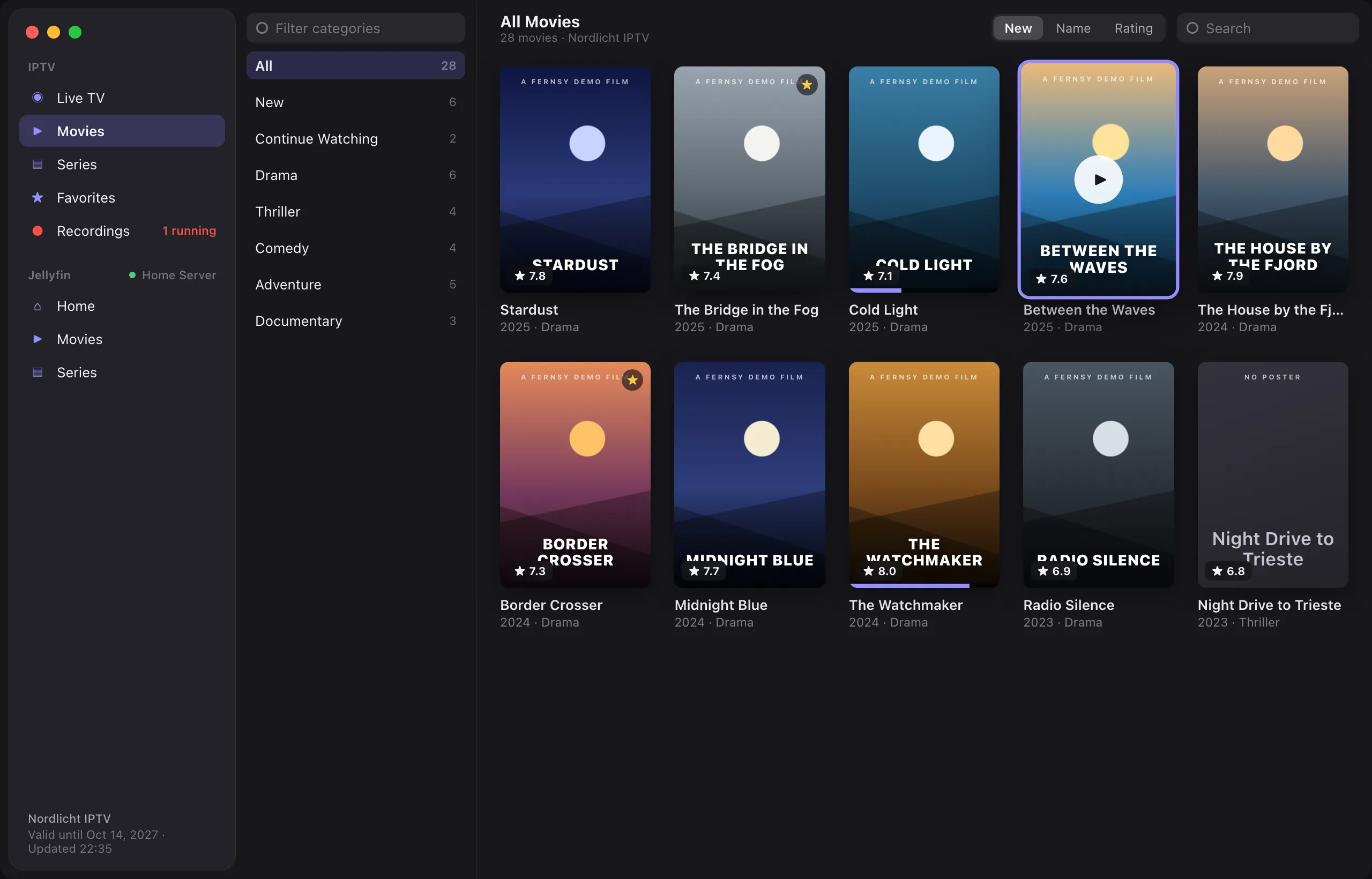
Movies and series
- Poster view, sorted by newest, name or rating
- Seasons and episodes
- Continue where you left off
Playback
- Hardware decoding, up to 4K
- Deinterlacing on the GPU
- Seamless reconnects on network dropouts
Record, rewind and your own media library
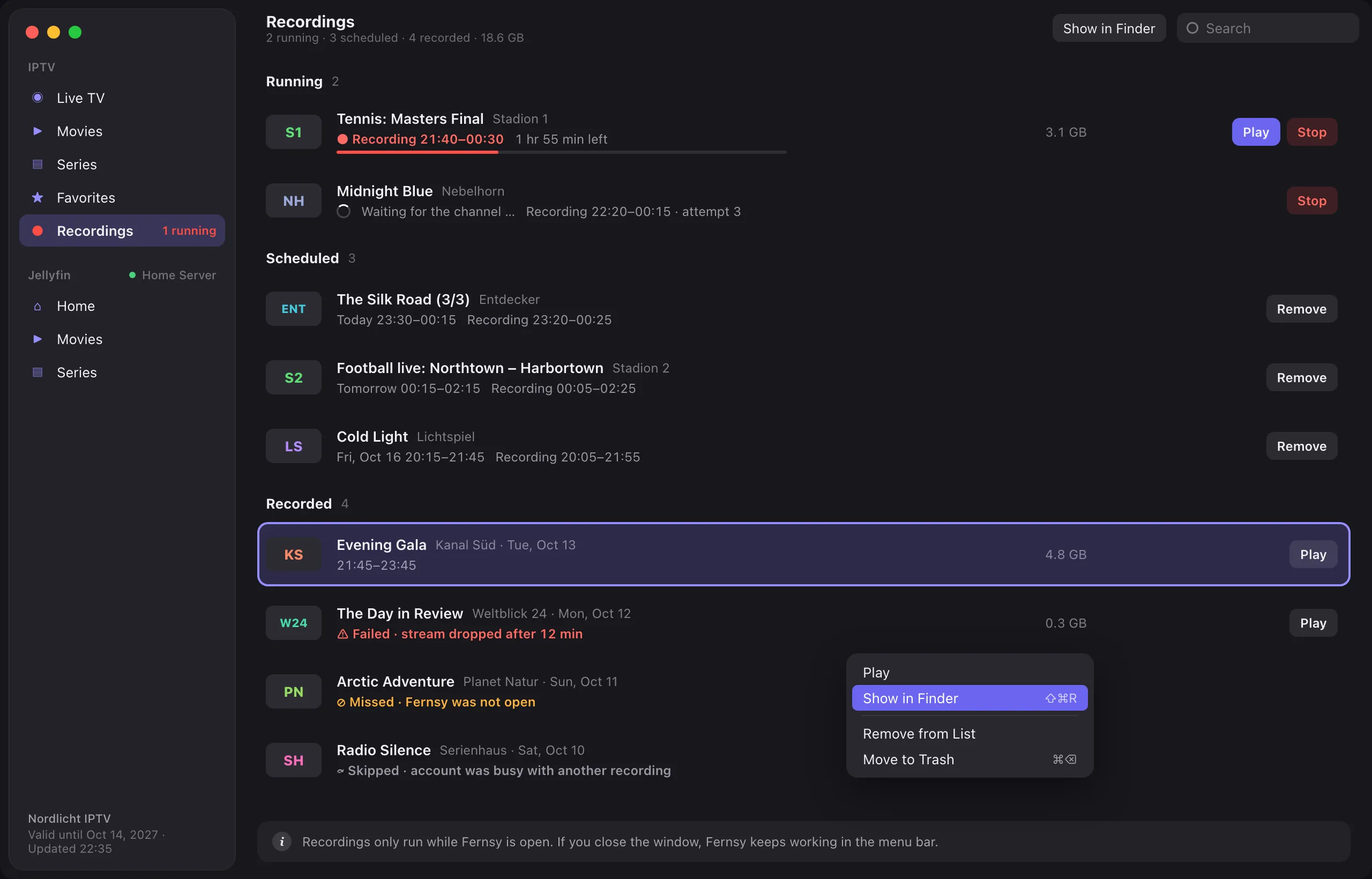
Recordings
Record shows without missing a thing. Record right from the channel list, the program guide or the player. Fernsy keeps working in the menu bar, even when the window is closed.
- Adjustable padding before and after
- Play while still recording
- Running, scheduled and recorded in one list
- Clear notes on failed or missed recordings
- Keeps your Mac awake before a scheduled recording, as long ahead as you choose
- Opens at login if you like, so recordings also happen after a restart
Jellyfin
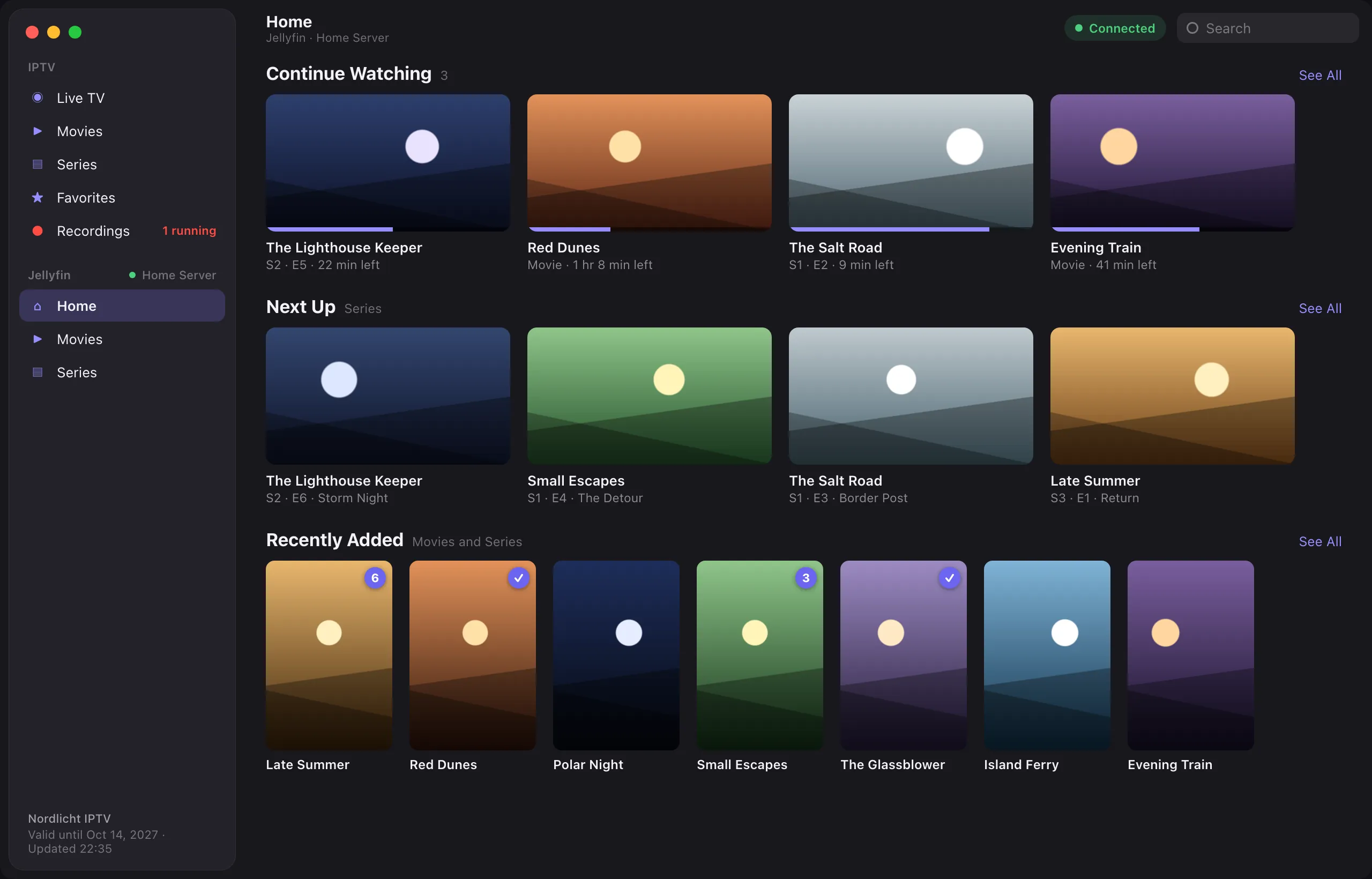
Your own media server, right next to your IPTV account. Connect your Jellyfin server as well. Both accounts are active at the same time and appear separately in the sidebar, with the same controls.
- Continue Watching, Next Up and Recently Added on one home page
- Libraries and genres as categories
- Watched status, unwatched episodes and favorites
- The library stays visible when the server is offline
- Hide your IPTV provider's movies and series when your films come from Jellyfin
And more
- Timeshift. Pause live TV and rewind up to two hours. One click takes you back to live.
- Picture in Picture. Keep watching while you work on your Mac. Switching channels works in the small window, too.
- One search for everything. Channels, movies, series, recordings and Jellyfin in one search field, sorted by source.
- Menu bar. Running and upcoming recordings at a glance, even without an open window.
- Works with your AI assistant. Ask Claude what's on tonight, schedule recordings, switch channels or find a scene ("go back to the goal", "where she says …") in plain words. Fernsy's optional MCP server stays on your Mac and is added to Claude Desktop with one click.
- Siri, Shortcuts and Spotlight. "Open ZDF in Fernsy" or "Search Tatort in Fernsy" with Siri; switching channels, what's on and recording as actions in the Shortcuts app and Spotlight.
- iCloud sync. Hidden channels, favorites, where you stopped a film and your settings follow you to your other Macs and your Apple TV. Your logins too, end-to-end encrypted, so a new Apple TV signs in with one click.
Privacy
Fernsy collects no data. Your credentials stay in your Mac's keychain and, if you sync with iCloud, end-to-end encrypted in your own iCloud. The app only connects to your provider, your Jellyfin server and iCloud.
Get Fernsy
Download Fernsy.dmg, open it and drag Fernsy into your Applications folder. The download is signed and notarized by Apple, and Fernsy updates itself. Fernsy is coming soon to the Mac App Store.
Requires a Mac with Apple silicon and macOS 27 or later.
Important: Fernsy contains no channels, movies or other content and sells no subscriptions. You need an account (Xtream Codes API) with an IPTV provider of your choice.
Questions or problems? See Support.
Contributing
Fernsy is free software by mobilistics GmbH under the GNU General Public License v3 or later. The bundled FFmpeg libraries are licensed separately under the LGPL 2.1 or later.
Bug reports and ideas are welcome as issues. Fernsy is also sold through the Mac App Store, whose terms are not compatible with the GPL for third-party code, so pull requests can only be accepted together with a contributor license agreement that allows this.
To build it yourself (Xcode 27 with its Metal toolchain, Apple silicon):
scripts/build-ffmpeg.sh    # builds LGPL FFmpeg into Vendor/ffmpeg, once
open Fernsy.xcodeproj
Everything else – releases, update signing, the demo server and the debug switches – is in DEVELOPMENT.md.