
A Next.js 16 portfolio framework with selectable templates, shared plugins, and a content workflow for personal websites.
FolioWeave brings three portfolio designs into one application: Classic, Refract Light, and Refract Dark. Choose a template through the CLI, keep your profile and Markdown articles, and enable music or comments independently. Layout, motion, content publication, and extension contracts live in the reusable code; personal information and media stay in the authoring layer.
Templates
| Template | CLI id | Design | Demo |
|---|---|---|---|
| Classic | classic |
Editorial portfolio with tactile objects, project stories, and photography | Open demo |
| Refract Light | refract-light |
White opening, contrasting dark sections, and a scroll-driven globe that separates and reforms | Open demo |
| Refract Dark | refract-dark |
Warm dark opening, light drawing stages, and the same globe narrative in a distinct palette | Open demo |
In production: kukutx.vercel.app is the author's own portfolio, built with Classic from this repository's personal branch. The demos above use placeholder content; that site shows the template carrying real work.
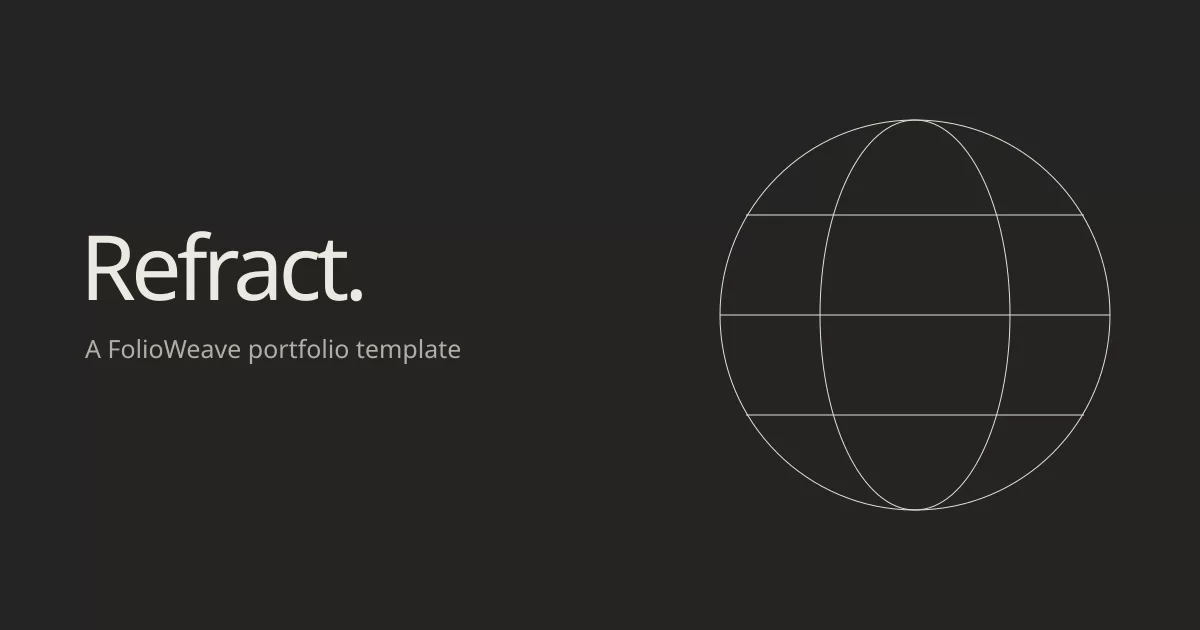
Refract Light and Refract Dark are separate build-time choices. The published site has no style switcher. They share scene geometry and interaction code so fixes apply consistently to both designs. Read the Refract guide for content mapping, settings, and asset credits.
To build your own design, npm run folio -- template create <id> scaffolds a template that already implements the shared contracts; Template integration walks through it.
| Classic | Refract Light | Refract Dark |
|---|---|---|
 |
 |
 |
Start here
Requirements: Node.js 24 and npm.
npm ci
git switch -c personal
npm run personalize
npm run dev
main and develop keep the canonical demo, so your own profile lives on the personal branch.
npm run personalize asks for your identity, links and location, the template (classic, refract-light or refract-dark) and the plugins. Switch template later with npm run folio -- template use <id>; your content and settings are kept. Classic remains the default for profiles without a template selection.
Open http://localhost:3000.
For the guided five-minute path, read docs/QUICKSTART.md.
What you edit
Normal personalization uses three places, plus an optional resume source:
portfolio.json
content/assets/portfolio/
content/blogs/
content/resume/            optional
portfolio.json owns identity, location, links, Hero/About copy, projects, photography order, resume, Blog presentation, SEO, and feature switches.
content/assets/portfolio/ owns original author media. Browser URLs remain /portfolio/....
content/blogs/ owns Markdown posts.
content/resume/resume.json, when present, is the single source for the resume PDF and the printer preview; npm run resume:build renders both.
Do not edit public/portfolio/, src/portfolio/*.generated.*, or src/blog/posts.generated.ts. They are validated publication output and are replaced by the content pipeline.
While npm run dev is running, valid changes to profile content, assets, Markdown, schema, custom-blog metadata, and the route registry are rebuilt automatically. Invalid content leaves the last valid generated output in place and prints the validation error.
Highlights
- Three CLI-selectable templates sharing one profile schema and publication pipeline
- Independent music and comments plugins, configured through the CLI and mounted through template slots
- Responsive portfolio for desktop, tablet, and mobile
- Data-driven projects, photography, About content, resume, links, and feature switches
- One-source resume: a JSON file rendered to the printer preview and a tagged PDF whose text extracts in reading order, with an optional Word copy to download
- Markdown Blog with automatic routes, index, tag pages, reading time, metadata, sitemap, and drafts
- Article outline, linkable section headings, and copyable code blocks
- Classic's editorial sections, camera, gallery/lightbox, and a resume printer whose printed sheet opens a reading preview
- Refract's Canvas globe, scroll-driven scene changes, chapter timeline, and light/dark design variants
- Server-first composition with focused client interaction islands
- Accessibility-minded keyboard/focus behavior and live reduced-motion support
- Atomic content publication with schema, route, asset, image, and link validation
- Runtime, bundle, browser, media, lifecycle, visual, and profile QA
- Chromium, Firefox, and WebKit release coverage
- Explicit reusable-core vs demo vs author-content boundaries
Add content
Project
Put source artwork under:
content/assets/portfolio/projects/my-app/
then add the project to portfolio.json > projects. Image dimensions are measured automatically. Projects support single images, carousels, mobile art direction, actions, badges, and an optional editorial story.
Photography
Add originals under content/assets/portfolio/photography/ and reference them in portfolio.json > photography.images.
Blog
Create content/blogs/my-post.md:
---
title: "My post"
date: "2026-09-12"
description: "A short summary."
tags:
  - Engineering
draft: false
---

## A section

Normal Markdown.
It becomes /blogs/my-post. The Blog index appears automatically when at least one post is published. With local development already running, adding/removing the file updates the route without restarting Next.
Resume
Point portfolio.json > site.resume at two files under /portfolio/resume/, copy content/resume/resume.example.json to content/resume/resume.json, edit it, and run:
npm run resume:build
That writes the PDF and preview site.resume references. The build fails if they ever fall behind the source, so the published resume is always the current one. To offer a Word copy as well, point site.resume.docx at a .docx of the same resume; the preview then shows Download DOCX beside Download PDF. content/resume/README.md has the details.
See docs/RECIPES.md for copyable examples.
Architecture
FolioWeave separates four concerns:
Reusable core
  src/core/
  src/templates/
  src/plugins/
  src/components/
  src/config/
  src/content/
  src/hooks/
  src/lib/
  src/portfolio/
  src/styles/

Demo / examples
  src/demo/
  thin filesystem route entries under src/app/(demo)/

Author inputs
  portfolio.json
  content/assets/portfolio/
  content/blogs/
  content/resume/

Generated publication
  public/portfolio/
  src/portfolio/*.generated.ts
  src/blog/posts.generated.ts
Reusable modules are not allowed to depend on src/demo/; npm run qa:boundary enforces that rule.
FolioWeave shares one content and publication core across selectable templates. Each template implements the same layout, home, blog index, article, and tag-page contracts. Trusted local plugins add independent features through semantic slots. Use npm run folio -- templates, npm run folio -- plugins, and npm run folio -- doctor. See Template integration and Shared plugins.
Read docs/ARCHITECTURE.md for the full contracts.
Design philosophy
Each template owns its visual language. Classic uses editorial layouts and tactile software objects. Refract uses a continuous globe scene, layered geometry, and chapter-based scrolling. Shared content and extension contracts allow those designs to coexist without making their layouts identical.
An approved visual is treated as a compatibility contract. Refactors and performance work must not silently redesign it. Visual baseline updates require an understood, intentional change rather than “making tests green.”
See docs/DESIGN-SYSTEM.md and docs/VISUAL-QA.md.
Validation
Fast content validation:
npm run content:check
Production build, which publishes and validates your content first:
npm run build
That is everything a personal site needs. Maintainers changing shared code run the full gate, which adds lint, the branch boundary and the content test suites:
npm run check
npm run audit:prod
Design-specific validation:
npm run qa:maintainer
npm run qa:refract
qa:maintainer exercises Classic's runtime budgets, interaction/accessibility, media health, bundle budgets, reusable fixtures, profile variants, visual regression, and Chromium/Firefox/WebKit. It runs against an existing Classic production build (npm run build first) and needs the pinned browsers; its visual comparison has reviewed baselines for Windows only, so on other systems run the suites it is made of and leave the comparison to CI. docs/COMMANDS.md lists both. qa:refract builds both Refract styles in isolated demo fixtures and checks their scene contracts and browser behavior. It does not replace your author profile. Each design has its own visual contract; passing one suite does not validate all templates.
Deployment
FolioWeave uses standard Next.js deployment conventions. Vercel can use the normal Next.js preset; other platforms that support the current Next.js runtime can use their standard adapter.
Set site.origin in portfolio.json to the canonical production URL before release, and validate the production build.
On Vercel, import the repository and set Settings → Environments → Production → Branch Tracking to personal. A new project tracks main by default, which publishes the bundled demo profile instead of yours. See docs/DEPLOYMENT.md.
Public repository and personal profile
FolioWeave uses one public repository. main/develop keep the reusable starter
and canonical demo clean, while personal carries the maintained public author
profile and its media. The branch split protects template ownership, not privacy.
Only commit material intended for public access; secrets and confidential content must stay outside Git history. See docs/REPOSITORY-MODEL.md for the shared-change, personal-content, and downstream/fork workflow.
Documentation
Start with the group that matches what you are doing; docs/README.md says what each page answers.
Making your site
Choosing or building a design
- Selecting and integrating templates
- Refract Light and Refract Dark
- Music, comments and plugin development
- Extending FolioWeave
- Design system
Maintaining FolioWeave
Demo routes and media
The canonical starter contains complete example/product routes so the project is demonstrable after cloning. Their implementation is isolated under src/demo/. Setting features.demoRoutes: false removes them from the published route set, sitemap, and QA targets while keeping the example source available for reference.
The MIT license covers software and documentation. It does not automatically grant reuse/redistribution rights for every bundled photo, logo, trademark, font, or product screenshot. Review docs/ASSETS.md before publishing or redistributing demo media.
License
Software source and documentation are licensed under the MIT License.