Glider 4.0 Unofficial Web Edition
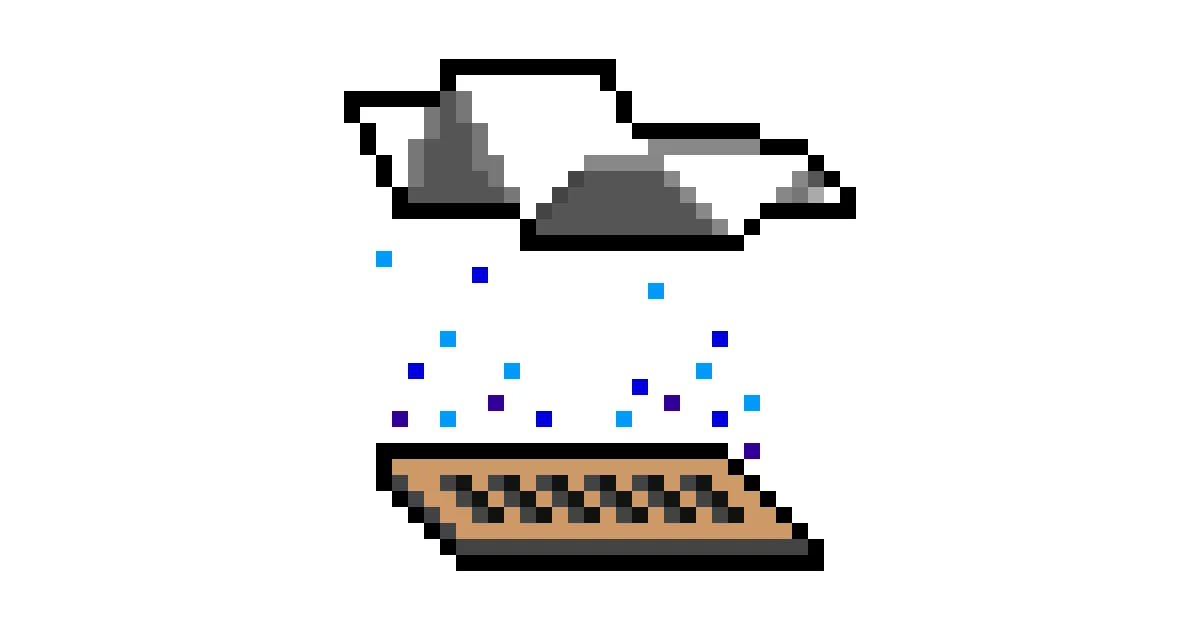
This repository houses a browser port of John Calhoun's 1991 Macintosh game Glider 4.0, including the Room Editor.
What it is
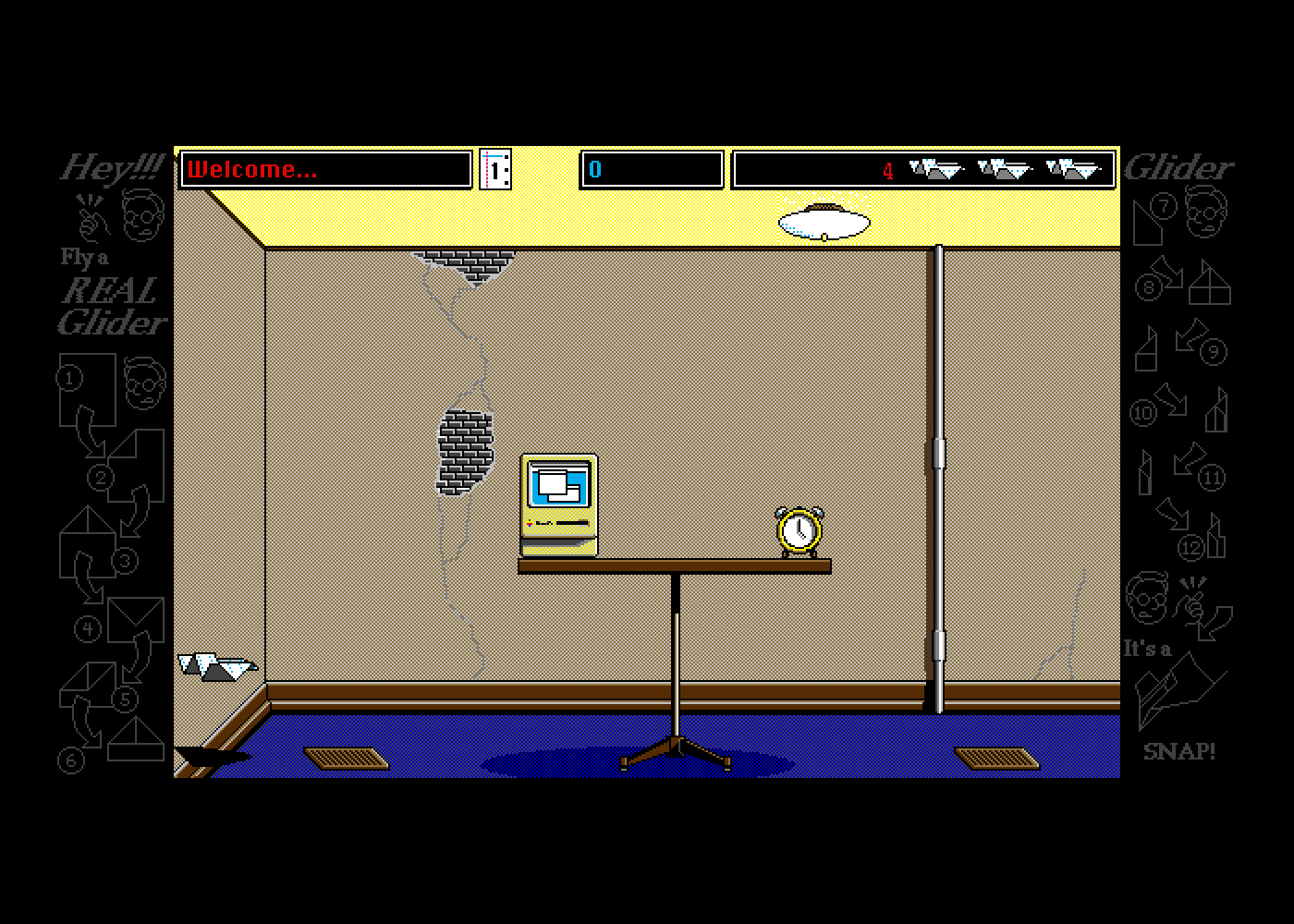
The Unofficial Web Edition creates a pixel- and clock-accurate simulation of Glider 4.0 running on a Macintosh II or a Macintosh Plus with System 6. It was made by porting the original source code from THINK Pascal to TypeScript unit by unit and reimplementing enough of the Macintosh Toolbox to run it. It is a source port rather than an emulator. No Mac ROM is required to run it.
The port was directed by a human, implemented by Claude Opus 5.5, and designed by both. It includes the houses, art, and sounds from the open-source release of Glider 4.05. Moreover, it includes the Room Editor that lets you edit existing houses and create new ones.
Playing
You can play with a keyboard, mouse, gamepad, or touchscreen.
On a phone, tablet, or another touchscreen device, Glider starts with on-screen buttons. To use menus, tap and hold a menu's title and drag to the item, as with a mouse held down.
The game first starts in a mode that imitates a Mac II with 16 colors. You can change this in the Options menu (see Additions and changes).
The default key settings for Glider are (⌘ is Command on a Mac and Control elsewhere):
| Key | Action |
|---|---|
| ← and → | fly left and right |
| ↓ | battery boost, when you have a battery |
| ↑ | fire a rubber band, when you have bands |
| Tab | pause; Tab again resumes |
| ⌘S, ⌘E, ⌘Q | save the game, end it, quit |
Configure… in the Options menu changes the keys. When mouse controls are enabled, a click on the game screen in your browser captures the pointer and Escape releases it.
The Joystick control option is for old-school Macintosh joysticks that act as a mouse, like the Gravis MouseStick. It is not for modern gamepads.
Options > Controls adds two control methods new in this port: Gamepad and Virtual Gamepad.
Gamepad lets you play with any gamepad that your browser supports through the Gamepad API. You may need to press a button for the gamepad to be recognized. The gamepad has a fixed control configuration. The D-pad or the left stick directs flight, the bottom and left face buttons boost, the right and top face buttons fire bands, and Start pauses.
Virtual Gamepad displays virtual buttons beside the game screen for touchscreens. The buttons can be clicked, too. Configure… lets you change whether the arrows are on the left, on the right, or apart. Apart puts ← and band on the left and boost and → on the right; tapping the gap between two buttons presses both.
The keyboard's keys also work with both of these options. The Room Editor's Controls submenu (in Special) has Gamepad too, for its test flights (Try Glider). For more about the controls, see Glider's own Help screens (also in the Options menu).
Desktop and data
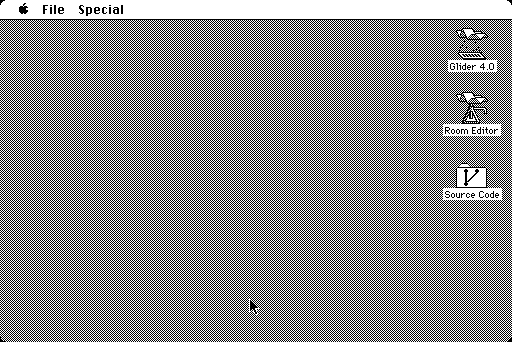
Quitting Glider goes to a Finder-esque desktop with three icons: Glider, the Room Editor, and a link to the source code repository. (Finder isn't reimplemented.)
Browser-specific operations are accessed through the desktop menus:
- File > Import Files… puts houses, art, and saved games on the "disk". Import is possible in the following formats: MacBinary, AppleSingle, StuffIt, Compact Pro, disk images (DiskCopy 4.2 or bare HFS), and ZIP archives of them.
- File > Export Files… saves your saved games, houses, high scores, and preferences as a ZIP file, which Import reads back.
- Special > Reset Preferences and Scores… restores Glider's preferences and the high scores of the houses that came with it.
What you change is kept in the browser's storage (IndexedDB). Export Files… can act as your backup.
Additions and changes
The port adds several features to Glider 4.05.
- Options > Display & Keyboard: choose how the game looks and controls. The options are: a black-and-white Mac Plus (512×342) with its own keyboard, a Mac II in 16 colors or in black and white (640×480), or the visuals of Glider for Windows (1994) in 16- or 256-color mode with the rest from the Mac II. Switching between color and B&W, or between Mac models, quits and restarts the game. You will be prompted to save like when you choose Quit in the menu.
- Options > Scale: you can choose the largest size that fits the window, the largest whole number of pixels per Mac pixel that fits, or a custom size. The default is the largest size that fits on touchscreens and the largest whole number elsewhere. Sizes that do not fit are dimmed.
- Options > Filters: how the screen is shown.
Sharp pixels (the default), Smooth (bilinear), or Soft (CRT).
The last option blends pixels horizontally but not vertically to simulate a cathode ray tube.
Any of Scanlines, Glow, Rounded Corners, and Phosphor Tint can be added.
On the Mac II in color, you can enable Mac Gamma, which lightens the midtones (Classic Macs had a gamma of about 1.8 where today's displays have 2.2).
These settings can be tuned in the URL query string:
?soft=1&scanlines=0.35&glow=0.35&blur=0.75&corners=10&tint=e8eeff&gamma=1.8. - Options > Art: choose between the original's art files and any you import. The other kind (color or black and white) is dimmed. Glider and the Room Editor each has their own separate setting.
- Bass Beat: a feature backported from Glider for Windows. Disabling it silences the bass during play. The jingle on entering a room is unaffected. Unlike on Windows, this setting is on by default because the Mac game plays the bass.
- Locked houses: the Room Editor's Open dialog marks the houses it will not open (those locked with House Info's Lock House) with a padlock. You can still try to open one.
- Preferences for each Mac: the Mac Plus and the Mac II each keep their own copy of Glider's preferences. (Just the preferences. Houses and saved games are shared.)
Startup
This Unofficial Web Edition starts the game by default. It includes a simple desktop for switching between Glider and the Room Editor and going to the source repository. You can also change what happens on startup by appending a query to the URL:
?startup=desktopstarts on the desktop.?machine=plus(orii,ii-bw,win-16,win-256) chooses the machine.?scale=2sets the scale in device pixels per Mac pixel;0is the largest that fits and-1the largest whole number that fits.
The browser remembers the machine and the scale you choose in the menus.
Known bugs and quirks
The port keeps most of the original's bugs in order to play the same way the original did. These are the ones you are likely to encounter:
- In the Room Editor, Try Glider leaves a trail. The glider sprite, and just that sprite, isn't erased before it's redrawn. It leaves a trail of copies until the flight ends. On a black-and-white screen its shadow smears along the floor. The editor's flight omits the erase code that is present in the game, so it may be on purpose to show the flight path.
- The "New keyboard" message on the Mac Plus. The first time Glider starts on the Mac Plus it says "New keyboard. Switching to default keyboard controls." and steers with comma and period, Return, and space. Its preferences were saved with another keyboard.
- Art from other releases looks wrong. Glider 4.05 moved its sprites to new places in the art file, so art files from 4.02 and 4.04 ("Art 16" and "Art 2") show the wrong pieces of the sprites.
- Locked houses stay locked. The Room Editor will not open a locked house, and locking one in House Info… cannot be undone. The game's default The House and most of the other houses that come with the port are locked; The House (July 1991), John Calhoun's working copy, is unlocked. You can open it to see how a house is made.
- Hands-off House dies at Shockproof!. Ward Hartenstein's house plays itself but relies on the timing of the level designer's machine to get it right. The port flies it as the original game does on a fast Mac. The glider gets through twelve rooms and is unceremoniously fried by the outlets of room 13 until the game ends. The reason behind this is that the outlets keep time by the clock, while the glider moves once per frame. On a slow Mac, a frame can last longer than its normal 2 clock ticks because drawing it takes longer. The original at a Mac Plus's own speed takes 2 to 5 ticks a frame and completes the whole house.
- The bass. With Music on, Glider plays a bass "duh-dum" through play, faster the longer you stay in a room. Bass Beat (above) turns it off.
- Time stops when you tab out. The Mac's clock follows the browser's while the page is in view and stops when it is hidden. Switching tabs pauses the game.
The porting process
The port achieved its level of fidelity by using an oracle, a black box to test against that gives you the right answer for any input. (Programmers may know this idea as "differential testing" or "golden-master testing".) Here, the oracle is the original Glider running on an emulated Mac. The idea was singled out by Claude Opus 5.5 at the planning stage as the most important idea in the notes on porting Starlark to Python, where a corpus of conformance tests played this role. While Glider came without tests of its own and the Mac's system software had no pixel-level specification, the original game still ran, so it could act as its own specification.
The oracle is Glider 4.06 (the release nearest the ported 4.05 source, with 4.05's code used where the two differ) on a modified headless, deterministic Mini vMac, an emulator of the Mac Plus and the Mac II. The emulator runs only in development. No Mac ROMs or System software are present in this repository or on the page.
Every test case is a script of key presses and mouse events, moves and clicks, at given ticks. (A tick is a sixtieth of a second, the Mac's clock.) The oracle plays the script on the original and records the screen and the sound. The port plays the same script and must match the original exactly: every pixel of every screenshot and the sound tick by tick. When they differ, data is gathered from the original before the port is changed. This means gathering traces of when the Mac registered each key, which Toolbox routines the program called, and what was in memory.
Each behavior the port has beyond John Calhoun's source is documented in a comment saying how it was measured in the oracle. This is also what lets you tell apart a preserved bug from a new one: if the original does it, the port must too.
Building
The port needs Node.js 24.
make            # type-check, lint, and test
make build      # the page, in dist/
make serve      # serve dist/ at http://localhost:8000/
Most of the game and Toolbox tests compare the port with oracle runs, and skip themselves until the oracle has run.
make oracle fetches its inputs (ROMs, System 6.0.8, Glider 4.06) and builds the emulator; oracle/README.md documents the rest.
AGENTS.md is how to work on the port.
PORT.md records the decisions made and holds a roadmap and a journal of how the port was made.
The galleries recall the port's history in screenshots.
Every push to master is checked, without the oracle, and deployed to GitHub Pages (.github/workflows/pages.yml).
To host a copy, serve dist/ as static files.
The desktop's About (in the Apple menu) says what a copy was built from: the day, in UTC, and the commit (marked "-dirty" if the working tree had changes).
Build from a Git checkout, or the commit shows as "unknown"; SOURCE_DATE_EPOCH sets the day for a reproducible build.
The repository
John Calhoun's original sources, as released:
Glider_405/: Glider 4.05, its Pascal sources, resources and art.RoomEditor_103/: the Room Editor 1.03.Houses/: houses from the More Glider disk and others.Glider_Sound_Files/: the game's sounds.
The port:
src/glider/: Glider's units, translated.src/mac/: the Toolbox.src/platform/: the machine, the browser page, and reading and writing files.src/desktop/: the desktop.test/,oracle/,tools/: tests, the emulator oracle, and the build of the game's resources.
Status
The game is complete and matches the original on the Mac II and the Mac Plus.
The roadmap is in PORT.md.
Credits and licenses
- Glider 4.0 by John Calhoun, published by Casady & Greene.
The game source was released under the MIT License (
LICENSE) in 2016. The same license covers this repository except where noted below. - The More Glider houses: Mad House by John Calhoun; the others by Jeff Carter, Brian Eaton, Tony Korlath and Steve Sullivan.
- Fonts: Ozma and Glinda are Apple's bitmap fonts Chicago 12 and Geneva 9 and 12, copied pixel for pixel and renamed.
We copied them from the System file of Executor 2000, whose MIT License covers Executor's code.
We use the glyphs because we believe they are in the public domain, for different reasons in different places:
- United States: typeface designs are not copyrightable (37 CFR 202.1(e); Eltra Corp. v. Ringer, 1978). Since 1988 the Copyright Office has held that "data that merely represents an electronic depiction of a particular typeface or individual letterform" is not registrable (53 FR 38110), and its 1992 rule restates that "digitized typeface as typeface is unregistrable" while registering the programs that generate typefaces (57 FR 6201). Outline fonts were protected in Adobe Systems v. Southern Software (1998) as programs whose choice of points was creative. A bitmap font has no program and no points: it is a picture of each letter and its width.
- United Kingdom: copying a typeface is free 25 years after it was first marketed (Copyright, Designs and Patents Act 1988, s. 55). Chicago and Geneva date from 1984.
- European Union: design rights, and Germany's protection of typefaces, end after 25 years at most.
- This is the project's reading of the law, not legal advice.
- The Source Code icon holds the branch mark of Jason Long's Git logo (CC BY 3.0).
- Earlier work:
- kodogo/Glider ported Glider 4.0's source to JavaScript before this port, which was made independently of it.
- elasota/Aerofoil is a multiplatform desktop/mobile/browser port of Glider PRO.
- The oracle runs Mini vMac, from Infinite Mac's fork, on the ROMs and System software Infinite Mac hosts.
- The archive readers were written from the formats as The Unarchiver reads them and checked against it and hfsutils.