Track your habits and tasks by just saying what you did.
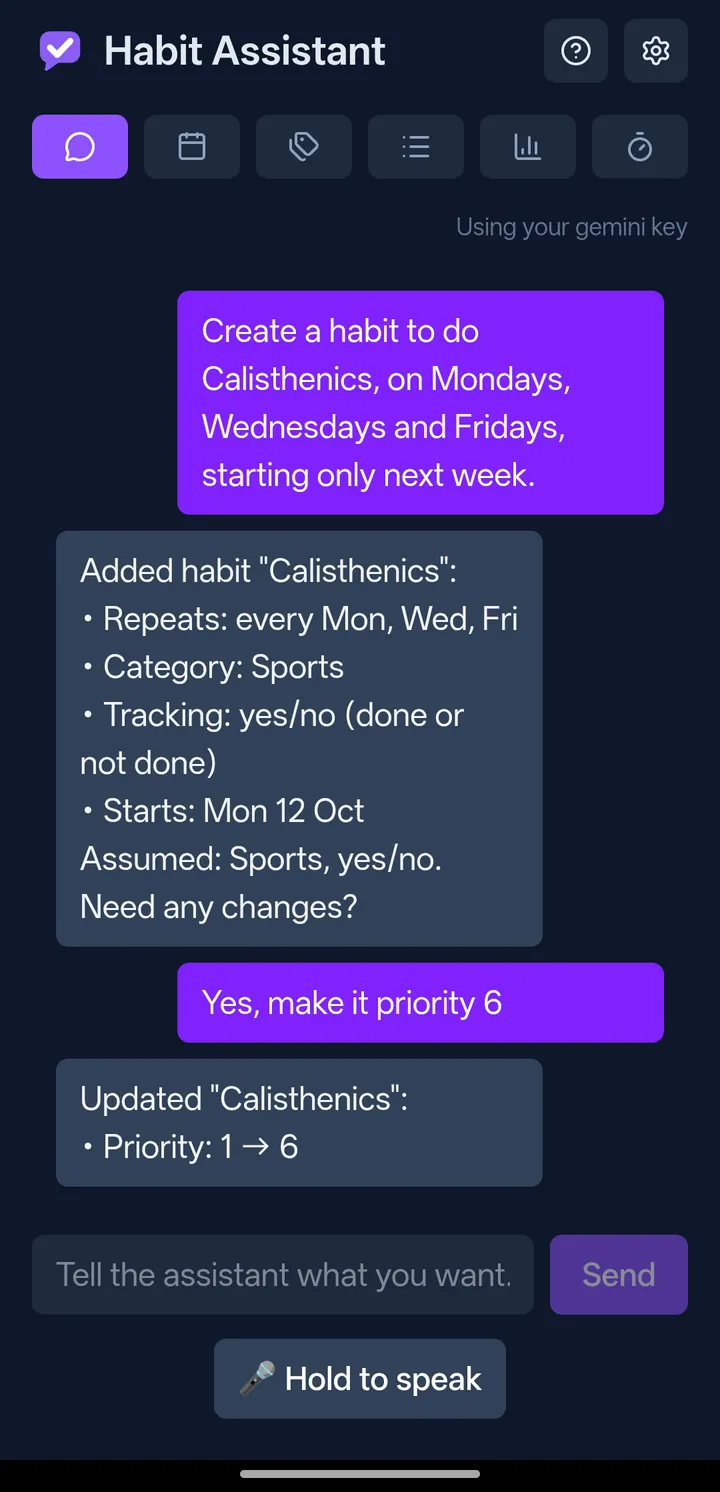
Most habit trackers make you work for them: open the app, find the right screen, tap through a form, tick a box. Habit Assistant replaces that with a chat. Type or say what you want in plain English, and the assistant does it.
"Add a habit to read every night" "Mark gym done today" "I meditated for 12 minutes" "Add milk to my shopping list" "Pause running until I'm back from holiday on the 14th"
If it needs more information to act, it asks one short question. It doesn't guess.
What it does
- Talk, don't tap. Everything can be created, changed, completed, paused, archived or deleted from the chat.
- Voice input. Hold the mic button, speak, let go. What you said is transcribed and sent right away. For a longer message, slide up to lock and talk hands-free.
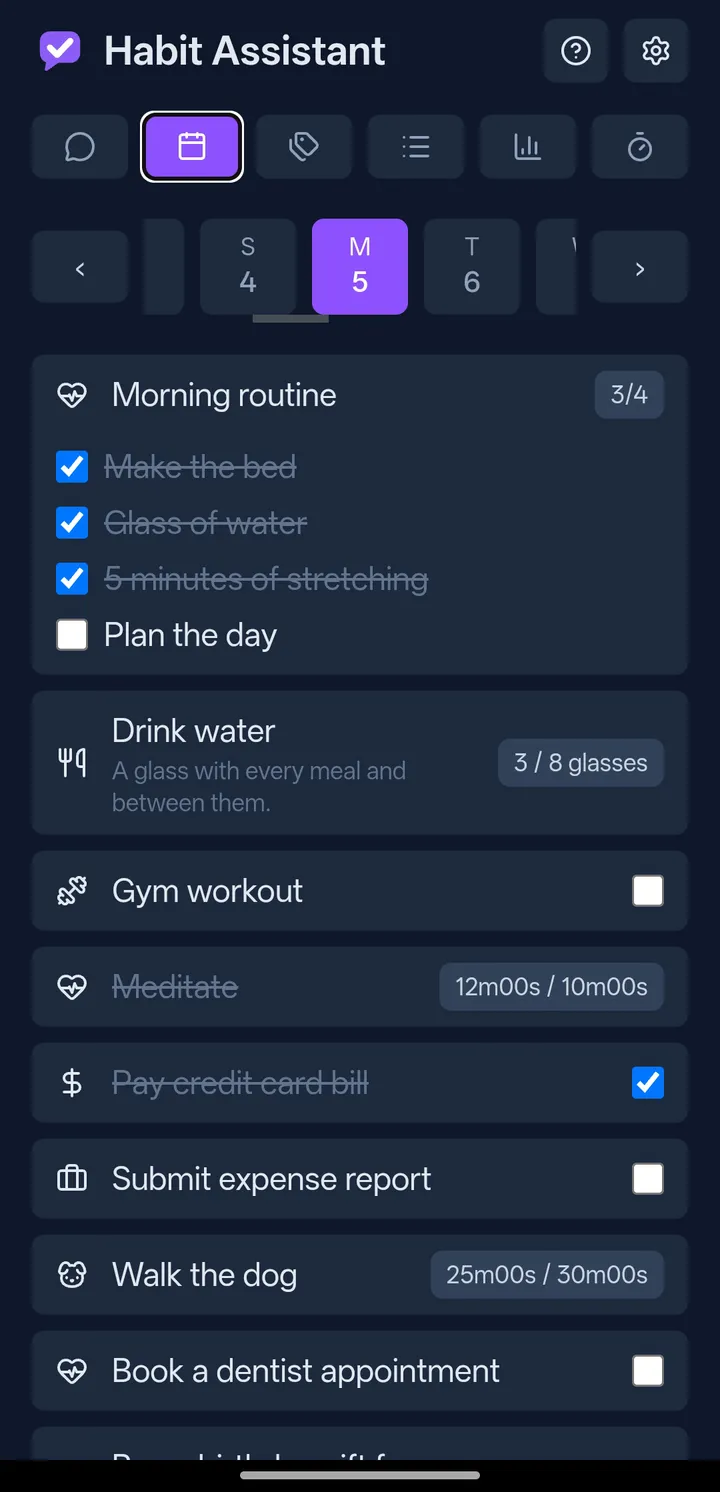
- Habits, measured your way. Yes/no, a number ("8 glasses of water"), a timer ("meditate 10 min"), or a checklist ("morning routine").
- Tasks too. One-off to-dos, and recurring tasks with a running checklist, like a weekly shopping list that fills up during the week.
- Schedules that fit real life. Every day, certain weekdays, every N days, N times a week or month, "the third Monday of the month," yearly dates like birthdays, or on/off cycles like "5 days on, 2 off."
- Pause without losing your streak. Going on holiday or recovering from an injury? Pause a habit, and the paused days count as neither done nor missed.
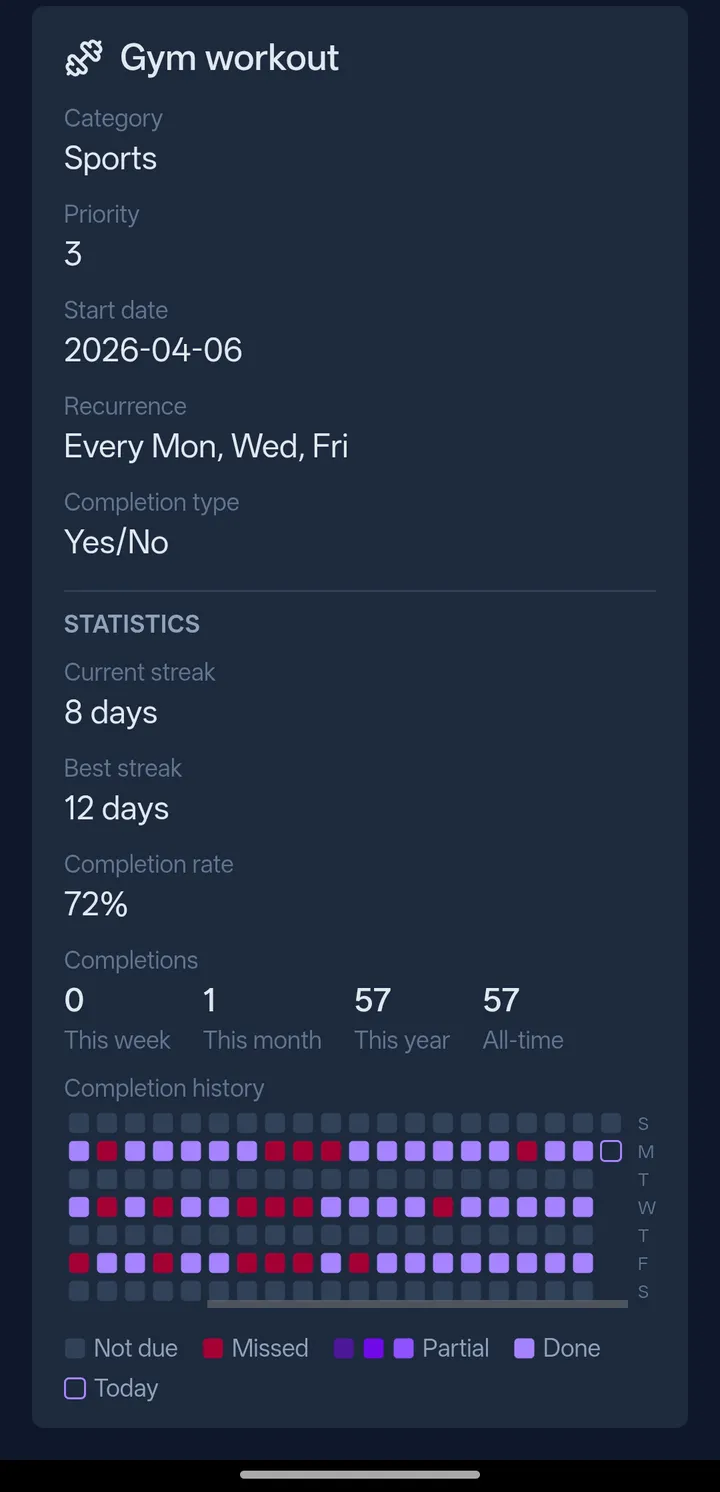
- Stats that motivate. Current and best streaks, completion rates, weekly/monthly/yearly counts, and a calendar heatmap of your history.
- A built-in timer. Start, pause and stop a timer for timed habits, then save the result.
- Your data stays yours. Everything is stored in one file in a visible folder in your own Google Drive. There's no company database and no account to create. Sign in with Google and you're done.
- Works on phone and desktop. Install it to your home screen like an app on Android, or use it in any desktop browser.
Cost
A free shared allowance (your first 50 messages) lets you try the assistant right away. After that, paste your own AI provider key into Settings. Google Gemini and Groq both offer a free key that takes a couple of minutes to get, and Anthropic works too. The app has no subscription and no ads.
Status
Habit Assistant is a working personal project and is still growing. Everything listed above works today. Roadmap.md lists what's planned next.
Use it at habitassistant.app: sign in with any Google account, on your phone or computer. On Android, install it to your home screen from Chrome's menu. See the privacy policy and terms.
You can also deploy your own copy (free); CONTRIBUTING.md explains how.
More
| Document | For |
|---|---|
| CONTRIBUTING.md | Developers: running it locally, testing, deploying your own copy, and contributing |
| CLAUDE.md | The design decisions and architecture behind the app (also the brief for the AI coding assistant that helps build it) |
| Roadmap.md | The prioritized backlog of planned work |
License
MIT: free to use, modify and share.