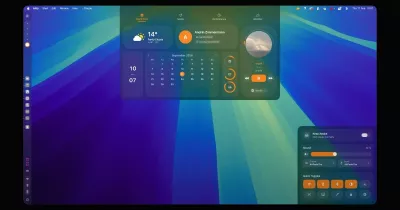

INXM // local
Local-first Rust desktop app for compiled-AI workflows
The LLM is the compiler, not the runtime.
Describe intent in chat. INXM compiles a typed plan; a deterministic executor runs it.
No AI improvisation in the execution path.
</p>
🌟 Features
- Build plans with AI — Describe what you want in plain language and get a validated, versioned plan. Works with API keys, Codex/Claude Code logins, and compatible local or hosted LLMs.
- Chat with each plan — Every plan has its own persistent conversation, with controls, live progress, details, and execution history in one place.
- Define reusable inputs — Plans accept typed, validated inputs such as queries, targets, recipients, limits, and environments via
${input.<name>}. - Run workflows deterministically — Steps execute in topological order, with state and resolved inputs persisted after every step.
- Pause for human input —
HUMAN_INTERACTIONsteps can request approval, rejection, or a free-text response before continuing. - Repair failed runs —
/repair <run-id>uses the compiler to propose a patch. Accepting it creates a new plan version. - Manage MCP tools — Add, edit, and remove local stdio, remote Streamable HTTP MCP, subprocess, and HTTP tools directly from the UI. Configuration is stored in
tools.yaml. - Expose workflows over MCP — A built-in local HTTP MCP server lets other clients compile, find/show, run, repair, edit, schedule, and inspect workflows.
📝 Documentation
Note
You can find the full documentation at inxm-ai.github.io/inxm-local/
The GitHub Releases page contains platform packages, and the full installation guide covers manual and agent-registration installs.
🚀 Quick start
Install the latest release on macOS or Linux:
curl -fsSL https://raw.githubusercontent.com/inxm-ai/inxm-local/main/packaging/install.sh | sh
On Windows, run the PowerShell installer:
irm https://raw.githubusercontent.com/inxm-ai/inxm-local/main/packaging/install.ps1 | iex
The installer can also register INXM Local's local MCP server with your coding agents in the same step, so they can compile and run INXM workflows right away:
# register with every agent found on this machine
curl -fsSL https://raw.githubusercontent.com/inxm-ai/inxm-local/main/packaging/install.sh | sh -s -- --agents

# or pick specific agents
curl -fsSL https://raw.githubusercontent.com/inxm-ai/inxm-local/main/packaging/install.sh | sh -s -- --claude --codex --cursor
Then open INXM Local, choose a compiler connection under Settings -> Compiler, and describe a workflow in chat. The first workflow tutorial walks through the complete path.
🔌 Telemetry (anonymous, opt-out at setup)
INXM Local sends two anonymous events, both only at app start — a launch ping (app version, OS name, launch mode) and a batched usage summary: plain tallies of plans created/edited and runs succeeded/failed/healed (split by app vs. MCP), the configured backend and model name (never a custom CLI's command or executable), the experimental-mode flag, and foreground seconds per view. No identifiers, no timestamps, no plan or user data, and no real-time tracking — counters accumulate in an inspectable local file (telemetry-usage.json) and are only sent on the next launch. The first-run setup screen discloses this with a pre-checked box: uncheck it there to opt out before anything is ever sent (nothing is collected while that screen is open). Installs that never see the setup screen — upgrades from older versions, headless/agent installs — send nothing.
Turn it off anytime via Settings → Anonymous usage ping, "telemetry_enabled": false in settings.json, INXM_TELEMETRY=off, or the --no-telemetry flag. Sends are fire-and-forget and can never affect normal operation.
Everything is inspectable: the exact event schema (src/telemetry/schema.rs), the only sending code (src/telemetry/sender.rs), and the complete Cloudflare Worker sink (telemetry-worker/, ~90-day retention in Workers Analytics Engine). Full details: docs/reference/telemetry.md.
🤝 Contributing
See the contribution guide for development checks, pull request requirements, and the contributor license agreement.
License
Copyright 2026 INXM GmbH. Licensed under the Apache License, Version 2.0. Third-party notices for bundled fonts are listed in assets/fonts/LICENSES.md.