Kimo
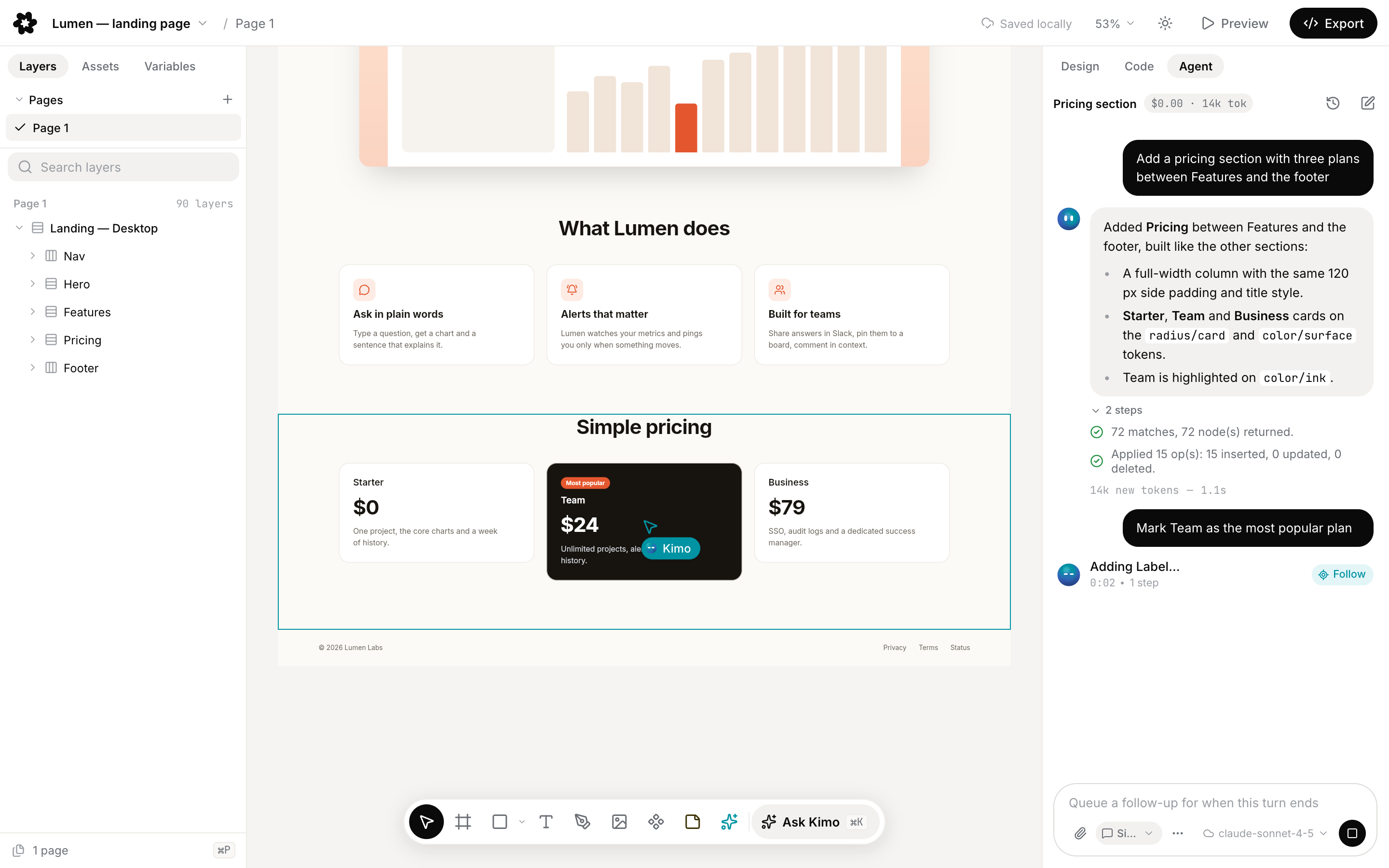
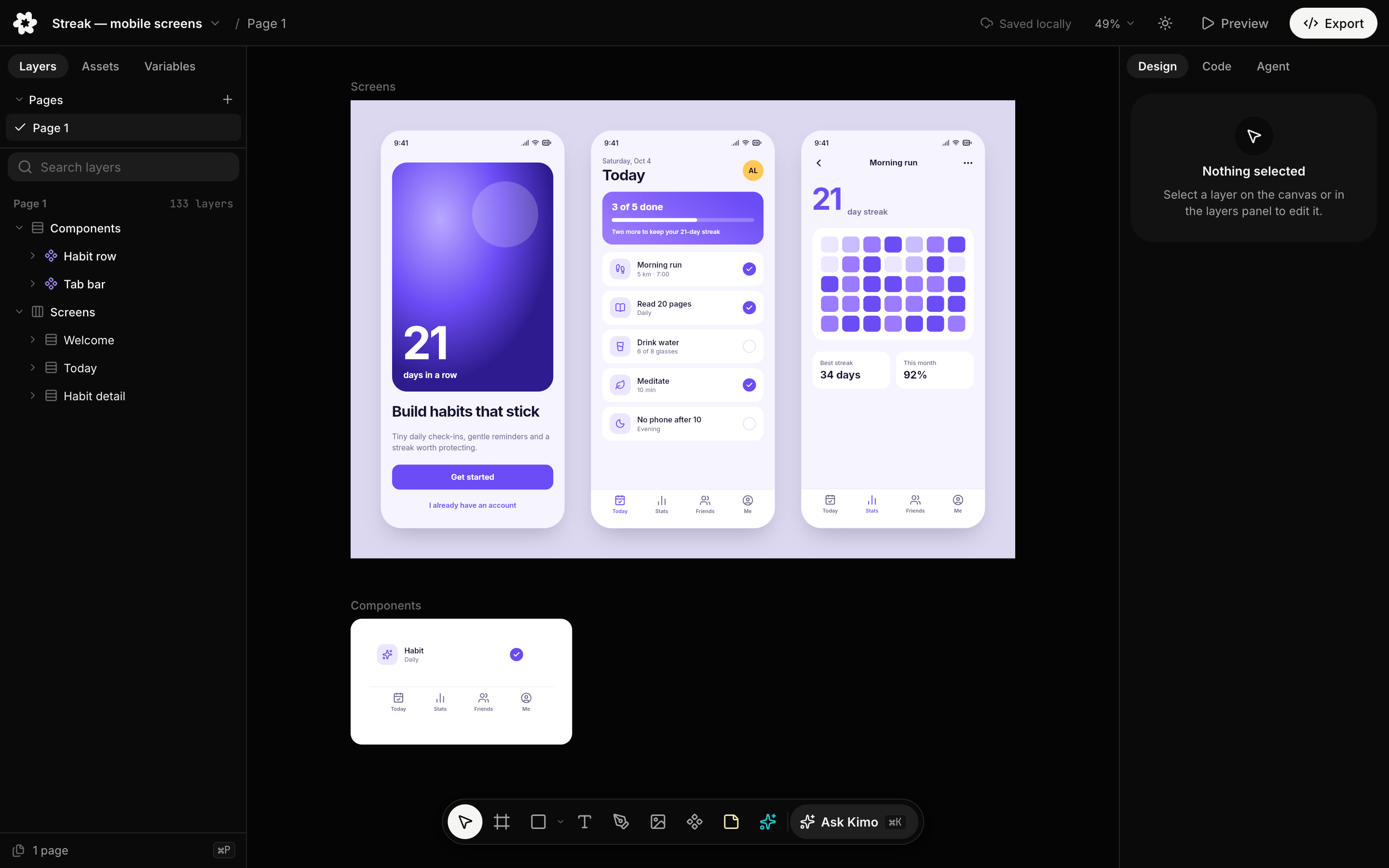
Kimo is an open-source design canvas that you and your coding agents edit together, an
MIT-licensed alternative to pen.dev. Designs are .kimo files in your repository, plain JSON
that diffs and merges in git. It runs on your machine or in your browser, with no account and no
backend.
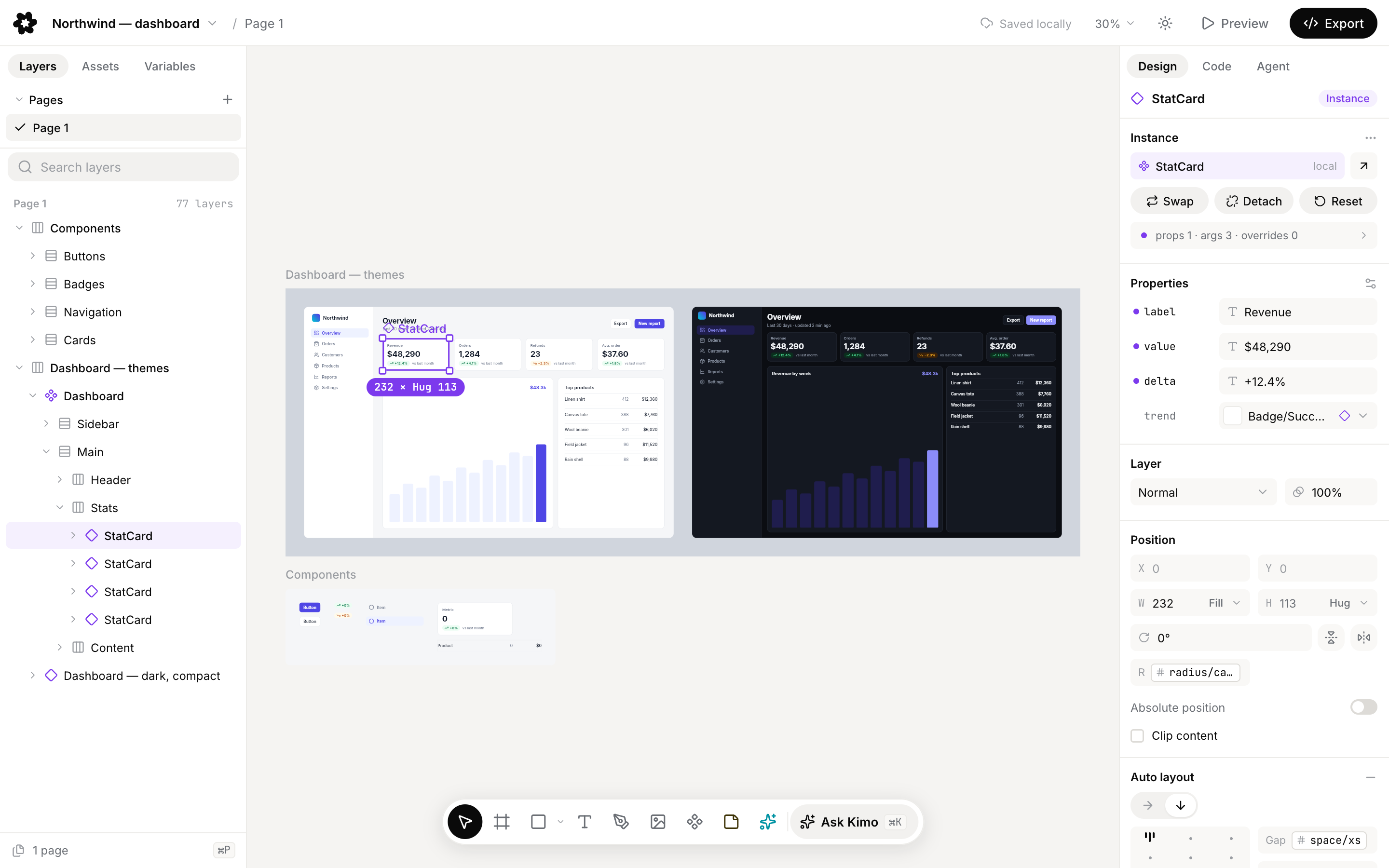
- A fast canvas. WebGL rendering, auto layout, components and variants, variables and themes, with Figma-like selection and shortcuts.
- Files that live in git.
.kimois a published, versioned format laid out as a flat node table. Thekimo mergegit driver merges changes node by node and keeps real conflicts in the file for you to resolve in Kimo. - Agents built in. Coding agents edit open documents through an MCP server with typed tools. The built-in agent works with Claude by default or any provider you add, with your own key or a local agent CLI.
- Deterministic code export. React + Tailwind, HTML/CSS, design tokens, SVG, PNG and PDF, generated by code rather than prompts.
- Web and desktop. The same editor in the browser and as a desktop app for macOS, Windows and Linux.
- No account. Everything works offline, with no sign-in and no metering.
Try it
- In your browser: getkimo.design/app. Files stay in the browser until you save them to disk.
- Desktop app: download the installer for macOS, Windows or Linux from GitHub Releases.
The user guide covers installing, the first file and what differs between the web and desktop apps. The examples are ready to open.
Develop
Requires Bun, the only supported package manager.
bun install                    # install all workspaces
bun --filter @kimo/web dev     # run the web editor (Vite)
bun --filter @kimo/desktop dev # run the desktop app
bun run check                  # lint, typecheck, generated files and tests
The desktop app also needs Rust and the Tauri v2 prerequisites for your OS. See CONTRIBUTING for the check pipeline, commit style and design changes.
Docs
- User guide
- Architecture: principles, packages and dependency rules
.kimoformat spec 1.0- Agent guides: the MCP tools and the
.kimomodel for coding agents kimoCLI- Docs index, ADRs, changelog
- The website, getkimo.design, renders these docs from this repository; its code lives in Saudade-media/kimo-site (private)
- Contributing, Code of Conduct, Security policy, Support (questions go to Discussions)
License
MIT. Third-party notices are in NOTICE. "pen.dev" and "Pencil" are trademarks of their owners; Kimo is not affiliated with them.