Kioku
The real Anki desktop app on your phone, in your browser and on your own server.
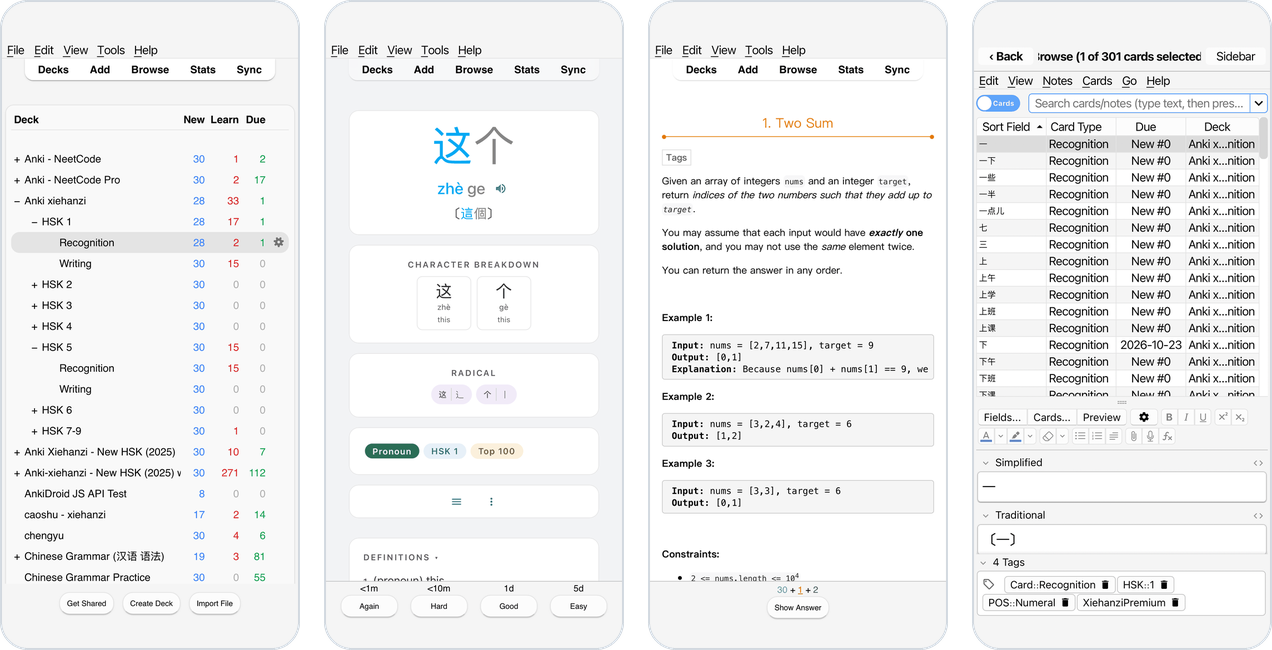
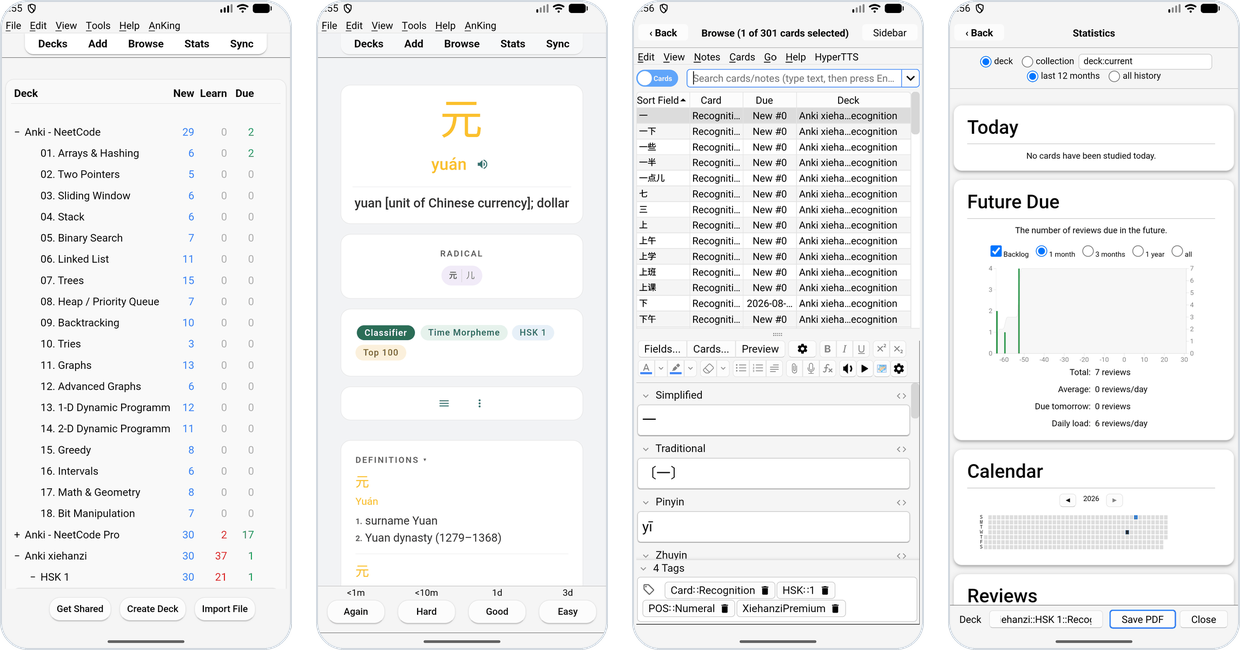
Add-ons, the card browser and every desktop feature, made for a touch screen.


User manual · Releases · Screenshots · Issues
AnkiDroid and AnkiMobile are great, but some things exist only in Anki
desktop: add-ons, and the desktop's own card browser, editors and tools.
Kioku runs the unmodified Anki desktop app (aqt, Qt 6, Anki's Rust
core) wherever you are: as an app on your phone, in a browser tab, or on
your own server, used from any browser. (Kioku, 記憶, is Japanese for
"memory".)
Pick a variant
| Needs | Feels like | Your collection | Install | |
|---|---|---|---|---|
| iPhone, iPad | iOS 17+ (39 MB) | a phone app | on the device | TestFlight, AltStore or sideload |
| Android, native | Android 9+, arm64 (48 MB) | a phone app | on the device | APK |
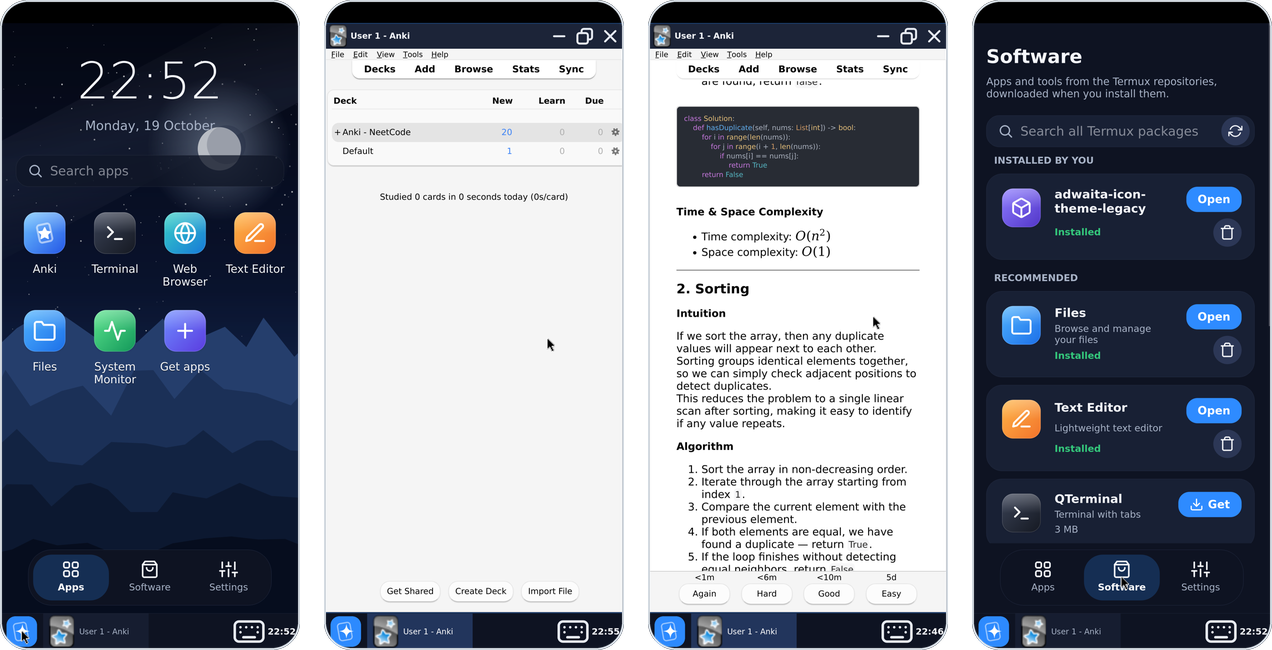
| Android, Termux | Android 7+, arm64, ~1 GB free, 3 GB+ RAM (235 MB) | a small Linux desktop | on the device | APK |
| Web (experimental) | a recent browser (~31 MB download) | Anki in a tab | in that browser | open it |
| Your server (Docker) | amd64 or arm64 server, any browser | Anki desktop, streamed | on your server | compose file |
All of them are the same Anki release and sync with each other through AnkiWeb or a sync server. Not sure? See Which variant?
iPhone and iPad
Android, native
Android, Termux
More, including the web and server variants: screenshots.
Features
- Anki desktop, unmodified: Anki 26.09.3's own Python code and Rust core, with a thin layer that fits it to a phone.
- Desktop add-ons from AnkiWeb, installed inside the app.
- Made for touch: big type, drag to scroll, the keyboard opens on text fields, windows fit the phone in portrait and landscape.
- Your data stays with you: on the phone, in your browser or on your server. AnkiWeb sync, import and export work as usual.
- The phone as a sync server for AnkiDroid, Kioku and Anki on your computers, and AnkiDroid's media folder shared with a Kioku profile (Android).
- Remote desktop: the phone's Anki in a computer's browser (Termux).
- Self-hosting: a Docker image runs Anki desktop on your server or NAS, with your add-ons and a large collection, and streams it to any browser.
How to install and use it: the Kioku manual (source in docs/manual/). Everything about Anki itself is in Anki's manual.
Repository
| Folder | What's in it |
|---|---|
ios/ |
iOS variant: Xcode build, WKWebView layer (README) |
android/ |
native Android variant: CMake/Gradle build, Android web view, Qt patches |
termux/ |
Termux variant: Android app, desktop shell, runtime build (README) |
web/ |
web variant: Anki compiled to WebAssembly, Cloudflare hosting (README) |
desktop/ |
Docker image: Anki desktop on a server, streamed to the browser (README) |
shared/ |
shared by the native variants: Python layer, versions, icon, patches, build tools |
docs/ |
user manual, fixes log, test results, privacy |
Building
| Variant | Build | Tests |
|---|---|---|
| iOS | cd ios && tools/build.sh (ios/README.md) |
shared/tests/run.sh (the Python layer, on the host) |
| Android, native | cd android && tools/build.sh |
same |
| Android, Termux | termux/docs/building.md | termux/docs/ |
| Web | web/README.md | web/tools/test/smoke.py |
| Docker | docker build --build-arg ANKI_PY_VERSION=… desktop (desktop/README.md) |
desktop/test/run.sh |
The Anki version for every variant is set in
shared/versions.env. GitHub Actions build the apps
on a v* tag and attach them to the release; the Docker image is built,
tested and pushed to ghcr.io/krmanik/kioku-desktop on a release.
Credits
Kioku stands on Anki, Qt and PyQt, BeeWare's Python builds and rubicon-objc, Termux and its packages, Termux:X11, JWM, Emscripten, and LinuxServer.io's Selkies image. Anki is AGPL-3.0; see termux/docs/distribution.md for the other licenses.
"Anki" is a trademark of Ankitects. Kioku is an independent project, not affiliated with or endorsed by Ankitects.