
Live Notebook
Markdown notes from your Claude Code conversations, kept on your own computer. A Save to notebook button under every reply; search, edit and export in a notebook that opens in your browser. Free, open source, local-first: no account, no cloud.
What it does
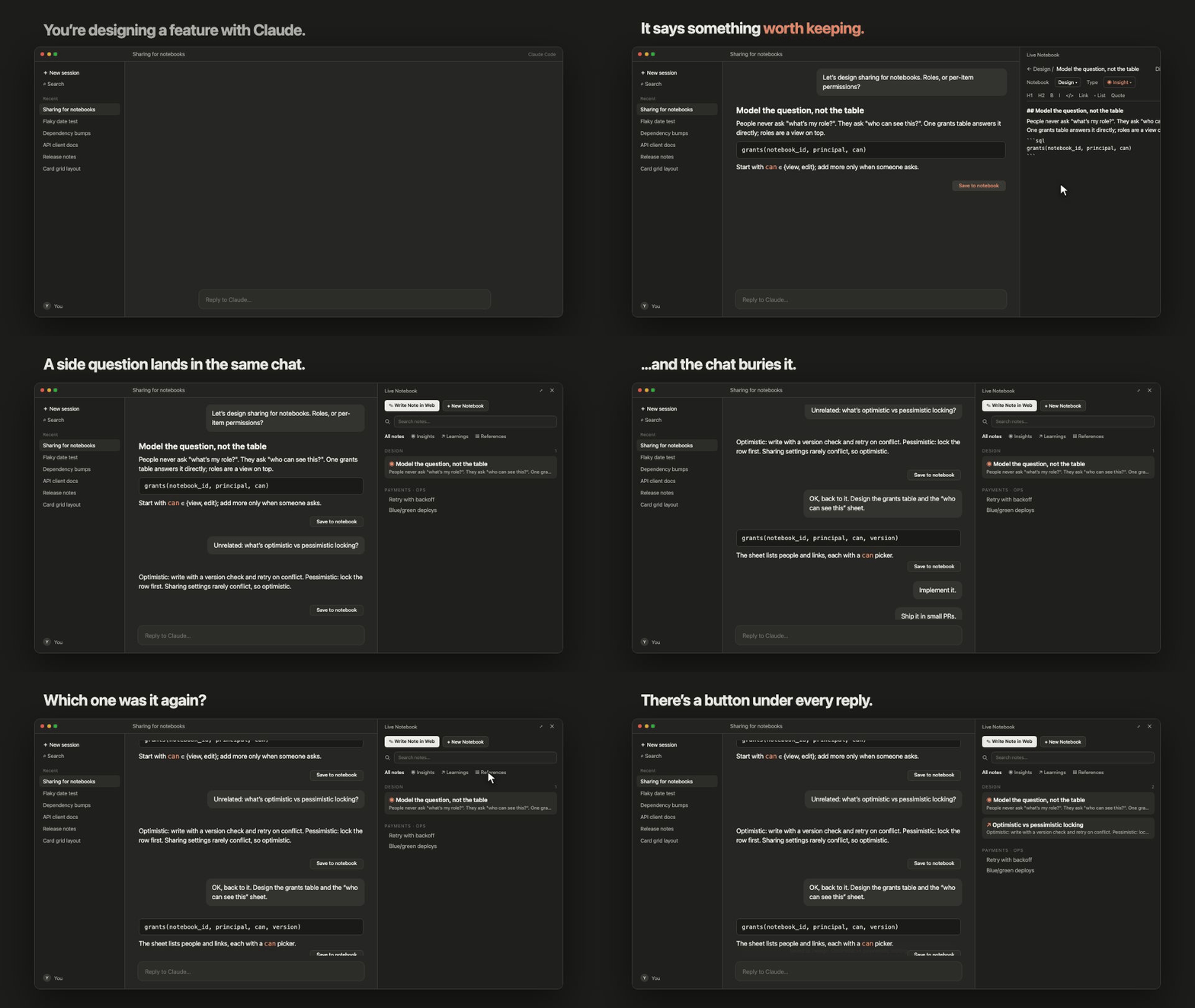
You're designing a feature with Claude. It says something worth keeping: one click saves it, right beside the chat. A side question's answer gets buried by the rush; scroll back, and there's a button under every reply. Every note is a plain Markdown file on your computer, and search finds it again in a second.
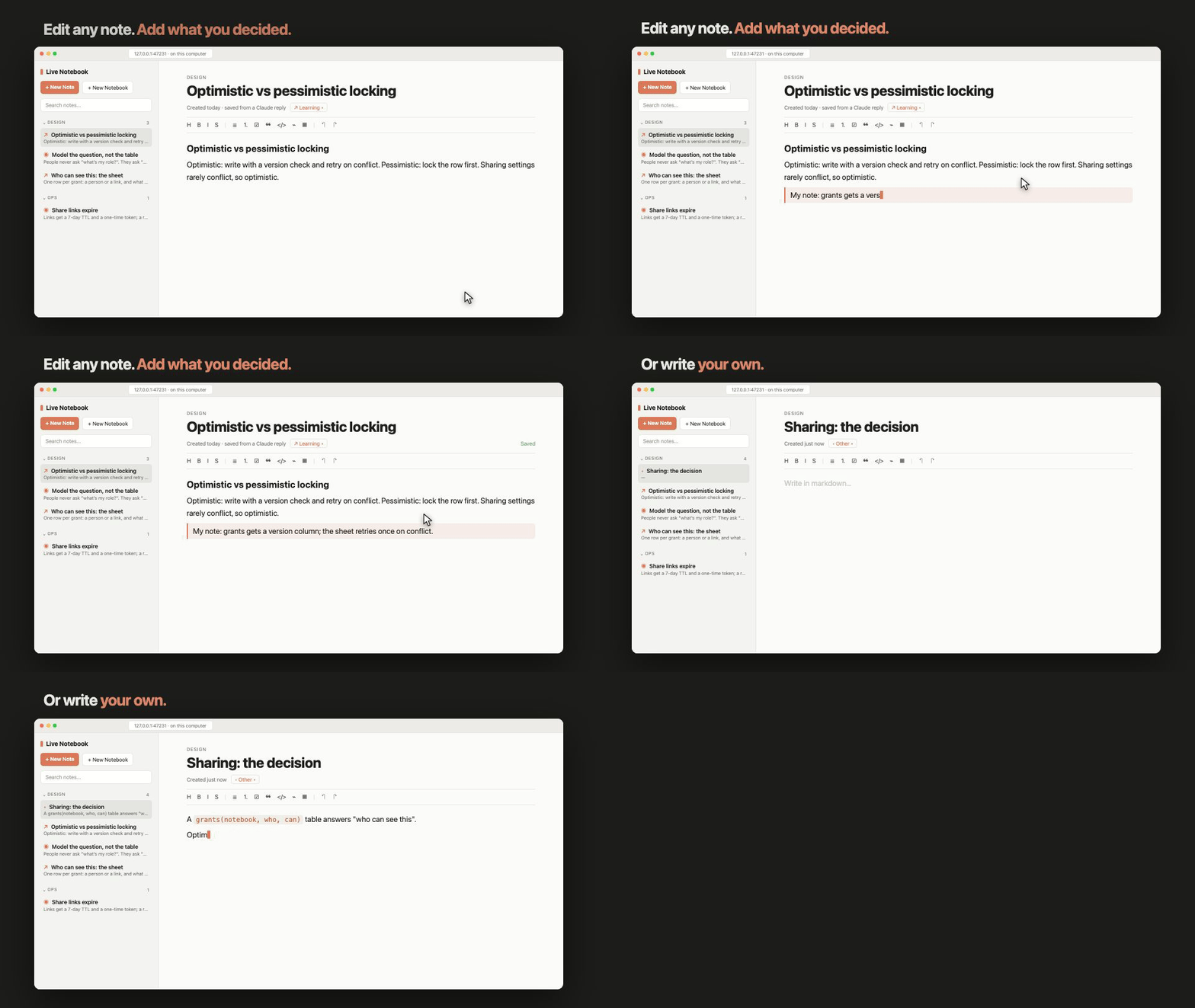
Edit any note, add what you decided, or write your own.
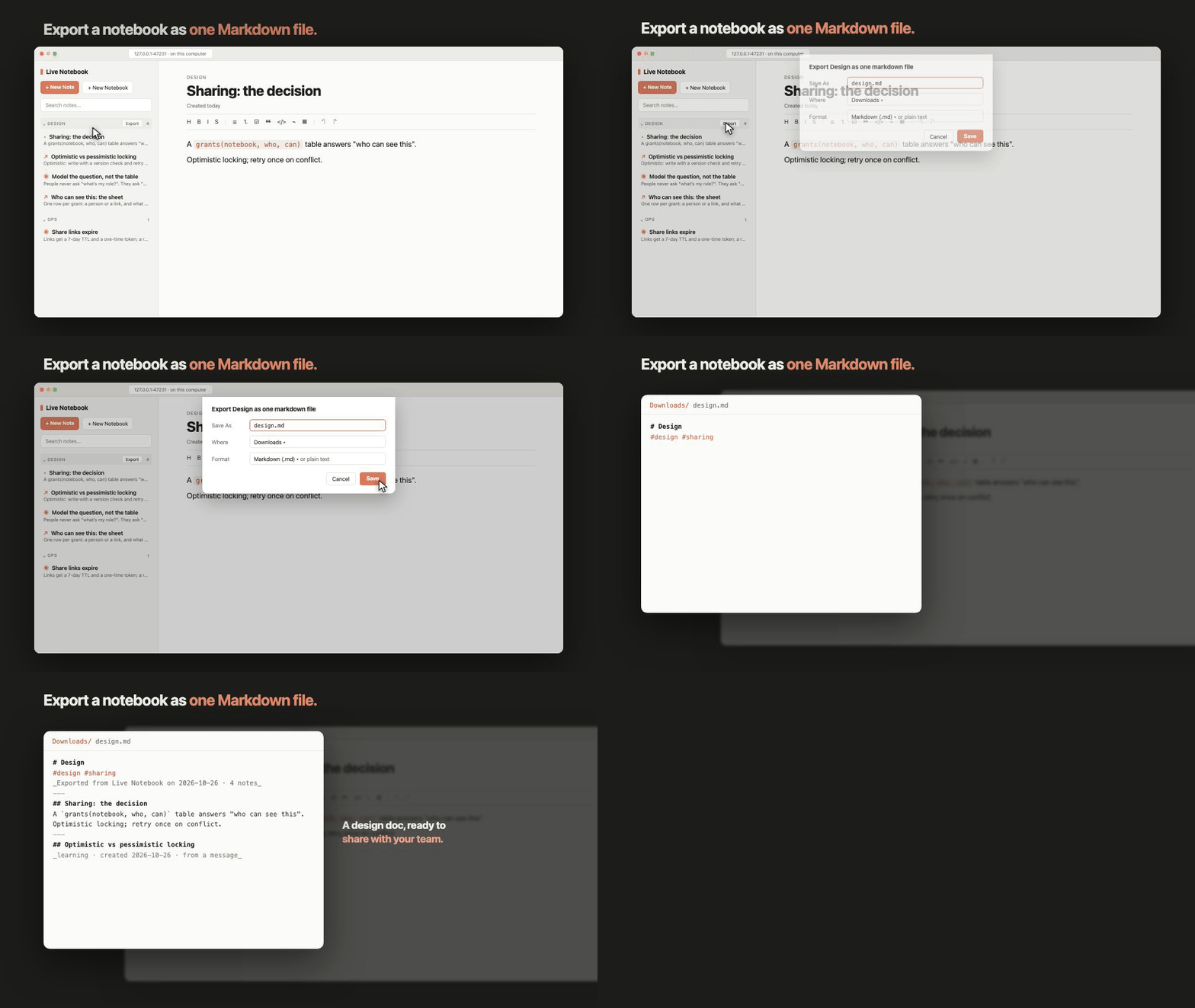
Export a notebook as one Markdown file: a design doc, ready to share.
Install
In a Claude Code session (terminal or desktop app), run:
/plugin install live-notebook --marketplace AmberWJL/live-claude-notebook
Answer y to add the marketplace and pick a scope. To update later: claude plugin update live-notebook. Needs Claude Code 2.1.293 or newer and Node.js 18 or newer.
How it works
- Save to notebook under any reply opens the pane with that reply ready. Edit it, rename it, pick a notebook and a type, press Save. Nothing is saved until you do, and nothing you save goes back into Claude's context.
- Highlight part of a reply and type
/saveto keep just that;/save some textkeeps what you type. /notebookbrowses and searches everything;/notebook <words>opens it already searching. Click a note to read it, Edit to change it, Open in web for the browser./notebook webopens the web notebook: your notebooks in a sidebar, the open note in an editor that renders Markdown as you type. Right-click to pin, archive or delete; drag a note onto another notebook to move it; Export a notebook as one Markdown or text file.- Types, titles and tags are filled in for you a few seconds after a save; anything you set yourself is kept.
Where your notes live
Every note is a plain Markdown file under ~/.claude/live-notebook/notes/<Notebook>/, with its title, notebook, type, tags and dates in the front matter. Open them in any editor; Live Notebook picks up your changes. Deleted notes go to trash/. Back up that one folder and you have everything. Set LIVE_NOTEBOOK_HOME to keep it somewhere else.
Privacy
Your notes stay on your machine: no account, no server of its own, no analytics. The web notebook runs on your computer and loads nothing from the internet.
One thing can leave: to pick a note's type, title and tags, Live Notebook asks a small Claude model through your own Claude Code account, sending the note's title and first 1,200 characters (for a notebook's tags, a little of each note). By default this happens only for notes saved from a conversation, whose text Claude has already seen. To change it, create ~/.claude/live-notebook/settings.json with { "ai": "off" } (or "all" to include notes you wrote yourself).
Troubleshooting
- The web notebook will not open: run
npm run web:stopin the plugin folder, then open it again. - I see an old version: run
claude plugin update live-notebookand start a new session.
For developers
docs/DEVELOPMENT.md has build, test and data details.
MIT licensed. Not affiliated with Anthropic.