
 Krill
Krill
한국어 · Website · CLI Reference · Getting Started · Releases
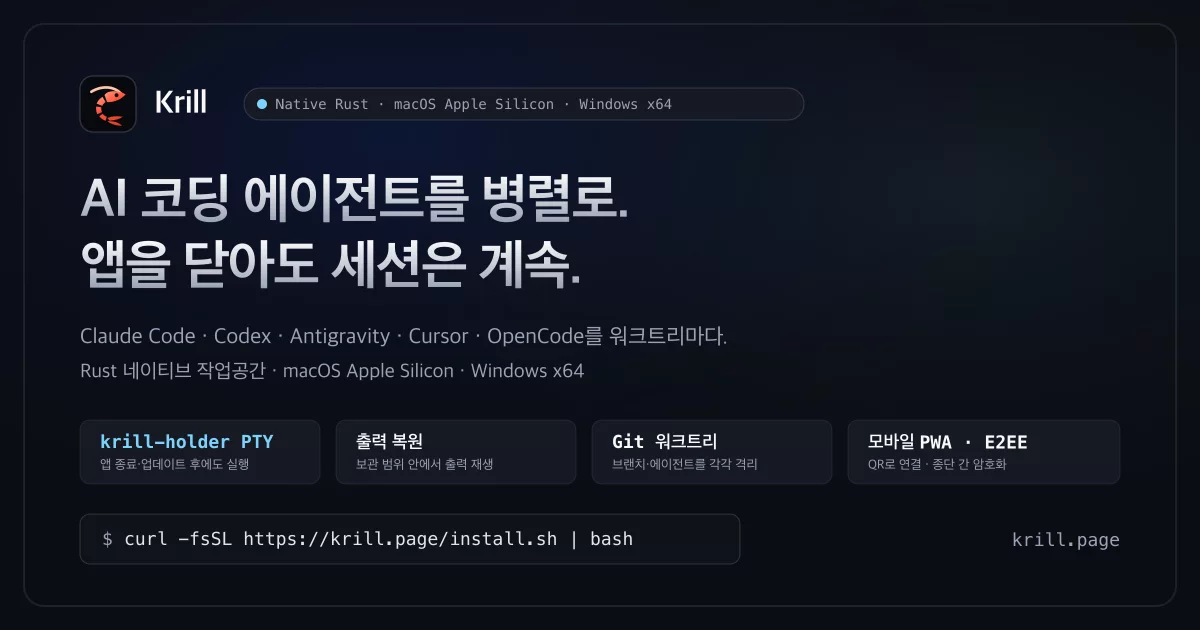
Run many CLI coding agents side by side in a native app — no Electron, no web view.
Claude Code, Codex, Antigravity, Cursor, and OpenCode each get a Git worktree and terminal, with a queue of the agents waiting on you and diff review. In our latest 10-terminal benchmark (2026-10-28, Krill 0.2.20 vs Orca 1.4.242, screen on) Krill used 153.3 MiB instead of 1,153.6 MiB, about 1/7th.
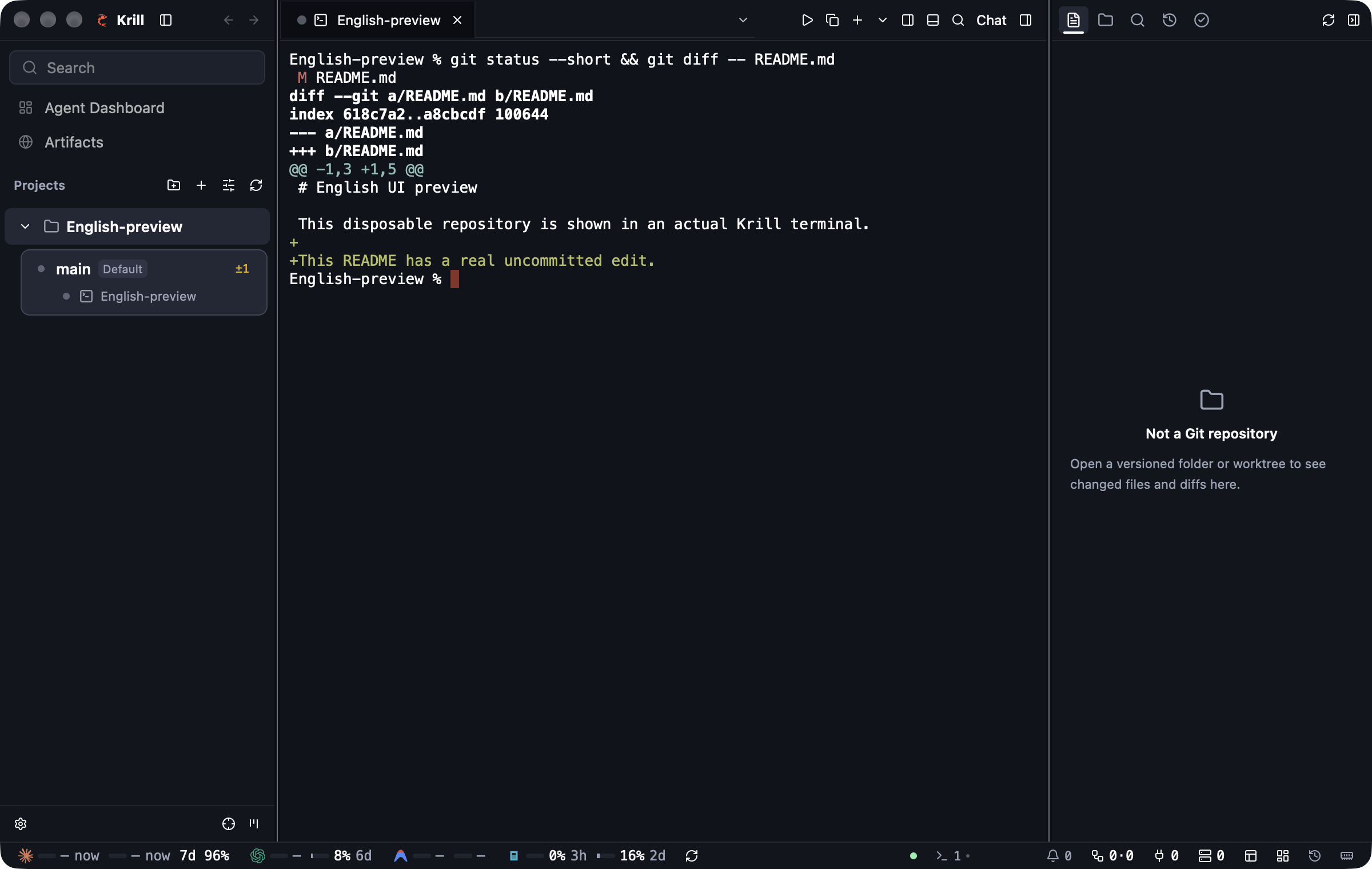
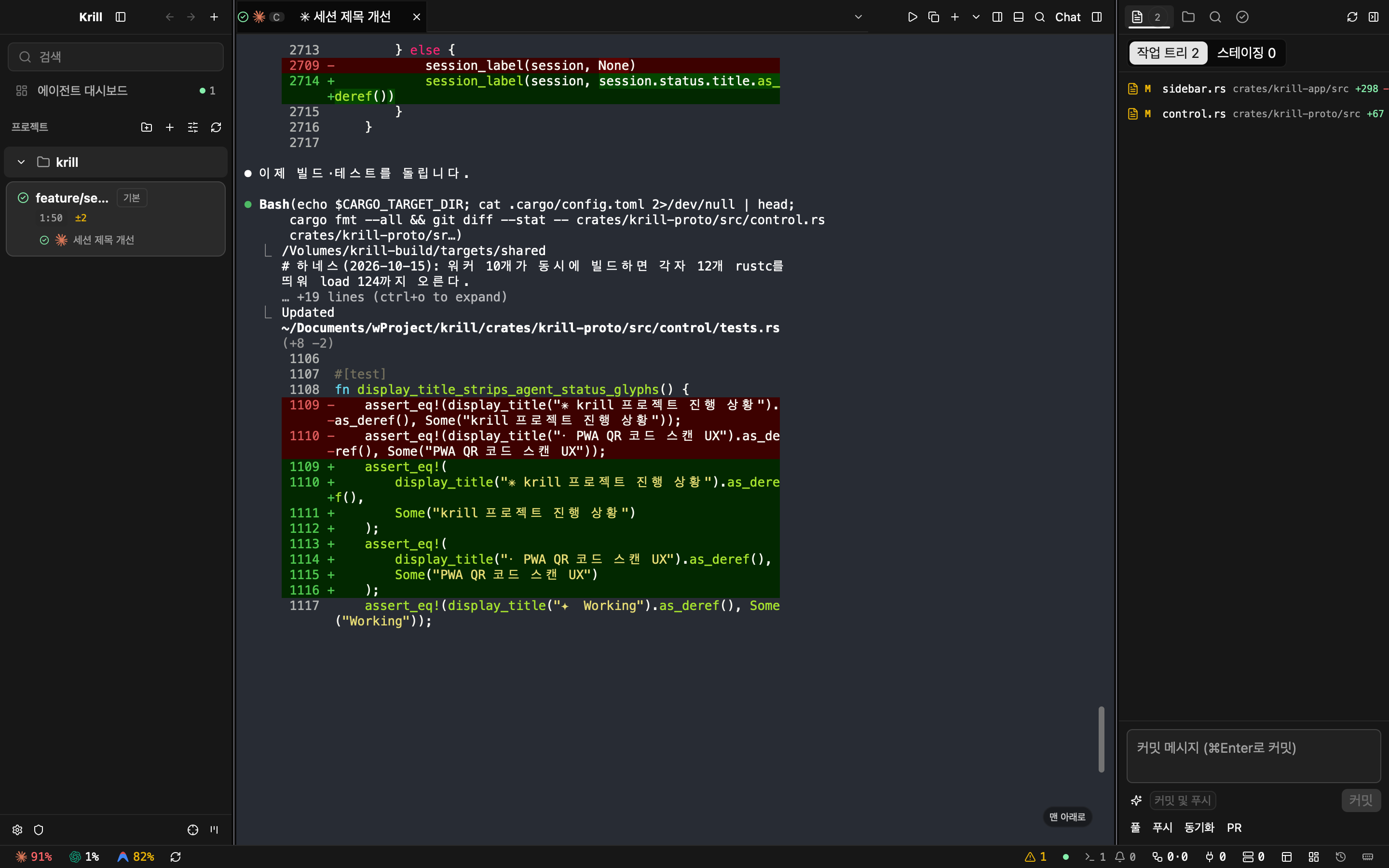
Native English UI preview with an ordinary terminal in a disposable Git repository (installed macOS 0.1.37). See also an actual Claude Code session in Korean.
Why Krill over Orca (Electron) & tmux?
Agent workspaces like Orca already keep terminal sessions alive across app restarts and manage Git worktrees. Session survival across app restarts is table stakes — not the differentiator.
The difference is resource efficiency and process architecture. Orca is built on Electron (Chromium + Node.js), spawning separate main, GPU, renderer, and daemon processes while keeping a terminal instance in the renderer for every open tab. Krill delivers the same parallel-agent workflow as a single Rust (gpui) UI process with no Electron or web view, attaching UI render state only to visible panes while keeping terminal state in a single lightweight daemon (krilld) backed by a panic-free PTY parent (krill-holder).
Re-measured: Krill 0.2.20 vs. Orca 1.4.242 (2026-10-28, screen on)
Same harness and machine as the 2026-10-25 run below, but with the display on (windows visible) and a busy machine (load average 11–52 during runs). Krill auto-updated from 0.2.19 to 0.2.20 after the first run; every 10- and 20-terminal Krill run used 0.2.20. 3-run medians.
| Metric (10 terminals) | Krill 0.2.20 | Orca 1.4.242 | Krill vs. Orca |
|---|---|---|---|
Memory (phys_footprint, all app + daemon processes) |
153.3 MiB | 1,153.6 MiB | about 1/7th |
| Idle CPU (30 s average, screen on) | 1.9% | 12.9% | about 1/7th |
Install size (.app bundle) |
95.6 MiB | 704.7 MiB | about 1/7th |
- 20 terminals: memory 309.4 vs 1,347.6 MiB. 1 terminal: 125.4 vs 853.7 MiB.
- With the screen on,
krill-appitself used about 111 MiB (it was 30 MiB with the screen locked in the earlier run), which is why the memory ratio is lower than 1/15.
Earlier run: Measured Benchmark: Krill 0.2.2 vs. Orca 1.4.237 (2026-10-25)
Measured on the same Mac mini (Apple M6, 32 GB, macOS 27.0.1) using unmodified /Applications release builds, fresh isolated profiles, identical 1200×760pt windows (1176×746 actual), and 3-run medians across 18/18 valid runs (each terminal printing 20,000 lines / ~2.8 MB of Korean, ANSI color, and >120-column text; screen locked):
| Metric (10 terminals, 3-run median) | Krill 0.2.2 (Rust · GPUI) | Orca 1.4.237 (Electron) | Krill vs. Orca |
|---|---|---|---|
Memory (phys_footprint, all app + daemon processes) |
85.9 MiB | 1,274.9 MiB | 1/15th (1 / 14.8) |
| Idle CPU (30s avg after output, screen locked) | 1.13% | 31.0% | 1/27th (1 / 27.4) |
| Output Processing CPU Time (10 × 2.8 MB burst) | 1.22 s | 6.44 s | 1/5th (1 / 5.3) |
Install Size (.app bundle on disk) |
92.1 MiB | 689.1 MiB | 1/7th (1 / 7.5) |
Where the Memory Goes (10 Terminals, Median phys_footprint)
| Process Group | Krill 0.2.2 | Orca 1.4.237 | Why It Differs |
|---|---|---|---|
| App & UI Rendering | 30.2 MiB (krill-app) |
994.3 MiB (GPU 522.9 + Main 259.3 + Renderer 212.1) |
Single native Rust GPUI process vs. Chromium main + GPU + renderer processes |
| Terminal Daemon | 46.5 MiB (krilld 44.9 + holder 1.6) |
256.3 MiB (orca-terminal-host) |
1,000 hot rows + zstd cold scrollback vs. Node/JS terminal host |
| Other Helpers | 9.2 MiB (krill-link serve) |
24.1 MiB (parcel-watcher 14.0 + Network 7.6 + crashpad 2.5) |
Built-in mobile/tunnel gateway vs. Electron utility helpers |
| Total (excluding shells) | 85.9 MiB | 1,274.9 MiB | Krill uses 1/15th the memory (1 / 14.8) |
Scaling by Terminal Count (1 · 10 · 20 Terminals, 3-Run Median)
| Metric | Terminals | Krill 0.2.2 | Orca 1.4.237 | Krill / Orca |
|---|---|---|---|---|
Memory (phys_footprint) |
1 | 56.6 MiB | 844.9 MiB | 1 / 14.9 (1/15th) |
| 10 | 85.9 MiB | 1,274.9 MiB | 1 / 14.8 (1/15th) |
|
| 20 | 115.0 MiB | 1,382.7 MiB | 1 / 12.0 (1/12th) |
|
| Idle CPU (30s avg, screen locked) | 1 | 0.97% | 32.6% | 1 / 33.6 (1/34th) |
| 10 | 1.13% | 31.0% | 1 / 27.4 (1/27th) |
|
| 20 | 1.17% | 29.0% | 1 / 24.8 (1/25th) |
|
| Output Processing CPU Time (2.8 MB × N) | 1 | 0.05 s | 1.07 s | 1 / 21.4 |
| 10 | 1.22 s | 6.44 s | 1 / 5.3 (1/5th) |
|
| 20 | 2.91 s | 7.69 s | 1 / 2.6 |
Measurement conditions & known limitations (read alongside the numbers)
- Identical setup: Unmodified
/Applicationsbundles (Krill 0.2.2,Orca 1.4.237) on Mac mini (Apple M6, 32 GB, macOS 27.0.1, 2026-10-25). Fresh isolated profile per run,1200×760ptwindow (1176×746actual),Nlogin shell (/bin/zsh -l) tabs in the same 1-commit Git repository with 1 tab visible (orca_orphaned_terminals = 0across all 18 runs). - Identical load & accounting: Each tab outputs 20,000 lines (~2.8 MB of Korean, ANSI colors, and >120-col lines). After a 30s settle,
phys_footprintis sampled 3 times at 5s intervals and the per-process medians are summed across all app, helper, GPU, renderer, and daemon processes (includingkrill-link serve). Login shells andperlgenerators are excluded on both sides. - Screen-locked state: All 18 runs were recorded with the display locked (windows not composited on screen). Even with the display locked, Orca's GPU process used ~21–24% CPU and its renderer ~7.5%. Unlocked/visible-window CPU is a separate measurement and is not claimed here.
- Shared-machine load: Runs executed on a shared workstation with concurrent background tasks (1-minute load average
15.0–184.8, alternating app order per repetition). Memory (phys_footprint) is largely unaffected by background load, whereas CPU and wall-clock burst duration can fluctuate. - Architectural difference: Krill connects only the visible pane to the daemon and keeps terminal state in one daemon (
krilld), whereas Orca keeps a terminal instance in the renderer for each tab plus state inorca-terminal-host. This measures real resource usage when a user opensNtabs. Agent processes (claude,codex, etc.) are excluded because they are identical regardless of host app.
Features
1. Sessions That Outlive the AppQuit, crash, or update |
2. Parallel Git Worktrees & Diff ReviewCreate an isolated Git worktree per task from the sidebar or via |
3. Waiting Agents First (
|
4. Multi-Agent Task DAGs & Decision GatesLet a coordinator agent break down dependent tasks ( |
5. Mobile E2EE Companion (PWA)Scan a QR code in Settings → Mobile to monitor live agent states and open terminals from your phone browser or Home Screen web app (PWA). Connects over Relay or Tailscale with end-to-end ChaCha20-Poly1305 ( Sign in with Google on your desktop when you choose the hosted relay. Your phone opens the PWA without signing in and authenticates with its QR pairing or saved device key. |
6. 1-Click Sandboxed Artifacts (
|
Also in the box:
- Headless
krillCLI & Remote SSH Hosts — Drive every session, worktree, and orchestration run without the GUI (krill ls,new,send,read,wait,attach,handoff) or across supported remote Mac hosts (krill --host user@host). - Account Switcher & Auto-Switch (
krill account) — Switch agent accounts or automatically rotate accounts when usage rate limits are reached. - Scheduled Agent Runs (
krill schedule) — Run recurring agent tasks on a UTC cron schedule (Scheduling docs). - 45 Terminal Themes & First-Class Korean IME — Ships with 15 Krill themes (including Krill Deep) plus 30 Orca-compatible built-in themes (and Ghostty/Warp theme import) and a dedicated Hangul IME composition state machine.
- Quick Open & Workspace Context — Search across worktrees, sessions, files, detected local server ports (
krill ports), and attached reference URLs (krill reference).
Supported Agents
Works with any CLI agent or TUI — if it runs in a terminal, it gets persistent PTY protection in Krill. Built-in profiles and status hooks (krill hook install) are included for:
Claude Code OpenAI Codex Antigravity (agy) Cursor CLI OpenCode + any shell, dev server, or TUI
Install a Release
Binary installation does not require Rust or a source build. Install and authenticate your chosen AI agent separately; Git is needed for Git worktrees. Krill does not include agent subscriptions or credentials.
Usage metrics are enabled by default without a consent dialog: a random installation ID, first launch, app launches, daily interaction, version, OS, and architecture. Prompts, terminal output, commands, project paths, and account details are excluded. Run krill telemetry disable to stop collection; DO_NOT_TRACK=1 also disables it. See usage metrics for delivery status and operator setup. Error reporting has a separate, default-off setting.
macOS (Apple Silicon arm64)
The installer requires Bash, curl, Python 3, and the macOS system archive/signature tools. It installs /Applications/Krill.app, links the CLI at ~/.local/bin/krill, and opens the app:
curl -fsSL https://krill.page/install.sh -o /tmp/krill-install.sh
# Review the installer before running it.
bash /tmp/krill-install.sh
export PATH="$HOME/.local/bin:$PATH"
krill --help
The macOS release is not notarized. The installer verifies the archive checksum and app signature and removes the downloaded app's quarantine attribute. A valid local/ad-hoc signature is not Apple Developer ID approval. See packaging details (Korean).
Windows (x64 Preview)
In PowerShell, download and review the installer, then run it:
Invoke-WebRequest https://krill.page/install.ps1 -OutFile "$env:TEMP\krill-install.ps1"
Get-Content "$env:TEMP\krill-install.ps1"
powershell -ExecutionPolicy Bypass -File "$env:TEMP\krill-install.ps1"
The installer verifies the ZIP's SHA-256, installs under %LOCALAPPDATA%\Programs\Krill, adds a Start menu shortcut and user PATH entry, and opens the app. Open a new terminal for the updated PATH, then run krill --help. Windows Authenticode signing remains pending; checksum or update-signature verification does not mean the app has a trusted publisher signature.
Release assets · Windows packaging (Korean). Check the assets attached to the release you choose; do not infer downloads from source directories. The Homebrew tooling currently assembles a personal tap, rather than providing an official Homebrew installation command.
Platform Support Matrix
| Platform | Current scope | Installation |
|---|---|---|
macOS, Apple Silicon (arm64) |
Primary desktop platform | Release app and CLI, or source build |
Windows, x64 |
Native desktop preview; desktop GUI, interactive logon, sleep, and reboot behavior still need validation beyond the recorded Windows Server VM tests | Windows release ZIP and PowerShell installer |
| Mobile (iOS / Android) | Companion web app (PWA) paired via QR code over Relay or Tailscale (ChaCha20-Poly1305 E2EE) | Scan QR from Settings → Mobile in the Mac app (no app-store binary) |
macOS, Intel (x86_64) |
Not supported for this public preview | No supported release bundle or source-install promise |
| Linux | Not supported for this public preview | No Linux desktop or downloadable remote-host package promised |
| Windows, ARM64 / 32-bit | Not supported | No release package |
First Successful Session
- Open Krill and use Open folder… to select a local Git repository. If the interface is Korean, select 설정 → 일반 · 외관 → 언어 → English (Settings → General & Appearance → Language).
- Open the New session (
+) menu and choose Terminal, or choose an installed, authenticated agent such as Claude Code or Codex. Ask the agent to inspect the repository. - Use New worktree in the sidebar, enter a unique name, and choose Create. Review any setup script before approving it, or choose Skip setup. Start a second agent there to work independently.
- Record the session IDs with
krill ls. Quit and reopen the app while leaving the session tabs intact; check that the running sessions reconnect with the same IDs. Closing a session tab/pane explicitly terminates that session.
For copyable GUI, CLI, and source-build walkthroughs, see Getting started.
What Survives a Failure
| Event | Running agent process | Output and recovery |
|---|---|---|
| App quit, crash, or restart | Continues while the session services remain alive | Reconnect to the same session; retained history is bounded and overflow can produce a Gap |
krilld crash |
Can continue because the holder retains the PTY/handles | Bytes read but not yet recorded may be lost; recovery marks a Gap |
| Both session services stop, or the machine reboots | Does not survive | Saved history is not a live process; agent conversation resume is a separate action |
This is continuity across app restarts, not a guarantee against every form of data loss. Platform-specific recovery and validation limits are defined in Architecture §4.1.
Build and Contribute
Source builds need Rust 1.98 or newer (MSRV in Cargo.toml, Homebrew rustc recommended, rustup not required), Git, and macOS Command Line Tools on Apple Silicon. Python 3.9+ is needed for release assembly scripts; a full Xcode installation and Apple Developer membership are not required for local source execution. Follow the source walkthrough.
Contributing explains checks by change scope: Markdown-only changes use git diff --check; the full scripts/check.sh is a release-candidate gate. Security policy and private reporting · Code of conduct.
Design documents currently remain in Korean: Architecture, Roadmap, Code conventions, UI style guide.
License
Apache-2.0 — LICENSE, Copyright 2026 Krill contributors. See third-party notices and license records. Do not read or copy Zed's GPL-3.0 terminal or terminal_view code when contributing; credit any permitted Orca source reuse as described in Contributing.
Usage metrics are enabled by default without a consent dialog: a random installation ID, first launch, app launches, daily interaction, version, OS, and architecture. Prompts, terminal output, commands, project paths, and account details are excluded. Run krill telemetry disable to stop collection; DO_NOT_TRACK=1 also disables it. See usage metrics for delivery status and operator setup. Error reporting has a separate, default-off setting.