

LlamaRun
The extensible AI assistant for Windows. Press Ctrl + Shift + A in any app and ask. Run free, private models on your own PC with Ollama, or use cloud models, and extend it with MCP servers, Python plugins and skills.
Download for Windows · Website · Plugin SDK · Report a bug
Why LlamaRun
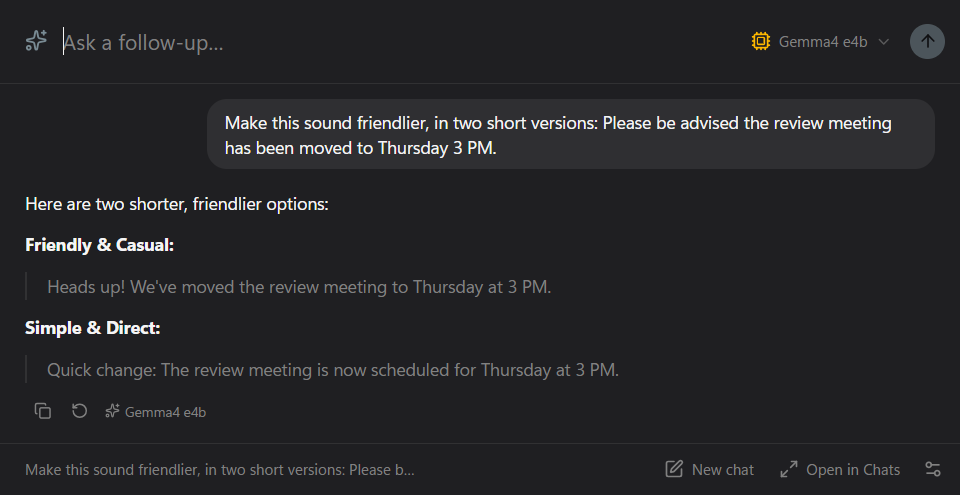
The overlay opens on top of whatever app you are in, so you can ask a question without switching windows or pasting text into a browser tab. Press Esc and it's gone.
Local models through Ollama run free on your own PC, and your chats are saved as files on your disk. Cloud models (Gemini, OpenAI) sit in the same model picker for when you want them.
You can connect any MCP server, install SKILL.md skills (the same format Claude uses), or write a Python plugin with its own settings, panels and tools. The bundled Plugin Creator plugin lets the AI build new plugins for itself.
LlamaRun 1 launched on the Microsoft Store in 2024 and reached 1,000+ users. This repository is LlamaRun 2, a full rebuild in Electron, React and TypeScript.
Install
- Download
LlamaRun-Setup-<version>-x64.exefrom the latest release and run it. The installer isn't code-signed yet, so Windows SmartScreen may warn you: choose More info, then Run anyway. - For local models, install Ollama and pull a model, for example
ollama pull gemma3. For cloud models, sign in with Google from Settings. Pro is free during early access. - Press Ctrl + Shift + A anywhere. Esc hides the overlay.
Screenshots
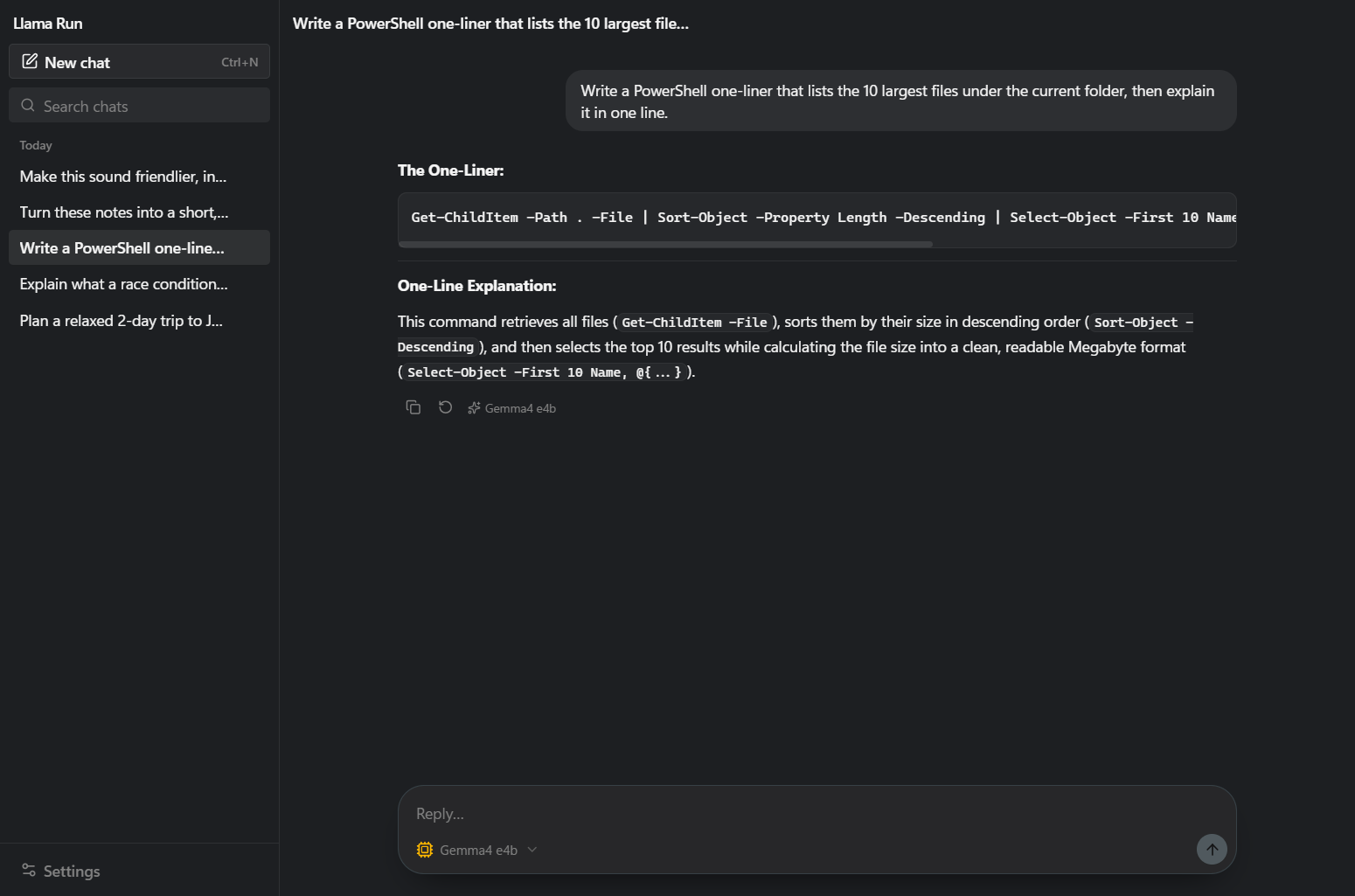
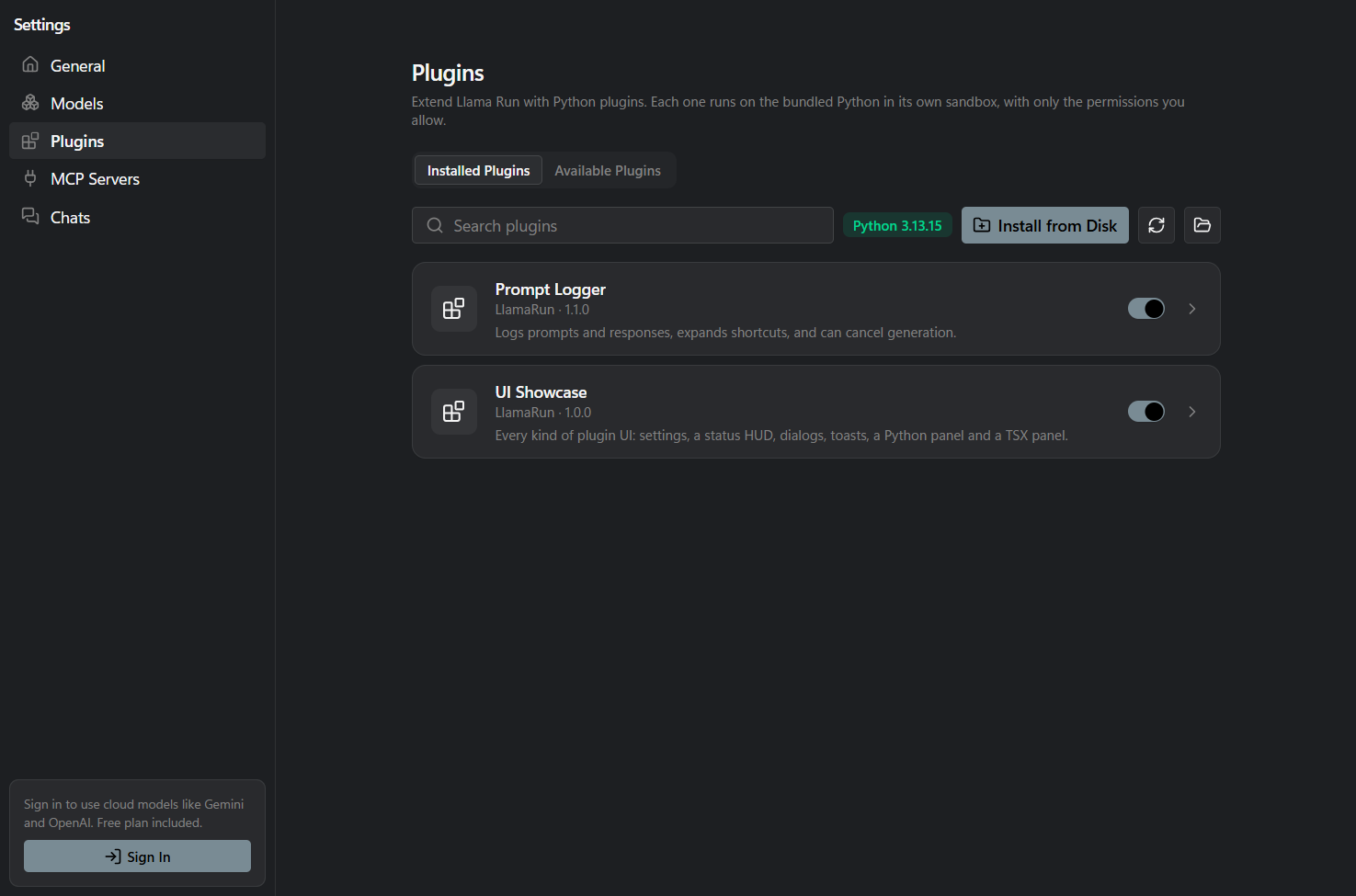
| Chat window | Plugins |
|---|---|
 |
 |
Features
- Overlay: a frameless, always-on-top window for quick questions. Follow-ups continue the same thread, Ctrl+N starts a new one, and "Open in Chats" moves it to the full window.
- Chat window: saved, searchable history, a model picker per chat, copy and regenerate, and automatic summaries of long chats (or type
/compact). - Attachments: paste, drag or attach images, PDFs, Word documents and text files. Images go to vision models.
- Rich answers: streaming Markdown with code highlighting, Mermaid diagrams, SVG, and live HTML previews right in the chat.
- Memory: the AI remembers what you tell it about yourself. You can see, edit or clear it in Settings.
- Skills and
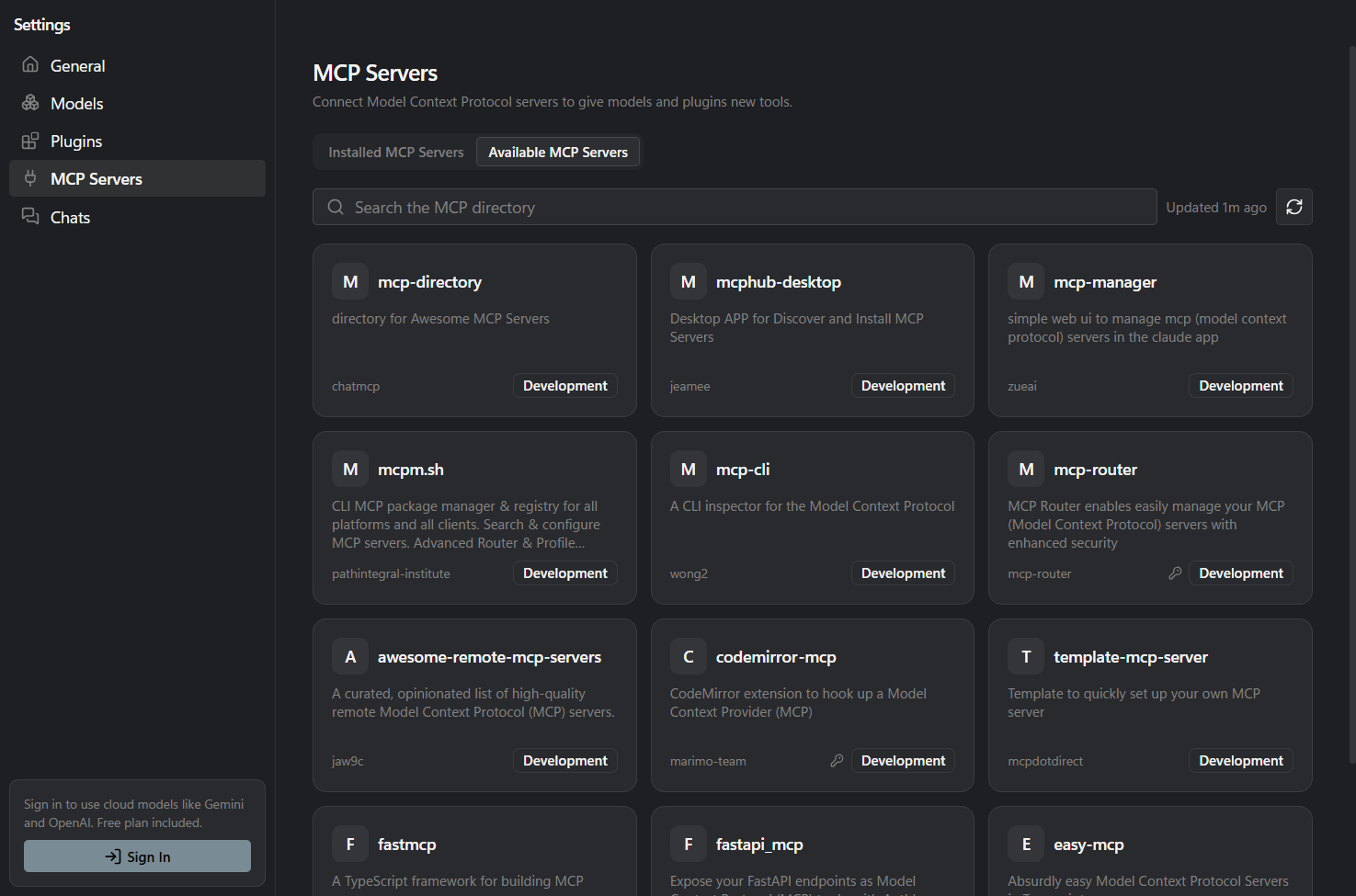
/commands: add skills from a ZIP, a folder or a GitHub link. Skills live in the shared~/.agents/skillsfolder, and your Claude Code skills appear automatically. Type/to run any skill or plugin command. - MCP: browse a directory of MCP servers and install them in one click. STDIO and Streamable HTTP/SSE servers both work, with local and cloud models.
- Python plugins: each plugin runs on a bundled Python 3.13 in its own sandboxed process, with only the permissions you approve. Plugins can add tools,
/commands, settings pages, panels (in Python or TSX), dialogs and notifications. See the Plugin SDK and the examples. - Windows-native feel: Mica and Acrylic backdrops, your accent colour, a tray icon and launch at login.
Roadmap
- Public launch on the Microsoft Store, Product Hunt and Hacker News.
- A plugin marketplace for sharing AI-built tools.
- macOS and Linux, then teams.
Ideas and bug reports are welcome in Issues. If LlamaRun is useful to you, a ⭐ helps other people find it.
Build from source
Requirements: Node 20+ and Git.
npm install # also downloads the bundled CPython into resources/python/
npm run dev # run with hot reload
npm test # main-process unit tests (vitest)
npm run test:sdk # Python SDK tests, run with the bundled interpreter
npm run build:win # NSIS installer in dist/
Useful environment variables:
| Variable | Purpose |
|---|---|
LLAMARUN_USER_DATA |
Use a separate profile directory, e.g. ./.devdata |
LLAMARUN_SERVER_URL |
LlamaRun backend. Default: https://llamarun.krishbaidya.me |
LLAMARUN_MCP_DIRECTORY_URL |
MCP directory. Default: https://mcp.krishbaidya.me |
OLLAMA_HOST |
Ollama endpoint |
LLAMARUN_PYTHON |
Use another interpreter if the bundled one is missing |
LLAMARUN_SKIP_PYTHON=1 |
Skip the Python download during npm install |
Project layout
src/main/        Electron main process: windows, tray, hotkey, settings, auth
  llm/           Ollama + cloud proxy (headless generate())
  mcp/           mcp.json, client manager, directory API
  plugins/       per-plugin Python processes, permissions, broker, installer
    ui/          plugin UI: HUD, dialogs, sandboxed panels, TSX compiler
src/preload/     typed contextBridge API (window.llamarun)
src/shared/      IPC contract and shared types
src/main/chats/   chat store + ChatService (plugin hooks -> model -> hooks, per chat)
src/renderer/    React + shadcn/ui: overlay, chat window, settings, onboarding,
                 plugin HUD/dialog/panel pages (plugin-kit/ renders Python UI trees)
sdk/python/      llamarun SDK package + plugin_host.py runner (one plugin per process)
sdk/ts/          type definitions for TSX panels (@llamarun/ui, @llamarun/plugin)
examples/plugins/prompt_logger/   chat hooks + settings
examples/plugins/ui_showcase/     every kind of plugin UI, plus a service
scripts/         fetch-python.mjs (bundled CPython), test-sdk.mjs
Data locations
These live in the Electron userData folder (%APPDATA%\llamarun on Windows):
config.json: settingsauth.json: account profile. The token is encrypted with the OS keychain viasafeStorage.mcp.json: MCP servers, in the same format as the WinUI appchats/<id>.json: saved chats, one file eachPlugins/<id>/: installed pluginsPluginData/<module>/: pluginstorage.json,settings.json,debug.log, and the plugin's own filesPluginData/_shared/<module>.json: state shared between pluginsPluginUi/<id>/: compiled TSX panels (a cache)logs/:plugins.logandcrash.log
Writing plugins
See docs/plugin-sdk.md and the example plugins in examples/plugins.
License
GPL-3.0. Made by Krish Baidya.