
LocalKeep
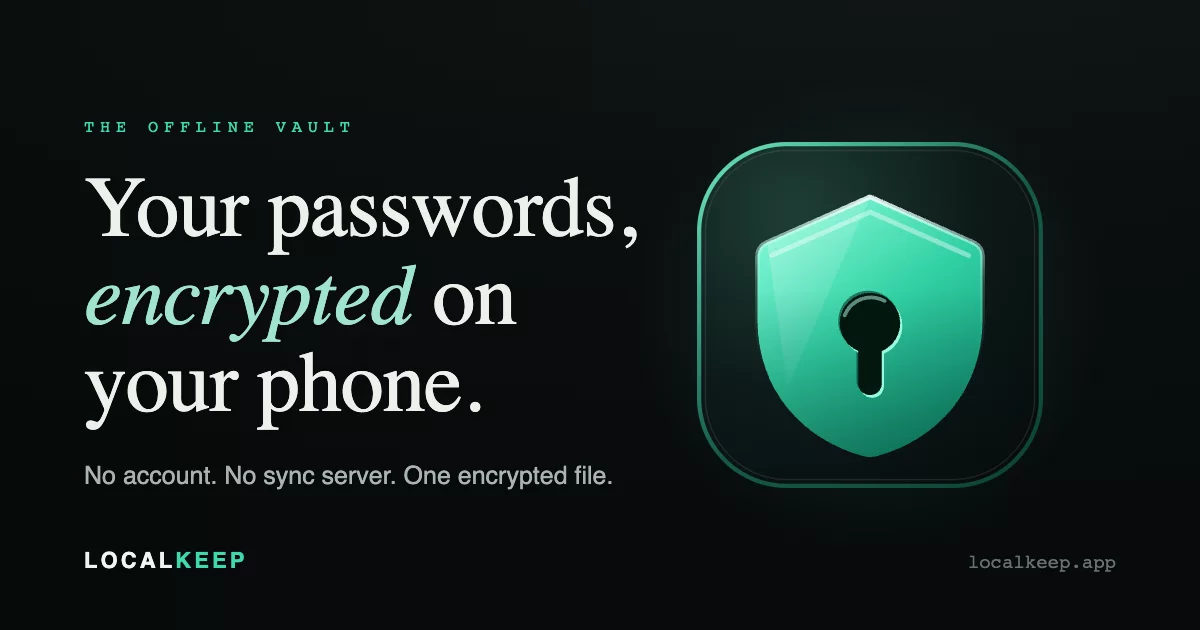
An offline password manager for Android. No account, no sync server, no telemetry. Your vault is one encrypted file on your phone, protected by a master password that is never stored.
Website: localkeep.app · Support: support@localkeep.app
An iOS port is in progress and has not been released.
Security model, in brief
- Encryption. The master password derives a key via Argon2id (32 MiB, 3 iterations, parallelism 4 by default). The vault is encrypted with AES-256-GCM-SIV, the data key is wrapped per unlock slot with AES-256-GCM, sub-keys come from HKDF-SHA256, and a key commitment blocks multi-key ciphertext attacks. The core primitives are tested against published reference vectors; the streaming format used for file attachments has no published vector to test against.
- No network in the free build. The
fossbuild has noINTERNETpermission at all. Theplaybuild has network access only for Google Play Billing and Google Play's in-app review card. - On the device. Secrets are masked by default; revealing or copying high-value fields (2FA secrets, CVV/PIN, recovery phrases, ID numbers, GPS coordinates) requires re-authentication; the clipboard auto-clears; screenshots and the app-switcher preview are blocked.
- Where the encrypted vault can go. Android Auto Backup includes the encrypted
vault.encin your Google backup by default, unless you turn off "Include vault in Android backup" (onboarding asks; Backup & export can change it). Device-bound keys and file attachments are never in that backup. A manual export writes an encrypted copy wherever you choose. In every case what leaves the device is ciphertext that still needs your master password. - Not defended: a rooted or otherwise compromised operating system, a weak master password, or losing both your master password and your Recovery Kit (there is no reset).
The full model, including known gaps, is in docs/THREAT-MODEL.md.
To report a vulnerability, see SECURITY.md. LocalKeep has not had an external
security audit.
Features
- Nine item types: logins, 2FA codes, secure notes, cards, identity documents, encrypted files (photos, videos, documents, viewable in-app), GPS locations, seed phrases, and passkeys.
- Autofill for apps and browsers, with save and update prompts; a credential provider for passkeys (Android 14 and later).
- Password and passphrase generator.
- Password health, computed entirely on the device: reused, weak, old and breached passwords, the last checked against a breach corpus bundled in the app (no lookup service).
- Import from Google/Chrome, Apple Passwords, Bitwarden, 1Password, KeePass, Aegis, Keeper, Enpass, Proton Pass, Dashlane, or CSV.
- Nested folders, tags, favourites, custom fields, a per-item reprompt flag, and a trash.
- Backups: rolling local snapshots, encrypted export and restore, and an offline 24-word Recovery Kit.
- Duress vault (Pro): a second password that opens a plausible decoy vault.
- English, French, German, Spanish and Portuguese.
Free and Pro
The free tier has no time limit and no ads. Passwords, notes, 2FA codes, autofill, the generator, password health, folders and tags are uncapped. The free tier includes 7 files/photos/videos, 1 card and 1 identity document.
Pro is a one-time purchase on Google Play, not a subscription. It removes those three caps and adds the duress vault.
The caps limit creating new items only. A vault that is already over a cap, for example after an import, stays fully readable and editable.
Builds
foss |
play |
|
|---|---|---|
| App id | com.localkeep.foss |
com.localkeep |
| Network | None: no INTERNET permission |
INTERNET, ACCESS_NETWORK_STATE and BILLING, used only for Google Play Billing and the in-app review card |
| Other permissions (both builds) | Biometric unlock; camera (QR scanning, photo capture); foreground location (the location item type, on an explicit tap only) | Same |
| Pro | Not available | One-time in-app purchase |
| Distribution | Self-distributed APK from this project | Google Play |
The build enforces the split: checkFlavorPermissions fails if the merged foss manifest asks for
anything outside its allowlist, and checkNoNetworkingDeps fails if a networking library reaches a
module that handles vault data.
Building
Requirements: JDK 21 and the Android SDK. Point Gradle at the SDK with ANDROID_HOME or
sdk.dir in local.properties.
export JAVA_HOME=/path/to/jdk-21
export ANDROID_HOME=$HOME/Android/Sdk

./gradlew :app:assembleFossRelease     # the free, no-network build
./gradlew :app:assemblePlayDebug       # the Play build, debug variant
./gradlew test                         # unit tests
Without a release key, release variants are signed with your debug key and Gradle says so. To sign
with your own key, set all four of LOCALKEEP_KEYSTORE, LOCALKEEP_KEYSTORE_PASSWORD,
LOCALKEEP_KEY_ALIAS and LOCALKEEP_KEY_PASSWORD (or the matching localkeep.* Gradle
properties in ~/.gradle/gradle.properties). A self-built APK has a different signature from the
official one, so Android will not install it over an official install; never uninstall the app to
get around that, because uninstalling deletes the vault.
The build includes guardrail tasks that fail it when an invariant breaks. Run them before sending a change:
./gradlew checkNoNetworkingDeps checkFlavorPermissions checkScreenSecurity \
  checkNoJvmOnlyXmlApis checkNoPlatformDrag checkNoApi30Signatures checkNoDismissThenNavigate \
  checkInstrumentedModulesCovered checkFuzzTargetsCovered checkNoHardcodedUiStrings \
  checkVaultAtRestNoAsymmetricCrypto checkNoLocationAiding checkResXmlWellFormed
./gradlew :app:lintFossDebug
Instrumented tests (connectedAndroidTest) run on every attached device; set ANDROID_SERIAL to
choose one. minSdk is 28 (Android 9), targetSdk 36.
Licence
GPL-3.0-only, with an additional permission under section 7 that allows distribution through app
stores. See LICENSE and LICENSE-EXCEPTIONS.md. The
LocalKeep name and logo are not covered by the licence.
Contributions are welcome; see CONTRIBUTING.md.