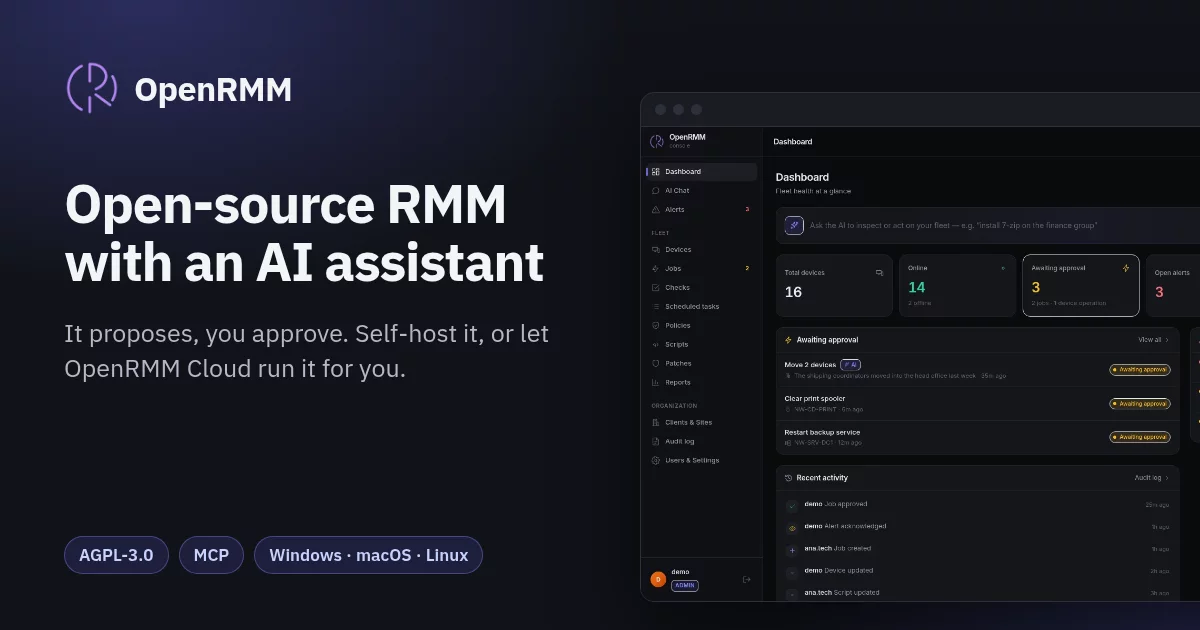

An open-source, self-hosted RMM (Remote Monitoring & Management) with a native AI assistant: a modern console, a chat that connects to any AI model via API (BYO-model, including local/private models), its own cross-platform agent, and pluggable remote access.
Ask the assistant in plain language — "install 7-zip on the finance group", "configure printer model X at IP Y on host Z", "generate a report of offline devices" — and it inspects the fleet, proposes the scripts/actions, and a human approves before anything runs on an endpoint.
Why this exists
Most AI-copilot RMMs (Atera, SuperOps, Acronis, Neo Agent) are closed SaaS: the fleet's data goes to the vendor's cloud and to the model the vendor picked. OpenRMM is an open-source, self-hosted RMM built around three choices:
- Any model — any OpenAI-compatible endpoint, including a local one, so command data can stay on your own infrastructure.
- A human approves every action — the AI reads and proposes; nothing runs on an endpoint until someone approves the job.
- Privacy first — your server, your database, your audit trail.
Highlights
- Own Go agent — single cross-platform binary (Windows/Linux/macOS), no runtime;
self-updates from the server (
make agent-distfor development; signed, versioned release artifacts are required for production). - AI chat with tool-calling — the model reads fleet state and proposes actions.
- Guardrails by design — AI never executes directly; every action is a job that a human approves, with dry-run preview and an append-only audit log.
- Pluggable remote access —
native(built-in relay + media sidecar, tile-delta codec; Windows and Linux/Xorg including the login screen, and macOS; file transfer, chat with the user, clipboard both ways, display selection, Ctrl+Alt+Del on Windows, and a notice of who else is connected),terminal(an elevated PTY/ConPTY shell in the browser, gated bydevices.terminal),meshcentral, andrustdesk(opens your own RustDesk client on the device's id, read on demand; off by default) — all behind one interface. Swap freely. - BYO AI model — any OpenAI-compatible endpoint (OpenAI, Ollama, vLLM, …).
- Classic RMM, too — Client→Site→Agent hierarchy, RBAC users, script library, monitoring checks + alerts, scheduled tasks, and inherited policies. The agent installs as a system service and reports rich inventory.
- Access control — built-in
admin/tech/readonlyroles plus custom roles, optional TOTP 2FA, single sign-on through any OpenID Connect provider (with MFA requirements checked on the provider's signed claims), and per-user access scope (Company/Site/Department/device) enforced on read, write, remote access, and the AI/MCP surface. AI/MCP tools are filtered by the caller's permissions and scope. AI reports stay in chat with a client-side CSV download — never written to an endpoint. - The built-in
readonlyrole is not purely observational: it includesdevices.remote(remote desktop), but not file transfer or terminal. Create a custom role withoutdevices.remotewhen screen access is not acceptable. - MCP server — connect external AI (Claude, ChatGPT, …) to manage the fleet,
reusing the same permission-filtered tools and the same human-approval guardrail.
Secured with scoped revocable tokens +
mcp.use+ an IP allowlist, or with the built-in OAuth 2.1 server so cloud connectors sign in natively (with an applications screen to approve and revoke them); deploy privately (Tailscale) or behind TLS. - Alert email — per-user subscriptions, a durable outbox with retries, and your own SMTP relay (or an operator's shared service, to confirmed addresses only).
- Append-only audit trail — triggers, a non-owner database role and a hash chain; searchable, exportable as CSV, and queryable by the assistant.
- Nine languages — the console is fully translated into English, Portuguese (Brazil), Spanish, German, Japanese, Simplified Chinese, Russian, Korean and Malay. The newer translations await review by native speakers.
Architecture at a glance
      bundled React UI ── REST/WS API ── AI chat (tool-calling loop)
                               │
                 ┌─────────────┼──────────────┐
                 │             │              │
            agent hub     job queue      remote relay
              (WS)        (Postgres)    (native provider)
                 │
        ┌────────┴─────────┐
        │   Go agent (endpoint)   │  +  remote client (native / MeshCentral)
        └──────────────────┘
Full detail: docs/01-architecture.md.
Quick start
Self-host with the published images. Use one Linux server, three DNS names and
Docker Compose. Caddy obtains the certificates, and the release images come
from ghcr.io/openrmm-project:
git clone https://github.com/openrmm-project/openrmm.git && cd openrmm/deploy
cp .env.example .env            # set the hostnames and the release key
ops/provision-secrets.sh
docker compose up -d
deploy/QUICKSTART.md covers what to put in .env, the
first administrator, adding devices and upgrades. The full runbook (backups,
point-in-time recovery, standby) is
deploy/README-production.md.
Run from source (development):
cp .env.example .env          # replace RMM_ADMIN_TOKEN with a generated value
docker compose up -d          # postgres + server
# or run locally:
export RMM_ADMIN_TOKEN="$(openssl rand -hex 32)"
make build && ./bin/rmm-server
Create the first console user (the console signs in with a password or SSO, not with the admin token):
curl -X POST localhost:3005/api/auth/bootstrap \
  -H "Authorization: Bearer $RMM_ADMIN_TOKEN" -H "Content-Type: application/json" \
  -d '{"username":"admin","password":"<12+ characters, an uppercase letter and a symbol>"}'
Then enroll an agent:
# 1. create an enrollment token
curl -X POST localhost:3005/api/enroll-tokens \
  -H "Authorization: Bearer $RMM_ADMIN_TOKEN" -d '{"uses":1}'

# 2. enroll once, then start the long-lived agent without the bootstrap token
./bin/rmm-agent -server ws://localhost:3005/ws/agent -enroll-token <TOKEN> -enroll-only
./bin/rmm-agent -server ws://localhost:3005/ws/agent
The development Compose example uses its frontend/proxy on port 3005; a directly-run server
uses port 8080 instead.
Production is intentionally different: provision file-backed secrets with
deploy/ops/provision-secrets.sh, terminate TLS at a trusted edge, and keep the
three published listeners bound to loopback. Agent installation requires HTTPS
and --update-public-key/-UpdatePublicKey (on Linux and macOS, OpenSSL 3 or the
manifest's P-256 key in --manifest-public-key); insecure installation is
available only through explicit lab mode. See
deploy/README-production.md.
See docs/02-getting-started.md for the full walkthrough.
Documentation
Read it at docs.openrmm.io, with search and a sidebar by topic. The site is built from the files below on every change to them.
| Doc | Contents |
|---|---|
| 00-overview | Vision, scope, what's built vs planned |
| 01-architecture | Components, data flow, package layout |
| 02-getting-started | Run the server, enroll an agent, run a job |
| 03-database-schema | Tables and relationships |
| 04-api-reference | Every REST endpoint |
| 05-agent-protocol | The agent WebSocket protocol |
| 06-ai-chat | Tool-calling loop, tools, prompts |
| 07-guardrails-security | Approval, audit, threat model |
| 08-remote-access | The native (desktop + file transfer), terminal, and MeshCentral providers |
| 09-roadmap | Phased plan toward a complete RMM |
| 10-monitoring-policies | Org hierarchy, RBAC, scripts, checks, tasks, policies, alerts |
| 11-mcp | MCP server — connect external AI (Claude, ChatGPT) securely |
| 12-native-remote-fork | Historical: the abandoned RustDesk-fork plan (superseded by the homegrown engine in 08) |
| 13-security-rollout | Release/signing gates, strict installers, TLS/secrets, enforcing CSP, remaining limits |
| 14-frontend-design-brief | Frontend brief: product context, screens, design language, full API contract |
| 15-reports | Fleet inventory reports (software/hardware/machines) by client/site/department, scoped, CSV export, AI tool |
| 16-patch-management | Patch inventory, approval/classification, policies (windows/auto-approve), reboot orchestration, compliance |
| 17-mcp-oauth | MCP OAuth 2.1 — OpenRMM as its own Authorization Server so cloud clients (Claude web, ChatGPT) connect natively |
| 18-update-signing-runbook | Operator playbook for signed auto-update: key custody, cutting a signed release, publishing to /dl/, and staged key rotation via the trusted key set (no reinstall) |
| 19-production-readiness-plan | Prioritized remediation plan to reach production: go-live blockers, observability, HA, container scanning, defense-in-depth |
| 20-email-notifications | Alert email: scope-enforced recipients, transition-only sending, the durable outbox and retry policy, SMTP setup |
| 21-single-sign-on | Single sign-on with an OpenID Connect provider: setup, MFA requirements, account linking, break-glass |
For production deployment, see deploy/README-production.md:
a split-ingress topology with loopback backend binds and source ACLs at the
trusted TLS edge. The supported deployment is one server replica; the in-memory
agent hub, relay and scheduler are not distributed or HA.
To build the frontend: docs/14-frontend-design-brief.md.
Native remote engine
The native remote engine is a homegrown implementation (CGO-free on Windows and
Linux; macOS capture uses CGO) rather than a third-party fork. See
docs/08-remote-access.md for platform and maturity
limitations.
Community
- Discord: https://discord.gg/VN2jYWuA8X
- X: @openrmm
Report security issues privately, as described in SECURITY.md, not in public channels.
License
OpenRMM is licensed under the GNU Affero General Public License v3.0
(AGPL-3.0-only); see LICENSE. The AGPL's network clause (section 13)
means anyone who runs a modified version as a network service must offer that
version's source to its users.
Copyright (C) 2026 Miquéias Gonçalves. Contributors retain copyright in their own
contributions and license them under the CLA. Third-party components
and their licences are listed in THIRD_PARTY_NOTICES.
Commercial licensing
The AGPL is a real obligation, not a formality: if you modify OpenRMM and offer it to others over a network, you must offer them that modified source. That is fine for most self-hosted use, and deliberately awkward for building a closed product on top of it.
If you need to embed OpenRMM in something you do not want to publish, a separate commercial licence is available — the same code, without the AGPL's source obligations. Write to contact@openrmm.io.
Contributing is unaffected by that: you keep the copyright in your work. The CLA grants a licence broad enough to cover both distributions, because the alternative is a project that can never change its own terms. See CONTRIBUTING.
Logo
The OpenRMM logo and icons belong to Miquéias Gonçalves. The AGPL licenses the code, not the logo: a fork is welcome with a logo of its own. See the logo policy.