
Outreach Planner
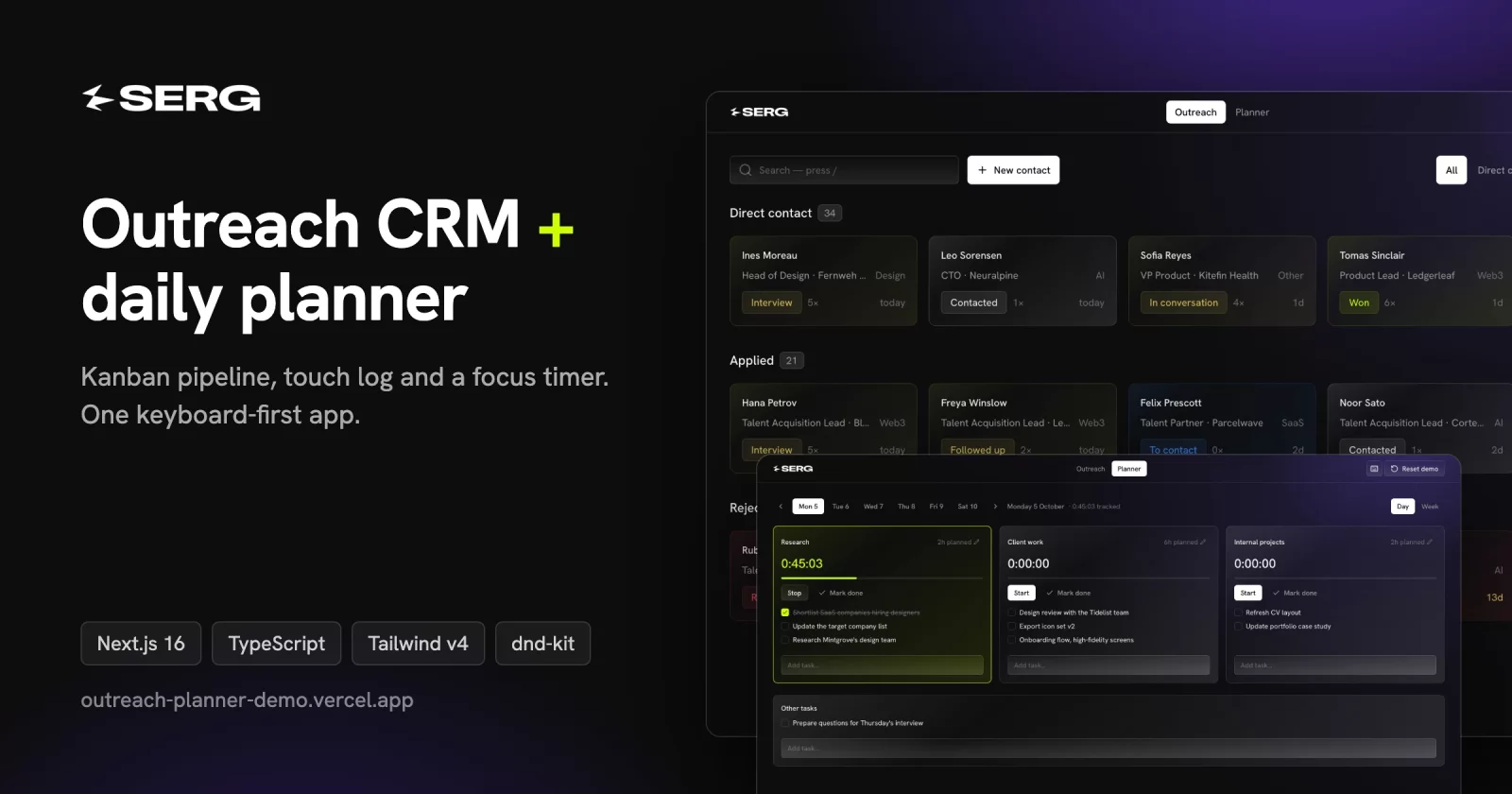
An outreach CRM and a daily time-blocking planner in one dark, keyboard-first app.
Live demo → · No sign-up. It runs in your browser with fictional sample data.
Built by Srdjan Culibrk: byserg.com · LinkedIn
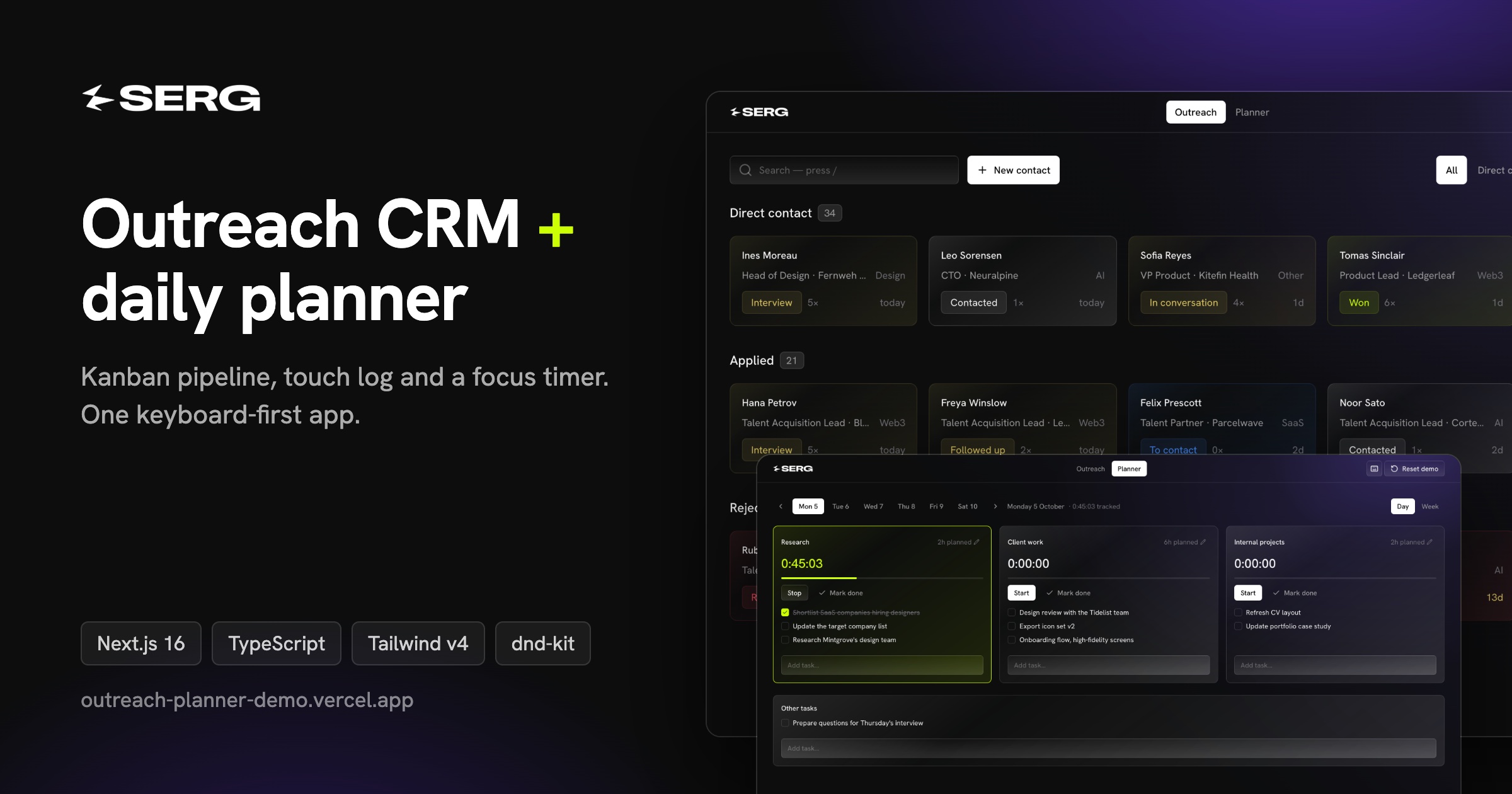
I built it as a daily tool for one job: reaching out to people, and keeping track of who replied, who went quiet and where my hours went. This repo is the public demo edition. Every person, company and note in it is made up.
What it does
Outreach board
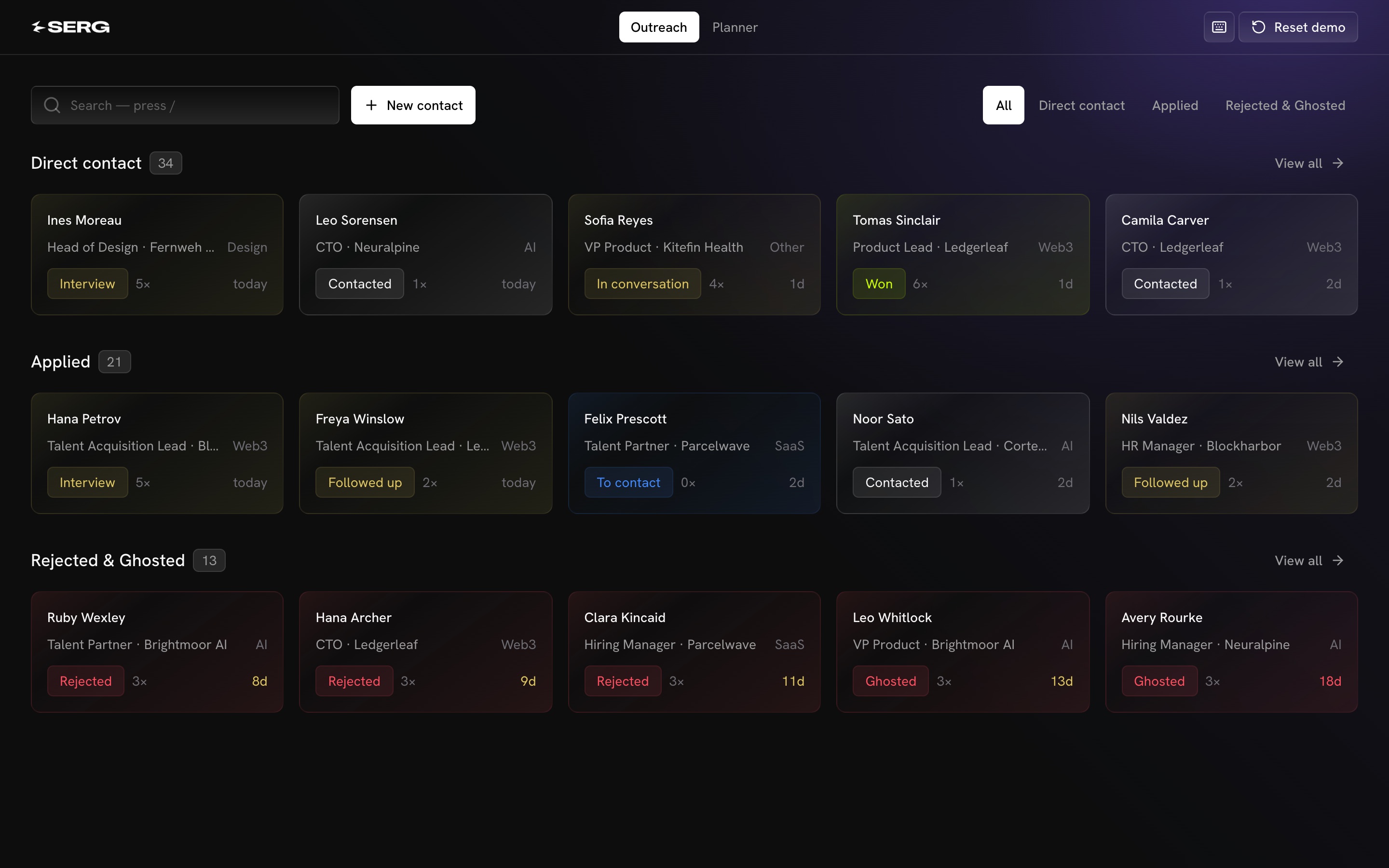
- A nine-stage pipeline: To contact → Contacted → Followed up → Replied → In conversation → Interview → Won / Rejected / Ghosted.
- Three groups: Direct contact, Applied, and Rejected & Ghosted. The home view previews each group, and "View all" opens the full group with niche filters and pagination.
- Drag and drop within and between groups, with mouse or touch.
- Activity at a glance: every card shows its touch count and days since the last activity. The day count turns yellow at 7+ days and red at 14+.
- Ranked search (
/): first names match first, then last names, then companies and roles.
Contact panel
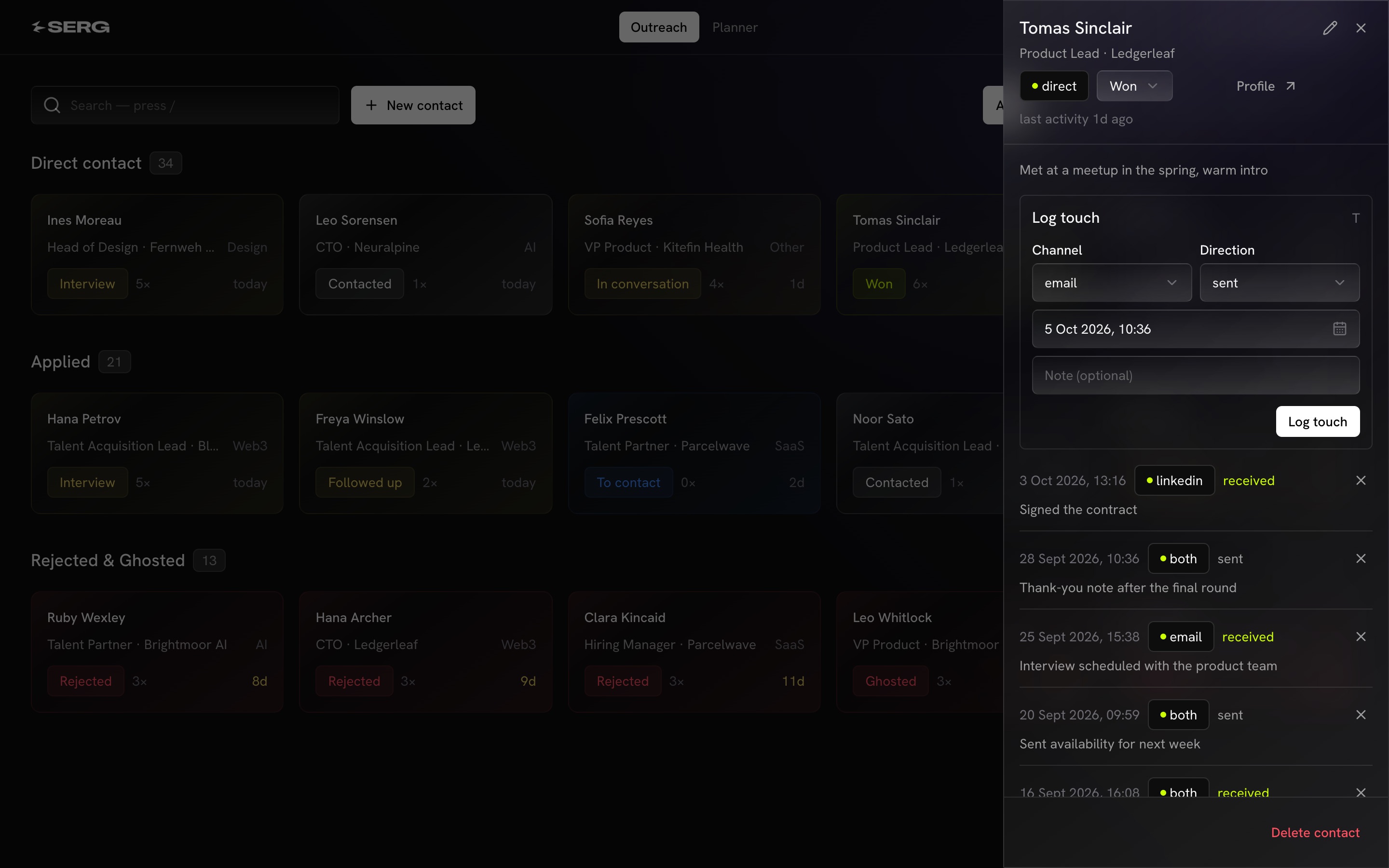
- The full touch timeline (channel, direction, note), newest first.
- Log a touch in seconds (
Tjumps to the form). Logging one on a To contact person moves them to Contacted automatically. - Edit, change status, or delete. A company note also counts as activity.
Daily planner
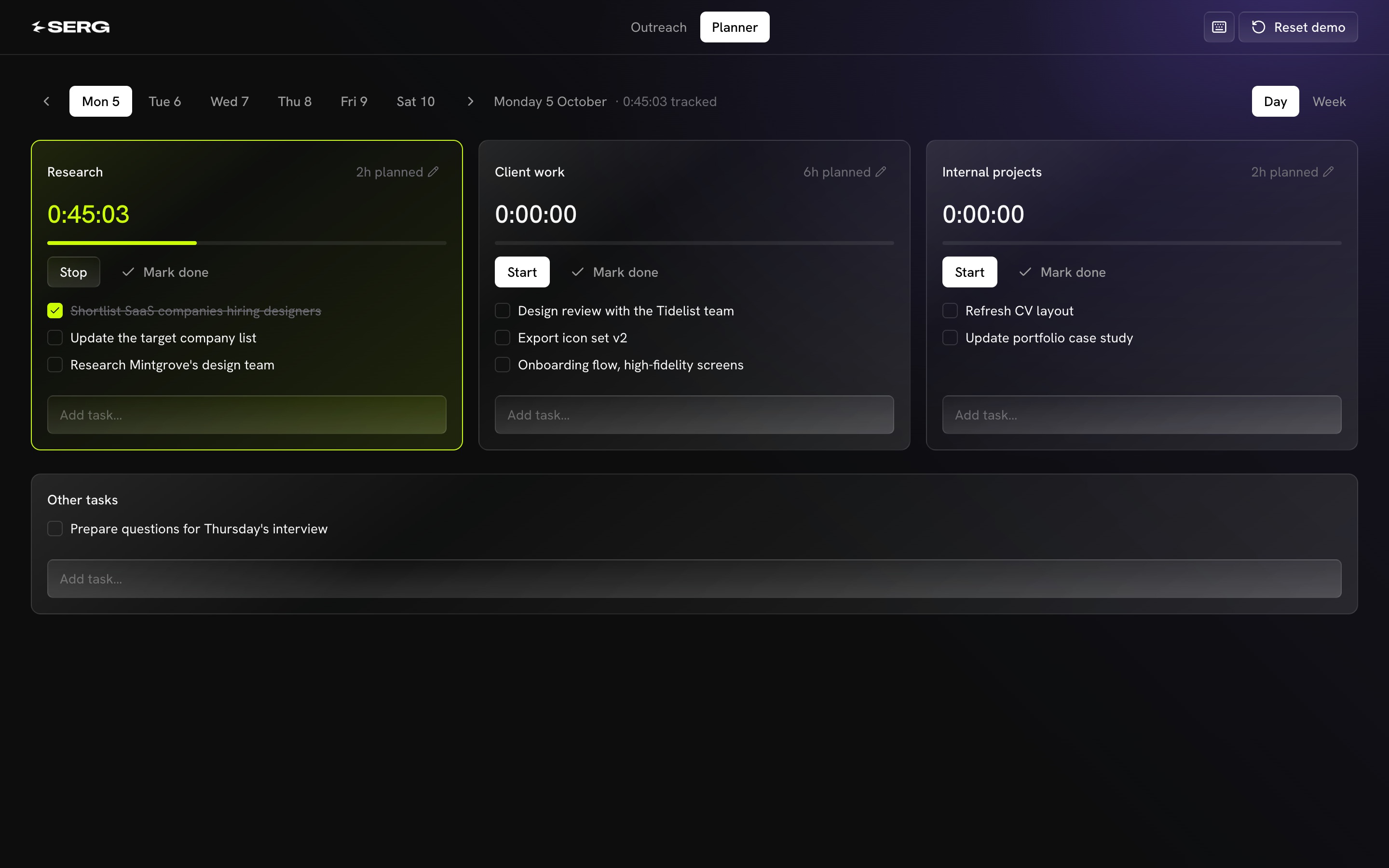
- Three blocks per day, Monday to Saturday: research (2h), client work (6h) and internal projects (2h).
- A start/stop timer per block. Timers are independent, so several can run at once, each counting its own time.
- Edit planned hours per day, and correct tracked time by hand while the timer is stopped.
- Tasks per block plus loose day tasks: add, check off, rename, delete.
Week view
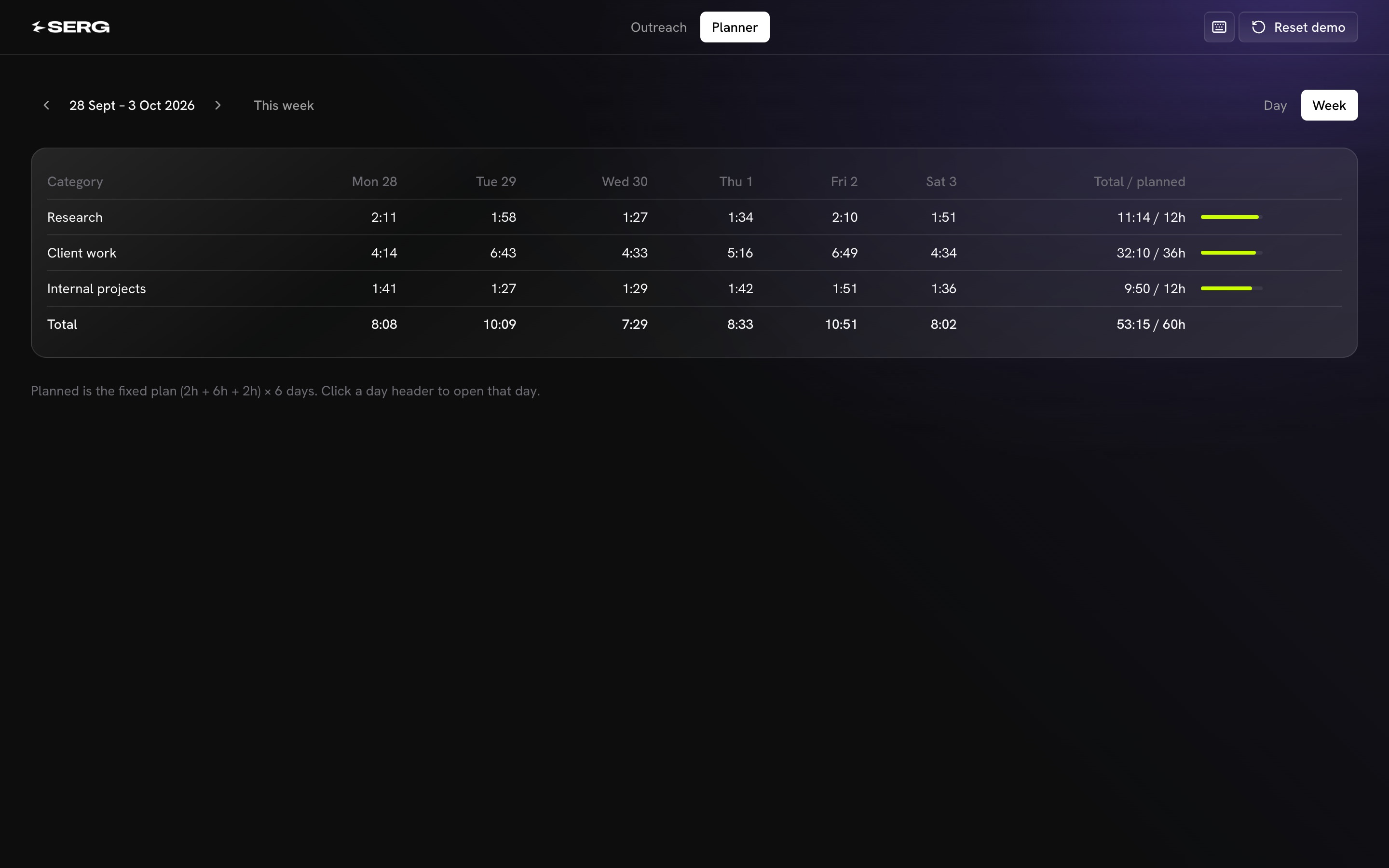
Actual vs planned time per category, per day and in total.
Keyboard-first and responsive
 |
 |
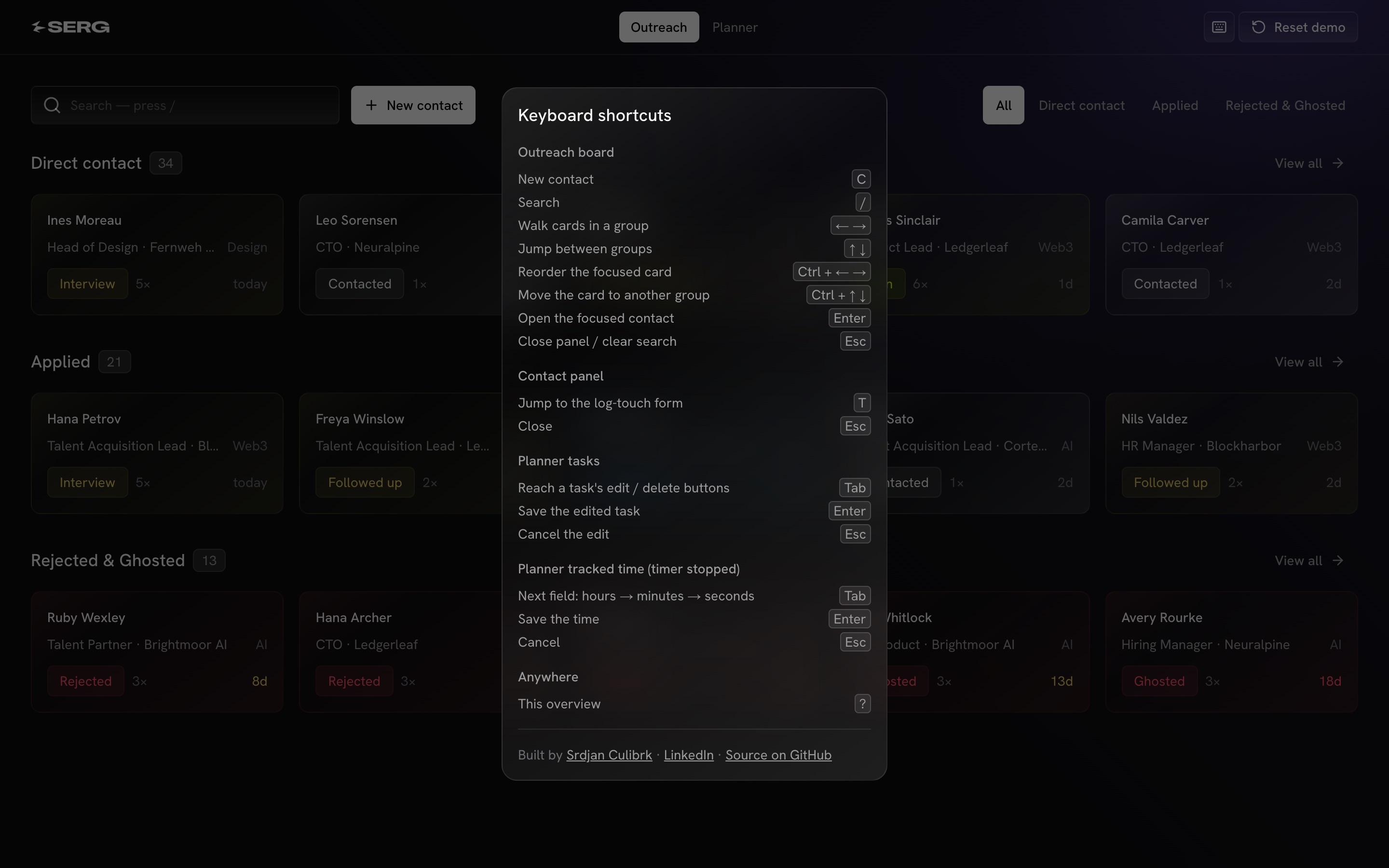
C adds a new contact, / searches, arrow keys move between cards,
Ctrl + arrows moves a card, Enter opens a contact, ? lists every
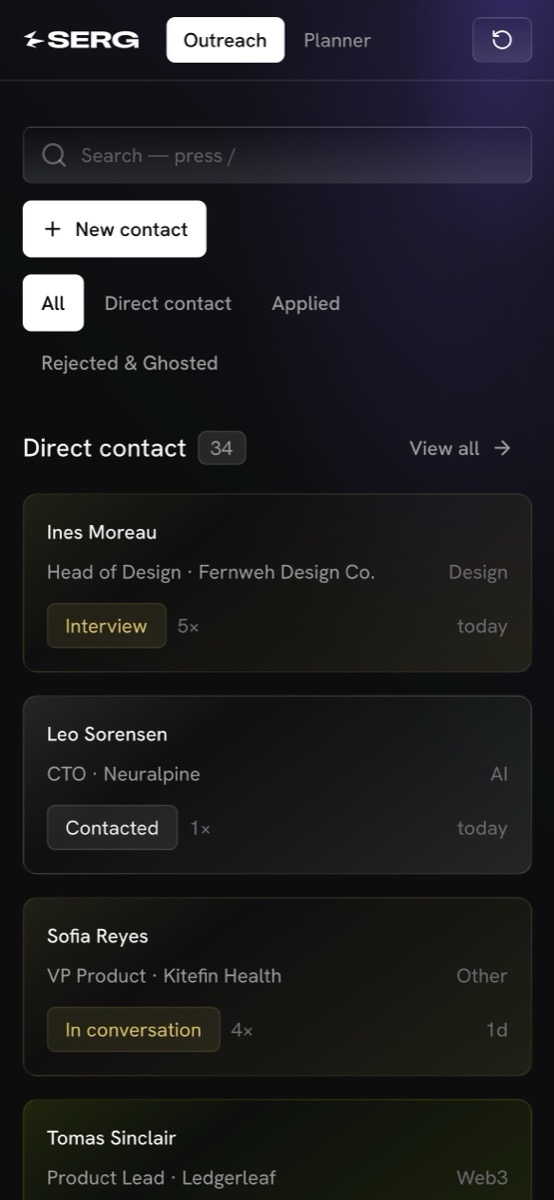
shortcut. On a phone, columns stack and drag-and-drop works by touch.
How it's built
- Optimistic UI everywhere. Every action updates the screen instantly, then saves. If the save fails, the change is reverted and a short notice appears. There are no spinners and no waiting.
- Derived data, never stored. Touch count and "last activity" are computed from the touch log, so they can never drift out of sync with it.
- Cheap reordering. Cards use fractional ranks. A drop takes the midpoint between its neighbours, so a move writes one row instead of renumbering a column.
- View state lives in the URL. Group, niche and page are query parameters, so the back button and refresh work and switching views needs no round trip.
- Independent timers. Every block counts its own time, so research and client work can run side by side. Tracked time can be edited only while its timer is stopped, so a live timer is never overwritten.
- A strict token-based design system. Every color, size, radius and
surface is a token in
src/app/globals.css. Tailwind's default palette is cleared, so off-system values don't even compile into CSS. - Accessible primitives. Dialogs, selects and focus management come from Radix. Card navigation, moving and opening all work by keyboard.
The production version of this app runs on Supabase: Postgres with row-level security on every table, a view for the derived touch stats, and timer math in SQL functions on the database clock. This demo swaps that for an in-browser store with the same async, validated action API, so every component is identical.
Stack
Next.js 16 (App Router) · React 19 · TypeScript · Tailwind CSS v4 · Radix UI · dnd-kit · Vercel
Run it locally
Requires Node.js 20+.
git clone https://github.com/srdjancul/outreach-planner-demo.git
cd outreach-planner-demo
npm install
npm run dev        # http://localhost:3200
No environment variables, database or accounts are needed. Your edits are saved in your browser (localStorage). Reset in the top bar either clears everything (start empty, for your own contacts) or restores the sample data.
To deploy your own copy, import the repo in Vercel and accept the defaults.
Where things live
| Path | What |
|---|---|
src/components/board/ |
Board, cards, contact panel, quick add |
src/components/planner/ |
Day and week views |
src/lib/actions/ |
Every write: validated, async, server-action shaped |
src/lib/demo/ |
In-browser store, queries and the fictional seed |
src/app/globals.css |
The design tokens |
To change the sample data, edit src/lib/demo/seed.ts and bump VERSION
in src/lib/demo/store.ts.
To make it yours, replace the logo in public/logo-white.png and the
browser-tab icon in src/app/icon.png.
npm run verify # typecheck + lint + production build
Author
Srdjan Culibrk designed and built it.
- Website: byserg.com
- LinkedIn: linkedin.com/in/srdjan-culibrk
Feedback and questions are welcome. Open an issue or reach out on LinkedIn.
License
MIT, see LICENSE.