
PennyWise AI — Free & Open‑Source, private SMS‑powered expense tracker
Turn bank SMS into a clean, searchable money timeline with on-device AI assistance. Parsing, storage, and AI all run on your phone.
⭐ Star us on GitHub — join 300+ supporters!


Overview
Your bank already texts you every transaction — PennyWise turns those SMS into a private, zero-setup expense tracker with on-device AI. No accounts, no sign-ups, no effort.



How it works
- Grant SMS permission (read-only) — no account creation, no inbox changes, no messages sent.
- PennyWise parses your transactions instantly — extracts amount, merchant, category, and date. New SMS are detected in real-time.
- Get insights — analytics, budgets, subscriptions, and an on-device AI assistant you can ask anything.
📖 New here? The user guide walks through every feature step by step, with screenshots.
Why PennyWise
Key Differentiators
- 🔒 Private by Design — All AI processing and transaction storage happen on your phone; no accounts, no analytics, no servers collecting your data
- ⚡ Zero Setup — Just grant SMS permission, no accounts to create, works instantly
- 🆓 Free & Open Source — AGPL v3 licensed, no ads, no trackers; an optional PennyWise Pro upgrade (unlimited rules, PDF statement imports, CSV export, account merge, scheduled backups) supports the solo developer
Core Features
- 🤖 Smart SMS Parsing — 170 banks across 26 countries with real-time detection of incoming SMS
- 🌍 Multi-Currency — Native support for INR, USD, AED, THB, NPR, ETB, and more with exchange rate management
- 💬 On-Device AI Assistant — Ask "What did I spend on food?" — powered by Qwen 2.5, runs entirely on your phone
- 🏷️ Auto-Categorization & Smart Rules — Pattern-based rules that auto-categorize transactions
- 💰 Budget Tracking — Multiple budget groups (Limit/Target/Expected types), daily allowance, category-level budgets
- 📊 Analytics & Charts — Bar charts, line trends, heatmaps, category breakdowns, top merchants, custom date ranges
- 🏦 Multi-Account & Balance Tracking — Track multiple bank accounts with live balance from SMS and balance history
- 🔄 Subscription Detection — Automatic recurring payment detection with due date alerts
- 🎨 Custom Categories — Create your own with custom colors and icons
More Features
- 🔐 Biometric App Lock — Fingerprint/face unlock with configurable timeout
- 📱 Home Screen Widgets — Budget progress and recent transactions at a glance
- 📤 Data Export & Backup — CSV export for taxes, full backup/restore (.pennywisebackup)
- 🎭 Material You Theming — Dynamic colors, multiple cover styles (Aurora, Gradient, Wave), light/dark/system themes
- ✏️ Manual Transactions — Add and edit transactions manually
- 🔍 Search & Filters — Filter by category, merchant, period, currency, transaction type
- 🎯 Guided Onboarding — Spotlight tutorial for first-time users
Smart Rules Engine
Rules let you auto-categorize, modify, or block transactions based on configurable conditions. A rule consists of one or more "When" conditions and a "Then" action.
Available condition fields:
| Field | Description | Example value | Supported operators |
|---|---|---|---|
AMOUNT |
Transaction amount | 200 |
<, >, = |
TYPE |
Income/Expense/Transfer | INCOME |
contains, equals, starts with |
CATEGORY |
Assigned category | Food & Dining |
contains, equals, starts with |
MERCHANT |
Merchant/vendor name | Amazon |
contains, equals, starts with |
NARRATION |
Transaction description | Monthly rent |
contains, equals, starts with |
SMS_TEXT |
Raw SMS body | OTP |
contains, equals, starts with |
BANK_NAME |
Bank name from SMS | HDFC Bank |
contains, equals, starts with |
TIME / HOUR |
Transaction time | 09:00 / 9 |
before, after, at or after, at or before |
DAY_OF_WEEK |
Day (1=Mon .. 7=Sun) | 1 |
is, is any of, is not |
DAY_OF_MONTH |
Day of month (1-31) | 15 |
is, is any of, before, after |
DATE |
Transaction date | 2026-03-21 |
is, before, after |
ACCOUNT |
Bank account composite | Select from picker | is, is not |
Account condition (ACCOUNT) — Restricts the rule to transactions from a specific bank account. The value is stored as a BankName||Last4 composite key (e.g. HDFC Bank||1234). When selected, the UI shows an account picker populated from your tracked accounts. Only EQUALS and NOT_EQUALS operators are available.
Conditions can be combined with AND / OR logic, and multiple conditions per rule are supported.
Available actions:
- Set — Override a field (category, merchant, type, description)
- Append / Prepend — Add text to a field (merchant, description)
- Clear — Remove a field value
- Block — Prevent the transaction from being saved
JSON representation (stored locally, not exposed via API):
{
  "conditions": [
    {"field": "ACCOUNT", "operator": "EQUALS", "value": "HDFC Bank||1234"},
    {"field": "AMOUNT", "operator": "GREATER_THAN", "value": "500"}
  ],
  "actions": [
    {"field": "CATEGORY", "actionType": "SET", "value": "Food & Dining"}
  ]
}
Supported Banks & Countries
Supporting 170 banks & services across 26 countries with multi-currency capabilities:
🇮🇳 India — INR ₹ (57)
AU Small Finance Bank, Airtel Payments Bank, Amazon Pay, American Express, Axis Bank, Bandhan Bank, Bank of Baroda, Bank of India, CRED, Canara Bank, Cashfree, Central Bank of India, City Union Bank, DBS Bank, Department of Post, Dhanlaxmi Bank, Equitas Small Finance Bank, Federal Bank, Greater Bank, HDFC Bank, HDFC Mutual Fund, HSBC Bank, ICICI Bank, IDBI Bank, IDFC First Bank, India Post Payments Bank, Indian Bank, Indian Overseas Bank, IndusInd Bank, JK Bank, Jana Small Finance Bank, Jio Payments Bank, JioPay, Jupiter, Karnataka Bank, Kerala Bank, Kerala Gramin Bank, Kotak Bank, LazyPay, NSDL Payments Bank, Navi Mutual Fund, OneCard, Pluxee, Punjab & Sind Bank, Punjab National Bank, SVC Co-operative Bank, Saraswat Co-operative Bank, Slice, South Indian Bank, Standard Chartered Bank, State Bank of India, Suryoday Small Finance Bank, Tamilnad Mercantile Bank, UCO Bank, Union Bank of India, Utkarsh Bank, Yes Bank
🇳🇵 Nepal — NPR ₨ (13)
Citizens Bank, Everest Bank, Laxmi Sunrise Bank, Lumbini Bikash Bank, Machchhapuchchhre Bank, Manjushree Finance, NMB Bank, Nabil Bank, Nepal Bank Limited, Nepal SBI Bank, Prime Commercial Bank, Siddhartha Bank, Standard Chartered Bank Nepal
🇹🇭 Thailand — THB ฿ (11)
BAAC, Bangkok Bank, CIMB Thai, Government Savings Bank, KTC, Kasikorn Bank, Krungsri, Krungthai Bank, Siam Commercial Bank, TTB, UOB Thailand
🇺🇸 United States — USD $ (10)
ALECU, AdelFi, Altana Federal Credit Union, Charles Schwab, Chase, Citi Bank, Discover Card, Huntington Bank, Navy Federal Credit Union, Old Hickory Credit Union
🇪🇹 Ethiopia — ETB ብር (9)
Apollo, Awash Bank, Bank of Abyssinia, Commercial Bank of Ethiopia, Dashen Bank, Siket Bank, Telebirr, ZamZam Bank, Zemen Bank
🇳🇬 Nigeria — NGN ₦ (9)
Access Bank, GTBank, Jaiz Bank, Keystone Bank, Moniepoint, Opay, Standard Chartered Bank Nigeria, VFD Microfinance Bank, Zenith Bank
🇸🇦 Saudi Arabia — SAR ﷼ (7)
Al Rajhi Bank, Alinma Bank, Banque Saudi Fransi, D360 Bank, SABB, STC Bank, Saudi National Bank
🇹🇿 Tanzania — TZS TSh (7)
CRDB Bank, Diamond Trust Bank, M-Pesa Tanzania, Mixx by Yas, NMB Bank Tanzania, Selcom Pesa, Tigo Pesa
🇦🇪 UAE — AED د.إ (7)
Abu Dhabi Commercial Bank, Dubai First, Emirates Islamic, Emirates NBD, First Abu Dhabi Bank, Liv Bank, Mashreq Bank
🇮🇷 Iran — IRR ﷼ (6)
Bankino, Mellat Bank, Melli Bank, Parsian Bank, Pasargad Bank, blu Bank
🇯🇴 Jordan — JOD JD (5)
Bank al Etihad, Islamic International Arab Bank, Jordan Islamic Bank, Orange Money, Safwa Islamic Bank
🇲🇿 Mozambique — MZN MT (4)
M-Pesa Mozambique, Millennium BIM, Standard Bank Mozambique, eMola
🇱🇰 Sri Lanka — LKR Rs (4)
National Development Bank, National Savings Bank, Nations Trust Bank, Sampath Bank
🇪🇬 Egypt — EGP E£ (3)
Arab Bank, CIB Egypt, National Bank of Egypt
🇸🇻 El Salvador — USD $ (3)
Banco Agricola, Banco Cuscatlan, Banco Promerica
🇧🇩 Bangladesh — BDT ৳ (2)
BRAC Bank, bKash
🇪🇺 Eurozone — EUR € (2)
BPCE, Sparkasse Rhein-Maas
🇰🇪 Kenya — KES Ksh (2)
Equity Bank, M-PESA
🇬🇧 United Kingdom — GBP £ (2)
Chase UK, Trading 212
🇧🇾 Belarus — BYN Br (1)
Priorbank
🇨🇴 Colombia — COP $ (1)
Bancolombia
🇨🇿 Czech Republic — CZK Kč (1)
mBank CZ
🇴🇲 Oman — OMR ر.ع. (1)
Bank Muscat
🇵🇰 Pakistan — PKR ₨ (1)
Faysal Bank
🇷🇺 Russia — RUB ₽ (1)
T-Bank
🇹🇷 Turkey — TRY ₺ (1)
Enpara
More banks being added regularly! Request your bank →
Privacy First
All AI processing happens on your device, powered by Google AI Edge LiteRT-LM running Qwen 2.5. Your SMS and transactions are parsed, stored, and analyzed locally — there are no accounts, no analytics, crash-reporting, or telemetry SDKs (no Firebase / Crashlytics / Sentry / Google Analytics — verify in app/build.gradle.kts), and no PennyWise server ever receives your financial data. The whole codebase is open source (AGPL v3) so every claim below is checkable.
Network access — every outbound call the app can make
- Google Play services (Play Store build only) — Google Play Billing (optional Pro subscription), In-App Updates, and In-App Review. These are Google's SDKs (declared
standardImplementation), and they do their own background connectivity to Google — this is the most likely source of any "background data" you notice, especially on a single-currency setup. The F-Droid build strips all three and is fully Google-free. - Exchange rates — fetched from
open.er-api.com. Automatic currency conversion runs only when you hold more than one currency (same-currency conversions make no call), but opening the currency picker also fetches the current rate list. Either way the request carries just a 3-letter currency code and a staticUser-Agent— no SMS, transactions, or device identifier — and results are cached locally. (ExchangeRateProvider.kt) - On-device AI model — a one-time ~1.5 GB download from Cloudflare R2, only if you open the AI chat and choose to download it. The bytes are SHA-256 pinned; after that the AI runs 100% offline. (
Constants.MODEL_URL) - Report a parsing problem — when you use this flow it opens
pennywise.zynth.devwith the SMS text, its sender, and an RSA-encrypted device identifier (your Android ID plus a timestamp) pre-filled, and parses them server-side to show a preview. Nothing is sent unless you start this yourself. (SmsReportUrlBuilder.kt,DeviceEncryption.kt) - Links (Discord, GitHub, Play Store, user guide, backup docs) open your browser — no background data.
Everything else stays on your phone.
Screenshots


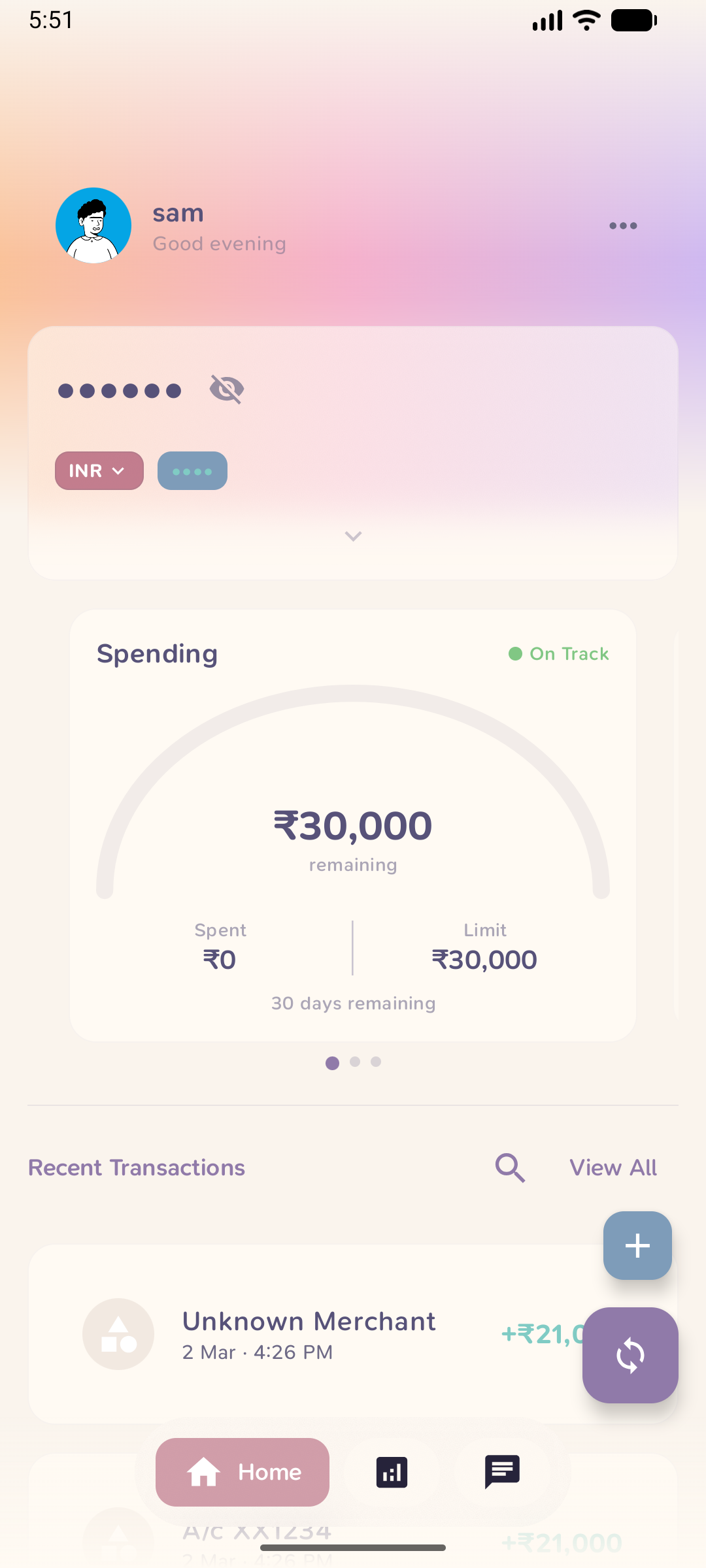
In-app screenshots (light & dark themes)
Light Theme
 |
 |
 |
 |
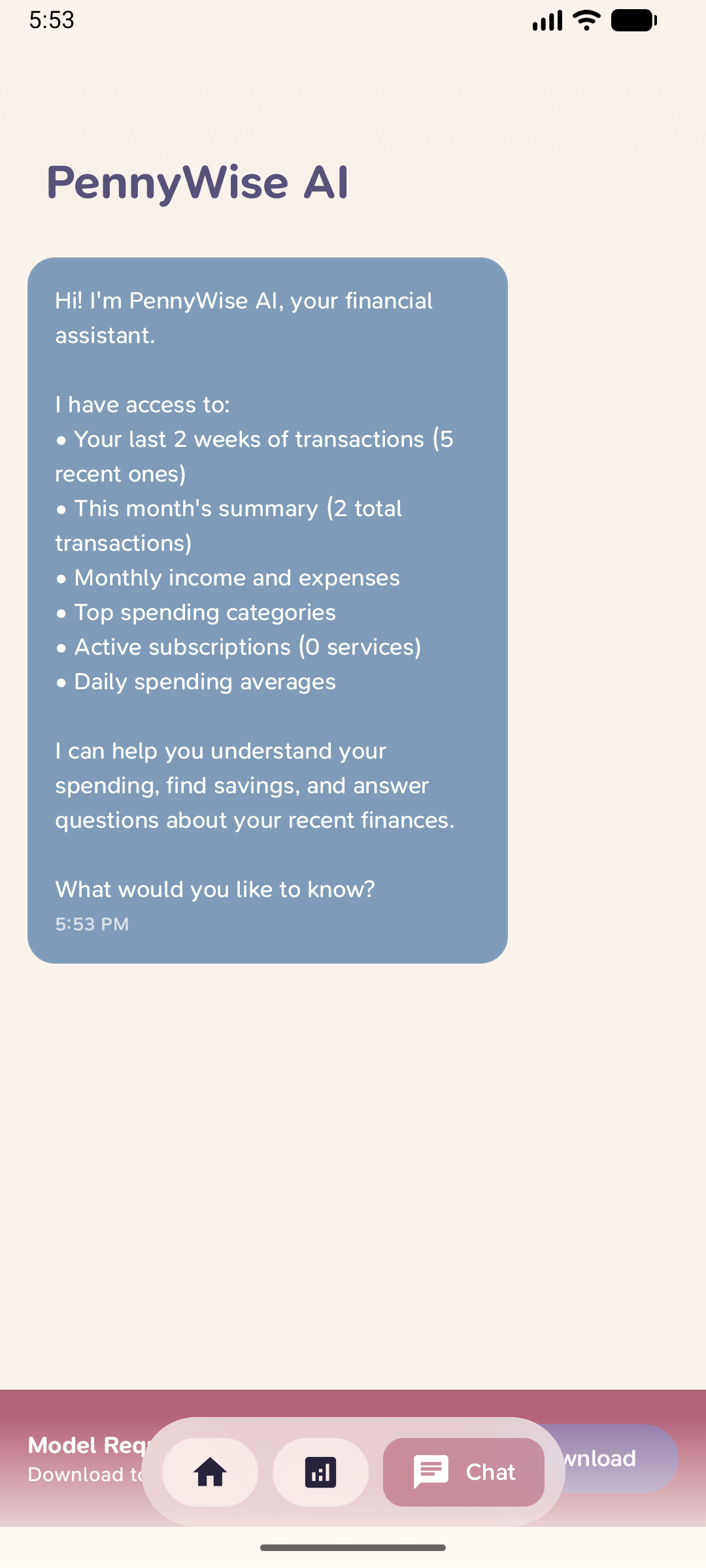 |
| Home | Analytics | Categories | Details | AI Chat |
Dark Theme
 |
 |
 |
 |
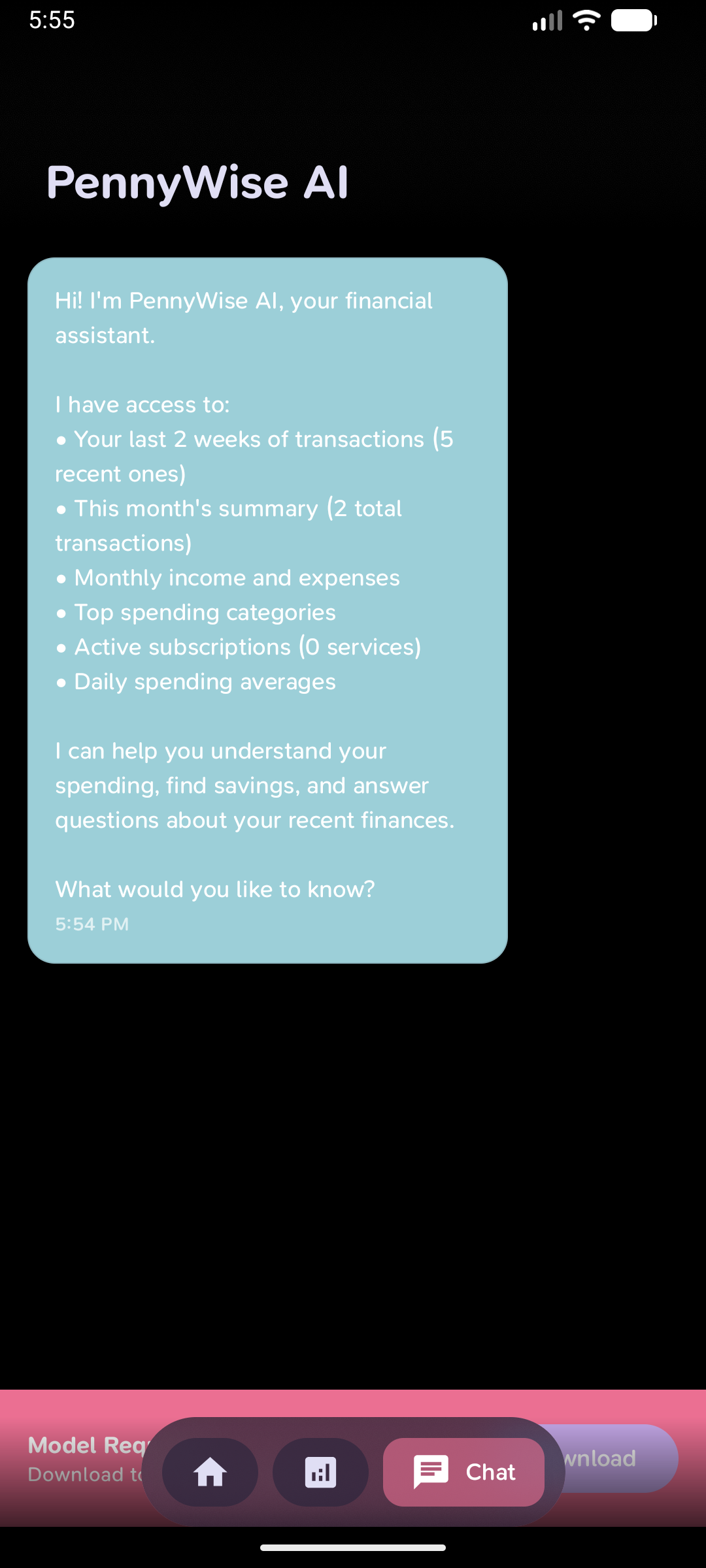 |
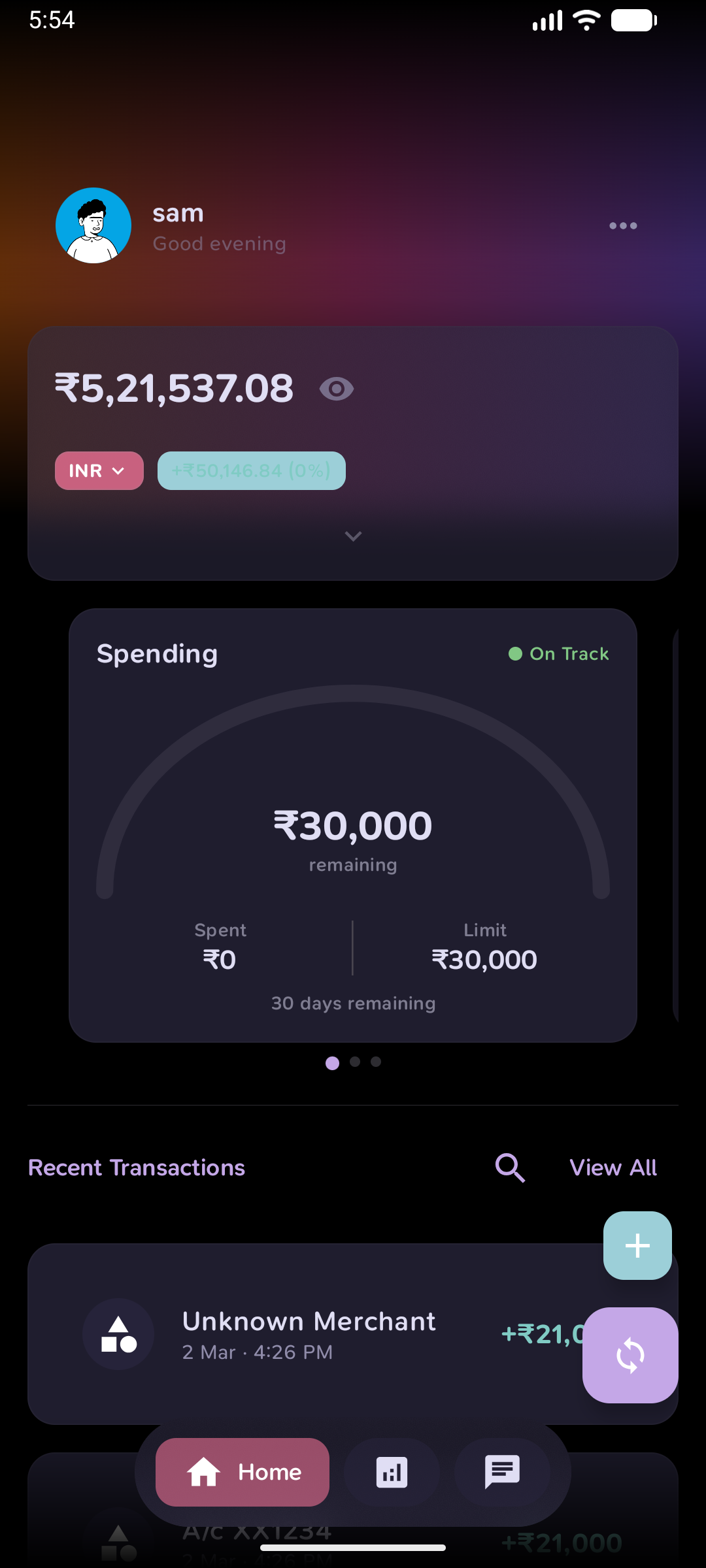
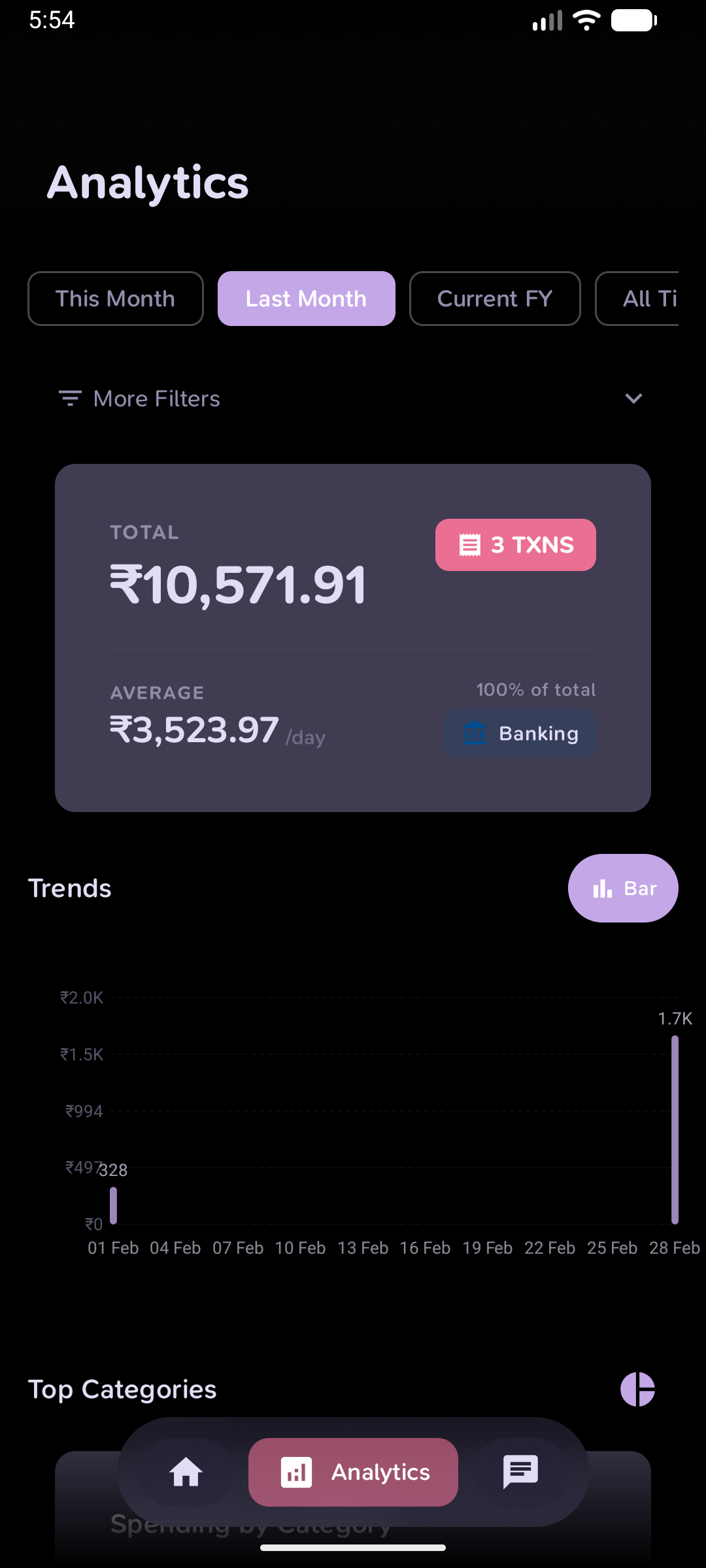
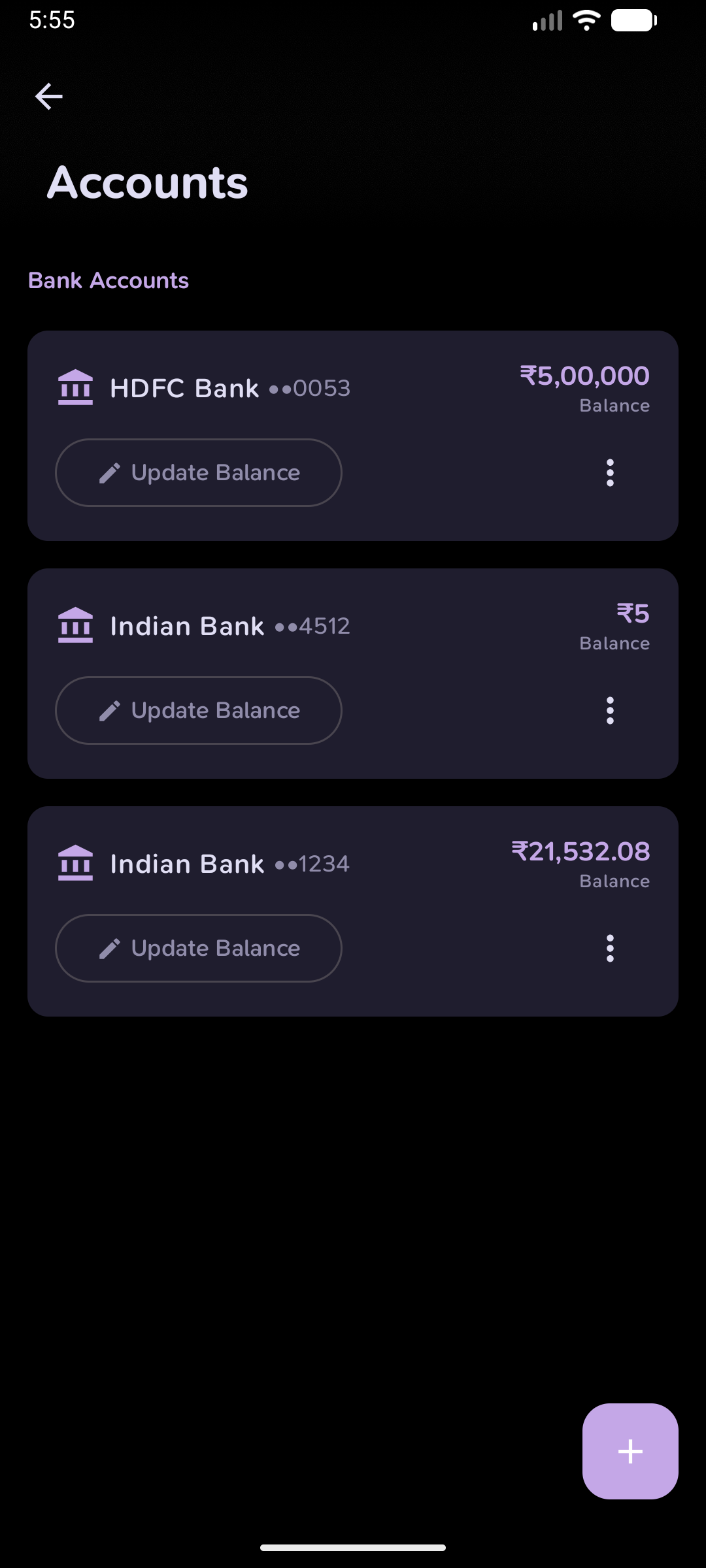
| Home | Analytics | Account Detail | Accounts | AI Chat |
Quick Start
# Clone repository
git clone https://github.com/sarim2000/pennywiseai-tracker.git
cd pennywiseai-tracker

# Environment check + fast test gate (same compile/test tasks CI runs)
./init.sh

# Build APK
./gradlew assembleDebug

# Install
adb install app/build/outputs/apk/standard/debug/app-standard-universal-debug.apk
Requirements
- Android 8.0+ (API 26)
- Android Studio Ladybug or newer
- JDK 21
Tech Stack


Architecture: MVVM • Jetpack Compose • Room • Coroutines • Hilt • Google AI Edge (on-device LLM) • Material Design 3
PennyWise Pro
Pro unlocks unlimited custom rules, unlimited PDF statement imports, unlimited CSV export, duplicate-account merge and scheduled daily backups. It's how a solo developer keeps adding banks and features.
Buy it on the website: pennywise.zynth.dev/pro — ₹2,000 lifetime, ₹699/year or ₹149/month, GST included, cards and UPI accepted. You get a license key by email; in the app open Settings → PennyWise Pro → Have a license key? and paste it. One phone at a time; restoring a full PennyWise backup on a new phone carries Pro over, and the key dialog offers "Move to this device" for everything else (Play build 2.20.0+).
- Google Play: in-app purchase is currently unavailable (payments-profile verification on Google's side). Existing Play purchases keep working; new buyers use the website key.
- F-Droid / IzzyOnDroid: every Pro feature is already unlocked, free. Buying a key there is purely a way to support the project (and it works on the Play build too).
Community & Support
- User guide: Step-by-step walkthroughs, troubleshooting, and search — pennywise.zynth.dev/guide
- Discord: Join the community, share feedback, and get help — Join Discord
- Issues: Report bugs or request features — Open an issue
Contributing
See CONTRIBUTING.md for guidelines.
Please read our Code of Conduct before participating.
./gradlew test          # Run tests
./gradlew lint   # Check style
Security
Please review our Security Policy for how to report vulnerabilities.
Contributors ✨
Thanks goes to these wonderful people (emoji key):