
POSR — AI-Powered Restaurant POS & Management System
Offline-first, source-available restaurant POS software for ordering, kitchen display (KDS), inventory, recipes, staff scheduling, payroll, accounting, delivery, fiscalization, and AI-powered restaurant analytics — delivered by Kashif, POSR's in-app AI assistant — in one platform.
POSR is a source-available restaurant POS and restaurant management system built for modern food businesses. It combines point-of-sale ordering, kitchen display systems (KDS), inventory and recipe management, staff scheduling and payroll, accounting, delivery, fiscalization (FBR / PRA), and AI restaurant analytics powered by Kashif in one offline-first platform.
React · TypeScript · Vite · Bun · SurrealDB · Tauri · WebSockets · IndexedDB
Links
- Documentation
- Get started — Installation & first sale
- Live demo — pins
1234,0000,5555(super admin) - Landing / product
- Integrations framework (dev): docs/integrations/framework.md
- Auth gateway: docs/security/GATEWAY.md
Who is POSR for?
POSR is designed for restaurants, cafés, coffee shops, bakeries, bars, hotels, cloud kitchens, food courts, catering, and multi-location restaurant groups that need a full operations stack — not just a cash register.
Why POSR?
Traditional restaurant POS software often depends on cloud connectivity and separate tools for inventory, accounting, staff, delivery, and analytics. POSR combines those workflows in one offline-first, extensible platform.
- Source-available — inspect, modify, extend, and self-host under PSAL
- Offline-first — keep selling during internet outages; sync when back online
- AI-native — Kashif for natural-language reporting, inventory/staff forecasts, and proposed configuration changes; plus AI Import for bulk file uploads
- Real-time — WebSocket sync across POS, KDS, manager, and delivery apps
- Restaurant-specific — tables, seats, modifiers, recipes, kitchen production, buffet, fiscalization
- Extensible — event-driven Integration Manager for fiscal, accounting, logging, and more
Meet Kashif
Kashif is POSR's AI assistant for managers and back-office staff. Ask questions in plain language and get answers from live POS data — never guessed numbers. The same Kashif persona powers the floating assistant on back-office screens and the full-page AI Report.
Where Kashif appears
- Floating assistant — Manage, Inventory, Reports, HR, Accounts, Integrations, Tips, and Clock (hidden on cashier POS, KDS, and delivery screens)
- AI Report — dedicated reporting page with tables, charts, and analysis formats
Ask Kashif (read-only, live data)
- Sales & service — today's sales, voids, tips, discounts, coupons, menu mix, unsold items, server speed, staff accountability
- Orders — open orders by status, full order dossier (items, payments, kitchen, fiscal, prints)
- Inventory — stock on hand, purchases, issues, waste, adjustments, transfers, consumption vs issuance, purchase orders, suppliers, locations, what to buy (forecast from history, on-hand, holidays, weather, events)
- Recipes — dish ingredients by name or number; dishes with vs without recipes; recipe line counts
- Operations — kitchen routing and station delays, cash/close audit, activity and fraud signals
- Labor & HR — labor cost, overtime, attendance, payroll, scheduled vs actual, staff need forecast, employee dossier, departments, positions, cost centers, leave
- Accounts — trial balance, balance sheet, P&L, cash flow, general ledger, journals, account statements
- Manage config — floors, tables, menus, discounts, users, roles, kitchens, printers, workflows, and more
- How-to guides — end-user guide chapters in your language when you ask how to use a screen
Tell Kashif what to change (proposals — you review and confirm)
- Menu & floor setup — dishes, categories, modifiers, kitchens, workflows, tables, taxes, order/payment types, discounts (including BOGO), coupons, extras, printers
- Inventory — items, locations, suppliers, purchases, issues, waste, adjustments
- HR — employees, departments, positions, cost centers, shifts, leave, attendance corrections
- Accounts — chart of accounts, journal entries
- Soft deletes — dishes and kitchens (proposed, not immediate)
- CSV cleanse — attach a messy CSV/Excel, pick an import domain, download a corrected file for AI Import; recipe cleanse flags unknown dishes, bad units, and food cost above selling price
Write proposals use the same review-and-confirm pipeline as AI Import — Kashif prepares changes; nothing is saved until you confirm. Tools respect RBAC for the signed-in role. Conversations persist per user on this device (IndexedDB); recent chat stays as context for follow-ups. AI usage quotas apply (see AI features below). Rename the assistant via VITE_AI_ASSISTANT_NAME (default: Kashif).
Example prompts
- Give me a quick business health overview
- Compare net sales this week vs last week
- How much inventory do I need this Friday and what should I buy?
- How many staff do I need this Friday?
- Labor cost as a percentage of net sales this week
- Profit and loss for this month
- What ingredients are in Chicken Tikka?
- Which dishes have no recipes?
- Flag order takers with void or discount rates above team average this week
Restaurant POS & Management Features
AI restaurant analytics & reporting
- Natural language analytics — ask plain-text questions; get visual reports across sales, inventory, accounts, and labor
- Descriptive analytics — patterns, anomalies, voids/discounts, performance drivers
- Sales forecasting — demand prediction for staffing, purchasing, promotions
- AI inventory forecasting — purchase quantity suggestions from history, stock, holidays, weather, events
- AI staff forecasting — recommended hours/headcount vs schedule and same-weekday history
- Order dossier — full order timeline by ID, number, or invoice (dishes, voids, payments, kitchen, fiscal, prints)
- Sales vs consumption — recipe usage vs ledger issuance vs purchases
- AI Import — OCR/parse CSV, Excel, PDF, images, clipboard for master data, document lines, journals, HR shifts (create / update / upsert); assistant CSV cleanse for messy files
- Recipe lookup — dish ingredients, missing recipes, and recipe line counts from live menu data
- Long-range reports — filters (taxes, discounts, categories, payments, shifts, locations, and more) applied in the database; Advanced Sales tax filter; HQ multi-branch Combined / By branch views
- AI usage controls — daily/monthly quotas; disable AI entirely
Restaurant ordering & POS
- Table-based ordering — seat assignments, split by seat, multi-order tables
- Quick Order / retail — barcode scan counter mode (
/quick); Pay Now for tableless checks; Settings → POS mode switches Restaurant vs Quick Order per device - Barcodes & scales — primary + alias barcodes; unique barcode checks; EAN-13 weigh labels (PLU + weight or price-embedded);
CODE*N/*Nqty after scan - Takeaway mode — pickup queue, customer name/phone/time
- Order lifecycle — split / merge / cancel / transfer / refunds
- Modifiers — groups, nested modifiers, price overrides, min/max rules; per parent-dish modifier Available / Sale limit
- Availability & sale limits — sold-out and optional sale limits on dishes (and modifier picks); bulk update by category
- Ask quantity — per-dish prompt for qty after scan or tap (Menu and Quick Order)
- Visual menu builder — dishes, categories, multi-category, tax rules
- Multiple menus — breakfast/lunch/dinner, dynamic pricing, delivery menu link
- Extras & service charges — fixed/%, rule-based by order type / payment / table
- Discounts & coupons — fixed/%, Buy X Get Y, payment-type promos, delivery coupons
- QR table ordering — guests scan a per-table QR, order from the live menu, pay online; paid orders go to kitchen; print QR sheets; QR tenders stay out of the drawer
- Customer display — second-monitor cart and large total from Quick Order or Menu
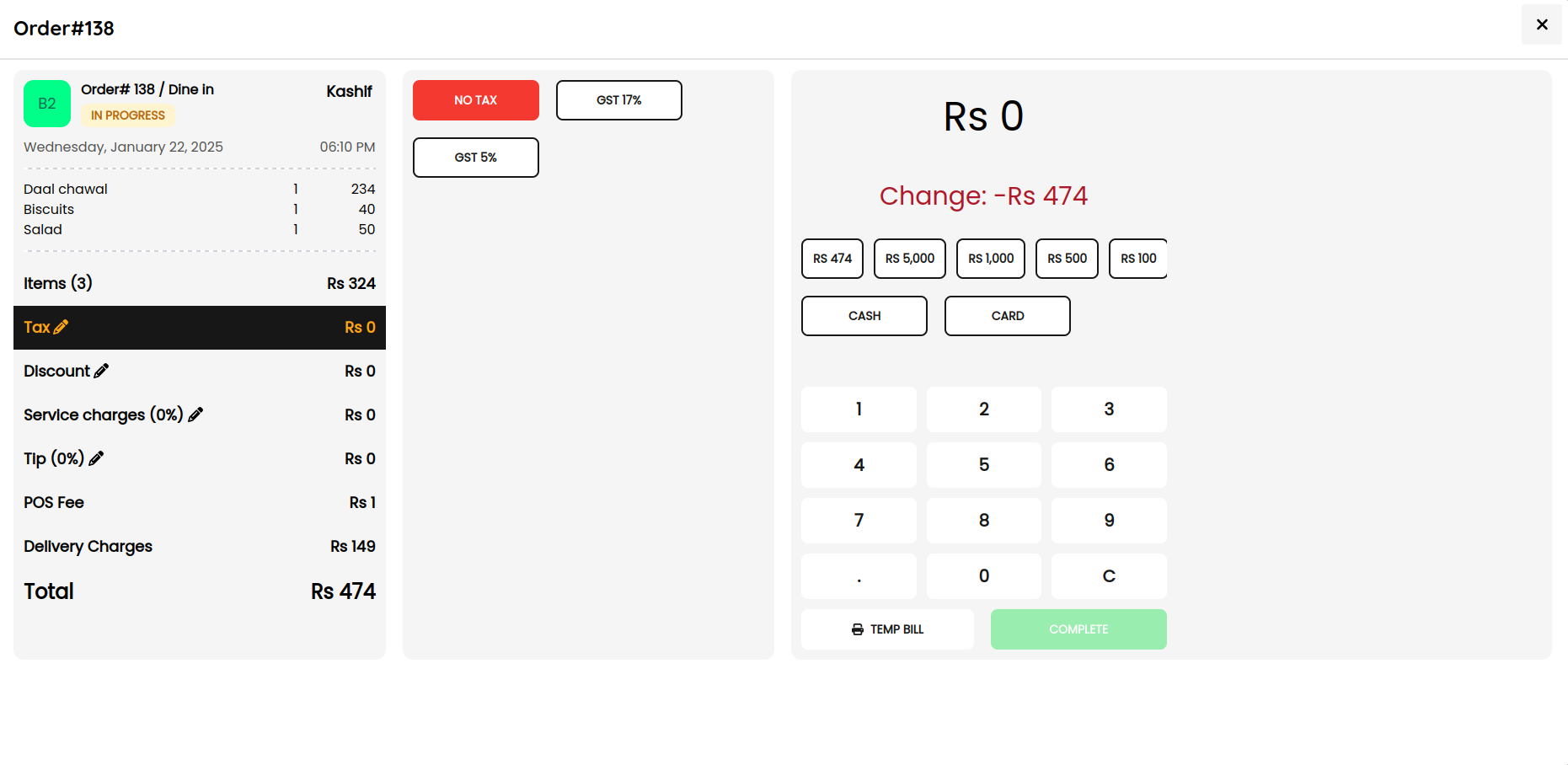
- Closing cycles — auto check close; restaurant drawer close (cash float, drop, over/short); per-shift closings for the same business day
- Tips — pooling, staff rules, shift allocation
- Branding & appearance — login logo; light / dark / system theme; brand color packs (Classic, Ocean, Forest, Cream, Ruby, Sapphire)
- Waiter app — mobile order entry, table select, touch-optimized
- Manager app — dashboard, analytics, config, branch reporting
Kitchen Display System (KDS)
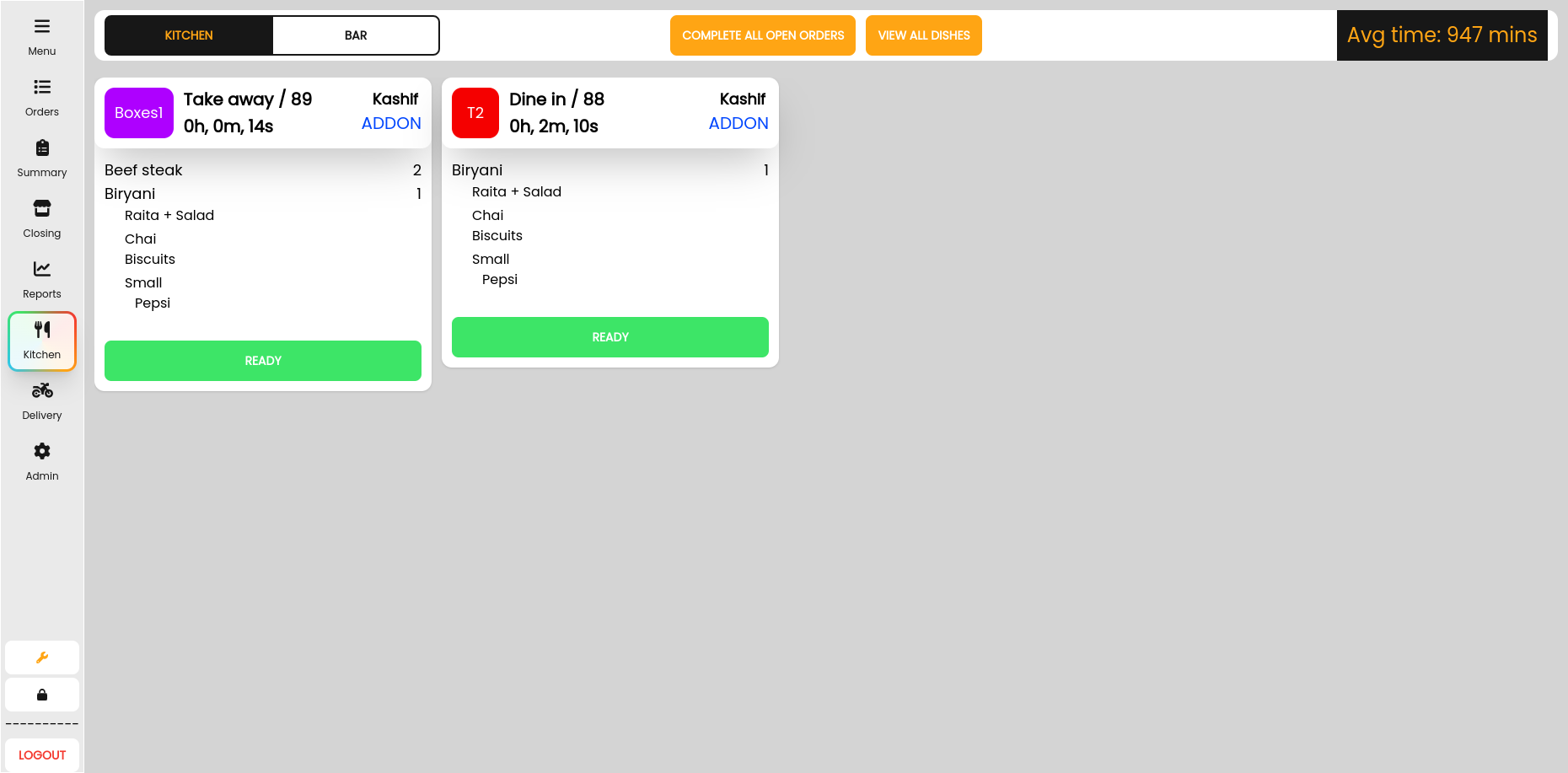
- Multi-stage KDS — custom prep stages, station routing, status (received → served), recall
- Grouped addons & voice alerts — denser ticket grid; spoken alerts for new orders/addons
Restaurant inventory & recipe management
- Location-based stock — stores/kitchens as inventory locations
- Stock transfers — location-to-location with ledger posting
- Unit converter — enter qty in a related unit (e.g. kg when stock is grams); stock and costs stay in the item’s stock unit; Inventory → Units manages factors
- Kitchen reconciliation — theoretical (recipe × sales) vs actual by location; physical count can use a related unit
- Kitchen production — batch prep, yields, ingredient consumption
- Buffet production — portion planning, session close, replenishment
- Recipe deduction — stock-aware menus; auto deduct on sale
- Dish costs from items — Update costs from items recalculates unlocked recipe lines from current inventory prices
- Recipe export — ingredient export includes entered UOM and stock UOM
- Inventory precision — quantity and cost display use inventory decimals (
VITE_INVENTORY_DECIMAL_PLACES), independent of POS currency decimals - Documents — purchase orders, purchases/returns, issues/returns, adjustments, waste
- Inventory dashboard — transfers, production, buffet, runout forecast, low-stock alerts
- Suppliers — supplier master + performance
Restaurant staff scheduling & payroll
- Shift scheduling — create/assign schedules; print schedule roster (week grid, PDF/Excel)
- Clock-in / clock-out — work hours, late/early detection
- Attendance — history logs; bulk AI Import (pending until manager approve)
- Leave & holidays — paid/unpaid leave in payroll
- Pay profiles — hourly, daily wage, or flat period (monthly/weekly/contract); per-employee overtime and night-premium overrides
- Payroll runs — preview, overrides, approve/post; regular / overtime / premium shown separately
- Org structure — employees, departments, positions, cost centers, branch assignment
- RBAC — admin, manager, waiter, kitchen, delivery, custom roles; protected modules (web + mobile)
Restaurant accounting & payments
- Internal ledger — chart of accounts, journals, GL / TB / BS / P&L style reporting
- Closing & reconciliation — checks, shifts, days; audit-ready payment trail
- Payment gateways — Stripe, PayPal, JazzCash, M-Pesa, Telebirr, Razorpay (sandbox/live, webhooks)
- QuickBooks Online — OAuth; sync sales, payments, customers, refunds; journals for inventory/payroll/waste; import COA / vendors / tax codes
- Fiscal (Pakistan) — FBR and PRA invoice submission at settlement (API-proxied); receipt logos / QR
Restaurant delivery management
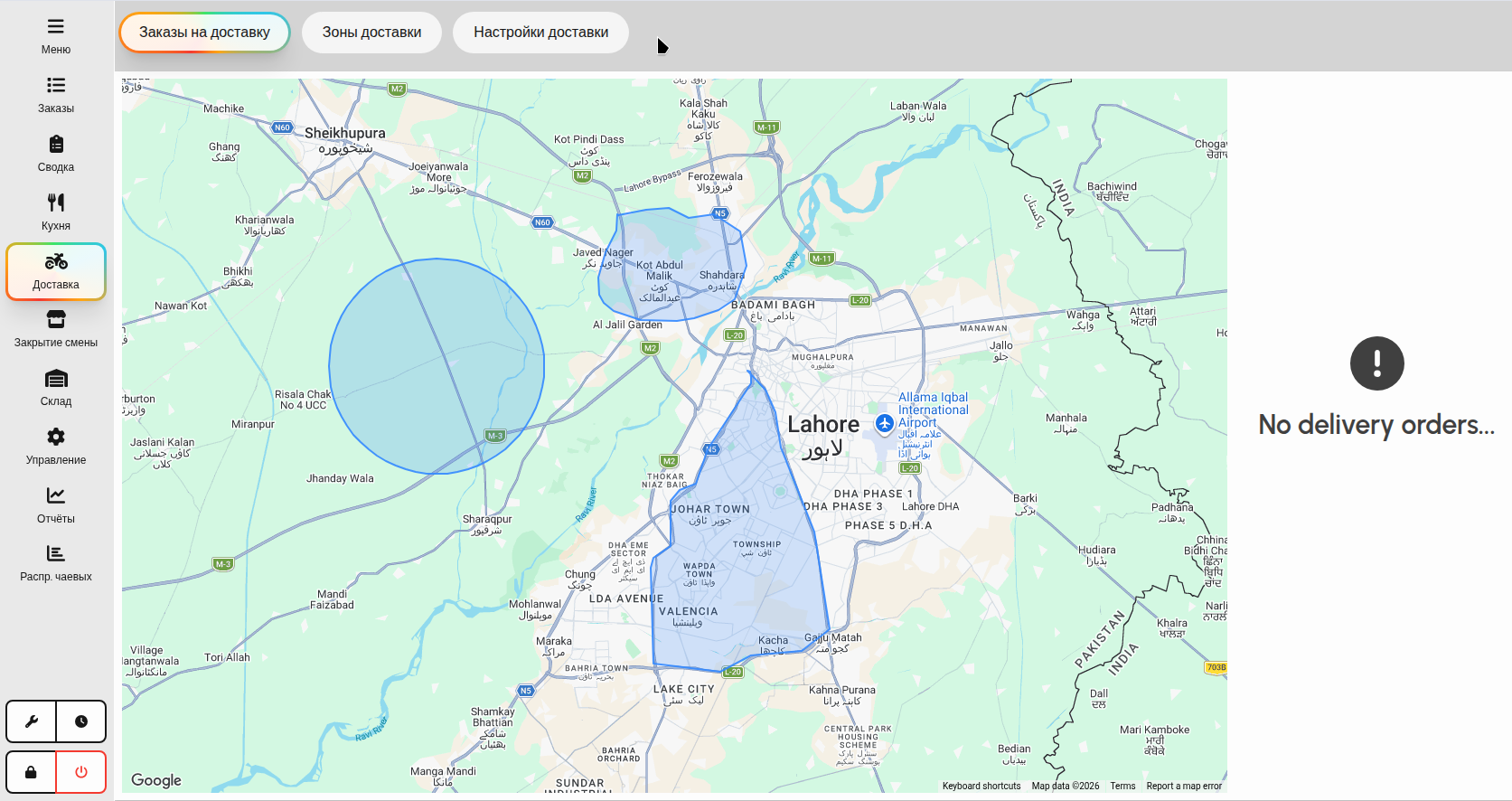
- Delivery app — dispatch, driver tracking, Google Maps, realtime customer updates
- Smart coupons — fixed/%/free shipping, usage limits, time windows, first-order rules
Integration Manager
- Plugin hub — enable/configure providers without coupling POS screens (framework docs)
- Event-driven — fan-out sales, inventory, HR, accounts, ops, lifecycle, and
EntityChangedmaster-data events - Offline queue — retries, dedupe, IndexedDB persistence; settlement not blocked by slow APIs
- Health & audit — provider health, job queue UI, audit log
- Integrations UI — providers, configuration, queue, health panels
- Permissions — toggle provider, open/save configuration (manager PIN when missing)
- Providers (shipped):
- FBR Fiscalization — FBR invoices at settlement
- PRA Fiscalization — PRA invoices at settlement
- Internal Accounting — draft journals from sales, refunds, payroll, purchases, waste, issues, transfers, production
- Internal Inventory — inventory integration hooks
- QuickBooks Online — external accounting sync (see above)
- Event Logger — all/filtered events → console or HTTP (bearer / API key / basic / JWT)
Offline-first platform
- Offline-first — IndexedDB + realtime WebSocket sync; automatic cloud backups
- Installable PWA — caches the UI shell so a hard refresh still loads after the network drops; cold start offline mounts from local PosStore
- Auth gateway — session JWT; Surreal credentials not shipped to browser (GATEWAY.md)
- Catalog sync — HQ catalog publish, per-branch price overrides, Sync now; Refresh catalog without wiping open checks; local-to-cloud sales upload stamped with branch id
- Build-time modules —
VITE_APP_MODULES/VITE_APP_MODULES_EXCLUDEfilter sidebar routes and tabs for HQ vs branch bundles - ESC/POS printing — USB, Serial, Network, Bluetooth; kitchen tickets, receipts, delivery slips, pre-sale bills, sales summaries; custom logos; text ESC/POS or raster image (58/80 mm) per ticket type and optional per printer
- Multi-lingual — English, Español, Türkçe, Português, Français, Nederlands, Deutsch, Italiano, العربية (RTL), Русский (Cyrillic); live language switch
- Tech stack — React + TypeScript, Bun + Vite, SurrealDB, Tauri, WebSockets
See it in action
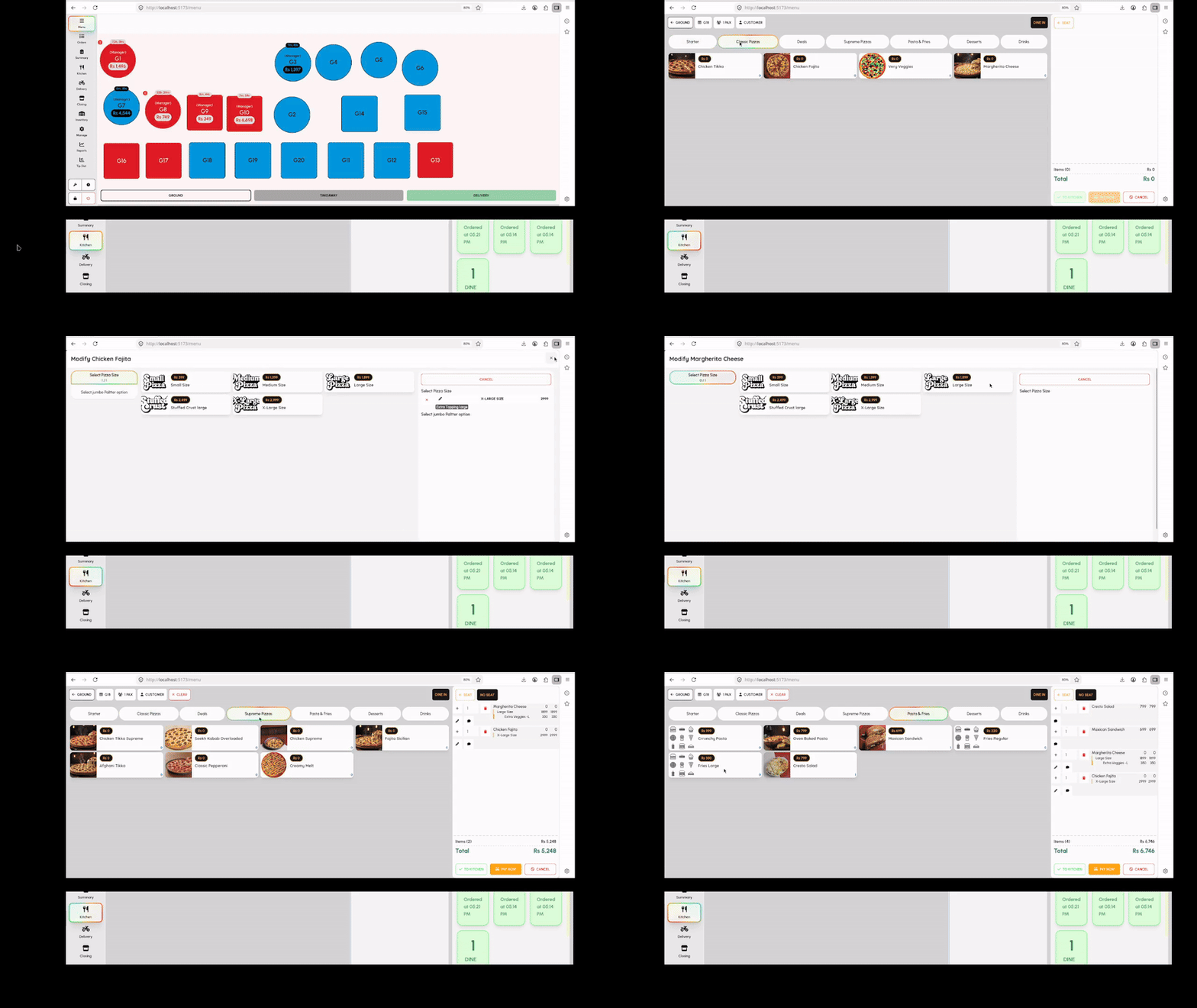
Screenshots
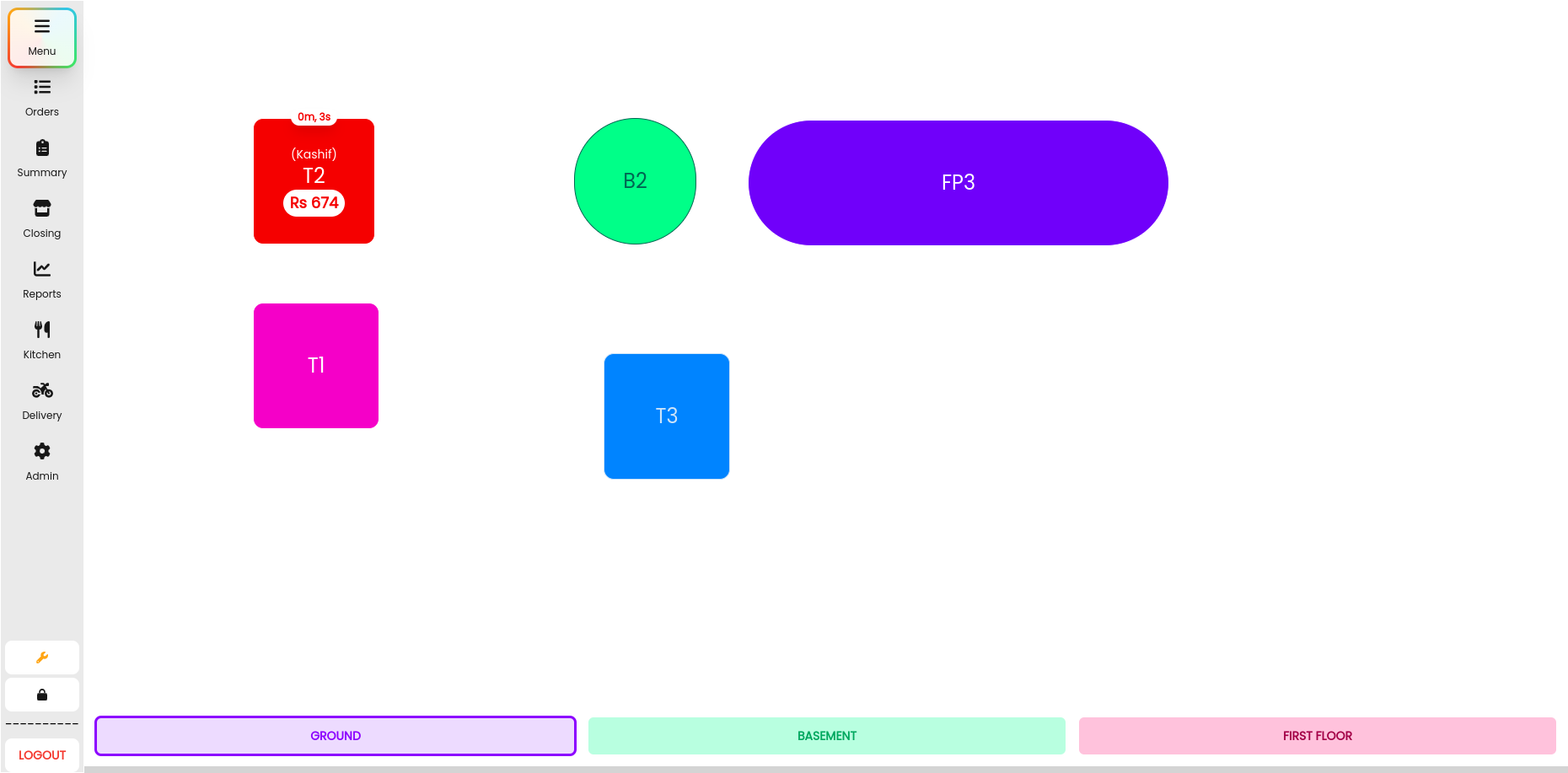
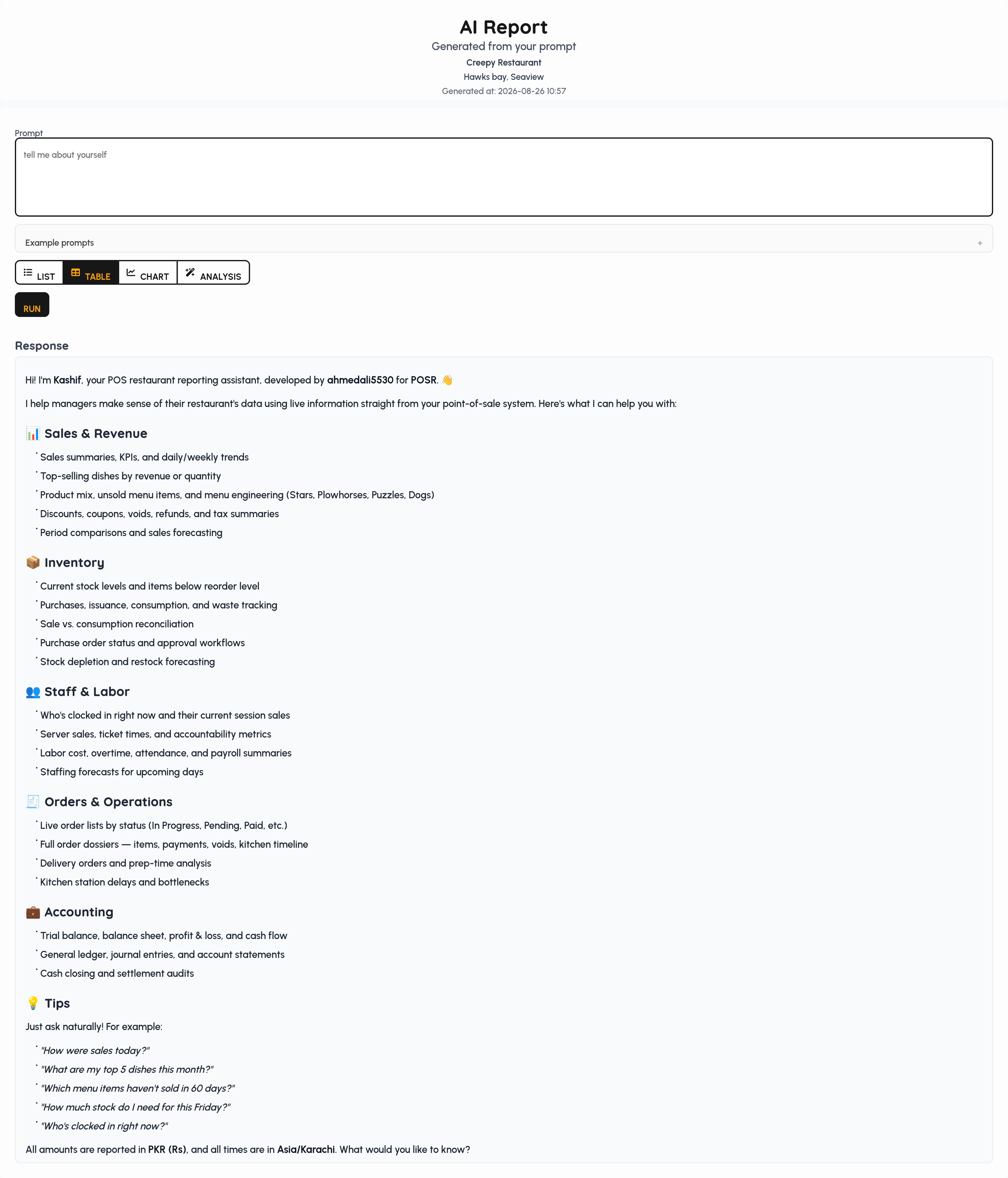
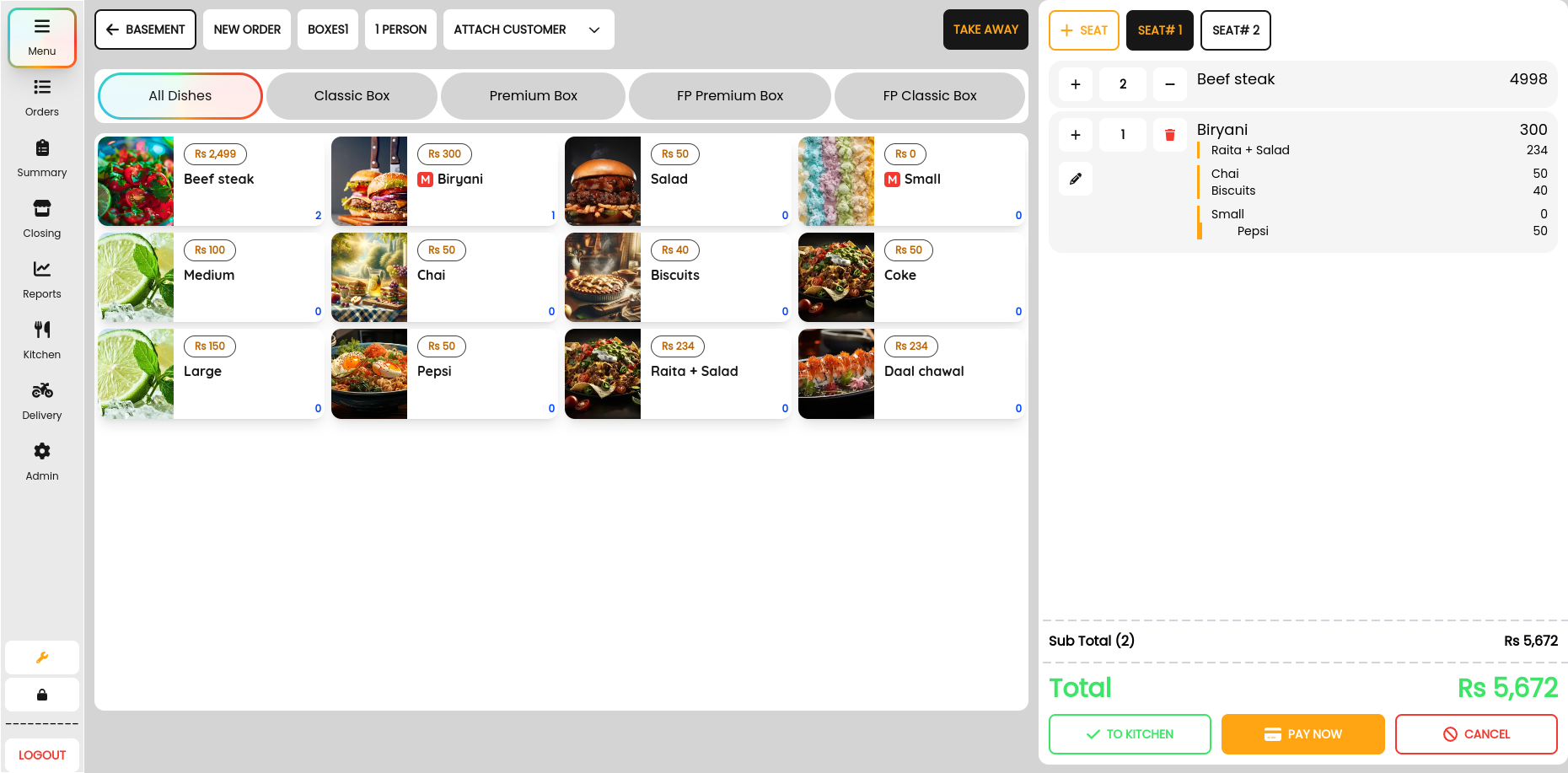
Quick Start
Full install and first-sale walkthrough: Documentation → Get started
git clone https://github.com/ahmedali5530/restaurant-pos
cd restaurant-pos
cp .env.example .env
cp api/.env.example api/.env
cp gateway/.env.example gateway/.env
cp payments/.env.example payments/.env
bun install
docker compose up -d
Copied .env files include local-dev Surreal and JWT values. Change SURREAL_USER, SURREAL_PASS, and GATEWAY_JWT_SECRET before any non-localhost deploy. root/root is rejected.
Auth gateway (default): SPA uses port 3142, not Surreal 8000. Set VITE_GATEWAY_URL / VITE_DB_WEBDOCKET to the gateway; do not set VITE_DB_USER / VITE_DB_PASS in the browser bundle. Details and rollback: docs/security/GATEWAY.md.
Deployment
POSR runs the same React app either as a browser stack behind Docker Compose or as a native Tauri desktop package that starts the services on one PC.
Docker Compose (self-hosted web)
- What it is — SurrealDB, auth gateway (port 3142), print, payment, tracking, API, and sync as containers. Terminals are browsers on the LAN or wider network.
- When to use — multi-terminal restaurants, HQ/cloud reporting databases, and operators who already run Docker.
- How — follow Quick Start (
docker compose up -d). The gateway holds Surreal credentials; browsers never getVITE_DB_USER/VITE_DB_PASS. See docs/security/GATEWAY.md.
Tauri desktop (single-PC store)
- What it is — a Tauri 2 shell around the same Vite React app. On launch it starts the Docker-parity stack locally (no Docker required for day-to-day POS): SurrealDB
127.0.0.1:8000, gateway3142, print3132, payment3134, tracking3138, API3140, sync3136. - When to use — a single register PC that should own the database, installers for Windows/Linux, and stores that prefer a native window plus system tray over managing containers.
- First run — an empty database gets
latest.surqland pending migrations (same runner as Composemigrate); demo data is not seeded. The installer asks for store name, locale, currency, decimals, and timezone. A tray shows sidecar health; logs live under app data (logs/sidecars.log, in-app/desktop-logs). - LAN screens — other computers on the same network open
http://<this-pc-ip>:5173in a browser (Kitchen/kitchen, order display/order-display, customer display/customer-display). The database stays on the desktop PC — allow inbound TCP 5173 and 3142. - Packages — Linux
.deband AppImage; Windows NSIS*-setup.exe(WebView2, usually present on Windows 10/11). - Dev & build
bun run desktop:prepare          # Surreal + Node sidecars and service trees
bun run desktop:dev              # native window + local sidecars
bun run desktop:build            # Linux .deb (default)
bun run desktop:build:linux      # Linux deb + AppImage
bun run desktop:build:windows    # on Windows → NSIS setup.exe
Full prerequisites, USB printing notes, and env overrides: desktop/README.md. Manual CI: GitHub Actions → Desktop Linux build / Desktop Windows build (workflow_dispatch artifacts).
Roadmap
- Multi-branch synchronization improvements
- Extend AI to CRUD / autonomous operations
- QR code and self-ordering
- Tap-to-pay on mobile apps
- Targeted sales / performance
- Multi-currency support
- Loyalty module
Contributing
Fork → feature branch → PR. Stars help visibility.
License
POSR Source Available License (PSAL) v1.0 — see LICENSE.
POSR is source-available (not OSI “open source”): you may view, study, clone, fork, modify; build plugins/connectors; run your own business (any locations); hire contractors to maintain it.
- No selling/reselling the Software as a product; no hosted multi-tenant SaaS; no white-label competing POS.
Commercial license / white-label / OEM: ahmedali5530@gmail.com.