The open-source WordPress alternative built on TypeScript, Next.js and PostgreSQL.
Pressbase keeps what made WordPress win — posts and pages, custom post types, taxonomies, meta, roles, actions and filters, themes, plugins, a five-minute install — and rebuilds it for today: typed end to end, PostgreSQL-native, and with plugins that install at runtime without a rebuild.
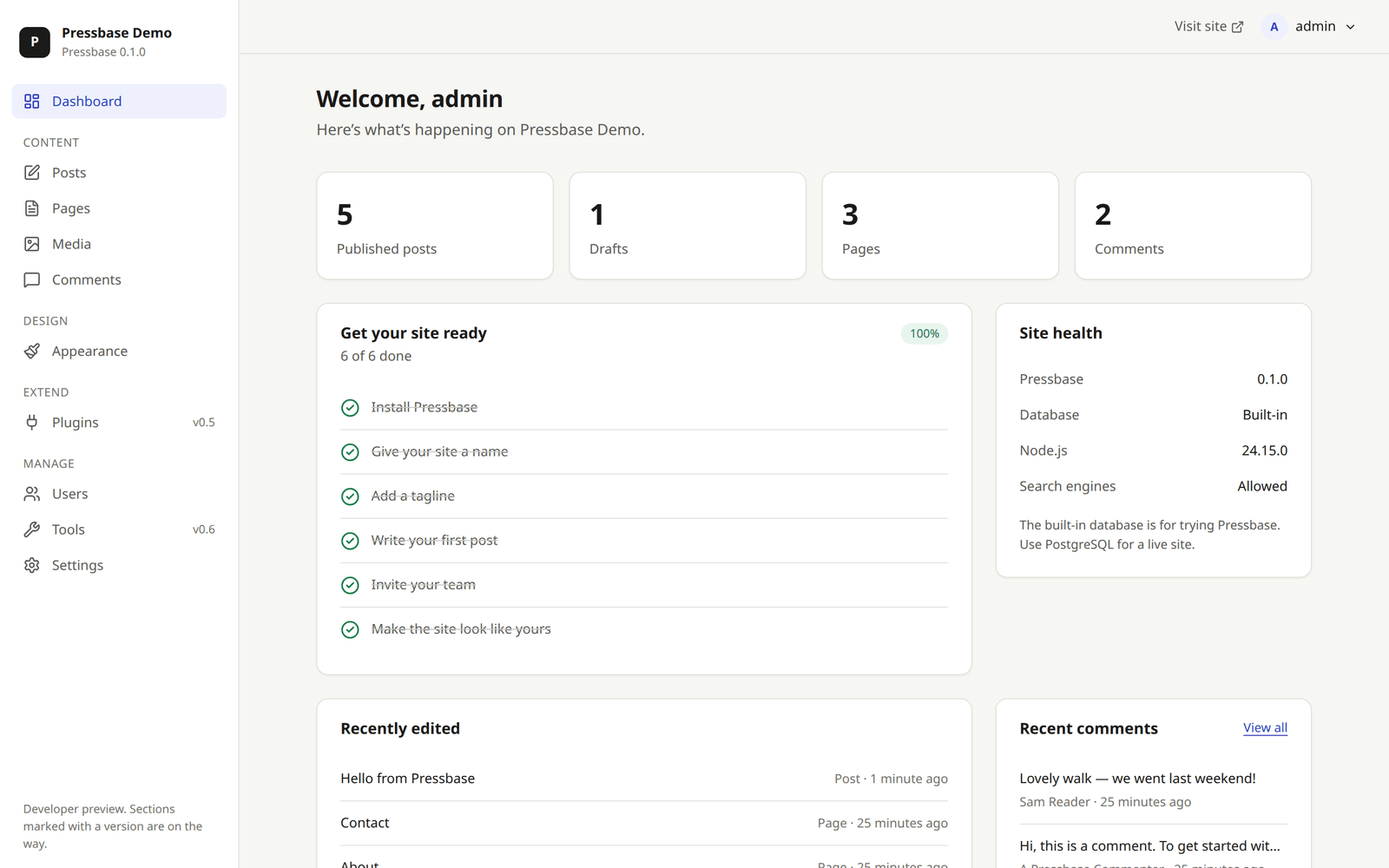
Status: developer preview (v0.7). Write in the Gutenberg block editor and publish with the Twenty Twenty-Five theme. Install plugins at runtime, move a WordPress site over with its users and passwords, and get a built-in SEO plugin and an optional AI assistant. See the roadmap.
Pressbase is an independent project. It isn't affiliated with or endorsed by the WordPress Foundation or Automattic; "WordPress" is their trademark.
See it in action
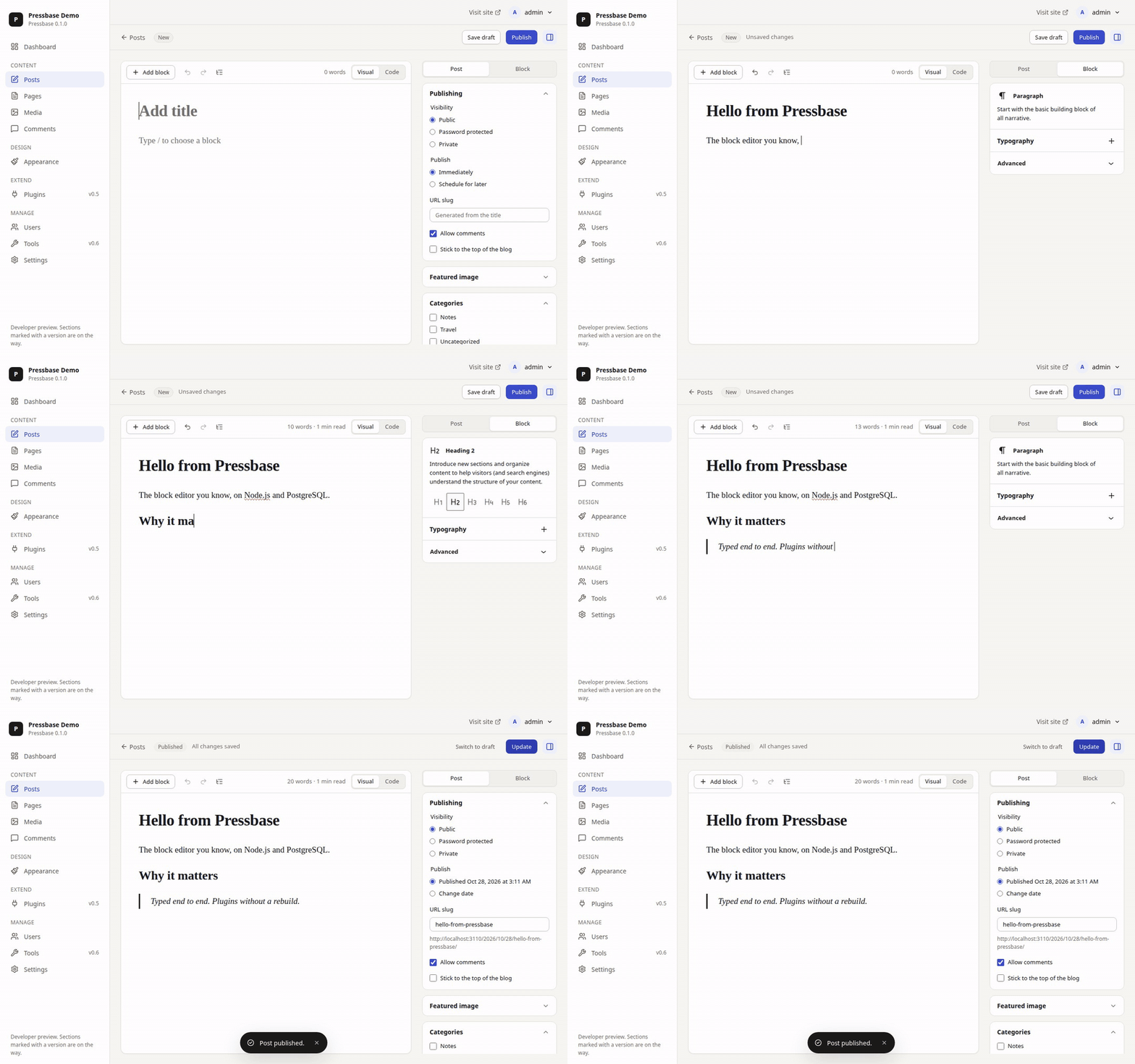
The block editor you already know
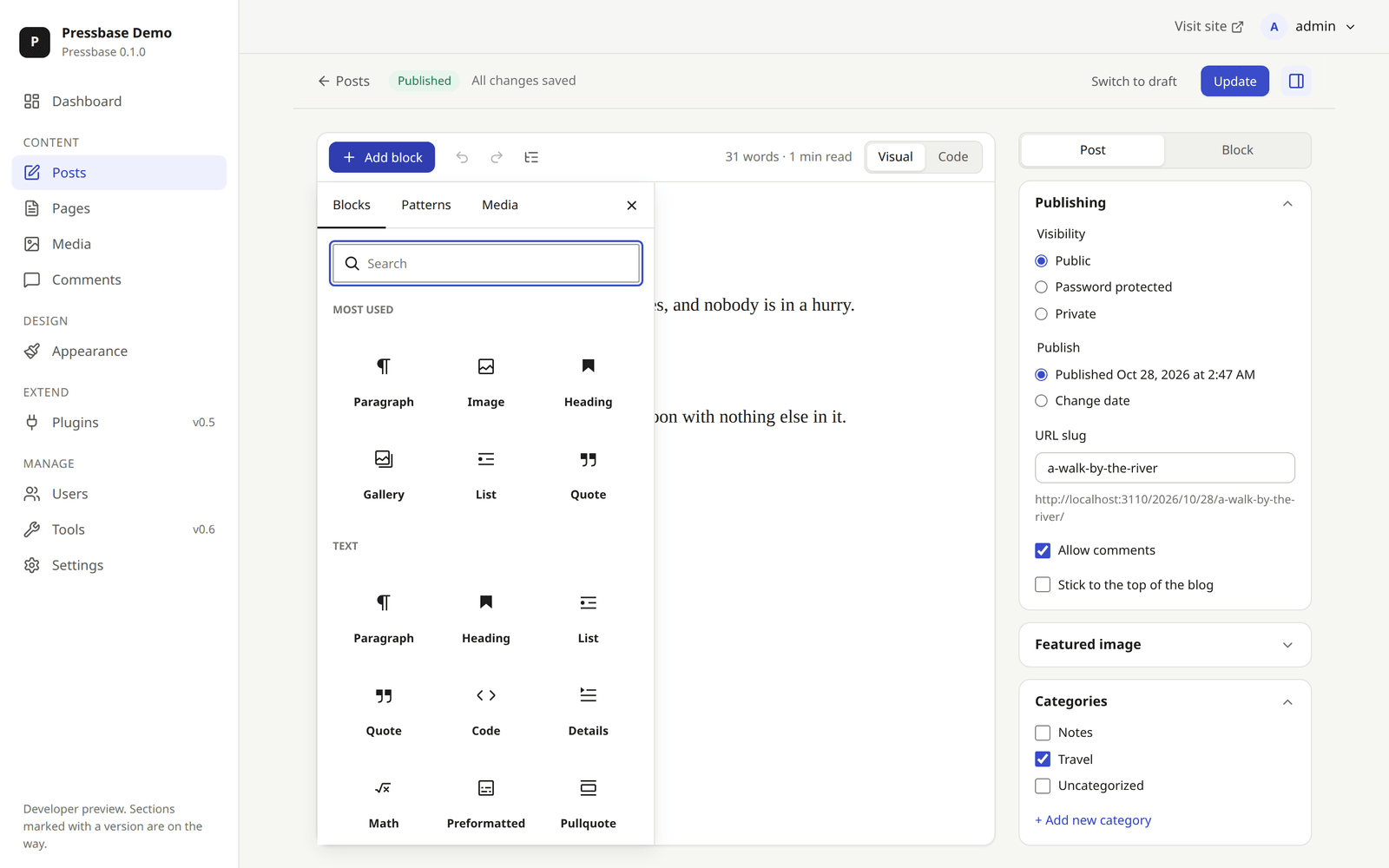
Gutenberg runs inside Pressbase: slash commands, the inserter, patterns, list view, a code view, autosave and revisions. Posts are stored as WordPress block markup, and the server parses and renders it.
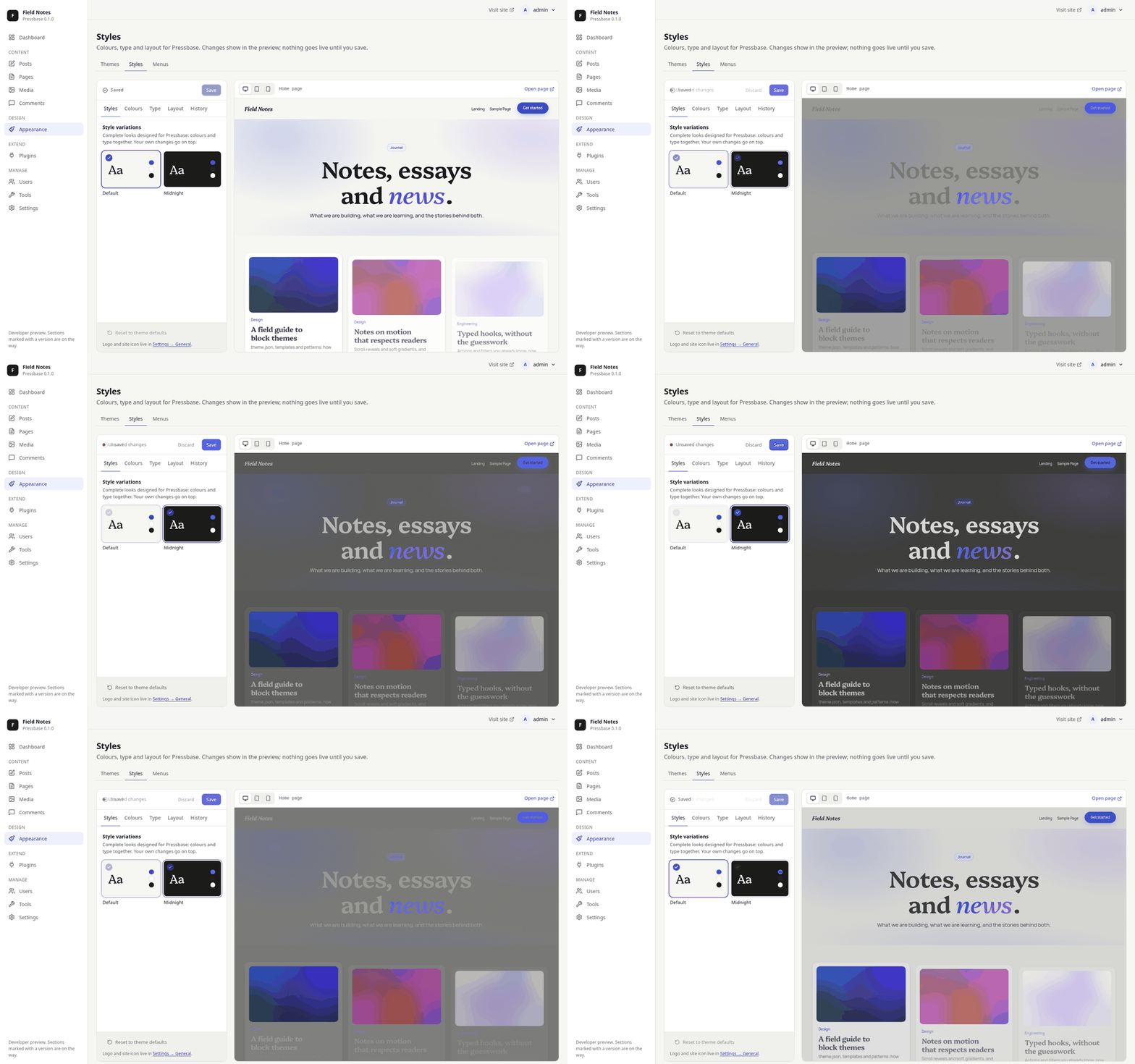
WordPress block themes, unchanged
Twenty Twenty-Five ships in the box and renders without changes, using its own theme.json, templates, parts and patterns. No PHP runs: Pressbase reads the theme files directly. Pick a style variation, change colours and type, and see the result in a live preview before you save.
A fast public site
The public site has WordPress permalinks, archives, search, threaded comments, RSS and Atom feeds, wp-sitemap.xml and robots.txt. Pages are cached and purged the moment their content changes.
 |
 |
An admin that stays out of your way
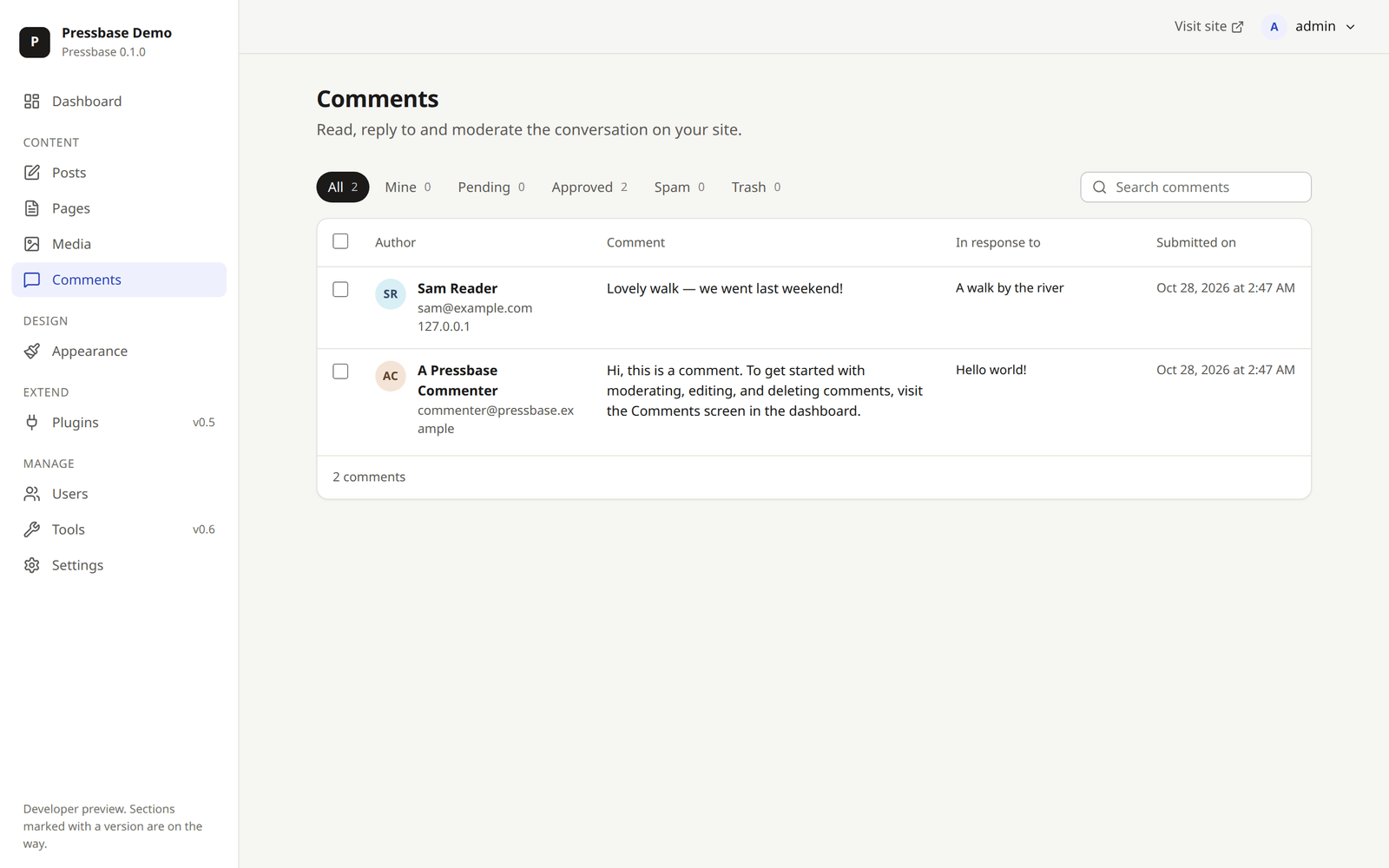
A calm, accessible admin with light and dark modes and a mobile layout. It has the screens you expect: posts and pages, media, comment moderation with inline reply and Undo, users and roles, and settings.
 |
 |
SEO built in, compatible with Yoast
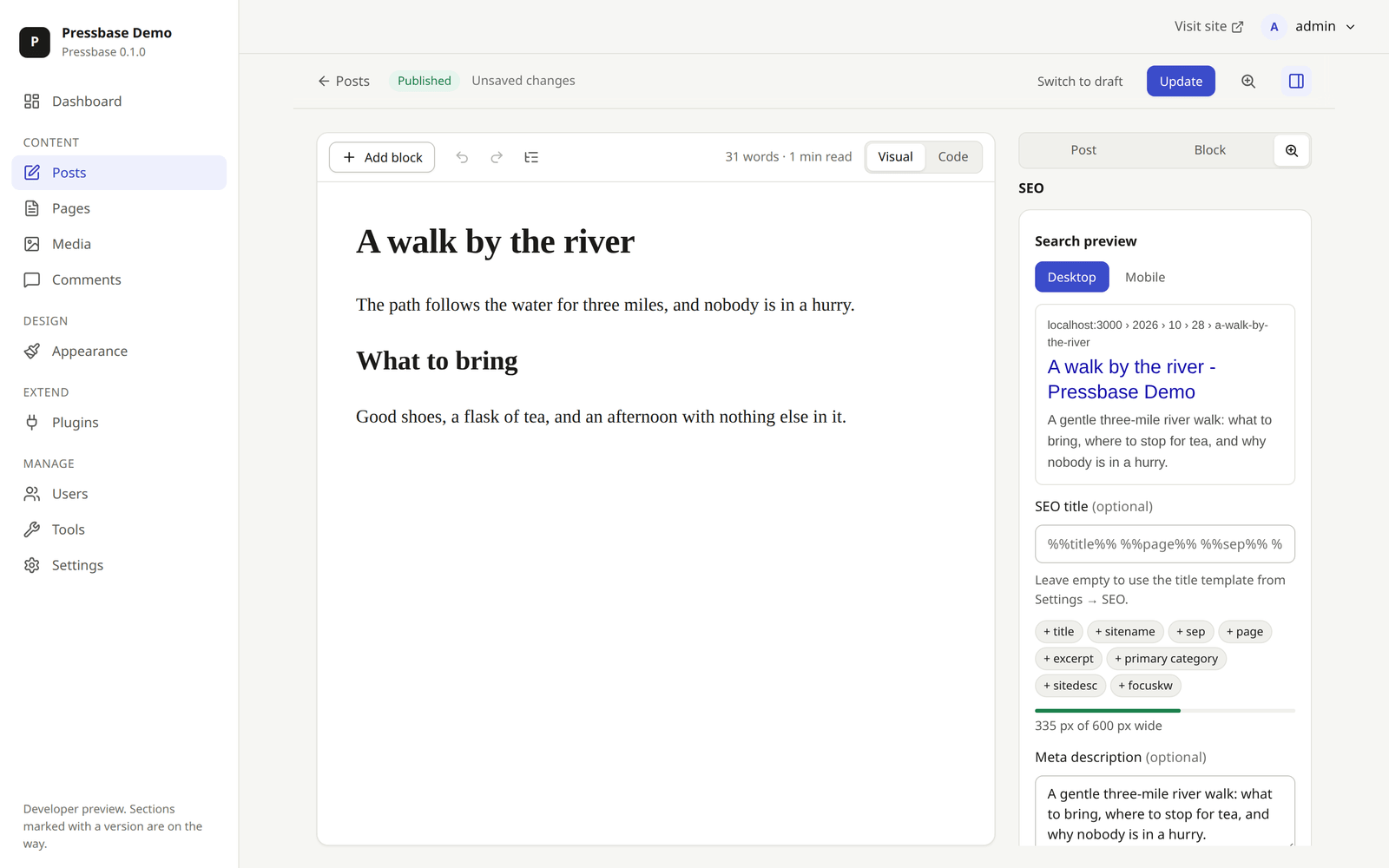
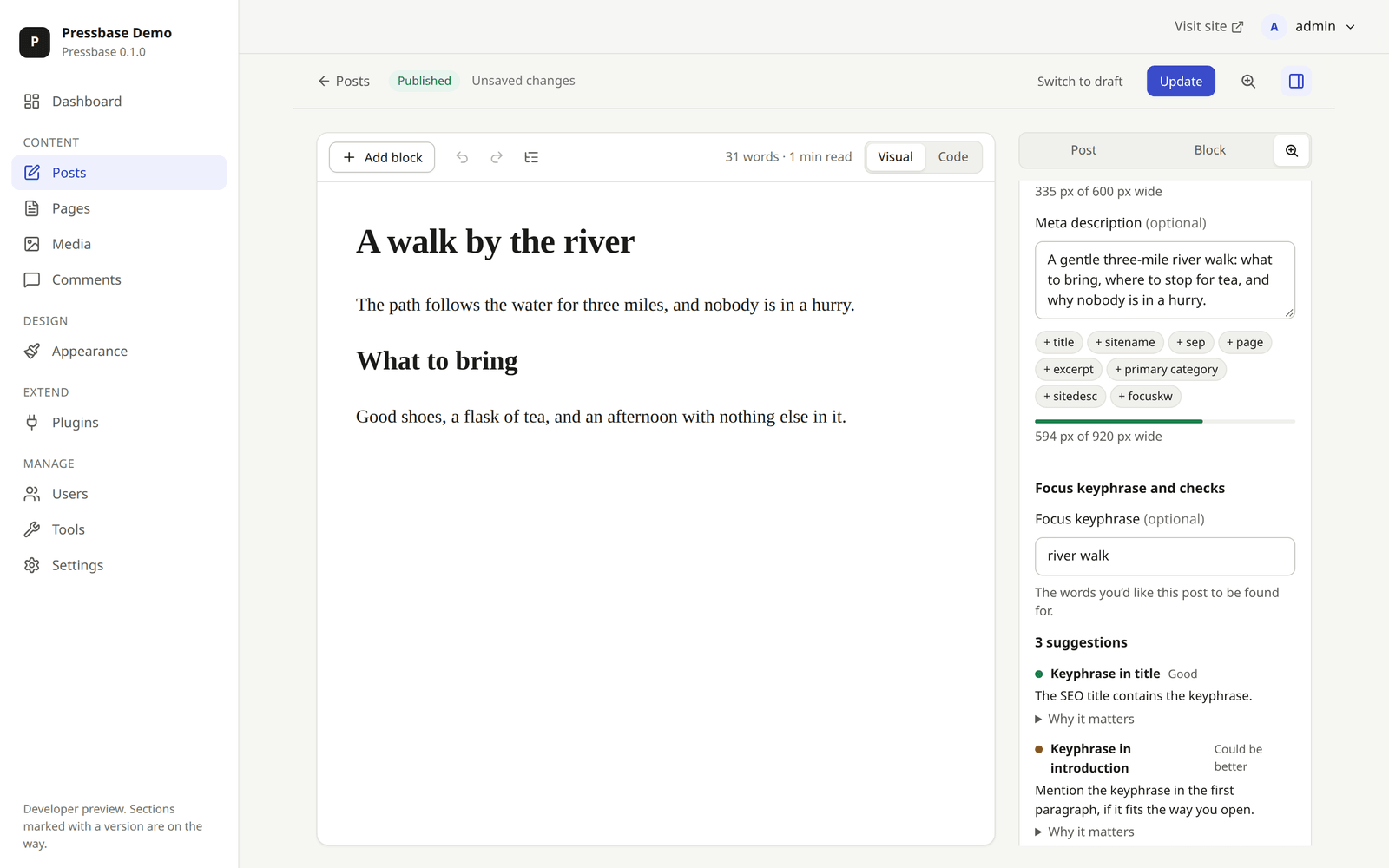
Pressbase SEO comes bundled. Open the SEO tab next to any post to see how it will look in Google as you type, and set the title, description and focus keyphrase. Calm checks tell you what to improve and why. On the site it adds:
- canonical URLs, robots rules, and Open Graph and X cards;
- one schema.org graph per page;
- XML sitemaps and breadcrumbs;
- redirects with a 404 log;
- IndexNow and
llms.txt.
It reads and writes Yoast SEO's own fields and title variables (%%title%% %%sep%% %%sitename%%), so a site moved from WordPress keeps its search appearance. It can also import Rank Math and All in One SEO data.
Plugins without a rebuild, and AI if you want it
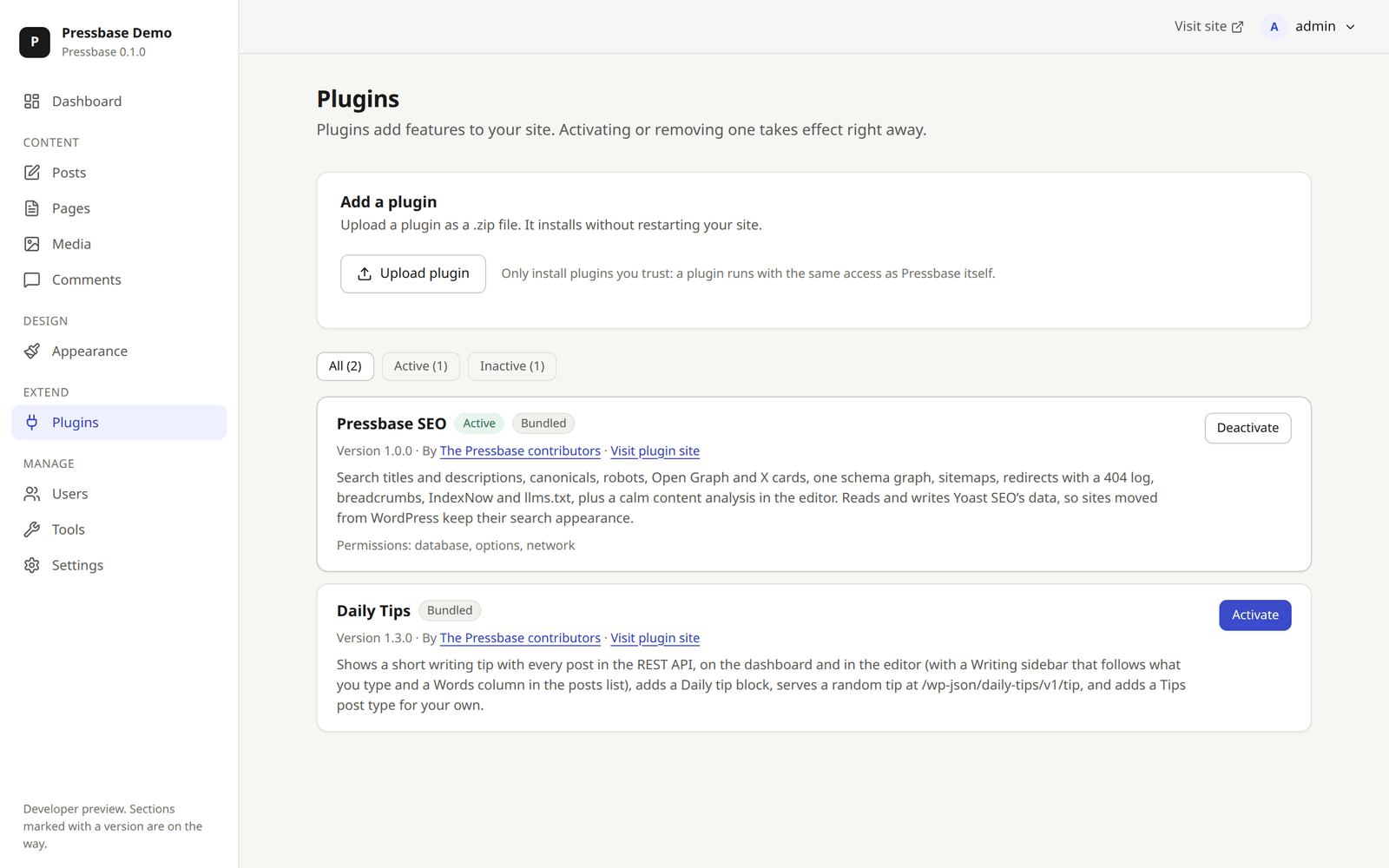
Upload a plugin as a .zip and activate it, as in WordPress, with no restart and no rebuild. Plugins use the same actions and filters, and they can add:
- admin pages, settings, editor sidebars and blocks;
- columns in the posts list;
- REST routes, cron jobs and database tables.
Each plugin declares the permissions it needs, and you approve them when you activate it. npx create-pressbase-plugin scaffolds a new one.
Pressbase also ports two WordPress 7 APIs: the AI client and the Abilities API. AI is off until an administrator adds a provider key in Settings → AI. Claude (Anthropic) is the first provider. Pressbase SEO uses it to suggest titles and descriptions, and every ability can be run from the REST API, the CLI or an AI model, behind the same permission checks.
 |
 |
Move from WordPress in one step
- Tools → Import takes a WordPress export file: posts, pages, comments, categories, tags, menus and media. Tools → Export writes one back.
pressbase migrate wordpressreads a site directly from its MySQL or MariaDB database. That brings over everything an export file leaves out: users with their existing passwords and roles, every post type, settings and SEO data.
Once it's moved, Tools → Site Health checks the site's security and performance, as in WordPress. The admin can be translated with standard .po/.mo files.
Why Pressbase
- WordPress-compatible where it counts. Same data model, hook names, REST routes (
/wp-json/wp/v2), roles and capabilities, and block markup. Logins with existing WordPress password hashes work too. If you know WordPress, you already know your way around. - TypeScript end to end. Hono core, Next.js admin and Drizzle ORM, all typed, from the database schema to the REST response.
- PostgreSQL-native. Or try it with no database server at all: the built-in database runs PostgreSQL in-process.
- One command to run.
pnpm devor one Docker image. No PHP, no MySQL, no web server config. - Plugins without a rebuild. Install and activate them at runtime, as in WordPress, with a typed SDK and declared permissions.
- Batteries included. SEO, a WordPress migrator, a wp-cli-style CLI, Site Health and an optional AI client ship in the box.
- GPL, in the open. The same license as WordPress, so Gutenberg packages and the theme ecosystem stay compatible.
Quick start
You need Node.js 22.12+ and pnpm (run corepack enable once to get it).
git clone https://github.com/WarnHack-Technologies-Private-Limited/pressbase.git
cd pressbase
pnpm install
pnpm dev
Open http://localhost:3000. The installer walks you through the rest. If you have no PostgreSQL server, choose Built-in database to try Pressbase straight away.
To use PostgreSQL from Docker instead:
pnpm db:up                       # starts postgres:17 on localhost:5432 (user/pass/db: pressbase)
cp .env.example .env             # then set DATABASE_URL=postgres://pressbase:pressbase@localhost:5432/pressbase
pnpm dev
Or install from the terminal, without the browser, with the pressbase CLI:
pnpm pressbase core install --builtin-database --url=http://localhost:3000 \
  --title="My site" --admin_user=admin --admin_email=you@example.com
pnpm pressbase post list
Move a WordPress site over
# From a WordPress export file (Tools → Export on the old site)
pnpm pressbase import site.xml --user=admin
# Or straight from its database: users keep their passwords
pnpm pressbase migrate wordpress --db-url=mysql://reader:secret@localhost/wordpress --dry-run --user=admin
Leave out --dry-run to migrate. More detail is in Getting started, the CLI reference and Import and export.
Run with Docker
One image runs everything. With the built-in database, to try it:
docker run -p 3000:3000 -v pressbase:/data ghcr.io/warnhack-technologies-private-limited/pressbase
With PostgreSQL 17, for a real site:
git clone https://github.com/WarnHack-Technologies-Private-Limited/pressbase.git && cd pressbase
echo "PRESSBASE_SETUP_TOKEN=$(openssl rand -hex 16)" > .env   # the installer will ask for it
docker compose up -d
Open http://localhost:3000 and follow the installer. Configuration, SMTP and how the image is built are in Getting started.
What's in the box
| Path | What it is |
|---|---|
apps/core |
The core server (Hono on Node.js): REST API at /wp-json, content, media, people, comments, themes, rendering, plugins, cron, the AI client and Abilities API. |
apps/admin |
The admin app (Next.js): installer, dashboard, block editor, media, comments, users, appearance, plugins, tools (import, export, Site Health) and settings. |
apps/web |
The public site (Next.js): serves pages rendered by core, with a tagged page cache. |
packages/db |
PostgreSQL schema (Drizzle ORM), migrations and the connection factory. Also runs on the built-in database (PGlite). |
packages/hooks |
Actions and filters: the extension system, modelled on WP_Hook. |
packages/blocks |
Block parsing and serialising, a port of WP_Block_Parser. |
packages/theme-json |
The theme.json engine: presets, global styles, layout and fonts. |
packages/cli |
The pressbase command line, similar to wp-cli: install, posts, users, options, plugins, import, export and migrate. |
packages/plugin-sdk |
Types and helpers for writing plugins; packages/create-pressbase-plugin scaffolds a new one. |
plugins/ |
Bundled plugins: Pressbase SEO, and Daily Tips, an example plugin. |
themes/ |
Bundled block themes (Twenty Twenty-Five). |
docs/ |
Vision, roadmap, architecture, design system, decision records and contributor guides. |
Documentation
Start at the documentation index. Highlights:
- Vision and principles: why Pressbase exists and what it will not do.
- Architecture overview: how the pieces fit.
- WordPress → Pressbase map: where each WordPress concept lives here.
- Writing plugins and the plugin architecture.
- Pressbase SEO and the AI client and Abilities API.
- Design system: UX principles, tokens and components.
- Decision records: the reasoning behind the big choices.
Contributing
Contributions of every size are welcome: code, design, docs, translations and testing. Pressbase is early, so your work shapes what it becomes.
Good places to start:
- Issues labelled
good first issue: small, well-scoped tasks. - Write a plugin. The SDK is typed, and Pressbase SEO and the Daily Tips example show the extension points in use.
- The first-party plugins plan: forms, anti-spam, analytics, backups and security are next.
- Translate the admin. See Translating Pressbase.
- Port a WordPress feature. The WordPress → Pressbase map shows where each piece goes.
- Try it and tell us what broke. Install it, write a post, switch styles, then open an issue.
Read CONTRIBUTING.md to get set up, and follow the Code of Conduct when you take part. To report a security problem, follow SECURITY.md and don't open a public issue.
License
Copyright © 2026 WarnHack Technologies Private Limited and the Pressbase contributors.
Pressbase is free software under the GNU General Public License v2.0 or later, the same license as WordPress. That keeps us compatible with the WordPress ecosystem, including the Gutenberg packages we plan to build on. See ADR 0004.
Pressbase is built and maintained in the open by WarnHack Technologies and contributors like you.