


Pretty Logseq
A Logseq plugin that enhances your graph's visual experience with beautiful custom popovers, refined styling, and flexible UI customizations — all fully theme-aware and configurable.
Works with both Logseq versions
Pretty Logseq supports both major versions of the app:
- Logseq file (v1) — the classic file-based app
- Logseq DB (v2) — the newer database-backed app
The plugin auto-detects which version your graph is running and adapts its styling and behavior accordingly. On first install, open Settings → Plugin settings → Pretty Logseq and check the Compatibility section: a row reading ● Active: Logseq file (v1) or ● Active: Logseq DB (v2) shows the detected version.
If detection is wrong — or you simply want to be sure — set the Logseq Version
dropdown to v1 or v2 to override it (leave it on auto to let the plugin
decide). Because v1 and v2 differ under the hood, confirming the version here
ensures every feature renders correctly.
Why Pretty Logseq?
Pretty Logseq improves your daily Logseq workflow with thoughtful visual enhancements:
- Richer page previews — See full context when hovering over page links, with smart type-specific layouts for people, resources, and more
- Enhanced typography — Refined font styling, spacing, and visual hierarchy that makes your content easier to scan and more pleasant to read
- Cleaner interface — Streamline your workspace with customizable sidebar, top bar, and navigation layouts
- Smarter visual design — Polished styling for page properties, tables, todos, and templates that brings clarity to every element
- Better link styling — External URLs stand out with favicons and subtle, theme-aware styling that improves scannability
- Clearer structure — Bullet threading lines reveal the hierarchy of nested blocks, making complex outlines easier to follow
- Your theme, enhanced — Automatically adapts to your current theme (light or dark) while maintaining visual harmony
Features
| Feature | Description | Preview |
|---|---|---|
| Pretty Popovers | Stop scrolling through cluttered page link previews. Get rich, context-aware popovers that show you what matters before you click. Popovers automatically adapt to whatever properties your pages have — add a photo::, rating::, description::, or any other property and it just shows up. No configuration needed. |
 |
| Pretty Links | Transform your external urls from plain text into visually distinct, styled links that make your graph easier to scan and navigate. Links stand out with subtle styling that respects your theme while improving readability. Makes it effortless to spot references, external links, and internal connections at a glance. | 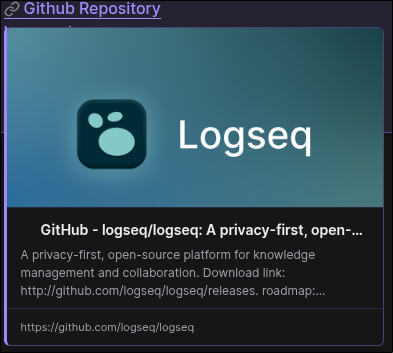 |
| Pretty Properties | Say goodbye to cluttered property lists. Get beautifully styled property cards with accent borders, clean typography, and visual hierarchy that makes metadata actually readable. Keys are clearly distinguished from values, and the entire block integrates seamlessly with your theme. | 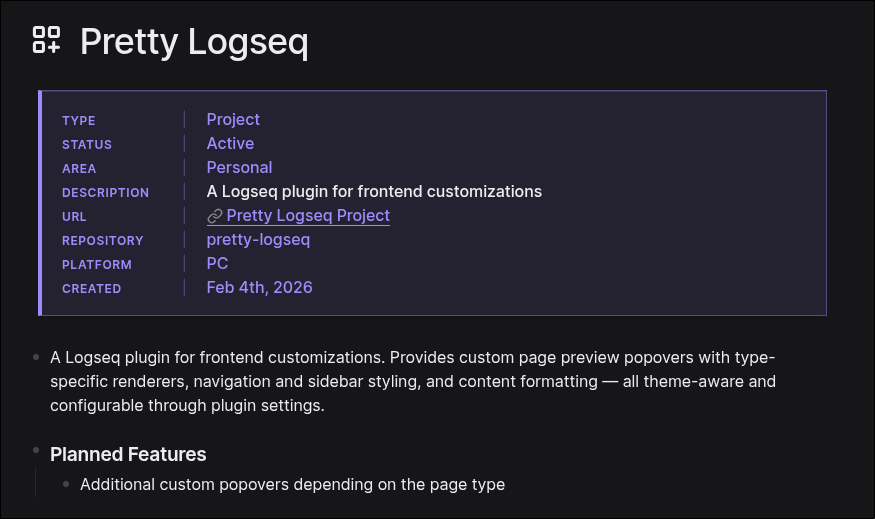 |
| Pretty Sidebar | Reclaim precious screen space with compact icon-based navigation that keeps everything accessible without the clutter. Icon-only navigation, bottom-pinned graph selector, and hidden Create button — all functionality preserved, zero friction added. | 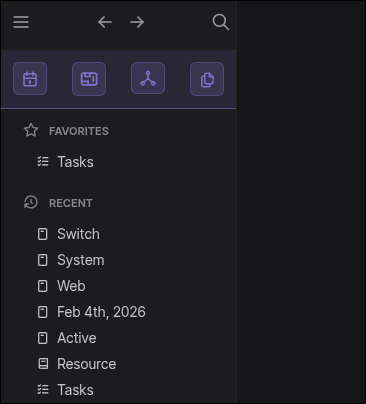 |
| Pretty Todos | Keep your task lists clean and actionable with enhanced TODO styling that brings visual clarity to your workflow. Color-coded priorities, clear status indicators, and typography that helps you focus on what matters. | 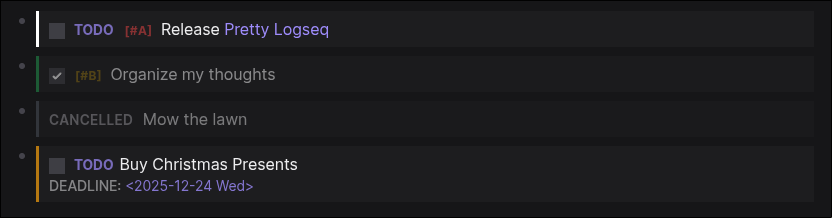 |
| Pretty Templates | Stop letting template blocks clutter your view. Get dimmed, card-styled templates that fade into the background until you need them — then reveal on hover when you're ready to use them. Templates stay accessible but don't compete for attention with your actual content. | 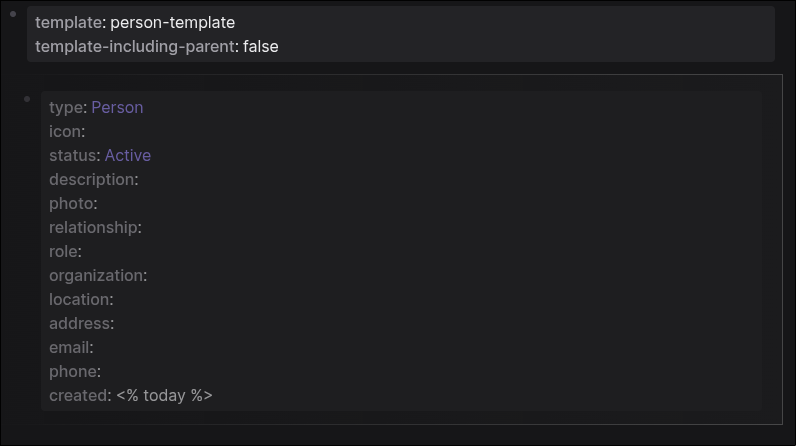 |
| Pretty Tables | Query results deserve better. Get polished, professional tables with themed headers, smooth hover effects, and clean borders that make data actually readable. Styled headers, row hover effects, and consistent theming that matches your graph. | 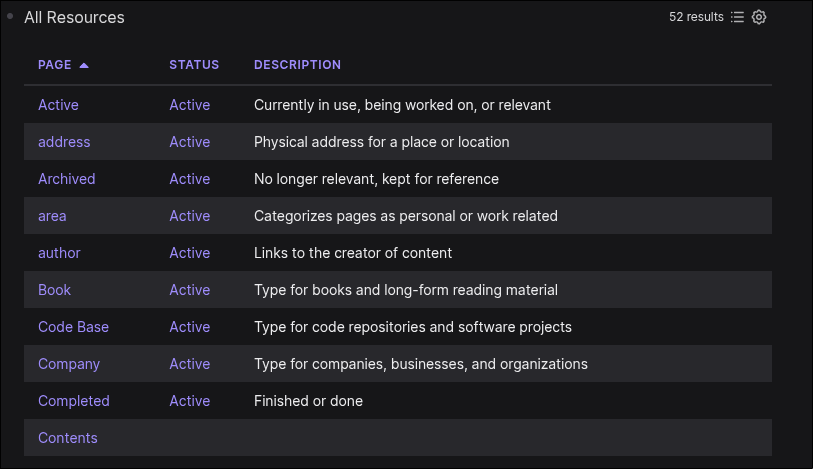 |
| Pretty Typography | Improve text legibility across your entire graph with refined font styling and visual hierarchy. Antialiased text rendering, tighter heading spacing, balanced font weights, and a modern monospace code font stack. | |
| Pretty Content | Show visual hierarchy lines connecting parent blocks to their children on hover. Subtle vertical guides trace the indentation structure, helping you keep your place in complex page hierarchies. | |
| Favorite Star | One-click favorite toggling directly from the page title. Add or remove pages from your favorites list with a single click on the star icon next to any page title — no more navigating through menus. The star syncs with Logseq's native favorites system. | |
| Pretty Top Bar | Customize the top navigation bar to reduce visual clutter. Hide Home Button if you prefer keyboard navigation, Hide Sync Indicator to clean up the status display, and Navigation Arrows on Left to reposition back/forward arrows. |
Installation
Pretty Logseq is available on the Logseq Marketplace:
- Click the Plugins icon in the top bar (or press
t p) - Select the Marketplace tab
- Search for Pretty Logseq
- Click Install
The plugin activates immediately — no restart required.
Tip
After installing, open the plugin settings and confirm the detected version under Compatibility (see Works with both Logseq versions).
Configuration
Every feature can be toggled on or off through Logseq's plugin settings — open Settings → Plugin settings → Pretty Logseq. Changes take effect immediately; just toggle the setting you want to adjust, no reload required.
Settings are grouped by feature, and toggles that don't apply to your detected Logseq version are hidden automatically so you only see what's relevant to your graph.
Support
- Issues & Bug Reports: GitHub Issues
- Feature Requests: Open an issue with your idea
Contributing
Contributions are welcome! See CONTRIBUTING.md for development setup, architecture details, and guidelines.
License
MIT — See LICENSE for details.
Made with ❤️ for the Logseq community