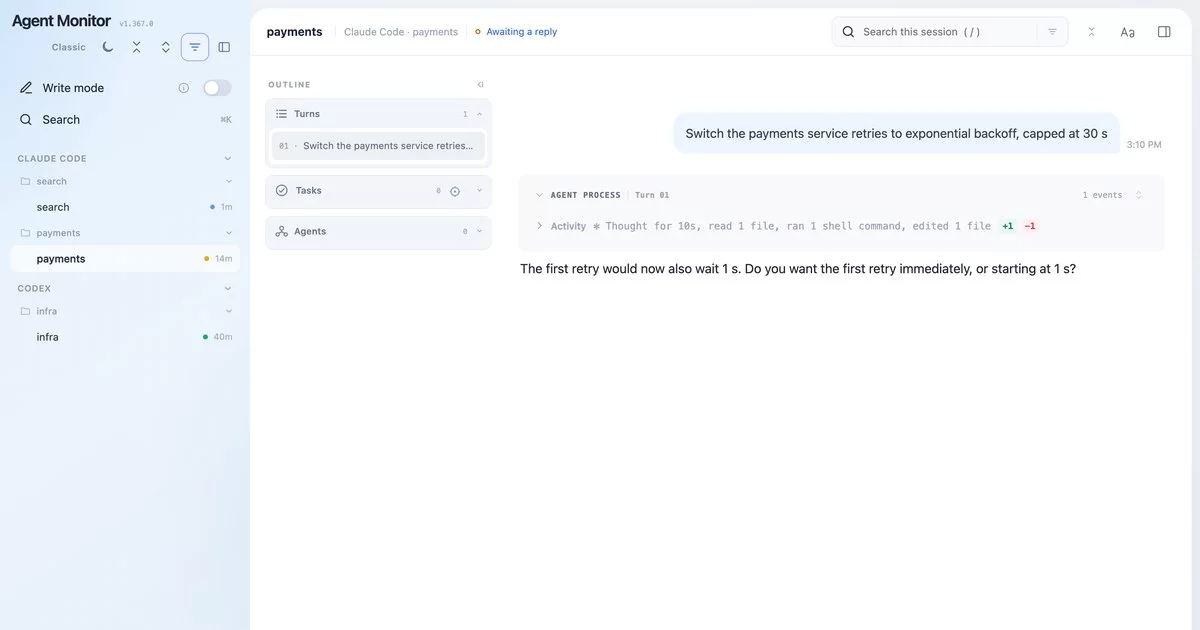

rowt — a personal VPN for chosen sites, alongside a corporate VPN
Run a personal VLESS / VMess / AnyTLS / hysteria2 / Shadowsocks / Trojan / TUIC VPN for selected sites while the corporate VPN keeps the default route, without the two clients fighting over the tunnel.
📖 Product introduction · 中文版 — a slide deck covering the problem, the architecture, onboarding, and a tour of the monitor. Start there if you'd rather see it than read it.
Fastest start: let your coding agent set it up
rowt ships an agent skill, so a coding agent (Claude Code, Codex, or another one that reads skills) can do the setup with you. Keep your current VPN (Shadowrocket, Clash, …) on for now: it's what reaches GitHub and your subscriptions.
brew install tanghong123/tap/rowt
rowt skill install        # hands the rowt skill to your coding agents
Then open a new agent session and ask it to set up rowt. The agent:
- Looks before it touches anything. It runs
rowt doctorandrowt onboardand tells you what it found: your other VPN apps, anything holding port 7890, a corporate auto-proxy (PAC) that would bypass rowt, and what your network can reach. Then it tells you its plan. - Brings your servers in from Shadowrocket, Clash Verge, V2Box or FlClash, or from share links or a subscription URL you give it. It shows you only names and protocols, never credentials, and asks which to keep.
- Starts rowt and verifies it while your old VPN is still on. That includes checking that the agent's own API answers through rowt, so the switch can't cut the agent off mid-setup.
Only two steps need your hands:
- One password. When the agent asks, run
rowt watch installin your own terminal. It installs the watcher and a narrow passwordless rule for setting the system proxy. The agent has no terminal to type a password into. - The switch. When the agent says so, quit the old VPN app and connect your corporate VPN. It gives you the command to resume the session through rowt before you do.
Prefer to do it yourself? That's the next section.
TL;DR — doing it by hand
Do the whole setup with Shadowrocket (or any working VPN) ON — rowt up
installs the bundled, pinned sing-box for you, so there's no separate fetch step. Only switch to
the corp VPN once it's up and working.
# --- with Shadowrocket ON the whole time ---

# 1. install, then look at what's around rowt (other VPN apps, port 7890, a PAC)
brew install tanghong123/tap/rowt          # or: ./install.sh
rowt doctor

# 2. bring your servers in — import from another client you already use:
rowt server import                        # from Shadowrocket (default)
#   or: rowt server import --from clash-verge | v2box | flclash
$EDITOR ~/.config/rowt/import-review.json  # delete stale servers/subs
rowt server import --apply    # (or: rowt server add '<vless://…>' / rowt sub add '<url>')

# 3. set up & start (installs the bundled sing-box, then renders/starts/proxies)
rowt up host                  # host mode (the common one); 'rowt up' auto-detects, 'up vm' forces vm, 'up local' runs with no tunnel

# --- now switch networks ---
# 4. quit Shadowrocket, connect the CORP VPN, then verify:
rowt explain www.google.com   # which lane a destination takes (was 'rowt route')
rowt status                   # mode / server / proxy / reachability
(Mode vm also needs its image — up vm fetches that too if it isn't cached.
Probing for host-vs-vm is most accurate with the corp VPN on, so if you let
rowt up auto-detect, re-run it once after connecting corp.)
One-time shell setup (recommended). Add this to your ~/.zshrc (after
brew shellenv):
eval "$(rowt shell-init)"
It gives you tab-completion for every subcommand, the rowt-proxy-on /
rowt-proxy-off aliases used below, rowt-remote-on / -off for using another
tailnet node's rowt, rowt-remote-system-on / -off for doing that system-wide,
and optional rowt-share-on / -off / -status helpers for sharing rowt inside
your Tailscale tailnet — idempotent, so it's safe to keep in your rc.
Day to day:
rowt-proxy-on                 # point THIS shell's curl/git/npm/… at rowt (rowt-proxy-off to undo)
rowt-remote-on rowt-mac       # client: point this shell at rowt-mac:17890 (rowt-remote-off to undo)
rowt-remote-system-on rowt-mac # client: point macOS apps there (system-off to undo; needs admin)
rowt-share-on                 # tailnet-only TCP forward :17890 -> rowt :7890 (rowt-share-off to undo)
rowt escape add youtube.com   # send another site through the personal tunnel
rowt corp add intranet.example.com 10.0.0.0/8   # send a domain (and its subdomains) or a CIDR into the corp VPN
rowt block add ads.example.com   # sinkhole an ad/telemetry domain (no DNS, no dial)
rowt hotspot add unitedwifi.com  # a venue's captive portal: reached WITHOUT the proxy, so its login page loads
rowt config export --to shadowrocket  # the same routes (and servers) for Shadowrocket on your iPhone
rowt use JP                   # pick a server (rowt ping shows the fastest)
rowt status                   # is it working? (mode / server / proxy / reachability)
rowt speed <url>              # is a lane FAST enough — and is rowt the cause? (it says which)
rowt monitor                  # live full-screen dashboard (connections, errors, server health)
rowt reload                   # after switching Wi-Fi ↔ wired ↔ hotspot
rowt watch install            # (optional) auto-reload on every network change
rowt down                     # stop everything
rowt-share-on keeps sing-box bound to 127.0.0.1; it asks Tailscale Serve to
publish a raw TCP forward on tailnet port 17890. Other tailnet devices can use
<this-mac>.ts.net:17890 as either an HTTP or SOCKS5 proxy for TCP traffic. Set
ROWT_SHARE_PORT to change the published port and ROWT_PORT if rowt itself uses
a non-default port. Access is governed by the tailnet policy: restrict that TCP
port to trusted devices, because shared clients can use every rowt lane,
including corp. This never uses Tailscale Funnel and does not expose rowt to the
ordinary LAN or public internet. This is access control, not port hiding: a
tailnet peer allowed by policy can discover 17890 by scanning the Mac's
Tailscale IP; a non-tailnet or policy-denied host cannot reach it. The Serve
mapping persists across restarts; rowt-share-off removes it, and
rowt-share-status shows both backend and Serve state.
On a client node, rowt-remote-on <remote-host> points that shell's lowercase
and uppercase HTTP/HTTPS proxy variables at http://<remote-host>:17890 and its
all_proxy variables at socks5h://<remote-host>:17890; the latter keeps DNS on
the remote side so rowt receives the hostname it needs for lane classification.
Pass a Tailscale MagicDNS name or IP, not a URL. Bare IPv6 addresses are bracketed
automatically. A single-label machine name such as aries-black is matched
case-insensitively against tailscale status --json and expanded to its unique
full DNSName (without the trailing dot). If the Tailscale CLI or jq is
unavailable, or the name is unknown, the helper keeps the short name and lets
MagicDNS resolve it normally; an ambiguous match is rejected. Set
ROWT_SHARE_PORT before calling it for a non-default Serve port.
Before exporting anything, rowt-remote-on checks that the resolved host and
Serve port are reachable; failure prints the rejected endpoint and leaves the
existing proxy environment untouched. Success also prints the selected endpoint.
rowt-remote-off clears the same six variables. These helpers affect only the
current shell and do not change the client's macOS system proxy.
For GUI applications on a macOS client, rowt-remote-system-on <remote-host>
uses the same expansion and points the active physical network service's HTTP,
HTTPS, and SOCKS settings at the remote Serve port. It first refuses an
unreachable port, is idempotent, needs admin only when the settings differ, and
remembers that service for a paired
rowt-remote-system-off in the same shell. It deliberately leaves the service's
existing proxy bypass list untouched: whether private/corp destinations should
stay local or traverse remote rowt is client-specific policy. The off helper
disables all three proxy types on the remembered (otherwise current) service.
Do not run the rowt watchdog on that client while using this system helper: both
manage the same macOS proxy settings and the watcher may restore local rowt.
rowt monitor is the htop-style live view (with confirmed, reversible
controls — server switch, lane routing, proxy toggle) — press ? for keys,
q to quit. Great for watching what's going through escape vs direct, spotting
domains that are failing (candidates for rowt escape add), and checking server
latency at a glance. See Monitor (TUI).
Tired of running rowt reload by hand after every network switch? rowt watch install sets up a LaunchAgent that does it for you — it re-applies on each
network change, but only while the router is up, and skips when nothing actually
moved. rowt watch status shows whether it's active; rowt watch uninstall
removes it. (It installs a scoped passwordless-sudo rule for just the
networksetup proxy toggles so a Wi-Fi↔Ethernet switch doesn't prompt; that's
removed on uninstall.)
Forgot where you left off? rowt onboard (or just rowt with no arguments)
prints a checklist of these steps with the exact next command to run.
That's it. The rest of this README explains how the three-way split works and the full command set.
sing-box is fetched, not hand-installed. rowt downloads a pinned
sing-boxinto~/.config/rowt/bin/— but that download needs internet from GitHub, which in China means it must happen while a working VPN (Shadowrocket) is on.rowt upauto-fetches it if it's missing, which is why the common path above runs the whole setup (throughrowt up) with Shadowrocket on, then switches to the corp VPN. You can also pre-download explicitly withrowt fetch [host|vm].For mode
vmthe guest can't borrow the host's VPN (it's bridged onto the LAN), soup vmalso fetches the ubuntu image + the linux sing-box into~/.config/rowt/cache/(if not already there); it then boots from the local image and installs sing-box into the guest from that cache — the VM never reaches GitHub itself.The engine itself needs no download: the Homebrew formula bundles the pinned sing-box (
SINGBOX_VERSIONinbin/rowt) and rowt copies it into place on first run. A brew-installedsing-boxis used only when it is exactly that version — rowt refuses 1.14.x as known-bad: it spins at 100%+ CPU behind a corporate EDR network filter (the filter kills an idle UDP DNS socket 10 s after a reply; 1.14's shared DNS reader never notices and retries forever).rowt statusshows anengine:line saying which version is running and whether it is the pin. Without the bundle and with GitHub blocked:SINGBOX_TARBALL=/path/to/it rowt fetch host. Other deps (brew,jq,python3,curl) ship with macOS; modevmalsobrew installs Lima.
The trick: don't run a second tun. rowt runs sing-box on the host as
a rule-router — a mixed HTTP+SOCKS proxy on 127.0.0.1:7890 — that splits
traffic three ways. Because it's a userspace proxy, there's no default-route
war with the corp client.
Your rules on the iPhone (Shadowrocket)
Shadowrocket on the iPhone can route the same way rowt does on the Mac. rowt writes your setup out for it:
rowt config export --to shadowrocket                 # rowt-shadowrocket.conf + rowt-shadowrocket-servers.txt
rowt config export --to shadowrocket --routes-only   # the routing config alone
rowt-shadowrocket.conf is the routing, as a Shadowrocket config:
escape → PROXY, block → REJECT, corp and hotspot → DIRECT. Anything
unlisted goes direct, bypassing the proxy: a Shadowrocket config's default
action is its FINAL rule, and the export ends the [Rule] section with
FINAL,DIRECT. The rules come in rowt's own order (Shadowrocket also takes the
first rule that matches), geosite: categories are written out in full (bar the
few regex entries some carry: Shadowrocket has no rule for a domain regex, and
the export counts what it leaves out), and PROXY means whichever server is
selected in Shadowrocket.
To use it:
- AirDrop the file to the phone, or save it to iCloud Drive.
- Open it with Shadowrocket, tap it under Config, and choose Use Config.
- Set Global Routing on Shadowrocket's home screen to Config. Config
follows the file's rules. Proxy sends everything through the server and
ignores the rules,
FINALincluded, and Direct proxies nothing.
The export is a snapshot, so export again after changing lanes on the Mac. It
also names your corp domains (as DIRECT rules), so keep it off public URLs,
including a public remote-config link.
rowt-shadowrocket-servers.txt is your servers: each hand-added server as a
share link, followed by your subscription URLs, which Shadowrocket fetches
itself. Every link is checked when it is written by parsing it back, and a
server whose settings no share link can carry exactly is named and left out
rather than exported with those settings missing. Copy the file's text and add it
in Shadowrocket, which imports share links from the clipboard. It holds
credentials: the file is owner-only, AirDrop moves it encrypted, and it is worth
deleting once imported. --routes-only leaves it out, and - prints the
config to stdout (with --routes-only).
Running commands with automatic environment set-up
CLI tools (claude, git, npm, curl, …) don't respect the macOS system
proxy — they only honour the http_proxy / https_proxy / all_proxy
environment variables. rowt gives you rowt-proxy-on / rowt-proxy-off for a
local rowt and rowt-remote-on <remote-host> / rowt-remote-off for a
tailnet-shared rowt (from eval "$(rowt shell-init)") to set and clear those,
but if you
hop between networks a lot — corp VPN, home Wi-Fi, a hotspot, a plane —
or you have several proxy apps around (rowt, Shadowrocket, a corp client),
the right value keeps changing, and it's easy to forget which one is live.
Running a command through the wrong (or a stale) proxy env then fails in
confusing ways, and toggling rowt-proxy-on/-off by hand before every command
gets tedious.
rowt run <command> [args…] does it for you: it figures out which proxy path
can actually reach the internet right now, sets the env accordingly, and runs
your command with it — no manual toggling.
rowt run claude            # run claude through whatever path reaches the net
rowt run git pull          # a one-off git through the working proxy
rowt run npm install
It probes in order and uses the first that reaches the target:
- the proxy already set in your shell (
http(s)_proxy/all_proxy); - the macOS system proxy (exported as env for this run);
- rowt's own port (
127.0.0.1:7890) — only when the router is up and the system proxy is off (the "rowt is on but I don't want it hijacking everything" case); - no proxy at all (direct).
If none of them reach the target, rowt run stops and does not run the
command (exit 1) — so you never silently launch something into a dead network.
"Reaches the target" means the host actually answered (any 2xx/3xx/4xx — a
200, a redirect, even a 401/404 all prove the path works). The default
target is https://www.google.com/ — a domain that's genuinely blocked on a
restricted network, over HTTPS so a captive portal or poisoned DNS can't fake
it. (A CDN connectivity host like gstatic.com can stay reachable even when
Google proper is blocked — a false positive — which is why the real domain is
used.) Override with ROWT_RUN_TARGET to gate on whatever you actually need,
e.g. an API:
ROWT_RUN_TARGET=https://api.anthropic.com/ rowt run claude
Everything after run is the command, so its own flags (--help, -v, …) pass
straight through; use rowt help run for run's own documentation.
Captive portals (hotel / airplane Wi-Fi)
This is exactly why "router up, system proxy off" is a first-class mode —
and rowt run is built for it. On hotel/airline Wi-Fi you first have to load a
captive-portal page and authenticate. If the macOS system proxy is
pointed at rowt, that breaks: rowt can't reach the portal, and macOS's own
captive-portal detection gets confused, so the auth page never appears. Keeping
the system proxy off lets the portal flow work normally.
So the flow is:
rowt down(or justrowt proxy off) so the system proxy is off —rowt statusshowssystem proxy: No, androwt monitorshowsrouter: running+sys proxy: off. Keep the router up.- Connect to the Wi-Fi and finish the captive-portal login in your browser.
- Now run the tools that need the tunnel with
rowt run— it routes just that command through rowt's port via env, without ever touching the system proxy (so it can't re-break the portal). It's captive-portal-aware too: the defaulthttps://www.google.com/target uses HTTPS, so a portal can't fake a success —rowt runrefuses to launch until you've actually authenticated and the open internet is reachable.
rowt monitor's split of router (is the tunnel engine up) vs sys proxy (is system traffic being pointed at it) makes this mode legible at a
glance.
With rowt watch install the dance is automatic: the watchdog probes for a
portal on every tick (resolving the probe host at the Wi-Fi's own DHCP
resolver, where the portal's hijack lives, and re-probing a few times right
after a network change), drops the system proxy when it sees one, opens the
portal's login page in your browser (the request the OS made before the drop
died on the proxy, and nothing retries it), and restores the proxy once login
clears. It also writes the portal's own hostname into
~/.config/rowt/log/watch.log, with the ready-made rowt hotspot add line for
it — taken from the redirect, or out of the page itself when the portal answers
inline, following one hop for the venues (Aruba is the common one) that bounce
you through the probe's own address before naming themselves. That is the one
thing you need afterwards and the one thing nothing used to record. Only the
host is logged, never the query string, which carries your MAC and IP.
That still leaves a gap of up to a tick before the page appears, and it needs the watchdog to be installed and the portal to show up in its probe — so for venues you keep coming back to, put the portal's hostname in the hotspot lane:
rowt hotspot add unitedwifi.com      # macOS bypass list gets unitedwifi.com AND *.unitedwifi.com
rowt proxy status                    # the bypass list as macOS holds it
Every entry goes on macOS's proxy bypass list, so the OS and every
system-proxy app reach the portal directly, proxy on or off — the login page
loads on the first request and there is no race to win. It is not a routing
lane: nothing in it is rendered, an edit refreshes the bypass list instead of
restarting the router, and corp sync stops mirroring a venue's DHCP-advertised
domain into the corp lane while it sits here. CLI tools ignore the macOS list;
rowt proxy env and rowt run export the same entries as no_proxy for them.
Tailnet names (and any other scoped-only zone) — automatic
A tailnet host (laptop.tail1234.ts.net) answers at one resolver: the
overlay's own, at a CGNAT address like 100.100.100.100, which macOS