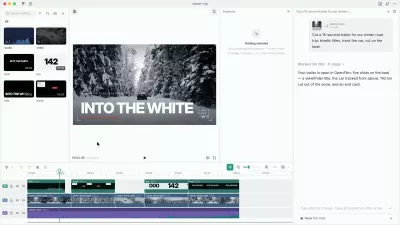

Tutorial videos of your app, from one prompt.
Describe the video in one sentence, paste one prompt into the coding agent you already use, and get back a narrated, auto-zoomed walkthrough of your real app, recorded on your own machine. Edit narration, voices, and languages in the browser. Engineers keep the videos in the repository, where each one is a Playwright E2E test: CI re-records them on every push, and a flow that broke fails the run. This package is the CLI and the authoring API behind all of it.
What is open source and what is hosted
- Open source (MIT, this repository): the CLI and the authoring API. Recording runs locally with them: Playwright drives your app in Chromium and the CLI captures the screen and the interaction timing.
- Hosted service: rendering (narration, camera, cursor, subtitles, overlays), the web editor, and public URLs. Previews are free with no account; exports need a paid plan.
What leaves your machine
The raw recording, its timing data, and the text files of the screenci/
folder (the config and the video scripts; set uploadSources: false to keep
them local). Never .env files, lockfiles, your app's source, or your
signed-in browser session. redact(locator) masks secrets in the page before
the frame is captured. Full list:
What ScreenCI sends.
Learn more at screenci.com, or start from Make videos by prompt (no repository needed) and Repository and CI (the engineering hand-off).
Get started
npm init screenci@latest
# or (pnpm 11, the --config flags are a temporary workaround)
pnpm --config.minimum-release-age-exclude=screenci --config.enable-global-virtual-store=false dlx screenci@latest init
This scaffolds a self-contained screenci/ directory with its own
dependencies and installs Chromium. The directory is isolated from the
surrounding workspace, which keeps installation reliable inside monorepos.
Then write a video, run it locally, refine it, and export the final output:
npx screenci test      # author the video
npx screenci preview   # record live previews and print the link
npx screenci export    # render and download the finished video
Full docs:
Write a video
Video scripts are Playwright-style files with a .screenci.ts extension. If you
already know Playwright locators, navigation, and waiting, you already know
most of the automation layer.
// recordings/onboarding.screenci.ts
import { hide, speed, time, video } from 'screenci'

video('Onboarding flow', async ({ page }) => {
  await hide(async () => {
    await page.goto('https://app.example.com/signup')
  })

  await page.getByLabel('Email').fill('jane@example.com')
  await page.getByRole('button', { name: 'Create account' }).click()
  await speed(0.5, async () => {
    await page.getByRole('button', { name: 'Open dashboard tour' }).click()
  })
  await time(1000, async () => {
    await page.getByRole('button', { name: 'Skip tutorial' }).click()
  })
  await page.getByRole('heading', { name: 'Dashboard' }).waitFor()
})
Each video() call becomes one output video. The title becomes the filename
and the remote video identity. Inside video(), page is a ScreenCIPage: a
Playwright Page with animated cursor movement and visible typing layered on
top of normal Playwright behavior.
hide() removes setup entirely. speed() and time() keep a section visible
but remap its rendered duration.
Authoring helpers
| Export | What it does |
|---|---|
defineConfig |
Wraps Playwright config with ScreenCI defaults |
video |
Declares a video recording test |
video.narration |
Declares narration cues (per language or shared) for a video |
hide |
Cuts setup or cleanup out of the visible recording |
autoZoom |
Smooth camera follow for an interaction block |
zoomTo |
Manual camera framing for a locator or point |
resetZoom |
Returns from manual framing to the full viewport |
video.overlays |
Draws timed overlays (rings, callouts, media) over the video |
voices |
Available voice constants such as voices.Ava |
modelTypes |
Narration model constants |
See the docs for configuration, narration, camera, and CI setup.
Community
Questions, ideas, or want to show off your videos? Join us on Discord.