Solar Atlas — 太陽系手勢資料庫
Pinch from Saturn until the Solar System becomes a dot, then keep going — past the nebulae inside our galaxy, out through the Local Group and the Virgo Supercluster, to the edge of the observable universe. With your hand, in one browser tab.
捏合,把土星縮到整個太陽系變成一個點,然後繼續縮下去——銀河系內的星雲、本星系群、室女座超星團,一路到可觀測宇宙的邊緣。用你的手,在一個瀏覽器分頁裡。
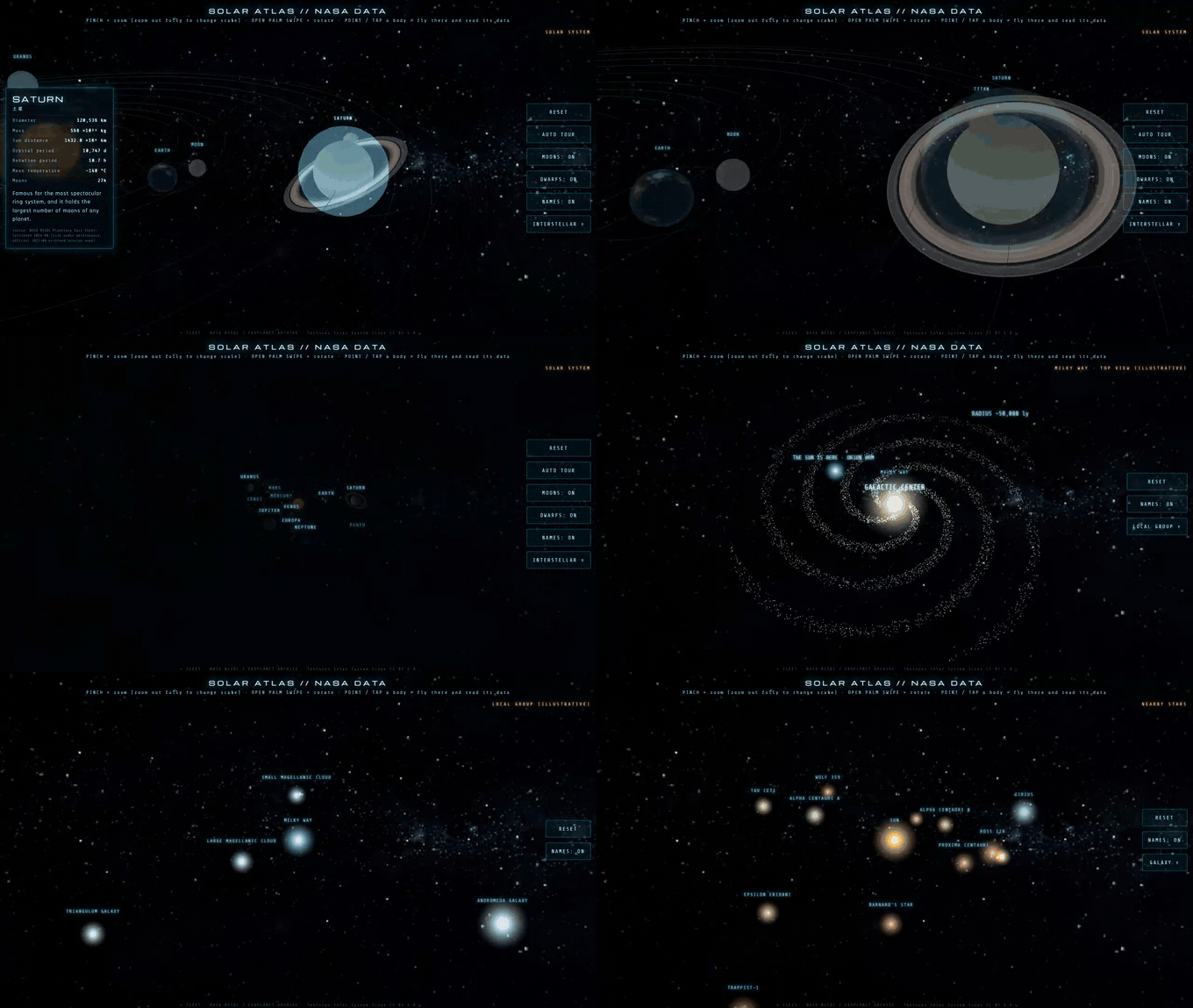
▶ [Try the live demo →](https://huangchihhungleo.github.io/solar-atlas-gesture/
)Play it here: https://huangchihhungleo.github.io/solar-atlas-gesture/ (also mirrored at https://leoaido.com/fleet/solar/)
No install, no sign-up, no server. Allow the camera to control it with your hand — or press WATCH THE TOUR and see the whole scale jump without a camera at all. Mouse and touch work everywhere too.
不用安裝、不用註冊、沒有後端。開鏡頭就能用手控制;不想開鏡頭,按 不開鏡頭,看導覽 一樣看得到整段尺度貫穿。滑鼠與觸控也全支援。
The GIF above is recorded from the built-in camera-free tour, so it is deterministic rather than a hand-tracking capture. A phone recording of the real gesture control is linked below.
上面這張 GIF 錄自內建的免鏡頭導覽,所以是固定的,不是手勢追蹤的錄影。真手操作的手機錄影連結在下面。
What it is / 這是什麼
Explore the Solar System — and the scales beyond it — by waving your hand in front of your webcam. An open palm swipe spins the view, a pinch zooms, and pointing at a planet flies you there and opens its NASA data card.
用鏡頭捕捉手部動作,撥動、捏合就能探索太陽系與更大尺度的宇宙。張開手掌撥動=轉視角,捏合=縮放,指向天體=飛過去讀它的 NASA 資料卡。
Everything runs in the browser. No server, no build step, no data leaves your machine — the camera stream is processed locally by MediaPipe and never uploaded.
全部在瀏覽器裡跑。沒有後端、不用編譯,影像完全在本機由 MediaPipe 處理,不會上傳到任何地方。
The planets are where they actually are right now. Each frame solves Kepler's equation from JPL orbital elements, so the layout you see matches the real sky to within 0.074° — see the measured error table.
行星就在它此刻真實的位置上。每一幀都用 JPL 軌道要素解克卜勒方程,跟真實天象的誤差在 0.074° 以內——誤差對照表在這。
 |
 |
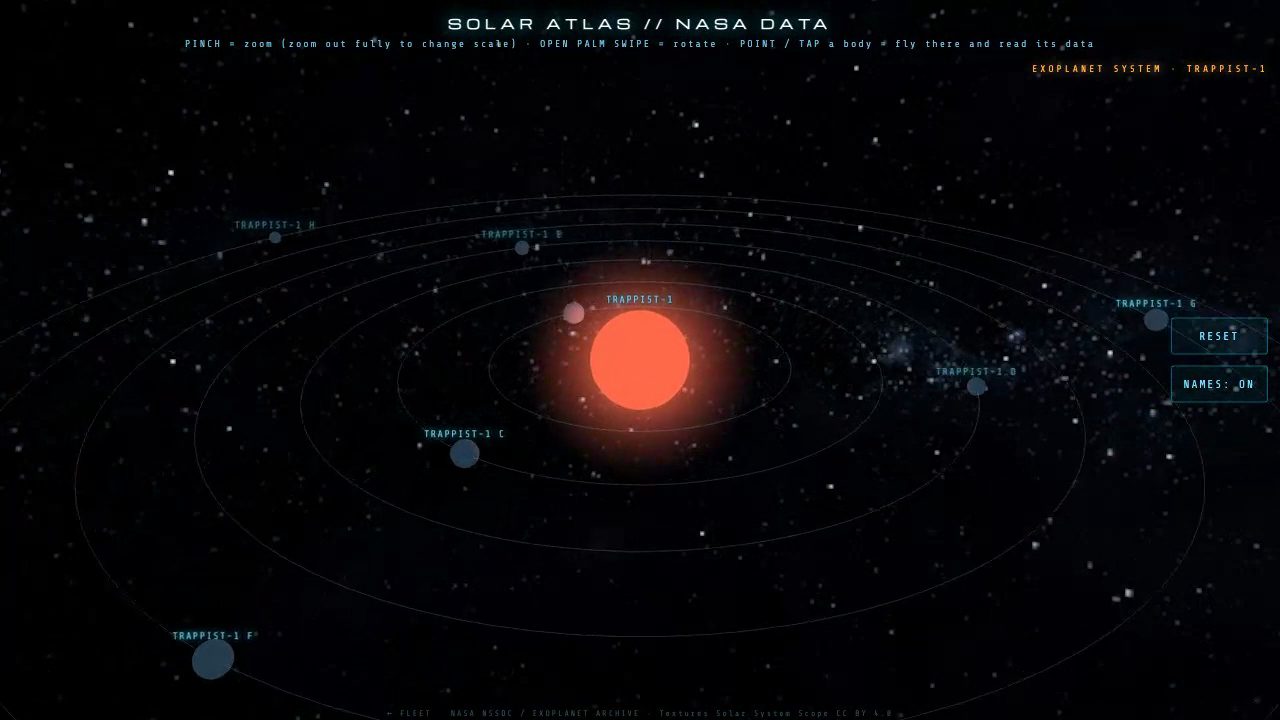 |
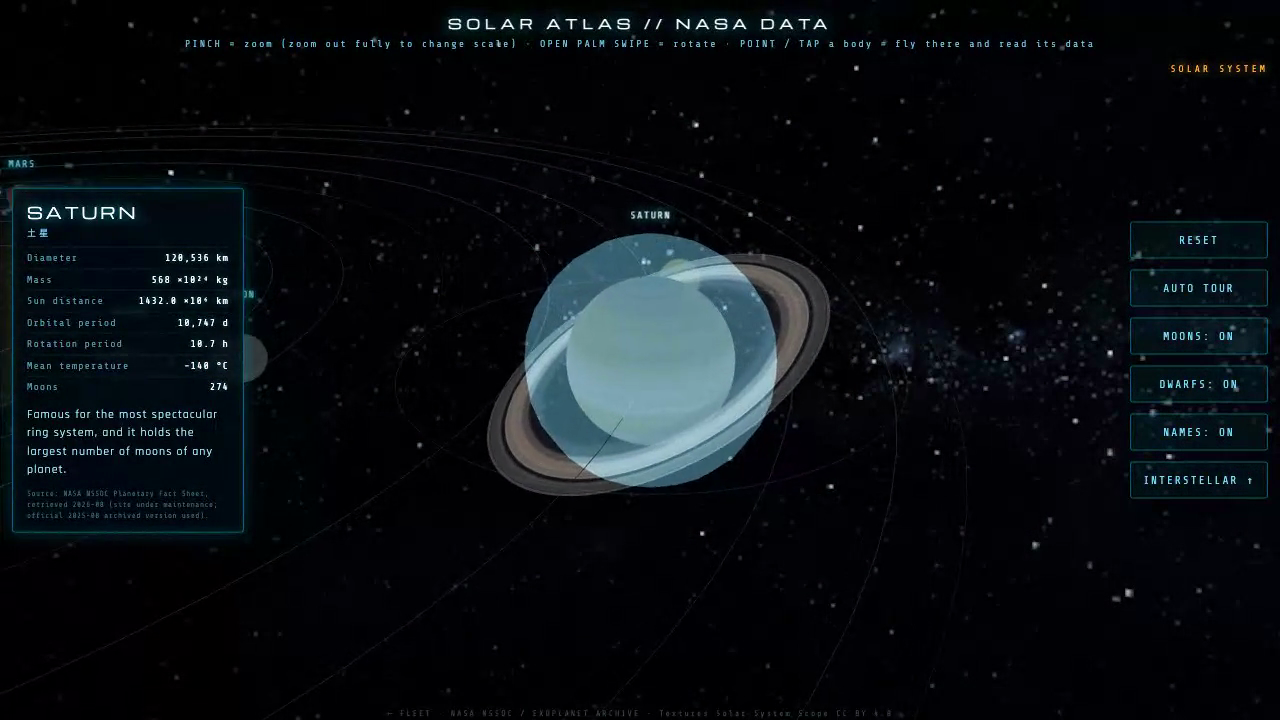
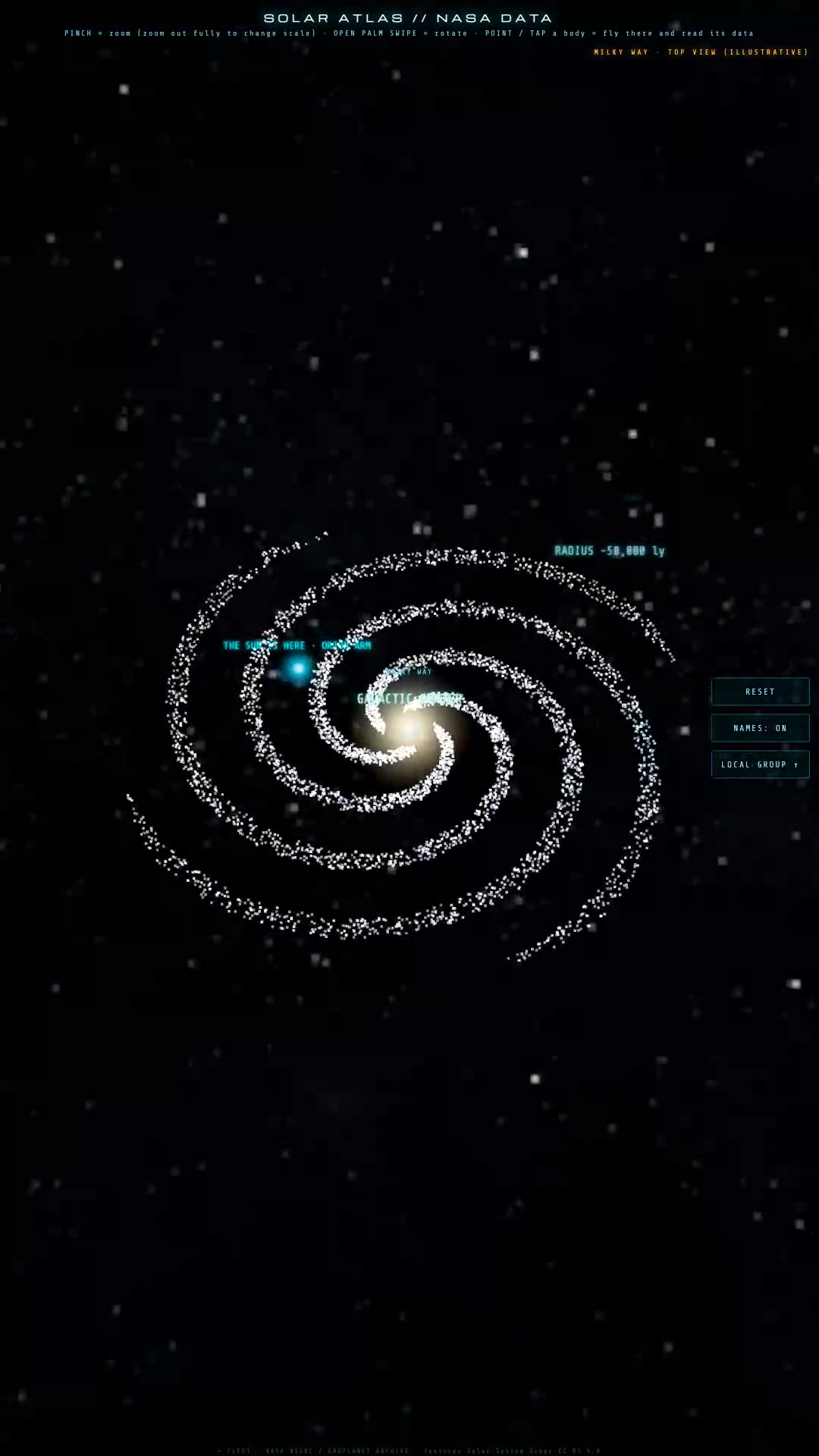
| Spin Saturn, read its NASA card | Zoom out until the Sun is one label on the Orion Arm | Fly into TRAPPIST-1 |
Why: reading a table of orbital periods is forgettable. Spinning Saturn with your palm, pinching until the whole Solar System collapses into one dot among the nearby stars, and then flying into the TRAPPIST-1 system — that sticks.
為什麼做: 看一張公轉週期表很快就忘了;但用手掌把土星轉起來、捏合到整個太陽系縮成鄰近恆星裡的一個點、再飛進 TRAPPIST-1 星系——這個會記得住。
Videos / 影片
- Camera-free tour, landscape 1280×720
- Camera-free tour, vertical 1080×1920
- Real hand control, phone capture — actual webcam gesture control on a phone, with the hand preview visible
Scales / 尺度層
Zooming all the way out moves up a level, so the whole thing is one continuous zoom from a moon to the edge of the observable universe.
一路縮小就會往上跳一層,從一顆衛星到可觀測宇宙邊緣是一條連續的縮放線。
- Solar System — 8 planets with real textures, 9 major moons, 2 dwarf planets, orbit lines, auto tour
- Nearby stars — 12 stars within ~41 ly, at their true sky directions and parallax distances
- Inside the Milky Way — 16 nebulae, star clusters and Sagittarius A*, at true RA/Dec. There are no other galaxies in here — a galaxy is a collection of stars and the Milky Way is one, so what it holds are nebulae and clusters. Every card says so explicitly.
- Milky Way — top-down view with the Sun marked on the Orion Arm (artist impression, labelled as such — we are inside it, so no photograph can exist)
- Local Group — 23 members: the Milky Way, the Magellanic Clouds, M31, M33, and the dwarf galaxies (NGC 6822, IC 10, IC 1613, WLM, Sagittarius, Draco, Sculptor, Fornax, Leo I/II, Carina, Sextans, Phoenix, Ursa Minor, M32, M110, NGC 147, NGC 185)
- Virgo / Laniakea — 12 groups and clusters beyond the Local Group, out to the Coma Cluster
- Large-scale structure — concentric distance shells out to the comoving particle horizon, with the Sloan Great Wall, the Boötes Void and the observable-universe edge
Exoplanet system is a side branch off layer 2 — fly into a star and see its confirmed planets.
Layers 2, 3, 5 and 6 place objects at their real ICRS right ascension and declination from SIMBAD; only the radial distance is log-compressed so several orders of magnitude fit on screen, and every card says so. Layer 4 is an artist impression, labelled. Layer 7 deliberately does not claim sky directions — at that compression the orientation of walls and voids cannot be drawn faithfully, so it is shown as distance shells, and its cosmic-web backdrop is a procedural simulation, not an observation.
第 2、3、5、6 層的天體位置是 SIMBAD 的真實赤經/赤緯,只有徑向距離做對數壓縮(卡片都有標)。第 4 層是標明的藝術想像圖。第 7 層刻意不宣稱方位——長城與空洞的方向在那種壓縮尺度畫不準,所以改用同心距離殼層,背景宇宙網是程序生成的模擬示意,不是觀測影像。
Gestures / 手勢
| Gesture | Action | 動作 |
|---|---|---|
| Open palm swipe | Rotate the view (with momentum) | 撥動轉視角(有慣性) |
| Pinch (thumb + index) | Zoom in / out | 縮放 |
| Zoom out to the limit | Step out one scale | 縮到底=跳上一個尺度 |
| Zoom in to the limit | Step in one scale | 放大到頂=回下一個尺度 |
| Point at a body | Highlight, then fly to it and open its data card | 指向天體=高亮,再飛過去開資料卡 |
| Point and dwell on a side button | Press it in mid-air | 指著側邊按鈕停留=隔空按下 |
Running it / 怎麼跑
The camera API requires a secure context, so https:// or localhost is mandatory — opening index.html directly with file:// will not get camera access.
鏡頭 API 需要安全環境,所以一定要 https:// 或 localhost,直接用 file:// 開檔案是拿不到鏡頭的。
git clone https://github.com/HUANGCHIHHUNGLeo/solar-atlas-gesture.git
cd solar-atlas-gesture

# any static server works — pick one
python3 -m http.server 8000
# or
npx serve .
Then open http://localhost:8000 and press ENABLE CAMERA. The first load fetches the ~7.8 MB hand landmark model from the local vendor/ folder.
接著開 http://localhost:8000,按 啟用鏡頭。第一次載入會從本機 vendor/ 讀約 7.8 MB 的手部模型。
The page is fully usable without a camera — press WATCH THE TOUR for the scripted scale traversal, or use mouse drag / wheel and touch pinch to do everything gestures do. Language is switched with the button in the top-left corner and remembered in localStorage. Add ?debug to the URL for a live overlay of inference time, pinch velocity and gesture state — useful when tuning the parameters below.
沒有鏡頭也能完整使用——按 不開鏡頭,看導覽 看整段尺度貫穿,或用滑鼠拖曳/滾輪、觸控捏合做到手勢能做的所有事。語言用左上角按鈕切換,選擇會記在 localStorage。網址加 ?debug 會顯示推論時間、捏合速度與手勢狀態的即時面板。
Architecture / 技術架構
Single self-contained HTML file. No framework, no bundler, no npm install.
單一自足的 HTML 檔案,沒有框架、沒有打包工具、不用 npm install。
index.html      the whole app: data layer, Three.js scenes, i18n, gesture layer
three.min.js    Three.js (MIT)
tex/            planet textures (Solar System Scope, CC BY 4.0)
                + real galaxy imagery (mixed licenses — see Licenses below)
vendor/         MediaPipe Tasks Vision + hand landmark model + One Euro Filter
assets/         README hero GIF and screenshots
What is real, and what is not / 哪些是真的,哪些不是
Every card in the page carries a provenance chip, and every row a coloured dot, so you can see at a glance which class a number belongs to. Nothing is invented — where no measurement exists, the page says so instead of filling the gap.
頁面上每張卡片都有出處標籤,每一列數字前面都有對應顏色的圓點,一眼就看得出這個數字屬於哪一類。沒有的東西不編——沒有量測值就直說沒有。
| Chip | Meaning | Examples |
|---|---|---|
| MEASURED / 觀測值 | Directly measured | Star RA/Dec/parallax (Gaia DR3 via SIMBAD); planet diameters and masses (NASA NSSDC); exoplanet semi-major axes (NASA Exoplanet Archive); Local Group distances from eclipsing-binary and Cepheid papers; the M31/M33/LMC/SMC images, which are real telescope observations |
| DERIVED / 推導值 | Computed from observations or a model, not measured directly | Planet positions (Kepler's equation solved live from JPL elements); galaxy diameters (SIMBAD angular size × distance); the Milky Way's own diameter and the Sun's galactocentric distance |
| ARTIST IMPRESSION / 藝術想像 | No such image exists | The top-down view of the Milky Way; exoplanet appearance and their current orbital phase |
Things that are physically impossible to show truthfully, and how the page handles them:
- A top-down photograph of the Milky Way cannot exist — we are inside it. The page uses NASA/JPL-Caltech/ESO/R. Hurt's artist impression, labels it ARTIST IMPRESSION on the card, and says so in plain language in the card text and the layer tag.
- Exoplanet appearance is unknown. No telescope resolves the surface of any planet here. The renderings are illustrative and marked as such.
- Current orbital phase of exoplanets is unknown for almost all of them. The orbit ring radii are proportional to the real measured semi-major axes within each system, but where a planet sits on its ring is arbitrary, and the card says that.
- Radial distance in the outer layers is log-compressed. Directions (RA/Dec) are true; the distance from the centre of the screen is not to scale, because 4 ly and 2.7 million ly cannot share one screen. The card says which is which.
Positions are real. Nearby stars and Local Group galaxies are placed using their actual ICRS right ascension and declination from SIMBAD (parallaxes mostly Gaia DR3), converted to heliocentric ecliptic J2000. The conversion is cross-checked against an independent astropy implementation — worst-case disagreement is 0.039 arcsec, which is frame-bias level, and the galactic coordinates it produces for Sirius (l=227.230, b=−8.890), Proxima (313.940, −1.927) and M31 (121.174, −21.573) match the published values. Scripts and the full comparison table live in _qa/astrometry-20260831/.
- Hand tracking — MediaPipe
HandLandmarkerin VIDEO mode, GPU delegate, up to 2 hands, 21 landmarks each. - Smoothing — a One Euro Filter per tracked signal (palm x/y, hand x/y, pinch distance, thumb x/y). Separate constants for motion (
1.0 / 0.007) and pinch (1.5 / 0.25), because pinch needs responsiveness where motion needs smoothness. - Gesture state machine — hysteresis on every threshold (grab on/off defaults to 0.40/0.62 and is replaced per user by the calibration step below; fist on at 1.2, off at 1.5) plus a 130 ms release grace period so a brief tracking loss does not cancel a swipe mid-flick.
- Per-user pinch calibration — on first run the page asks for three pinches, takes the median of the closed and open pinch ratios, and places
GRAB_ON/GRAB_OFF/SCALE_Kinside that measured range (stored inlocalStorage, re-runnable from the RECALIBRATE button). The ratio constants are chosen so that a typical hand (0.15–1.00) reproduces the old hardcoded 0.40 / 0.62 / 5.5 — only hands whose distribution actually differs get moved. - Swipe vs. withdrawal — a deliberate swipe holds its hand orientation while the hand moves sideways; lowering the hand rotates the wrist and tilts the whole hand down. The page measures the angular velocity of the wrist→middle-MCP axis (landmarks 0→9) and that axis's downward component, combined with the bounding-box centre's direction of travel, and only suppresses momentum when the motion reads as a withdrawal.
- Momentum — an open-palm swipe injects velocity above a speed threshold only, so slow aiming movements do not spin the scene. Damped exponentially each frame.
- Zoom — pinch drives a critically-damped spring on scale, not a direct assignment, which is what makes the scale changes feel physical.
- Multi-scale LOD — each scale is built on entry and disposed on exit (the Solar System scene is cached because its textures are expensive). Crossing a scale boundary is triggered by the spring settling past a limit, with a 900 ms cooldown to stop it oscillating between levels.
- Camera-free tour —
window.__cineTour()drives the samesphereScalevariable that pinching drives, so the tour crosses scales through the identical LOD code path rather than through a separate scripted animation. - Rendering — Three.js
WebGLRenderer, sRGB pipeline, a Milky Way skybox sphere, and a raycaster for picking. The focused body is centred by translating the scene group, not by moving the camera. - i18n — one data set, two label sets. Numeric values are never duplicated between languages; only field names, descriptions and units are switched, so the English and Chinese cards can never disagree about a number.
Data sources / 資料來源
All figures are from NASA and are shown with their source on every card. Fields NASA does not publish are left blank rather than filled in from elsewhere.
所有數值來自 NASA,每張卡片都標示來源。NASA 沒有公布的欄位一律留空,不從別處補。
- Planets, moons, dwarf planets — NASA NSSDC Planetary Fact Sheet
- Phobos and Deimos — NASA Science
- Stars and exoplanets — NASA Exoplanet Archive (TAP API, default parameter set), queried 2026-08-29
- Star colours — computed from each star's B−V colour index, not hand-picked. B−V comes from the Hipparcos catalogue (ESA 1997), read from VizieR
I/239/hip_mainby cone search on the RA/Dec already verified in this repo, with the V magnitude used to confirm the identification (Barnard's Star sits 90″ from its J2000 position at the Hipparcos epoch, so distance alone is not enough). The chain is B−V → effective temperature (Ballesteros 2012, EPL 97 34008) → Planck spectrum → CIE 1931 XYZ → sRGB. The page uses the Wyman, Sloan & Shirley (2013) analytic fit to the colour matching functions, which agrees with the real 1 nm CIE table to within 1/255 per channel on every star here. Colour carries hue only — it is normalised so the brightest channel is 1, because a red dwarf at true luminance would be invisible. Brightness is carried by the glow instead. Wolf 359 (V = 13.5) and TRAPPIST-1 (V = 18.8) are too faint for Hipparcos and have no B−V here, so they are left white. If you have a sourced B−V for either, addingbv:to its entry inSTARSis all that is needed — the colour follows automatically. Working scripts and the verification output are in_qa/starcolor-20260831/(in the site repo). - English body names follow NASA naming (NSSDC and the NASA Exoplanet Archive); Chinese names follow common Traditional Chinese usage.
NASA does not endorse this project.
Where the planets are / 行星位置怎麼算的
The planets are not placed at arbitrary angles. Every frame, the page solves Kepler's equation for the current clock time and puts each planet at its true heliocentric ecliptic longitude.
行星不是隨便擺的角度。每一幀都用當下時間解克卜勒方程,把每顆行星放到它真實的日心黃經上。
Algorithm — implemented in helioLon() in index.html, following the JPL recipe exactly:
T= Julian centuries past J2000.0; propagate each elementa = a₀ + ȧT, etc.ω = ϖ − Ω,M = L − ϖ, wrapped to −180°…+180°- Solve
M = E − e* sin Eby Newton iteration (e* = 180/π · e), starting fromE₀ = M + e* sin M, to a tolerance of 1e-9° - Orbital-plane coordinates
x′ = a(cos E − e),y′ = a√(1−e²) sin E - Rotate into the J2000 ecliptic frame by
Rz(−Ω) Rx(−I) Rz(−ω) - Heliocentric ecliptic longitude
λ = atan2(y, x)
Elements
- Eight planets — JPL, Approximate Positions of the Planets, Table 1 (Standish & Williams 1992), mean ecliptic and equinox of J2000, valid 1800–2050 AD.
- Ceres and Pluto — JPL Horizons osculating elements at epoch JD 2461041.5 (2026-01-01 TDB), with
Lreferred back to J2000 and only mean motion retained as a rate. Accurate near that epoch; expect drift of order a degree per decade away from it.
Accuracy — measured, not claimed. Computed longitudes were compared against JPL Horizons state vectors (CENTER='500@10', REF_PLANE='ECLIPTIC') at JD 2461283.0917 (2026-08-30 14:12 UTC):
| Body | This page | Horizons | Error |
|---|---|---|---|
| Mercury | 167.3811° | 167.3829° | −0.0018° (−7″) |
| Venus | 303.7285° | 303.7294° | −0.0009° (−3″) |
| Earth | 336.8600° | 336.8616° | −0.0016° (−6″) |
| Mars | 69.2317° | 69.2413° | −0.0096° (−34″) |
| Jupiter | 128.6381° | 128.6191° | +0.0190° (+68″) |
| Saturn | 9.8041° | 9.7301° | +0.0740° (+266″) |
| Uranus | 62.2953° | 62.2945° | +0.0008° (+3″) |
| Neptune | 2.4491° | 2.4582° | −0.0091° (−33″) |
| Ceres | 76.9623° | 76.9643° | −0.0020° (−7″) |
| Pluto | 304.0634° | 304.0633° | +0.0001° (+0.4″) |
Worst case 0.074° (Saturn) — about a seventh of the Moon's apparent width, and within JPL's own published error budget for this method. This is not an ephemeris-grade calculation. It is good enough for a naked-eye or educational picture of where things are; it is not good enough for telescope pointing, occultation prediction, or mission design. For those, use Horizons directly, or a full theory such as VSOP87.
What is still schematic, and labelled as such on the card
- Moon orbital phase — the moons revolve at roughly the right relative rates but their phase is not tied to real time. The simplified elements above do not cover planetary satellites.
- Orbit rings and radii — drawn on a log-compressed scale so all eight planets fit one screen, and drawn as circles. Only the angle is physical; the distance from the Sun is not to scale and eccentricity is not shown.
- Stellar and galactic layers — illustrative throughout. The directions to nearby stars and the galaxy rendering are not true sky positions.
Time control. The TIME button cycles LIVE → 1 d/s → 30 d/s → 365 d/s → LIVE. LIVE is the default and pins the scene to the current instant; cycling back to LIVE snaps the clock to now. The footer always reads POSITIONS COMPUTED FOR <timestamp> in UTC+8.
This atlas cannot predict eclipses / 本圖不會算日食
Worth saying plainly, because a solar system model that shows a Moon invites the assumption.
The Moon's orbital phase here is decorative. Planets and dwarf planets are placed by solving Kepler's equation from simJD; moons are not. A moon's pivot starts at rank * 1.9 radians — literally "which moon of this planet is it", spaced out so the orbits look tidy — and then advances by a fixed display rate every frame. It never reads the simulated time. Dragging the timeline will not walk the Moon to where it really was. Its position at any given instant is arbitrary, and can be wrong by up to 180°. This is not an inaccuracy to be tightened; nothing is being computed.
月球在這裡的相位是裝飾性的:起始角是 rank * 1.9(「這是這顆行星的第幾顆衛星」),之後每幀加一個固定顯示角速度,完全不讀模擬時間。拖時間軸不會讓月球走到它真正在的位置,誤差可以到 180°。這不是「不夠準」,是根本沒在算。
What was verified is the half this project does compute. At a solar eclipse the Sun's geocentric ecliptic longitude equals Earth's heliocentric longitude plus 180° — which is the longitude the Moon has to reach. Seven real eclipses were taken from the NASA GSFC Five Millennium Catalog (Espenak & Meeus), converted fro