
Online bookings, agenda and client records for small businesses — restaurants, hair salons and beauty centres, tattoo studios, clinics, consultants, driving schools, garages, hotels, holiday homes, rentals, courses, events and tours. One portal for the agency that runs many businesses, a booking page for each business, a WordPress plugin to show it on the business's own site. Self-hosted with Docker, every business sealed with its own key.
Screenshots
Booking — the note on the client at the top, the previous treatments before you start, Register treatment when you are done.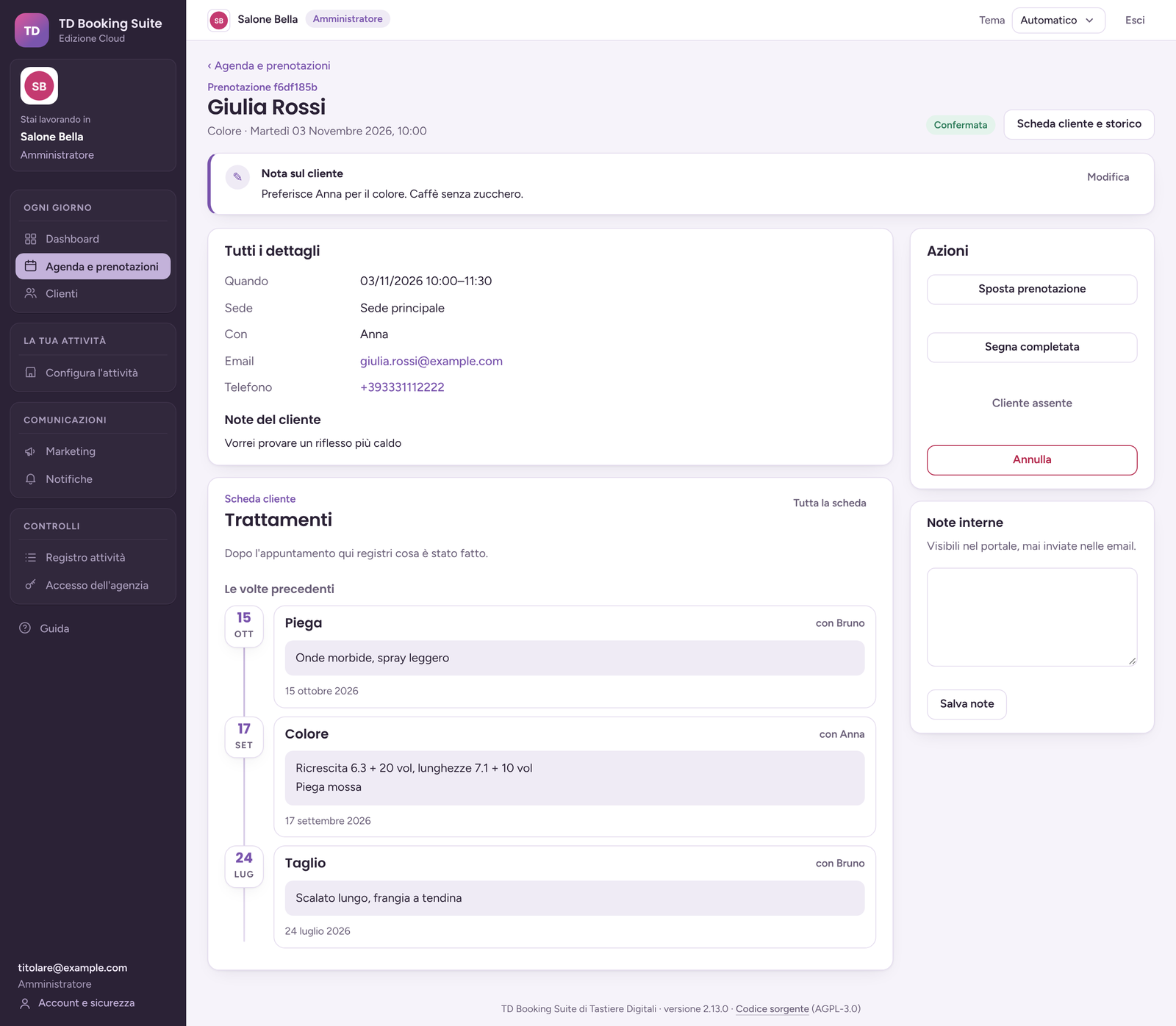 |
Restaurant, tonight — the tables of the day, intolerances in orange.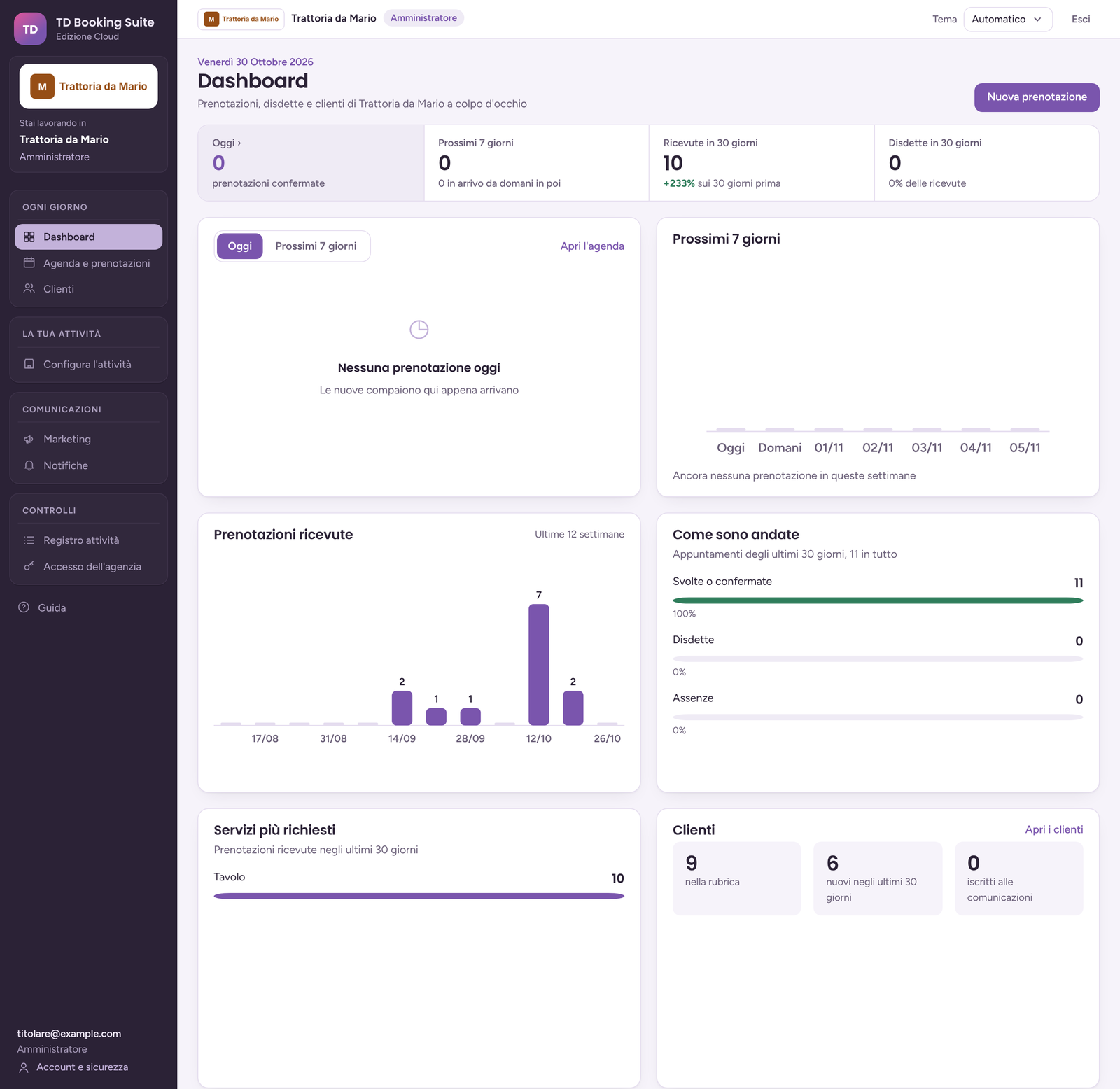 |
Booking page — the 14 EU allergens plus lactose as chips, and the questions of a restaurant.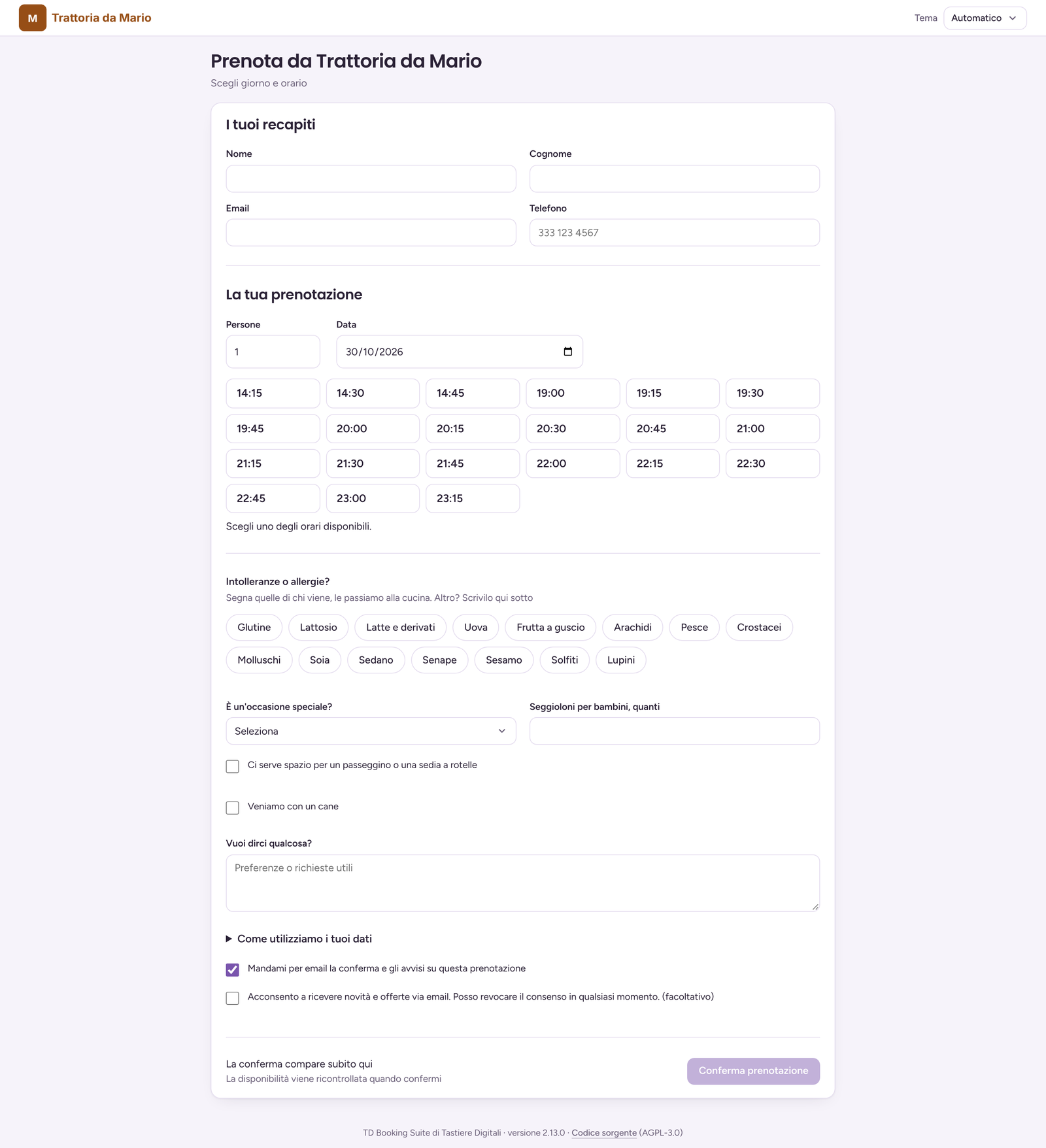 |
Intolerances and allergies — on or off, add and remove items, a preview of what the client sees.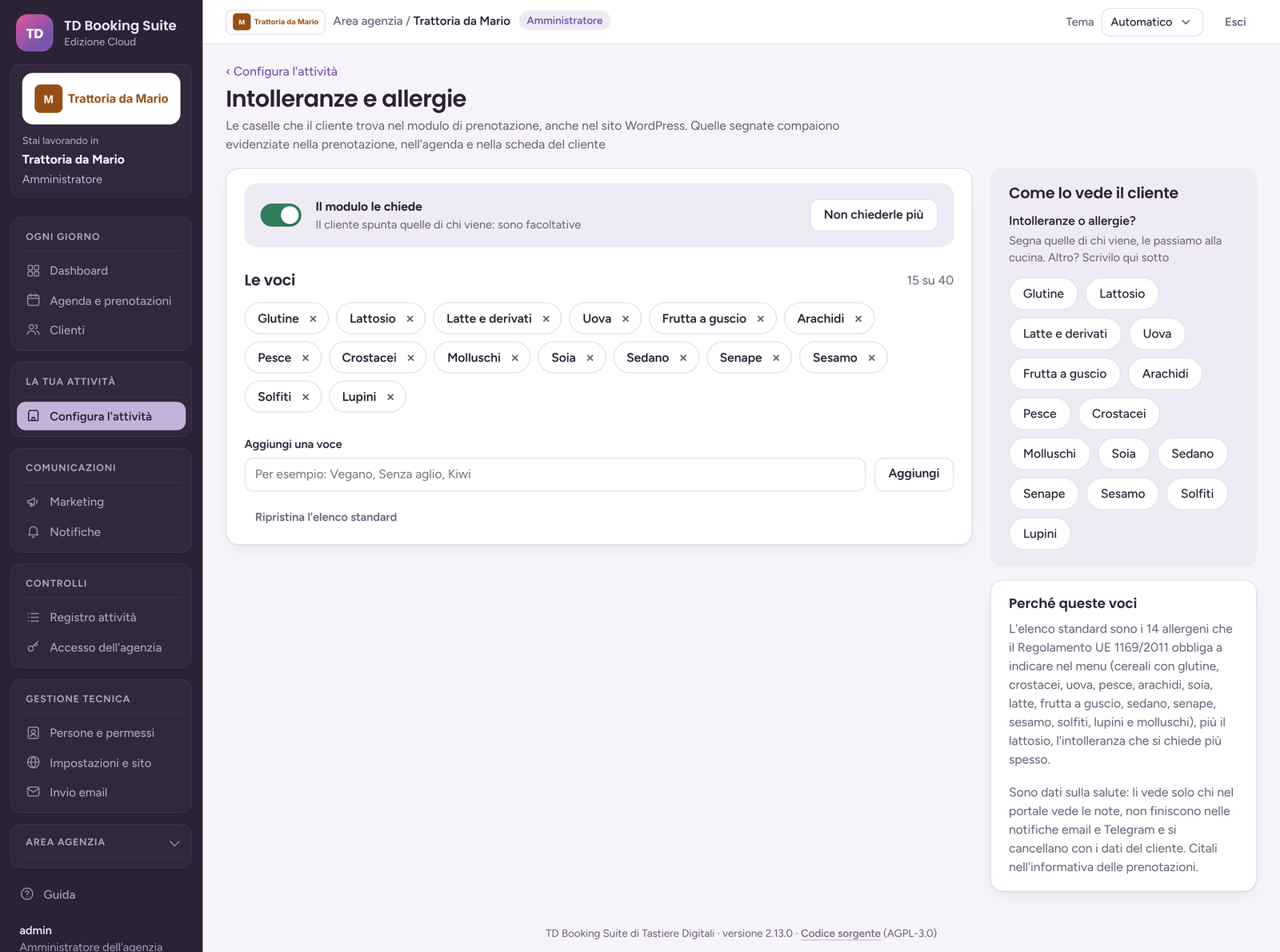 |
Tattoo studio — area, size, colour or black and grey, adults only online.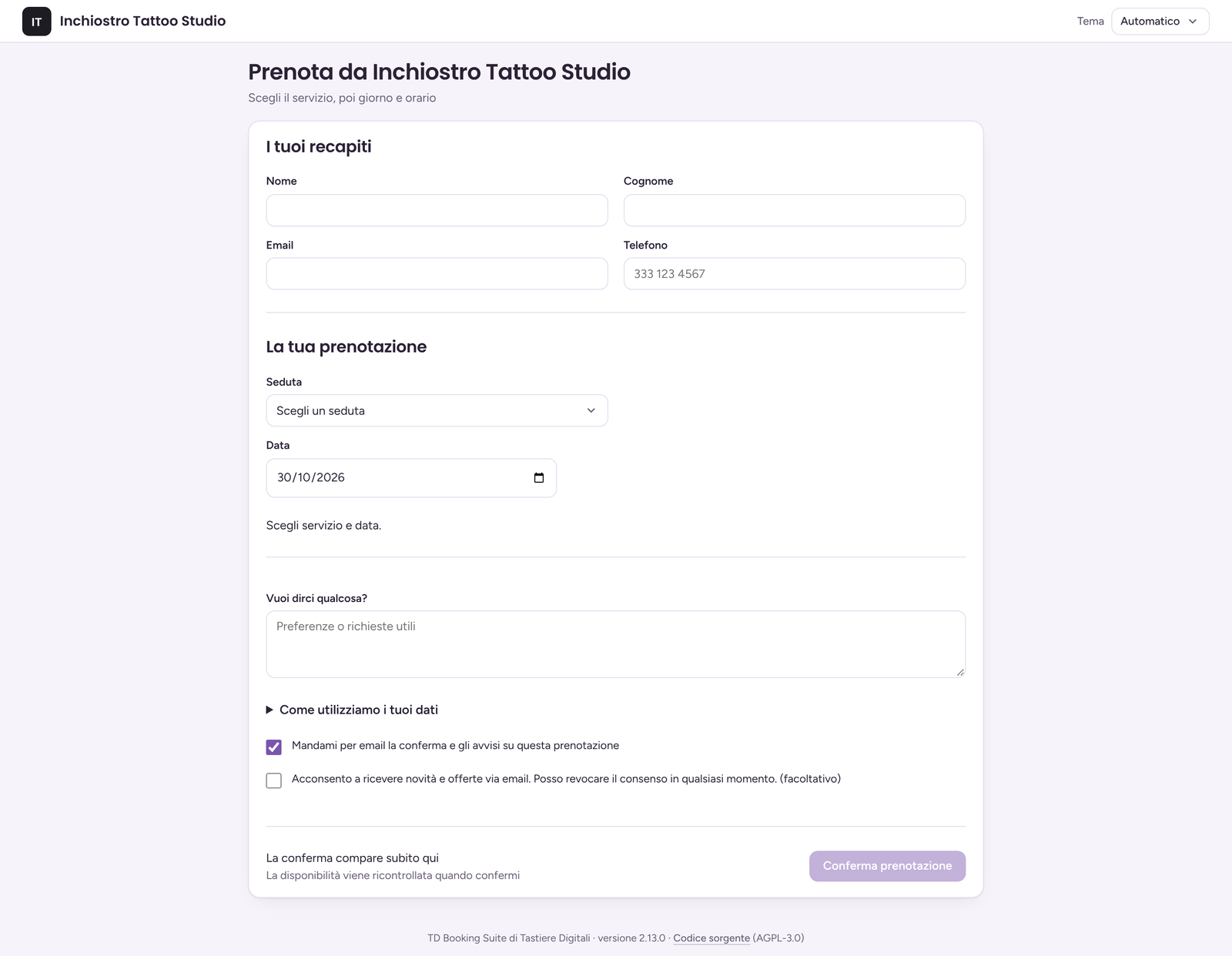 |
Questions — each service has its own: text, number, yes/no, list; optional or required.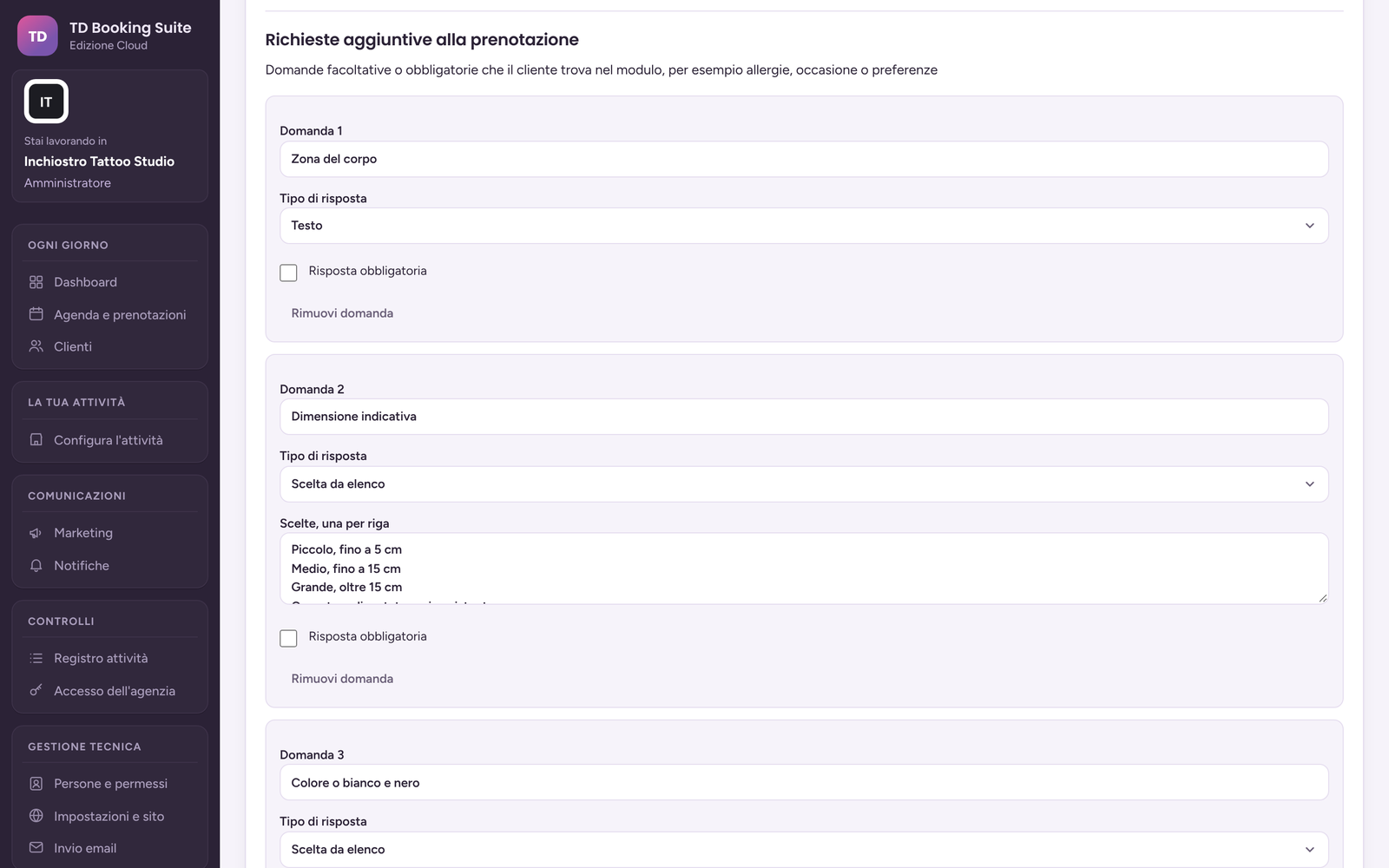 |
Agenda — bookings by period, intolerances in the row, CSV export.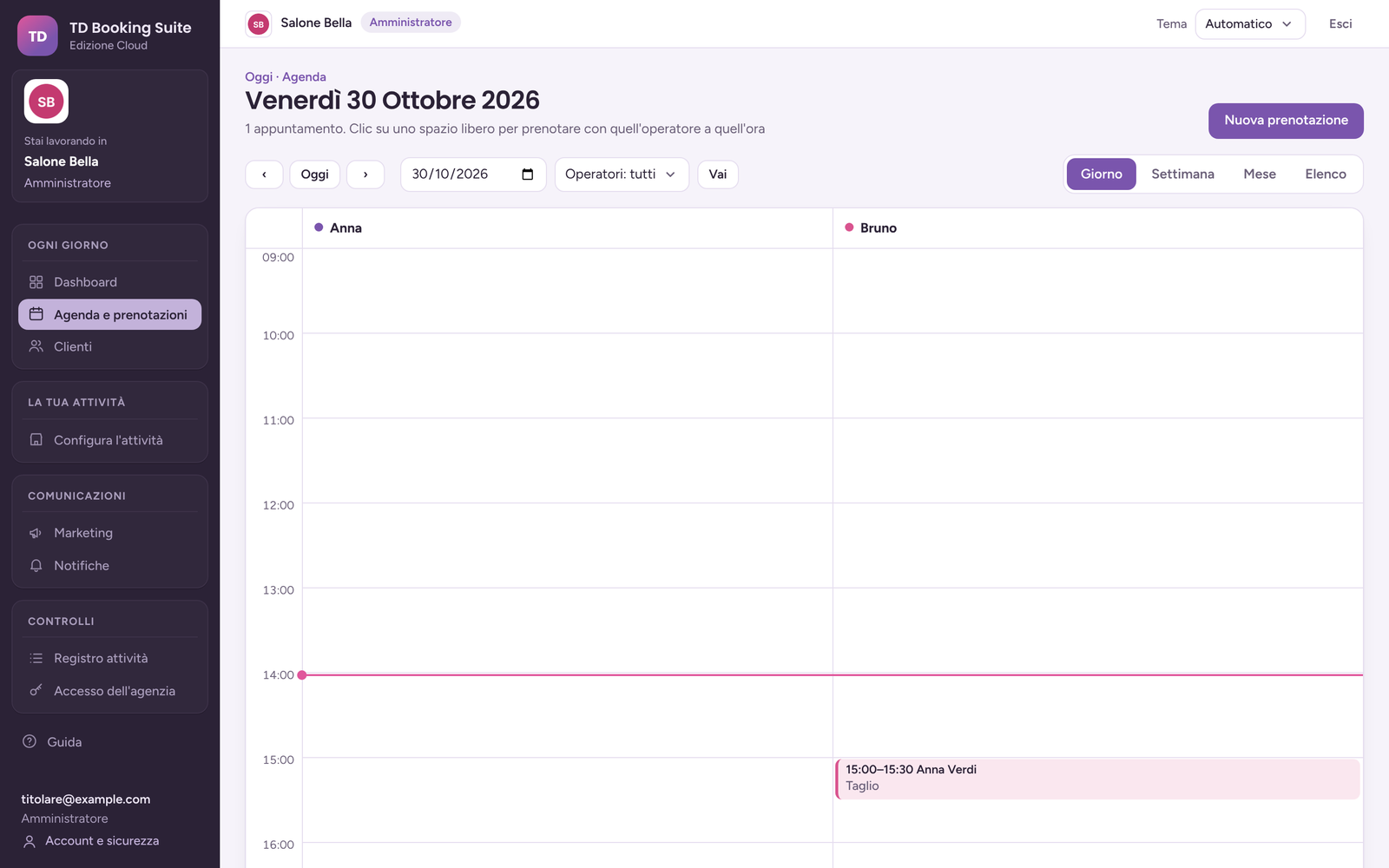 |
Booking at the desk — find the client by name, phone or email, or type a new one.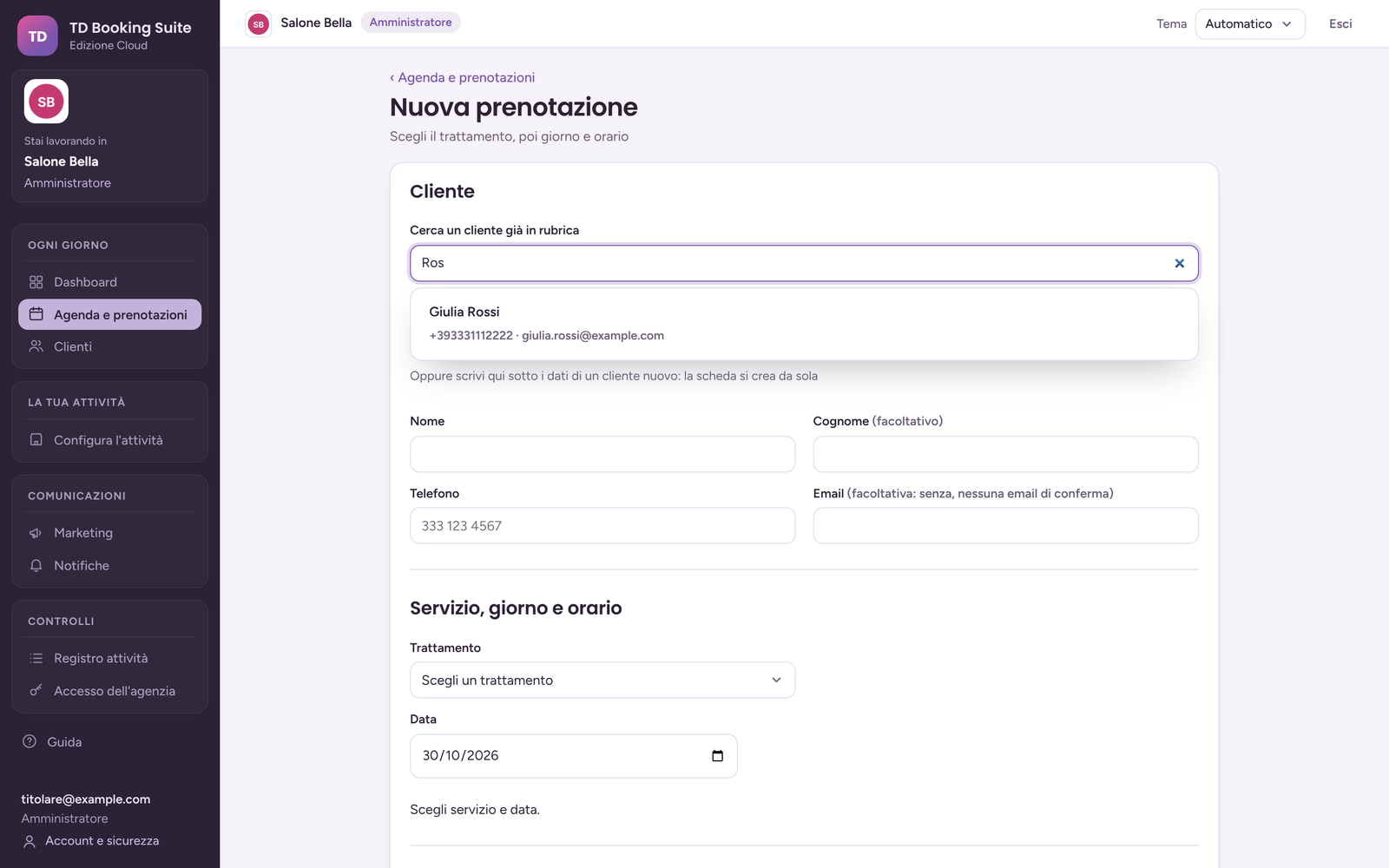 |
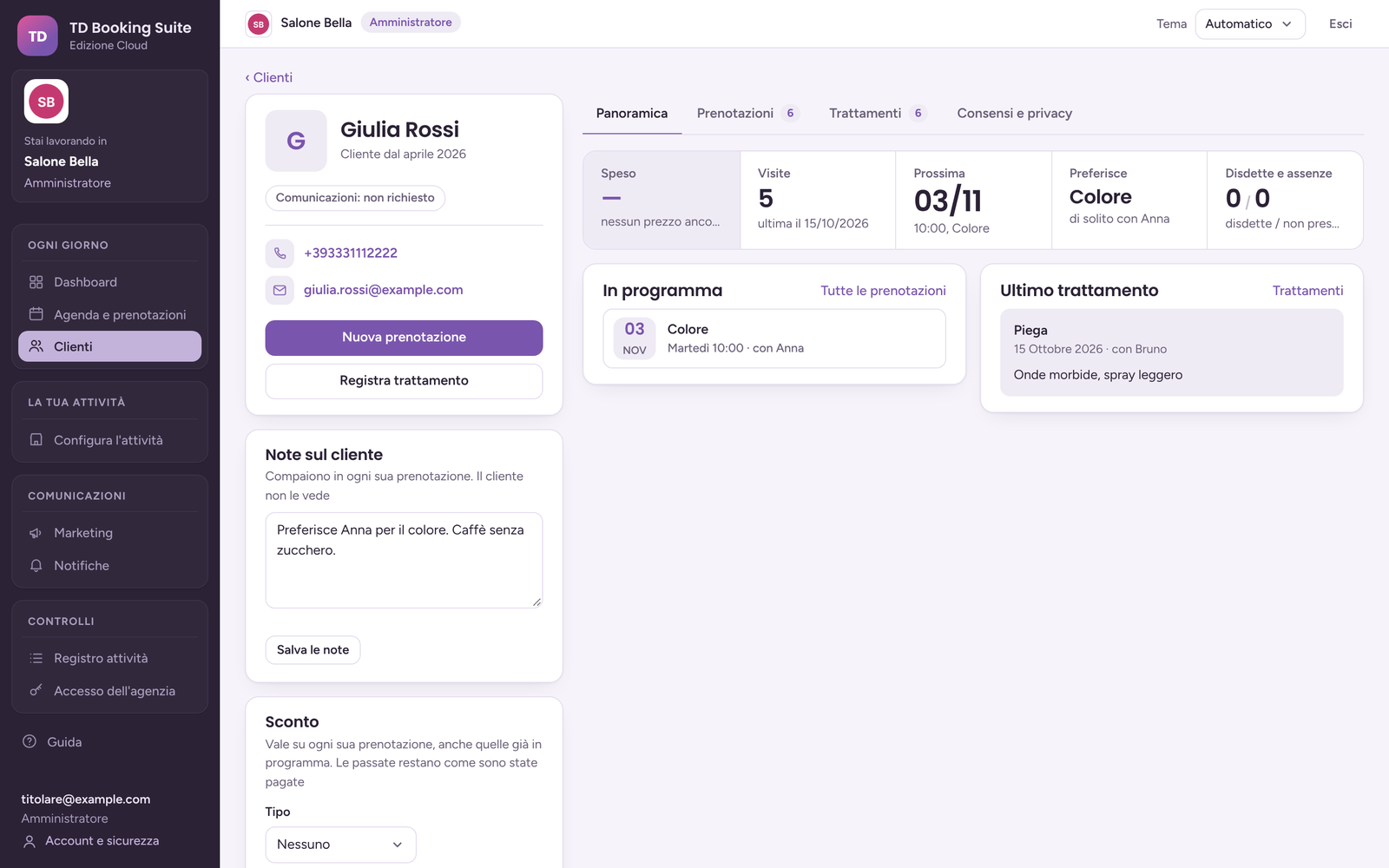
Clients — the address book with visits and the next booking.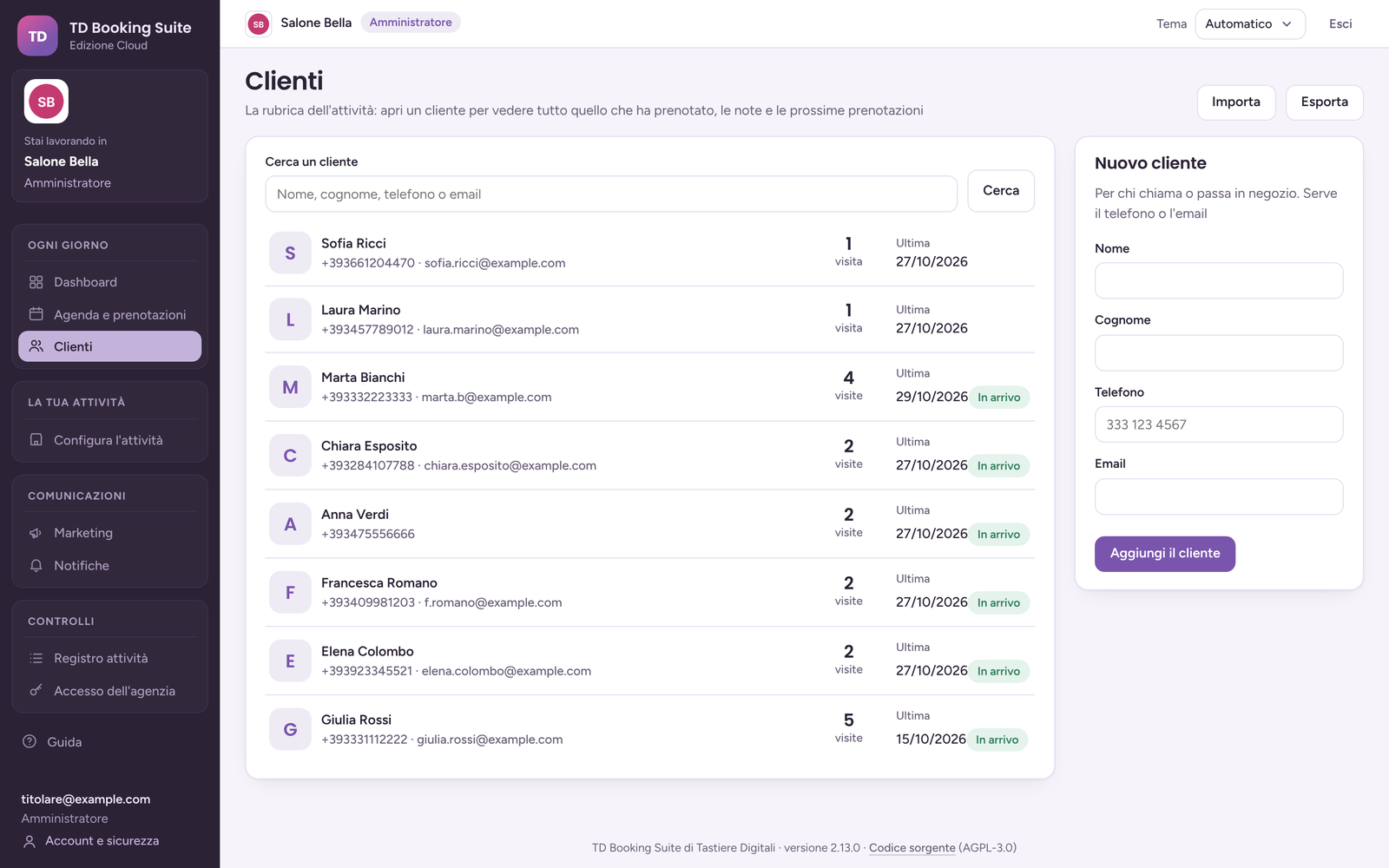 |
Salon dashboard — today, the next 7 days, bookings received, how they went.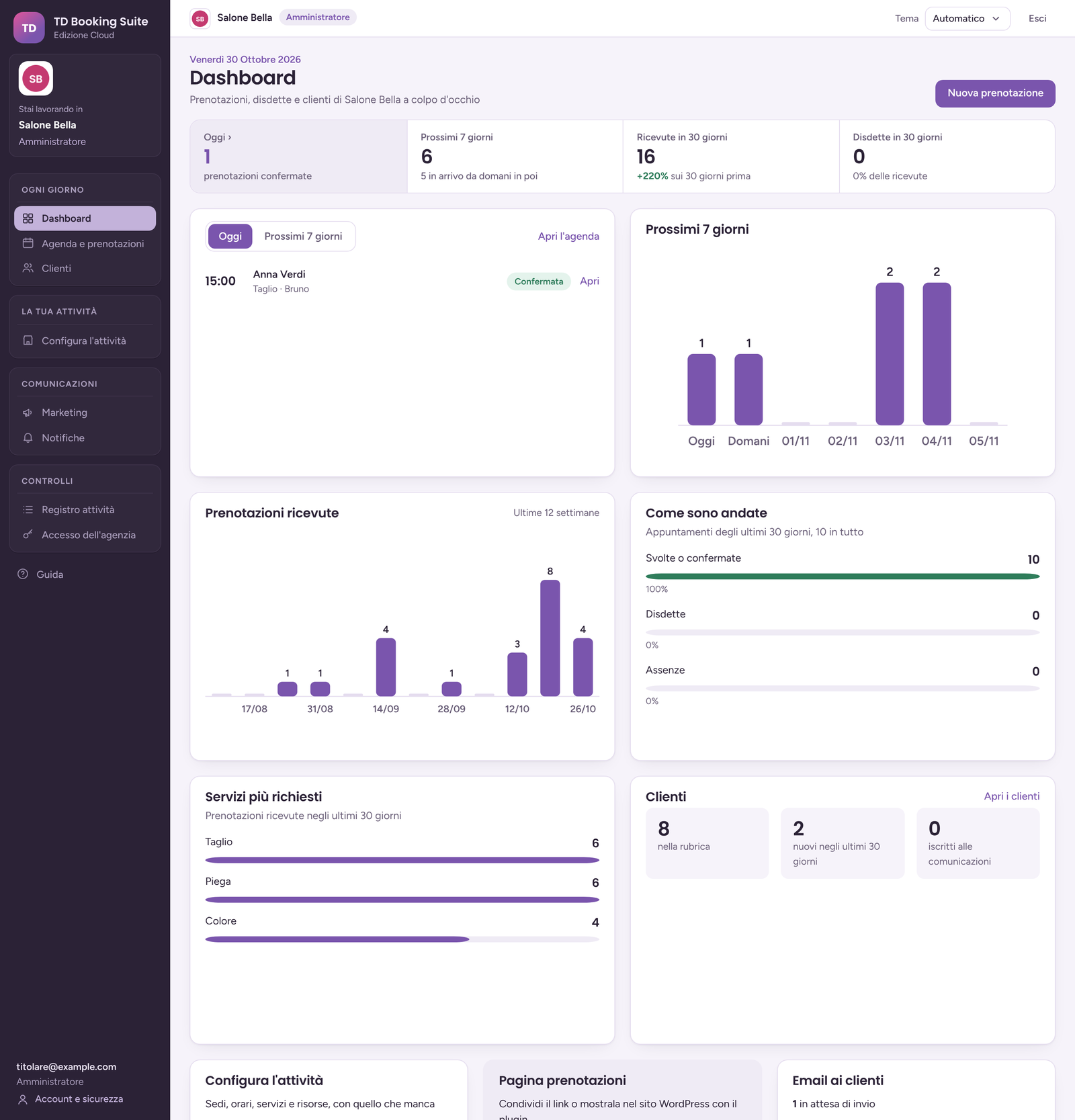 |
Agency — every business at a glance, and what needs attention.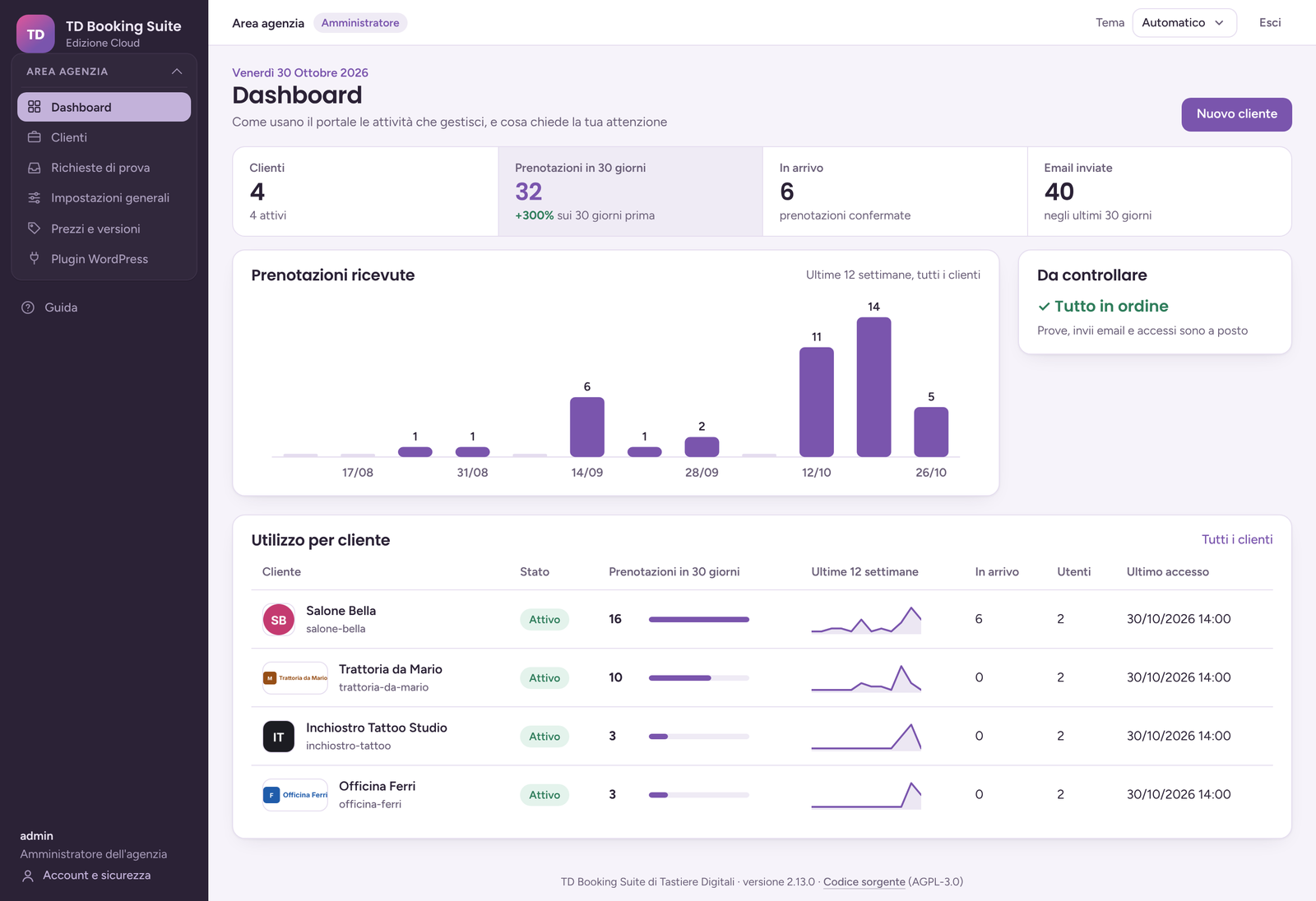 |
Agency clients — logo, sector, contact person, numbers.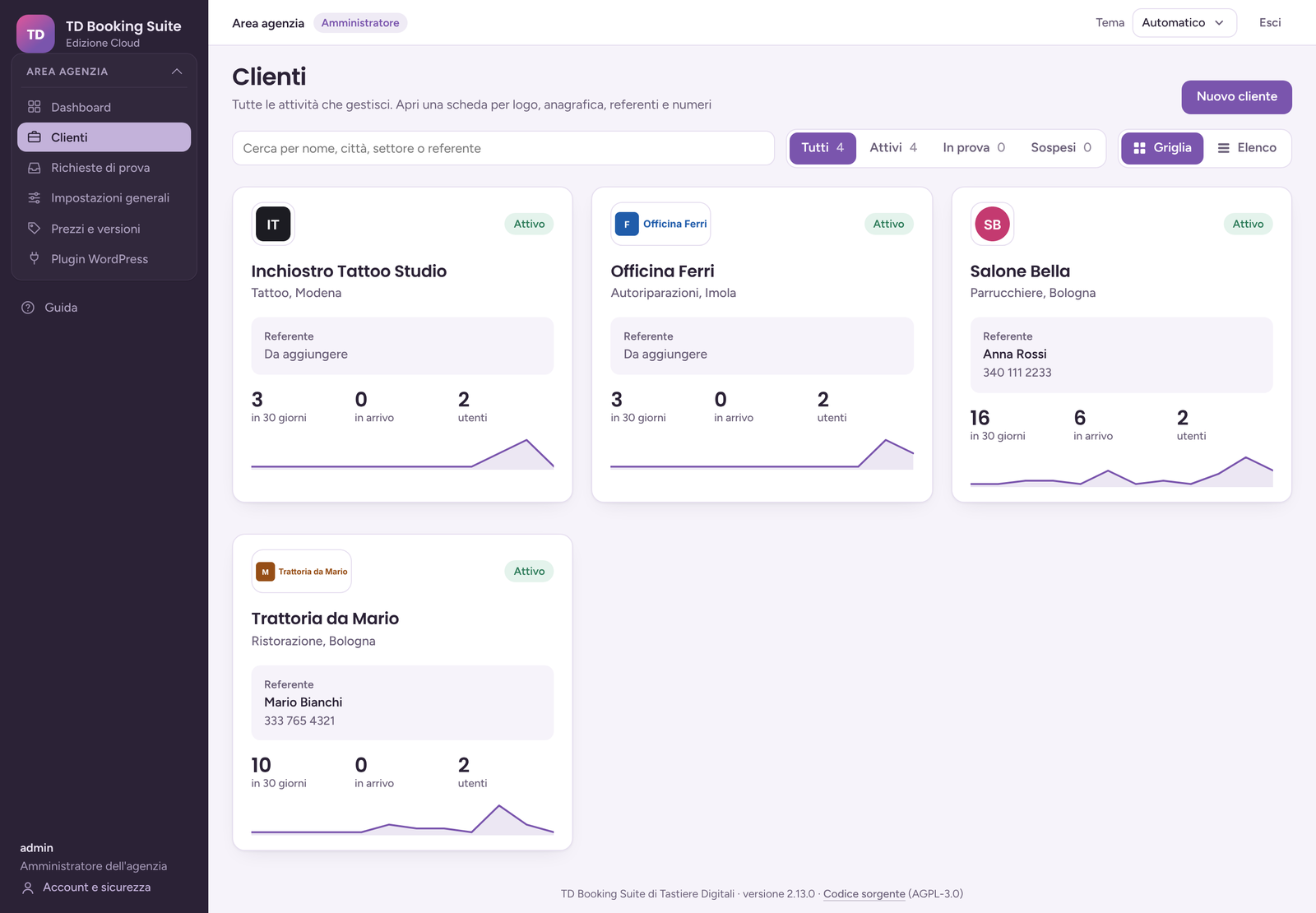 |
Agency client sheet — company data, logo, contacts, setup and usage. Numbers only: the business's clients stay in its portal.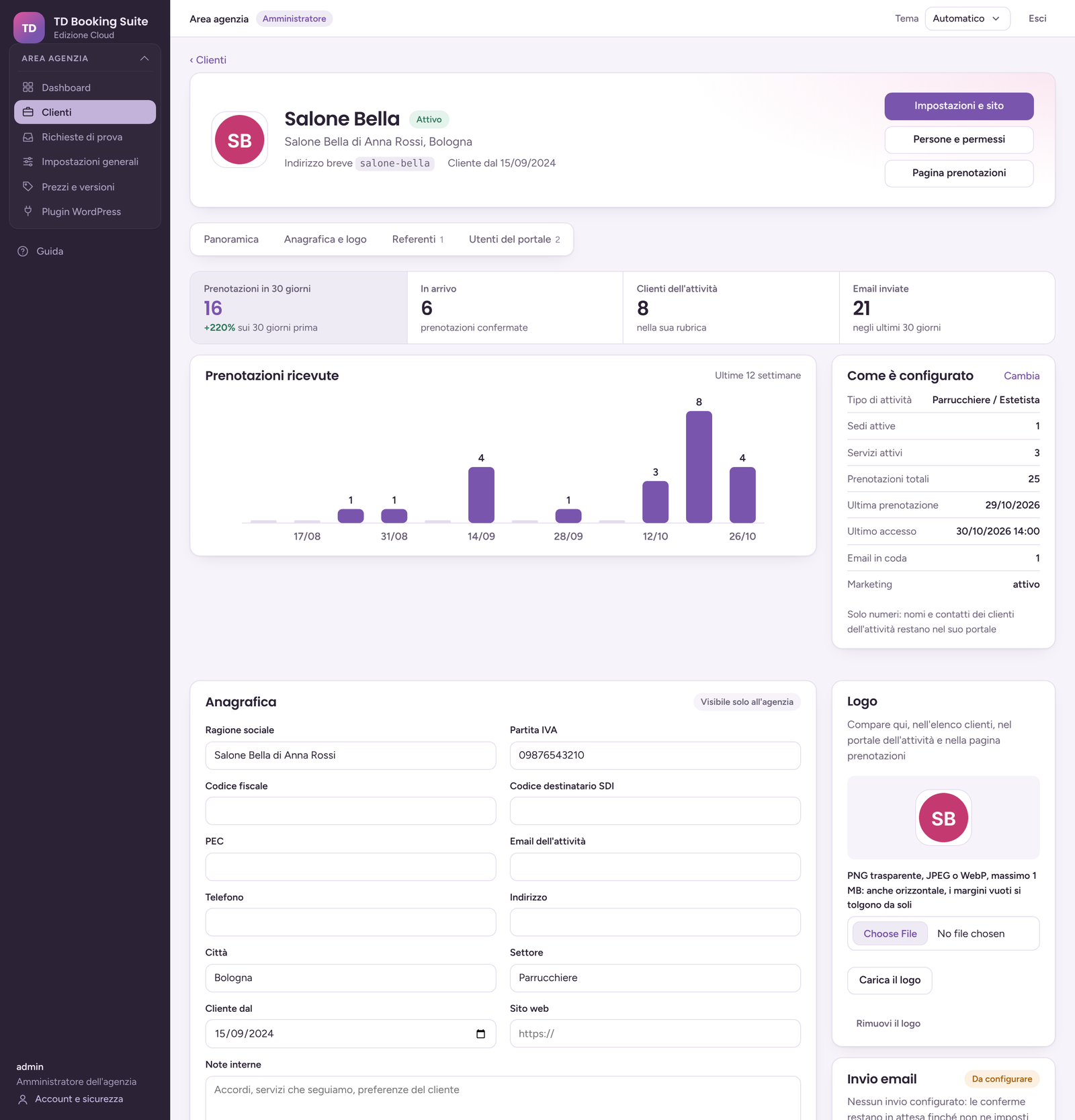 |
Sign in — password, authenticator app or passkey.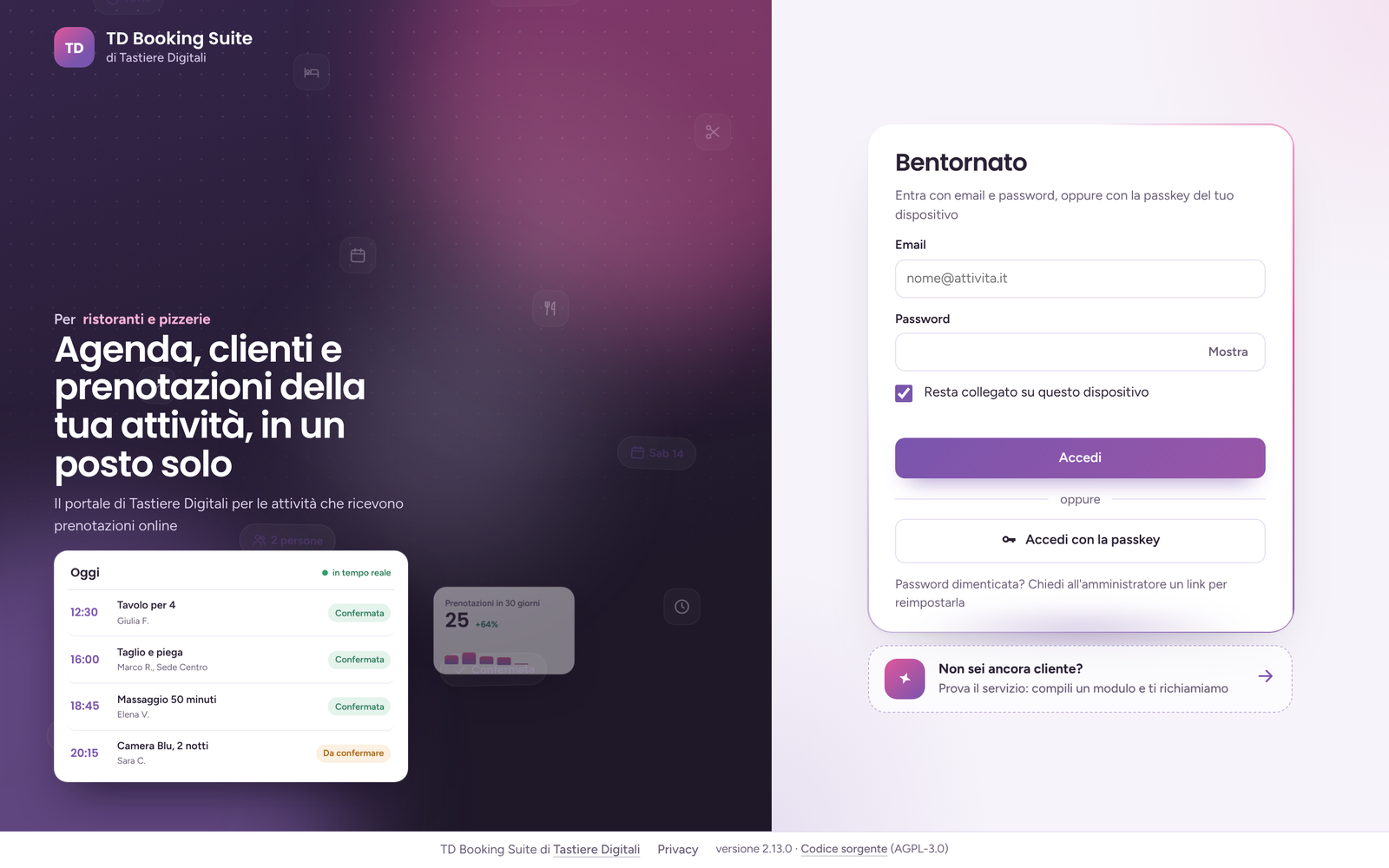 |
Dark theme — automatic, light or dark.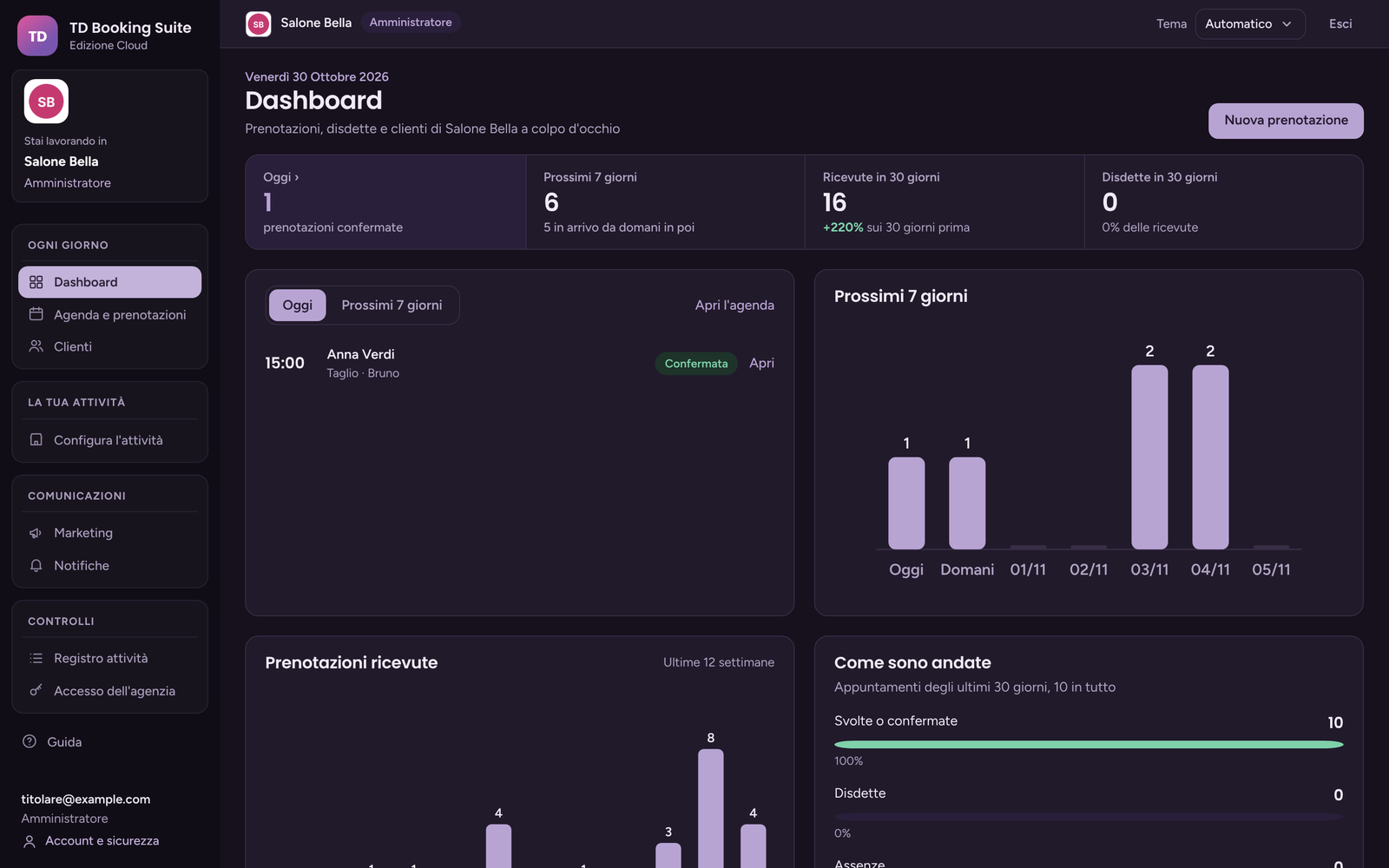 |
On the phone — the client record and the booking page. 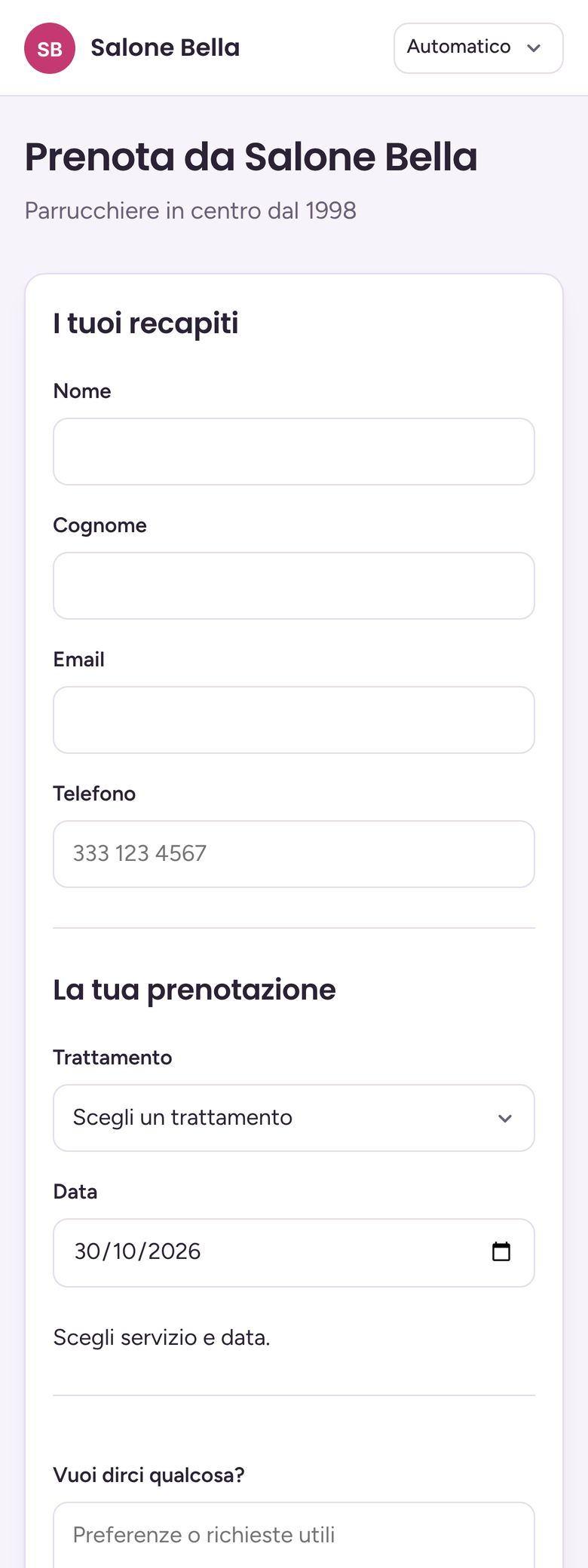 |
The data shown is a demo with made-up names and example.com addresses. The interface is in
Italian.
Features
Booking engine
- Five ways to book: seats per time slot (restaurants, courses, garages), a person's or a resource's agenda (stylists, practitioners, artists, instructors, courts), dates with seats (events, tours), shifts, days and nights (rooms, apartments, rentals).
- Locations, opening hours, closures and special days (for the whole business, a location, a service or a resource), services with duration, step, buffers before and after, minimum notice, how far ahead, online cancellation cutoff, variants, people per booking.
- Availability is checked again when the client confirms; every write takes the same lock, so two clients never get the same slot. A request sent twice is one booking.
- 16 kinds of business ready to start: pick the type and the number of locations, and services, resources, hours and questions are in place, to be adjusted. It can be applied again later: bookings stay.
Client record
- Treatments, sessions, visits, lessons, jobs — the name follows the business: date, what was done, by whom and the details (colour formula, inks and batches, mileage). A timeline by year, newest first, editable. Register treatment from the card or from a past booking, already filled in with day, service, variant and staff member; in the booking the staff member sees the previous times before starting.
- Note on the client in every booking ("prefers Anna", "nickel allergy"): written once on the card, shown at the top of each of their bookings. The client never sees it.
- The card counts visits, shows the next booking, the favourite service and staff member, cancellations and no-shows, every intolerance ever reported.
- The same client, one card: found by email, then by phone. A client added at the desk with a phone number only finds their card again when they book online; two different emails stay two people, even with the same phone.
- Import from the previous program — client list and treatment history from Excel or CSV: pick what each column holds, check the preview, import. Existing cards only get the missing data; marketing consents stay to be confirmed.
Booking page
- A page per business (
/book/<business>/), with its logo, also on the phone. - Questions per kind of business, compared with the vertical tools (Phorest, Fresha, Resy, Tablein, Doctolib, Tekmetric, Booking.com, Viator, Playtomic): occasion, high chairs, pram or wheelchair, dog at the restaurant; first time at the hairdresser; massage pressure at the spa; area, size, style and adults only at the tattoo studio; licence plate, model, mileage, wait or drop off and courtesy car at the garage; arrival time, bed, cot and pets at the hotel… No health questions online, apart from the restaurant's allergens.
- Intolerances and allergies for restaurants, edited by the business; health data seen only by who reads the notes, never in notifications, erased with the client's data.
- Confirmation email with a link to manage or cancel the booking.
- WordPress plugin: connect the site with a one-time code, a Book page is created with
[td_booking_suite]; shortcodes for one location or one service; the frame follows the height of the form.
Business portal
- Dashboard, agenda, bookings at the desk, clients, CSV export, marketing campaigns with confirmed consent and one-click unsubscribe, notifications to staff by email and Telegram (without notes, answers or allergies), activity log.
- People and roles: administrator, location manager, reception, location operator (only their own agenda and locations), marketing, read-only.
- Mail through the business's own SMTP, Gmail or Microsoft 365, or the agency's; an outbox with retries.
Agency area
- Clients with logo, company data, contacts and usage numbers — never the business's clients.
- Portal name, logos for light and dark backgrounds, colour, sign-in page texts, agency mail.
- Trial requests from the sign-in page, public pricing and "why us" pages (off until enabled), WordPress plugin download.
- Support access granted by the business, time-limited and logged: without it the agency manages only the technical side.
- Two editions in the same code: Cloud (many businesses) and Private (one business). It can be switched both ways.
Security and privacy
- Client data encrypted with AES-GCM and a key per business; email and phone looked up through keyed indexes.
- PostgreSQL row-level security on every business table (forced, also for the table owner), and foreign keys that cannot point to another business's rows.
- Two-step verification with authenticator app or passkey, recovery codes, password confirmation for sensitive pages, rate limits, audit log.
- GDPR export and erasure per client, retention rules per business, key rotation, encrypted backups.
- Nightly automatic update of Python, Debian, libraries and PostgreSQL 17.x, with a backup first and an automatic rollback if the new version fails its tests.
Requirements
- A Linux server with Docker and Docker Compose (an LXC container on Proxmox works, with nesting and keyctl on).
python3withpython3-cryptographyon the server, to create the configuration.- A reverse proxy with HTTPS in front (NPMplus, Nginx Proxy Manager, Caddy, Traefik…).
| Port | Protocol | What |
|---|---|---|
TDBS_PORT (default 8085) |
TCP | the portal, behind the reverse proxy |
The database and the mail worker stay on the internal Docker network. Allow port 8085 only from the proxy's address.
Installation
git clone https://github.com/Giuseppe-sciarra/TD-Booking-Suite.git /opt/td-booking-suite
cd /opt/td-booking-suite

# 1. Configuration: creates .env with every key (keep a copy in your password manager)
python3 scripts/configure.py --edition cloud --origin https://booking.example.com

# 2. Build, database, start
docker compose build
docker compose up -d db
docker compose --profile tools run --rm migrate
docker compose up -d

# 3. First agency administrator
docker compose run --rm web python manage.py bootstrap --email admin@example.com

# 4. Backup key and nightly automatic update
python3 scripts/backup_crypto.py keygen /root/tdbs-backup.key
bash scripts/installa-aggiornamento.sh
Copy /root/tdbs-backup.key to your password manager, apart from .env: without it the backups
cannot be read and the automatic update does not start.
Point the proxy at http://<server>:8085, with HTTPS. --origin must be the address users open
in the browser. --edition private gives the single-business edition.
.env holds the keys that encrypt the clients' data: lose it and that data cannot be read,
not even from a backup.
The complete guide, in Italian, is in INSTALLAZIONE.md: reverse proxy, first business and WordPress site, nightly encrypted backups and restore, retention, updates, switching edition, troubleshooting.
Updating
cd /opt/td-booking-suite
git pull
docker compose build
docker compose --profile tools run --rm migrate
docker compose up -d --remove-orphans
Back up first, and read the CHANGELOG of the new version.
Or every night, by itself: bash scripts/installa-aggiornamento.sh schedules scripts/aggiorna-tutto.sh
(systemd timer, or cron). It takes the latest Python 3.12 image with its Debian packages, every Python
library at its latest version (within the limits in requirements.in) and the latest PostgreSQL 17.x. It
makes an encrypted backup first, tests the new version inside its container, rolls everything back by itself —
database included — if something breaks, and emails a summary. It never touches the TD Booking Suite code and
never looks at GitHub: you install a new version yourself, with the commands above. Details in
INSTALLAZIONE.md, step 13.
Stack
Python 3.12, Django 5.2, PostgreSQL 17, Gunicorn, WhiteNoise; plain JavaScript and CSS, no
frontend framework or bundler. WordPress plugin in PHP. Tests with pytest (pip install -r requirements-dev.txt,
then pytest; the row-level security tests run on PostgreSQL).
Documentation
INSTALLAZIONE.md— installation and operations, step by step (Italian).CHANGELOG.md— what changed in each version (Italian).SECURITY.md— how to report a vulnerability.THIRD-PARTY.md— third-party components and their licences.- The Guide inside the portal — every page explained, for the agency and for the businesses.
wordpress/td-booking-suite/— the WordPress plugin.
Licence
TD Booking Suite is free software released under the GNU Affero General Public License v3.0 or
later. If you run a modified version for other people over a network, you must offer
them its source code. The WordPress plugin in wordpress/td-booking-suite/ is released under the
GNU General Public License v2.0 or later, like WordPress. Third-party components keep their own
licences (THIRD-PARTY.md).
Copyright © Giuseppe Sciarra — Tastiere Digitali
Support the project
If TD Booking Suite is useful to you, you can support its development with a donation:
Bug reports and pull requests are welcome.