
Tide Commander
The visual AI build suite for a new generation of creators.
Turn ideas into software, automations, workflows, documents, data tools, and 3D projects—without living inside an IDE.
Claude Code · Codex · OpenCode · Grok · Pi






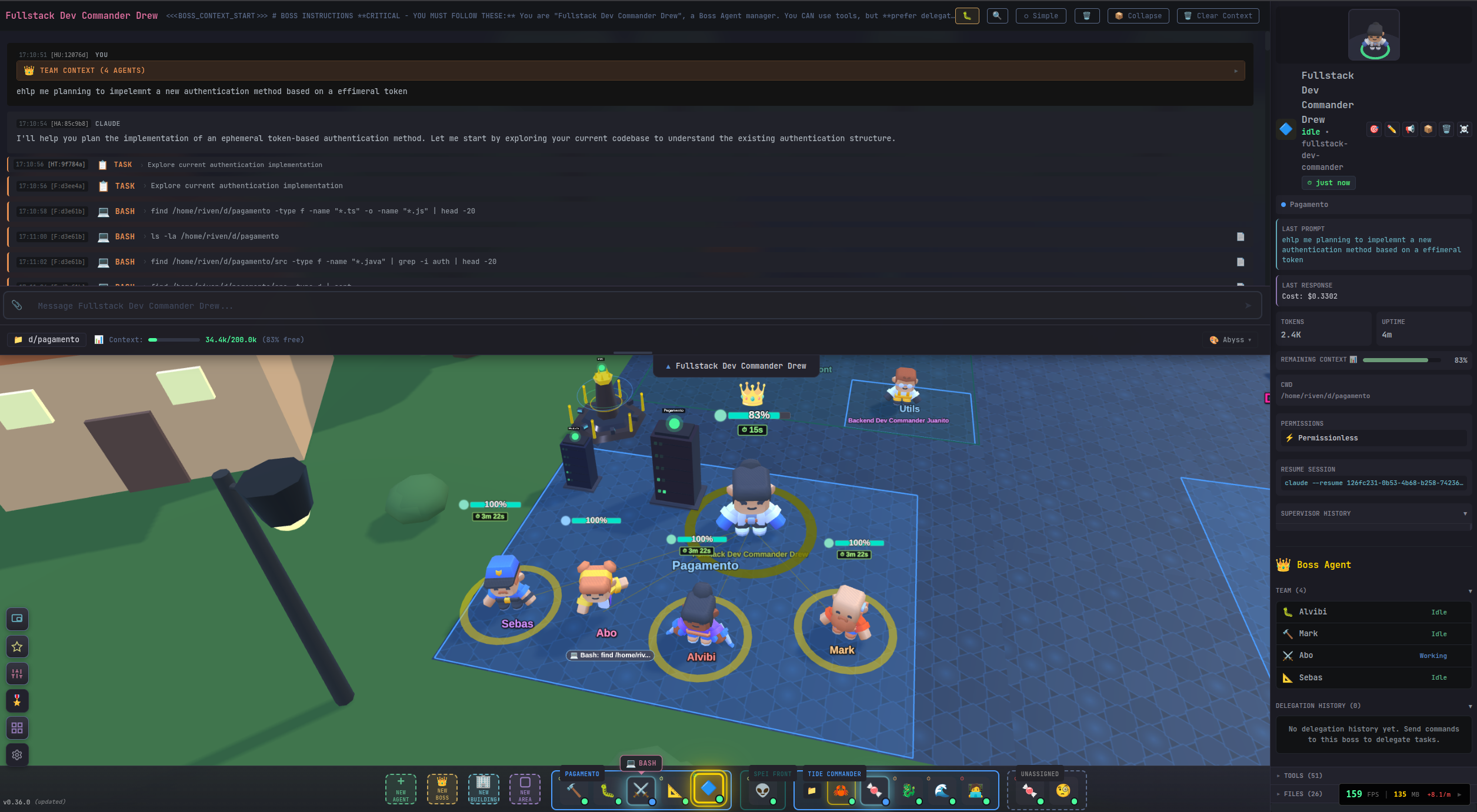
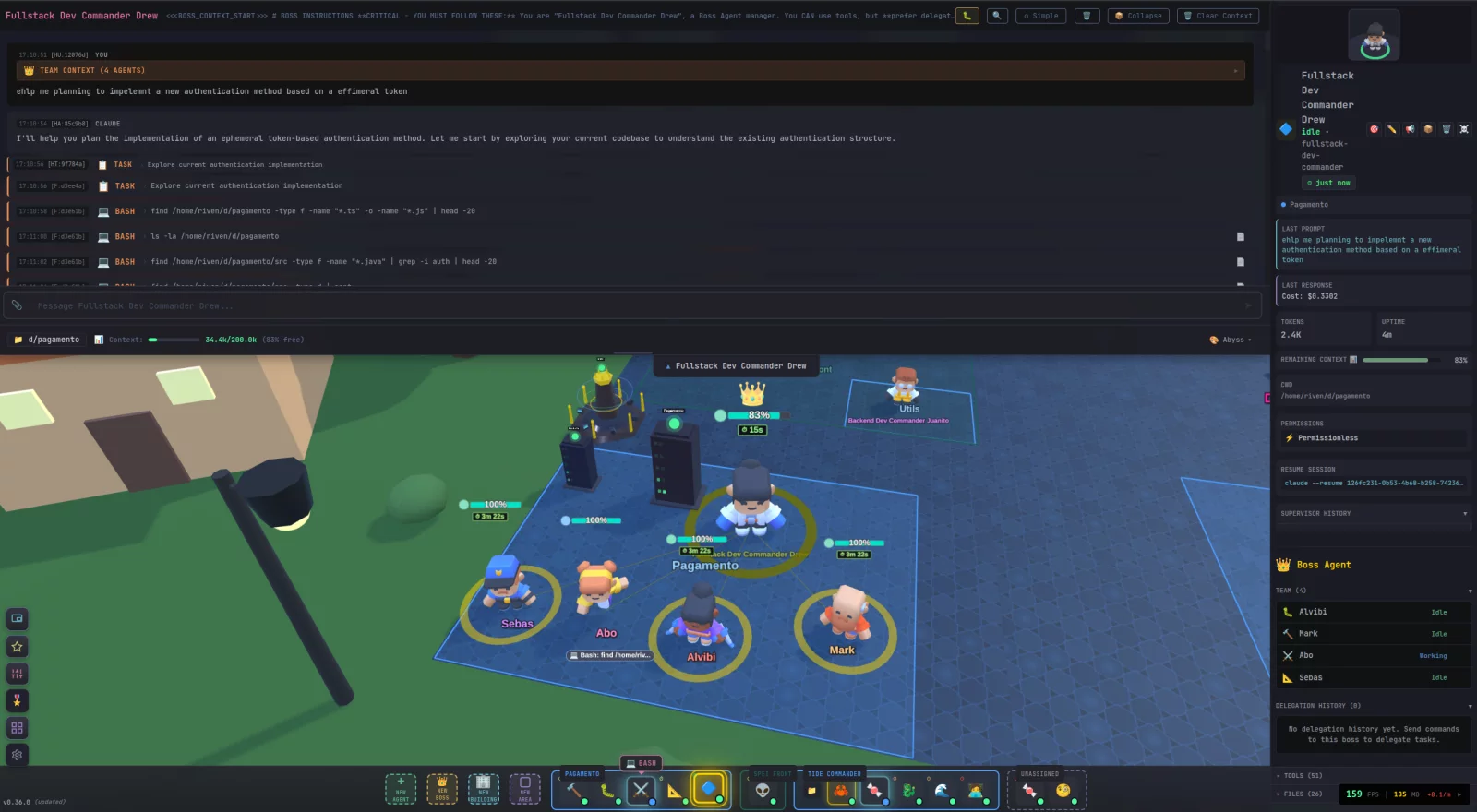
More than an agent manager. More than an IDE. Tide Commander is a complete build environment designed around teams of AI agents. Every character is a real process working on real project files with native tools, credentials, context, and session history.
Traditional creation tools split the work across an IDE, terminal multiplexer, Git client, file browser, automation canvas, infrastructure dashboard, and a growing pile of AI chats. Tide Commander brings those surfaces together so you can move from intent to finished output in one place.
You do not have to live in code to use it. Start with natural language and visual controls; open the exact files, commands, diffs, data, or infrastructure only when you want deeper control.
⚡ Run it in 30 seconds
npx tide-commander@latest
Open http://localhost:6200. If Claude Code, Codex, OpenCode, Grok, or Pi is already installed and authenticated, you are ready to spawn your first agent.
Prefer Bun? Use bunx tide-commander@latest.
Why creators use Tide Commander
Traditional IDEs were designed for one person editing one file at a time. AI-native creation is different: multiple agents can research, plan, build, test, document, automate, and operate in parallel. Tide Commander is a workspace for that shift—a visual build suite where you direct the outcome while the team handles the execution.
For solo creators, founders, researchers, operators, engineers, product teams, and anyone who builds with AI.
✨ Create from intentStart with the outcome you want. Spawn specialists, give them context, and let boss agents coordinate the work. |
👀 See the work happenFollow tool calls, PTY output, background jobs, queues, context usage, and blockers live instead of watching silent spinners. |
🛠️ Replace tool switchingWork with files, source, Git, tests, documents, data, terminals, services, and rich previews in the same build suite. |
🔀 Use the right harnessMix Claude, Codex, OpenCode, Grok, and Pi in one team—and migrate a conversation when another runtime fits better. |
⚙️ Automate the repeatableBuild workflows and triggers, connect your services, or add local plugins and slash commands that bypass the LLM. |
📱 Pick up anywhereReconnect to the same server-side sessions from desktop, mobile, Android, or the browser extension. |
Everything you need to create
| 🎯 Orchestration Boss/subordinate teams, delegation reports, project areas, task labels, tracking boards, agent memory, prompt stacking, skills, and runtime migration. |
📡 Observability Structured tool cards, streamed PTY commands, a live background-task rail, server-side message queues, interrupts, context gauges, account limits, and reconnect recovery. |
| 📁 Unified build workspace Multi-root file explorer, source editing, Git status/diffs/history, branch comparison, project-wide filename/content search, tests, and @file / @folder / @agent context. |
🧩 Extensibility Trusted plugins, slash commands, shell scripts, workflows, webhooks, integrations, custom skills/classes/models, REST API, WebSocket API, and browser automation. |
| 🖼️ Rich previews Markdown, Mermaid, PlantUML, Office documents, spreadsheets, archives, images, PDF, audio/video, STL, GLB, FreeCAD, and G-code. |
🌐 Flexible UI 3D, 2D, Flat, Dashboard, Commander, and Guake views; Android support; custom themes, shortcuts, sounds, haptics, and 10 UI languages. |
🤖 Bring your favorite AI harness
Use different harnesses side by side—even inside the same project. Tide Commander normalizes their event streams into one conversation, tool, status, context, and file-diff experience without hiding each provider's native sessions or strengths.
| Harness | Required command | Default runtime | Optional persistent/streaming mode |
|---|---|---|---|
| Claude Code | claude |
Headless stream-json process with stdin follow-ups |
Interactive Claude TUI in tmux; general tmux mode can preserve processes across Commander restarts |
| Codex | codex |
codex exec --experimental-json with native session resume |
Persistent codex app-server for token streaming, detached turns, reconnect, and native thread forking |
| OpenCode | opencode |
opencode run --format json with session resume |
Persistent opencode serve daemon with streaming and restart recovery |
| Grok | grok |
Headless streaming-json with native resume |
Model/effort selection, account profiles, context tracking, and usage gauges |
| Pi | pi |
pi --mode json NDJSON sessions |
Persistent pi --mode rpc with mid-turn steering, native /compact, live model/provider switching, and tmux reconnect |
Persistent modes are opt-in under Settings → General. Pi can use any model provider loaded by Pi—for example Anthropic, OpenAI Codex, xAI, Gemini, Copilot, OpenCode Go, or a local provider—and Tide displays the active model provider separately from the Pi harness.
Switch harness without throwing the conversation away
The agent editor can change any agent to any supported harness:
- Smart Context — a compact hand-off fitted to the target context window
- Visible Transcript — a budgeted readable copy of the conversation
- Fresh Start — change the runtime without importing conversation content
Claude, Codex, Grok, and Pi have writable native session stores and support imported context. OpenCode can be selected with Fresh Start. Every provider can be the source of a migration. Tide validates the new session, reports imported/dropped content, archives the original, and provides rollback through session history.
📦 Installation and CLI
Requirements
- Node.js 18+ (Node.js 22 is used in CI), or Bun for
bunx - At least one supported AI agent CLI installed and authenticated:
claude,codex,opencode,grok, orpi - Optional:
tmuxfor process persistence, Pi RPC restart recovery, and Claude interactive TUI mode
Run without installing
# Bun
bunx tide-commander@latest

# Or npm
npx tide-commander@latest
Open http://localhost:6200.
Install globally
npm install -g tide-commander@latest
tide-commander start
The server starts in the background by default:
tide-commander start                 # Start in background
tide-commander start --foreground    # Keep attached to this terminal
tide-commander stop
tide-commander status
tide-commander logs
tide-commander logs --follow
tide-commander version
Common server options:
tide-commander start --port 8080 --host 127.0.0.1
tide-commander start --listen-all --port 8080
tide-commander start --restart
tide-commander start --https --tls-key ./certs/key.pem --tls-cert ./certs/cert.pem
tide-commander start --install-local-cert --https
tide-commander start --https --generate-auth-token
Run tide-commander --help for the complete CLI reference.
🔒 Remote Access and HTTPS
Tide Commander executes local tools and exposes project files, so use HTTPS/WSS and an auth token whenever it is reachable beyond localhost.
tide-commander start \
  --listen-all \
  --https \
  --install-local-cert \
  --generate-auth-token
You can also serve HTTP and HTTPS from the same process. PORT keeps the plain listener and HTTPS_PORT adds TLS; both listeners share the same agents and WebSocket clients.
PORT=6200 \
HTTPS_PORT=6201 \
TLS_KEY_PATH=~/.tide-commander/certs/localhost-key.pem \
TLS_CERT_PATH=~/.tide-commander/certs/localhost.pem \
tide-commander start
This is useful when localhost can stay on HTTP while a phone or another computer needs a secure context. If HTTPS=1 is used without HTTPS_PORT, HTTPS replaces the plain listener.
Notes:
--install-local-certusesmkcertand stores certificates in~/.tide-commander/certs/.- Add LAN or VPN addresses to the certificate SAN list when remote clients use those addresses.
- Keep generated auth tokens in a password manager.
- HTTPS protects transport;
AUTH_TOKENcontrols access. Use both remotely.
🎖️ Core Concepts
Agents, bosses, and delegation
Every character is a real AI harness process with its own working directory, provider, model, session, prompt stack, memory, permissions, skills, context usage, and task state. A boss can own subordinate agents, choose specialists, send tasks through the Tide Commander API, wait for reports, and summarize the team's progress.
Task labels and tracking states make the work visible outside the chat. Agents can report that they are thinking, working, blocked, waiting for subordinates, ready for review, or safe to clear from context.
Areas
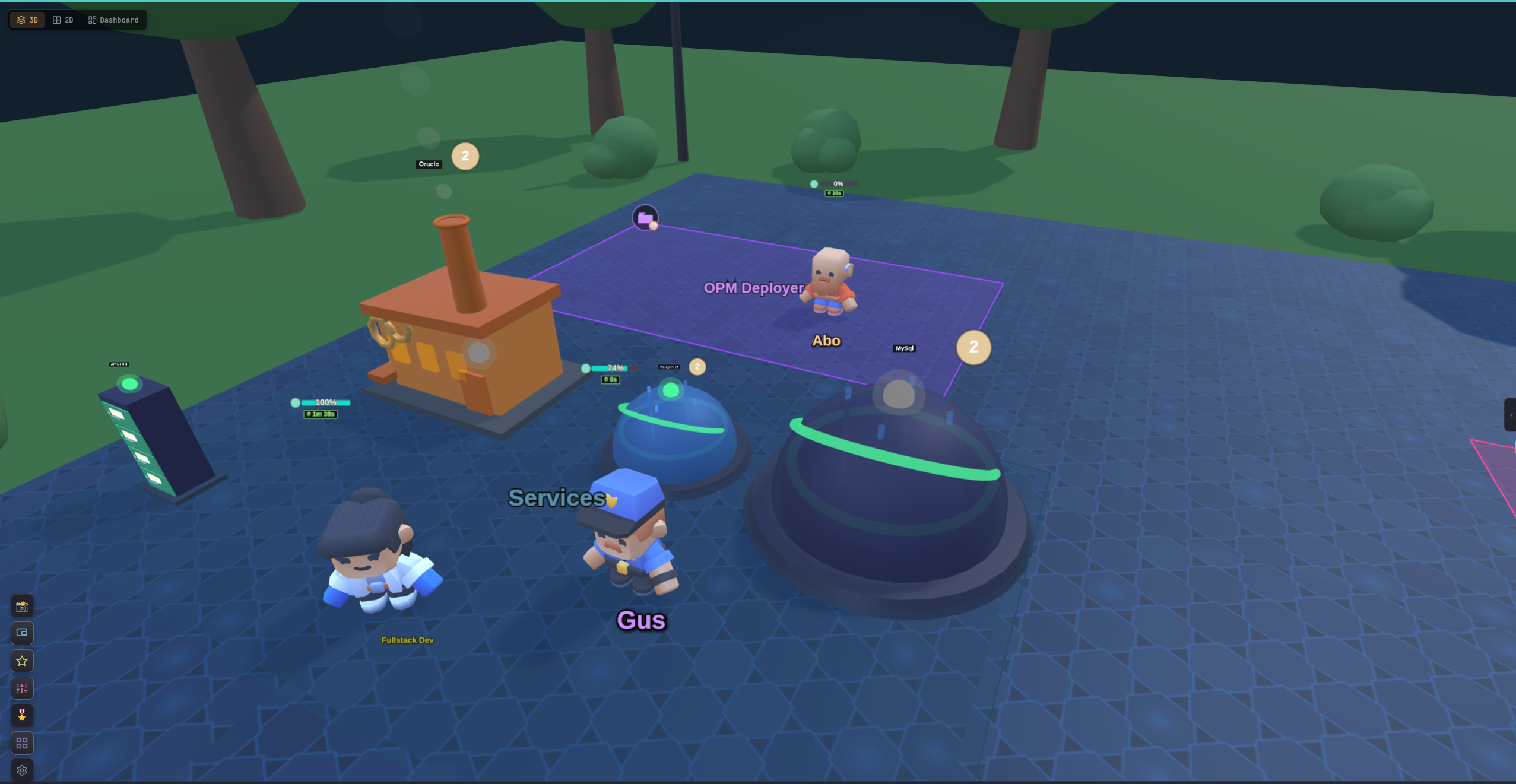
Rectangle or circular areas organize agents by project or responsibility. Areas can own multiple project folders, add area-specific instructions to agents inside them, expose an instant tmux terminal rooted in the project, and group agents in Commander and Flat views. Finished areas can be archived and restored without deleting their agents.
Agent classes and custom models
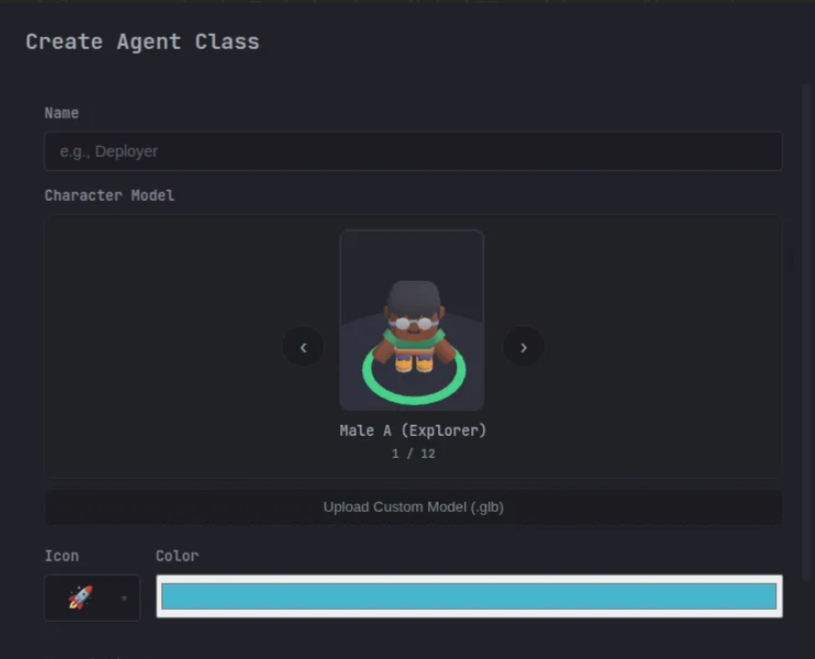
Classes bundle a role, model, instructions, and default skills. Tide includes Scout, Builder, Debugger, Architect, Warrior, Support, and Boss classes. Custom classes can use uploaded GLB character models with scale, offsets, and idle/walk/working animation mappings.
Prompt stacking and memory
Instructions are composed in layers:
- Tide Commander base rules
- Global system prompt
- Area prompt
- Agent-class instructions
- Individual agent instructions
- Assigned skills, identity, and persistent agent memory
This lets you define organization-wide conventions once, specialize them by project/class, and keep durable notes per agent without copying the same prompt everywhere.
Skills
Skills are reusable instruction sets with tool permissions and optional model/context behavior. They can be assigned directly or inherited from a class. Built-ins cover notifications, inter-agent messaging, delegation reports, tracking, persistent memory, streaming execution, Git/release workflows, server/PM2 logs, tests, databases, browser/computer control, HTTP requests, workflows, triggers, Mermaid, Bitbucket review, and backup/restore.
Custom skills are Markdown-based and can be managed from the UI. Changes hot-reload into assigned agents while preserving their sessions.
Plugins
Trusted local plugins can add:
- slash commands that bypass the LLM
- structured Guake/Spotlight result cards
- right-sidebar views and modals
- interactive actions and WebSocket patches
- browser-side UI bundles and styles
- server handlers and integration-backed settings
- configurable global shortcuts
Recent built-ins expose Gmail inbox cards, Jira ticket search/details, account usage across every harness, task boards, and managed shell commands. Plugins run with Tide Commander's local privileges, so only install code you trust.
Workflows and triggers
The workflow editor builds state machines from action, wait, decision, and end states. Actions can assign agent tasks, wait for events, set variables, and transition on agent completion, variable conditions, timeouts, cron schedules, triggers, or manual decisions. Running instances support pause, resume, cancel, timelines, variables, reasoning traces, and scoped workflow chat.
Triggers can react to webhooks, cron/one-shot schedules, Gmail, Slack, Jira, WhatsApp, and Bitbucket. Matching can be structural, LLM-based, or hybrid, with optional variable extraction, signature validation, delivery deduplication, and fire/matcher history.
Buildings
Buildings are functional objects, not decoration:
| Type | What it does |
|---|---|
| Server | Custom or PM2 start/stop/restart, logs, health, CPU/memory, and port detection |
| Docker | Create/adopt containers or control Compose projects, logs, health, and ports |
| Database | MySQL, PostgreSQL, and Oracle connections, schema browser, SQL editor, and history |
| Terminal | Persistent browser terminal through ttyd |
| Tests | Scan and run Maven/JUnit, Cucumber, Vitest, and PHPUnit suites down to a method |
| HTTP Requests | Browse and run IntelliJ-style .http/.rest requests with environments |
| Monitor | System metrics and monitoring |
| Folder | Open a project path in the file explorer |
| Link | Open a dashboard, admin panel, or other URL |
| Boss Building | Aggregate subordinate buildings and control them together |
🖥️ Views and Navigation
3D battlefield
The default Three.js view provides RTS-style selection, movement, camera controls, buildings, project areas, custom characters, and animated work/status effects.
2D view
A lightweight top-down canvas with the same agents, areas, and buildings for lower-power devices or very large teams.
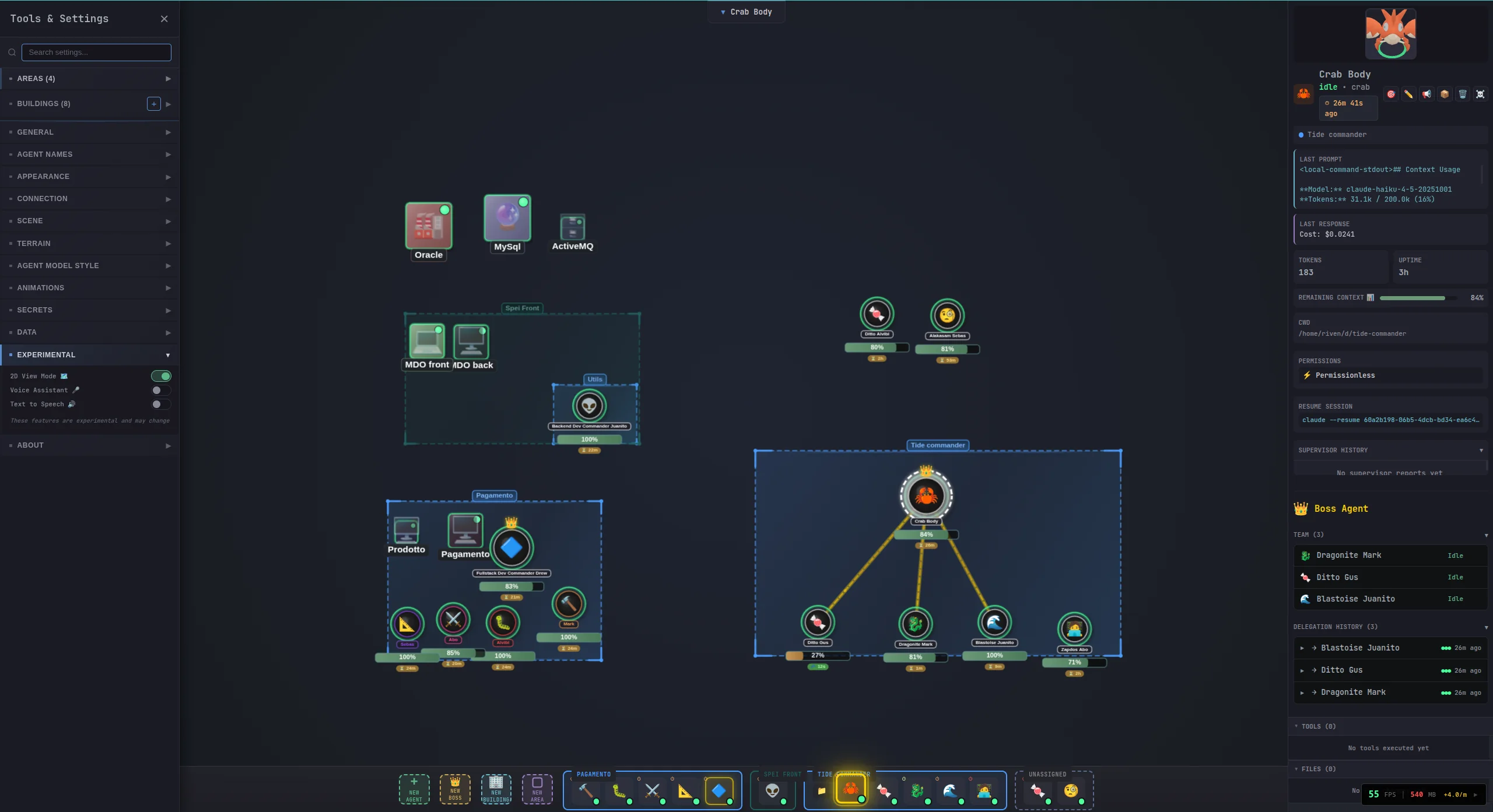
Flat view
An IDE-style, low-overhead project layout with area status bars, buildings, agent lists, and embedded conversations. It keeps the operational controls without rendering a battlefield.
Dashboard
Metrics and cards for agent state, current work, errors, context, and infrastructure.
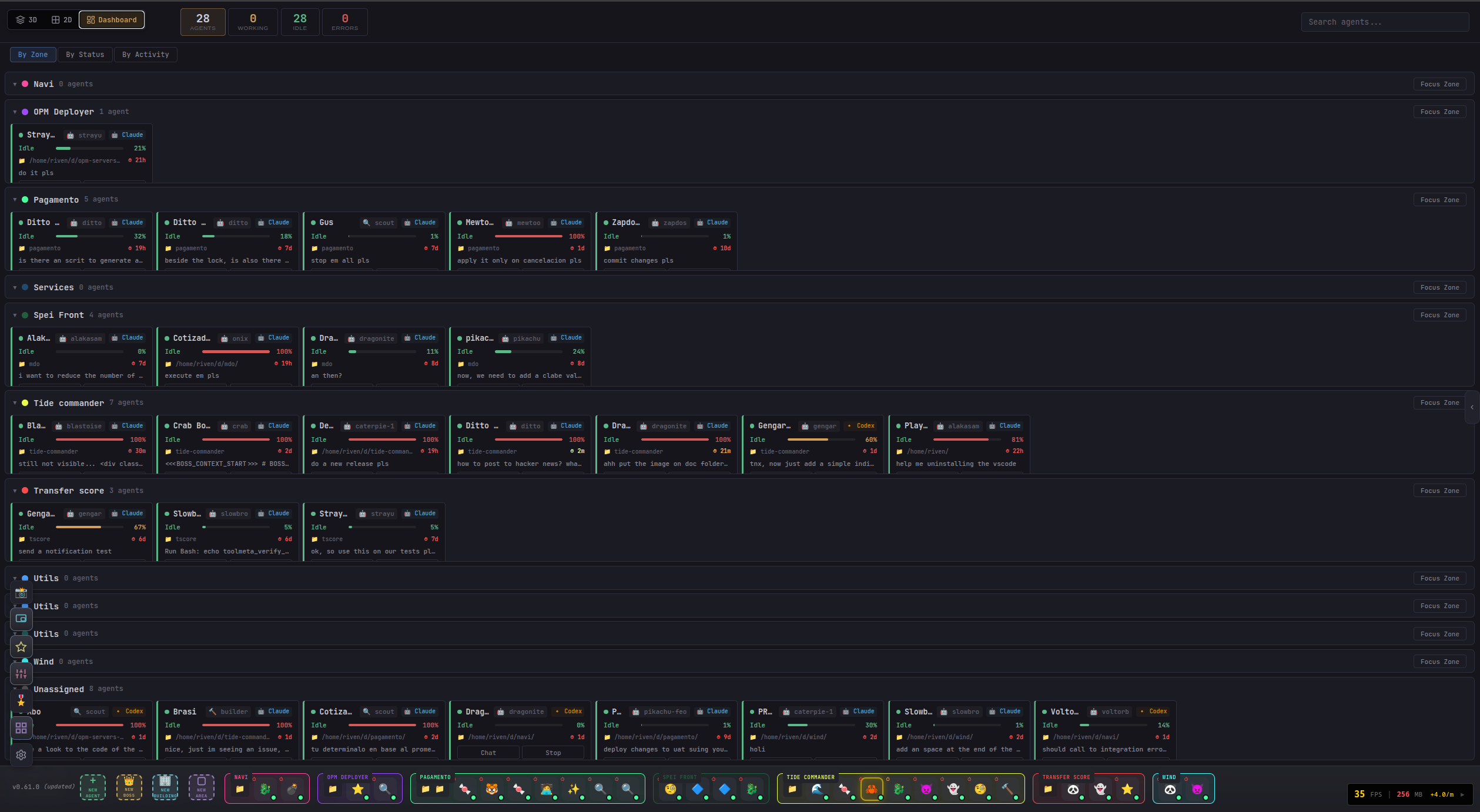
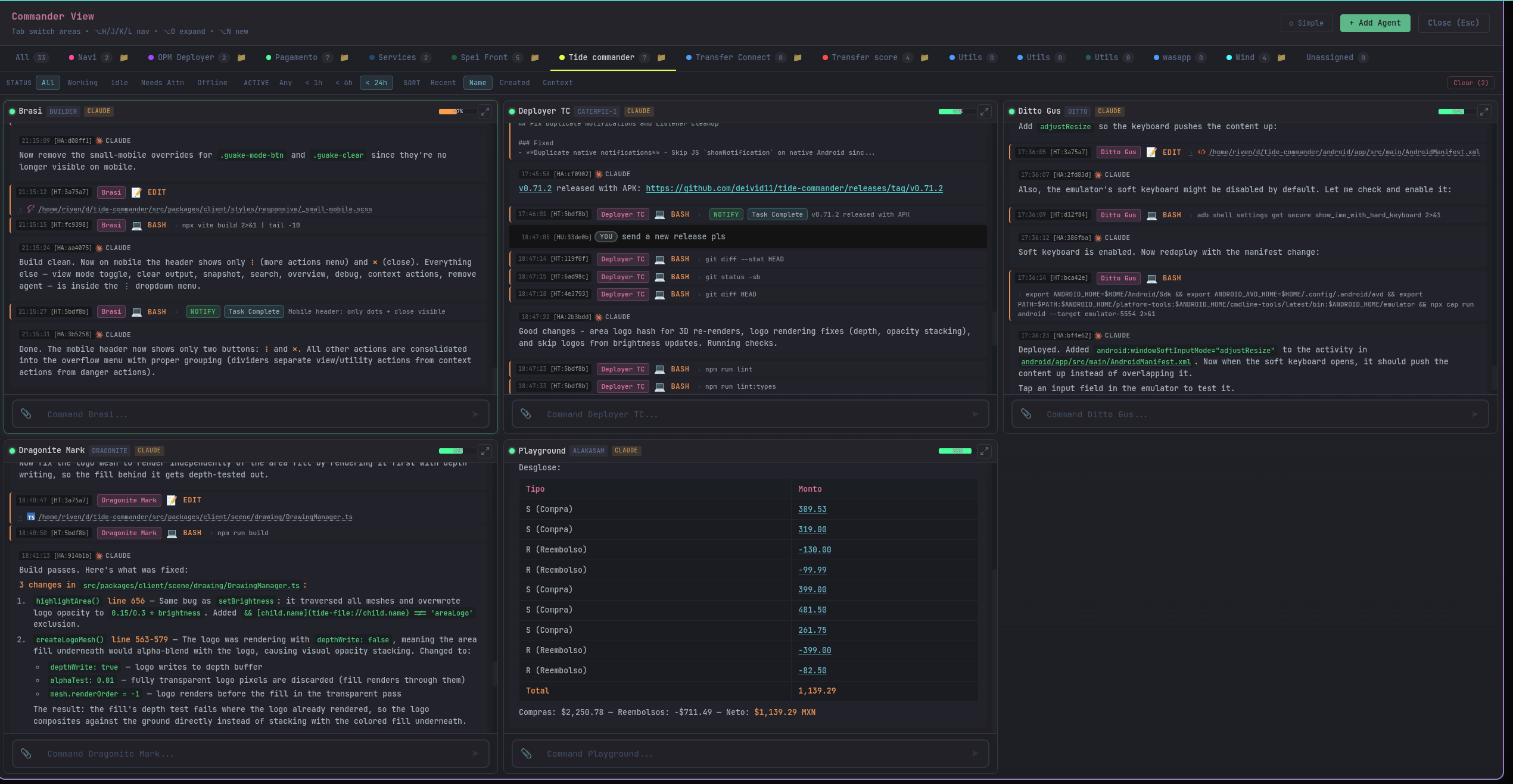
Commander view
A live multi-terminal grid grouped by area. See every conversation at once, switch area tabs, and expand an agent without losing the overview.
Guake terminal
The main agent conversation surface supports multiple rendering levels, Markdown, syntax highlighting, structured tool cards, permission prompts, Git/building/workflow/tracking side panels, message search, pinned/recent agents, file attachments, screenshots, interrupts, and queued follow-ups.
Spotlight
Press Ctrl+K (or Alt+P) to search and act across Tide Commander. Spotlight finds:
- agents by name, class, area, provider, status, current task, or recent activity
- current and archived conversations, with ranked matching extracts
- filenames and file contents across every area project
- modified files and Git changes
- buildings, areas, folders, settings, sessions, and commands
- plugin slash commands and their structured results
Search is accent-insensitive, supports multi-word matches across different fields, and can open a file directly at the matching line.
🧰 The build workspace that can replace your IDE
For many projects, the whole creation loop—from brief and research to files, commands, diffs, tests, previews, and operations—can stay inside Tide Commander. The file explorer supports multiple project roots, project-scoped tabs and expanded folders, source editing, Git status, working-tree diffs, binary/image/PDF diffs, branch comparison, file history, and test results. Files changed by an agent are clickable directly from its tool card or message.
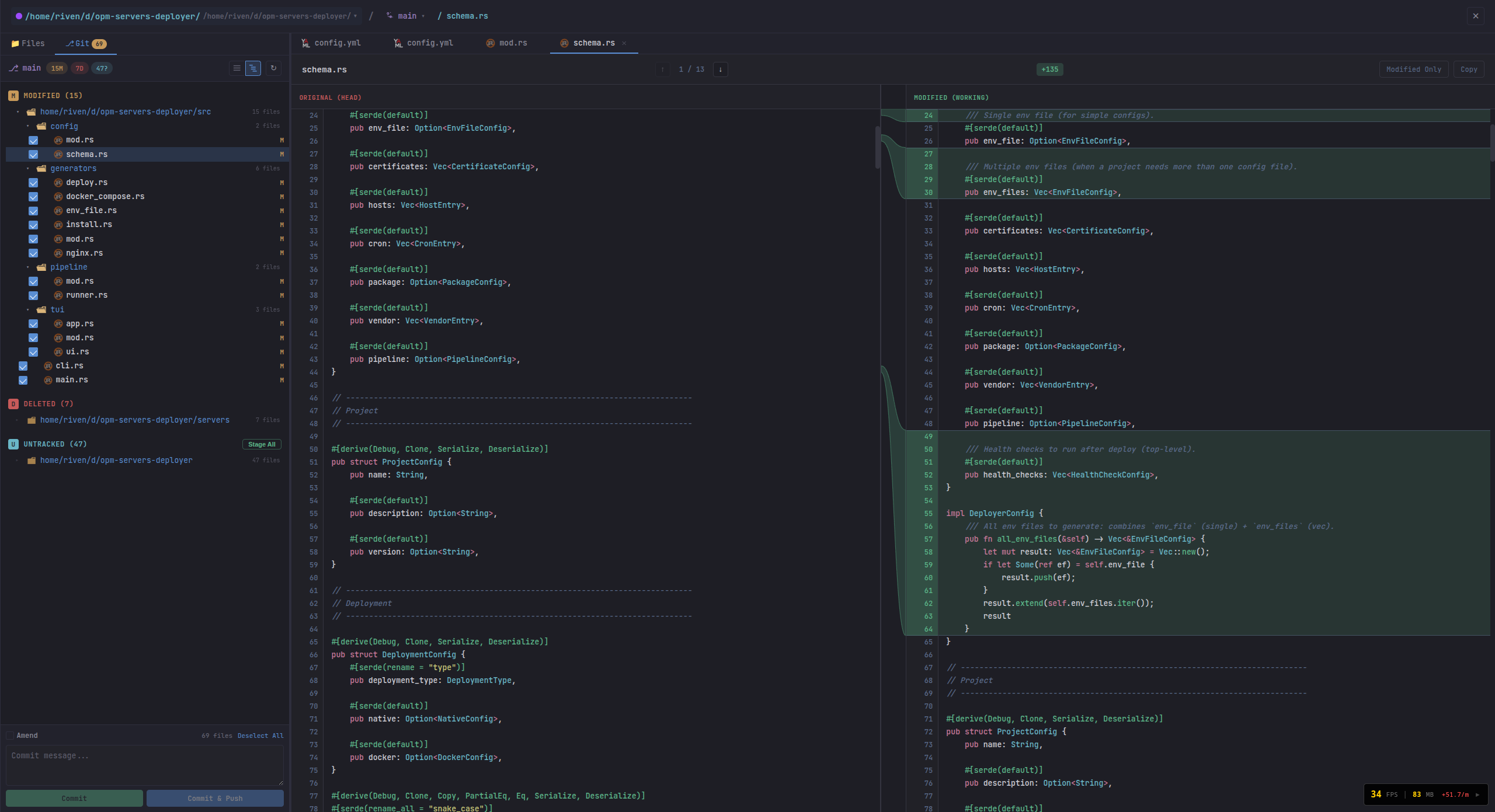
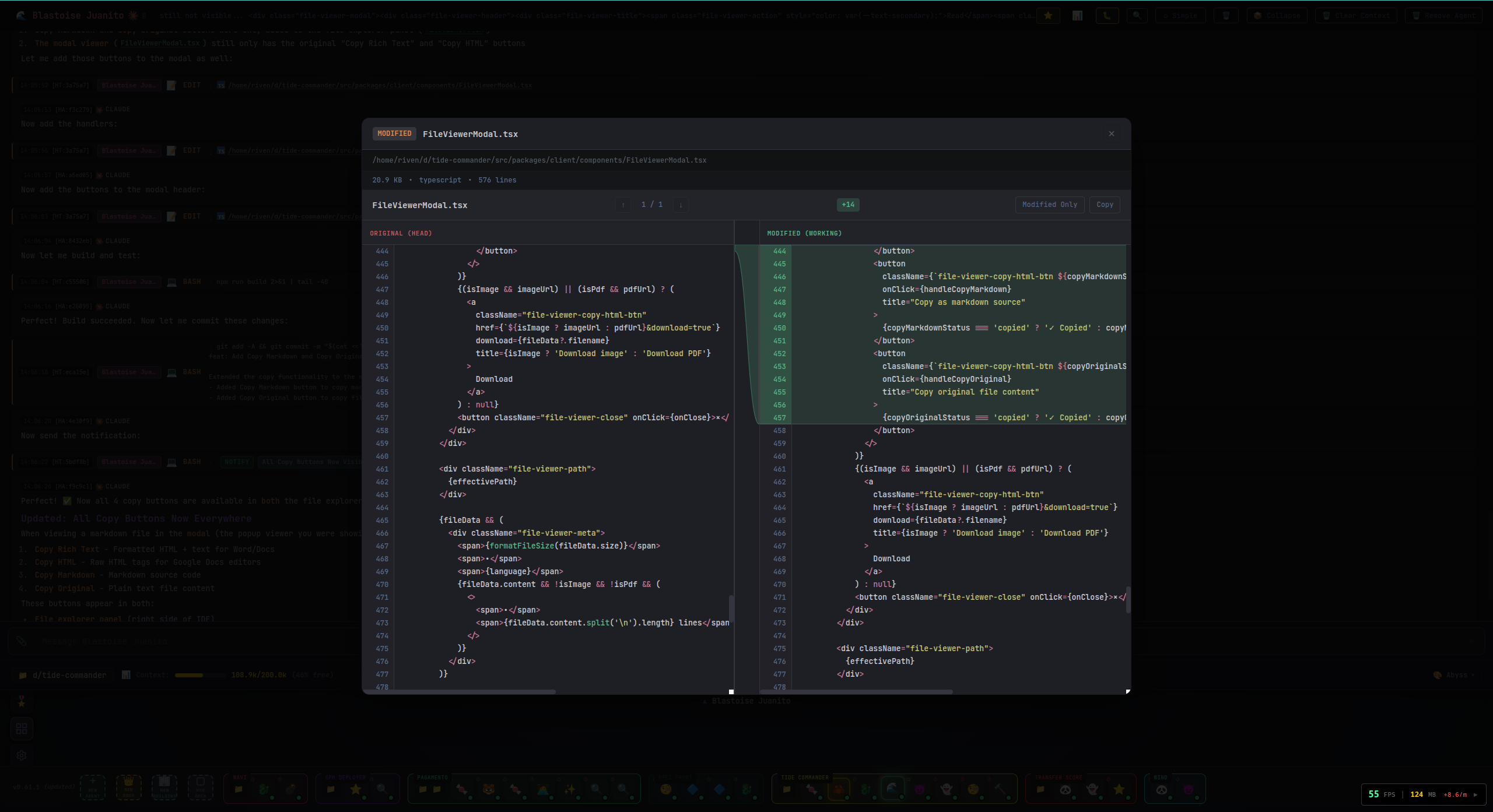
Specialized viewers include:
- rendered Markdown, Mermaid, PlantUML, SVG, images, and PDF
.docx,.docm,.odt,.fodt,.doc, and.rtfdocuments.xlsx,.xlsm,.xls,.ods,.csv, and.tsvspreadsheets with virtualized grids, filter/sort, selections, and statistics- zip/tar/7z/rar and many package/archive formats as browsable trees
- audio waveforms and video playback
- interactive STL, GLB, FreeCAD (
.FCStd), and layer-aware G-code previews
You can browse from inside a viewer, drag files out to the desktop, download folders as streaming zip files, and export rendered Markdown to PDF.
🔌 Integrations and External Control
Built-in integrations provide settings, secure secrets, API routes, agent skills, and trigger handlers for:
- Slack (including multiple instances, messages, threads, files, reactions, and inbound events)
- Gmail
- Google Calendar
- Google Drive
- Jira Cloud / Service Desk
- WhatsApp through the local bridge
- DOCX document generation
Tide Commander also ships an optional Chromium browser extension that captures console/network failures, opens an agent chat side panel, sends requests or selected DOM/React components as context, and supports multiple Commander servers. macOS Alfred and KDE KRunner launch/search integrations are included in the repository.
📡 Live Execution and Session Control
Long commands can run through Tide Commander's exec API in a PTY-backed card. Output streams with ANSI color and terminal redraw handling, survives UI reconnects, can be stopped with its whole process tree, and returns a bounded tail to the agent without hiding the full live output from the user. Active ordinary CLI Bash/Task jobs also appear in the background-task rail.
Prompts sent while an agent is busy are kept in a server-side queue. Message bursts are merged into one follow-up, queued items can be interrupted or removed, and supported persistent runtimes reconnect to in-flight turns after a Commander restart. Ctrl+C in an open terminal interrupts the active run when no text selection is being copied.
Session history can restore a past conversation onto the same or a ne