

Wealthfolio
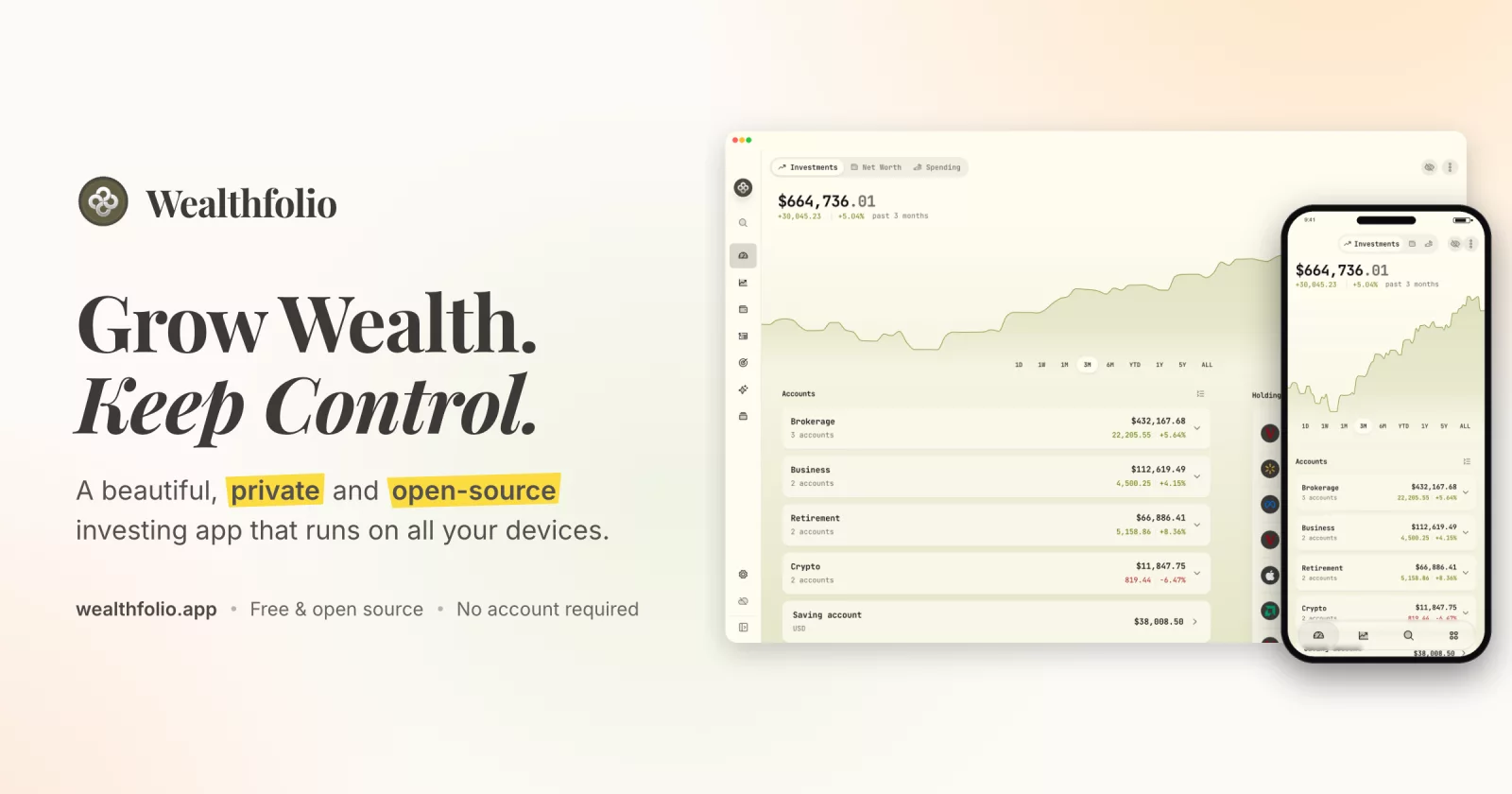
The open-source, private portfolio tracker — investments, net worth, spending, and simulations.
Local-first: your data lives on your device.
Website
·
Discord
·
Twitter
·
Releases
⬇️ Download for macOS · Windows · Linux · 📱 iOS App · 🐳 Docker


Introduction
Wealthfolio is an open-source, private portfolio tracker — investments, net worth, spending, and simulations. All your data is stored locally on your device: no cloud database, no account required, free forever.
For automatic brokerage syncing (30+ institutions, read-only) and encrypted multi-device sync, there's Wealthfolio Connect — an optional subscription that covers the real cost of the brokerage data connections. The app never requires it: manual tracking and CSV import are free, forever.
Visit the website at wealthfolio.app.

✨ Key Features
- 📊 Portfolio Tracking - Track your investments across multiple accounts and asset types
- 📈 Performance Analytics - True time-weighted and money-weighted returns, benchmark comparison, and historical analysis
- 💰 Activity Management - Import and manage all your trading activities
- 🎯 Goal Planning - Set and track financial goals with allocation management
- 🔒 Local Data - All data stored locally with no cloud dependencies
- 🔄 Optional Broker Sync - Auto-sync 30+ brokerages with Wealthfolio Connect (read-only, entirely optional)
- 🧩 Extensible - Powerful addon system for custom functionality
- 🌍 Multi-Currency - Support for multiple currencies with exchange rate management
- 📱 Cross-Platform - Desktop (Windows, macOS, Linux), iOS, and self-hosted Docker/web
Wealthfolio 3.7 requires macOS 12 or newer and iOS/iPadOS 16 or newer. macOS 12 installations should apply current macOS and Safari updates so the system WKWebView meets the Safari 16 browser floor. Windows uses the evergreen WebView2 runtime; Linux and self-hosted installations should keep WebKitGTK or their browser updated.
🧩 Addon System
Wealthfolio features a powerful addon system that allows developers to extend functionality:
- 🔌 Easy Development - TypeScript SDK with full type safety and hot reload
- 🔒 Secure - Comprehensive permission system with user consent
- ⚡ High Performance - Optimized for speed with minimal overhead
- 🎨 UI Integration - Add custom pages, navigation items, and components
- 📡 Real-time Events - Listen to portfolio updates, market sync, and user actions
- 🗄️ Full Data Access - Access to accounts, holdings, activities, and market data
- 🔐 Secrets Management - Secure storage for API keys and sensitive data
- 📦 Private Assets - Package images, fonts, media, configuration, and Wasm for the isolated addon sandbox
Get started building addons: See the Addon Documentation Hub
Documentation for all Activity types, including the required form fields, is available in docs/activities/activity-types.md.
Roadmap
See ROADMAP.md.
📖 Documentation
Core Application
- Activity Types - Complete guide to all supported activity types and their required fields
- Roadmap - Future plans and development roadmap
Architecture
- Credential Storage - Native backends, server encryption, Android backup, and recovery
- Android Testing - Setup, emulator/device commands, APK builds, and smoke tests
- Adapter System - Compile-time environment detection for Desktop/Web builds
Addon Development
- Addon Documentation Hub - Main entry point for addon development
- Getting Started - Guide to get started with addon development
- API Reference - Complete API documentation with examples
- Architecture - Design patterns and architecture guide
- v3.6 to v3.7 Migration - Packaged assets and compatibility notes
Quick Links
- 💡 Official Addons - Browse maintained addon examples in the official addon repository
- 🧩 Community Addons - Browse addons shared by the community in the community addon directory
- 🛠️ Development Tools - CLI tools for addon development
Getting Started
Prerequisites
Ensure you have the following installed on your machine:
- Node.js, using the version in
.node-version - pnpm, using the
packageManagerversion inpackage.json - Rust, using
rust-toolchain.toml - Tauri
Building from Source
-
Clone the repository:
git clone https://github.com/wealthfolio/wealthfolio.git cd wealthfolio -
Install dependencies using pnpm:
pnpm install --frozen-lockfile
pnpm build:types
See Frontend tooling for editor setup, checks, and instructions for updating an existing checkout.
-
Setup environment configuration:
Copy the environment template and configure it for your setup:
cp .env.example .envFor optional Connect setup, see Wealthfolio Connect in source builds.
Desktop development uses a separate application identity and profile directory. On macOS, the default layout is:
~/Library/Application Support/com.teymz.wealthfolio.dev/
├── profiles.json
└── profiles/<uuid>/app.db
To select another profile directory during desktop development, set
WF_DATA_DIRin.envto an absolute path as described in.env.example. Leave it unset to use the default development app-data directory. Use a dedicated development directory; this setting selects the registry and its profiles, not an individual database file. An existing root-levelapp.dbis only adopted on first profile initialization.If your older
.envcontainsDATABASE_URL, remove it:pnpm tauri devignores it, including on first launch. UseWF_DATA_DIRfor development directory selection. Packaged desktop apps do not ship with an.envfile. -
Run in Development Mode:
pnpm tauri dev
The command automatically applies apps/tauri/tauri.dev.conf.json, which sets
com.teymz.wealthfolio.dev and Wealthfolio (Development). This identity
remains in effect when additional --config overrides are supplied, including
when running pnpm tauri dev --release. Production builds (pnpm tauri build)
retain the production identity. For an isolated packaged debug build, select the
same configuration explicitly:
pnpm tauri build --debug --config apps/tauri/tauri.dev.conf.json
Credentials follow the selected application identity, not debug/release mode. Production Keychain names are unchanged. Development has separate credentials, so sign in and enroll it as a separate sync device if needed; later development runs reuse those credentials. Profiles and add-ons retain their existing scopes within each environment. Mobile commands retain their configured identity.
To populate development with existing data, use the supported backup/export and restore flow. A raw copy of an encrypted production database still requires its original encryption key; development does not copy or fall back to production credentials. Never point development at the live production profile directory.
Packaging for a Distribution
If a package manager delivers updates, set WEALTHFOLIO_UPDATE_EXPLANATION to
the message users should see when building:
WEALTHFOLIO_UPDATE_EXPLANATION="Update Wealthfolio with your package manager." pnpm tauri build
The desktop app still announces new releases with their notes, but shows this
message instead of an Update Now button and refuses to install updates itself. A
launcher script can set the same variable at run time instead. Flatpak installs,
and .deb/.rpm builds whose binary dpkg or rpm did not install, are detected
without it.
Addon Development Mode
Addon hot reload servers now start only when you explicitly opt in.
For desktop development with Tauri:
VITE_ENABLE_ADDON_DEV_MODE=true pnpm tauri dev
For browser-only development (Vite only, no Tauri):
pnpm dev:addons
You can also set VITE_ENABLE_ADDON_DEV_MODE=true in your .env file to
persist the setting.
- Build for Production:
Build the application for production:
pnpm tauri build
Web Mode (Browser + REST API server)
Run the web UI with a local Axum server with one command.
Quick Start
-
Setup environment (optional but recommended):
Copy the example environment file and customize it for your setup:
cp .env.web.example .env.webEdit
.env.webto configure database path, ports, and other settings as needed. -
Start both backend and Vite dev server:
pnpm run dev:webThe Vite dev server runs at
http://localhost:1420and proxies API calls to the Axum backend server.
Configuration
All configuration is done via environment variables in .env.web.
Server Configuration (WF_* variables):
WF_LISTEN_ADDR- Server bind address (default:0.0.0.0:8088)WF_DATA_DIR- Optional directory for the profile registry, profile databases, and default encrypted vault. Forpnpm dev:web, set it in.env.webor the shell; the desktop.envvalue is masked. Relative paths use the working directory;~is not expanded.WF_DB_PATH- Supported legacy database file path (default:./db/app.db). Its parent selects the installation whenWF_DATA_DIRis unset. With onlyWF_DATA_DIR, the legacy candidate is<WF_DATA_DIR>/app.db. If both are set, their directories must agree. Existing registries retain their saved database paths; neither setting moves data. See installation directory configuration for Docker and upgrade behavior.WF_CORS_ALLOW_ORIGINS- Comma-separated list of allowed CORS origins (default:*). Required when auth is enabled — wildcard*is rejected.- Example:
https://wealthfolio.example.com
- Example:
WF_REQUEST_TIMEOUT_MS- Request timeout in milliseconds (default:300000)WF_STATIC_DIR- Directory for serving static frontend assets (default:dist)WF_SECRET_KEY- 32-byte key used for secrets encryption and JWT signing (required unlessWF_SECRET_KEY_FILEis set)- Generate with:
openssl rand -base64 32
- Generate with:
WF_SECRET_KEY_FILE- Optional master-key file; see setup and mount instructionsWF_AUTH_PASSWORD_HASH- Argon2id PHC string enabling password-only authentication for web modeWF_AUTH_TOKEN_TTL_MINUTES- Optional JWT access token expiry in minutes (default60)WF_AUTH_REQUIRED- Set tofalseto allow starting on non-loopback addresses without authentication (e.g. when a reverse proxy handles auth)- OIDC / SSO (optional) - sign in via any OpenID Connect provider (Authentik,
PocketID, Authelia, Keycloak, …). Works alongside or instead of
WF_AUTH_PASSWORD_HASH; a successful SSO login mints the same session cookie. Enabled when bothWF_OIDC_ISSUER_URLandWF_OIDC_CLIENT_IDare set.WF_OIDC_ISSUER_URL- provider base URL (discovery hits<issuer>/.well-known/openid-configuration)WF_OIDC_CLIENT_ID- client id registered with the IdPWF_OIDC_CLIENT_SECRET- Optional client secret (PKCE is always used)WF_OIDC_REDIRECT_URL- Required when OIDC is enabled; must be registered in the IdP, e.g.https://your.host/api/v1/auth/oidc/callbackWF_OIDC_SCOPES- Optional space-separated scopes (defaultopenid email profile)WF_OIDC_ALLOWED_EMAILS/WF_OIDC_ALLOWED_SUBS- comma-separated allowlists matched against the ID token'semail/subclaims. With neither set, the server refuses to start unlessWF_OIDC_ALLOW_ANY=trueis also set — a missing allowlist must never silently grant every IdP user access. Anemailis only honored when the IdP assertsemail_verified=true;WF_OIDC_ALLOWED_SUBSis the stronger control (stable, issuer-scoped) and is recommended on shared/multi-tenant IdPs.WF_OIDC_ALLOW_ANY- Optional, defaultfalse. Set totrueto allow any user the IdP authenticates when no allowlist is configured. Only safe on a dedicated single-user IdP; on a shared/multi-tenant IdP this grants everyone access. A warning is logged at startup when enabled.WF_OIDC_POST_LOGOUT_REDIRECT_URL- Optional. When the IdP advertises anend_session_endpoint, sign-out also ends the IdP session (RP-Initiated Logout); otherwise logout is local-only. Set this to land back on the app afterward — it must be registered with the IdP (e.g. Keycloak's "Valid post logout redirect URIs"). If unset, the IdP shows its own logged-out page.WF_OIDC_RP_LOGOUT- Optional, defaulttrue. Set tofalseto force local-only logout even when the IdP supports RP-Initiated Logout.WF_OIDC_CA_FILE- Optional path to a PEM bundle of extra root certificates trusted for OIDC requests only (discovery, token exchange). Use it when the IdP's certificate comes from a private CA (e.g. step-ca); the OIDC client otherwise trusts only the bundled Mozilla roots and ignores the system store andSSL_CERT_FILE. The bundled roots stay trusted. The server refuses to start if the file is unreadable or holds no certificate.
WF_COOKIE_SECURE- Controls theSecureattribute on session cookies (default:auto)auto- setSecureonly whenX-Forwarded-Proto: httpsis present (recommended for most reverse-proxy setups)true- always setSecure(use when TLS is guaranteed but the header is absent)false- never setSecure(plain HTTP without a reverse proxy)
WF_SECRET_FILE- Optional path to secrets storage file (default:<data-root>/secrets.json)WF_ADDONS_DIR- Optional path to addons directory (default: derived from database path)
Vite Configuration:
VITE_API_TARGET- Backend API URL for Vite proxy (default:http://127.0.0.1:8088)
Authentication (Web Mode)
-
Set
WF_AUTH_PASSWORD_HASHto an Argon2id PHC string to require a password before accessing the Web App.You can generate the hash with online tools like argon2.online or the CLI (
argon2-utilspackage):printf 'your-password' | argon2 yoursalt16chars! -id -eTips:
- The first argument is the salt (use 16+ characters); the password is read from stdin.
- Use
printfinstead ofecho -nto avoid hidden newline issues. - For Docker Compose
.env/--env-file, single-quote the hash or double every$($$argon2id$$...).
Copy the full output (starting with
$argon2id$...) into.env.web.Dollar-sign (
$) escaping cheat-sheet — Argon2 hashes contain$characters that shells and Compose interpret as variable references:Context Syntax Notes .env.web/ app-loaded dotenvWF_AUTH_PASSWORD_HASH=$argon2id$...Loaded by the app; no Compose interpolation Docker Compose .env/--env-fileWF_AUTH_PASSWORD_HASH='$argon2id$...'Single quotes prevent Compose interpolation Docker Compose .env/--env-file`WF_AUTH_PASSWORD_HASH=$$arg