
Window Switcher
A Raycast extension for finding and switching to individual macOS windows, including windows on other Spaces and fullscreen windows.
Why use it?
Raycast's built-in Switch Windows can miss windows on other Spaces. I've had the same problem people have raised on r/raycastapp: switching between windows of one app and getting to a specific Chrome window on another desktop. Window Switcher finds those windows so you can search by title and go straight to one.
For example, with two Arc windows open, Raycast lists one; Window Switcher lists both:
| Raycast's Switch Windows | Window Switcher |
|---|---|
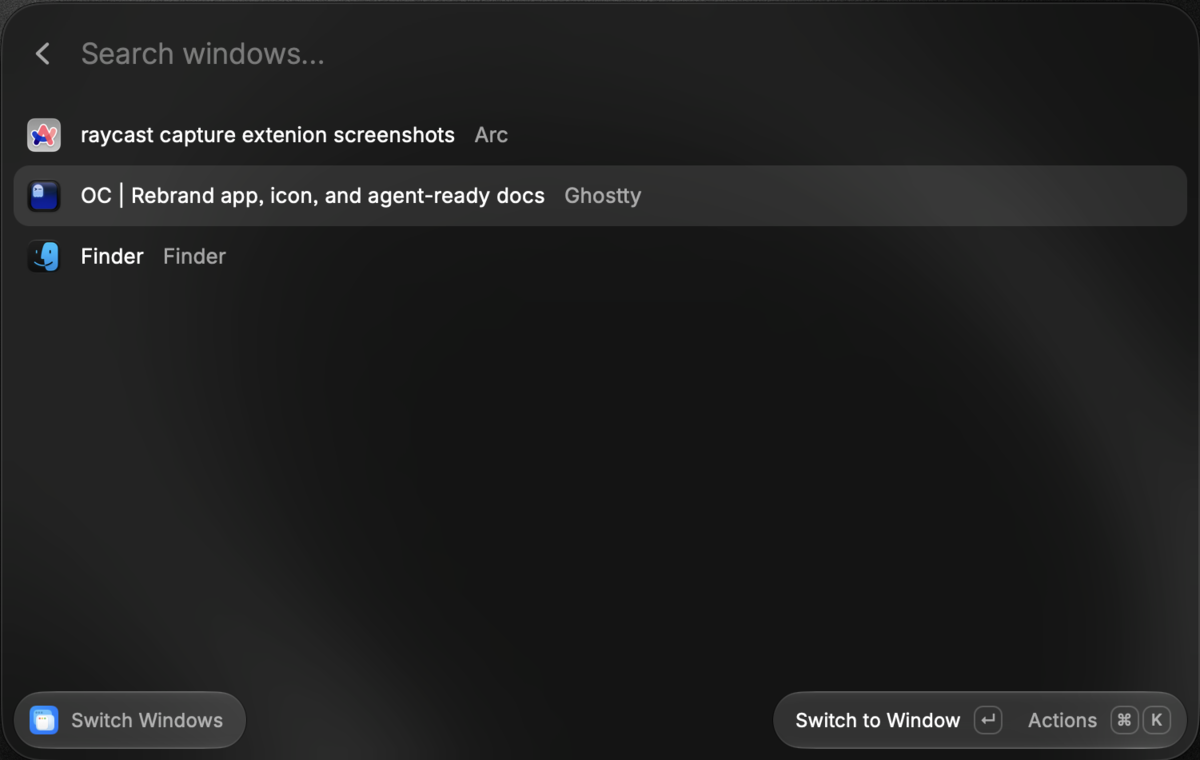 |
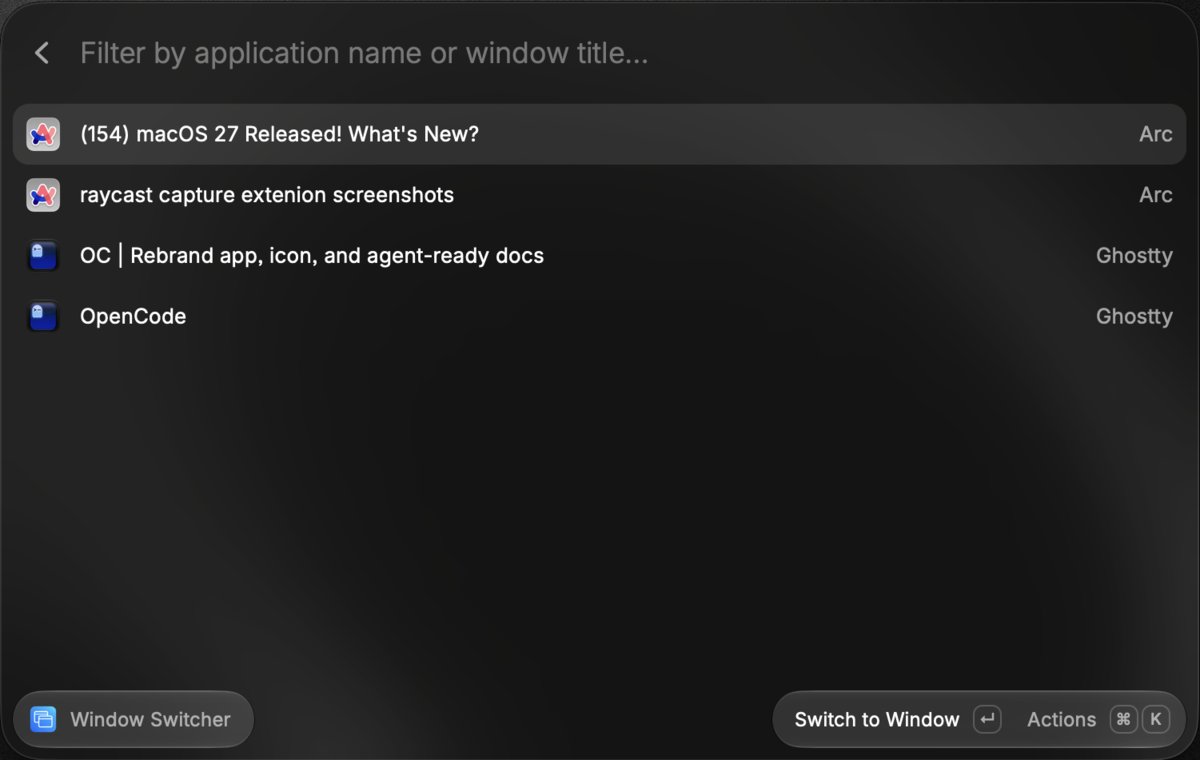 |
What it does
- Search individual windows by title or app name, including windows on other Spaces.
- Switch directly to a selected window, including fullscreen windows.
- Close, minimize, restore, enter or exit fullscreen, or hide and show an app from the action menu.
- Choose independently whether to include minimized windows and windows owned by hidden apps. By default, minimized windows are excluded and windows of hidden apps are included.
Install
You need macOS, Raycast, Node.js, and a Swift toolchain. Grant Raycast Accessibility permission when prompted so the extension can read and control windows.
git clone https://github.com/devadathanmb/raycast-window-switcher.git
cd raycast-window-switcher
npm install
npm run build
In Raycast, run Import Extension and select the generated dist folder. Open Window Switcher, type a window title or app name, and press Return to switch. Open the action menu for the other window controls.
How it works
The Raycast UI calls a Swift helper that combines macOS Accessibility with window and Space information. Finding windows across Spaces depends on undocumented macOS APIs, so results may change with macOS updates. WORKING.md covers the discovery process and its limits. The cross-Space enumeration approach draws on AltTab.
Develop
npm run dev          # Rebuild the Swift helper and start Raycast development mode
npm run build        # Rebuild the helper and extension
npm run typecheck
npm run lint
The UI is in src/window-switcher.tsx; discovery and window actions are in window-switcher/Sources/WindowSwitcher/main.swift. Use npm run build:swift to rebuild the helper alone.