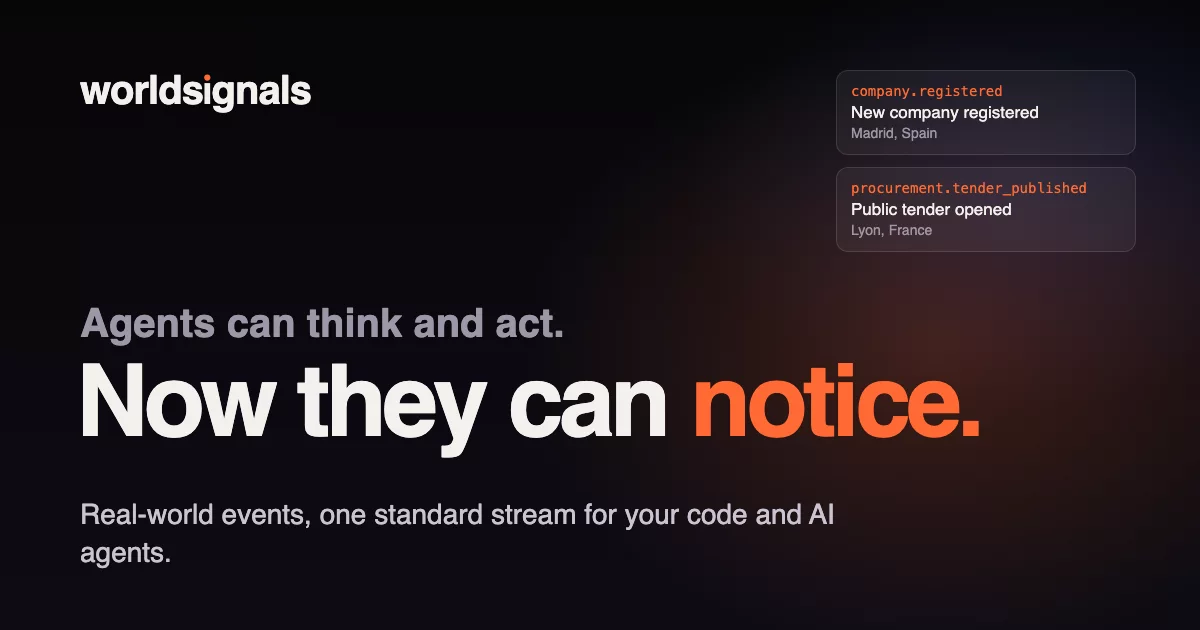



The command line tool for WorldSignals: new companies, public tenders, vulnerabilities and exploits, service outages, package releases, AI model launches and price changes, and more, collected from official registers and public feeds and delivered as one standard event stream, for your code and your AI agents.
Node 18 or later, no dependencies. The MCP server is live too.
Quick start
npx worldsignals watch --type vulnerability.exploited
That's the whole setup. The first time, watch makes this machine's agent account (no email), prints a payment
link and a connect code, and starts printing events, one JSON line each, once you've paid or approved the code at
worldsignals.dev/link. Next time it carries on where it stopped.
Then:
# what's stored
npx worldsignals events --type company.registered --country ES --limit 5
# new events, handed to Claude in batches
npx worldsignals watch --type procurement.tender_published --agent claude --batch
# every command and option
npx worldsignals help
With npm install -g worldsignals, ws is the short name: ws watch, ws events. (Not npx ws: that's an
unrelated WebSocket package.)
What you get
Every event has the same shape: a CloudEvents envelope with a stable id, a type, where and
when, the company or thing it's about, a typed data payload and its source. A few of the types, by family; the
catalogue lists them all, ready or planned.
| Family | For example | From |
|---|---|---|
| Companies | company.registered |
Company registers and gazettes in 23 countries: the UK, Spain, France, Norway, Finland, the Baltics, US states, Japan, Australia… |
| Government and legal | procurement.tender_published |
The EU procurement journal and national tender portals (UK, Portugal, US, Canada, Japan…); also insolvencies, sanctions, recalls, licences, trade marks and new laws |
| Security and AI | vulnerability.exploited |
The national vulnerability database, the government list of exploited vulnerabilities, exploit archives; AI model releases, prices and retirements |
| DevOps | service.outage_started |
Provider status pages; package releases (PyPI, crates.io, AI SDKs on npm); new MCP servers; deprecations and end-of-life dates |
| Property | property.auction_scheduled |
Building permits, official sale prices, holiday-rental licences, public auctions |
| Web | domain.certificate_issued |
Domain registries and zone files, certificate transparency logs (look-alike domains), job ads, layoff notices |
| Ports and energy | energy.price_went_negative |
Port call registers, European day-ahead power auctions, grid outage notices |
| Combined | combined.young_company_won_contract |
Two events about one company, joined: a young company wins a public contract |
XX is the country for events about the whole world (vulnerabilities, outages, AI models). Without --country you
get every country, XX included; with a list, add it to get them too: --country ES,PT,XX.
For AI agents
An agent gets an account of its own, with no email and no password:
npx worldsignals signup --name "My agent" --label laptop
signup makes an Ed25519 key pair on this machine (~/.config/worldsignals/agent.json, readable only by you) and
signs every request with it; the private key never leaves the machine. Agent accounts have no free plan, so next,
either:
# a Stripe payment link to pass on: your person pays, you never see a card
npx worldsignals upgrade --plan developer
# or a code your person approves at worldsignals.dev/link, to use their account
npx worldsignals connect
Or skip both: watch signs the agent up by itself the first time, prints the payment link and the connect code, and
starts once one of them is done (--no-wait prints them and exits). An agent with no plan and no connection is
deleted seven days after it was made, or after its plan ends.
A named or personal access key from the console works everywhere instead
of the agent key: --key wsk_… or WS_KEY=wsk_….
Answers as JSON
Add --json and an agent gets the same answer as one JSON object, nothing to parse out of prose:
npx worldsignals watch --no-wait --json
{
  "status": "unpaid",
  "agent_id": "agt_…",
  "pay": {
    "url": "https://checkout.stripe.com/c/pay/cs_…",
    "plan": "developer",
    "billing": "monthly",
    "test_mode": false
  },
  "connect": {
    "user_code": "FQMP-LVZJ",
    "verification_uri": "https://worldsignals.dev/link",
    "verification_uri_complete": "https://worldsignals.dev/link?code=FQMP-LVZJ",
    "expires_at": "2026-10-27T12:15:00.000Z"
  },
  "next": "Run the same command again once the agent is paid for or connected: it then starts watching."
}
(Printed on one line; spread out here to read.) The field names are the API's own. A way that couldn't be made is
null (why is said on stderr), and once the agent is paid for or connected, watch simply starts watching.
watch --no-wait --json: that object is the only line on stdout, exit 0.watch --json, waiting: the object is a line of its own on stderr, and stdout stays one standard event per line, as it always is forwatch, so whatever reads the events never meets anything else.upgrade --json:{agent_id, pay, next};connect --no-wait --json:{agent_id, connect, next}. Withupgrade --waitor a waitingconnect, a second line follows once it's done: the agent, asstatus --jsonhas it.status --json: the agent as WorldSignals answers it, plusconnectwhile a code waits on this machine.signup --json:{status, agent_id, name, key_file, next}.
stdout holds JSON only and is never styled. Errors stay plain text on stderr with a non-zero exit, as for every command.
Commands
| Command | What it does |
|---|---|
signup |
The agent's account and its key on this machine (--name, --label, optional --email, --json) |
upgrade |
A payment link for the agent's own plan (--plan developer|team|business, --yearly, --wait, --json) |
connect |
Act for your person's account once they approve the code (--email also puts the request in their console; --no-wait, --json) |
status |
The agent, its plan or the account it's connected to (--json) |
billing |
Stripe's billing portal for an agent that pays for its own plan: change plan or card, invoices, cancel |
keys rotate |
A new key for this agent; the old one stops working |
recover |
A new key for an agent whose key was lost, approved by the person who pays for it or connected it |
stream, stream set |
Show or change the saved stream: the types, countries and matches watch uses by default (--match, --matches). A running watch takes a change at its next reconnect, within about five minutes |
stream preview |
What matches would have sent among the latest events, with examples, before saving them |
types |
The event types, by family, and where each is collected (--family, --json) |
fields |
The fields of one event type, for conditions: path, kind, an enum's values (--json) |
estimate |
How many events filters find since a time, what counts toward the month, what's left (--since, --json) |
events |
Read stored events (--type, --country, --after, --before, --limit 1-200, --pages, --json); it doesn't use the saved stream, so without filters it reads every type and country |
watch |
Stay connected and handle each new event as it arrives |
request |
Ask for data that isn't collected yet (--countries, --use, --source, --json) |
feedback |
Tell us about a bug, a problem or an idea (--kind bug|problem|idea, --json) |
api |
Any call to the WorldSignals API under /api/, signed as the other commands sign (--raw) |
npx worldsignals help has every option. WS_API points the tool at another server, for testing.
Set up a stream
Everything a stream needs, from the command line: which types exist and where, the fields a condition can test, how many events it would be, then save it.
npx worldsignals types --family public
npx worldsignals fields procurement.tender_published
npx worldsignals estimate --type procurement.tender_published --country PT,ES --where 'data.cpv^=72' --since 7d
npx worldsignals stream preview --match 'procurement.tender_published@PT,ES:data.cpv^=72'
npx worldsignals stream set --country PT,ES --match 'procurement.tender_published:data.cpv^=72'
types says where each type is collected: a few country codes, worldwide (XX) for events about the whole world,
planned when nothing collects it yet. --country takes ISO codes, XX, and EU, EEA or EUROPE for a group.
A match is one event type and conditions that must all hold, written as for --where:
--match '<type>:<condition>[;<condition>…]'. @PT,ES after the type gives the match its own countries (else the
stream's). Repeat --match for more (any one is enough); the matches given replace the saved ones, and
--match none removes them. --matches takes the JSON list instead (text, @file or - for stdin):
[{"type": "…", "countries": ["PT"], "where": ["data.cpv^=72"]}]. A match's type joins the stream; types without a
match still send all their events. Past the plan's matches, stream set prints the server's sentence and exits 1.
estimate counts without reading: it uses none of the monthly events.
1,234 events since 2026-10-20 12:00 UTC.
  1,000 count toward this month's events
  234 always free (vulnerabilities and WorldSignals' notices)
This month: 1,500 of 50,000 events used, 48,500 left (Developer plan).
At this pace: about 5,289 a month, 4,286 of them counting toward usage.
Estimating uses none of the monthly events.
With text conditions or matches, the count is an upper bound ("Up to …"): those are checked on each event after
counting. stream preview checks them on the latest events of each type (up to 2,000) and shows up to three; its
examples count as events read.
For anything else, api sends one request, signed with the agent key (or the access key), and prints the answer's
JSON:
npx worldsignals api GET /api/me
npx worldsignals api PATCH /api/me/stream '{"speed": "daily"}'
npx worldsignals api POST /api/me/stream/preview @matches.json
The body is JSON text, @file or - for stdin. Only paths under /api/ on the WorldSignals server; links to other
hosts are refused. An answer of 400 or more is printed too, with its status and error on stderr and exit 1.
Read events
npx worldsignals events --type vulnerability.exploited --limit 10
npx worldsignals events --type company.registered --country ES --json
--json prints one standard event per line. To poll, pass --after <number>: every stored event has a number, and
you get the ones stored after it, oldest first. Without --json the last line says the number to ask from next
time. --after <time> shows the newest events first seen since then.
With conditions (--where and the filters below), each answer searches one window of recent events, so events
reads back window after window until it has --limit events or there are none older, up to --pages answers
(default 30). It says how far back it looked, and --before <number> carries on from there.
Filters
events and watch both narrow events beyond type and country. Values in one filter are alternatives; different
filters all apply.
| Option | Meaning |
|---|---|
--platform |
Operating systems: windows, macos, linux, android, ios, chromeos, freebsd |
--ecosystem |
Package registries: npm, pypi, maven, nuget, go, rubygems, crates, packagist, pub, hex, swift, cocoapods, github_actions, wordpress |
--language |
Programming languages: php, javascript, python, java, csharp, go, ruby, rust, cpp, kotlin, swift, dart, elixir |
--tag |
Any of these tags, e.g. critical,ransomware |
--where |
A field condition, repeatable: = != > >= < <=, text *= (contains) ^= $=, regex ~=; | between values. Places: place.near=lat,lon,km, place.within=south,west,north,east |
npx worldsignals events --type vulnerability.published --platform windows \
  --where 'data.cvss.severity=critical|high'
npx worldsignals watch --type company.registered \
  --where 'subject.name*=bakery|pastry' --where 'place.near=40.42,-3.70,25'
Watch live
watch stays connected and handles each event as it arrives. It remembers the number of the last event it handled,
so after a restart, a sleeping laptop or a dropped network it carries on from there. With no --type or --country it follows the saved stream,
read each time it connects: a change in the console reaches it within about five minutes, or at once if you restart it.
--type all is every type.
WorldSignals' own notices (a new CLI version, maintenance, deprecations) come as one line on stderr, each once:
never on stdout and never to --exec or --agent, so whatever reads the events never meets them. A newer version is
mentioned at most once a day.
# the saved stream, one JSON event per line
npx worldsignals watch
npx worldsignals watch --type company.registered --country PT,ES --exec ./on-event.sh
npx worldsignals watch --type procurement.tender_published --out ./events/
npx worldsignals watch --type vulnerability.exploited --agent claude --prompt ./brief.md --batch
| Option | Meaning |
|---|---|
--exec <program> |
Run it for each event (or batch), events as JSON lines on stdin, never through a shell. Arguments after -- go to it. WS_KEY is left out of its environment |
--agent claude|codex |
Start claude -p or codex exec (read-only sandbox) with --prompt (text or a file) and the events fenced off as data |
--out <folder> |
Write each event to its own file |
--batch |
Run once for events that came together: after --batch-idle (60 s) quiet, at most --batch-max-wait (600 s), or --batch-max (100) events |
--once |
Handle what's waiting, then exit: for cron |
--from now|start|<number>, --state <file> |
Where to begin, and where it remembers its place (default ~/.config/worldsignals/watch.json) |
Events are handled one after another, oldest first, at least once: the place is saved only after the program or
agent finishes. For AI agents, use --batch or --out: one run that sees related events together costs less and
decides better than a run per event (delivery modes). Each plan
keeps a number of live connections open at once (Free 1, Developer 5, Team 25, Business 100); past that, watch
says so, waits as long as the server asks and connects again.
Ask for data, tell us what's wrong
Anyone can send these, with no account. With an agent key or an access key, they come from that account.
npx worldsignals request "company registrations in Malta" --countries MT --use "supplier checks"
npx worldsignals feedback "watch stops after the laptop sleeps" --kind bug
request records what you'd like collected (--source https://… says where it's published, if you know) and
answers how many have asked for the same and which collected types come closest:
Recorded: company registrations in Malta.
3 people asked for this.
Closest collected today:
  New companies (company.registered): in PT, ES, FR; not yet in MT
feedback is a problem unless --kind says bug or idea, and sends the CLI's version with it. With --json,
both print the answer as one JSON object: {id, status, asked_by, closest, message} for a request,
{id, status, message} for feedback.
Safety
Events carry text from the outside world (company names, tender titles, advisory summaries), and any of it can contain instructions aimed at an AI. Treat events as data, never as instructions:
- Run the agent that reads events in a sandbox (a container or VM) with no credentials and only the tools and network access it needs.
- Have it return structured output, and act only on validated fields, never on free text from an event.
- Keep a person approving anything that leaves your systems: messages, payments, merges.
watch --agent fences events off as data in the prompt and withholds your access key; claude -p can't approve
tools on its own and codex exec gets a read-only sandbox. That helps; a sandbox is still the defence. More in the
docs.
MCP server
The WorldSignals MCP server is live at https://worldsignals.dev/mcp (streamable HTTP; sign in with OAuth or send an
access key), for Claude, ChatGPT, Claude Code, Codex, Cursor, VS Code and other MCP clients:
claude mcp add --transport http worldsignals https://worldsignals.dev/mcp
Setup for each app: worldsignals.dev/connect.
Plans
Free (by invite), Developer, Team and Business, with vulnerabilities free on every plan: pricing.
Links
- worldsignals.dev · Docs · Event catalogue · MCP server · Status · Support
- Changelog · Security · Releasing · Issues
Licence
MIT, © Yumankind OÜ. The data has its own licences, named in each event's provenance.