
Zuse Alpha
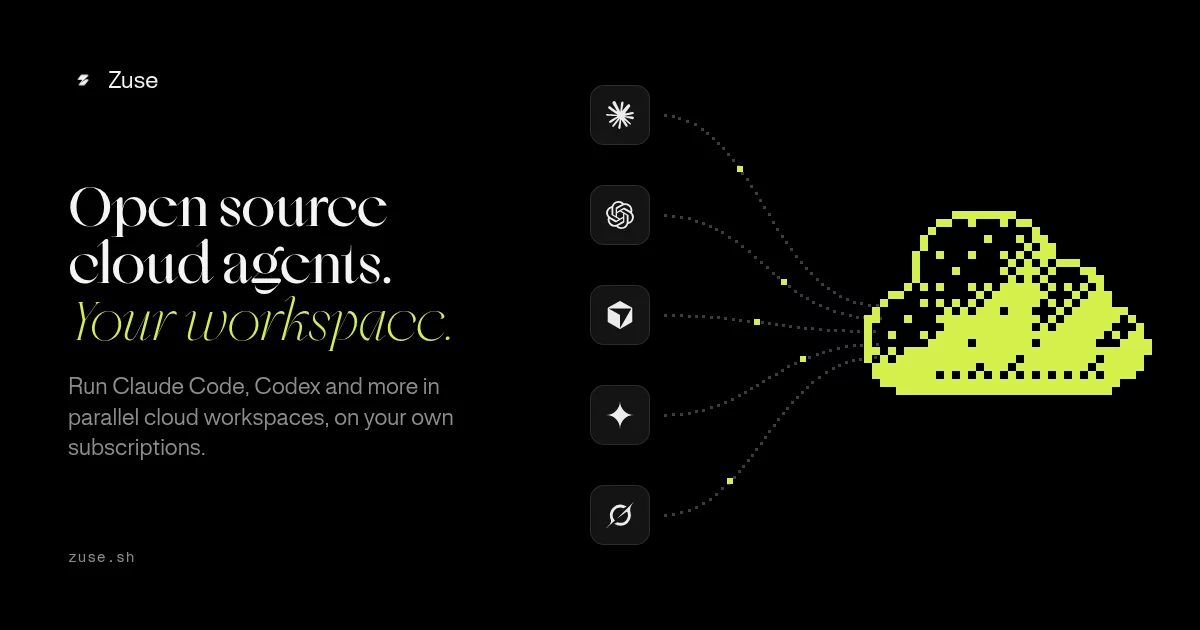
A chat-first desktop app for developers who work with AI coding agents. Wraps Claude Code, Codex, Grok, Gemini, Cursor, and OpenCode in a persistent, project-aware interface — structured chat history, rich composer, file viewer, integrated terminal, git worktrees, and session management, all stored locally.
Supports macOS and x64 Linux, with Windows x64 available as a test candidate. Requires at least one supported agent CLI installed.
Install on Windows
Download the windows-candidate-* artifact from a successful
Windows compatibility run,
extract the ZIP, and run Zuse-*-windows-x64-setup.exe. These unsigned test
installers are not yet public releases; artifacts expire after seven days. The per-user installer does not require administrator access
and creates Start menu and desktop shortcuts.
Before starting an agent session, install and authenticate at least one of the
supported agent CLIs. Zuse discovers .exe, .cmd, and
.bat provider commands from PATH and uses Windows Credential Manager for
stored credentials.
Install on Linux
Zuse currently ships x64 builds for Debian/Ubuntu and other Linux distributions that can run AppImages.
Debian and Ubuntu
Install the latest .deb release directly from a terminal:
curl -fsSL https://raw.githubusercontent.com/swarajbachu/zuse/main/scripts/install-linux.sh | sh
The installer downloads the .deb attached to the latest GitHub release,
verifies its GitHub-published SHA-256 digest, and uses apt, which installs
Zuse's Secret Service and Avahi runtime dependencies. You may be prompted for
your sudo password.
Other distributions
Download the latest x64 .AppImage from
GitHub Releases, then run:
chmod +x Zuse-*-linux-x86_64.AppImage
./Zuse-*-linux-x86_64.AppImage
AppImage users must provide a Secret Service implementation, such as GNOME
Keyring or KWallet. Install avahi-publish-service if you want nearby-device
discovery.
Before starting an agent session, install and authenticate at least one of the supported agent CLIs. If a CLI installed through a version manager is not detected, set its absolute binary path in Zuse's provider settings.
Supported agents
| Provider | CLI |
|---|---|
| Claude | claude |
| Codex | codex |
| Grok | grok |
| Gemini | gemini |
| Cursor | cursor |
| OpenCode | opencode |
| Pi | pi |
Pi: install with npm install -g --ignore-scripts @earendil-works/pi-coding-agent, then run pi and /login. See the Pi provider guide for binary settings and native permissions.
What's shipped
Agent sessions
- Start and stop sessions for any supported provider, in a project or a standalone thread
- Choose No project or press
Cmd/Ctrl+Alt+Nto start a thread in its own~/.zuse/threads/<date>-<short-id>folder on the selected computer; deleting the thread keeps its files - Full streaming chat timeline — tool calls, thinking blocks, diffs, error bubbles
- Turn summaries and loader states
- Rate-limit error bubble with reset time
- Answered
AskUserQuestioncards rendered inline in the timeline
Composer
- Slash commands:
/clear,/new,/model,/mode,/help @-mention file picker — fuzzy search any project file, inserts as an inline chip- Image and PDF attachments (drag-drop, paste, or button)
- Plan mode with
AskUserQuestioncard andShift+Tabflow - Mid-turn message queue
Permission system
- Smart permission policy with always-allow and per-session overrides
- Redesigned permission prompt as a composer-slot card
- Permission inspector
Sub-agents
- Cost-saving delegation — Opus 4.7 can spawn Haiku or Sonnet for sub-tasks
- Collapsible wrapper rows in the chat timeline
- Per-agent token accounting
Git worktrees
- Per-chat git worktrees — each session gets an isolated working tree
- Per-repo settings
- Scoped
@-mentions within a worktree
Cloud workspaces
- Run invited coding-agent sessions in hosted E2B workspaces that continue when the desktop app closes
- Send text messages while compute sleeps; Zuse accepts them into an encrypted durable mailbox, wakes the workspace, and shows delivery progress without duplicate provider sends
- Open a workspace through its managed
ssh zuse-<workspace>alias without exposing a public SSH listener - Keep a one-way, remote-authoritative Mac mirror under
~/.zuse/cloud/that pauses on disconnect and resumes with fresh access - Open dev servers privately on Mac
localhost; public E2B preview URLs remain an explicit copy action
PR & Changes pane
- PR tab with markdown rendering
- Changes tab with diff view
- Commit composer
- Checks tab with CI status glyphs
File viewer & editor
- File tree with Material Icon Theme file-type icons
- Click-to-open any file in the main pane
- CodeMirror 6 editor — TS/TSX, JS, JSON, Markdown, HTML, CSS, Python, Rust, Go
- Inline previews for PNG, JPEG, GIF, WebP, and AVIF images
Cmd+Sto save, mtime-based optimistic concurrency
Layout & UI
- Three-pane layout: sidebar / chat / files+terminal
Cmd+Kopens a compact, scrollable palette with five recent chats, quick actions, settings destinations, and workspace/navigation commands; search together, or type>for commands onlyCmd+Psearches files in the current project or worktree, also available from quick actions and the file-tree header- Resizable panes
- Top bar with active session info
- PTY terminal (Ghostty VT + node-pty)
- macOS Keep Mac awake modes: Auto while an agent or authenticated remote client is active, Always, or Off, with live status in General settings
Persistence & distribution
- SQLite stores projects, sessions, messages, tool calls across restarts
- Keychain-backed API keys (no plaintext storage)
- Signed + notarized macOS universal
.dmg(Apple Silicon + Intel) - Linux x64
.AppImageand Debian/Ubuntu.deb - Windows x64 NSIS test installer (public release and update qualification pending)
- In-app auto-update via GitHub Releases
Tech stack
| Shell | Electron 42 |
| Renderer | React 19 + TypeScript + Vite |
| Styling | Tailwind CSS v4 + shadcn/ui (zinc dark) |
| State | Zustand (ephemeral) + SQLite (persistent) |
| IPC | @effect/rpc with Electron IPC transport |
| Runtime | Effect.ts (Layer, Stream, Schema) |
| Terminal | Ghostty VT (WebAssembly/native) + node-pty |
| Editor | CodeMirror 6 |
| Monorepo | Bun workspaces + Turbo |
Monorepo layout
apps/
  desktop/     Electron shell
  renderer/    React UI (Vite)
  server/      All backend logic — Effect Layers
  web/         Next.js marketing site
packages/
  contracts/   @zuse/contracts — typed RPC contracts + branded IDs
  ui/          Shared React components
specs/
  0.01-MVP/    Foundation
  0.02-MVP/    File viewer & editor
  0.03-MVP/    Composer 2.0
  0.04-MVP/    Code index (spec complete, not yet built)
  sub-agents/  Sub-agent delegation
Documentation
- Public documentation: published customer-facing content
- Repository cloud guides: workspace usage, public API, Slack automations, and operations
Internal and contributor references
- Internal documentation map — engineering and operator references
- Desktop design system — visual foundations, component patterns, accessibility, and responsive behavior
- Realtime runtime — the durable session and ClientBus path shared by local, SSH, and cloud environments
- Unified computers — environment and sandbox domain model
- Context map — domain contexts and their ownership relationships
Dev setup
# Install
bun install

# Dev (renderer + Electron)
bun dev

# Build
turbo build

# Package macOS DMG (signed)
bun run dist:mac

# Package macOS DMG (unsigned, local testing)
bun run dist:mac:unsigned

# Package Linux AppImage and deb
bun run dist:linux

# Package Linux without publishing
bun run dist:linux:unsigned

# Package Windows installer without publishing (PowerShell)
bun run dist:win:unsigned
Use Bun 1.3.10 and Node.js 24 for Windows builds. Run these commands from
PowerShell with Python and Visual Studio C++ build tools installed: native
node-pty and keytar bindings are rebuilt for Electron. See the
Windows qualification guide.
Changes to the macOS awake controller require the physical MacBook release check, including assertion and best-effort closed-lid verification.
The default install uses the public icon set and does not require registry credentials. Contributors can clone the repository and run the commands above without any additional setup.
Licensed developers can opt into the paid icon styles by exporting
HUGEICONS_TOKEN before bun install. The install hook downloads the licensed
packages into an isolated local directory; they are never added to the public
workspace dependency graph. If lifecycle scripts were disabled, run
bun run icons:install-paid, then confirm the active set with
bun run icons:status --expect=paid.
The packaging commands build artifacts into dist/. End-user installation
instructions are in Install on Windows and
Install on Linux.
License and acknowledgements
Except where third-party terms apply, Zuse's source code is licensed under the
GNU Affero General Public License v3.0 only (AGPL-3.0-only).
Small areas with close correspondence to MIT-licensed upstream software retain
the applicable copyright and permission notice. Reference-driven pull requests,
library foundations, and the code-level inventory are documented in
Attribution and provenance.
Zuse also builds on ideas and foundations from the wider open-source community. We are grateful to the contributors whose work made this project possible.